Flower
Animator Keymyon praises Marvelous Designer for costume simulation, highlighting efficiency, and expressiveness in 3D animation projects.
Artist Introduction
Hello, I am animator Keymyon. I’m an animator, with 15 years working experience, starting from being an animator at a traditional 2D animation studio and now transitioning to a 2D/3D designer at a game company. I go by the nickname ‘Keymyon’ online' and I continuously explore my areas of interest, producing video content. I enjoy interacting with creators from various fields, engaging in open and unrestricted work in the online space. This allows me to meet and collaborate with diverse creators both online and offline, having as a driving force for my boundless creativity.
Tell us about the project
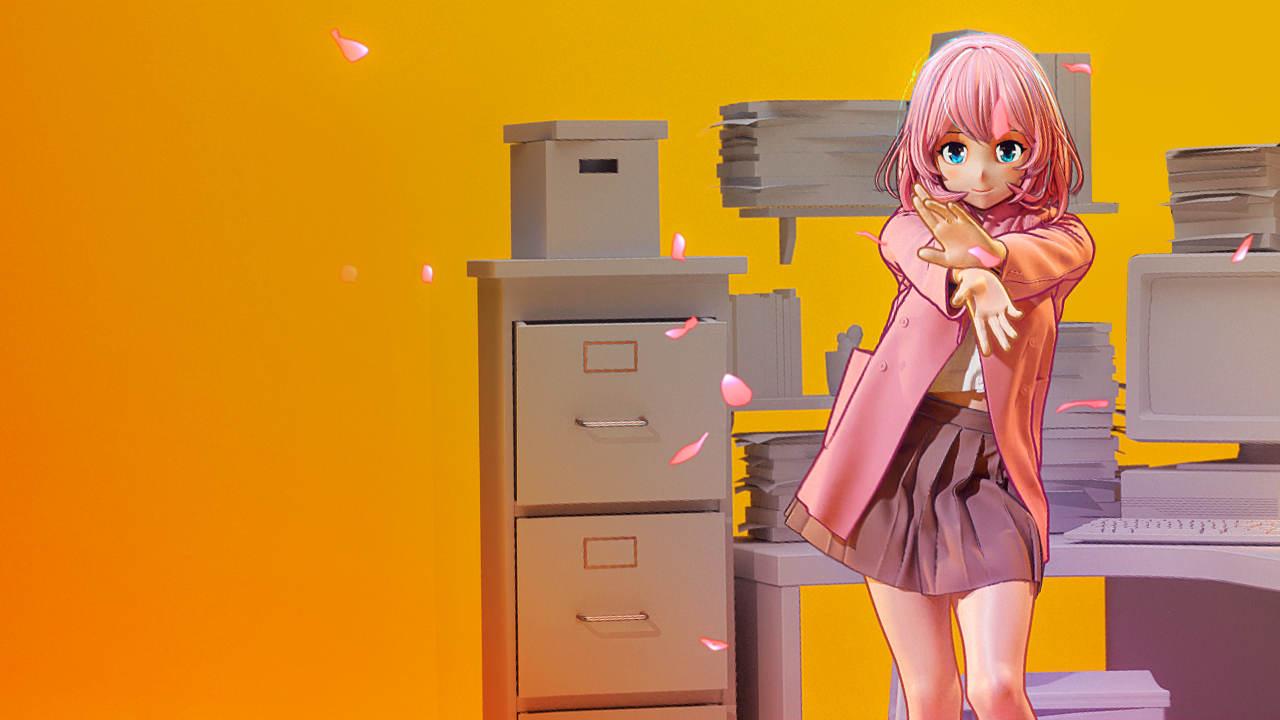
This project is a piece of content featuring a 'K-Pop Dance Challenge' that anyone can easily watch on social media, implemented with 3D animation characters. However, instead of realistic 3D characters, the characters are represented in a Japanese 2D animation style, using cell-rendered artwork to provide an experience akin to watching a short anime clip. This work will be filled with my personal preference for 2D animation and my passion for K-Pop!
Technically, I aimed to build a connection between real-world dancers and 3D virtual characters in a virtual space using a motion capture system. This allows the dancer in real life to perform the dance while her avatar simultaneously generates the same short-form content in another virtual space.
We’d like to hear more about the art direction in costume. What was the visual style you were aiming for?
From the early stages of production, the most important concept was a 'girl filming a short-form video in her room.' The choice of wardrobe was also aligned with this idea, considering styles like 'school uniforms' to complement the theme. As the dance was synchronized with a preselected song, the detailed costume design was crafted to match the dance, featuring a flowing skirt and attire that harmonized with it, resembling the graceful movement of flowers.
Why did you decide to use Marvelous Designer? How did it help you serve art direction?
With the advancement of technology, it has become possible to easily capture real human movements, even fast and intricate dance motions, using motion capture through smartphones. However, to bring these motion data to life, it is essential to have high-quality character rendering, especially when it comes to detailed costume modeling.
However, I felt significant limitations in the representation of costume simulation using traditional 3D software. Especially in a project like this one that involves expressing 'dance,' the portrayal of costumes becomes even more critical. Therefore, without hesitation, I decided to use Marvelous Designer for costume design right from the early stages of production. This choice eliminated the fear and concerns associated with creating costumes separately in 3D tools.
In the actual process of creating costumes with Marvelous Designer, I referred to 'Nina Chernyshenko's use case' and visited Artstation's marketplace to purchase costumes from different designers. I immediately applied these purchased costumes to my character and previewed the simulation results. Applying the costumes and previewing the simulation results on my character took just five minutes, which allowed me to make costume design decisions surprisingly quickly.
The ease of previewing costumes brought me immense joy. If I hadn't predetermined the direction for costumes during the initial planning phase, I imagine I would have had the pleasure of trying on dozens of outfits after making the purchases.

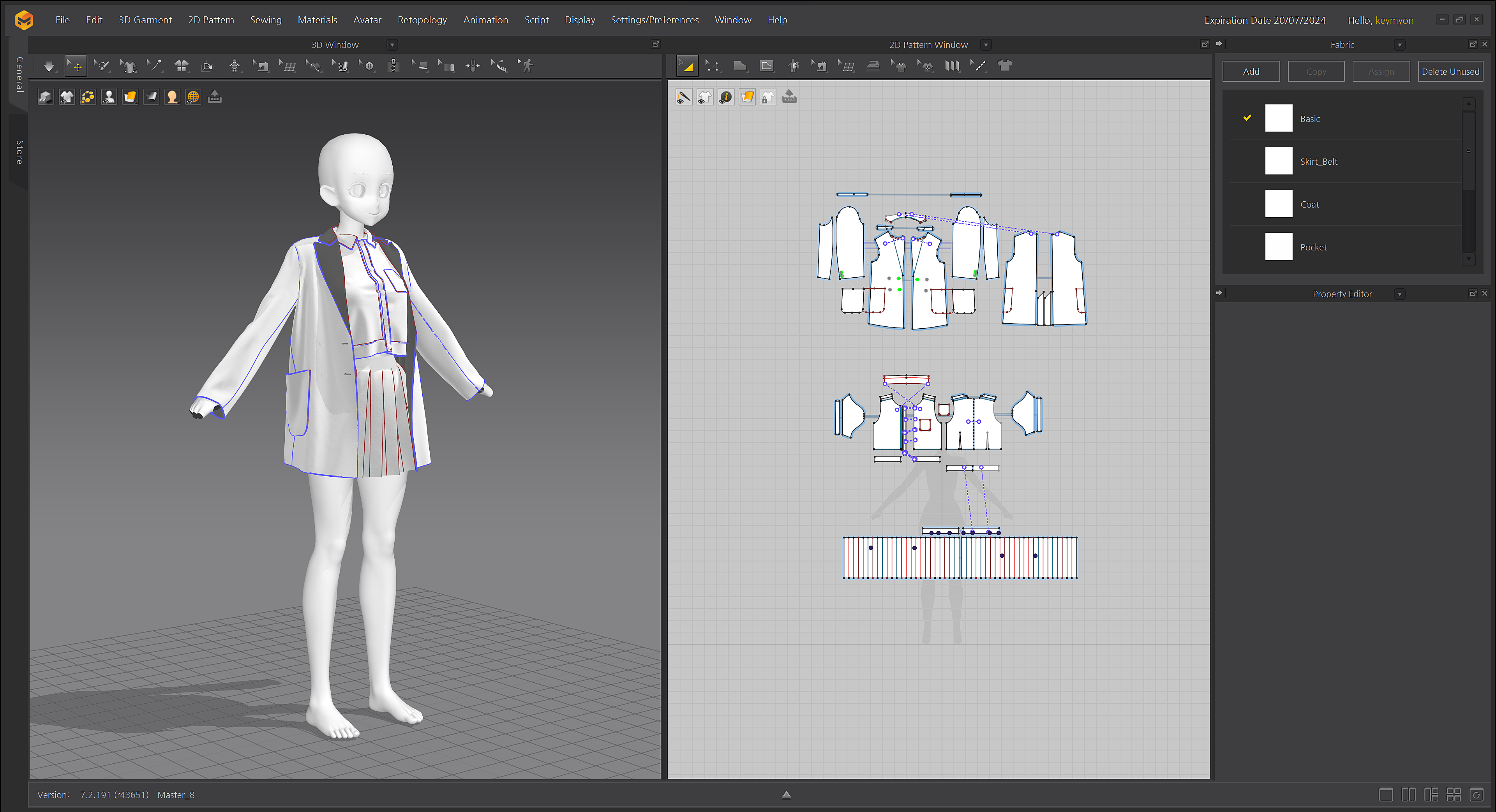
For this project, the tops, shirts, and jackets were customized using patterns from external marketplaces, while the skirt was created by directly designing a 2D pattern.
Can you give us a quick overview of the different tools used in your pipeline including Marvelous Designer?
[Planning]
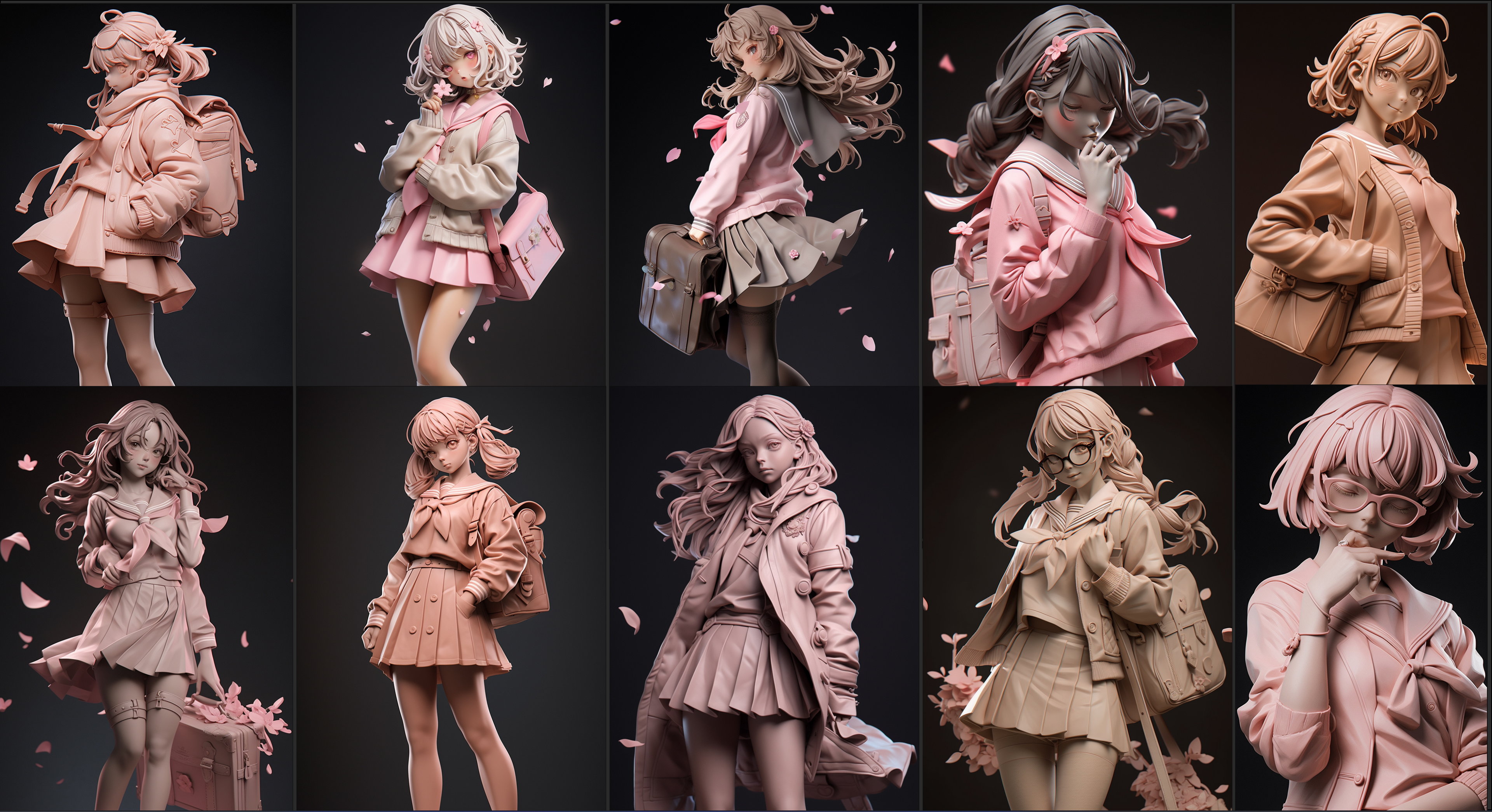
Based on the background song, we referenced and created various visual references. The references included idea notes, simple sketches, and actively utilized AI image generation for the process. Using the AI generation tool Nijijourney, we explored 'Text to Image' to examine the textures and design direction that would suit the character's attire. As a result, the character emphasizes a 2D animation-like feel, while the costumes, on the contrary, aim for a realistic representation through advanced costume simulation.
(Prompts : 2D figure, idol, a cherry blossom leaf, school look…)
[Motion Capture]
After organizing the initial planning, I visited a dance studio to have a production meeting with the dancer directly. Meeting with creators from different artistic fields has always been an enjoyable experience. To capture the dancer's movements easily and without any discomfort, we used the MOVE.ai system, which allowed motion capture using just a mobile phone. The advantage of this system is that it doesn't require the dancer to wear any additional sensors or specialized suits, making them feel at ease while dancing.
During the on-site recording, we took into consideration that costumes would be added later using Marvelous Designer. Therefore, we made sure to avoid any crossing or close contact between the dancer's body parts to facilitate the costume design process.
[Character Modeling]
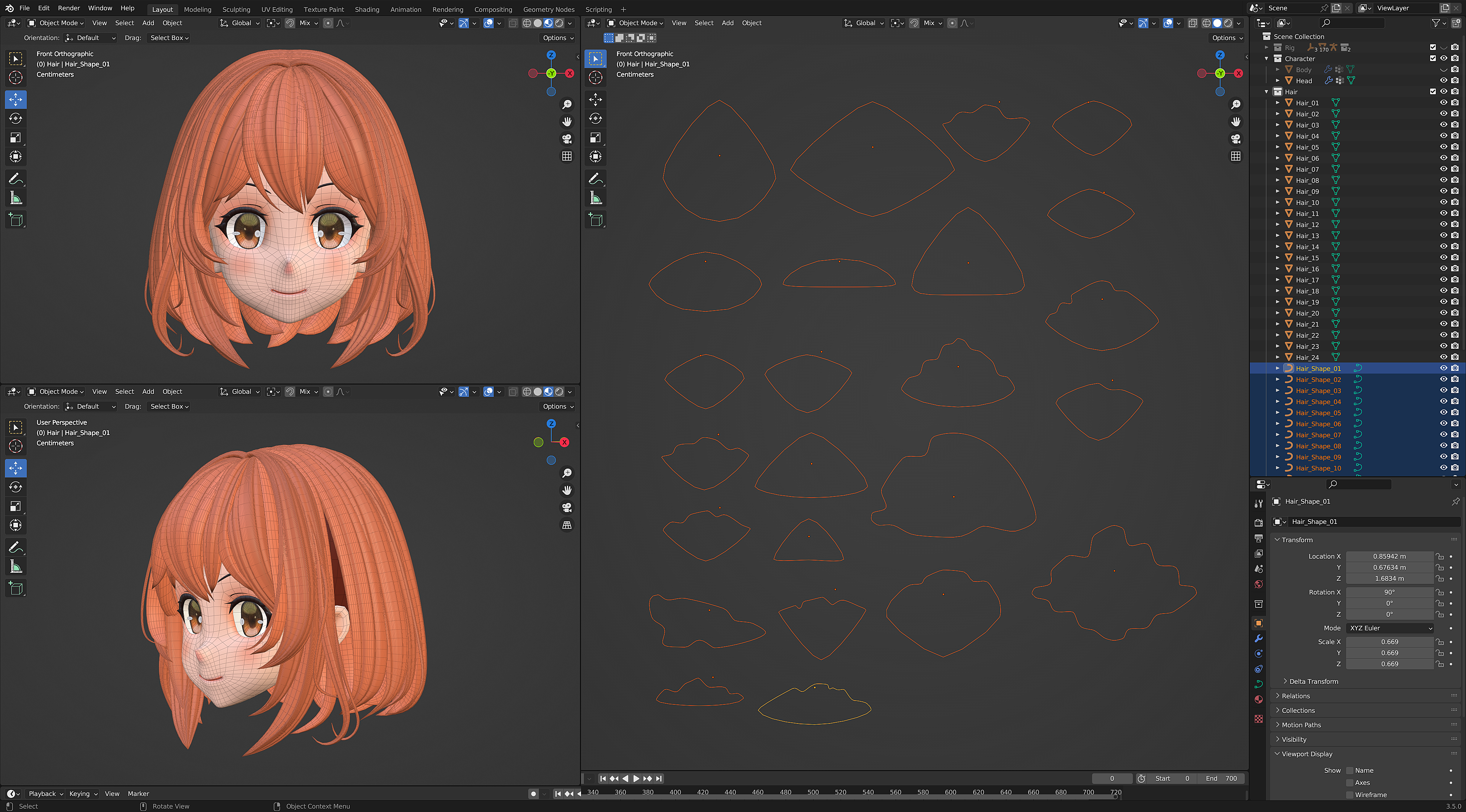
The character was created using Blender, and we specifically designed the modeling for cell-rendering. For the hair modeling, we used various hair patterns randomly, ensuring that when light hits the hair, the intricate details of individual strands would be visible, adding realism to the character's appearance.
[Retargeting Motion Capture Data]
We applied the motion capture data captured on-site to the character using Blender. Additionally, when applying the costume simulation in Marvelous Designer, we made partial mesh adjustments to minimize collision and interference caused by the thickness of the fabric.
[Cloth Simulation]
I imported the character with applied motion capture into Marvelous Designer as an Alembic animation to apply the clothes. Due to the nature of the 'dance' motion, there were many instances where different parts of the body crossed rapidly and experienced compression. When using this complex character motion for simulation in Marvelous Designer, I observed some instances of costumes tearing or intersecting with each other during the simulation process.
To address these issues, I applied various options in Marvelous Designer settings to improve the simulation results. Additionally, we chose to artificially modify the character's mesh. In scenes where body parts rapidly overlapped or compressed, we exaggerated the effect to create empty spaces between the character's mesh, allowing the costumes in Marvelous Designer to overlap in those areas. As a result, we successfully eliminated any instances of costumes tearing or intersecting with each other in the simulation results.
[Final Rendering]
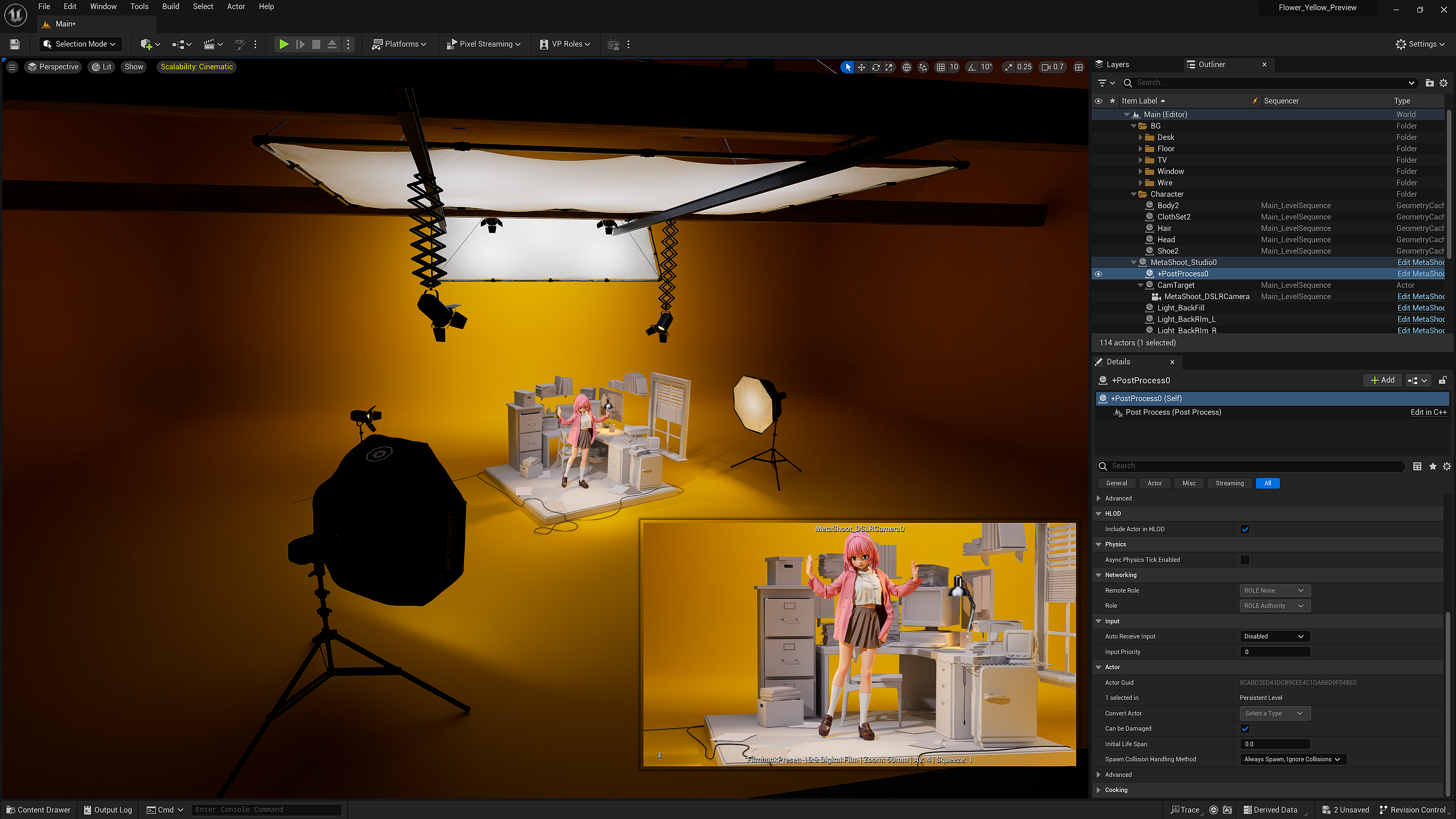
Unreal Engine is used for lighting and material application. With real-time lighting adjustments, I could visualize the texture of the character and costumes effectively. Both the character created in Blender and the clothes from Marvelous Designer were exported as Alembic files and then imported as cache files into Unreal Engine. Remarkably, the Marvelous Designer Alembic file seamlessly integrated with other modeling data without requiring any separate scaling adjustments, showcasing high compatibility.
Moreover, the 2D outline effects, resembling cel-shading, were naturally and smoothly represented in Unreal Engine, adding to the overall visual appeal.
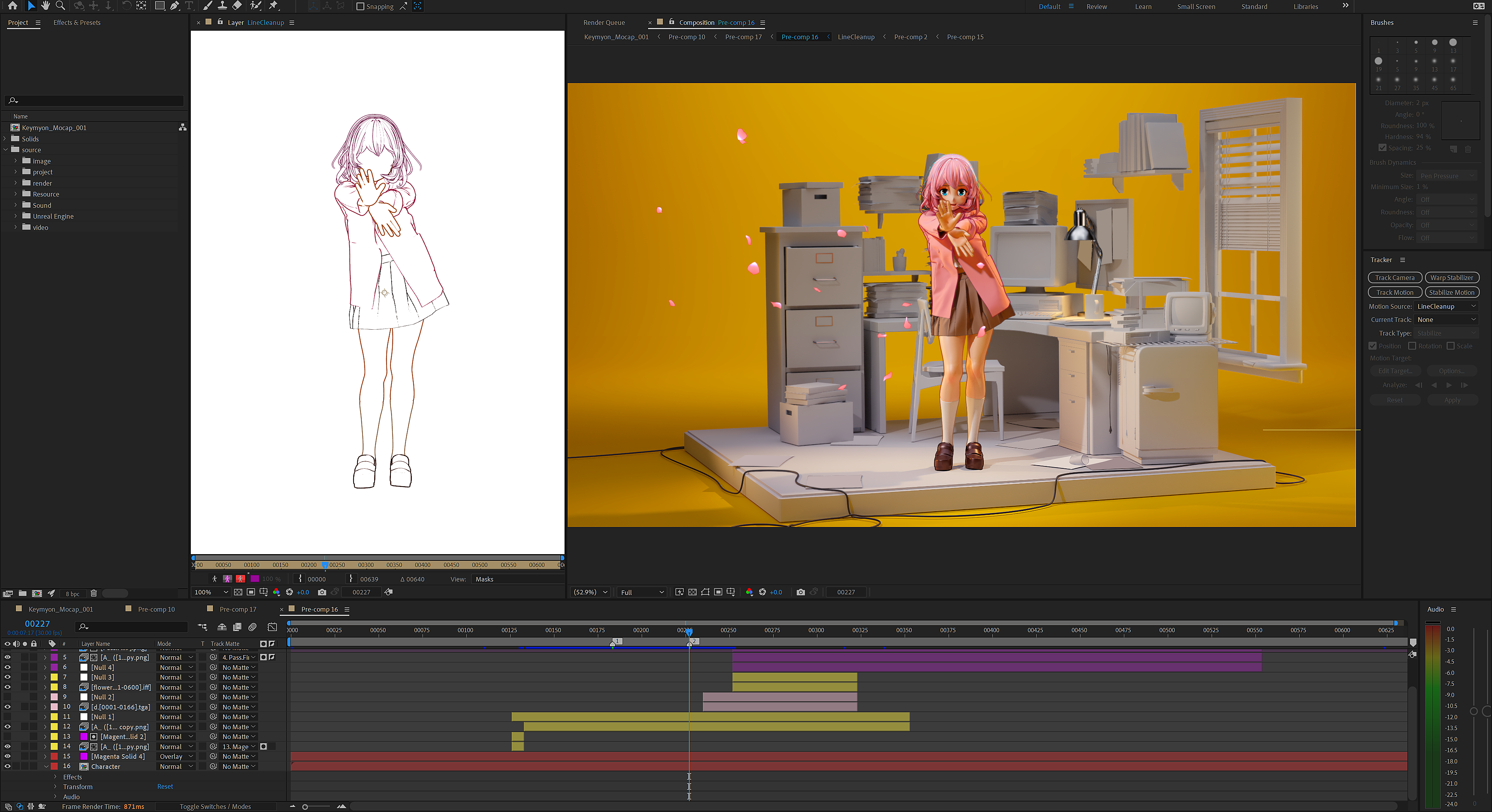
After rendering the image sequence, I used After Effects to perform color correction and composite additional effects like 'flower petals.' Through this process, I created the final output by blending all the elements together seamlessly.
Are there any tips and tricks with Marvelous Designer that you can share with the community?
When applying costumes to animation characters, I recommend manually adjusting the mesh of the model to minimize variables during the costume simulation. Particularly, even intricate parts like the fingertips can be accurately represented in Marvelous Designer. Therefore, in scenes where unintended simulations may occur, consider removing the avatar's fingertips and then importing them. By doing so, you can achieve faster and more accurate simulation results. These measures will enhance the efficiency and accuracy of the simulation process.
How can you describe your overall experience of the use of the Marvelous Designer?
Cloth simulation is a complex and time-consuming process in any 3D tool, often involving unexpected variables. While I've tried simulating costumes in various programs, I haven't found a tool as sophisticated and beautifully expressive as Marvelous Designer. Once I overcame the fear of transitioning between different 3D platforms and took a step towards Marvelous Designer, I gained multiple times more expressiveness and corresponding results. Moreover, the preconceived notion that it's a tool only for experts was shattered; the user-friendly interface made it incredibly convenient and easy to work with, leading to a wonderful and positive experience with Marvelous Designer.
이 작업은 MOVEai, UnrealEngine, Blender, AfterEffect, IndividualArtwork, Animation 등의 기술로 제작되었습니다.
Marvelous Designer로 이와 같은 3D 의상·캐릭터 작업을 직접 만들어볼 수 있습니다.