[Challenge] Glamshot : Step into the Spotlight 📸✨
Welcome to the Glamshot Challenge.📸✨
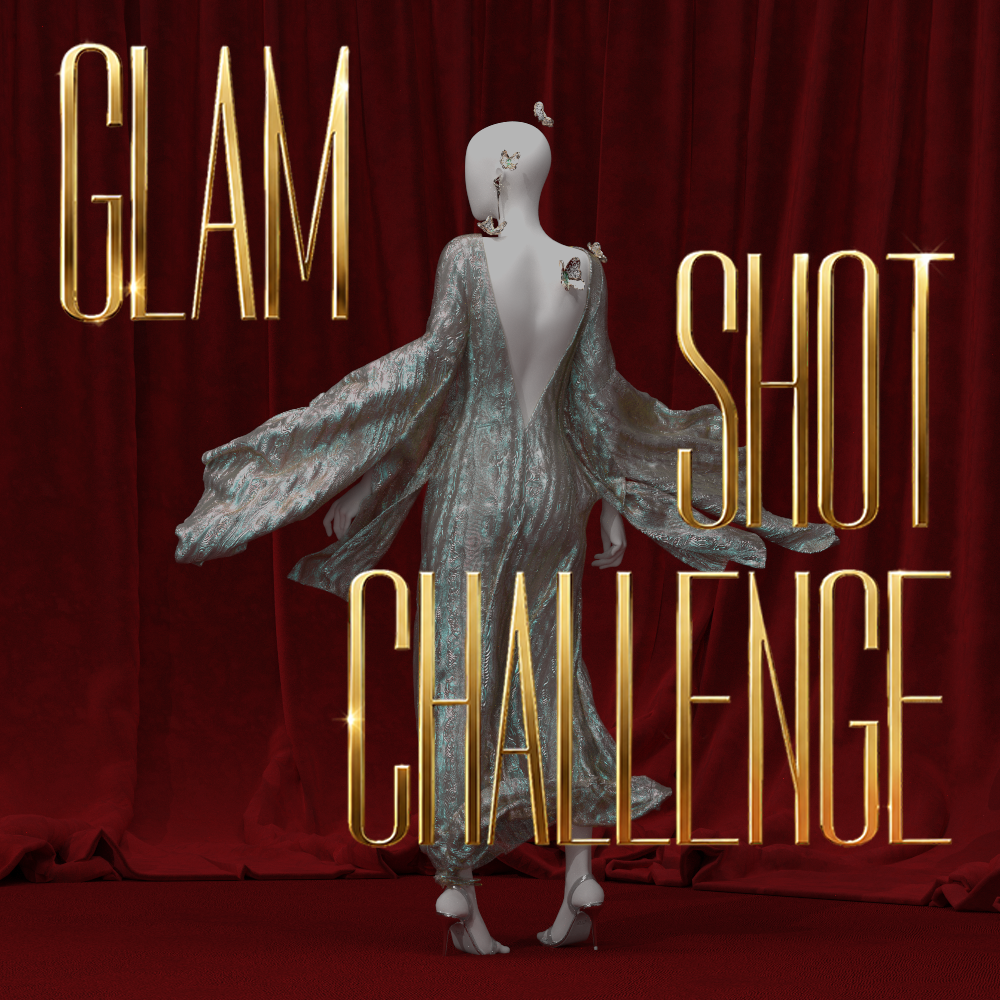
We are back with a brand new challenge!
Step onto the Hollywood red carpet and show off your stunning garments in gorgeous slow motion!
All challenge assets are available for free download on CONNECT.
We provide a ready-to-go project file that includes the red carpet background, camera movements, wind, and lighting effects—so make sure to use it!
Check out the full details below and join the spotlight! 👇
📌Challenge Details
Title : Glamshot
Concept: Open Theme
There are no concept restrictions. Outfits with various concepts are welcome!
Feel free to showcase any 3D outfits you’d like to introduce.
Previously released outfits are also welcome.
Participation Period: Ongoing
👥 Guidelines & Requirements
You must use the motion file and avatars provided by CONNECT.
Upload your completed video to Instagram Reels, YouTube Shorts, or TikTok with the official hashtags.
Required Hashtags: #glamshot #glamshotchallenge #challengebyCONNECT
🛠 How to Participate (Step-by-Step)
1. Download Assets
Download the avatar and motion file provided on CONNECT.
💡 Notice
The camera animation and lighting effects in this Stage file are only supported in CLO! (We highly recommend using the latest version for the best experience.)
For Marvelous Designer users, please note that only the wind effects will be applied.
2. Create Garment Animation
The provided project file (.zprj) has the red carpet background, camera motion, wind, and light motions pre-set as attachments.
2-1. Open the provided .zprj file first.
⚠️ Note: You must open this background-configured file first to keep all the preset animations intact.
2-2 .Import the downloaded .mtn file into the open project.
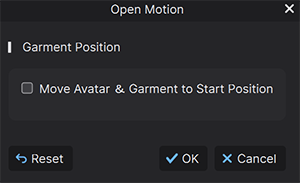
⚠️ Note: When importing the motion, exclude the transition and ensure it starts exactly at Frame 0. This keeps the motion perfectly synced with the camera, wind, light animations.
2-3. Load your created garment and fit it to the avatar's starting pose.
2-4. Once fitted, click the Record button to bake the animation.
3. Rendering
Render the completed animation file.
Recommended Resolution: 1080px * 1920px (9:16 Vertical Format)
4. Editing
Polish your rendered video using your preferred editing software.
You can refer to this video for the editing process.
Feel free to use other programs if you prefer.
Background Music : Free choice
5. Upload to SNS
Upload your finished work to Instagram Reels, YouTube Shorts, or TikTok.
Don't forget the hashtags: #glamshot #glamshotchallenge #challengebyCONNECT
6. Complete Your Entry
After uploading, leave a comment on this post with your [Content URL] to officially enter.
Comment Example : Participation Complete /www.instagram.com/share-link
You can also show off your challenge video or link in the CONNECT Community!
Set your post topic to [Challenge] and share your inspiration with global creators! 🚀✨
🎁 Perks & Benefits
After uploading to SNS, leave a comment on this post with the URL to your content. We’ll check the comments and feature your work on our Instagram!😊🎉
You can also show off your challenge video or link in the CONNECT community!
Set the post topic to Challenge and share your work with others!🚀✨
💬 Challenge Enquiry
Direct Message (DM) on Instagram
Comments on this page
🎬 Credits
The following assets were featured in the challenge promotion video.
A huge thanks to our incredible creators who generously shared these amazing resources for free on CONNECT! 🫶✨
Garment : FV2 Elf Dress by Connect Official (Customized for the concept)
Accessory : Butterfly Wing Earrings by Kev-in-DESIGN
Head Accessory : fantasy hat by fashion.designer.r.s (Customized for the concept)
Materials
Garment Fabric : Oil Spill by TAYA
Red Carpet Fabric : Red Velvet by Dinesh Kumar
Show us your spectacular style on the red carpet! 🔥
이 작업은 CLO, CONNECT, CHALLENGE, GLAMSHOT, MOTION, MOTIONCHALLENGE 등의 기술로 제작되었습니다.
Marvelous Designer의 최신 기능과 소식을 만나보세요.