


8 Best 3D Cloth Simulation and Clothing Design Software Tools (2026)
Compare the 8 best 3D cloth simulation and garment creation tools in 2026. Evaluate dedicated pattern draping, DCC physics solvers, avatar fitting, and sculpting trade-offs.
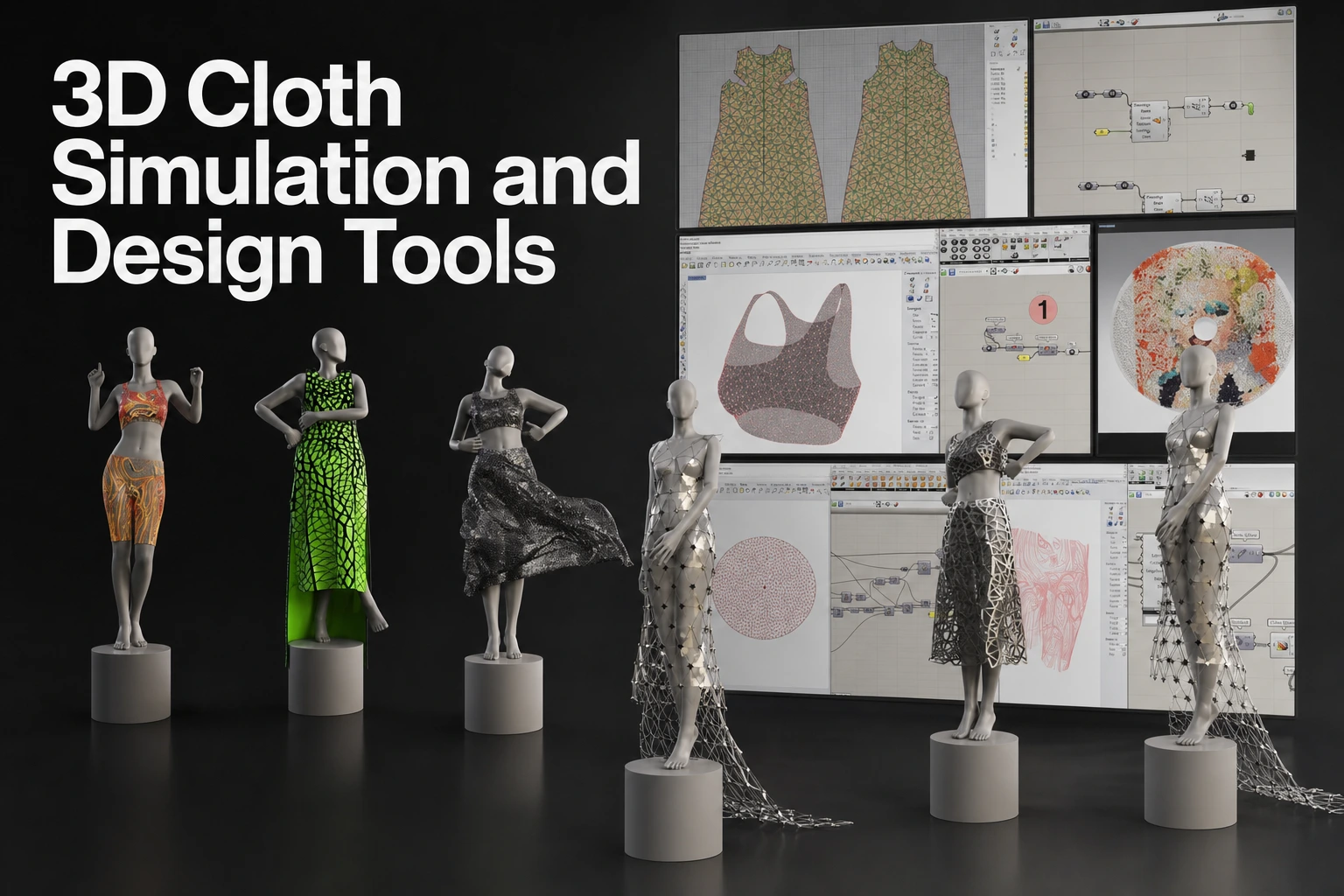
Key takeaways
- Pattern-based garment tools support panel construction, sewing and simulated drape. Evaluate fit and material behavior using representative garments and avatars; this list is not a measured anatomical-fidelity ranking.
- Marvelous Designer combines pattern construction and simulation with mesh choices, format-specific exchange and a documented Unreal LiveSync workflow.
- DCC simulation tools can cover construction as well as shot work: Houdini documents garment paneling, while Maya nCloth simulates polygon meshes through particles and links.
- Cloth sculpting and dynamics: ZBrush documents gravity and collision-based cloth brushes; Blender also has cloth simulation and caching. Compare the particular brush, simulation and animation workflow rather than assuming those applications have no physical collision support.
- Mesh and UV handoff: Choose topology for the destination’s deformation, simulation and rendering requirements. Inspect exported UVs and materials; quad conversion is not mandatory for every game-engine path.
Core criteria for evaluating 3D cloth and clothing tools
Evaluating cloth authoring software for professional production requires balancing artistic control against physical accuracy. The 3D dynamic garment market divides across three distinct technical methodologies: pattern-based digital tailoring, procedural DCC dynamic solvers, and direct dynamic sculpting brushes.
To determine which tool fits a specific pipeline, character artists and technical directors assess five core operational dimensions:
- Garment authoring methodology: Whether the software constructs clothing from true-to-scale 2D pattern pieces assembled with virtual seams around an avatar, or relies on polygonal extrusion, box modeling, and digital sculpting.
- Simulation solver architecture: The underlying computational model (such as real-time GPU/CPU particle engines, Extended Position-Based Dynamics (XPBD), or unified spring-particle solvers) and its ability to resolve complex multi-layered collisions, shear, bend stiffness, and material-specific weight (e.g., heavy leather versus light silk).
- Custom avatar and motion cache support: Reliability when importing custom character proportions, rigged skeletons, blend shape morphs, and motion-captured Alembic or FBX animation sequences.
- Pipeline topology and export flexibility: The availability of automated quad remeshing, manual retopology overlays, UV island preservation derived from 2D pattern layouts, and modern interchange support (OpenUSD, LiveSync, Alembic, FBX).
- Production turnaround versus manual sculpting: The balance between physics-driven iteration speed and the manual labor required to hand-sculpt believable stress wrinkles and secondary folds.
Comparison of eight cloth and garment tools
This is an editorial shortlist based on workflow and documented capabilities, not a measured performance or quality ranking.
| Product | Authoring methodology | Simulation solver architecture | Custom avatar & motion support | Retopology & UV tools | Primary pipeline fit |
|---|---|---|---|---|---|
| Marvelous Designer | Patterns and sewing | GPU trim in 2026.0; GPU soft body in 2025.2 | Format-specific avatar and motion support | Triangle / Quad Optimized / Quad Grid; inspect UVs | Entertainment garments |
| CLO | Apparel patterns, sewing and grading | 2026.1 adds Apple Silicon GPU simulation, trim and soft body | Check required avatar/animation data | Grading and export review | Apparel development |
| Houdini Vellum | Nodes and garment paneling | Position Based Dynamics | Evaluate actual animation inputs | Prepare geometry and exchange | Procedural garment/shot work |
| Maya nCloth | Polygon mesh construction | Particles and links on a mesh | Maya modeling and animation tools | Evaluate topology and export needs | Character and shot workflows |
| Blender | Modeling and sewing springs | Spring-based Cloth modifier | Modeling, rigging and animation | Inspect mesh/UVs and exchange | General 3D work |
| ZBrush | Sculpting and cloth brushes | Gravity, collision and mask controls | Check chosen platform and handoff | ZRemesher and platform-specific tools | Character/detail modeling |
| Style3D Studio | Patterns, arrangement and sewing | GPU simulation | Check selected product and plan | V10.0 OBJ/GLB/FBX and DXF output | Apparel development |
| Browzwear VStitcher | Apparel patterns and simulation | Virtual fit tools; physical measurement is separate | Check actual avatar and motion workflow | Quad, weld and UV export settings | Apparel development |
Dedicated pattern-based garment authoring suites
Pattern-based suites assemble 2D panels with virtual sewing and simulate the garment around an avatar. The result depends on the pattern, material model, pose and solver settings. Inspect collisions, fit and animation, and add sculpted corrections where the project needs them.
Marvelous Designer
Marvelous Designer is built specifically for digital garment creation and cloth simulation within entertainment pipelines, including video games, feature VFX, episodic animation, and digital character art.
- Authoring and simulation: Simulate drapes sewn patterns against collision objects. Release notes add GPU soft body in 2025.2 and GPU trim in 2026.0. Use the installed version’s capabilities and validate the intended garment.
- Avatar & animation: Consult MD’s avatar import guide and format-specific manuals. OBJ, FBX and Alembic do not carry identical rig or animation data. For MetaHuman, check the documented application-version and USD workflow requirements.
- Topology & pipeline: MD documents Triangle, Quad (Optimized) and Quad (Grid) mesh choices. Inspect mesh density, UV distortion, material assignments and deformation after export. LiveSync provides a documented Unreal transfer workflow; it is separate from configuring USD simulation data for Chaos Cloth.
CLO
CLO is developed by CLO Virtual Fashion for fashion design, apparel product development, and physical garment sampling.
- Authoring and simulation: CLO 2026.1 adds native GPU simulation on Apple Silicon Macs and supports trim and soft body. Confirm the installed version and hardware rather than applying older platform limitations to the current release.
- Production focus: Grading, DXF patterns and BOM XML/project/image export serve different handoffs. CLO-SET tech packs are a separate workflow.
- Downstream use: CLO’s feature page documents blend-shape animation and camera exchange; its DXF guide covers pattern exchange. Test required game/VFX output instead of inferring limitations from its apparel focus.
Style3D Studio
Style3D Studio is an apparel authoring application with pattern editing, sewing, simulation, rendering and costing.
- Authoring: Studio V10.0 documents garment arrangement/sewing assistance, pattern updates and BOM costing. Plan permissions vary, including Enterprise-only access to current AI features.
- Collaboration: Style3D Cloud is a separate product for 3D asset storage, presentation and collaboration. Confirm the product and subscription required.
- Pipeline fit: Check the selected Style3D product and plan for required topology, UV and export functions. Test the actual destination workflow; product-family marketing does not establish that every plan includes the same tools.
Browzwear VStitcher
VStitcher provides apparel design and virtual fit tools. Assess the material inputs and production output; simulated fit is not proof of the physical result.
- Fabric review: Fabric Analyzer is separate physical-measurement equipment. Its availability does not establish a solver-accuracy benchmark.
- Pipeline fit: Evaluate VStitcher for apparel design and production handoff, and test the relevant export requirements. Browzwear offers Freelancer, FreelancerPlus, Teams and Enterprise plans; it is not Enterprise-only.
Procedural and shot-based DCC dynamic solvers
General DCC tools simulate cloth and other geometry within broader animation workflows. Houdini also supports garment paneling and draping. Choose the construction and simulation interface that fits the task instead of assuming the categories cannot overlap.
SideFX Houdini (Vellum)
SideFX describes Vellum as a Position Based Dynamics framework for cloth, hair, grains, fluids and soft bodies.
- Solver capabilities: The Vellum manual covers materials, constraints, collisions and related controls. Test required interactions on the actual shot; the documentation is not a comparative speed or stability benchmark.
- Workflow: Vellum has node-based cloth, constraints and garment-paneling workflows within Houdini. Check the selected SOP/DOP setup and character-animation inputs for the intended shot.
- Pipeline role: Vellum includes garment construction as well as simulation. A team can import geometry from another authoring tool or construct panels in Houdini; validate the chosen exchange and simulation setup.
Autodesk Maya (nCloth)
Autodesk Maya’s nCloth system is an established component of the Maya Nucleus dynamic simulation framework.
- Solver architecture: Autodesk’s nCloth concepts guide explains particle links for stretch/compression, cross-links for shear on quad faces, and bend resistance. This source describes nCloth, not every solver in Maya.
- Animation context: Maya provides modeling, rigging and animation tools around the cloth workflow. Evaluate required constraints, character motion and cache handoff in the selected version.
- Pipeline and licence: Evaluate Maya’s modeling, animation and nCloth workflow on the actual costume. Check the current regional subscription quote and billing period; a monthly equivalent of an annual price is not a month-to-month plan.
Blender (Cloth Simulation)
Blender provides a fully integrated, open-source dynamic cloth simulation engine alongside comprehensive 3D modeling, sculpting, and animation tools under the GNU General Public License (GPL).
- Simulation: The traditional Cloth modifier uses vertex springs. Shape settings include sewing springs, pin groups and dynamic rest shape. These are separate from newer Geometry Nodes physics.
- Handoff: Blender combines rigging and animation tools with exchange formats such as Alembic. Test the required deformation and exported data in the destination.
- Evaluation: Include material setup, layers, collisions, playback and cleanup in a representative garment test. No cited matched benchmark establishes a general speed or stability ranking between these products.
Dedicated cloth simulation vs. manual digital sculpting
Character artists frequently debate whether to author clothing folds using physical simulation software or manual digital sculpting brushes (such as Maxon ZBrush or Blender’s Cloth Brushes). Each workflow serves distinct production stages.
Workflow Comparison: Simulation vs Sculpting
| Physics-Based Simulation (Marvelous Designer / Solvers) | Manual Digital Sculpting (Maxon ZBrush / Blender Cloth Brushes) |
|---|---|
| Folds derive from pattern tension | Folds placed manually by the artist |
| Material-driven simulated drape | Direct control over stylized shapes |
| Configure and inspect layered collisions | Shape and inspect the required pose |
| Review the required animation/cache output | Review animation or cache needs separately from the sculpt |
| Review pattern-derived UVs after export | Review the selected UV workflow |
Maxon ZBrush (Dynamics & Cloth Brushes)
Maxon documents ClothTwister, ClothWind and ClothPinchTrails, alongside cloth dynamics and masking controls.
- Mechanism: ZBrush Dynamics provides gravity, collision and mask controls. MicroPoly is a desktop modeling feature, not a separate cloth-physics engine.
- Artistic control: Use brushes to place folds and detail for the intended silhouette. If the garment will move, also review its topology, deformation and simulation requirements.
- Workflow checks: Test the required pose changes, collision behavior and animation handoff in the selected ZBrush version. Distinguish a sculpted result from the cache or rig required by the destination instead of assuming all sculpting workflows have the same limitation.
When to simulate vs. when to sculpt
| Decision factor | Adopt dedicated cloth simulation | Use manual / dynamic sculpting |
|---|---|---|
| Garment construction | Panels, seams, material settings and collisions | Direct mesh and fold editing; dynamics where available |
| Asset destination | Validate the intended static or animated delivery | Validate the intended static or animated delivery |
| Material appearance | Tune material inputs and inspect drape | Shape the silhouette and surface detail |
| Iteration | Revise patterns, resimulate and inspect the result | Revise the sculpt or its modifiers and inspect the result |
| UV and texture preparation | Inspect UVs generated from panels | Inspect the chosen unwrap or projection workflow |
A possible combined workflow is to construct and simulate a garment, inspect its mesh and UVs, sculpt additional detail, and bake maps for the target. Adapt these stages to the asset rather than treating quad conversion as proof of readiness.
Mesh optimization, topology, and engine pipeline handoffs
Simulation, authoring and rendering can use different mesh structures. Choose topology for the receiving application and expected deformation. Unreal’s documented pipeline uses triangulated geometry, and MD’s Chaos Cloth example can use triangles without quad retopology.
Automated quad remeshing vs. manual retopology
- Mesh conversion: MD documents Triangle, Quad (Optimized) and Quad (Grid). Choose the appropriate style, inspect edge flow and deformation, and perform cleanup required by the target.
- Manual cleanup: Where the target needs specific deformation, revise edge flow and test the required poses. Choose tools in the actual receiving application.
UV layout preservation
Pattern layouts can provide a useful starting point for UVs. Inspect the exported seams, distortion, texel density, packing and material orientation. Confirm UDIM and nesting options for the selected product and output rather than assuming every export preserves them.
Interchange formats: USD, LiveSync, and Alembic
- OpenUSD: OpenUSD provides scene composition and exchange tools. Test the actual schemas, materials, animation and importer/exporter versions; using the format does not guarantee lossless or conversion-free transfer.
- Unreal Engine LiveSync: The documented workflow transfers meshes, materials, skeletal animation and geometry caches through the LiveSync editor’s Update action. USD simulation-data export and Chaos Cloth setup are a separate workflow.
- Alembic: MD’s guide describes garment geometry/cache export over the selected animation range. Verify playback in the target; a baked cache does not provide every form of interactive behavior.
Production decision guide: Selecting the right tool for your pipeline
What is your primary deliverable?
| Primary deliverable | Garment need | Recommended tool |
|---|---|---|
| Game Character / Cinematic Rig | Realistic Garment Foundation | Marvelous Designer (Pattern Tailoring + Quads) |
| Game Character / Cinematic Rig | Static Concept / Stylized | Maxon ZBrush (Dynamics & Brushes) |
| VFX Dynamic Shot | Materials, constraints and collisions | SideFX Houdini Vellum (Position Based Dynamics) |
| VFX Dynamic Shot / Destruction | Character Deformation Rig | Autodesk Maya (nCloth) (Nucleus Solver System) |
Scenario A: Character artists building game-ready outfits
- Recommended Pipeline: Marvelous Designer $\rightarrow$ ZBrush $\rightarrow$ Substance 3D Painter $\rightarrow$ Unreal Engine / Unity.
- Why test it: Pattern-based construction and sculpted finishing can serve different tasks. Measure garment revisions, mesh cleanup, UV preparation and baking before claiming production-hour savings.
Scenario B: Feature film and VFX dynamic simulation teams
- Recommended Pipeline: Marvelous Designer (Garment Asset Construction) $\rightarrow$ SideFX Houdini (Vellum) (Shot Dynamics & Interaction) $\rightarrow$ Solaris / USD Render.
- Why test it: A garment can be constructed in one tool and transferred to Vellum for a chosen shot. Measure the complete transfer and simulation work before claiming faster production.
Scenario C: Solo developers and indie game creators
- Recommended Pipeline: Blender + Marvelous Designer.
- Why test it: Blender offers general 3D work and cloth simulation without a software licence fee. MD adds a dedicated pattern interface. Compare the same garment revisions to decide whether combining them helps.
Scenario D: Digital fashion creators and virtual apparel brands
- Recommended Pipeline: CLO or Style3D.
- Why test them: CLO and Style3D Studio provide apparel authoring and visualization tools. Compare actual outputs and keep separate Cloud/collaboration subscriptions clear.
FAQS
Frequently asked questions
How steep is the learning curve for 3D artists with no sewing or pattern-making background?
Begin with a simple garment and learn its construction as you work. MD’s 2025 feature notes document a Modular Library and Pattern Drafter. Review the resulting seams, fit and export; the features do not establish a universal learning-time saving.
When should an artist use physical cloth simulation instead of sculpting wrinkles manually in ZBrush?
Consider simulation for the required drape and motion, and sculpting for direct control over shape and surface detail. These approaches can be combined; neither the product category nor a single pose establishes the best workflow for every garment.
What hardware configuration is required for GPU-accelerated cloth simulation?
Requirements depend on product, version and operation. Check MD’s hardware guide for its supported configuration. CLO 2026.1 adds GPU simulation on Apple Silicon Macs, including trim and soft body. Test the actual garment rather than promising performance from CPU/RAM specifications alone.
Can custom rigged avatars and motion-captured Alembic caches be imported into dedicated garment tools?
MD’s avatar guide and format table describe different data for OBJ, FBX and Alembic. MetaHuman integration has explicit version requirements; validate the required motion and garment recording.
How do commercial licensing tiers compare for solo freelancers and indie studios?
Licensing structures vary across the market depending on studio revenue and application scope:
- Marvelous Designer: Compare Personal, Indie and Enterprise eligibility and billing/sharing terms.
- Blender is free and open-source under the GNU GPL license.
- Houdini: Check Indie eligibility and current commercial plans; revenue, use and licence restrictions apply.
- Maya: Check the current regional subscription quote and billing period on Autodesk’s product page.
- Browzwear: Current plans include Freelancer, FreelancerPlus, Teams and Enterprise, with different limits.
Next steps
- Explore dedicated pattern-based garment construction by starting a Marvelous Designer Free Trial.
- Learn about automated quad remeshing, LiveSync, and avatar simulation workflows in the Marvelous Designer Official Manual.
Explore 3D Garment Workflows
Try pattern construction, cloth simulation and a complete export on your own garment.
Related reading