Everyday Life
We all know how fast and stressful life can feel sometimes! Pedro shares how he broke the walls of limitations with Marvelous Designer.
Can you start by introducing yourself and sharing a bit about your background?
Hi, I'm Pedro, a 3D artist from Southeast Brazil. I work as a freelancer with clients worldwide. I mostly do product visualization, but I've worked making mascots, character animation, automotive visualization, VFX and Motion Design. My journey with computer graphics began in childhood when I was captivated by early 2000s Disney Animations. Fascinated by how such movies were created, I couldn't resist diving deeper into the world of CG. I pursued Architecture in college, exploring Archviz for a time, but I couldn't help but think I could be doing much more with these tools.
What was the story or concept behind your artwork for the Kinetic Rush challenge? How did the idea come to life?

The idea for my artwork in the Kinetic Rush challenge came from thinking about how fast and stressful life can feel sometimes. Before deciding on the final concept, I worked on four other ideas, spending about eight days on them, but none of them felt right to me. The final idea came when I thought about the pressure of work, the struggles with time, and trying to balance everything. The "Rush" theme clicked right away, especially with the backward-running clocks, which show how the character's sense of time is affected by stress and anxiety. That emotional connection made the concept come to life.
What inspired you to use Marvelous Designer for this project, and how did it help you achieve your artistic vision?
I needed the change in environment to also be reflected in the clothing of my character. I'm well aware that Blender can do cloth simulation and houdini was my other alternative, but I needed flexibility and speed, so I took my free license and learned Marvelous in less than a day, exporting fully simulated cloth alembics for my production pipeline. It was really helpful to get early and high quality clothing meshes, especially for lighting.
Could you walk us through the tools you used in your workflow? How did Marvelous Designer fit into your pipeline?
In this project I had to use many different tools to create the shot. For the environment, general layout and rendering I used Blender. The character was made with Metahuman Creator and Maya, then exported to Blender. The smoke was simulated with EmberGen. The clothing was created and simulated in Marvelous Designer.
The clothing was one of the first things I did on the shot, even before I had the character model. This is because it was much faster to get clothing done than to finish the character or environment and I wanted to have some visual element close to finished state early on so that I could see the scale of detail and set mood of the scene as I worked on it.

Are there any standout moments, scenes, or characters in your project that Marvelous Designer was especially useful for?
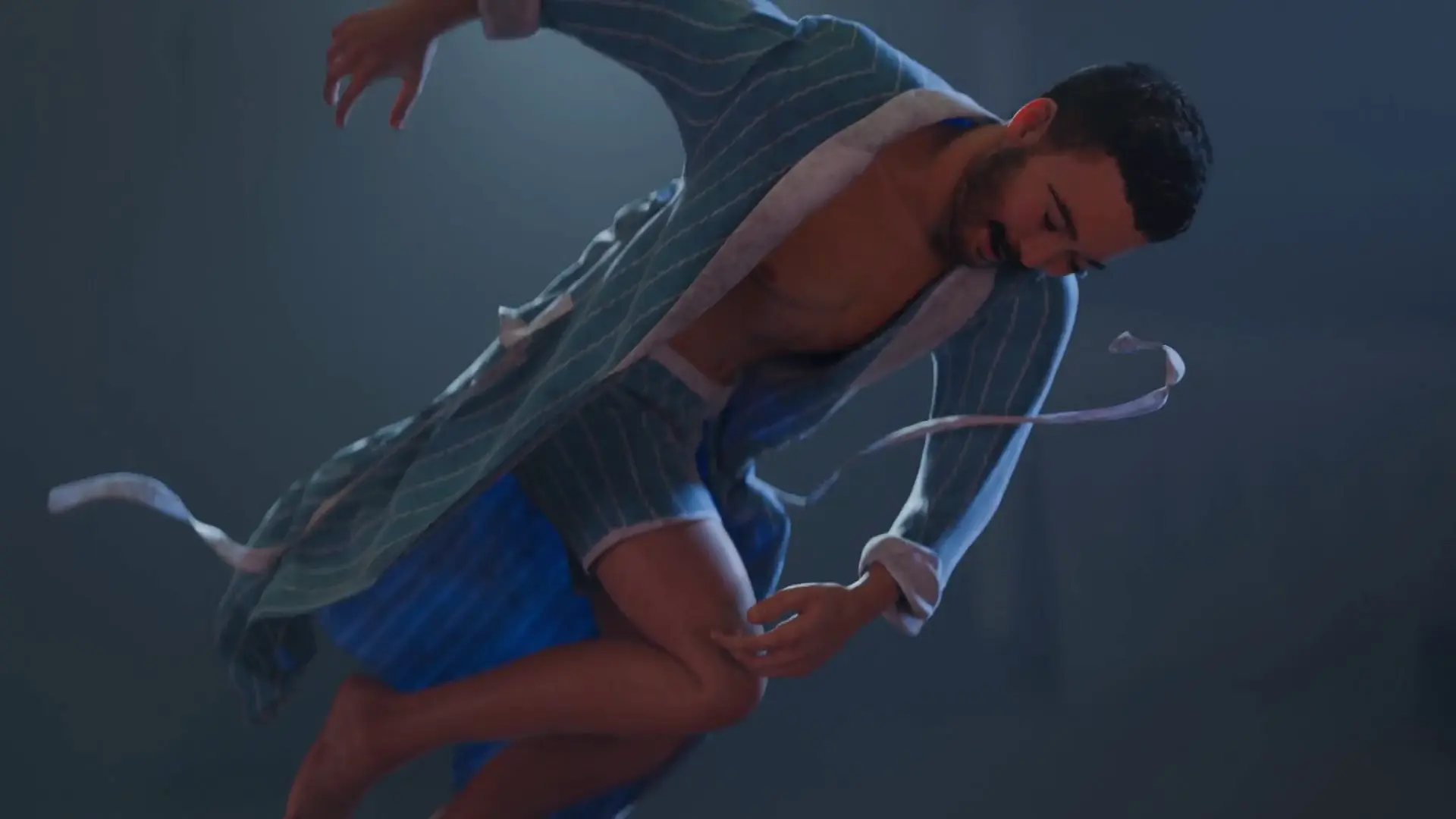
I wanted some parts of the clothing to move freely for instance the suspenders, tie, and the robe belt. These are complex things to simulate, and they were made easy, even for a beginner like me, to create using Marvelous Designer.

What were some of the challenges you faced during the project, and how did you overcome them?
To be quite honest I have a very bad computer for CG, so one of the biggest problems I have is that I can’t see what I'm doing in real time, it takes a few minutes, sometimes hours, or even days to do Previs, test renders or Look Dev. Without seeing the work, I can't do design iteration or make good artistic decisions.
So the animation was only possible with the use of a Render Farm coupon, and a lot of luck.
Another problem I had, though it was easy to fix, was intersecting geometries. This happens a lot with animations that come from performance capture workflows, usually a hand or a foot would get a little too close to another body part and would cause the clothing to glitch, I fixed all of that by re-animating the intersecting parts slightly to give the limbs a little more space to move.
Do you have any tips or advice for other 3D artists looking to incorporate Marvelous Designer into their workflow?
Marvelous Designer is a very complete tool, so I recommend taking some time to learn all of it (it's really quick to do I promise).
Finally, how would you describe your overall experience using Marvelous Designer on this project?
I've had my eye on this software for a long time, but I thought it would be too overwhelming to learn. I was wrong and had a wonderful experience with it. For someone that went from never using it before, to using it and winning a CG challenge like that, I'd say it's a very intuitive, effective and quite a beautiful tool for designers, animators and artists in general.
이 작업은 Blender, Maya, EmberGen, Animation, CharacterArt 등의 기술로 제작되었습니다.
Marvelous Designer로 이와 같은 3D 의상·캐릭터 작업을 직접 만들어볼 수 있습니다.