Design Miyacore: Exclusive Winner Interview
Alison, Grand Award winner in the Design MIYACORE Contest, shares her journey as a 3D artist, blending historical elegance with modern flair using Marvelous Designer.
The Design MIYACORE contest, held from September to October this year, has successfully concluded.
Presented in collaboration with the CONNECT asset store for Marvelous Designer and SUNMIYA CLUB, this special event brought vibrancy to the community through the inventive spirit and enthusiasm of its participants.
Notably, a Marvelous Designer user received the GRAND AWARD, garnering significant attention.
To delve deeper into this exceptional work, we're excited to share an interview with the GRAND AWARD winner, ALISON GADELETA, with all of you. Let's explore her creative world together!
Interview with ALISON GADALETA | 3D Artist
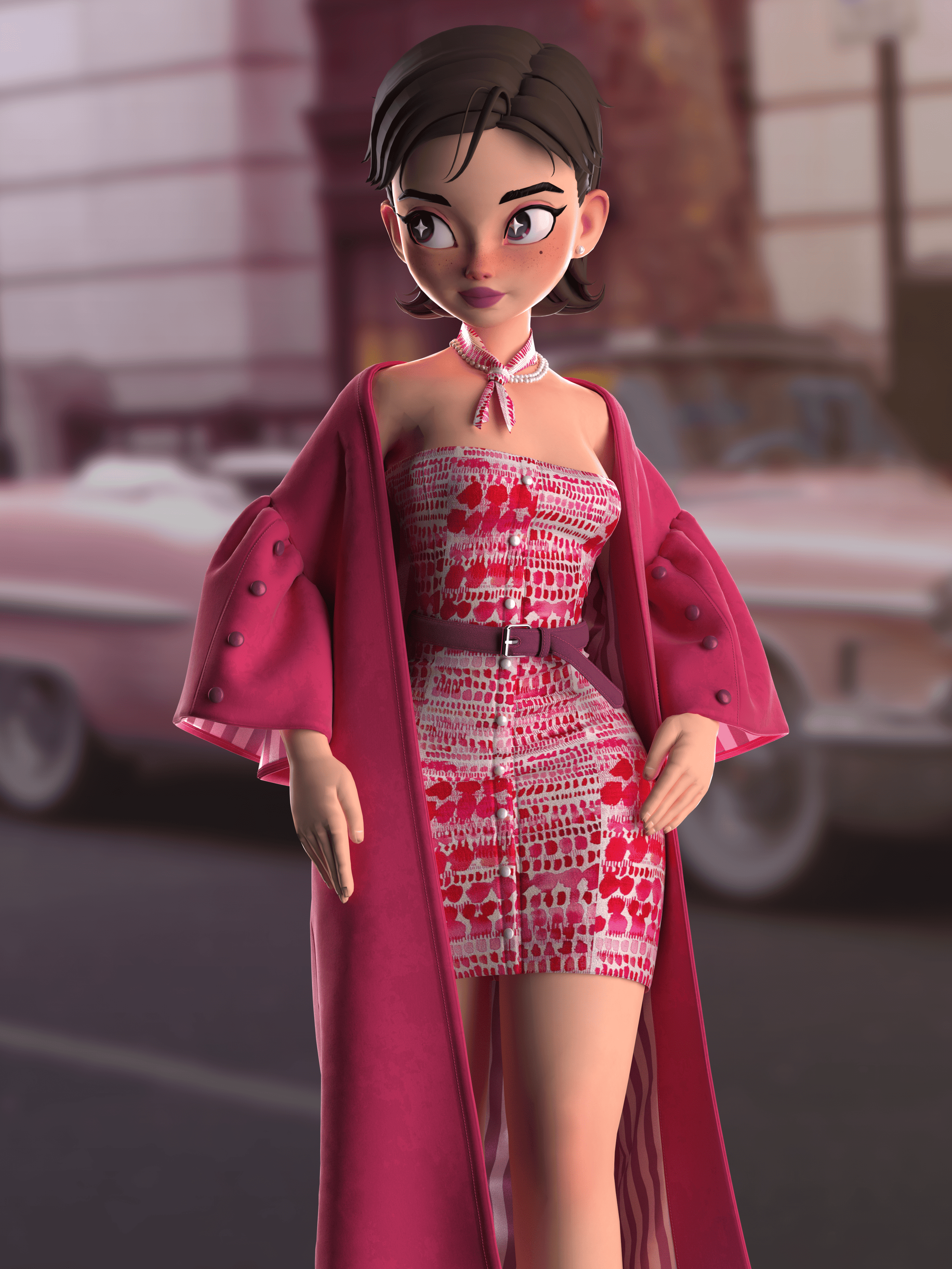
Artist Introduction: please tell us about yourself.
Hi everyone! My name is Alison, I am an Italian 3D Artist specializing in Virtual Fashion. I'm currently working in a fashion company as a 3D Design Specialist for almost one year.
I started using Marvelous Designer when I was pursuing my Master’s Degree in computer graphics in 2021 that’s where my real passion was born.
It was during this time that I delved into Maya, ZBrush, Substance Painter, and, of course, Marvelous Designer.
Being passionate about computer graphics and 3d in general, it was a lot of fun to participate in this contest and use these beautiful characters to create the outfit.
We’d like to hear more about the art direction in your Design MIYACORE Contest. What was the visual style you were aiming for?
Before we started modeling, each of us could choose two themes from those proposed: Juicy Newtro and Bad Lady.
The Bad Lady theme was much closer to my style, and I could have had many more style options, but I deliberately chose the other theme so that I could step out of my comfort zone and create an outfit that was different, but at the same time reflected my personality.
Also, Juice Newtro was a perfect theme to challenge myself on the color scheme.
I started by creating a concept board from random references about clothing in America in the 1950’s. I researched what was fashionable in those years and what were the main characteristics a woman in the 50’s looked for in an outfit.
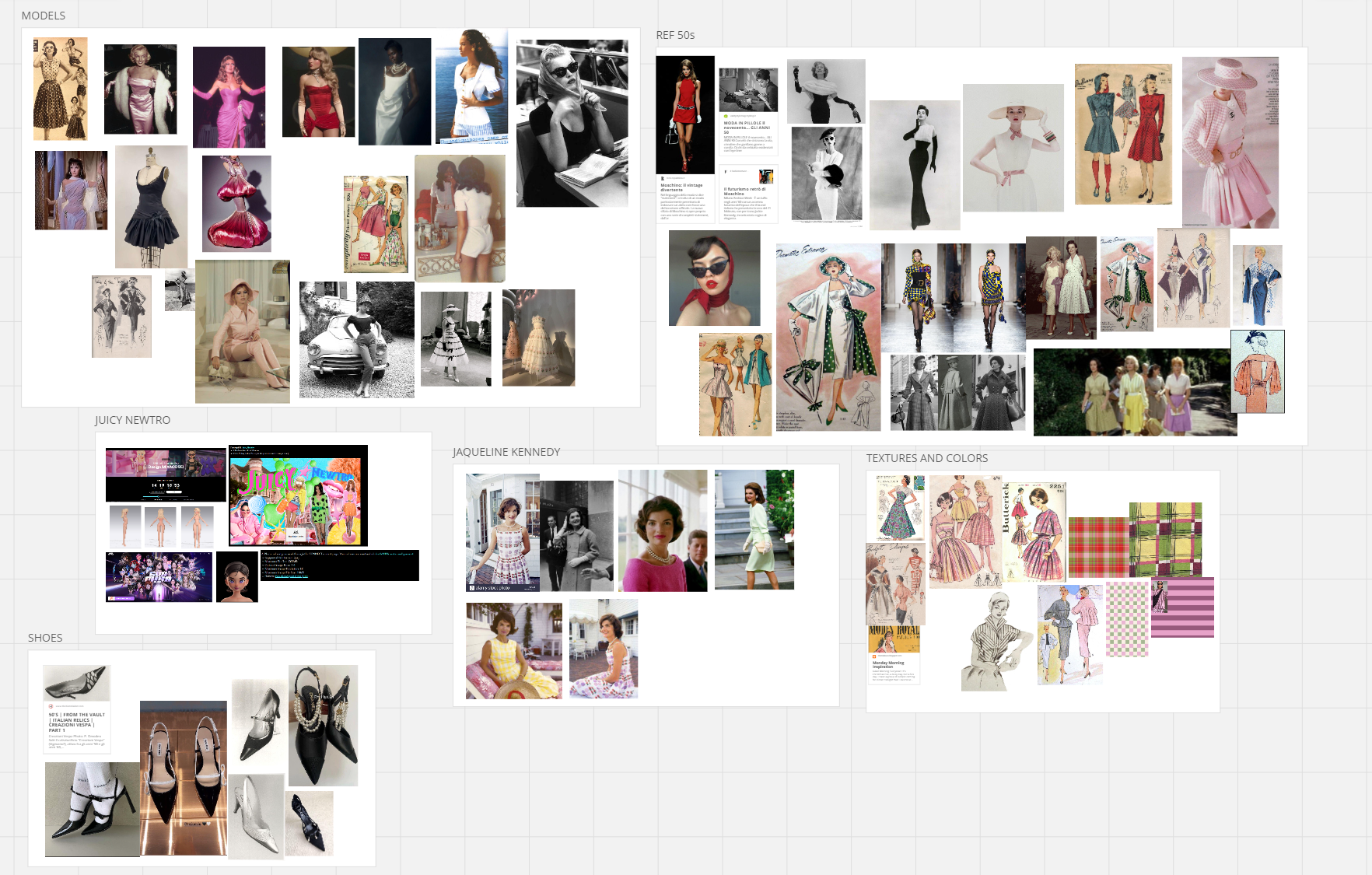
During my research, I was fascinated by one of America's most beloved first ladies: Jacqueline Lee Kennedy, wife of the President of USA John Fitzgerald Kennedy. A woman with a strong determination, a mix of charm and elegance. In fact, her style was inspiring for the creation of this project.
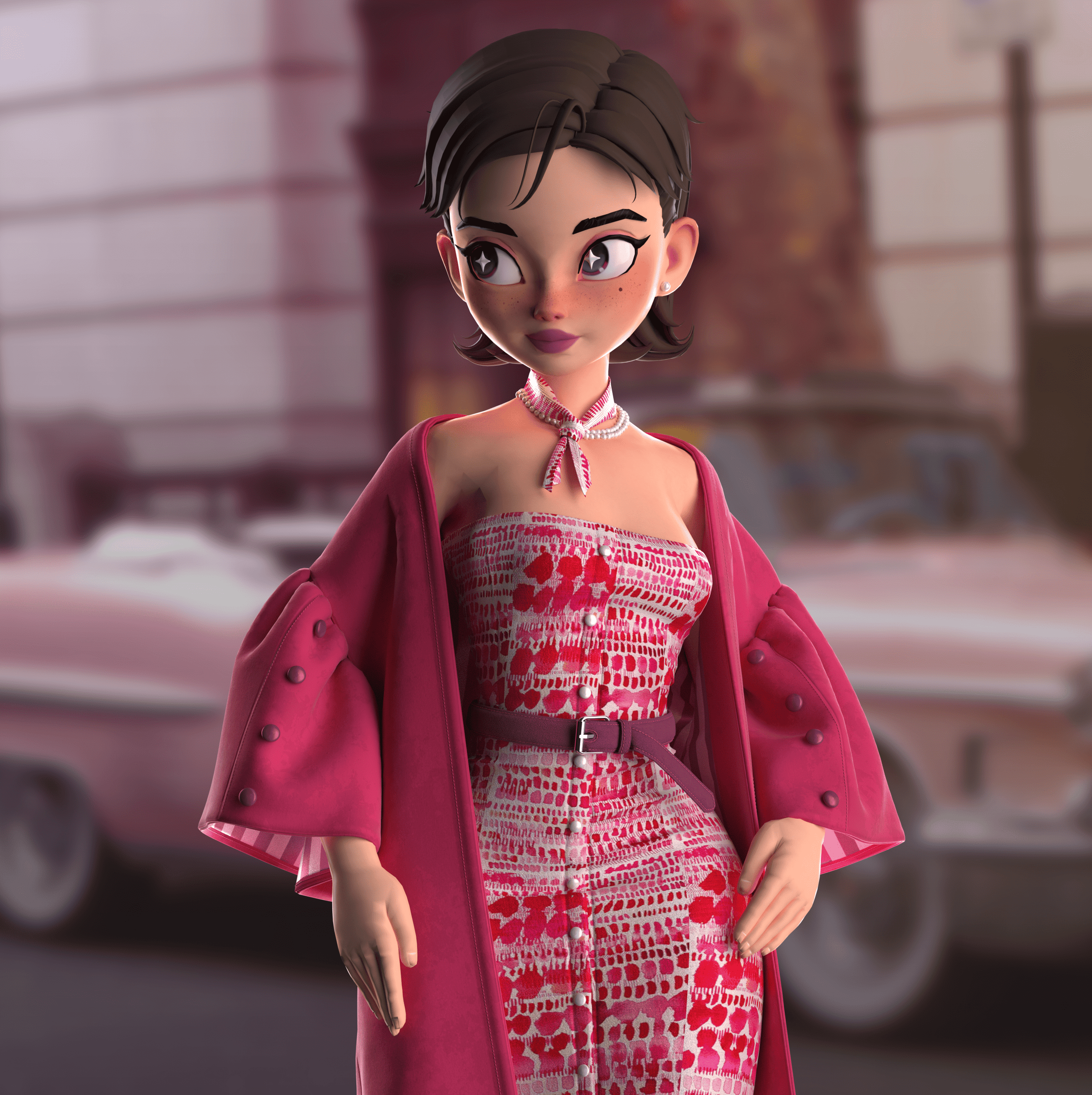
The result is the creation of an elegant and playful cocktail dress that highlights the hourglass silhouette, typical of that time.
To add a modern touch, I wanted to create the dress shorter than standard, also to balance the overall volume.
Another key element within the design is the outerwear: a raincoat with voluminous sleeves with contrasting lining made of silk to enhance the interior and make it a luxurious garment.
Finally, to add particularity to the look I added the scarf in tone with the dress, a belt to match the shoes, and a pearl necklace same as the buttons on the dress.
Would you be able to give us a quick overview of the different tools you use in your pipeline with a focus on Marvelous Designer? Have you encountered any challenges and how have you overcome them?
I think it is only through experience that each of us learns to have our own workflow.
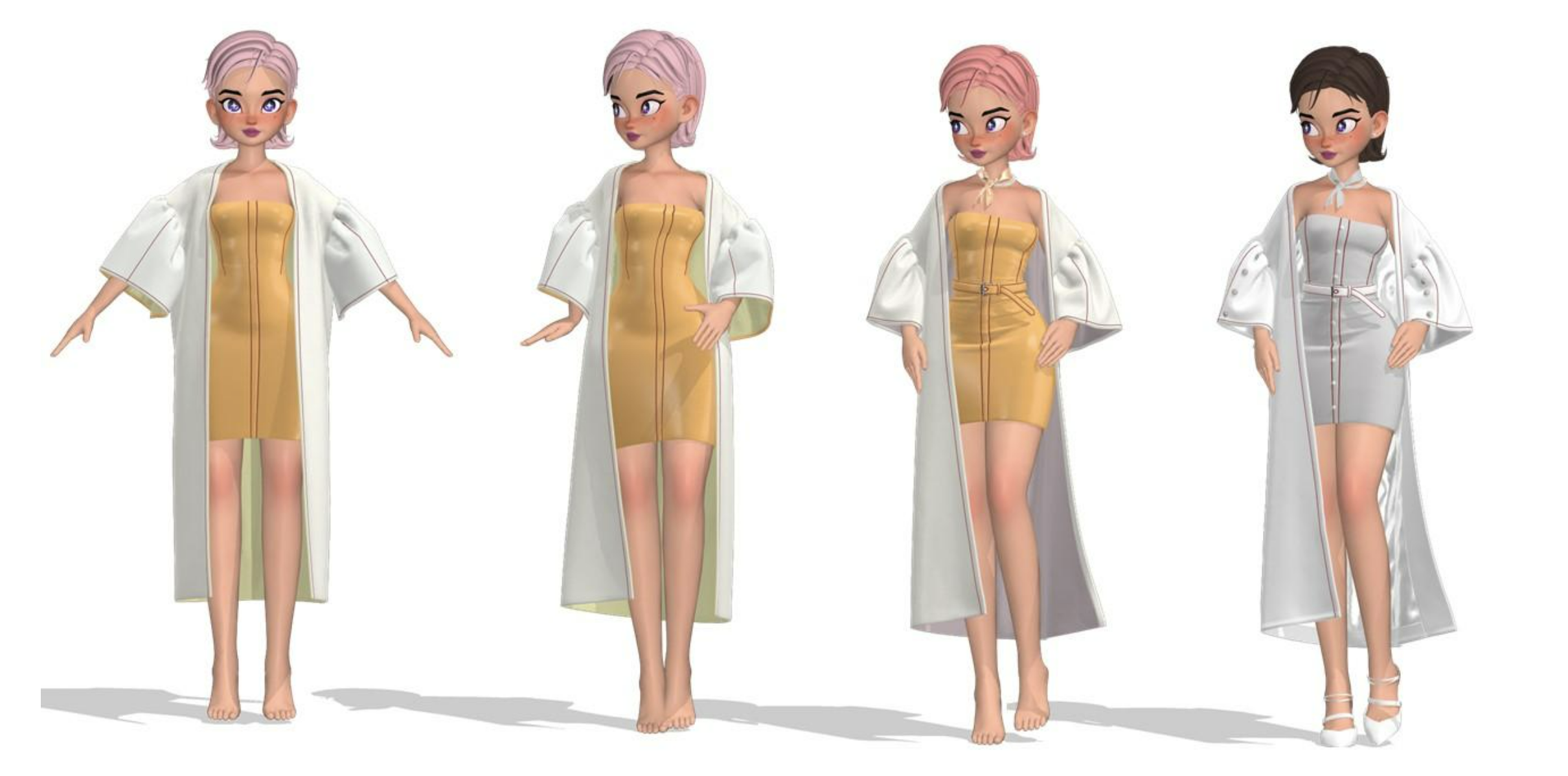
The first phase during my process of creating any dress is the blocking phase. In this phase I create the general volumes and build the basic 2D pattern, enhancing it according to the avatar's body. In addition, I add the buttons but do not insert any additional details.
At this stage, the avatar is in A-pose.
In the intermediate stage, I begin to pose the avatar and create more detail in the clothes I have modeled; I change the thicknesses of the pieces, increase the resolution of the garments, and set the materials to see if they are suitable for that type of dress.
Only when I'm satisfied with the look, then I move onto the detailing stage paying attention to draping, because it is very important for realistic modeling. To finish, I create accessories such as shoes, scarf, necklaces, and belts. In order not to overload the simulation, I usually create separate files for each of these elements and finally add them to the main file.
I textured everything in Marvelous Designer and rendered with V-Ray, while I used Photoshop for post-production.
This was my first time modeling shoes in Marvelous Designer. It was challenging but if you remember to freeze each piece step by step when you are satisfied, everything becomes much easier!
Are there any tips and tricks with Marvelous Designer that you can share with the community?
One tip I would like to share is to pay close attention to the details, looking at an existing physical garment figuring out what components and materials are used in its creation, and try to replicate it in a realistic way.
For example, let us dwell on the inside of the coat: it has different materials and components: facing, lining, and made of nylon and silk, respectively.
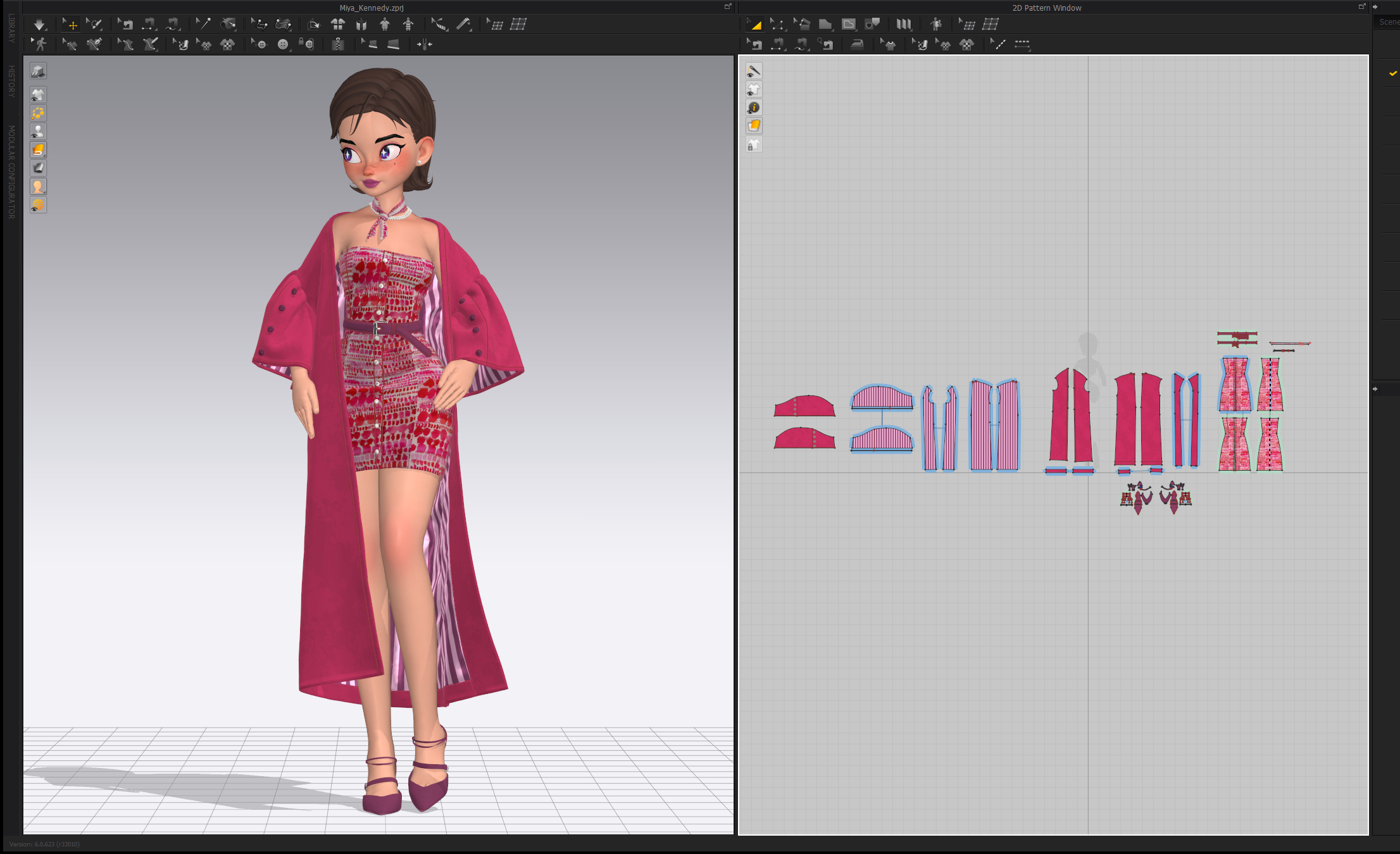
A trick I use in creating models that have multiple layers is the layer clone option.
To make the simulation more stable, I usually higher the particle distance and set everything in strengthen.
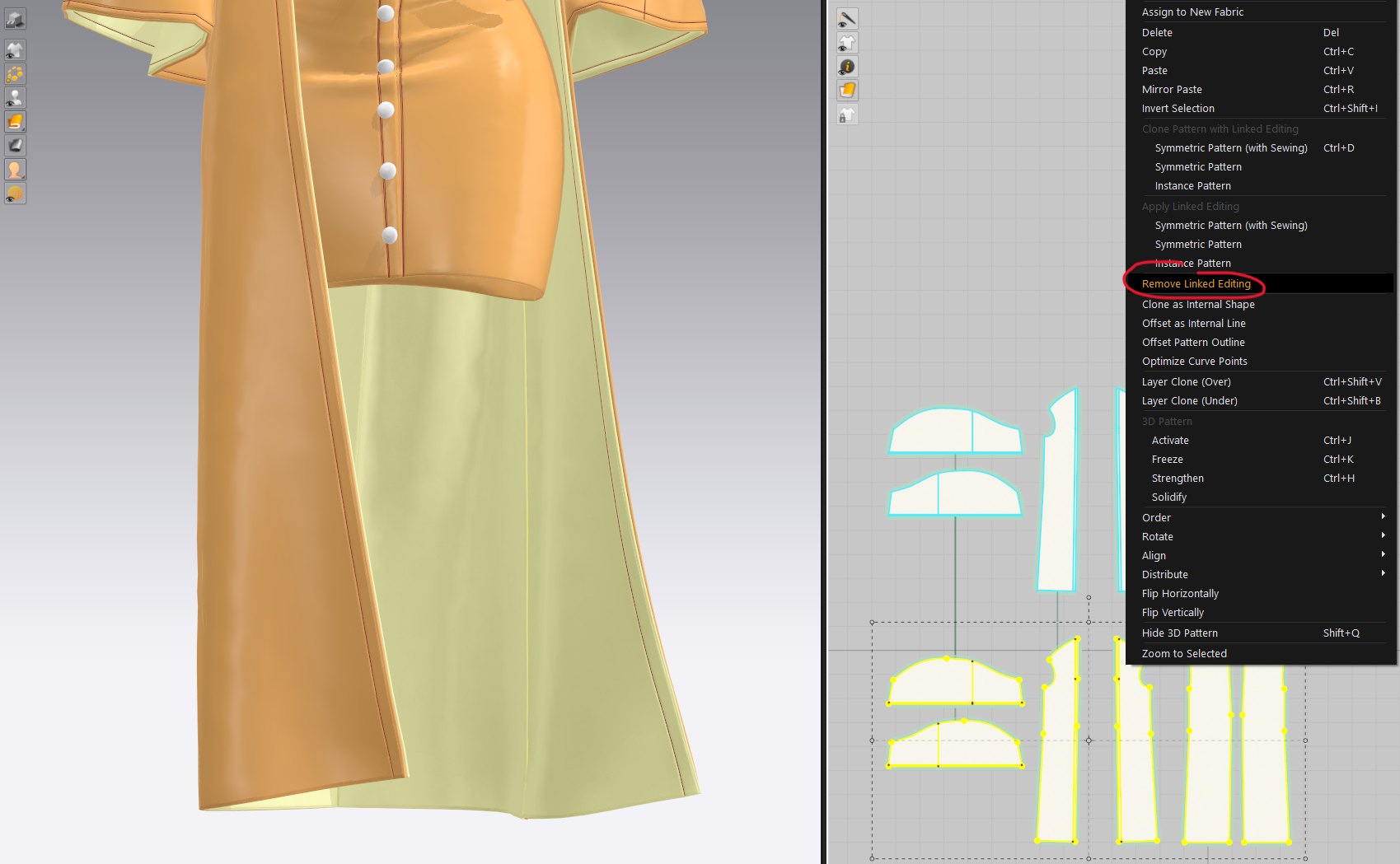
After creating the layer underneath, I lock the simulation and, when selecting, use the remove linked editing tool.
Then I can draw internal lines and cut and sew the interior as I prefer to create facing and lining.
Another trick: in reality the lining is a little larger than the outer, so I increase the shrinkage settings in warp and weft.
Finally, I check the material, remove the strengthened mode, lower the particle distance again, and simulate again for a more realistic drape.
Check out other incredible designs from additional award winners through the link here.
by ALISON GADALETA
이 작업은 CONNECT, contest, Simulation, Avatar, individualartwork, Material 등의 기술로 제작되었습니다.
Marvelous Designer로 이와 같은 3D 의상·캐릭터 작업을 직접 만들어볼 수 있습니다.