The Antique
Eugene shares the behind-the-scenes story of Marvelous Designer's involvement in her short animation, "The Antique"
Artist Introduction
Hi, my name is Eugene Jung - working as a 3D motion graphics designer. I have a desire to create character animations myself, so I'm consistently studying and working on character-related projects personally.
Tell us about the animation project: The Antique.
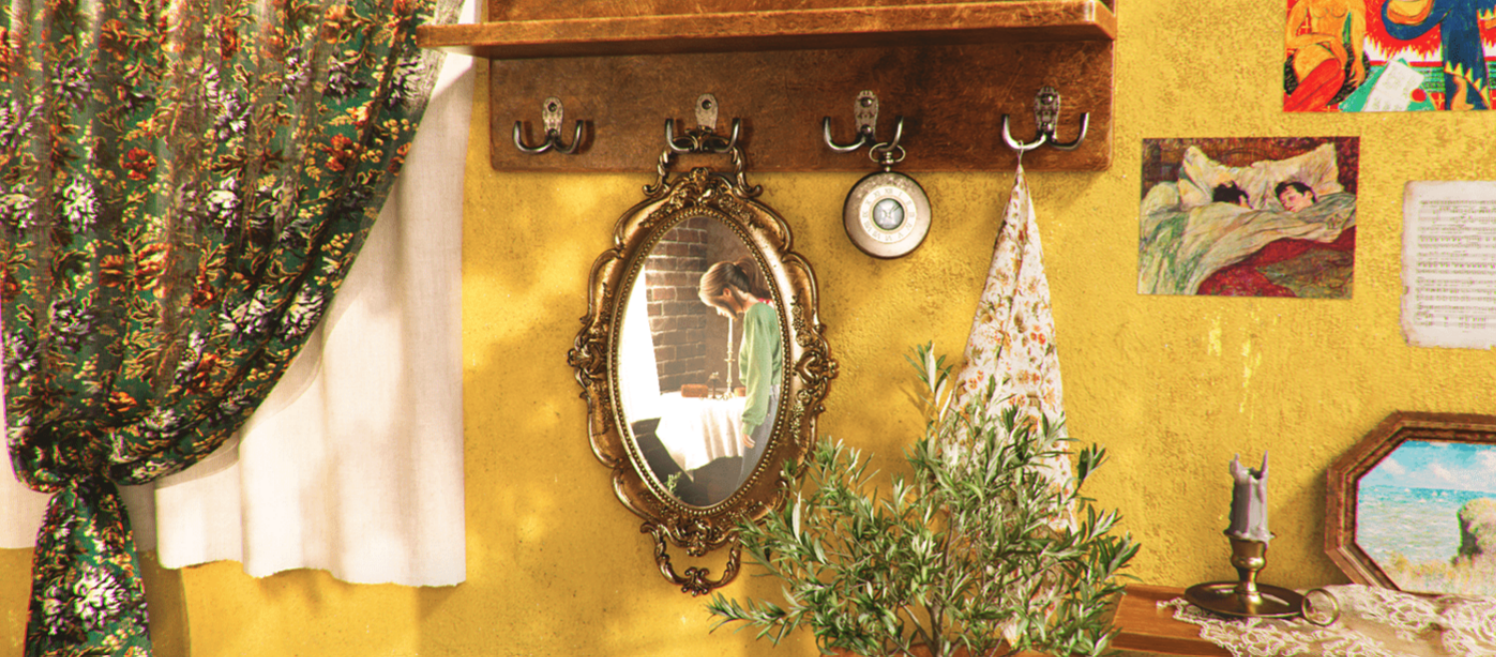
"The Antique" is a short animation depicting 'Yeon,' who operates a vintage goods store, preparing for the store's opening. I started the production with the idea of creating a video filled with things I like. The work aims to portray vintage items, a warm sunny atmosphere, and relaxing morning hours.
We'd like to hear more about the art direction in the costume of Yeon. What was the visual style you were aiming for?
I envisioned the season within "The Antique" transitioning from winter to spring. Throughout the video, I aimed for a casual yet warm feeling in the chosen clothing that complements the sunlight coming through the windows. I wanted the attire to be comfortable yet convey a sense of intimacy. Therefore, I ultimately opted for a cardigan and jeans in the video, incorporating bright spring colors to create a fresh and lively atmosphere.
Why did you decide to use Marvelous Designer? How did it help you serve in your animation project?
I believe that expressing the natural movement of hair and clothing plays a key in conveying the vitality of a character, so I pay close attention to this aspect when working. In the case of "The Antique," where the character takes center stage, achieving a natural flow in the clothing movement was important. Utilizing Marvelous Designer allowed me to depict the natural movement of the clothing, enabling me to effectively capture the vitality of the character as I envisioned throughout the entire video.
Can you give us a quick overview of the different tools used in your pipeline including Marvelous Designer?
[Planning]
I collect references for tone, mood, the protagonist's appearance, and clothing. I then organize the storyline in written form. Based on the script, I create storyboards and produce style frames for essential scenes in the video. During this process, I use Marvelous Designer to test the feel of the clothing.
[Video Editing]
After roughing out the major movements of the camera and characters in 3D, I proceed to overall video editing. Once I confirm that the video length and composition are seamless, I delve into detailed animation.
[Cloth Simulation]
Upon completion of the animation, I import the character into Marvelous Designer to simulate the clothing. The costumes created in Marvelous Designer are further refined in Substance Painter to craft intricate clothing textures.
[Finalizing]
After final adjustments to the look, I proceed to render, composite, and edit the background music, concluding the video production process.
Could you give examples of some of the iconic scenes and characters Marvelous Designer has been used for in “The Antique”?
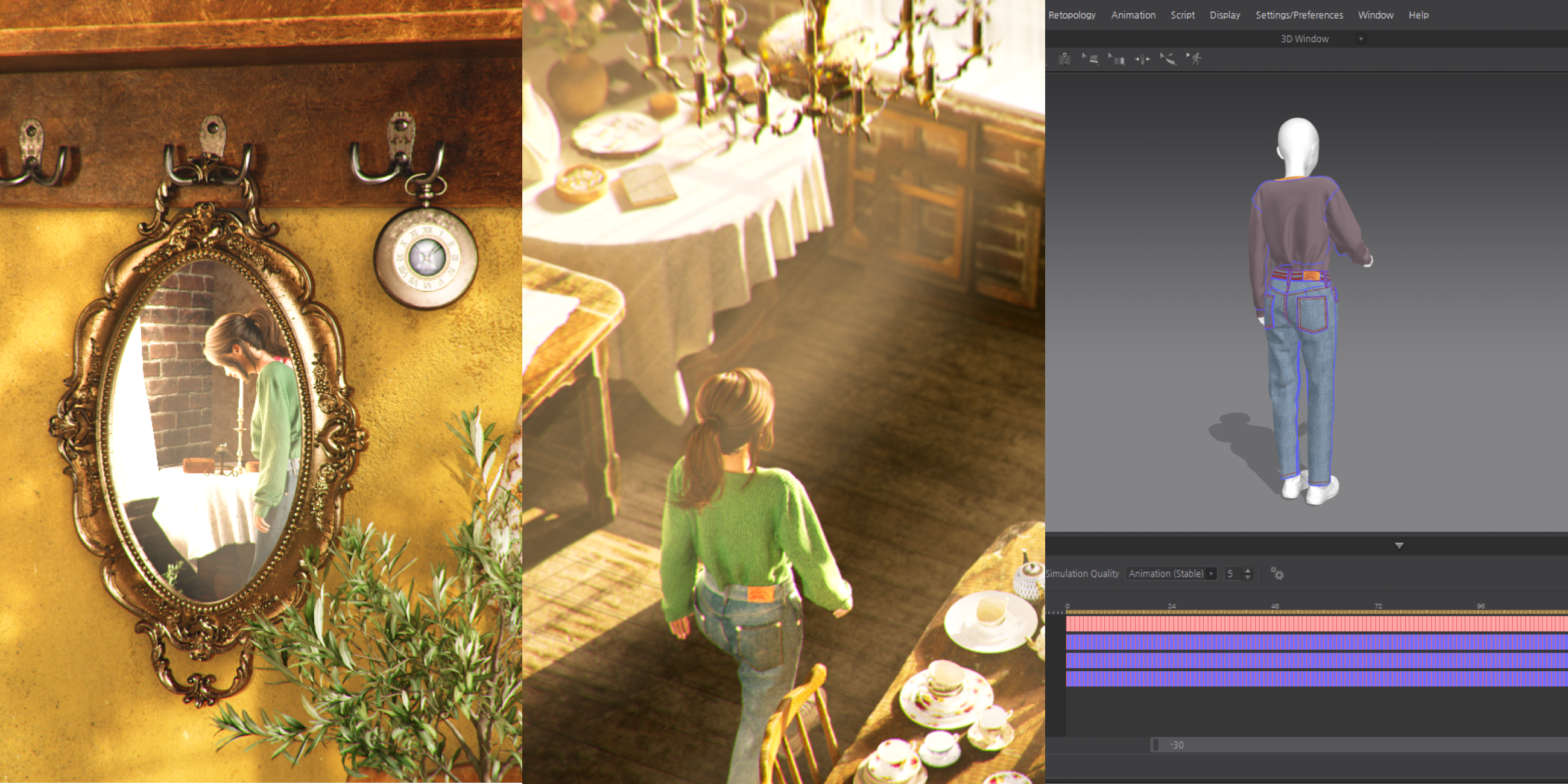
Here are the initial scenes featuring Yeon, the first being the panoramic shot and the subsequent mirror scene. The panoramic scene reveals Yeon's full body, and it was crucial to simulate the clothing's natural movement as she walks. In the mirror scene, Marvelous Designer was used for the floral-patterned curtains, lace on the shelf, and the moving curtains reflected in the mirror, as well as the tablecloth.
With Marvelous Designer, I could achieve a natural movement for the curtains swaying in the wind and the tablecloth, enhancing the overall realism of these scenes.
Are there any tips and tricks with Marvelous Designer that you can share with the community?
I tend to purchase project files from the Marvelous Designer Asset Store (CONNECT) and external markets (such as ArtStation) when needed, and I use them after making adjustments to fit the characters.
In this project as well, I bought a project file, modified it to suit the character, and incorporated it into the workflow.
By taking a reference to how other designers create patterns and sew using Marvelous Designer, I've been able to enhance my understanding of the software. It provides valuable insights into different approaches and techniques employed by fellow designers, contributing to an overall improvement in my proficiency with Marvelous Designer.
How can you describe your overall experience of the use of the Marvelous Designer?
Marvelous Designer allows for the quick production of high-quality garments within a short period. Not only that, but it also makes it very easy to achieve a realistic feel of fabric. Additionally, there is a wealth of tutorials and both free and paid items available for users, making it quite accessible even for those unfamiliar with Marvelous Designer. This enables users to easily utilize only the necessary features, even without extensive knowledge of the software.
이 작업은 CONNECT, SubstancePainter, Animation, Simulation, interview, film 등의 기술로 제작되었습니다.
Marvelous Designer로 이와 같은 3D 의상·캐릭터 작업을 직접 만들어볼 수 있습니다.