Tuxingsun - A Fusion of Inspiration and Chinese Lore
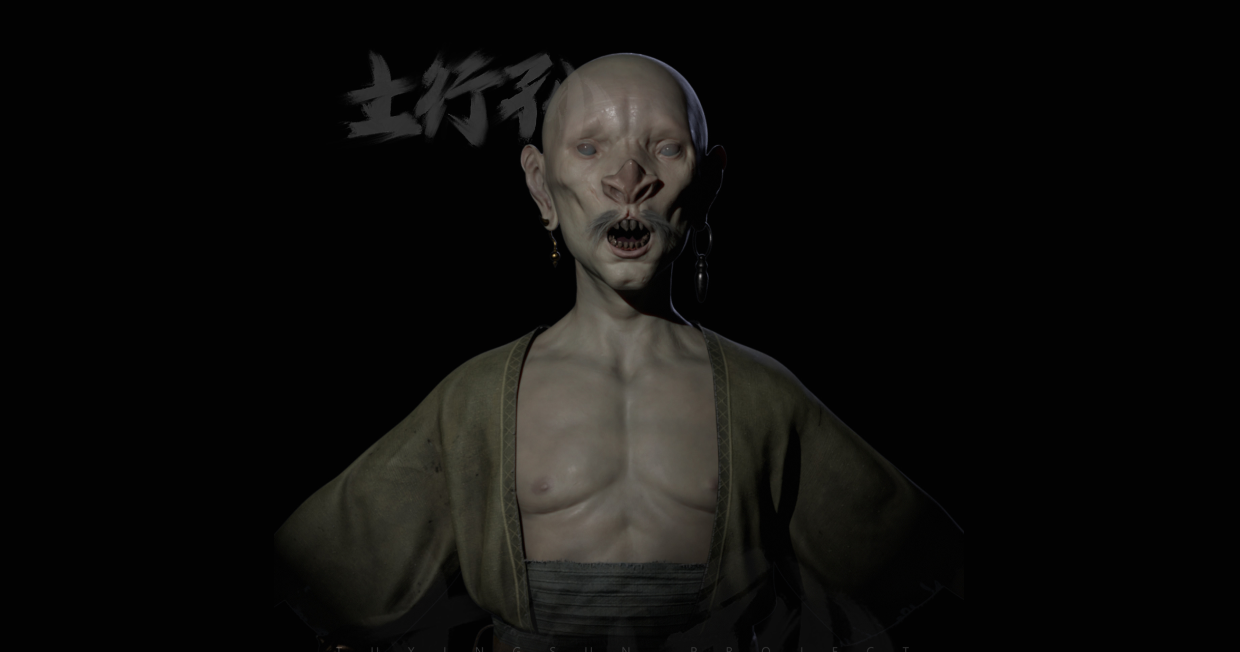
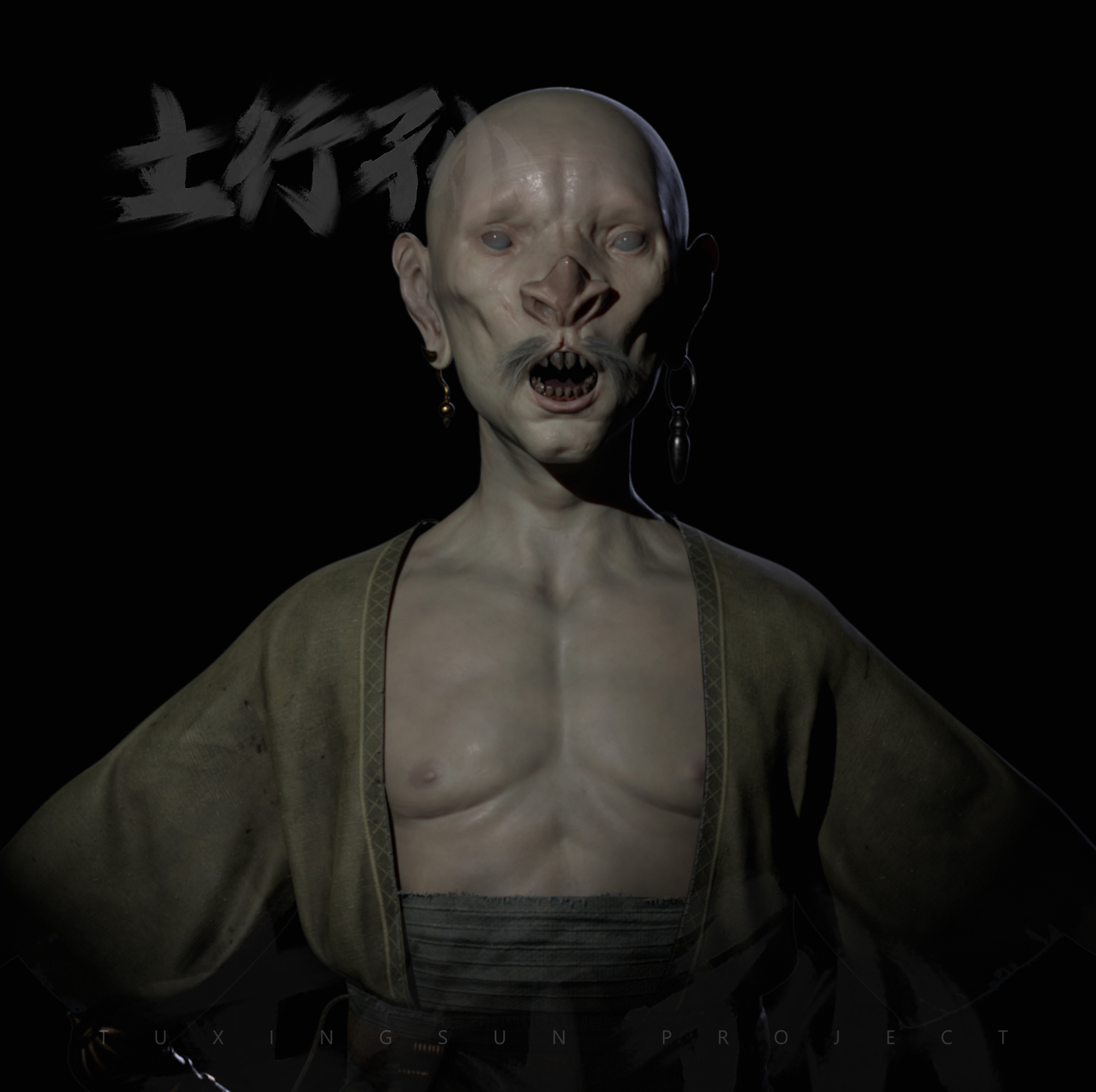
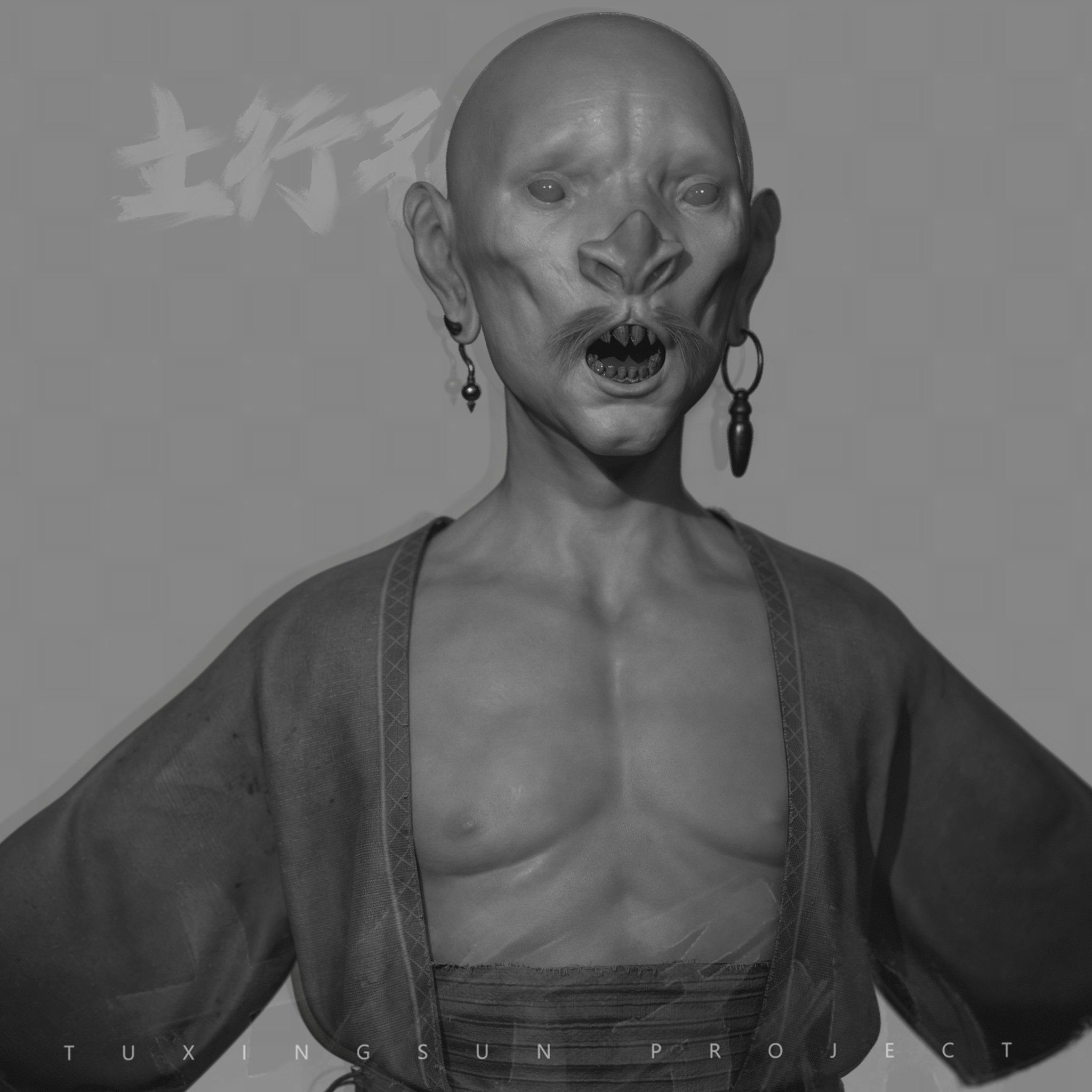
Artist Mendy BM reimagines Tuxingsun from Investiture of the Gods with Marvelous Designer, bringing every stitch and detail of the costume to life.
Interview with Mendy BM | Tuxingsun | Game Character Artist
Could you please introduce yourself to the Marvelous Designer community members?
Hi everyone! I'm Mendy BM, game character artist from Brasil, based in Spain. I started my professional career creating modular digital humans for medical learning, and since 2022, I've been working in the game industry, creating fantasy characters and creatures for games.
Please tell us about the project. What inspired you to choose Tuxingsun from the Chinese literature Investiture of the Gods as your project?
Since the beginning of my career, I've been following Xu Tianhua and Yang Qi. Their work is a great inspiration for me. "Tuxingsun" concept made by Xu Tianhua, always caught my attention with his little body and unique face features. At the research stage, to know more about the backstory of the character, I found John Zhu's Chinese Lore Podcast, where he retells classic Chinese literature in English, and I fell in love with it. China has a millenary culture, which has many of the biggest inventions in the humankind history, and I'm very interested to know more, especially about their art.
How did Marvelous Designer assist you in realizing the vision for Tuxingsun's costume? Did you use any specific features or techniques that helped bring authenticity to the fabric and clothing design?
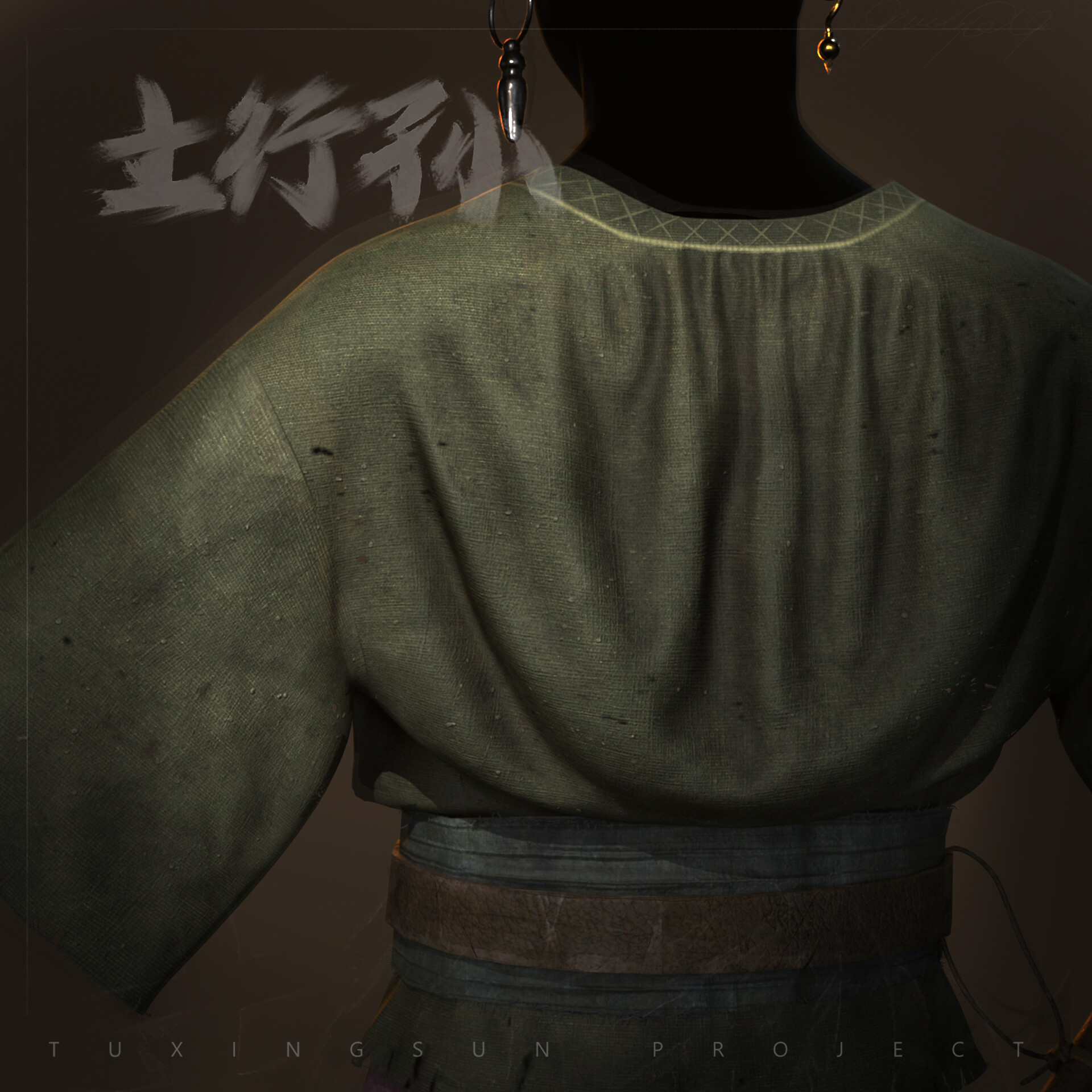
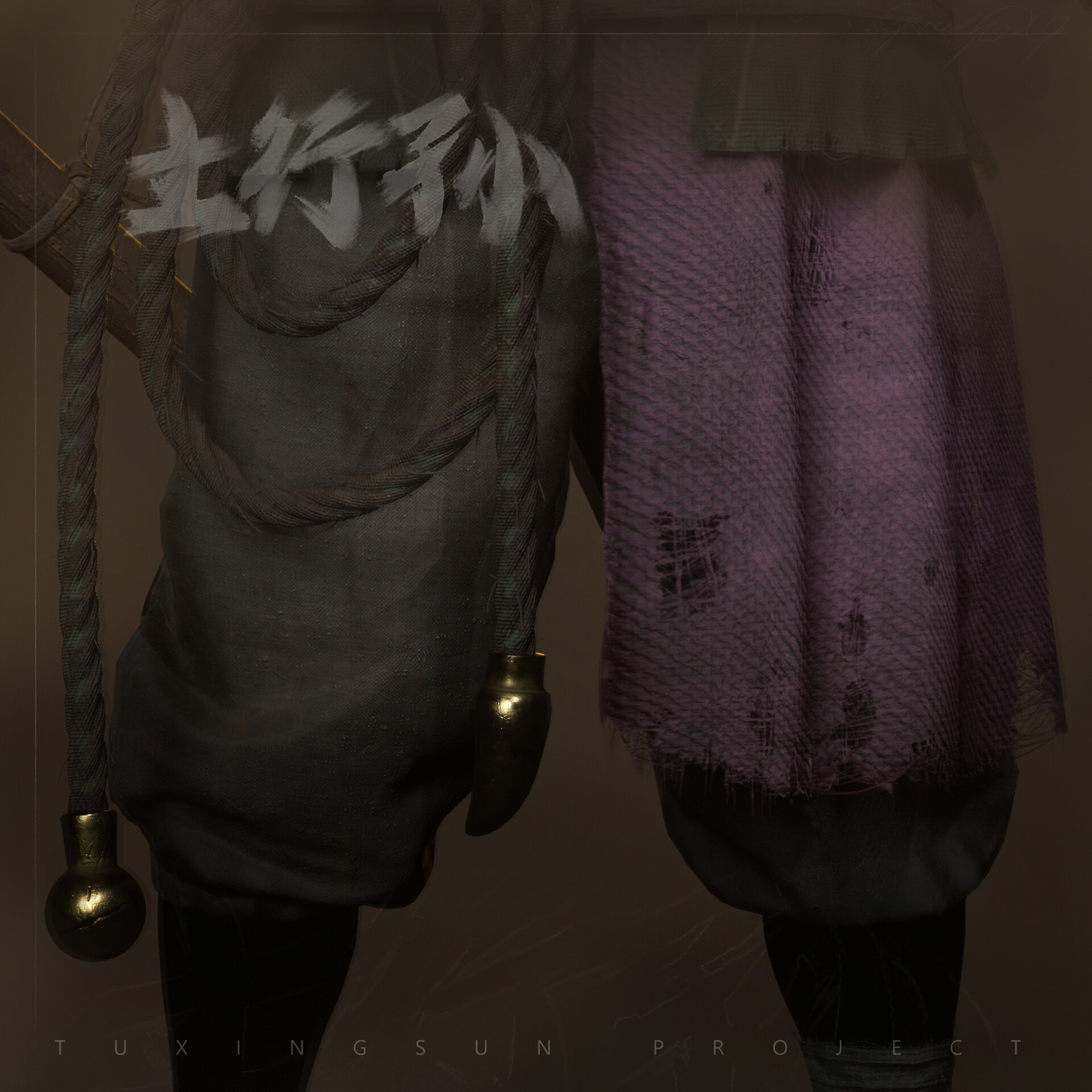
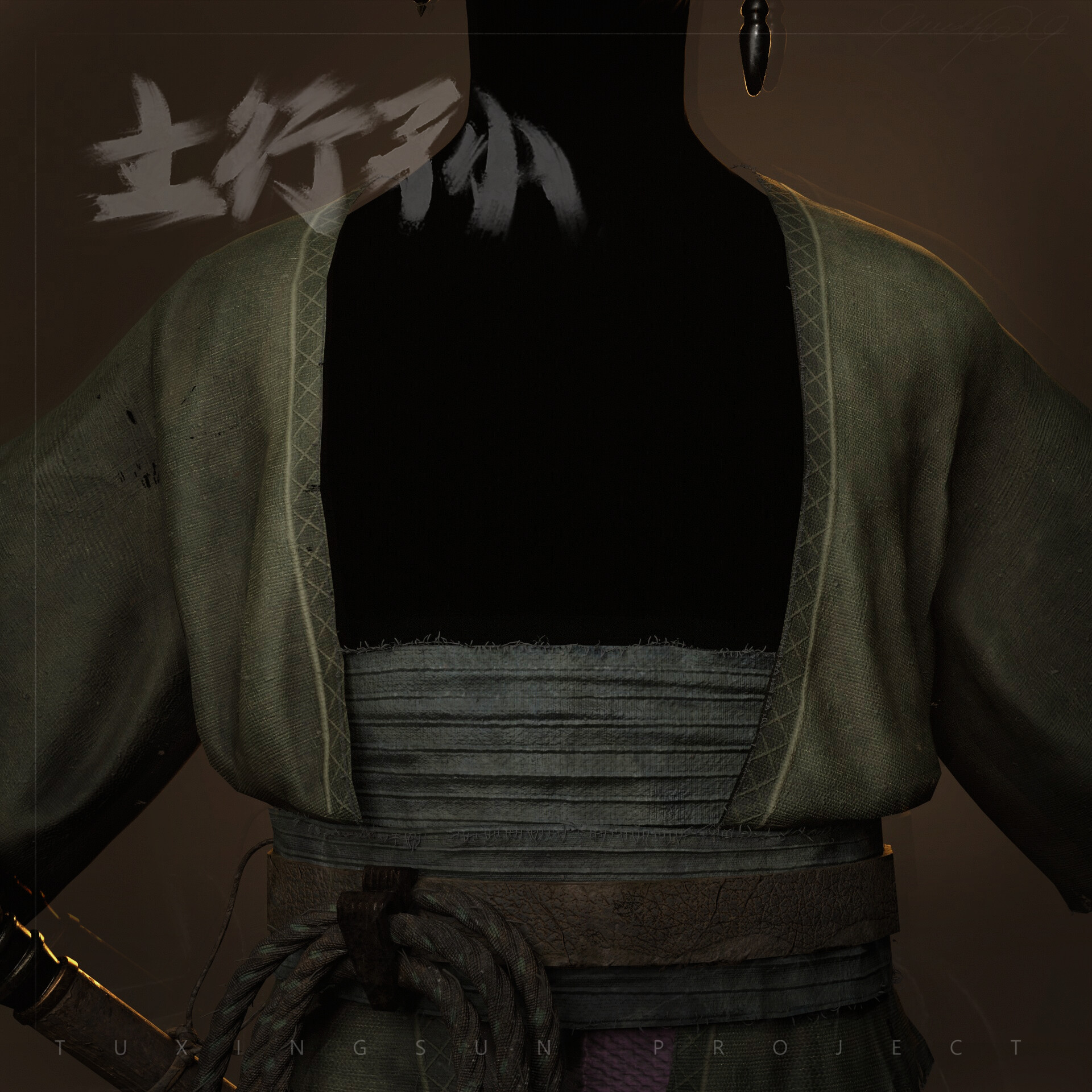
I started the Tuxingsun project to familiarize myself with Marvelous Designer and I found incredible the possibility to work with sewing patterns, like is done in real-life cloth industry. Also, being able to work on the 2D pattern window and see the changes in real time, at the 3D window, is something extremely handy and powerful for recreating cloth designs. Additionally, there are a great number of fabric presets available, experimenting with it is so important to bring authenticity to the fabric, as well as finding the right pattern for it.
Can you give us a quick overview of the different tools used in your pipeline?
When I start a project, I spend a good amount of time finding good references, then, I use PureRef to make the reference board, selecting just a few images on each topic.
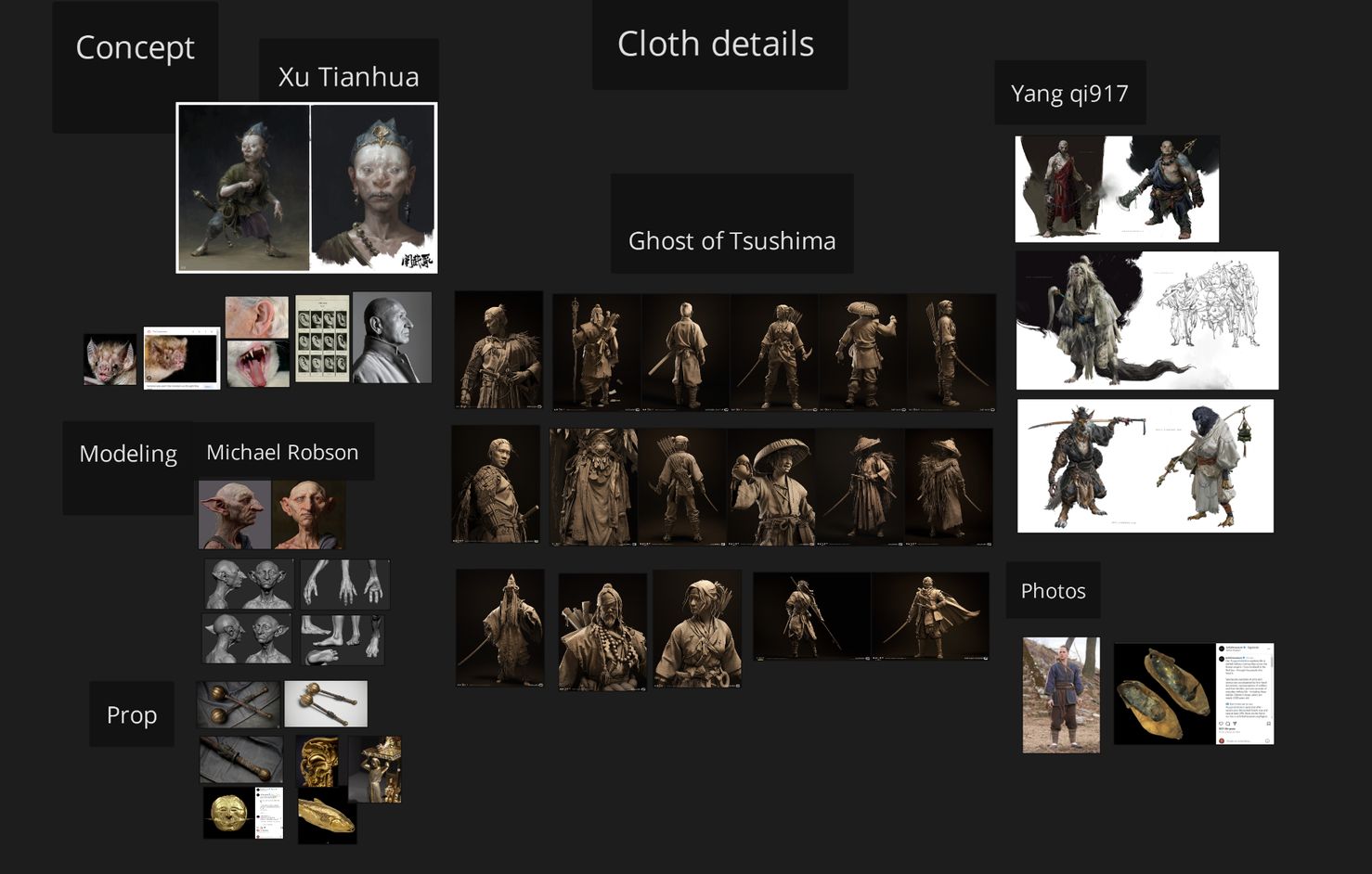
After that, I go to Zbrush, to sculpt the character's and prop's basic shapes, with all my attention on proportions and silhouette. On personal projects, at this stage, I make pauses every now and then, to rest the eyes and be able to see clearer the results I'm getting, furthermore I often use Krita to make "correction" drawings on screenshots of Zbrush.
Once I got a result I'm happy with, I moved forward to create the garments at Marvelous Design, taking advantage of its incredible cloth simulation power. After that I returned to Zbrush, and created the high poly version of everything, refined some folds and added all the details.
Following, I used 3D Max to create the low poly version of the character and then imported it on RizomUV to work on the UVs. Finally, on Adobe Substance Painter, imported the lowpoly, and did the bakes and textures for the whole character.
For rendering and final testing, I tend to use Marmoset Toolbag and Unreal 5.
What challenges did you face during the creation process, and how did you overcome them?
For me it was the number of layers, making the garment without the pieces intersecting with each other was complicated and the "freeze" tool was very important to overcome this challenge. I had to freeze and unfreeze the cloth elements many times, going back and forward, activating the simulation to create the folds that I wanted, and simultaneously, trying to maintain the elements hierarchy.
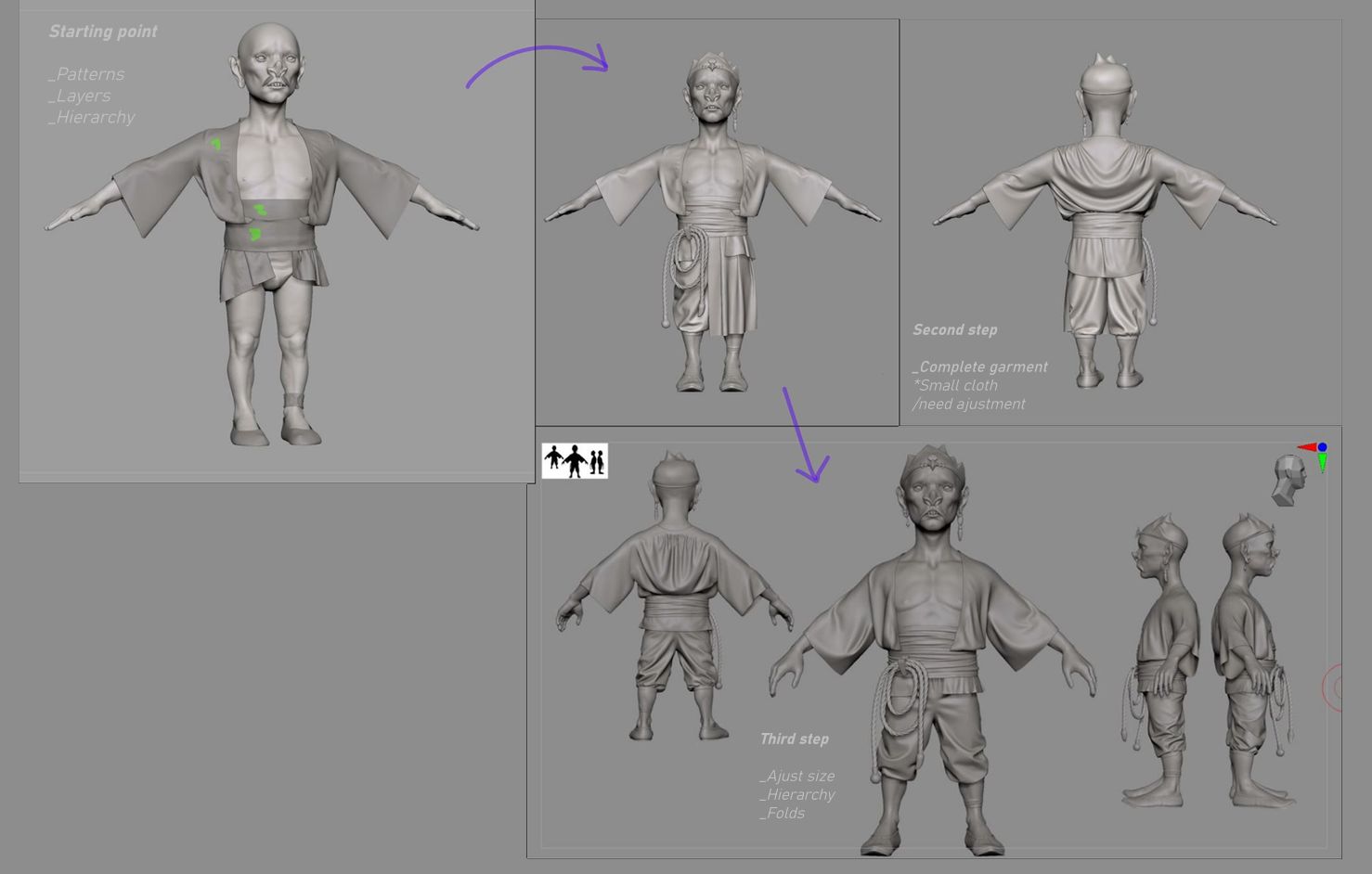
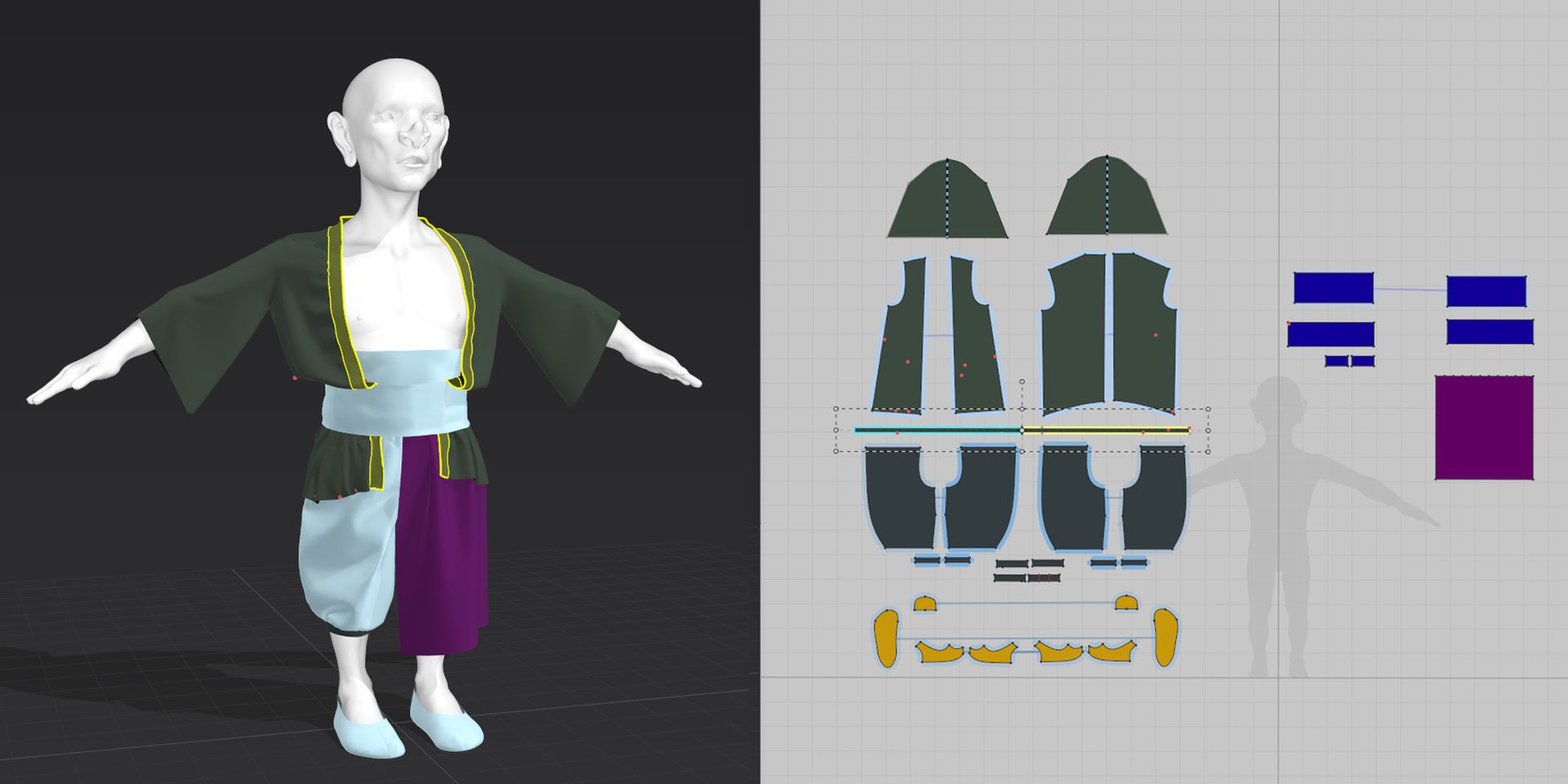
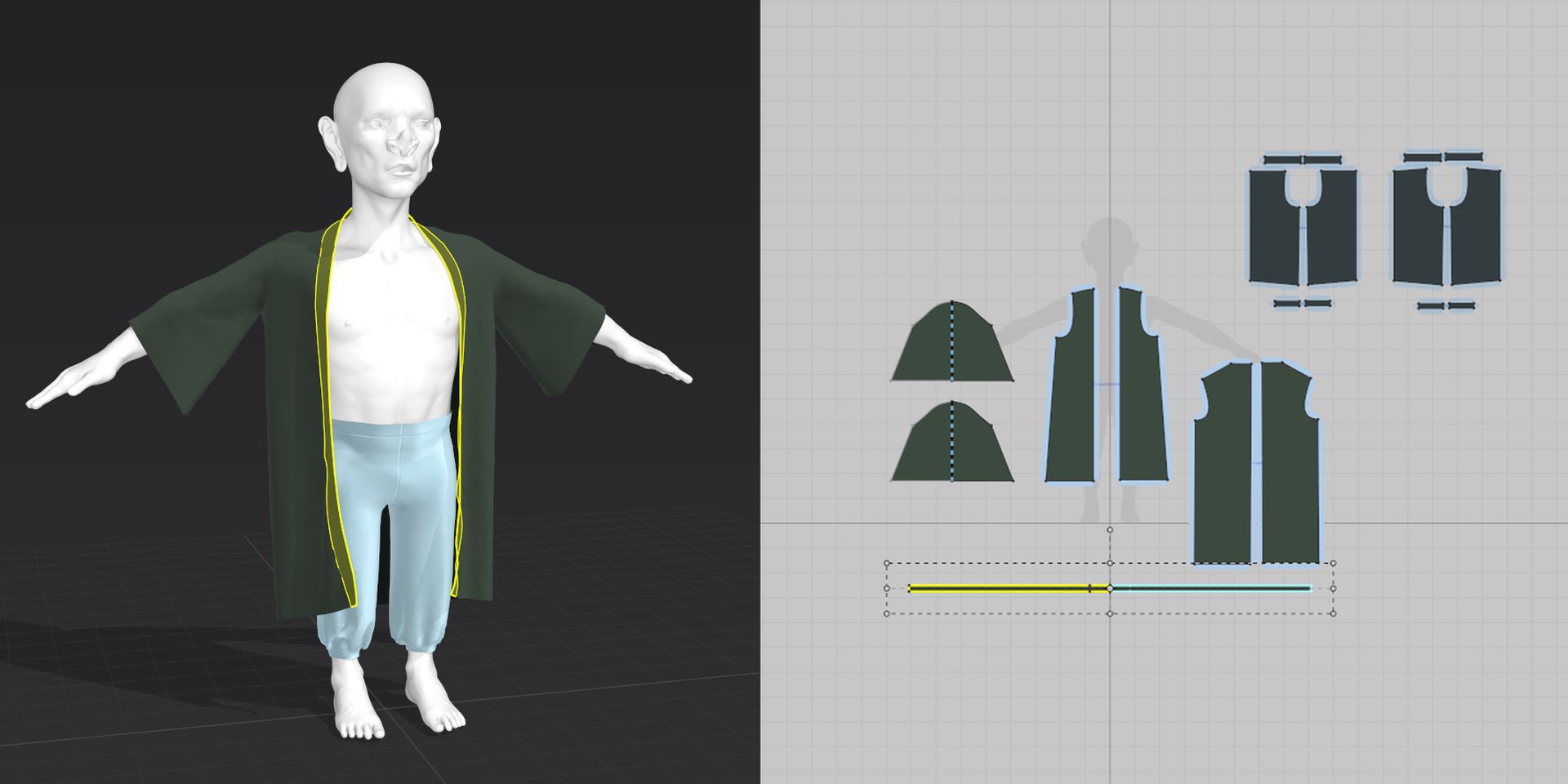
Also, when I created the patterns, the cloth was small on Tuxingsun's body. Because of that, I had to "add more fabric" and this broke the hierarchy. So to avoid this, when I started over, I used a high particle distance to get the shapes, then I changed to a lower value and used many pins to simulate it and create the desired folds again.
In summary, to maintain the hierarchy, the freeze and unfreeze features, in conjunction with the pins, were my best friends in this project. This was the most time-consuming part of the work.
Are there any tips and tricks with Marvelous Designer that you can share with the community?
The first tip: take your time to find patterns, this will save you a lot of time. Even though it's difficult and frustrating to find patterns on the internet, humans have started to create garments since ancient times; take the time to find them. Second tip: don't forget to use symmetry.
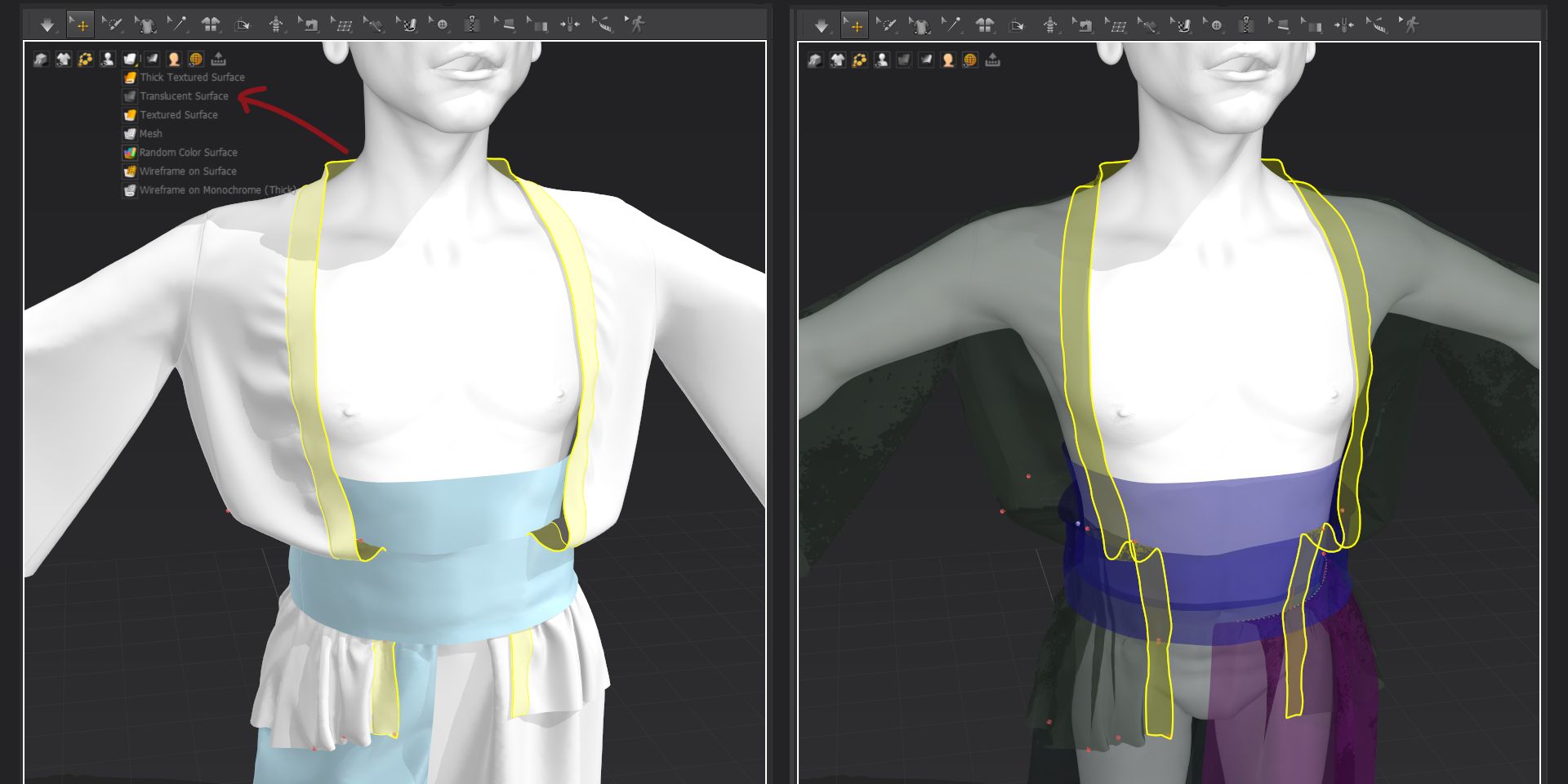
Third: when you have as many pins as I had, the translucent mode is very useful. In addition, more a feature than a trick, use the soft body simulation, it's an incredible feature that considers the elastic aspect of the skin.
How can you describe your overall experience of the use of the Marvelous Designer?
It's amazing, the software is very intuitive, and the interface is truly user-friendly. Nowadays it is the best software option to create 3D garments in the industry.
by Mendy BM
Artstation
이 작업은 ZBrush, 3dsMax, Substance, PureRef, RizomUV, Avatar 등의 기술로 제작되었습니다.
Marvelous Designer로 이와 같은 3D 의상·캐릭터 작업을 직접 만들어볼 수 있습니다.