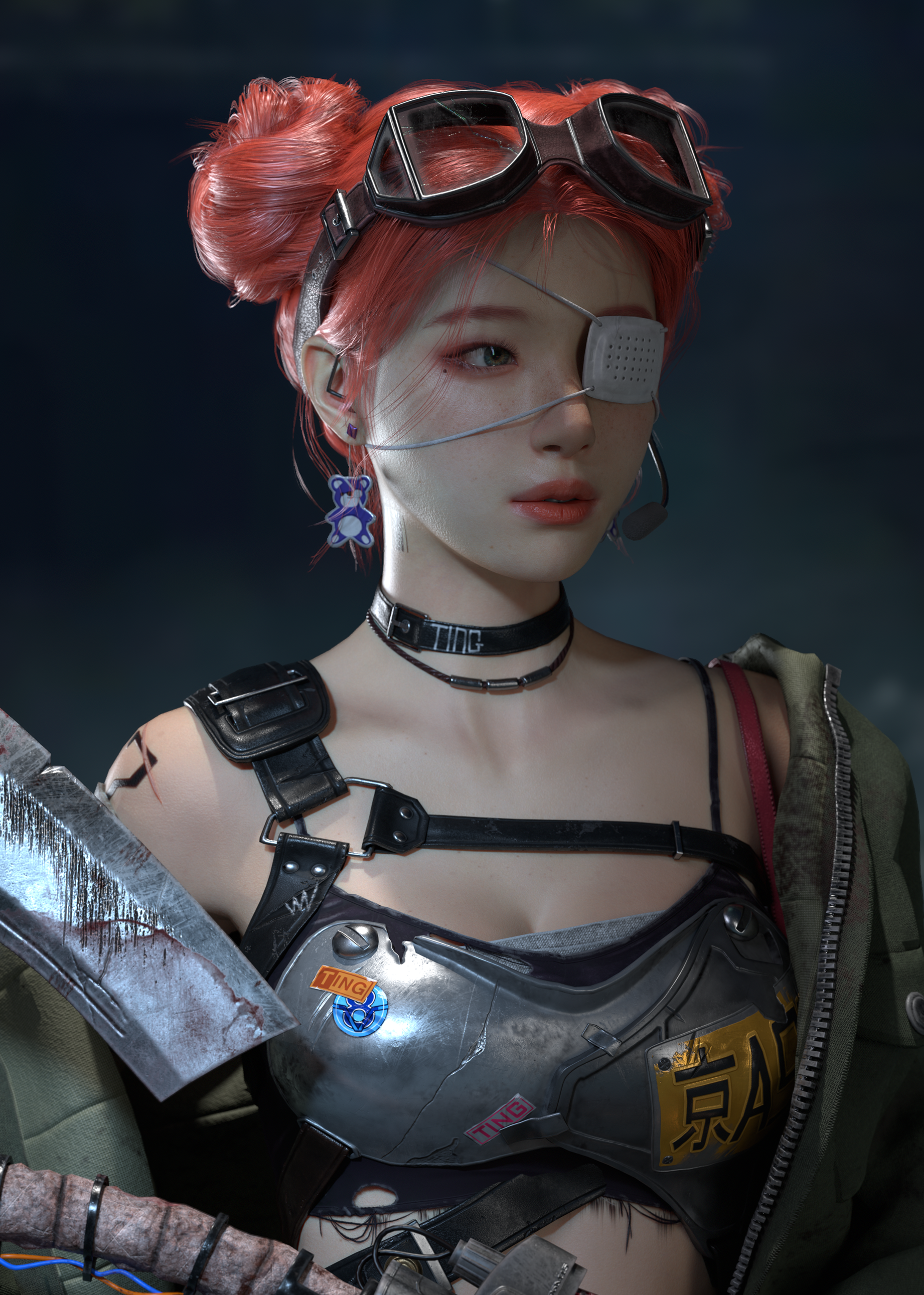
Pink Pucca Haired Girl
Sieun Lee, an aspiring 3D character modeler, uses Marvelous Designer to bring realistic fabric details to life. Inspired by concept art, she focused on creating a charming monolid character with dynamic jacket folds. Marvelous Designer's real-time simulation and intuitive workflow have become essential in her creative process.
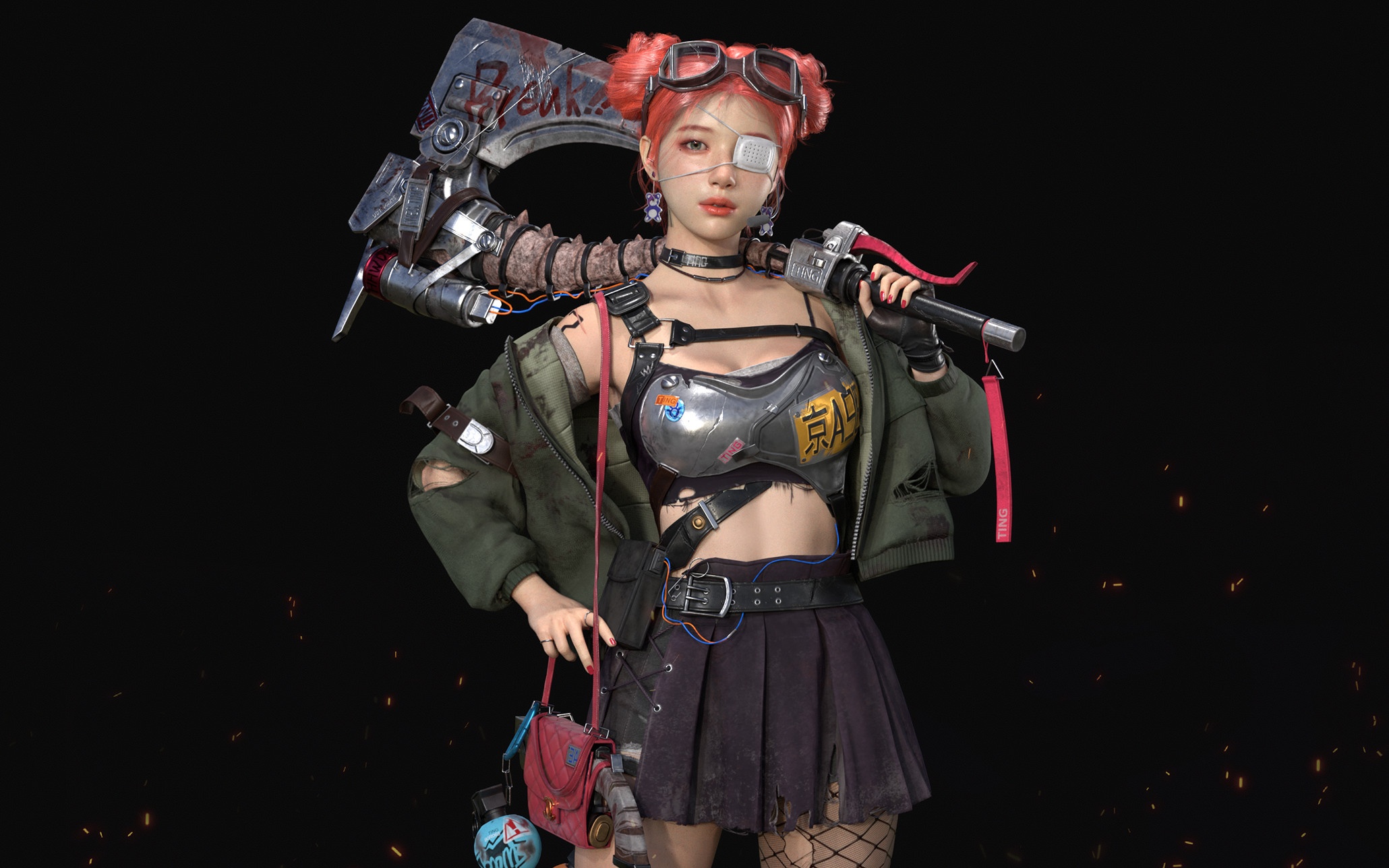
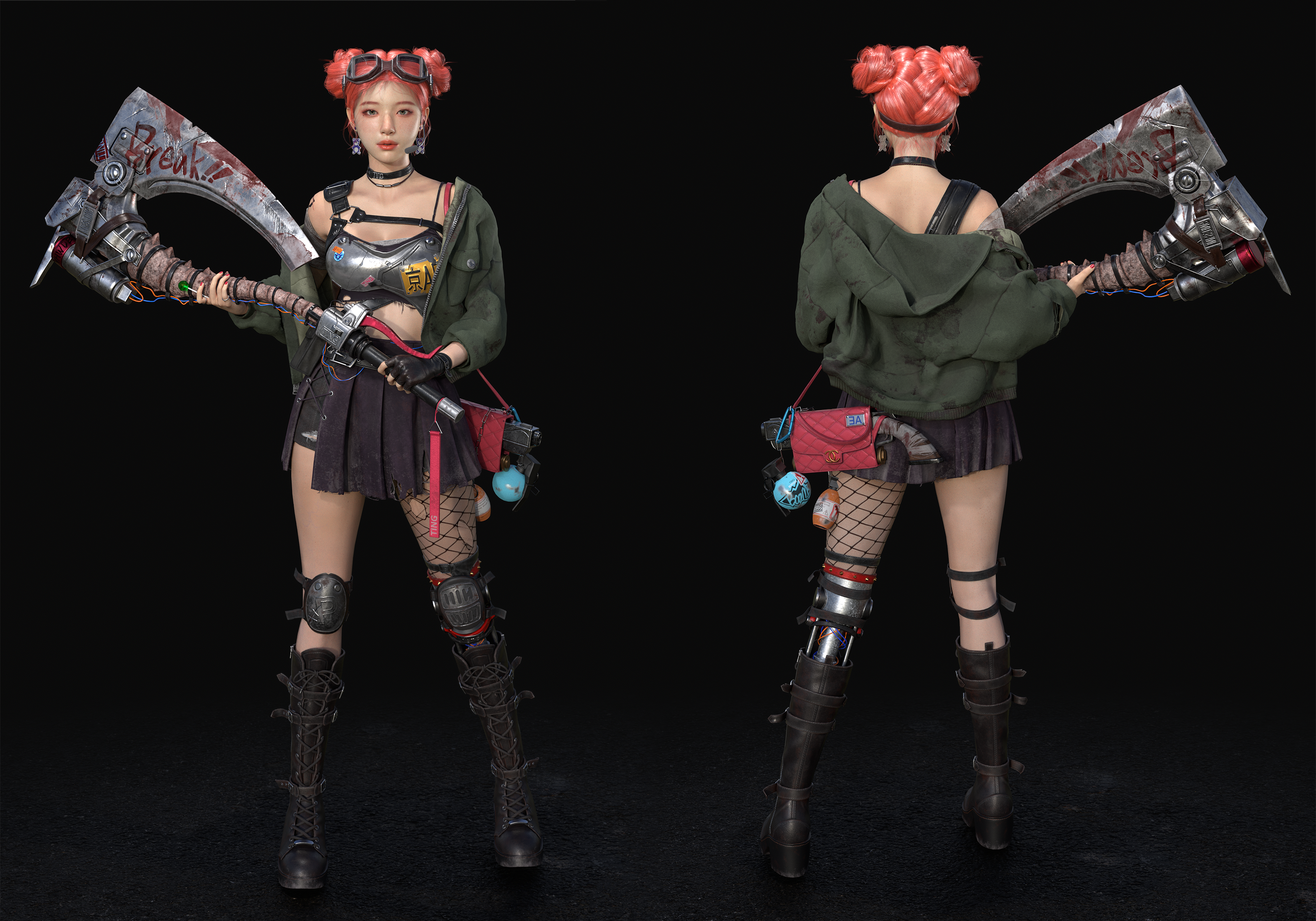
Interview with Sieun Lee | 3D Character Modeler
Please provide a brief introduction of yourself as an artist and share what inspired your interest in the field of 3D design.
Hello, my name is Sieun Lee, and I aspire to become a 3D character modeler. During high school, I was introduced to CAD, which sparked my fascination with 3D modeling. This naturally led me to explore 3D character modeling, and I have been passionate about it ever since.
Where did the idea for the “Pink Pucca Haired Girl” project originate? What aspects did you focus on during the design process?
I wanted to create a monolid character with a bun hairstyle, so I searched for concept art and came across the work of 毒瘤 (https://www.artstation.com/artwork/d8ZneA) on ArtStation, which inspired me to bring this project to life. I focused on two key aspects during the design process:
A cute bob hairstyle that enhances the character's charm & Dynamic jacket folds that change naturally with the character’s movements, adding a sense of realism and fluidity.
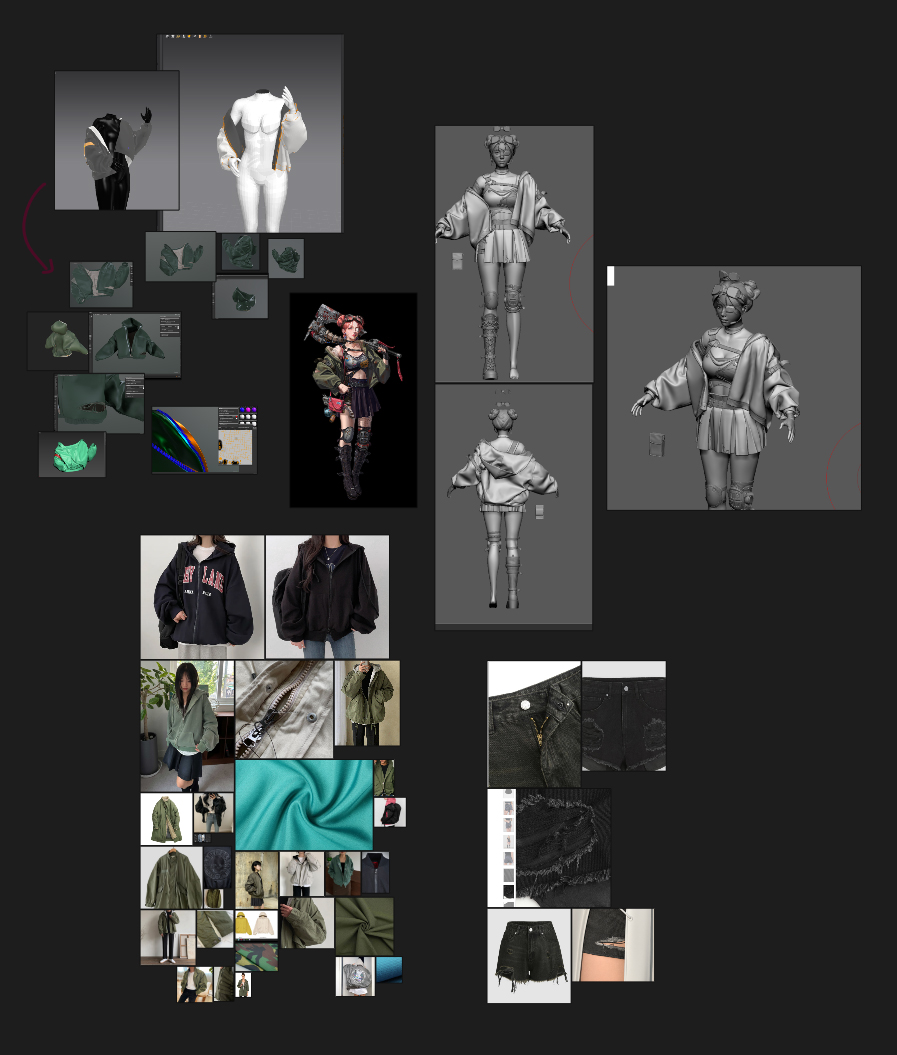
Reference
Why did you decide to use Marvelous Designer? How did it help in your workflow?
I believe Marvelous Designer is unmatched when it comes to realistically simulating fabric textures. What intrigued me the most was its real-time simulation feature, which looked incredibly fun to work with.
The ability to create, dress, and instantly modify garments, almost like playing with dolls, was especially appealing. It made the design process more intuitive and efficient, allowing for quick adjustments and achieving natural-looking fabric dynamics with ease.
Can you briefly explain the overall production pipeline, including the use of Marvelous Designer?
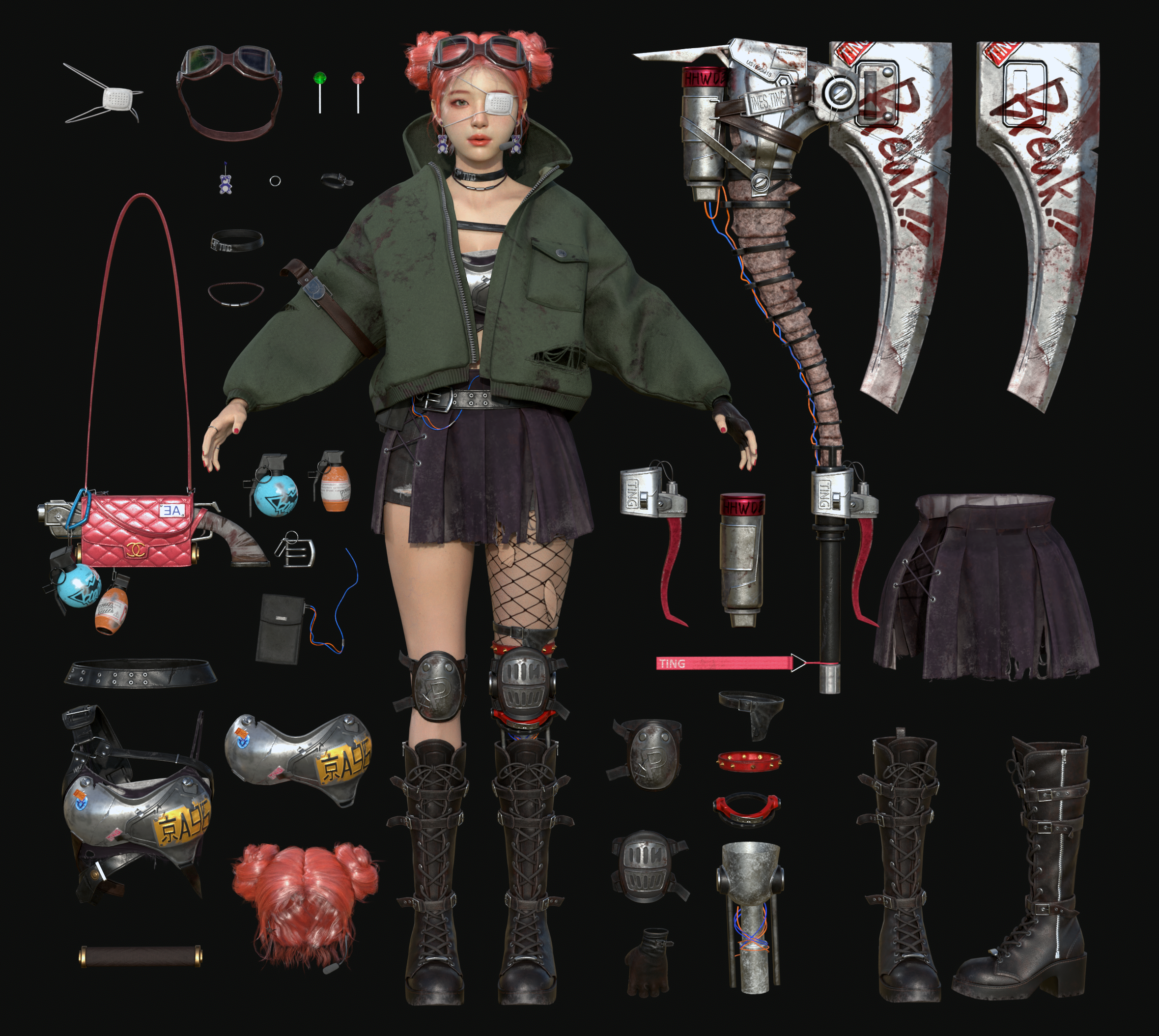
Since I wanted the jacket's folds to naturally adapt to different poses, I initially created a minimally wrinkled base jacket and applied animations afterward.
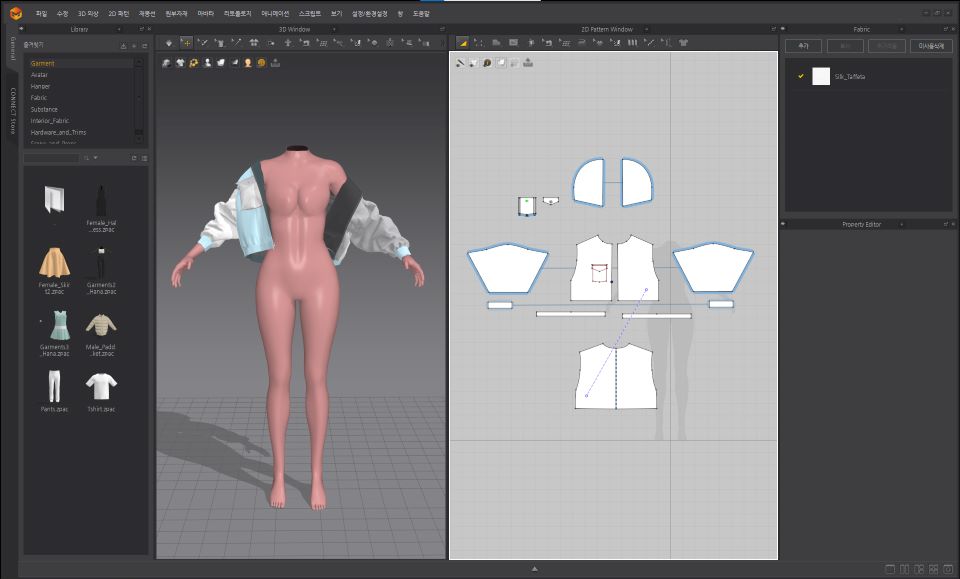
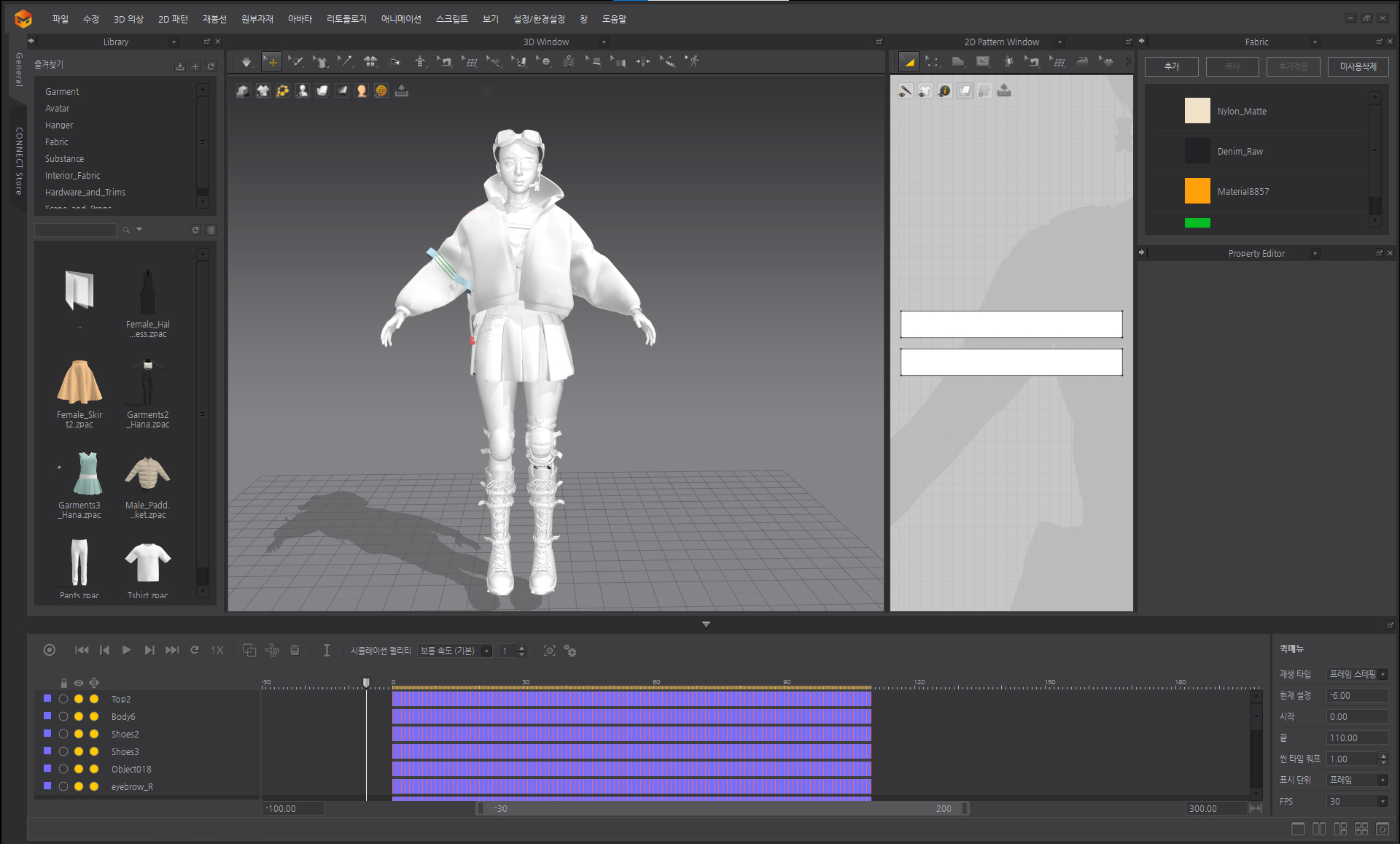
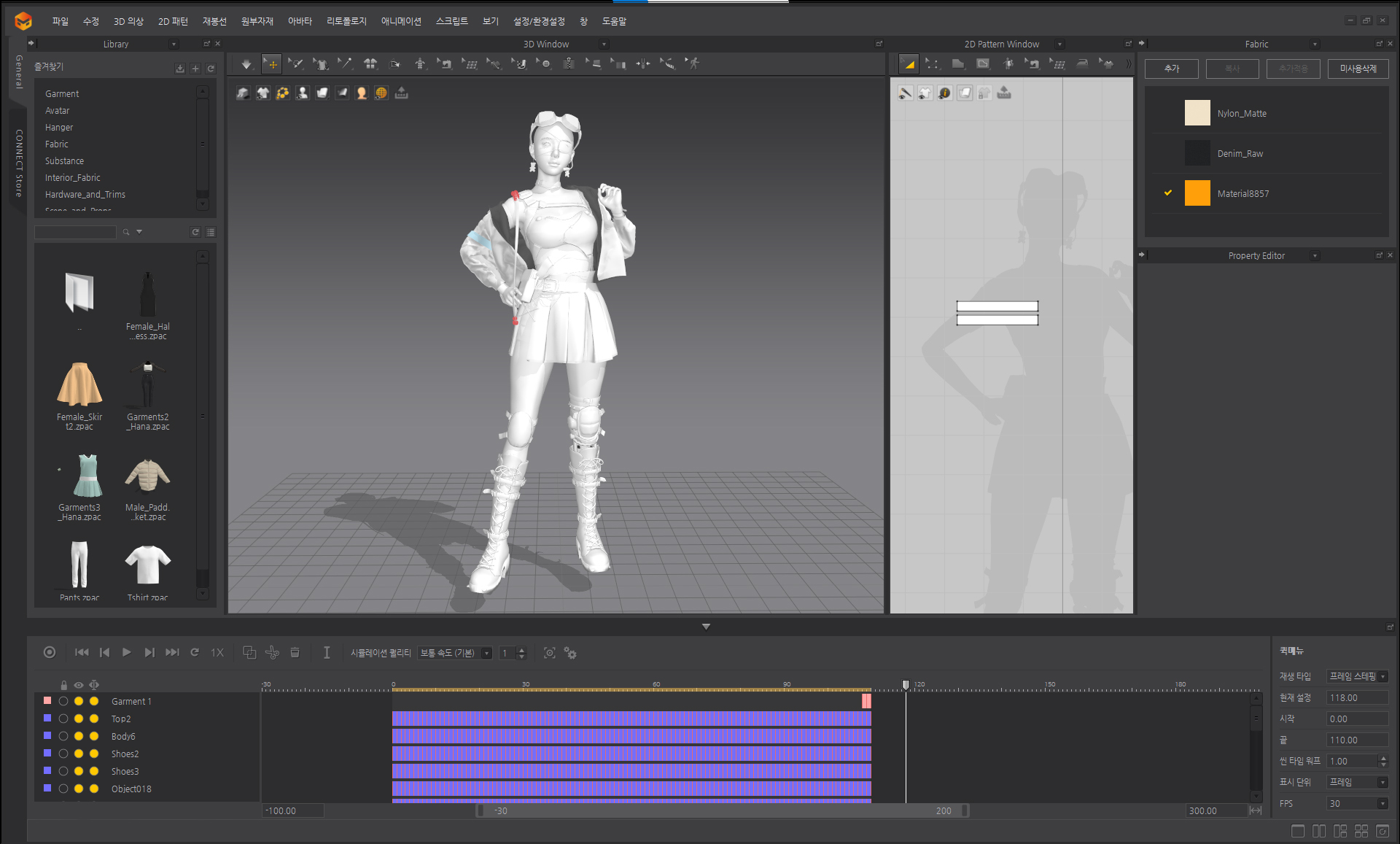
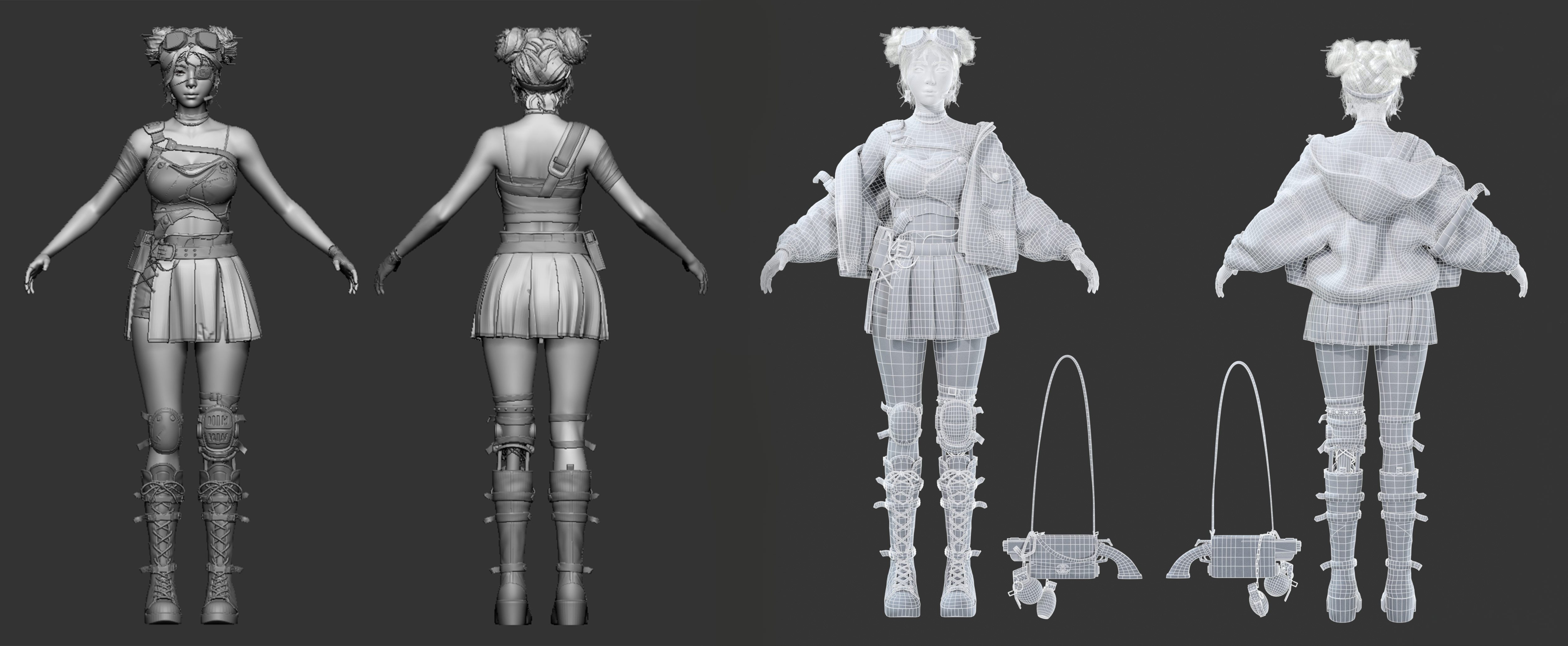
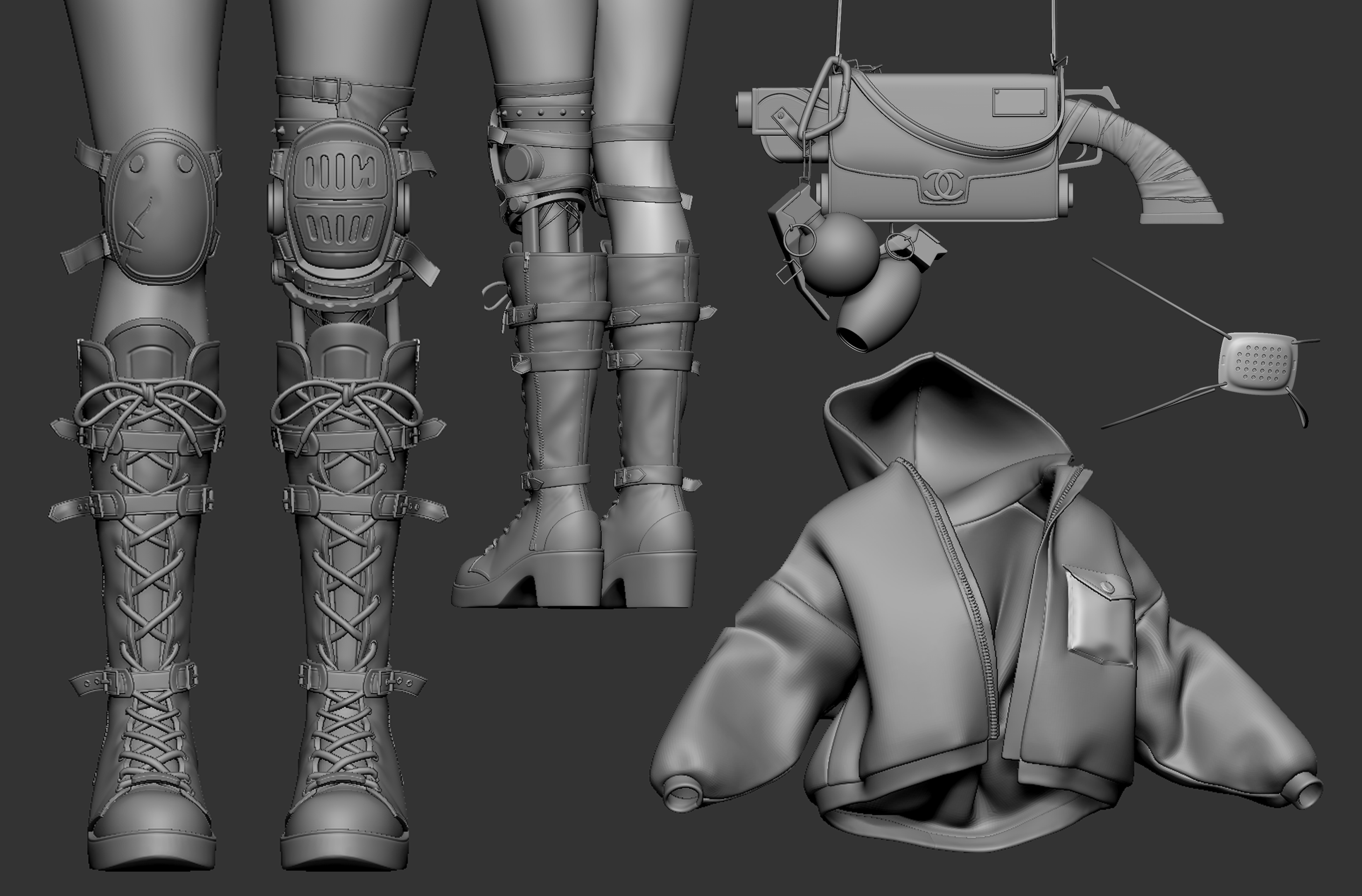
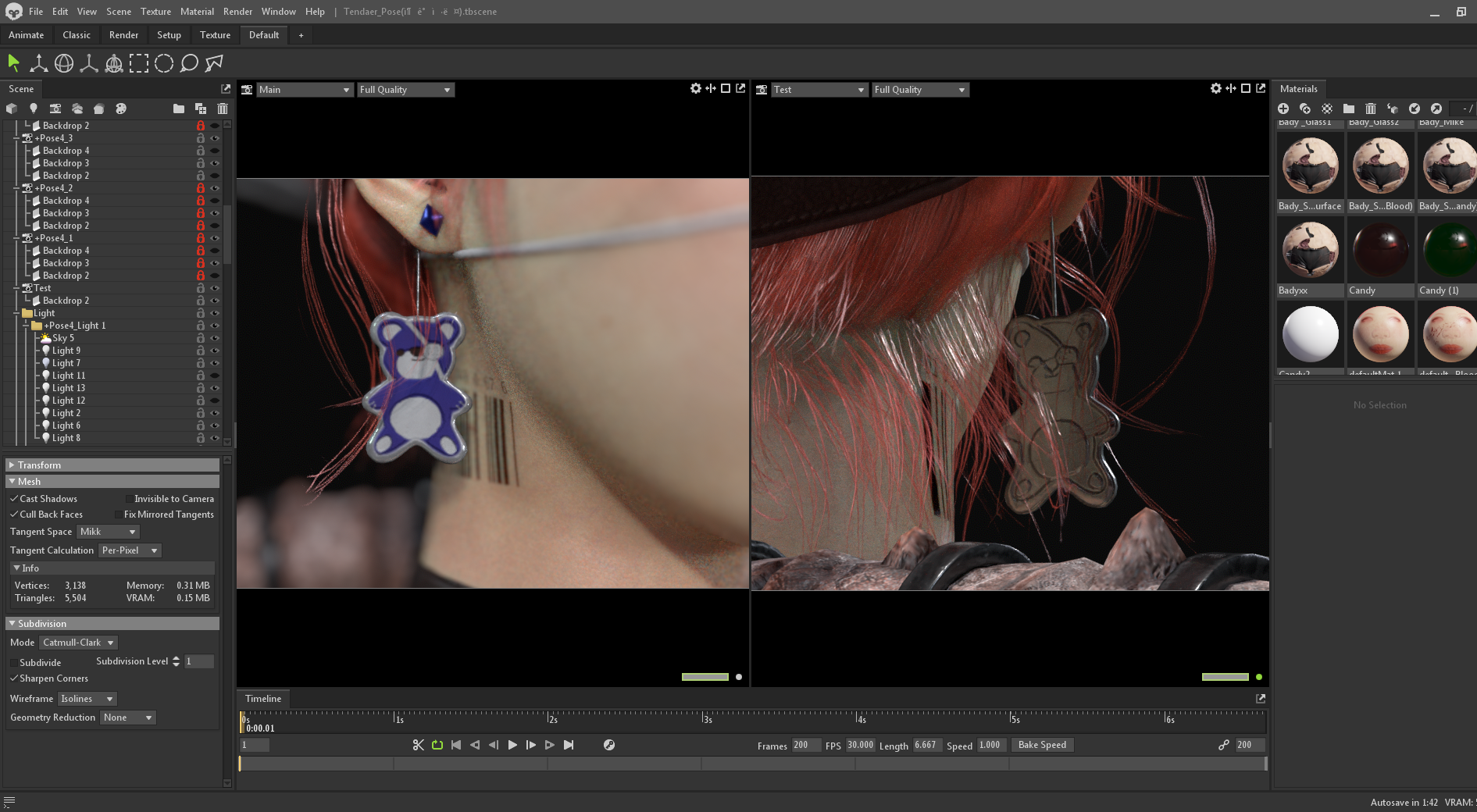
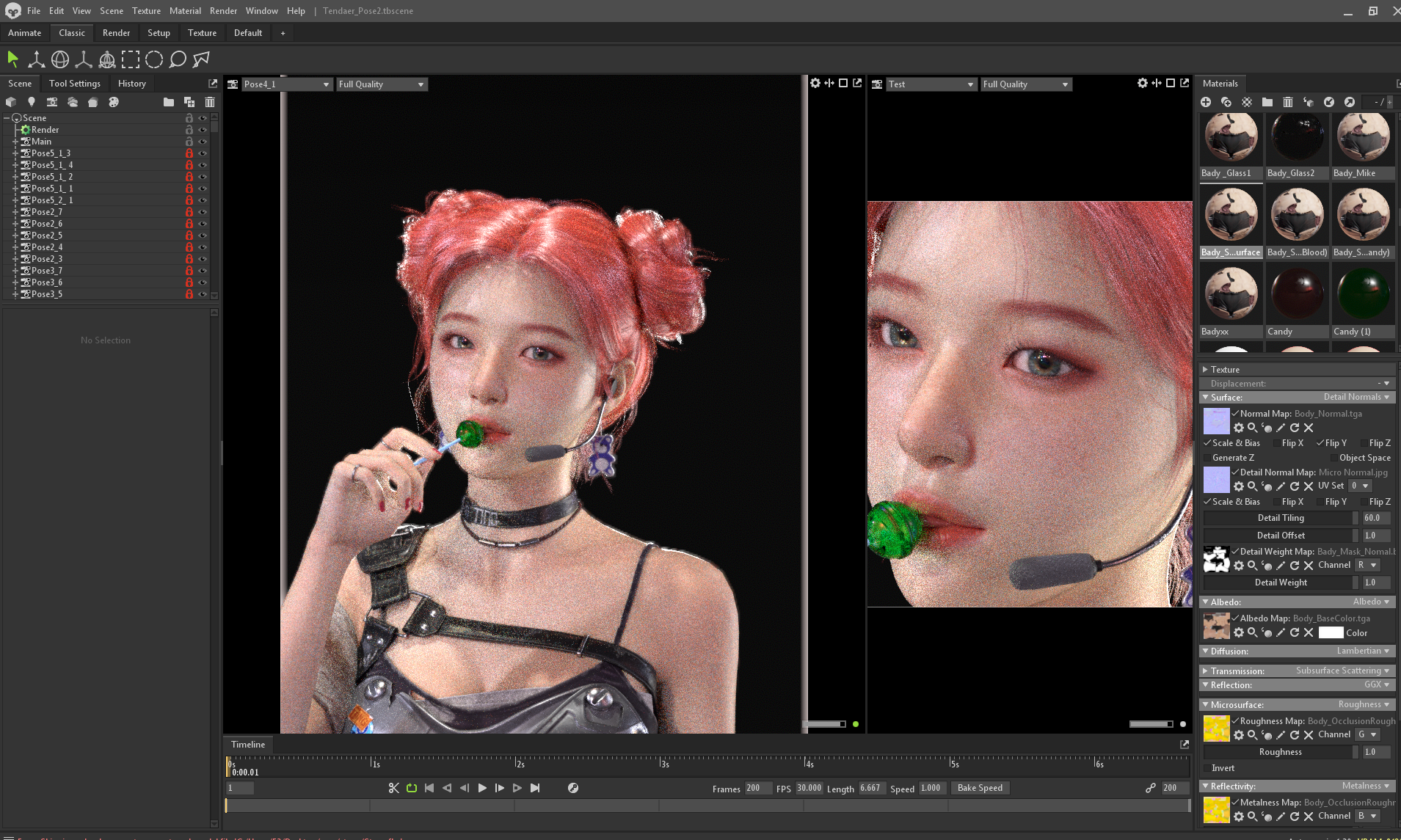
Once the baking and texturing process was completed, I imported the mesh into Marvelous Designer and applied simulation over the animated pose. I then exported the simulation as an Alembic file, which I brought into 3ds Max. There, I used Morpher to blend the simulated results with the original mesh, finalizing the project.
Were there any unexpected challenges during the production process? How did you overcome them?
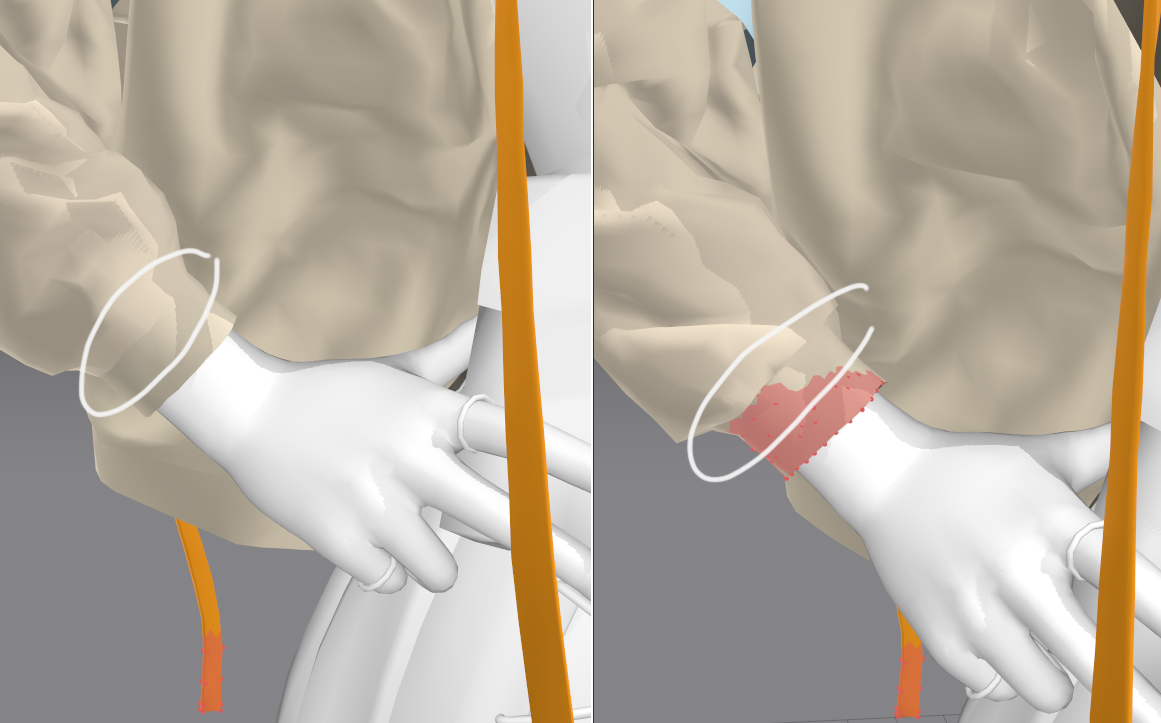
The jacket's complex structure made the process more challenging compared to previous fabric projects. When I imported a low-polygon mesh with reconstructed topology into Marvelous Designer as a single pattern, I encountered an issue where the sleeve boundaries became blurry, unlike when using the sewing tool.
After multiple attempts, I found a solution by utilizing the Pin feature. By first securing the sleeve shape, I was able to stabilize its structure before refining the rest of the garment, ultimately resolving the issue.
Do you have any tips or insights on effectively using Marvelous Designer for character design?
I still have a lot to learn, but when it comes to fabric and clothing design, I truly believe there is no better tool than Marvelous Designer. Its wrinkle simulation is incredibly powerful, allowing me to create exactly what I envision with ease.
For better control over fabric details, I recommend using the Freeze and Pin features during simulation to refine wrinkles more precisely. Additionally, when working on complex garments, it's best to progress step by step and save frequently to avoid any setbacks.
Are there any new styles or areas you would like to explore using Marvelous Designer in the future?
In the future, I would love to create dresses and ballet costumes. With Marvelous Designer, I believe I can achieve the elegant and voluminous drapes that are essential to these designs quickly and beautifully.
How has your overall experience been with Marvelous Designer? How has it influenced your workflow, and are there any features you particularly like or areas for improvement?
Using Marvelous Designer has significantly improved my workflow efficiency. The fabric simulation feature, in particular, has saved me a tremendous amount of time compared to manually creating folds and wrinkles.
My favorite features are Strengthen and Solidify, which I use frequently. They allow me to precisely control fabric wrinkles in specific areas, making it much easier to achieve the desired look.
Link to ArtStation
이 작업은 3dsMax, ZBrush, Blender, Animation, Simulation, Import_Export 등의 기술로 제작되었습니다.
Marvelous Designer로 이와 같은 3D 의상·캐릭터 작업을 직접 만들어볼 수 있습니다.