Dunes of Steel | 3D Cinematic Animation
3D artist Konstantin Batishchev takes us to a desolate desert planet where massive industrial structures rise from the dunes, driven by mysterious underground mechanisms. Discover how he pushed his technical workflow to the limit to transform a raw concept into a polished, high-fidelity cinematic masterpiece.
Software Used
Cinema 4D – Modeling, animation
Cascadeur - Character animation
Marvelous Designer – Cloth Simulation
Substance Painter – Texturing
Octane Render – Lighting & Rendering
Embergen - smoke simulation
After Effects - Post-Production
Artist Introduction
Hi, I’m a Motion Designer with over 10 years of experience working in 2D and 3D animation. I focus mostly on creating visuals for branding, product videos, and storytelling. In my work, I usually handle the whole process - from the initial idea and look development to animation, simulations, rendering, and final compositing.
I especially enjoy working on cinematics and character animation, so in both personal and commercial projects I focus on building a story and finding the best way to visualize it.
I work with tools like Cinema 4D, Unreal Engine, Marvelous Designer, After Effects, Blender, and Substance Painter, depending on the needs of the project.
Please introduce your project.
Dunes of Steel is my personal project, where I challenged myself to create a large environment, a desert atmosphere, and a sci-fi story about a character trying to sneak into the center of a city — a huge burning crater.
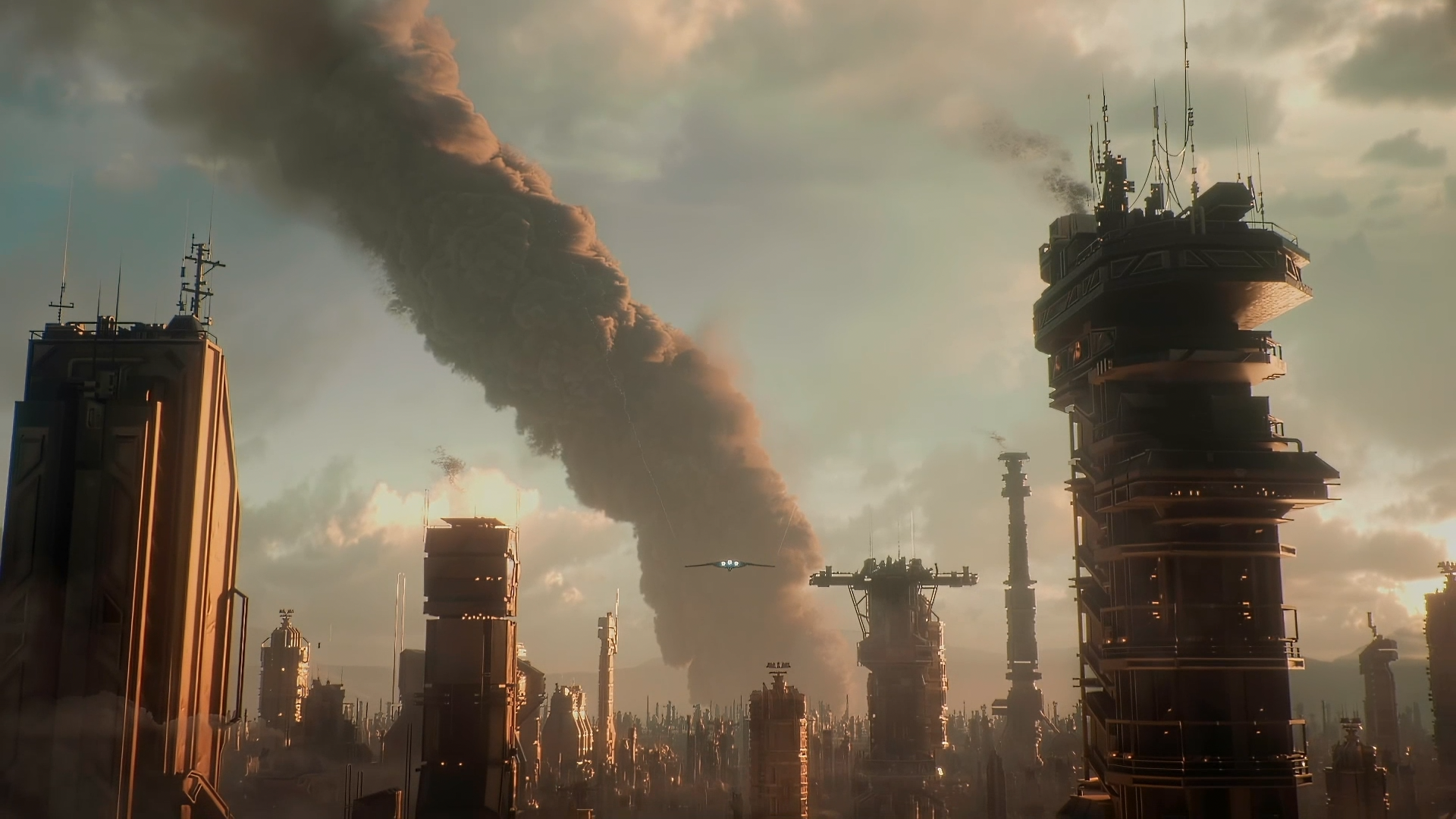 The city design and its materials, especially the pipes, show that this is an industrial city that depends on the crater.
I really enjoyed working on the details and textures. It was important for me to show the scale of the environment and how sand and heat affect the materials.
I started by choosing a music track, which I used as a base for the animation and editing. The rhythm of the track shaped the whole pacing of the video.
The project took me about a month from idea to final render, which surprised me — usually my personal projects take much longer.
There is also a lot of compositing in this project. Elements like smoke were simulated and rendered in Embergen, then composited in After Effects.
Tell us how Marvelous Designer creates value in this project.
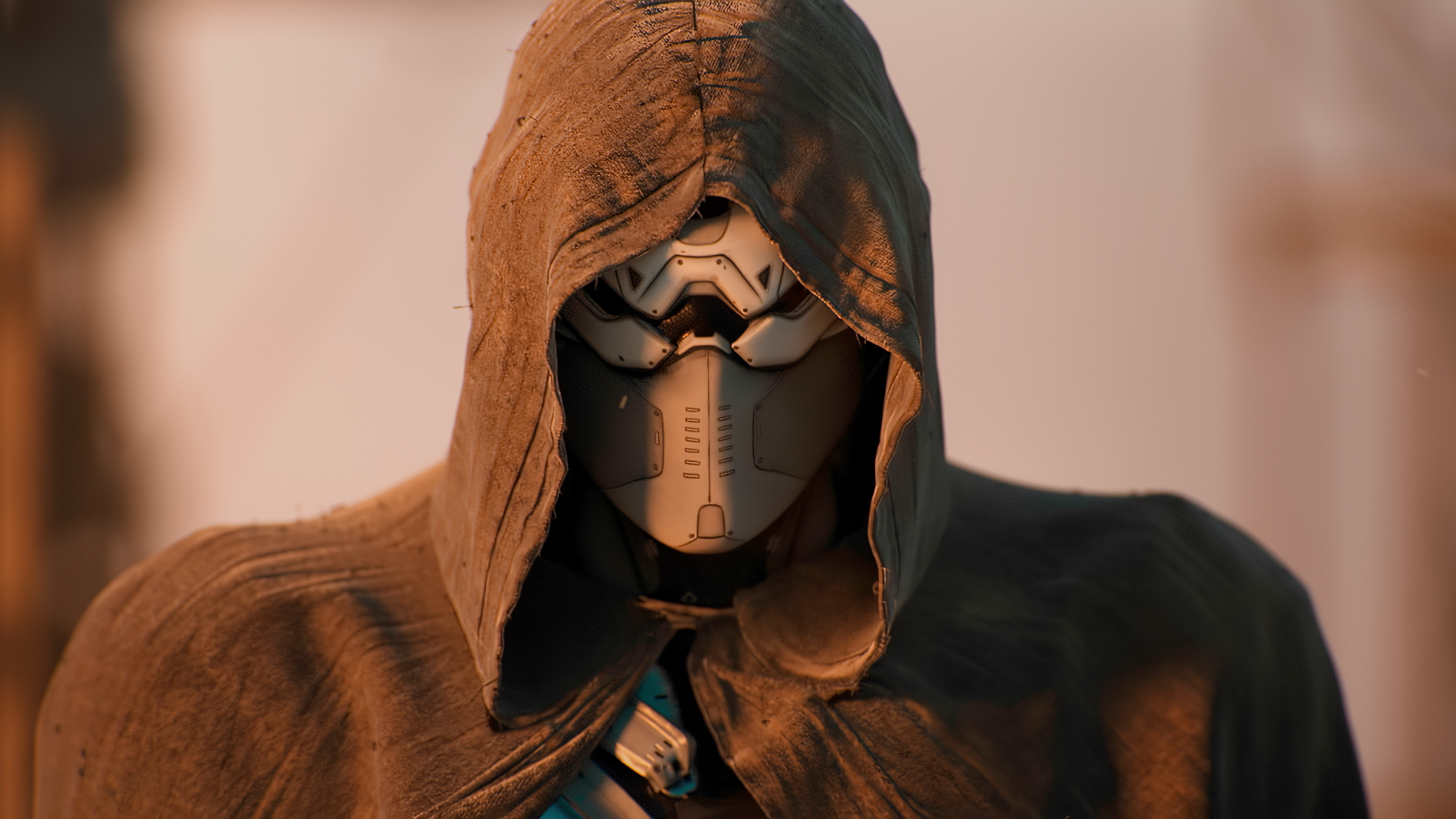
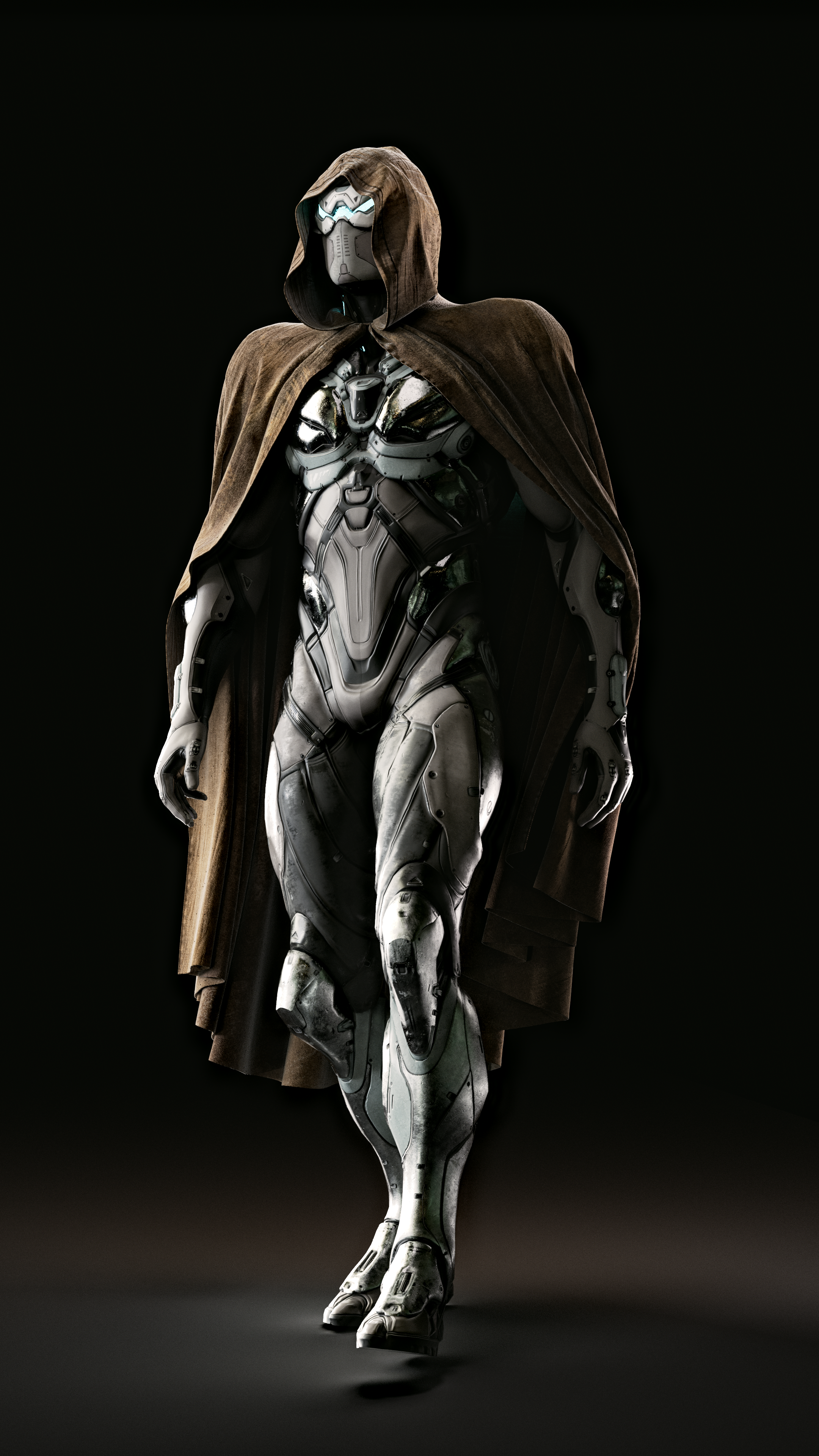
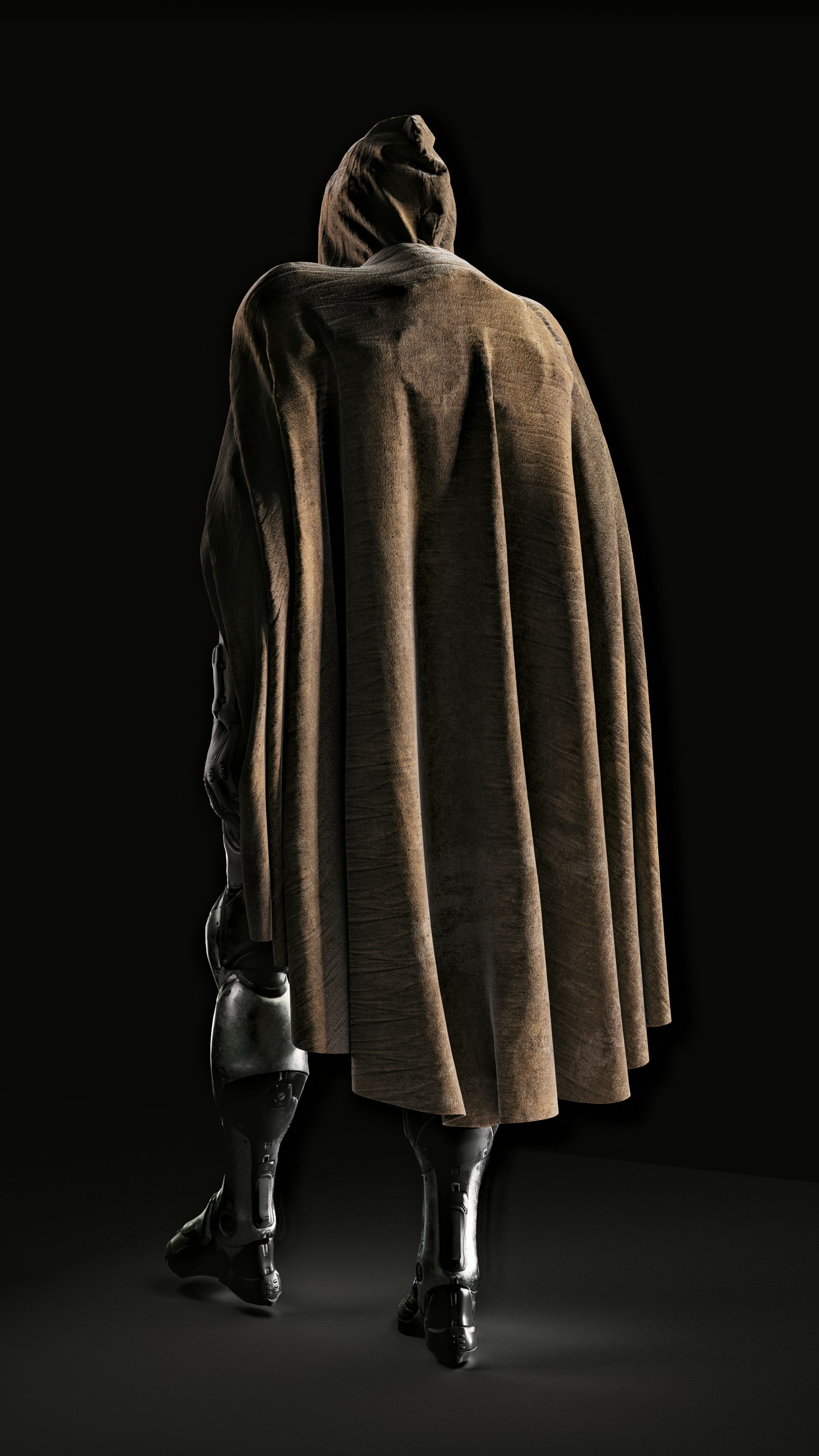
For Dunes of Steel, cloth simulation plays a key role - it’s a visual focus on the character that adds complexity and creates a strong contrast against the metallic environment.
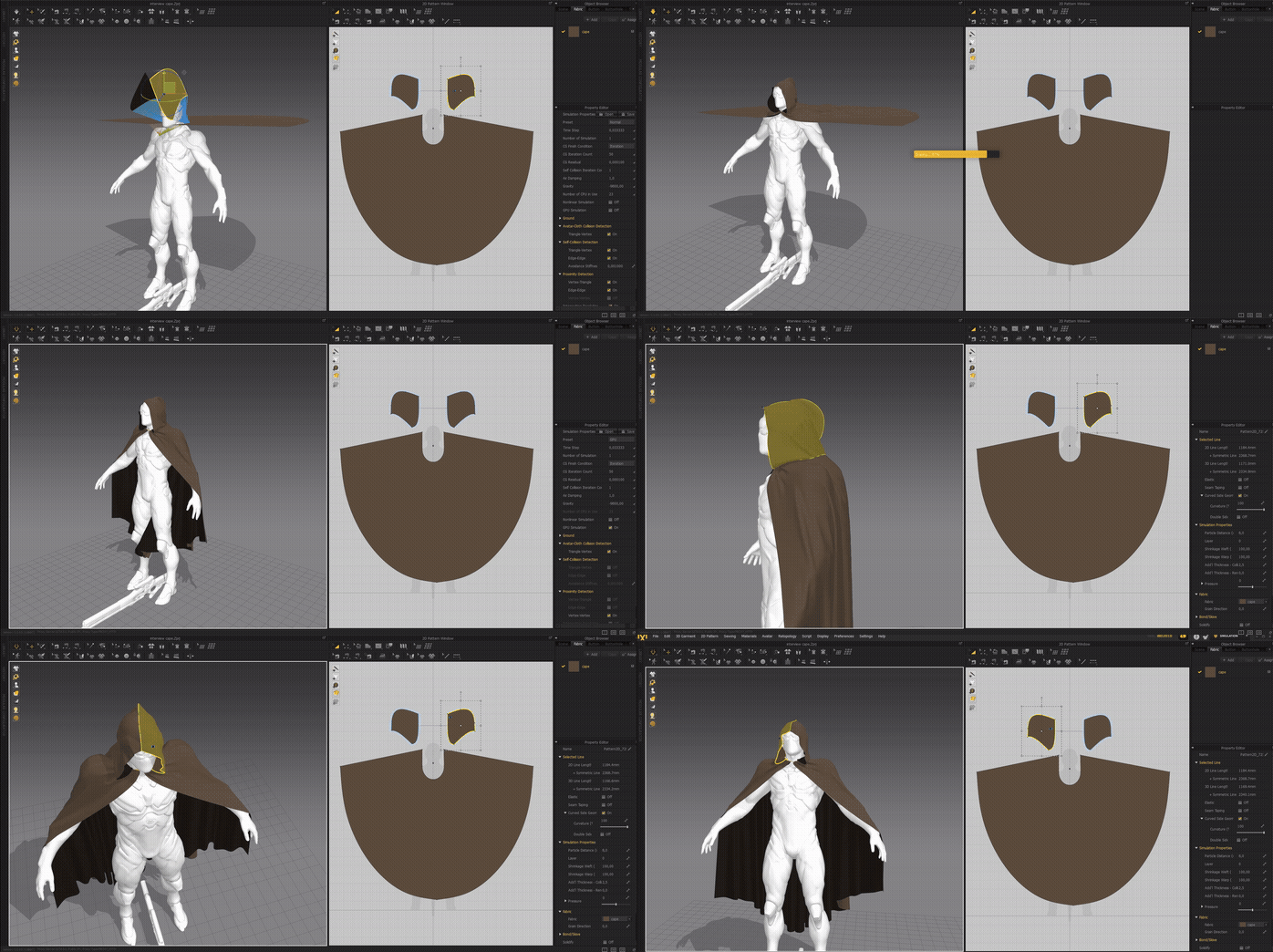
In fact, improving my cloth simulation skills was one of the main reasons I started this project. Most of the scenes were created in Marvelous Designer, except for the final shot where the cloak is dropped - that simulation was done in Cinema 4D, since I needed more precise and flexible control over the cloth movement.
In most of the cloth simulations, there were no issues because the movements were smooth and natural.
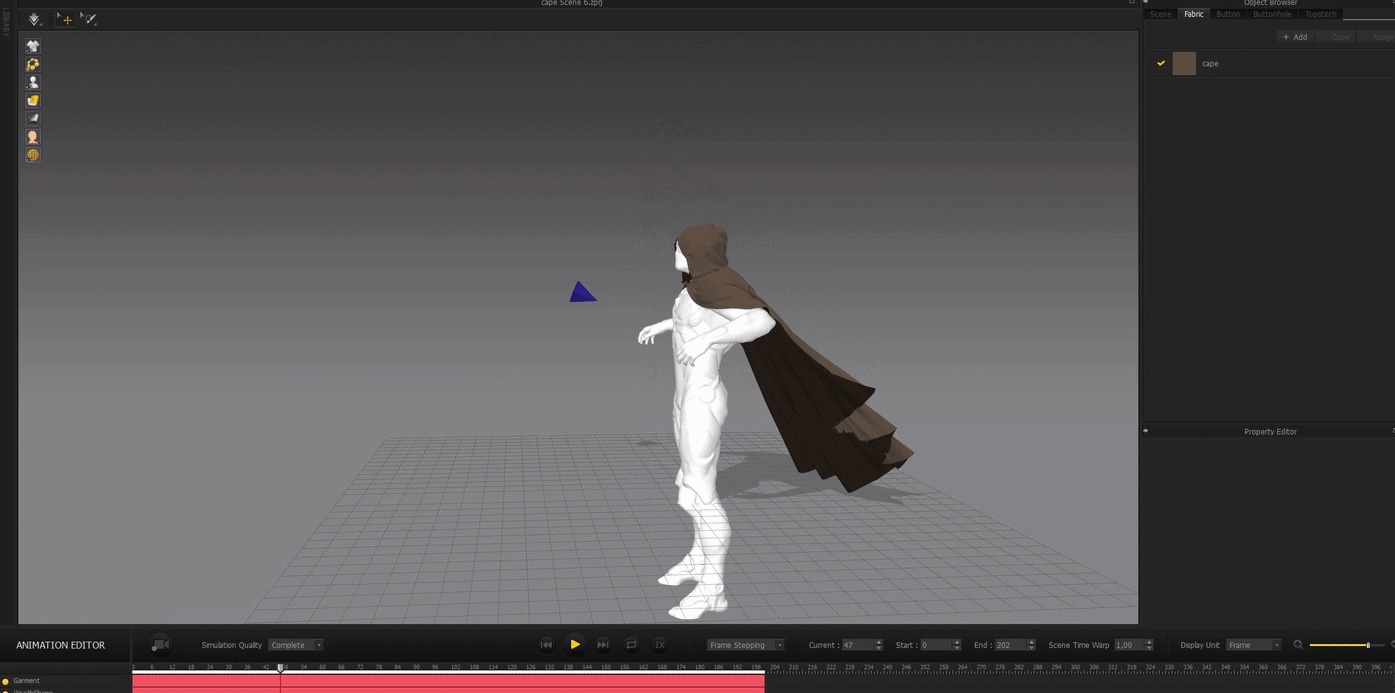
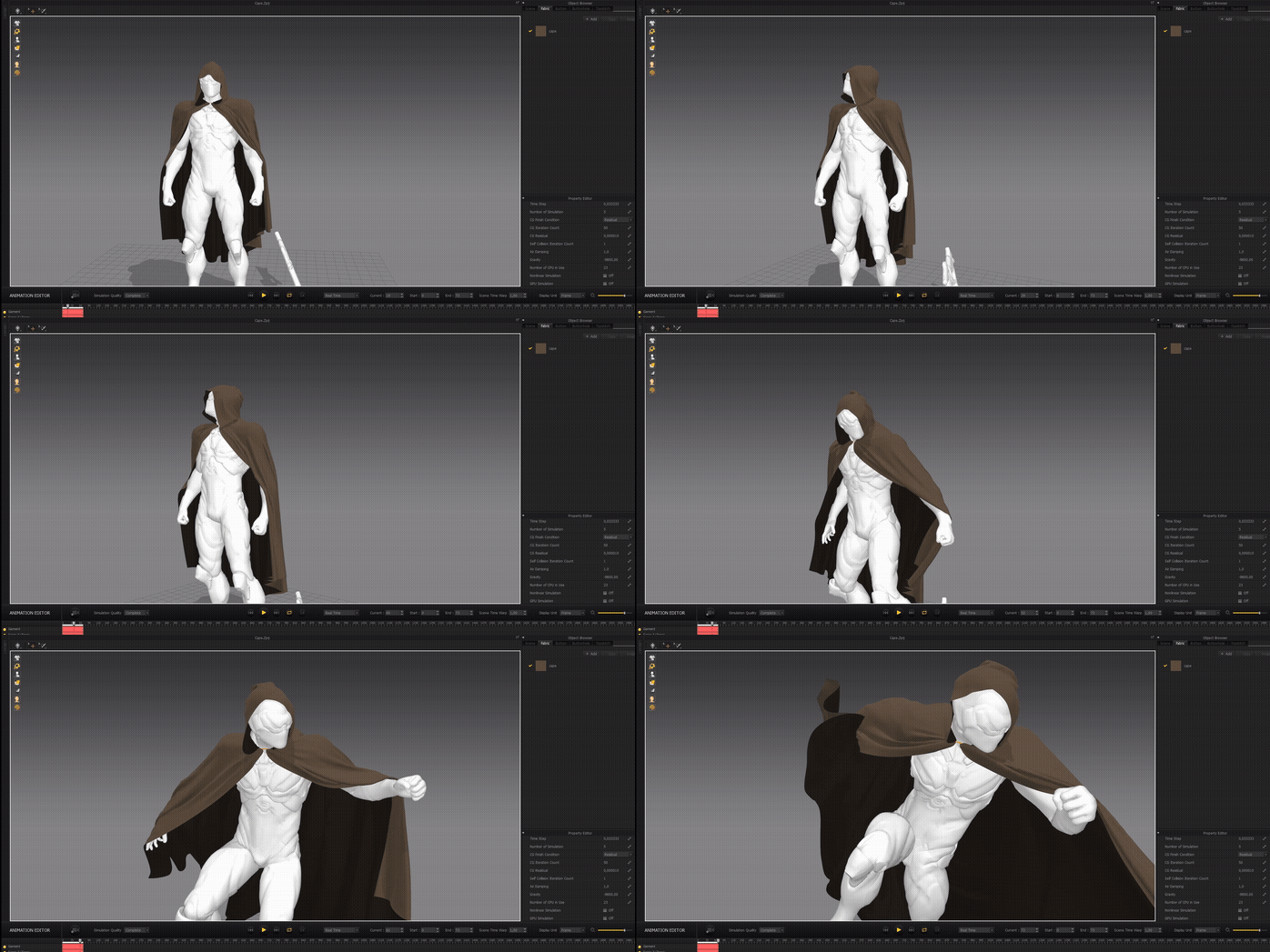
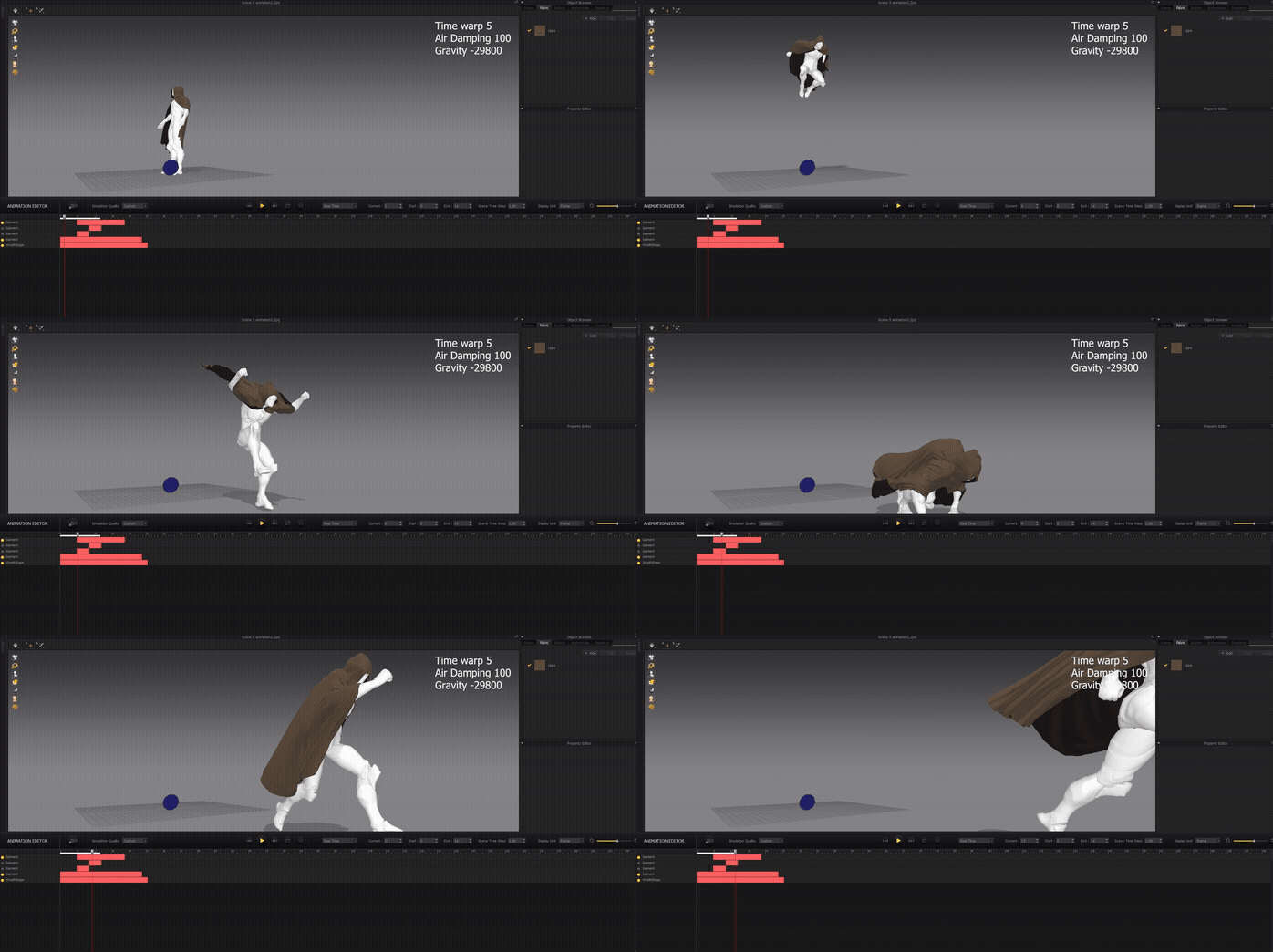
The difficulties started in the landing scene. In this case, I needed to art direct the cloth simulation so that it wouldn’t just look realistic, but also look visually appealing.
In the first example, I only use Time Warp, but the wind is too weak, so I’m not satisfied with the result.
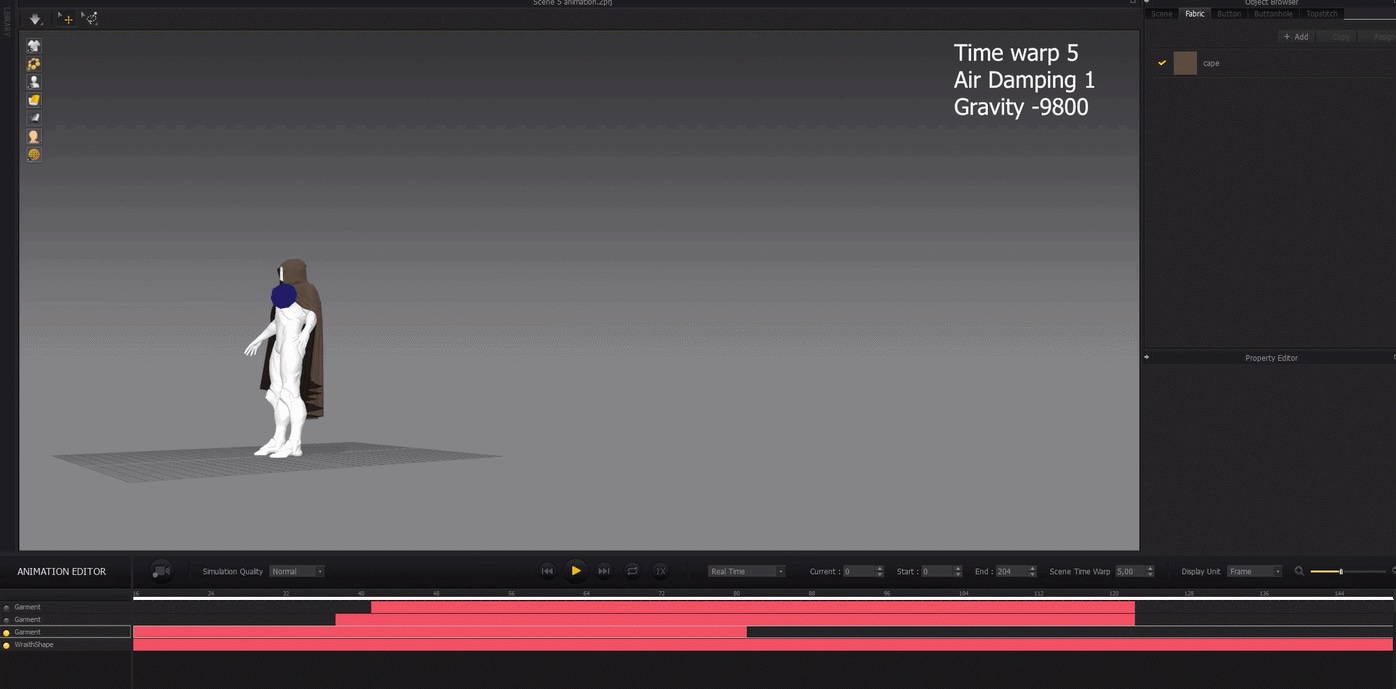
In the next example, I increase the wind strength, but I don’t start the simulation from the very beginning. This is a very convenient workflow. The cloth movement during the character’s flight already looks good to me, so I continue the simulation starting from the landing moment. The result is better, but I still don’t like how the cloth behaves.
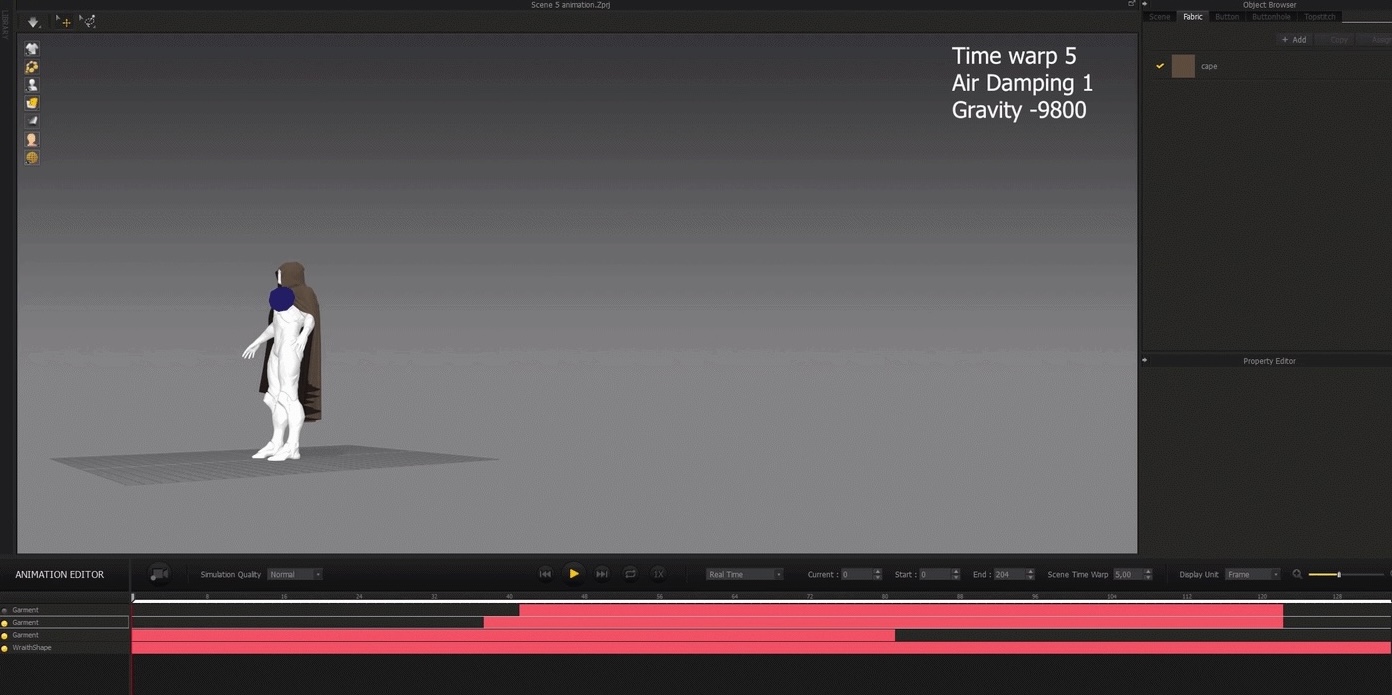
Then I increase air damping. Because of that, when the character moves in slow motion, the cloth also behaves like it’s in slow motion. But it still doesn’t fall to the ground properly because the wind and air resistance are stronger.
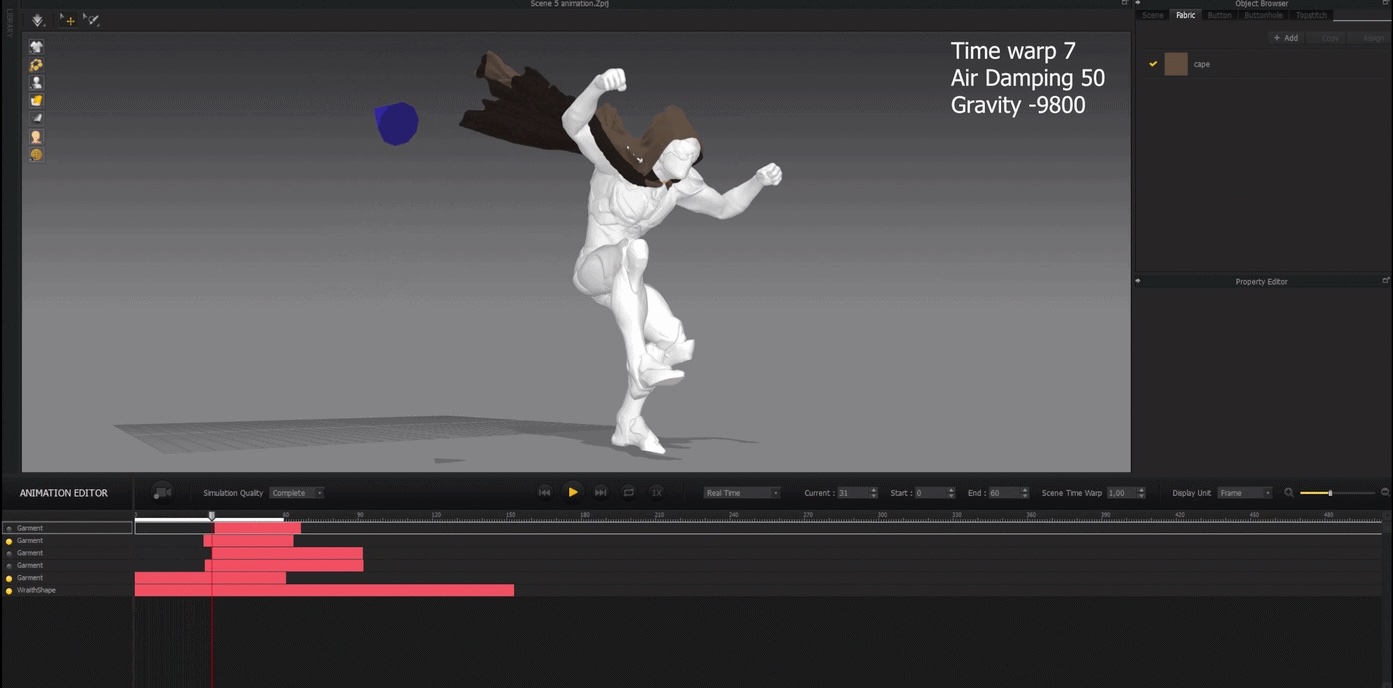
In the final version, I increase gravity, and the cloth finally moves the way I want. This way, I was able to control the simulation, and it looks very realistic at normal speed.
What is your favorite feature or tool to use in Marvelous Designer?
I don’t have extensive experience with Marvelous Designer yet, so I’m probably not using it to its full potential.
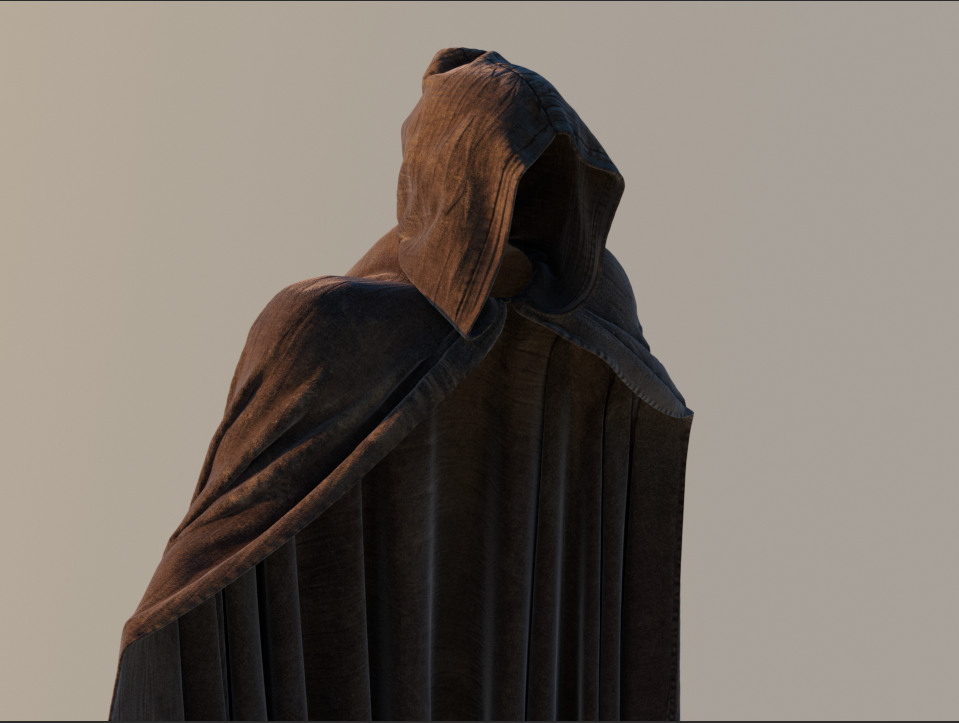
What I like most is that making clothes feels just like in real life - you don’t have to fake seams, and you can tweak any part in real time to fit the character perfectly. I know it’s a pretty basic feature, but I really enjoy it 🙂
For other users considering Marvelous Designer for a cinematic project, do you have any advice or experience to share?
In my project, when simulating cloth, I used Time Warp. This is a key parameter that helps make the simulation more accurate. Animated characters often have fast movements, which can cause incorrect simulations because the distance between frames is too large, and the cloth can intersect with the object.
I also recommend experimenting with wind direction, wind strength, and gravity. These settings can really help you guide the cloth and get the motion you want.
이 작업은 Animation, Substance, Cascadeur, Octane, Rendering, Aftereffects 등의 기술로 제작되었습니다.
Marvelous Designer로 이와 같은 3D 의상·캐릭터 작업을 직접 만들어볼 수 있습니다.