Character Art Direction
Discover how Henri Gatard (@hgat_art ) brought history to life in 3D with Marvelous Designer—creating cinematic, stylized characters in Victorian and Napoleonic attire.
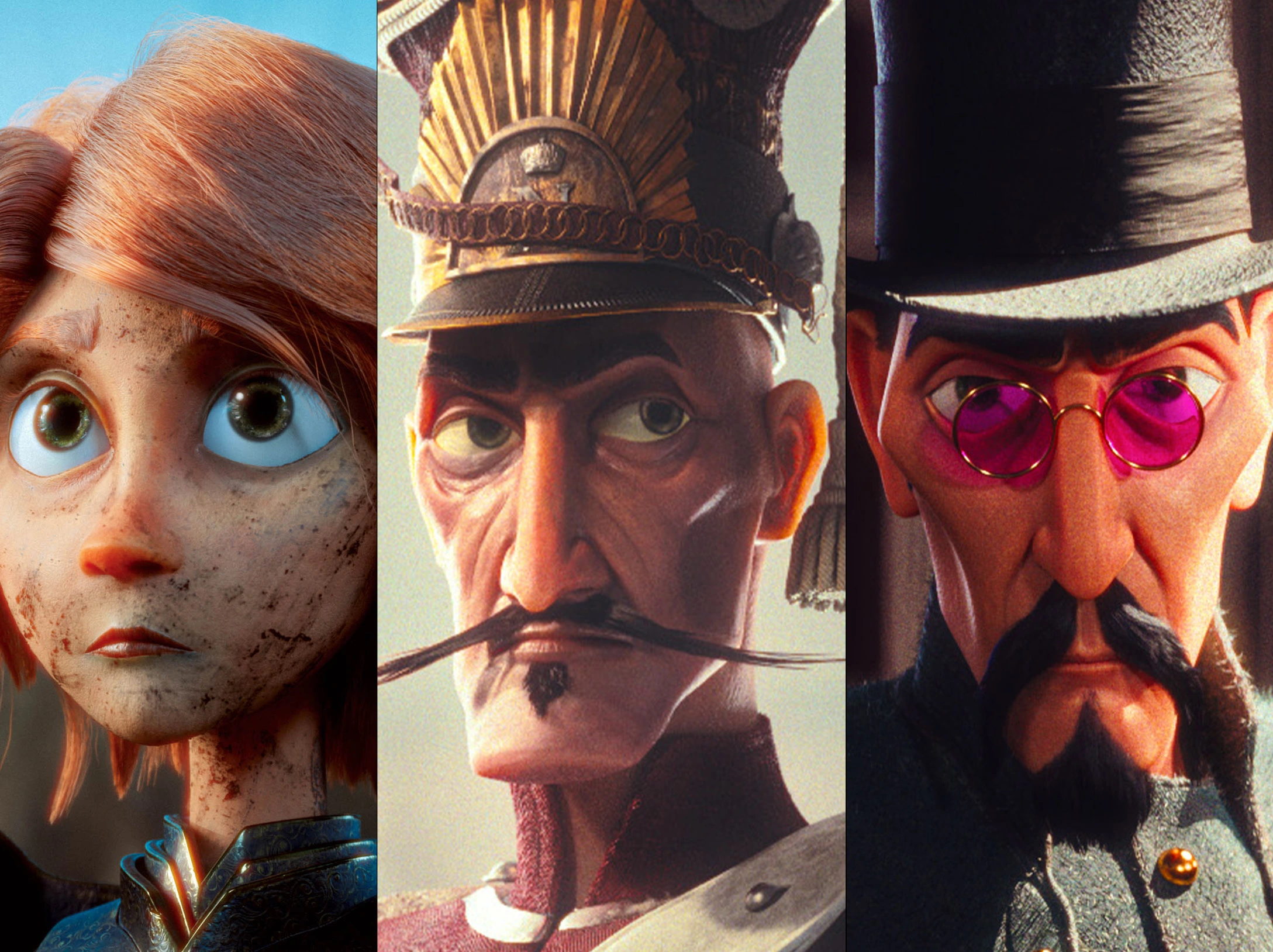
Interview with Henri Gatard | Character Art Direction | 3D Artist
Artist Introduction
I'm Henri Gatard, 23, Character Surfacing Artist at Gaumont in Paris and previously at Mathematic Studios. I love creating characters for animation, from the 2D concept to the final cinematic image, through all the stages of creation. I love creating characters from different eras, so I can tell different stories and achieve a unique look for animated characters. For my final images, I really try not to create characters that simply remain in a T pose in a lookdev. I always pose them to get a cinematic shot, and bring them to life as they might look in a movie. If you want to know more, you can find it all on my Instagram.
Tell us about your project. What inspired it, and what are its main themes?
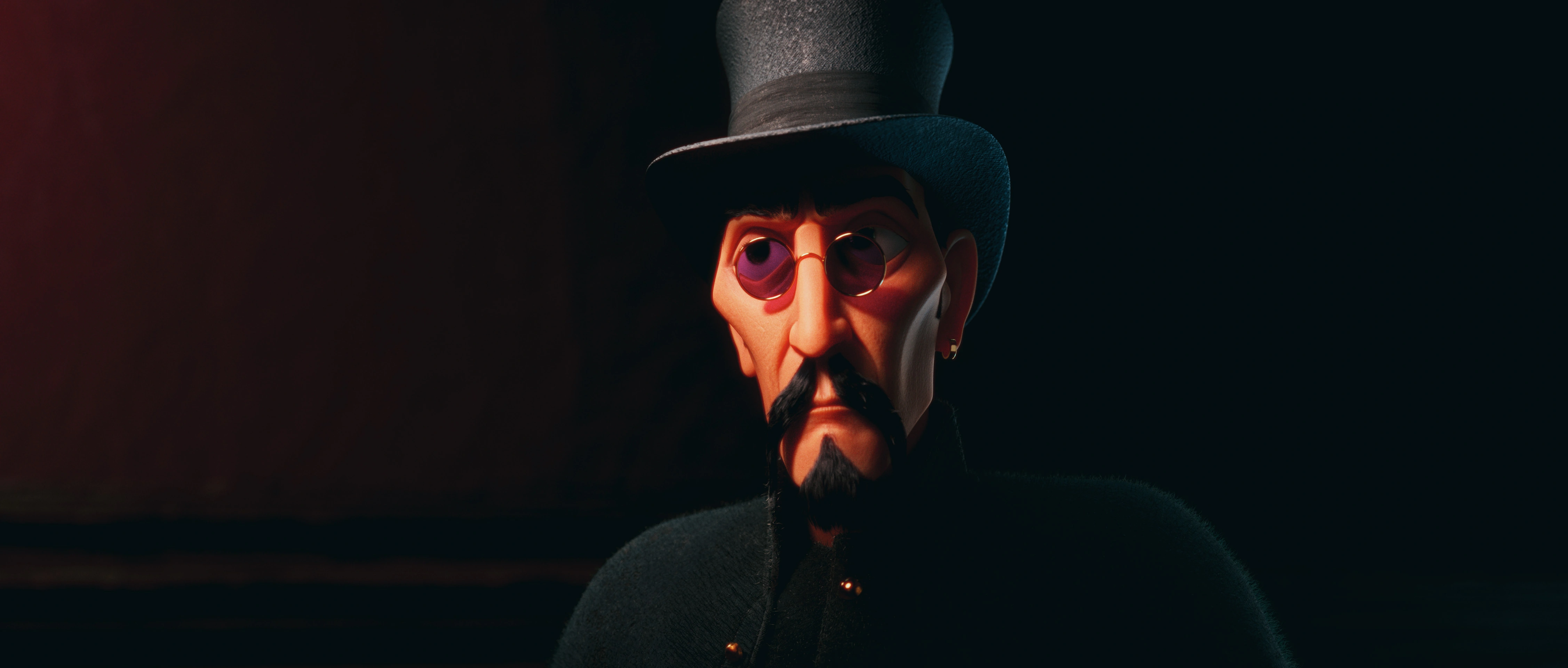
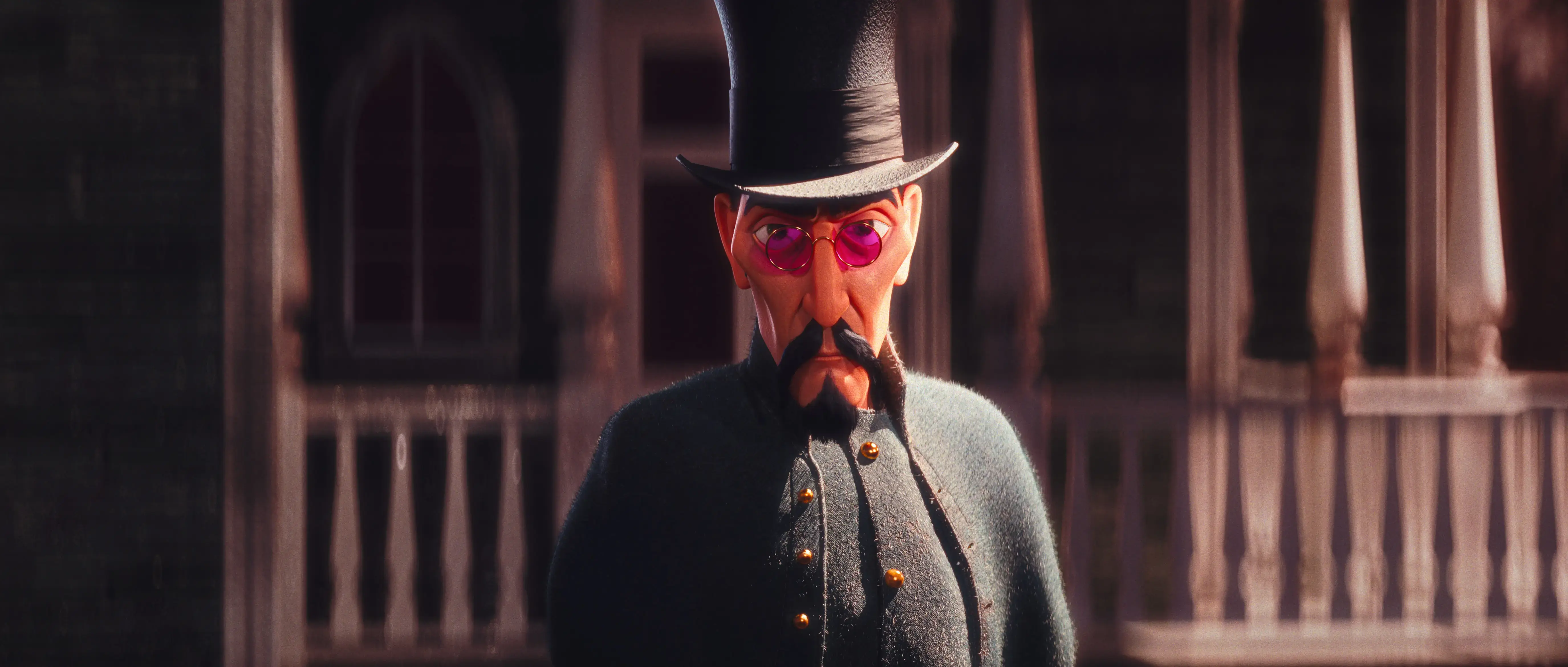
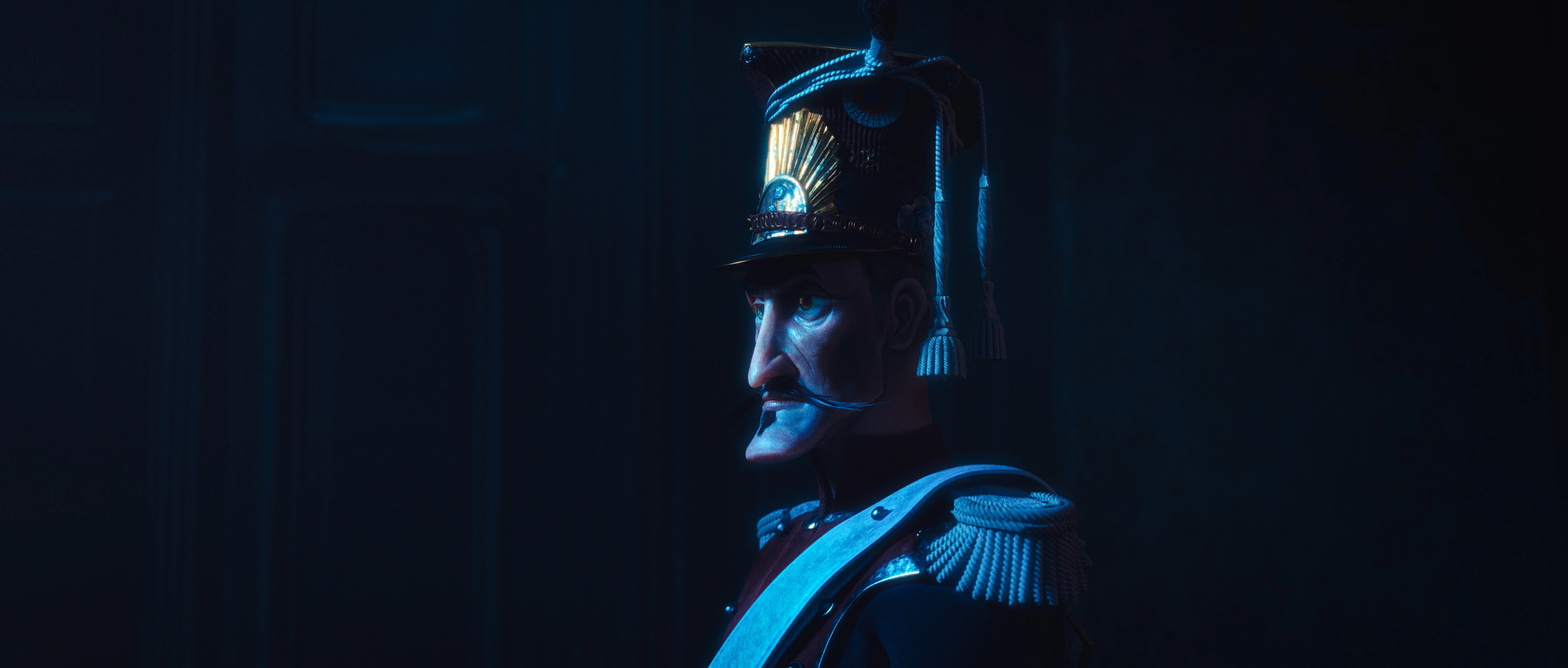
My project is my participation in the Rookies Award 2024 where I created 5 stylized characters and two of them have clothes made with Marvelous Designer. For these two characters, the Victorian soldier and the Napoleonic soldier, I really wanted to push my character skills and create stylized characters with historically accurate clothing and achieve a cinematic look with them. Link to my projects
Why did you choose to use Marvelous Designer for this project? How did it help you achieve your art direction?
I chose Marvelous Designer because it was the best software for creating accurate garments based on how they are made in real life. I had a lot of garment models and historical references, and withMarvelous I was able to be very efficient because the software is based on how a garment is made in real life. Marvelous Designer was therefore the only possible choice for being able to create garments quickly with precise folds compared to sculpting everything in ZBrush.
Could you briefly walk us through the different tools and software used in your workflow?
Character Modeling/Blocking : ZBrush, Maya
Cloth Modeling/Retopology : Marvelous Designer, Maya
Texturing : Substance Painter/Designer
Rigging : Maya, Advanced Skeleton
Lighting/Rendering : Maya, Redshift
Compositing : Photoshop and Nuke
Could you explain the costume concepts of your characters in more detail? What specific elements did you focus on while designing the costumes in Marvelous Designer?
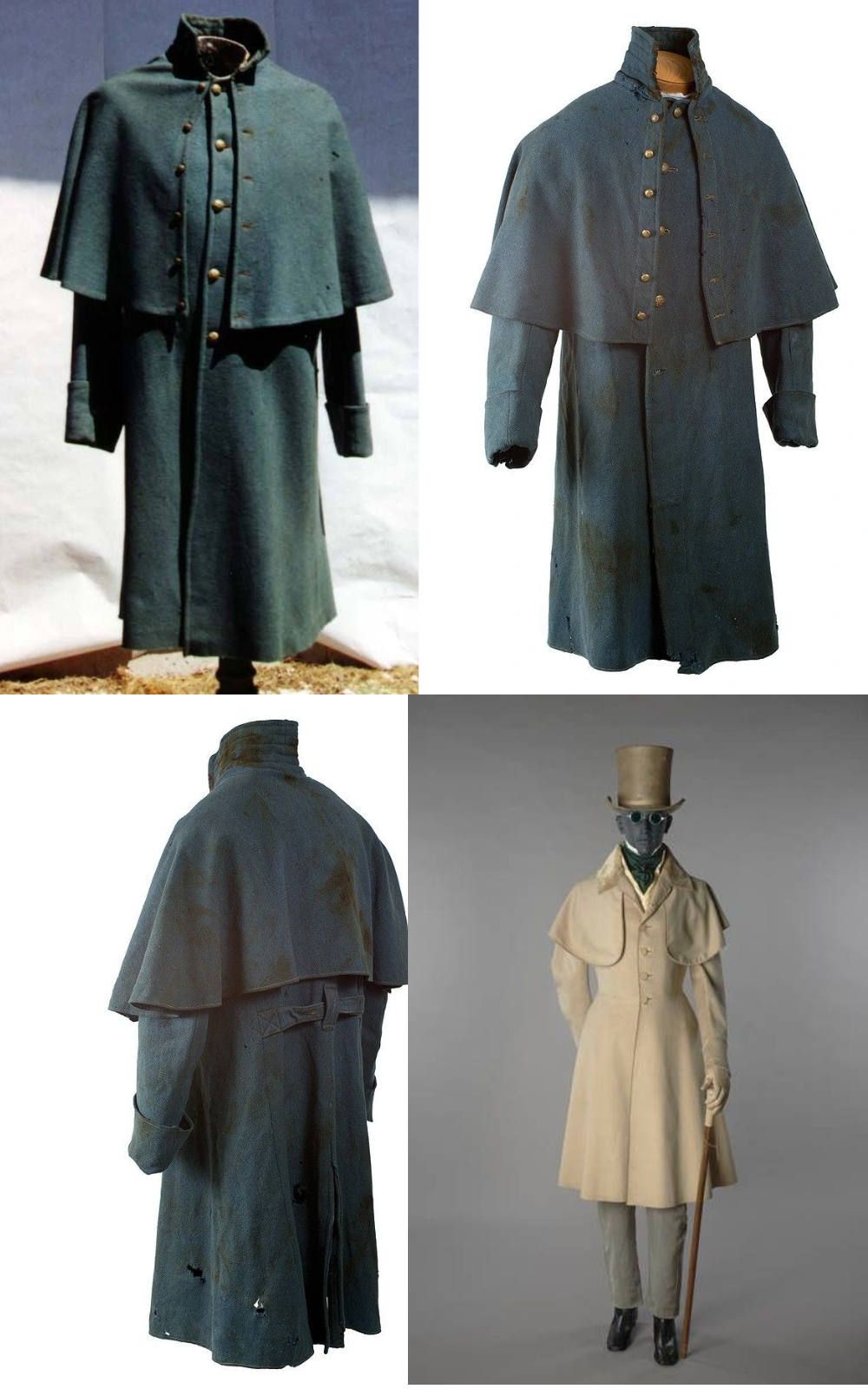
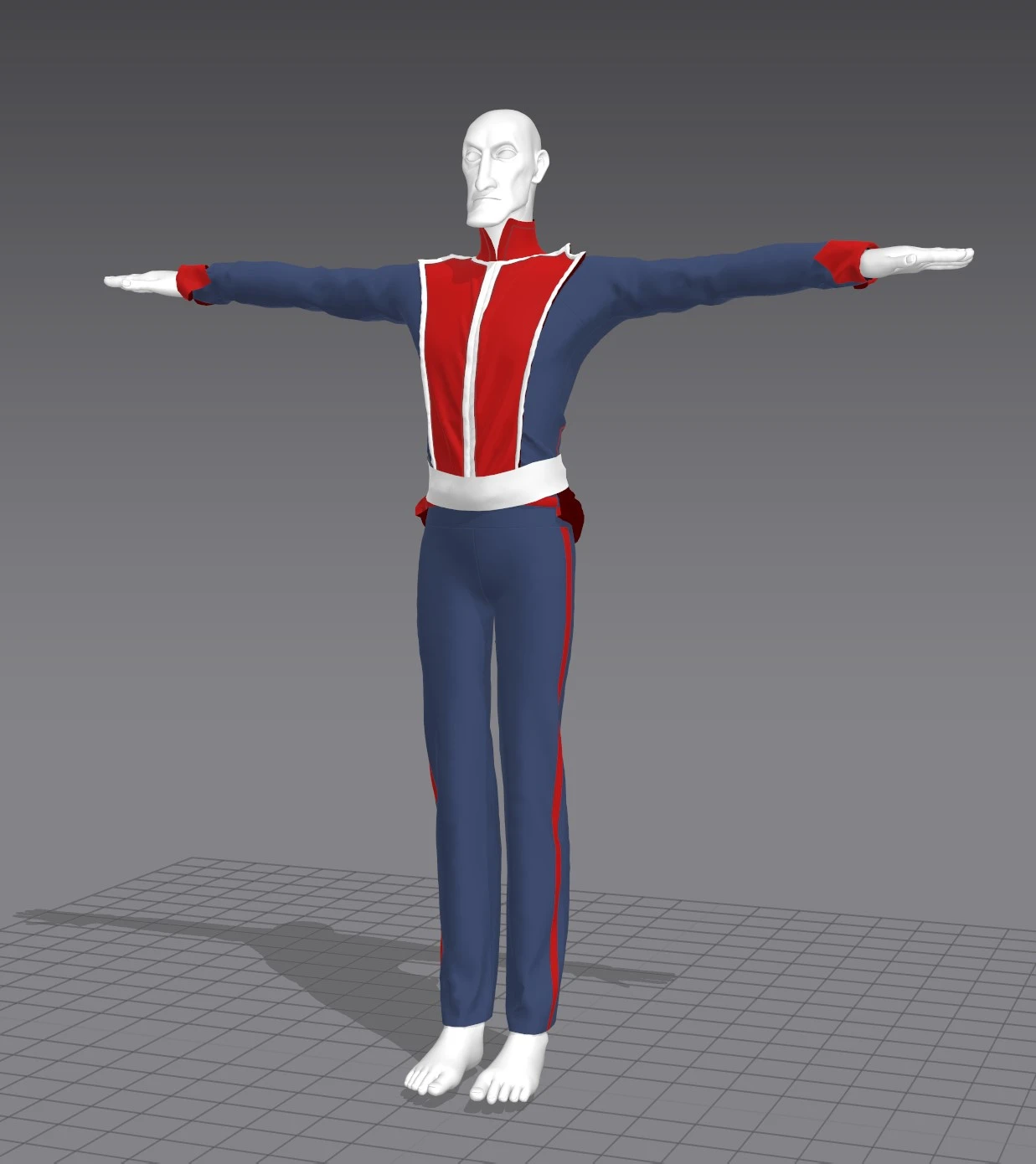
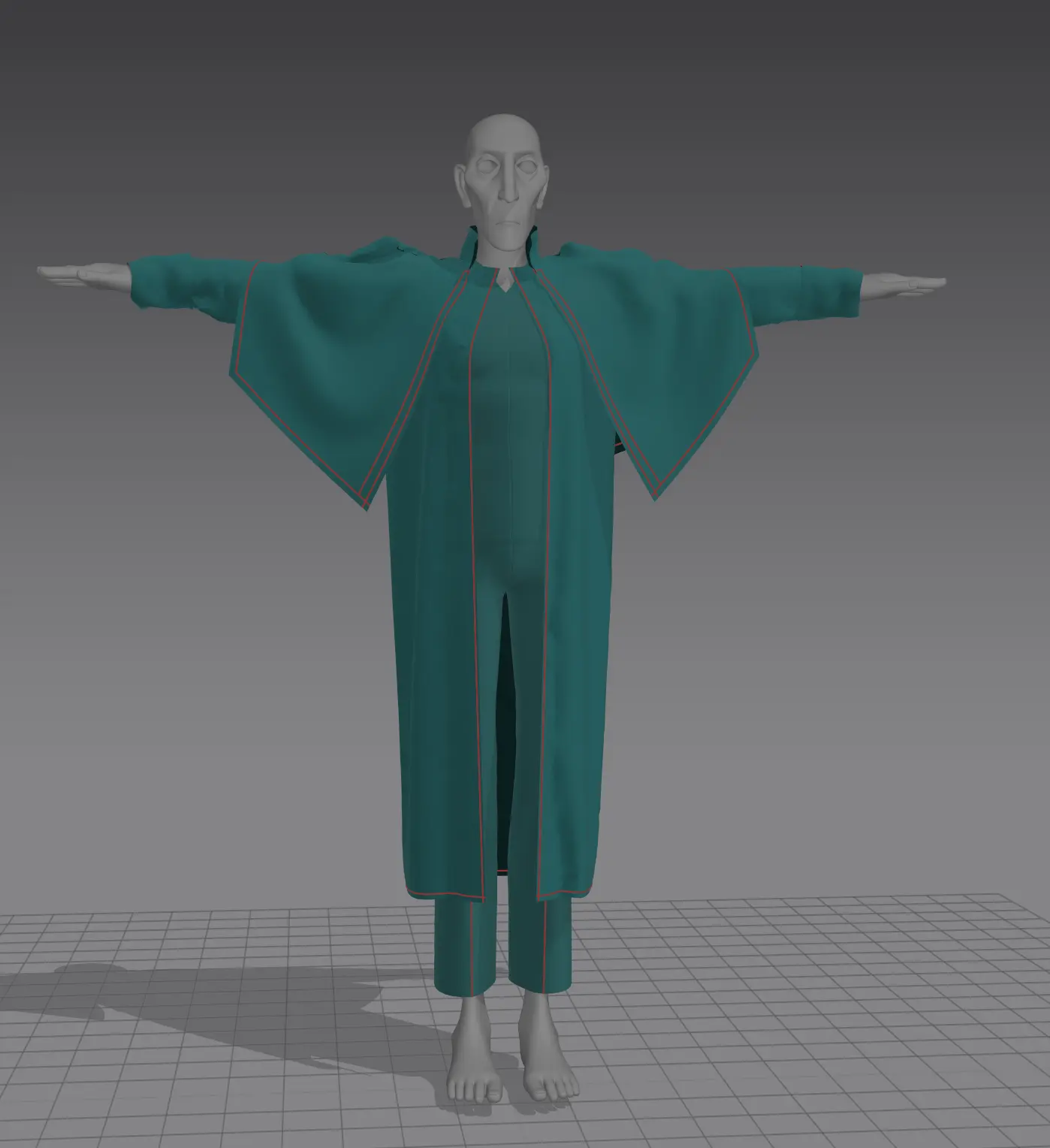
For my character Victorian, this was my first Marvelous experiment in dressing a full-fledged character, so I kept it pretty simple. I made a long Victorian leech coat and classic pants. I wanted his outfit to be a bit classy but also marked by time. Here are my references.
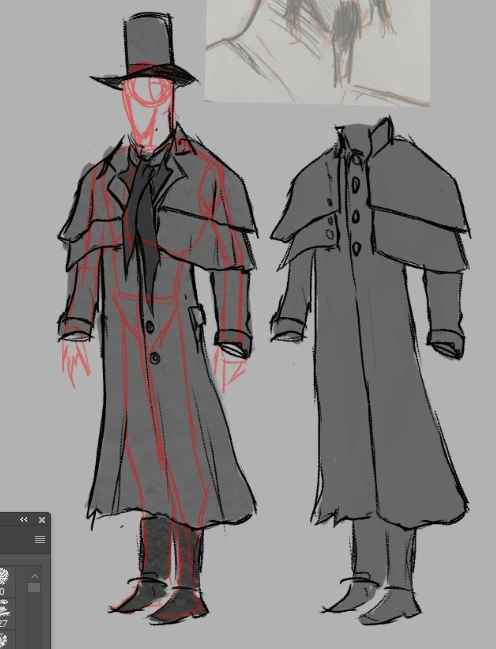
Sketches and First Concept
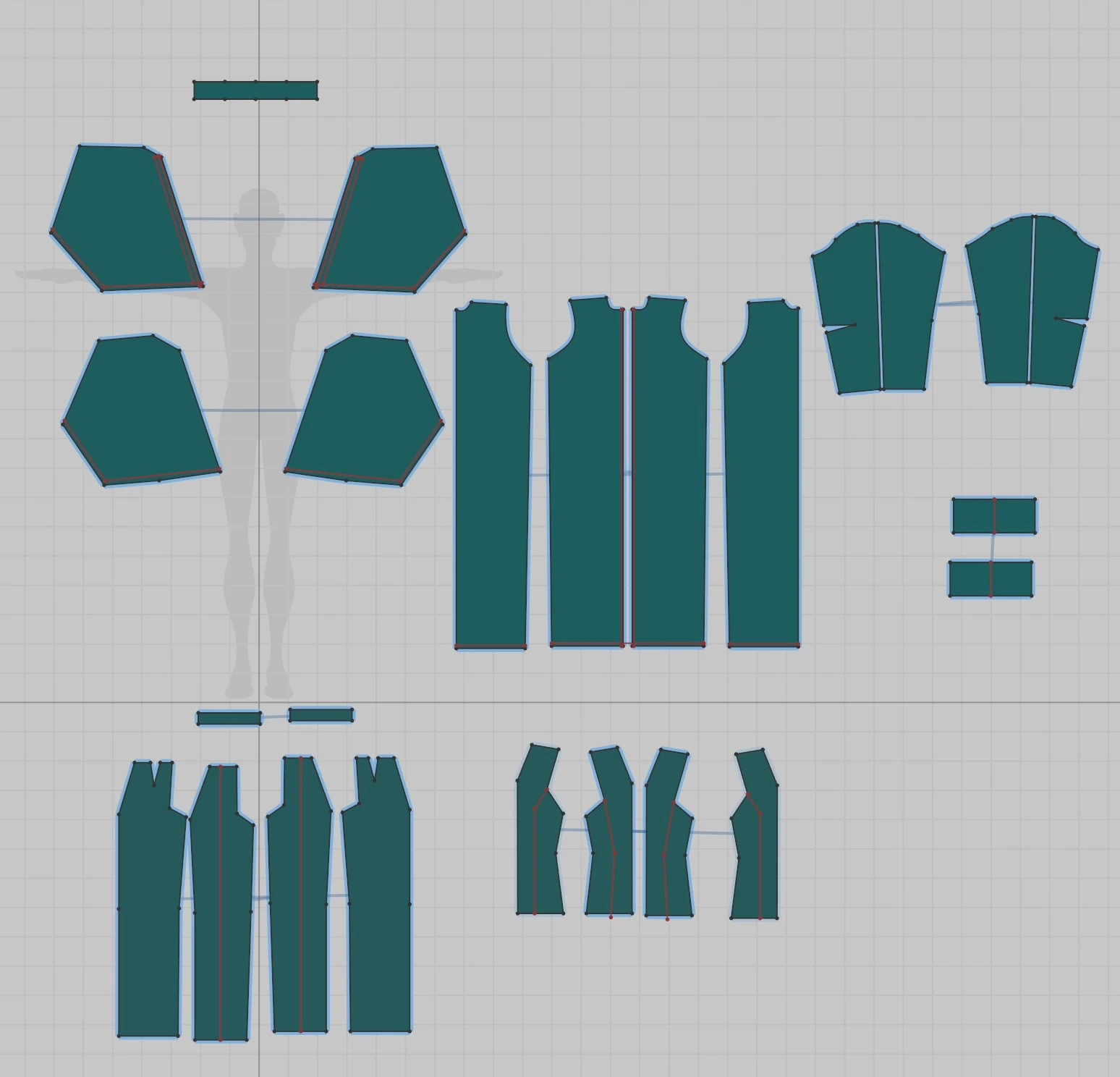
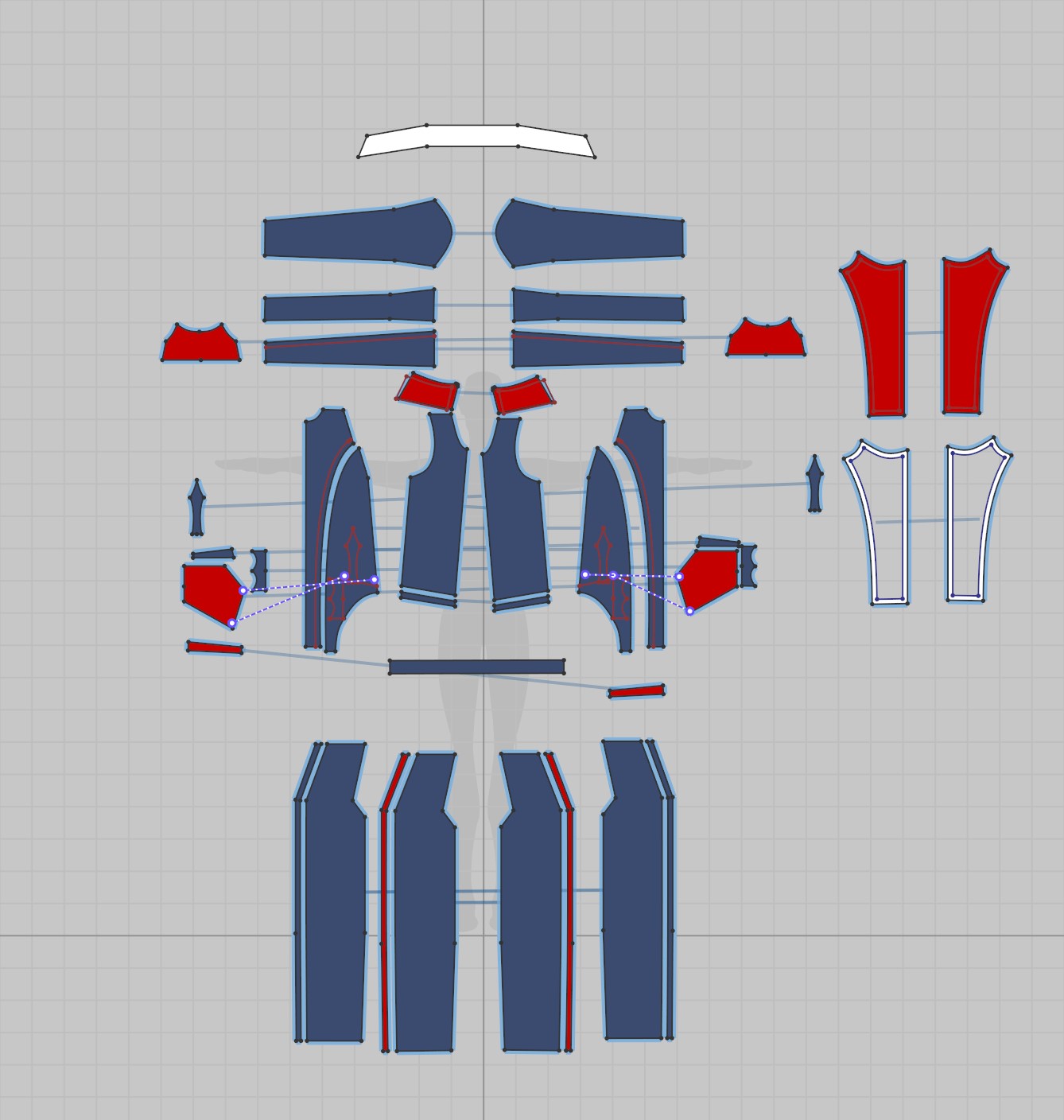
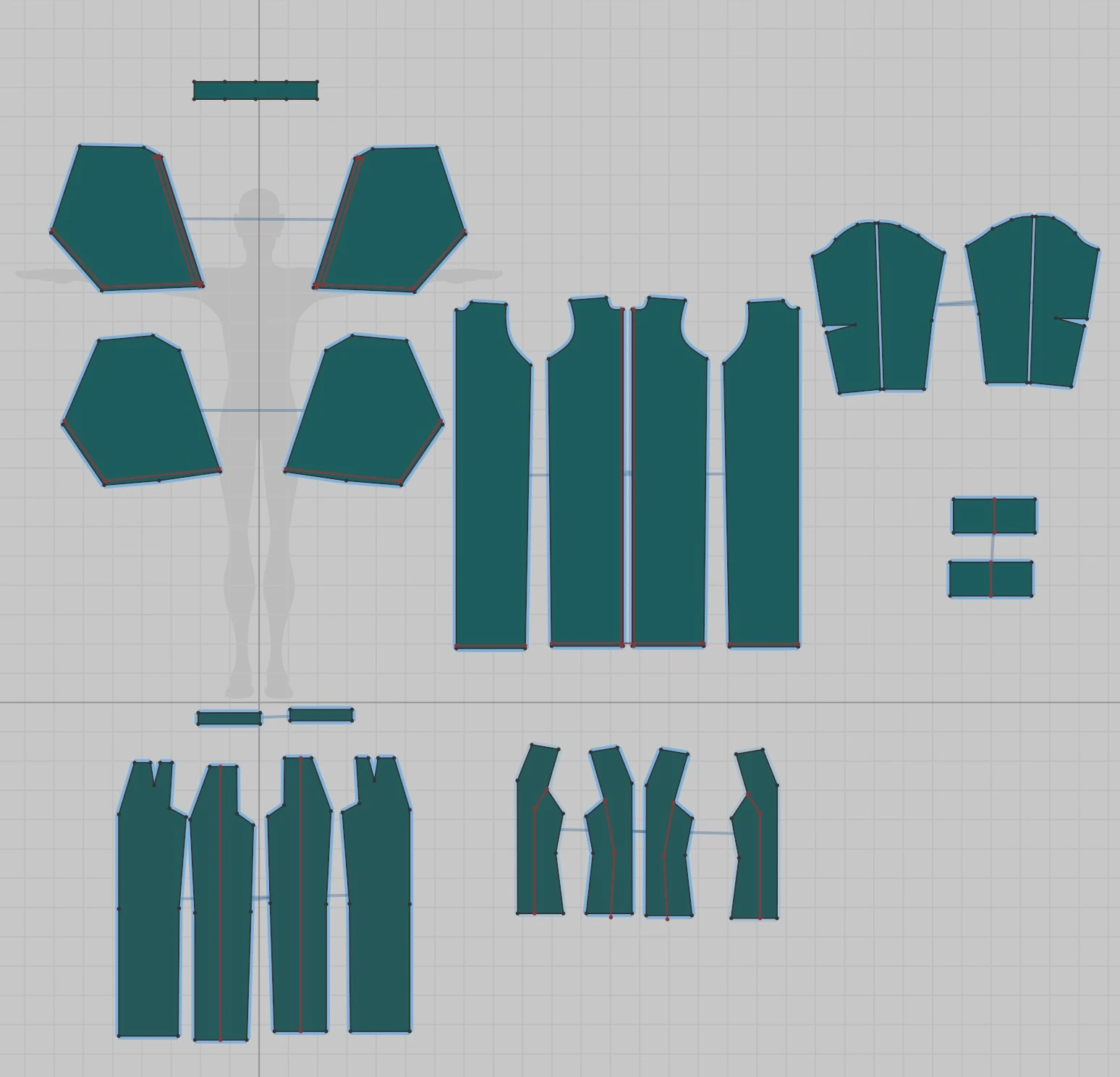
In Marvelous Designer, I tried to focus on the overall shape and pattern, for this character I just had three different garments because I wanted to keep it simple for the first time in Marvelous Designer. So I tried to get something that looked good without being complex.
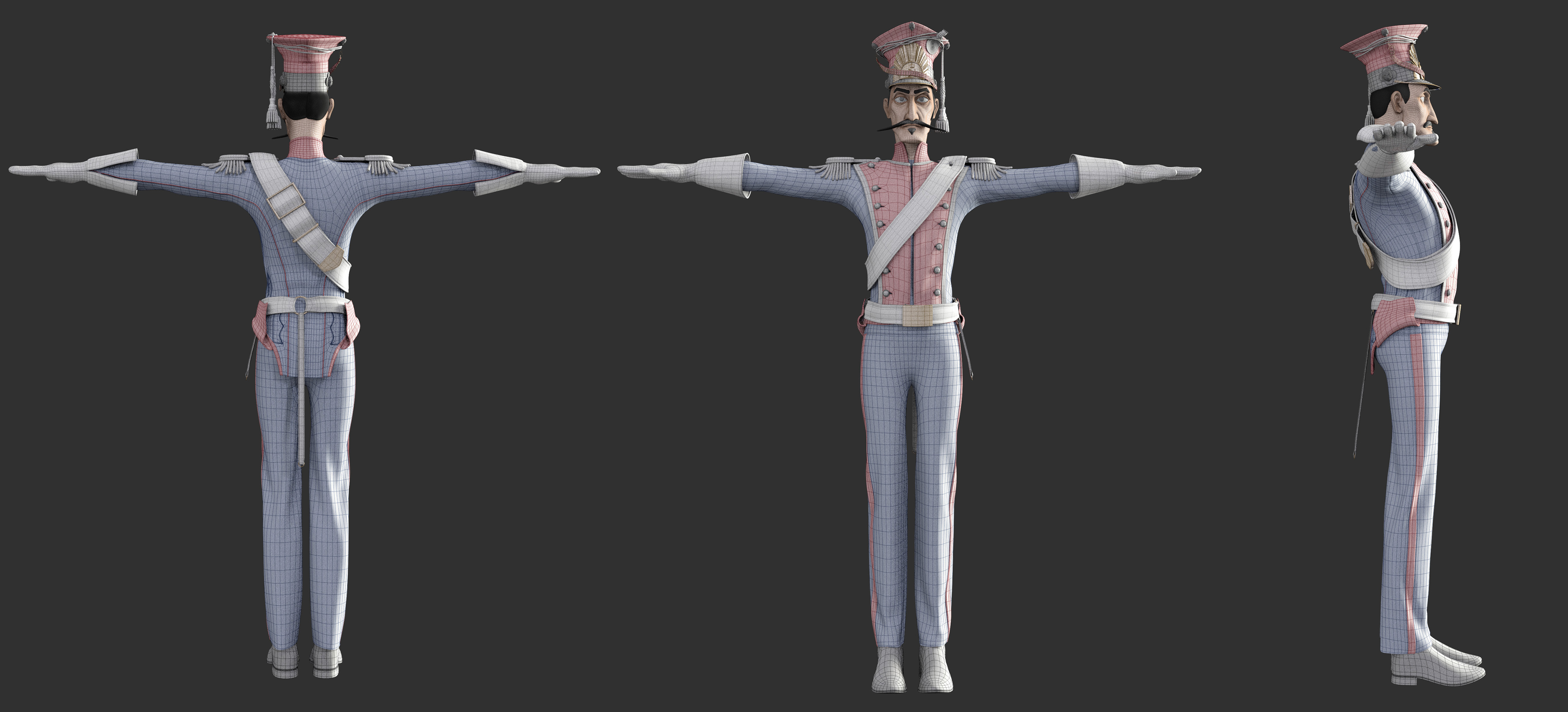
For the Napoleonic soldier, I tried to go further in the design and complexity of the fabric. So I chose to make a Polish lancer from the Imperial Guard, these soldiers had a rather unique uniform with lots of detail and special stitching. I spent a lot of time finding historical references and archives.
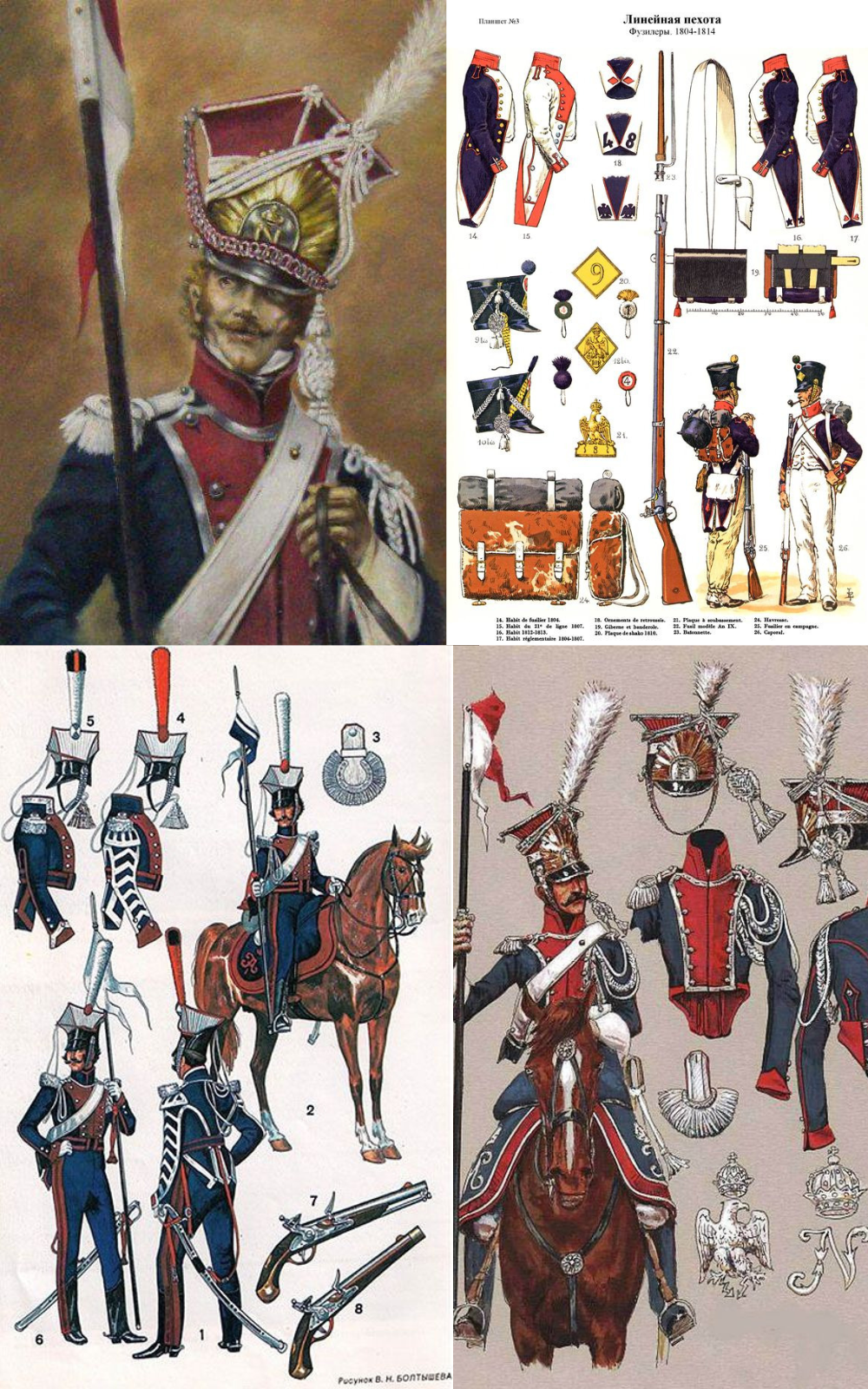
For this one, I really concentrated on understanding the costume, there were lots of different parts and specific sewing with each part so it was quite difficult at first to really understand and place everything there was to do.
What were the main challenges you faced while working on this project, particularly with the costume design?
These were my first projects with Marvelous Designer, so my main challenge was to understand the patterns and sewing, and reflect this in the simulations. Trying to reproduce the historical costume was also a challenge, especially for the Napoleonic, which has many different pieces.
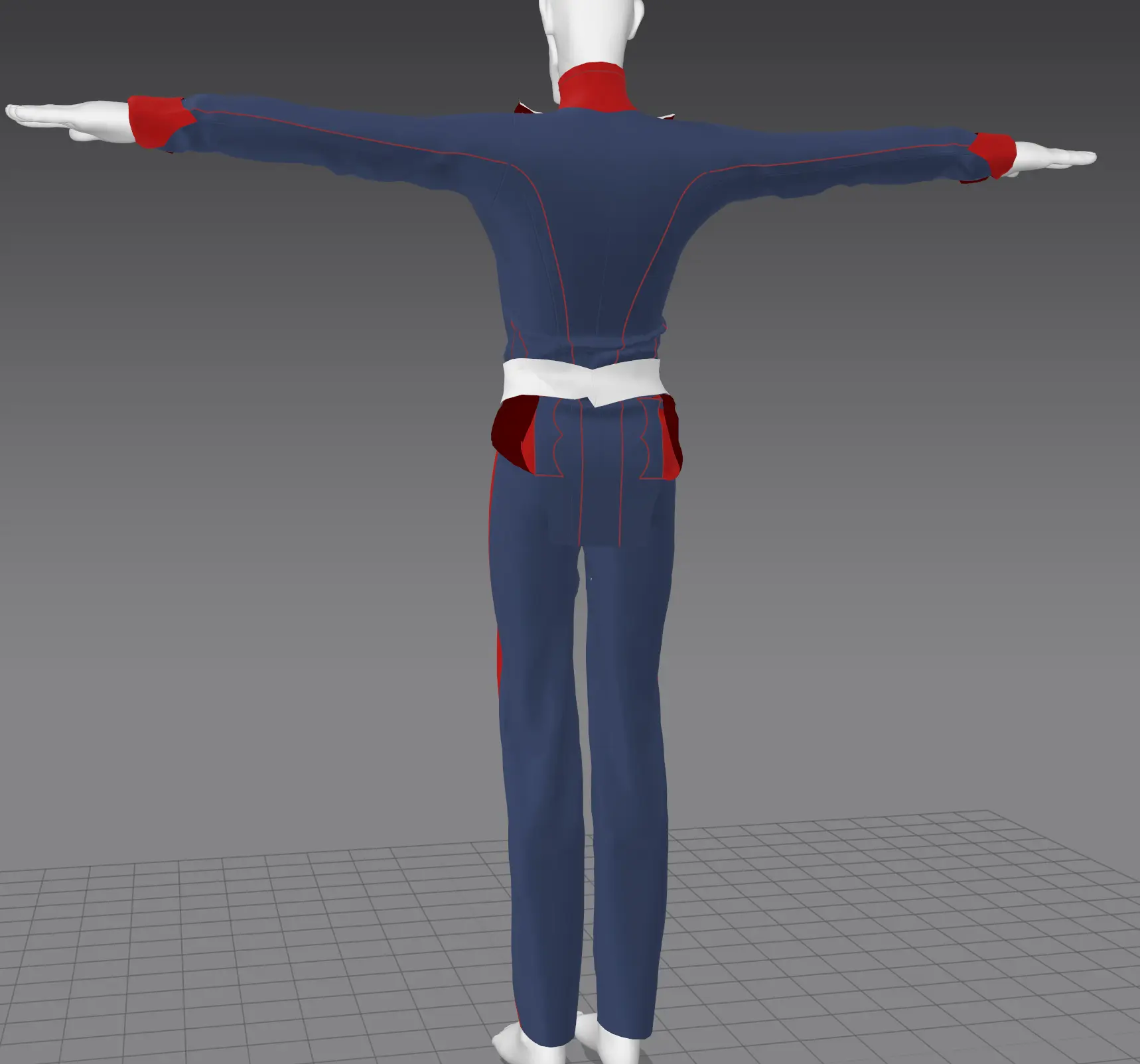
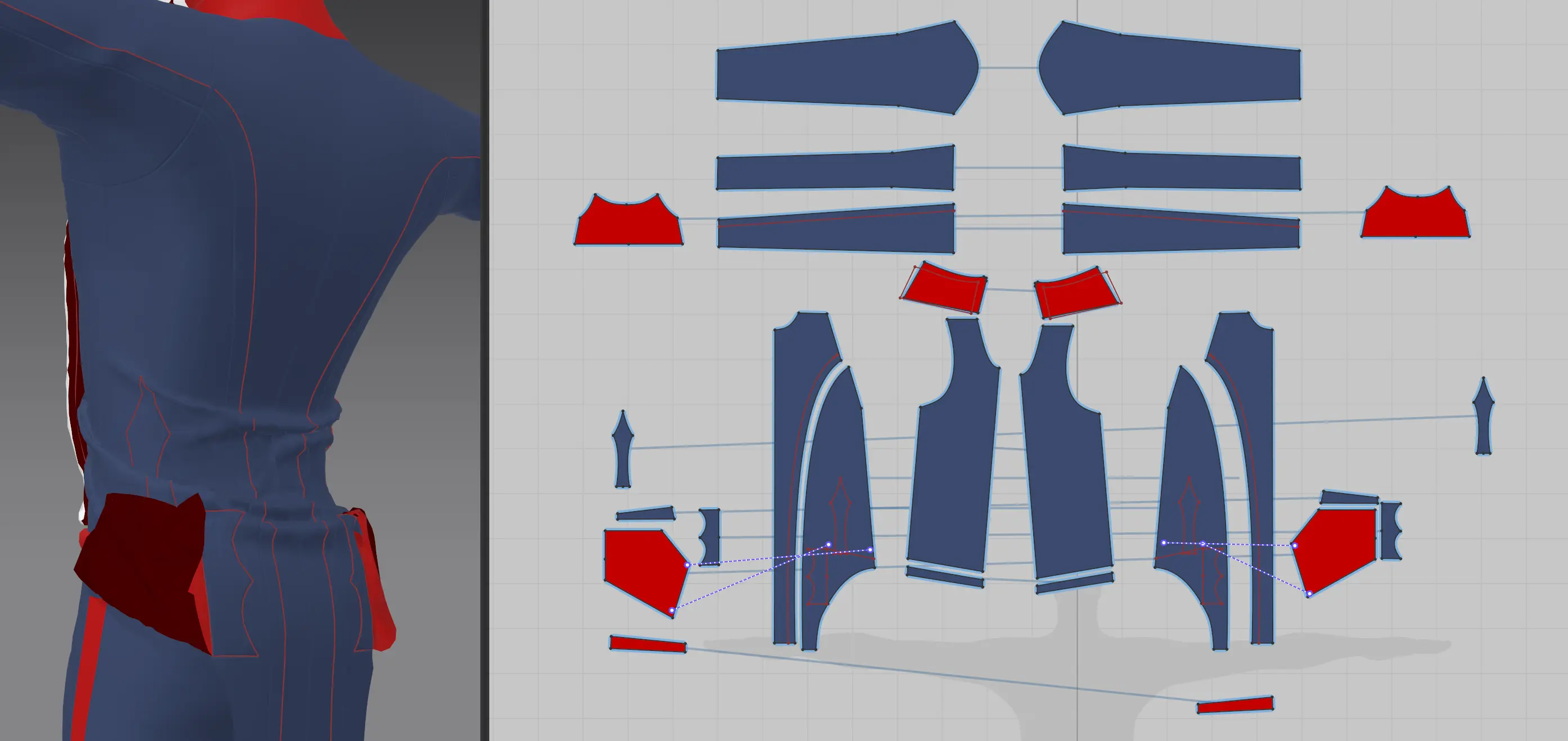
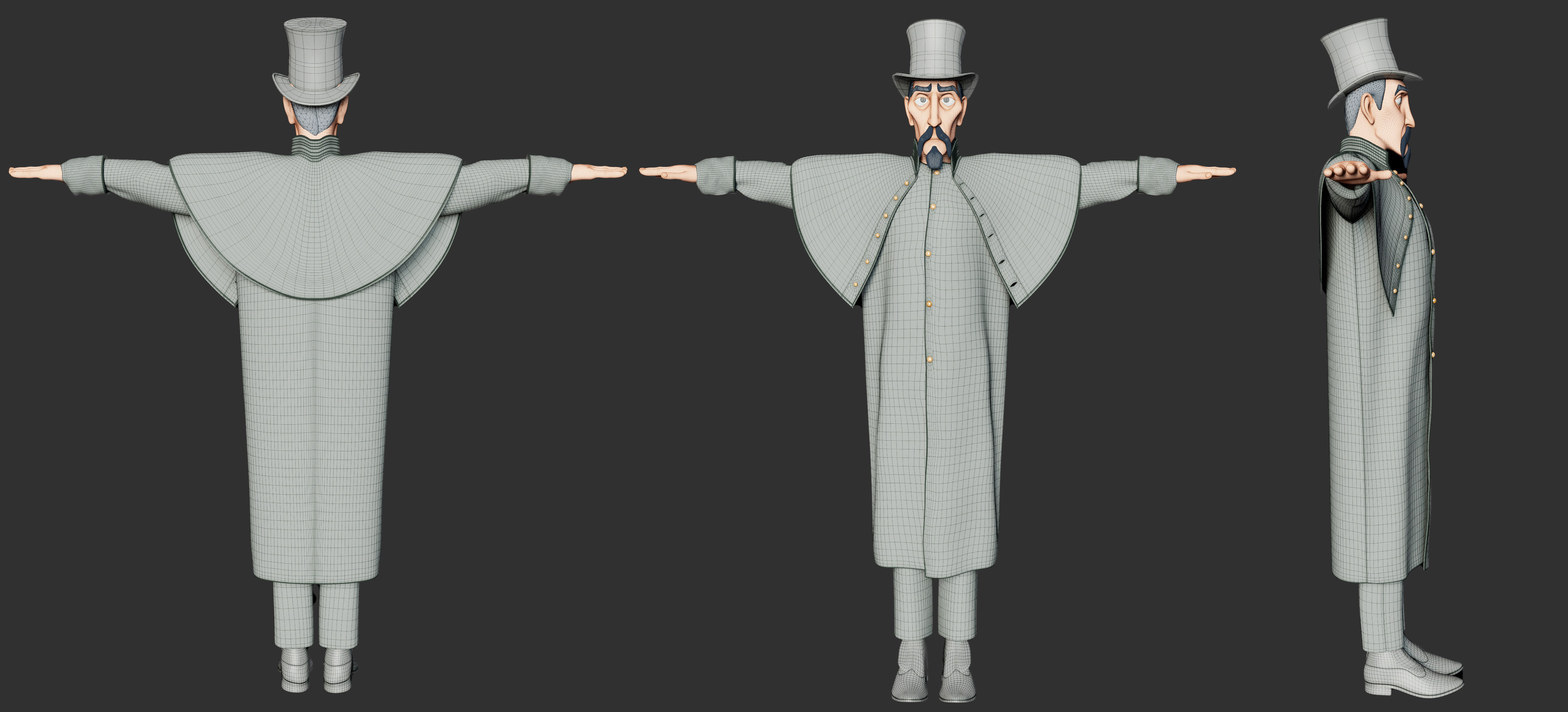
The retopology was quite a difficult part to keep the details of the different parts, I did the retopology in Maya (I just discovered that there is a retopology mode directly in Marvelous Designer). My modeling work consists of exporting the flat patterns and simulated fabric from Marvelous Designer and retopologizing the flat pattern and transferring the position attribute by UV from the simulated fabric to the flat retopologized. Then I merge the parts and start detailing them in Maya.
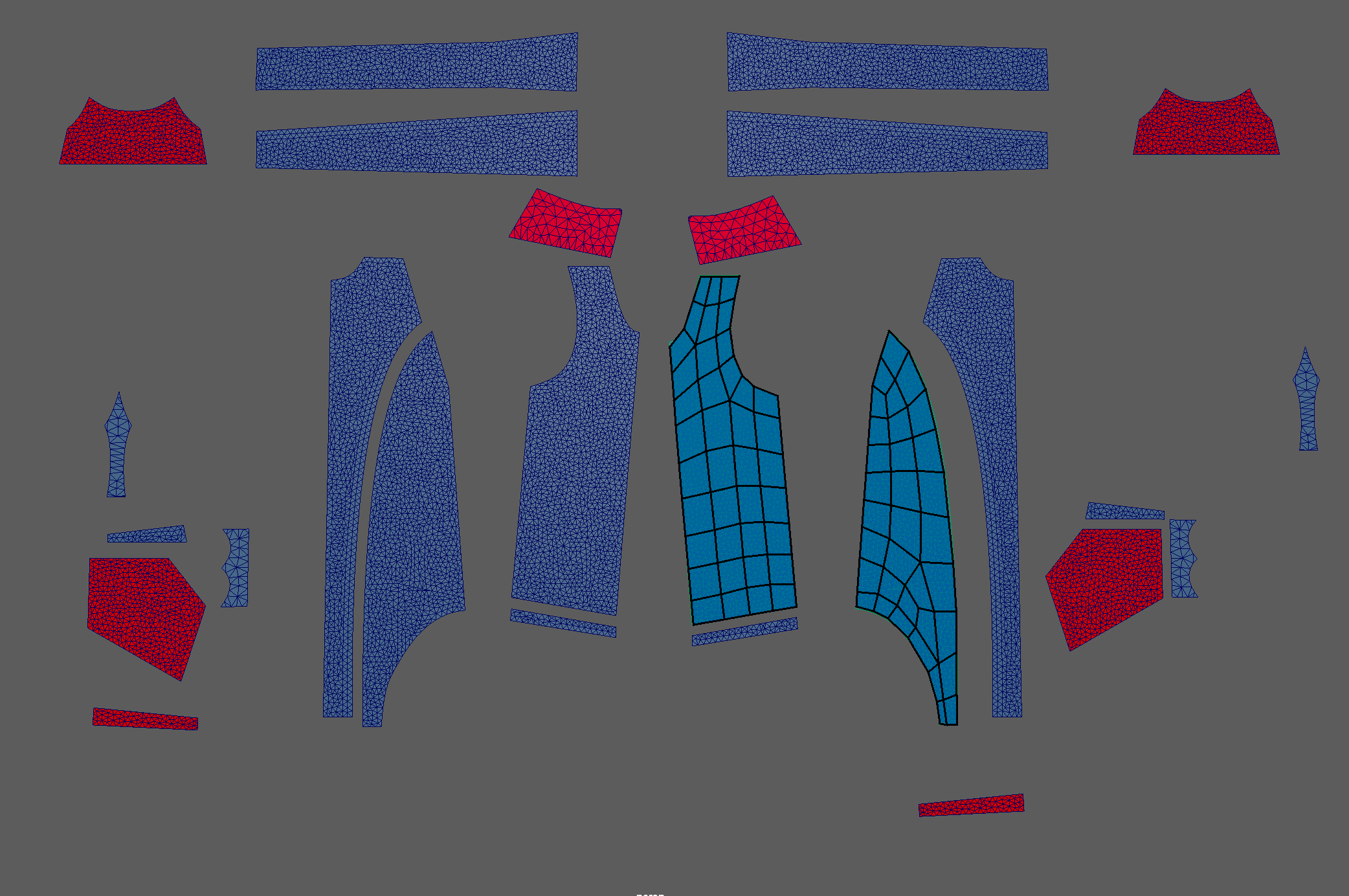
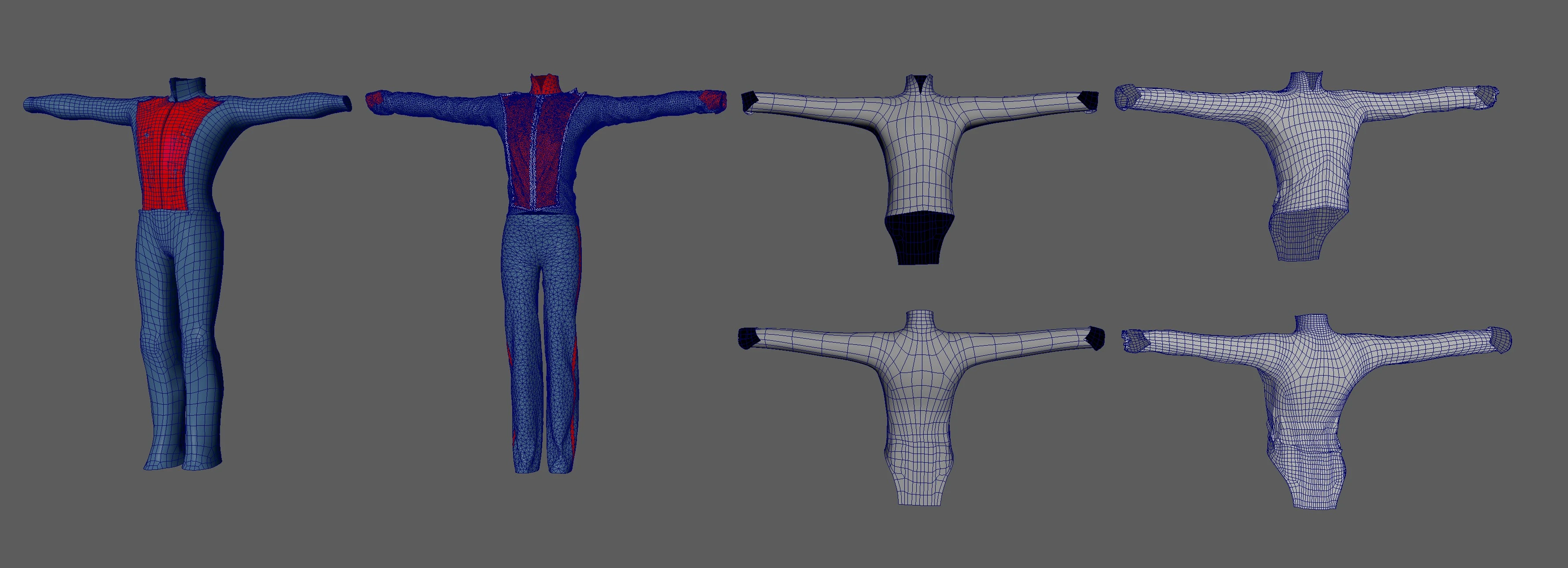
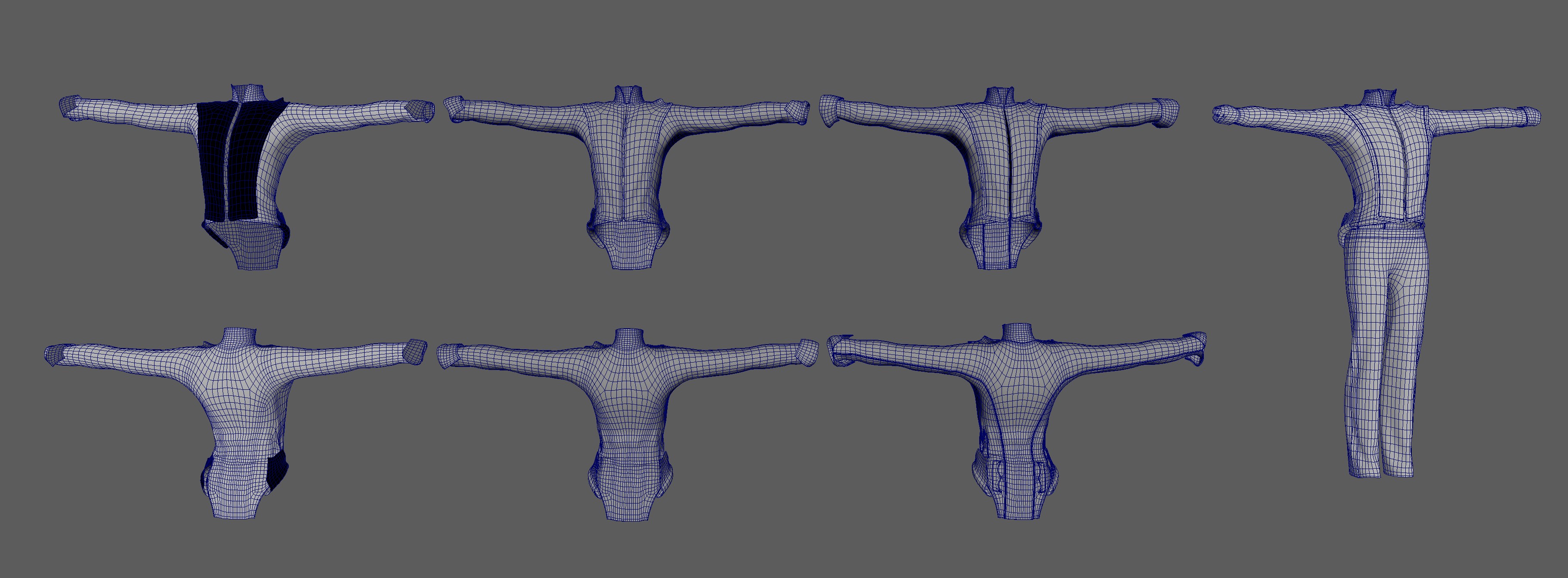
I used the same workflow for my Victorian character.
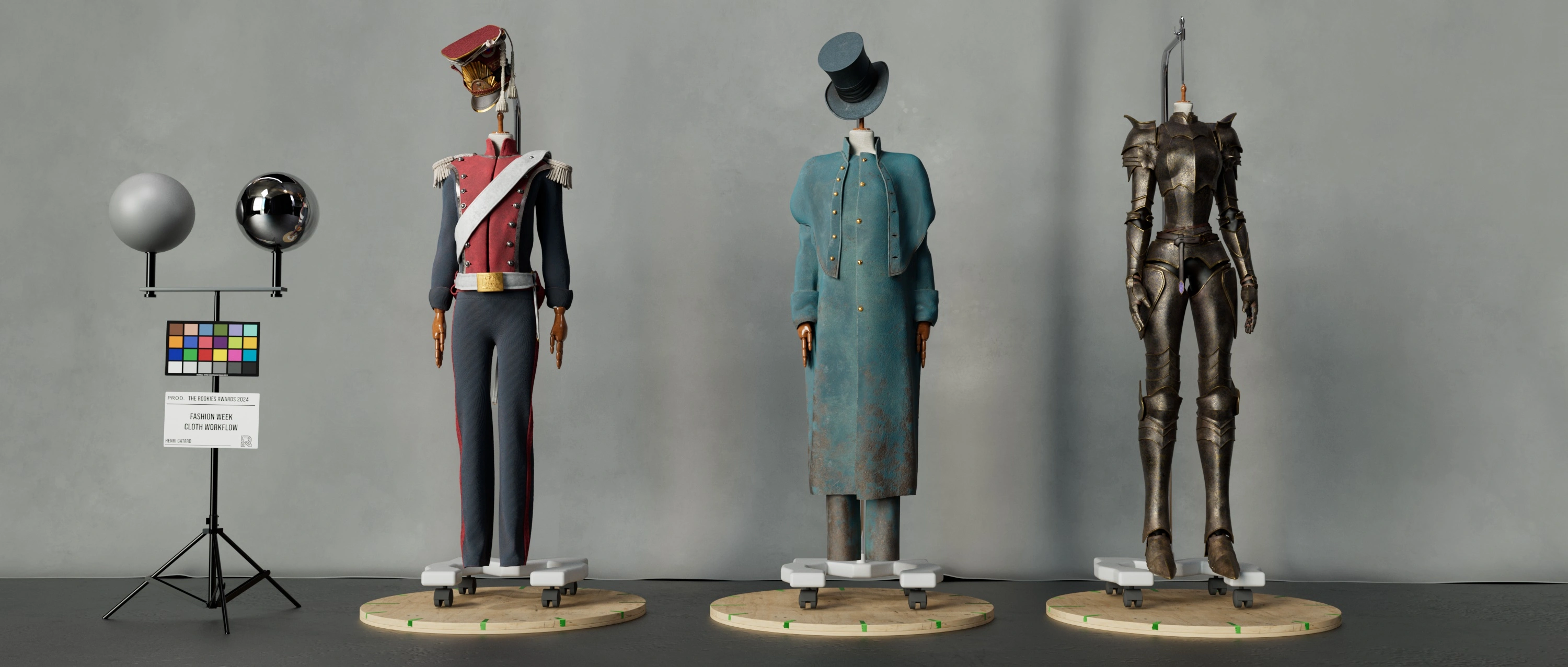
And the most interesting part was the texturing inside of Substance Painter, with the Marvelous Designer workflow it was easier because the UV are already done and are based on the different seams. So the textures react as they would in real life.
What tips would you give other artists using Marvelous Designer for character design in animation?
I'm fairly new to Marvelous Designer so I don't know if I can give advice to other users, but for new users don't be scared off by the software, just dive in it's an amazing tool, you'll really improve your character by having accurate and realistic clothing without the difficulty of creating accurate creases as you would have done by hand in Zbrush. And your texturing workflow will be improved too. And don't be afraid to create complex garments like a Napoleonic costume with Marvelous if you have good references, you can do things that look difficult very easily!
How would you describe your overall experience using Marvelous Designer?
The experience was really great for my first few projects in Marvelous Designer, I didn't really have any difficulties learning the software and everything went smoothly during the designs, even when I didn't know how to do certain things. I was really happy to have MD in my toolbox because it took my characters to another level with cool fabrics and now I can design more characters with complex clothes without restricting myself!
by Henri Gatard
Instagram
이 작업은 Substance, ZBrush, Maya, Redshift, Photoshop, Nuke 등의 기술로 제작되었습니다.
Marvelous Designer로 이와 같은 3D 의상·캐릭터 작업을 직접 만들어볼 수 있습니다.