The Bandit of Solis Tomb
Let's chase a classic bounty hunter storyline inspired by "Cowboy Bebop: The Movie." An amazing character-creation story awaits!

Interview with Daire Powell | The Bandit of Solis Tomb | Artist&Film-maker
Can you start by introducing yourself and sharing a bit about your background?
My name is Daire Powell and I am a 23 year old Artist/Film-maker from Ireland. I recently graduated from the National College of Art and Design in Dublin with a BA in Moving Image Design. From a young age I have always been interested in film and animation, firstly experimenting with stop-motion animation using home made rigs and as I got older, cinematic video editing within games and 3D. My passions began with more traditional roots, putting a lot of my time into more fine art practices such as sketching and painting. However as I got older and leaned into digital media, I learned that I could blend my traditional backgrounds with newer forms of media to find a balanced workflow that benefits me. Originally I went to university to focus on live-action filming techniques but soon rediscovered my love for animation and bringing my own worlds to life. During the last two to three years of my course I dived heavily into using Blender and other traditional methods of animation, eventually developing my first original short film "The Friend, The Dove & The Deer" which managed to make it to a few festivals in Ireland and Canada. I am currently working as a freelancer in the games and esports community as well as developing personal animated films in my free time. You can find more information about me and my work on my Website.
What was the story or concept behind your artwork for the Kinetic Rush challenge? How did the idea come to life?
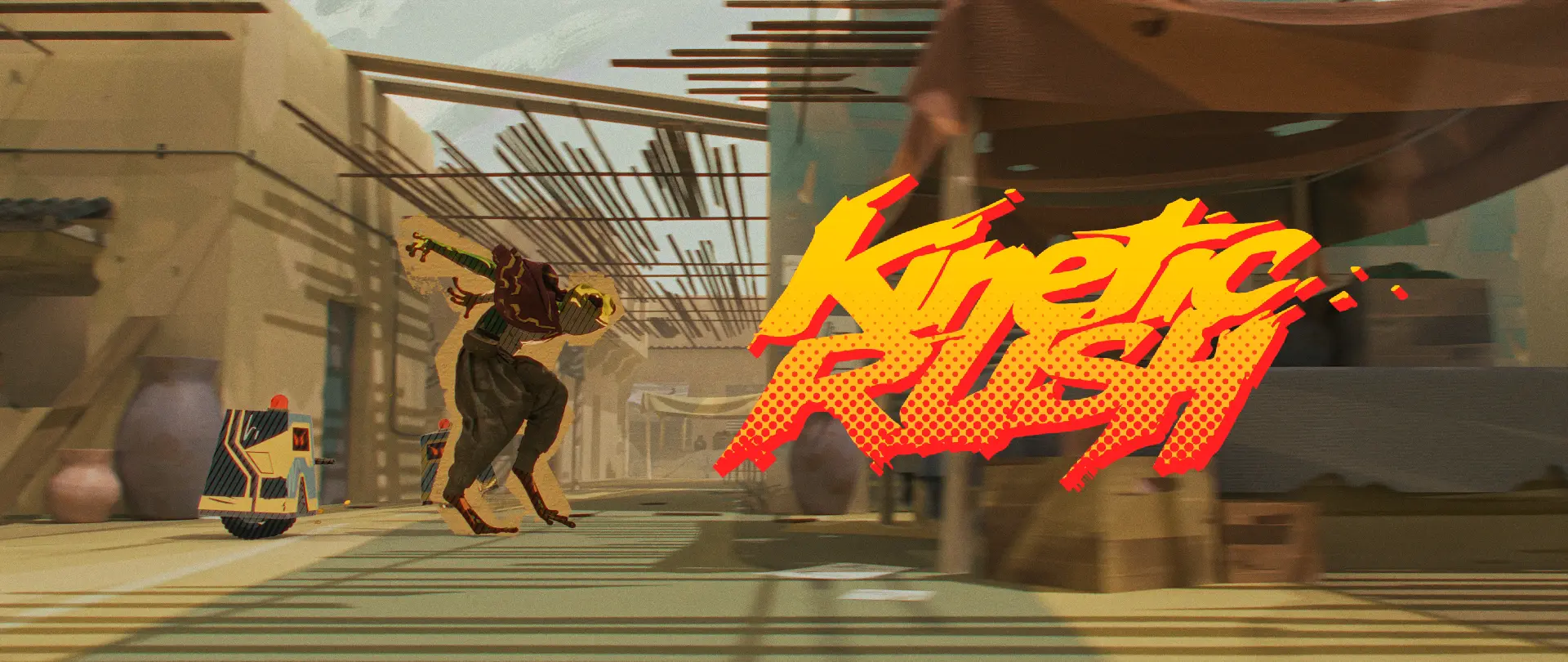
"The Bandit of Solis Tomb" is a short piece based on a frog-bandit; a wanted criminal in a small desert town after the disappearance of an ancient relic from Solis Tomb. He is on the run from the A.P.U (Automatic Police Unit) whilst hiding out in the local markets. I was inspired by the portrayal of the eastern style markets in “Cowboy Bebop: The Movie” and have always loved a classic bounty hunter storyline.
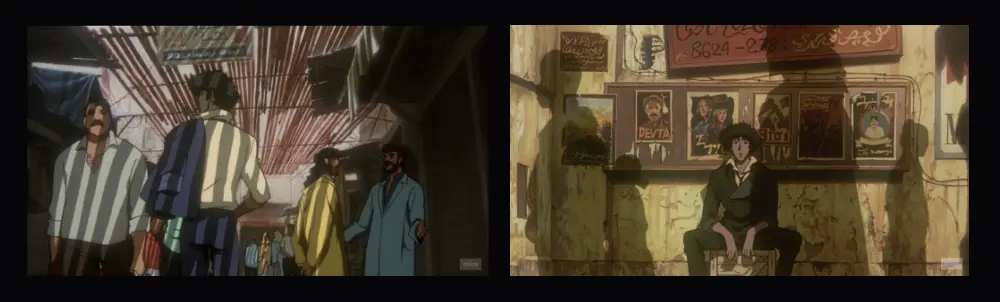
Finding those nooks and crannies between locations is something I love in world building and was an important influence for the setting of this piece. I often take strong inspiration from old storybooks or the stereotypes around them and enjoy playing with those ideas, that is why I decided to use a frog with humanoid proportions and movements to reference old fairy tale tropes. The style of the animation and shading is something I have been developing and experimenting with for a while now since my first short film. This project was a sort of test run for the processes to be used in my future works.
It's very interesting that you used Marvelous Designer for 2D animation. What inspired you to use Marvelous Designer for this project, and how did it help you achieve your artistic vision?
Generally in stylised forms of animation, it's more common to include the clothing in your rig to have more control over cloth as a character in itself. However, I thought the juxtaposition between using a 2D-stylised character and physical based cloth simulations could work well and, with this movement being primarily at speed, help sell my secondary action with the detail that Marvelous can provide me. I have used the Blender cloth simulator for a few years now and understand how tough it can be sometimes, especially with complex characters and animation, to successfully execute the right simulation without third party addons. Marvelous Designer gives me a more real time simulation workflow with good quality that allows me to "trial and error" my clothing until it flows the way that I want as a sequence.
Could you walk us through the tools you used in your workflow? How did Marvelous Designer fit into your pipeline?
The tools that I mainly used in my workflow are Blender, Substance Painter, Rebelle 7, Marvelous Designer and After Effects. I would say that my workflow for this piece from a 3D standpoint was pretty standard, but when it came to texturing and cloth, there were a few more steps to be taken to achieve the look that I wanted. In the Kinetic Rush challenge we were tasked with creating a scene and a story from scratch, being given only a base animation to use. I started by blocking out my scene in Blender with simple shapes and retargeting the animation to a custom character that I modelled. Once I had my composition and my character cleaned up, I was ready for my texturing and simulation process.
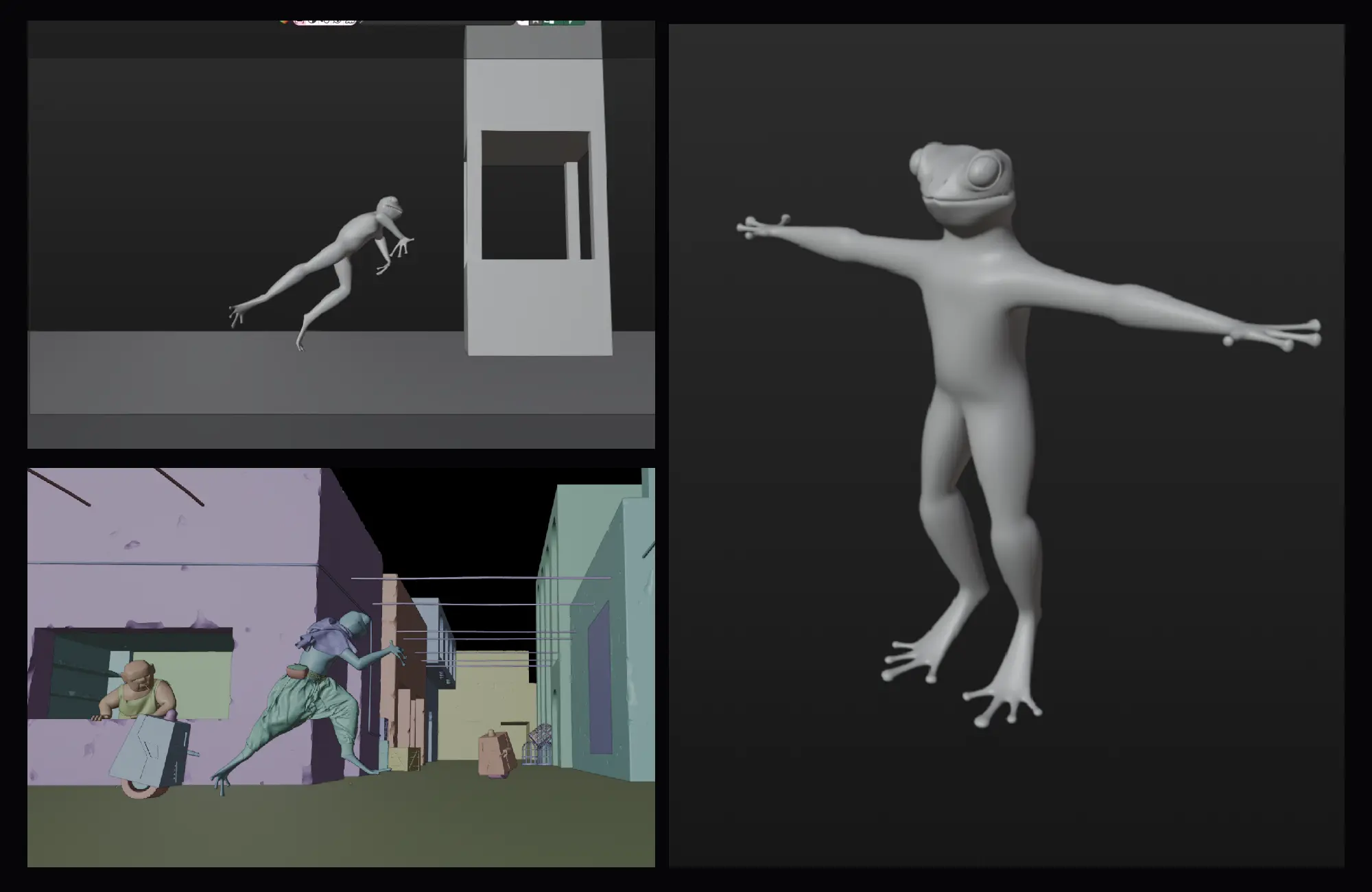
When it comes to texturing, I like to be pretty hands on with the freedom to be messy and create manual texture and shapes. For the characters I used Substance Painter to paint a flat base texture that will eventually be put back into Blender to drive my stylized shader.
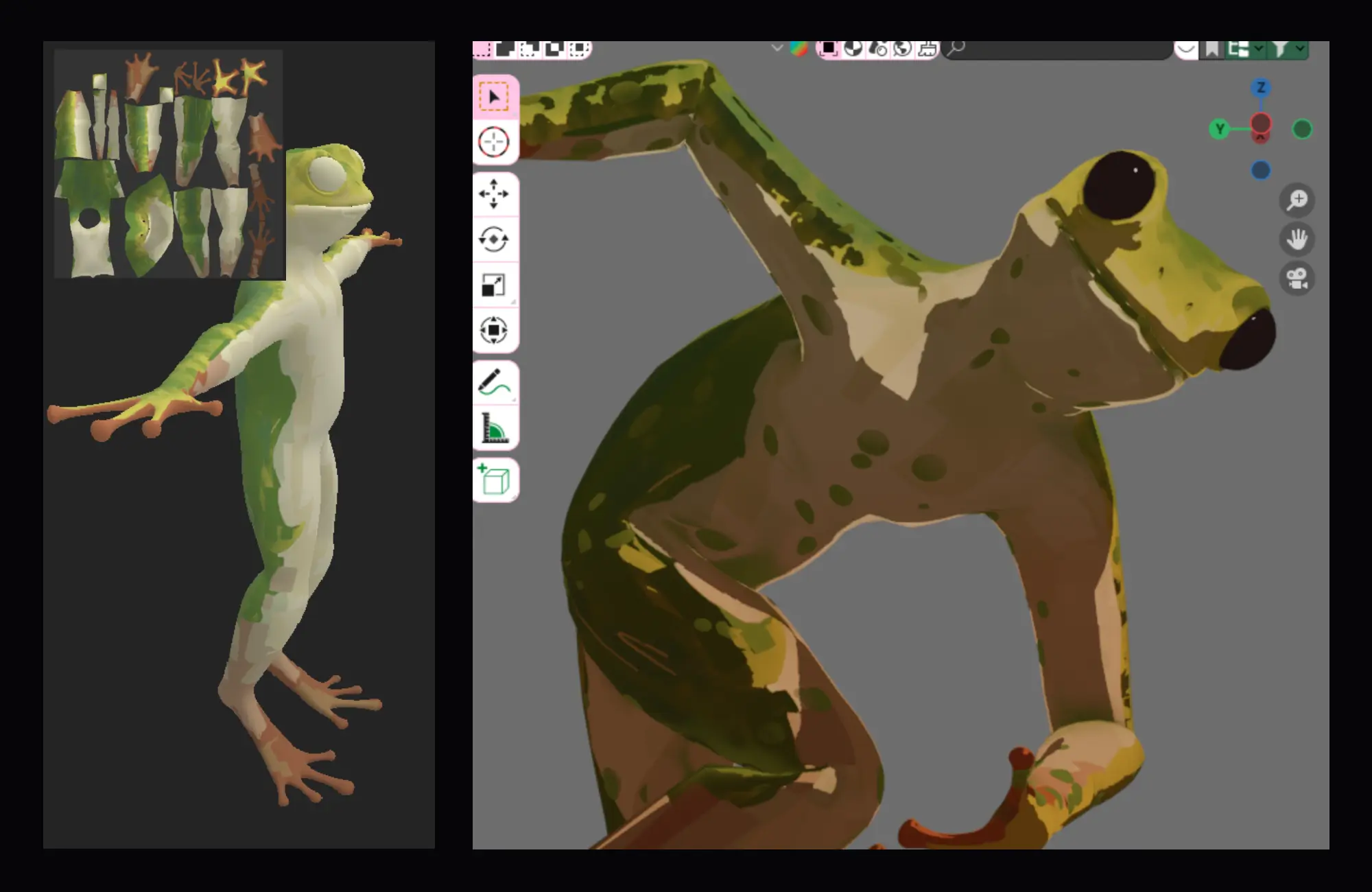
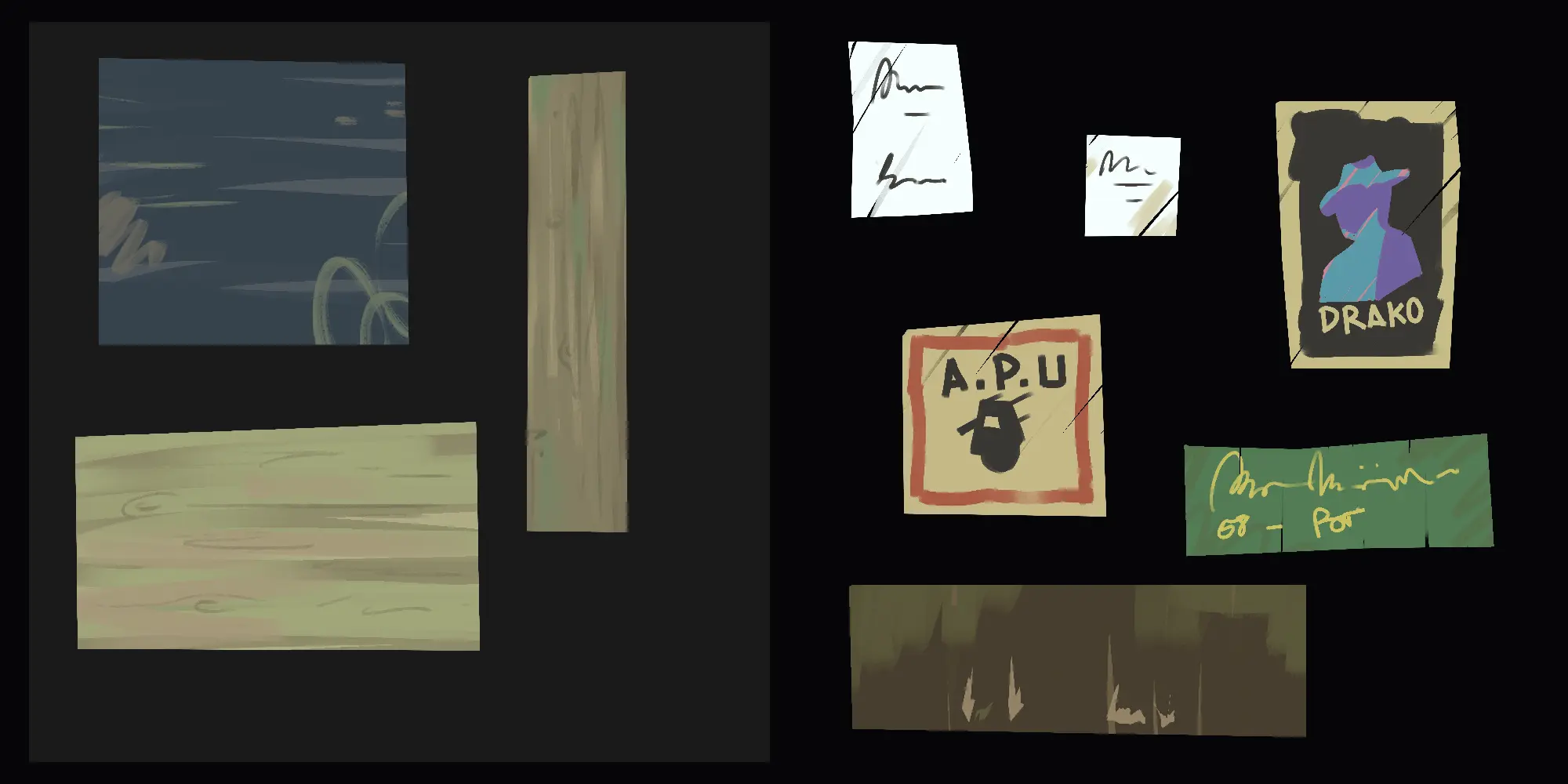
For background elements, scene texturing and animation sprites I used Rebelle 7 which is what gives my work a tactile impression. I created a collection of base textures to use and some more element specific ones to layer on top in the shader. Every single texture in this artwork was painted by hand, with time saving methods of reuse and combinations of paintings.
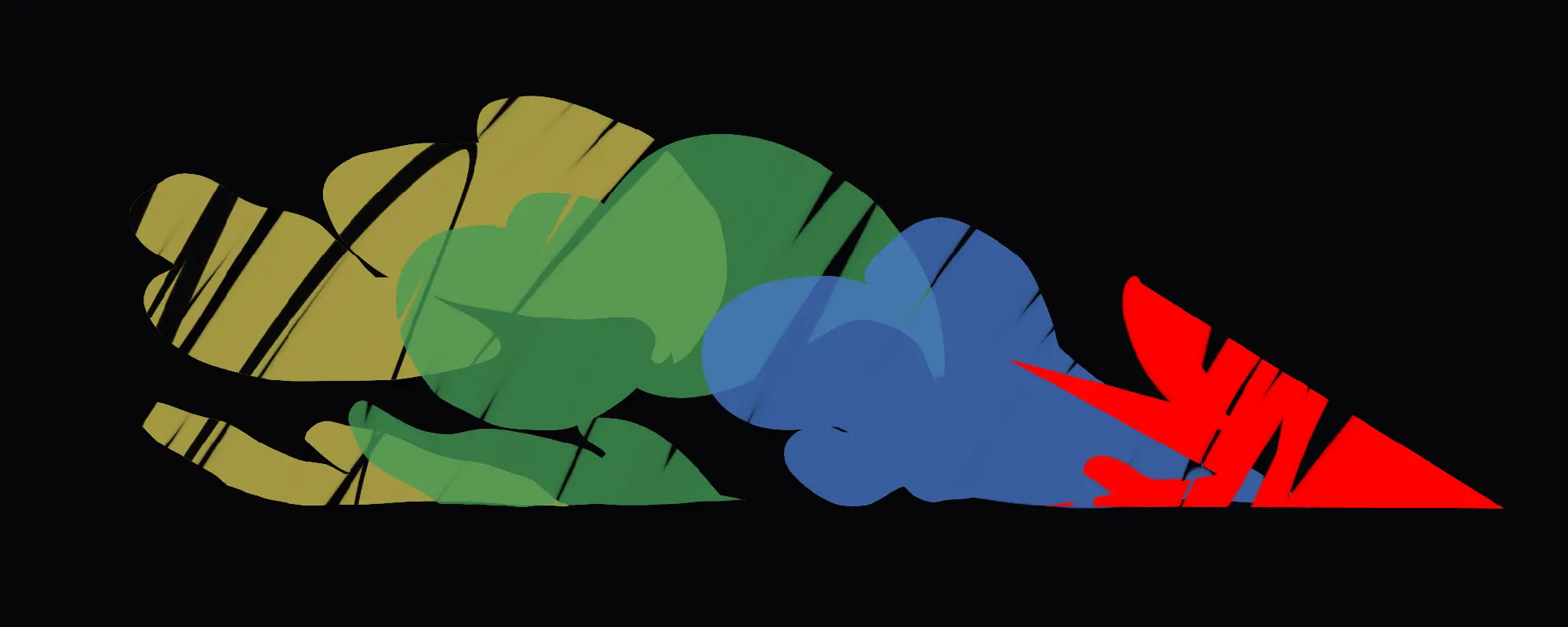
I needed to find a way to fit Marvelous Designer into this workflow in both character design and texturing. Marvelous has a great library of garments that you can purchase from the store which really helped with my lack of fashion design knowledge and with the short timeframe that we had to create the project. I purchased two pieces of clothing that helped give a lot of personality and culture to my character. The garments were quite loose and simple in design so fitting it to my non-human character wasn’t difficult, I just moved the 3D pattern to fit around my character and GPU simulated it until it was in a natural position. Marvelous Designers layering system is also a great tool that helped me differentiate the folds in his hood and wasteline.
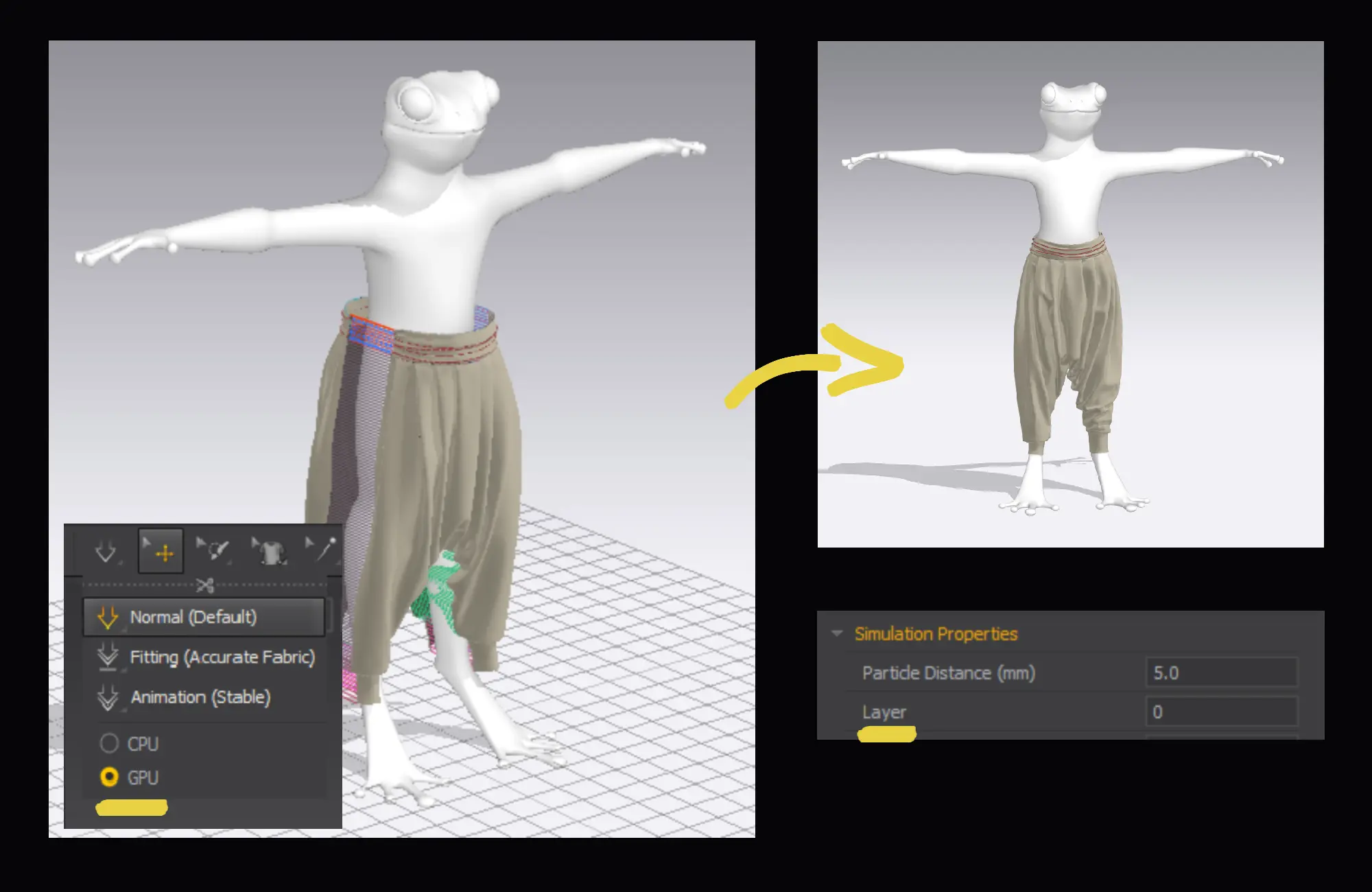
The relation between the 2D pattern window in Marvelous and exported UVs came in very handy for my texture workflow. I was able to export a clean unfolded version of my garment that I could bring into Rebelle for manually painting my details.
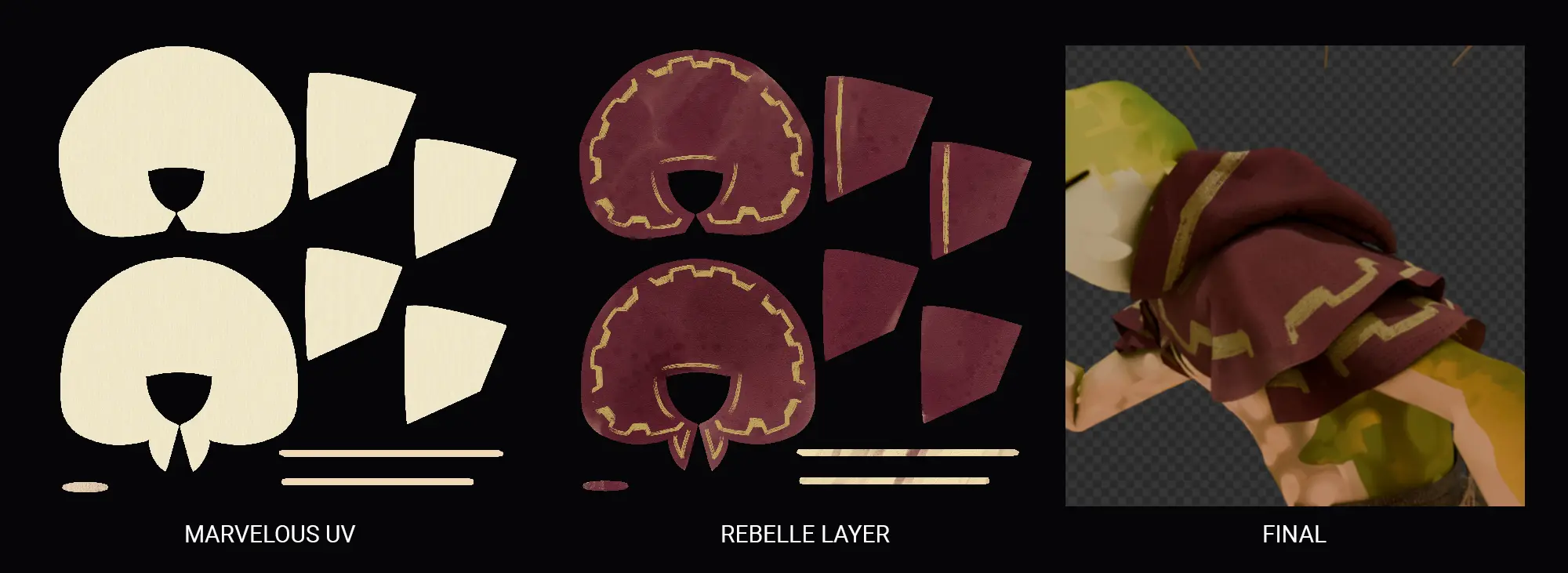
Being able to export in stable animation data formats such as alembic has helped me convert my 3D simulations into a frame-by-frame look. Blender allows us to manually override the frames being used from an alembic so all I had to do was import the garment and step the simulation frames to time with my 12 FPS character.
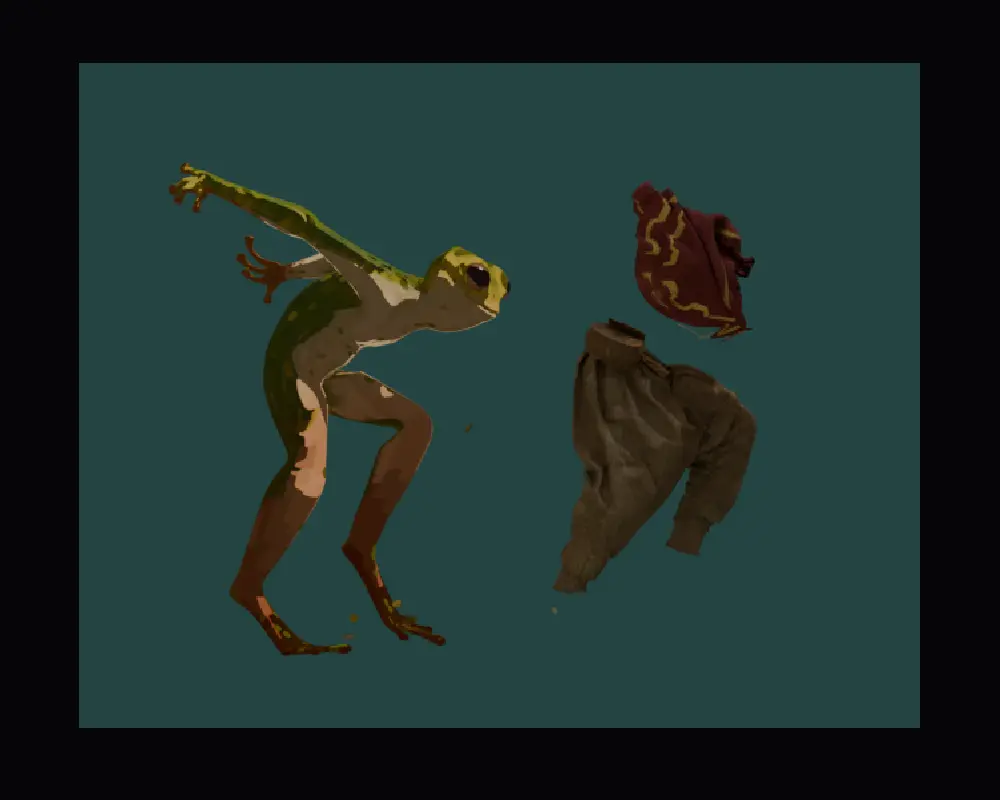
As mentioned before, I wanted my clothing to juxtapose my character in realism so I used layered passes in the compositing stage so that I could render my cloth with Cycles and a holdout in Blender while keeping my character in Eevee. This created the 2D/3D combination that I needed. More behind the scenes can be found in my short Breakdown Video.
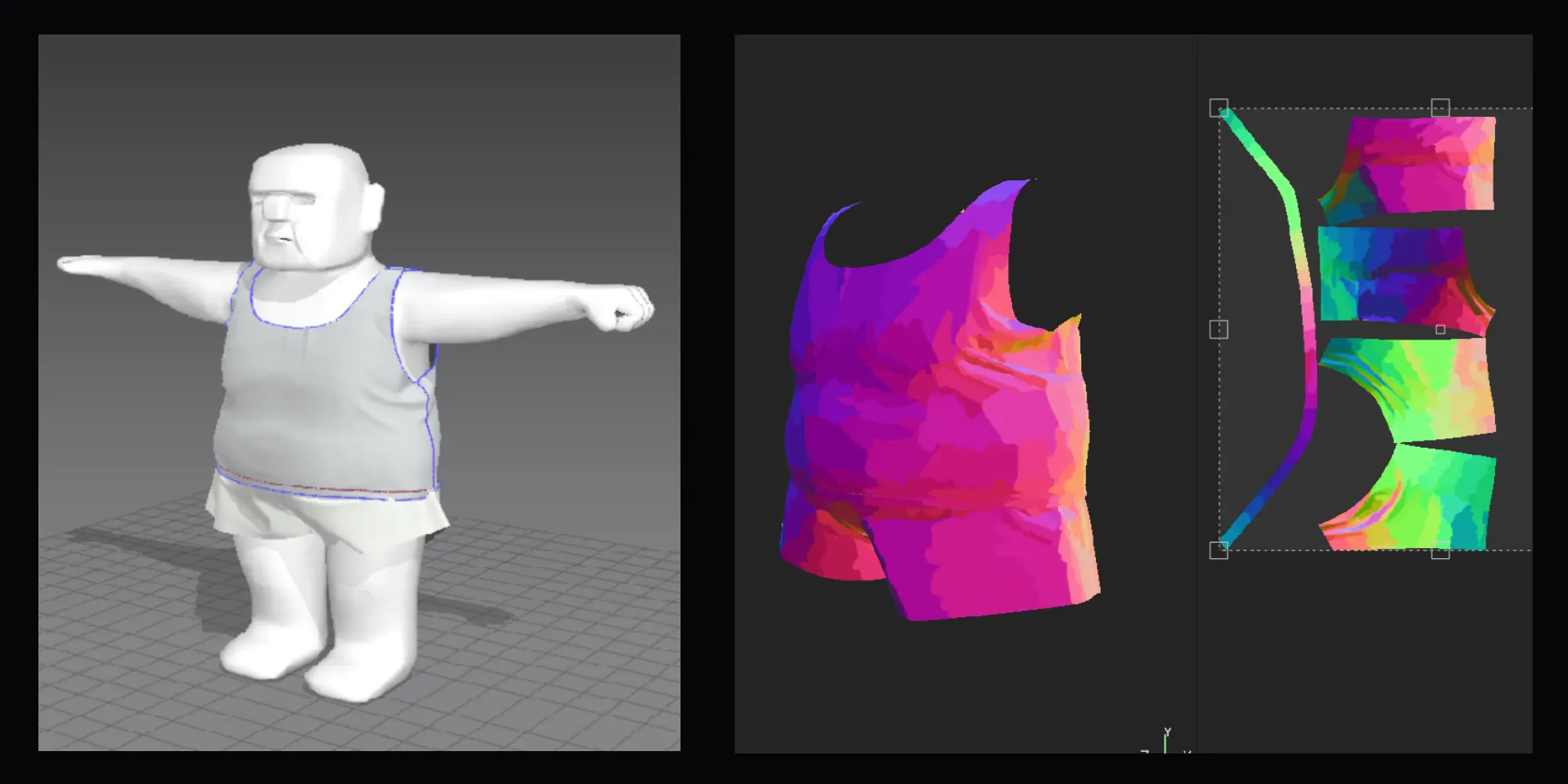
On that note, I have since been exploring more ways to use Marvelous Designer in a "2D-shaded" 3D pipeline. Recently I have been experimenting with manually painting normals in Substance for an upcoming film. I needed a way that I could blend this method with my clothing; considering that there can be many tight folds when simulating animations. I realised that if I export the T pose of my Marvelous simulation and bring it into Substance Painter, I can use that frame as a base normal to add my painted averages before my simulation creates folds that are hard to paint.
Are there any standout moments, scenes, or characters in your project that Marvelous Designer was especially useful for?
I used Marvelous Designer for my main character's costume and also an easter-egg character in the background that will appear in a later work coming soon on YouTube. Marvelous came in handy for any complex animations that needed to interact with fabric.
What were some of the challenges you faced during the project, and how did you overcome them?
My main challenge on this project was honestly just painting everything, manual processes are something that I hold dearly in my heart and they should always be practised, but they are very time consuming. My compromise was to create a range of general textures that I could use as texture brushes or masks in the shader editor in Blender. That way I could keep layering with diversity without painting every single stroke again.
Another challenge would have been the clothing design but I was lucky that the Marvelous store had a vast selection and exactly what I was looking for. With more time and experience, I am hoping to dive deeper into creating beautiful garments like these from scratch in Marvelous.
Do you have any tips or advice for other 3D artists looking to incorporate Marvelous Designer into their workflow?
Don't be afraid to break the rules a bit and play! 3D simulation is a very technical process and hard to jump into, you might also expect to do things in a set way, but within a software like Marvelous Designer there is so much potential to find your own workflow to suit your needs - From realistic to stylised. Just play with simple garments first and the rest will come to you over time.
Finally, how would you describe your overall experience using Marvelous Designer on this project?
Overall I had a great time using Marvelous for this piece and will definitely be referring to it again when it comes to character costume in animation. It definitely has its frustrating moments, like any 3D simulation software does, but the speed and detail that it can simulate cloth in comparison to other 3D softwares i've used feels unmatched so far. Having found a workflow where I only need to fit a character once and just click simulate for each action, has been extremely beneficial to my artistic journey.
이 작업은 SubstancePainter, Blender, Eevee, Rebelle, AfterEffects, Animation 등의 기술로 제작되었습니다.
Marvelous Designer로 이와 같은 3D 의상·캐릭터 작업을 직접 만들어볼 수 있습니다.