Recreating the Richness of Traditional Indian Costume with Marvelous Designer
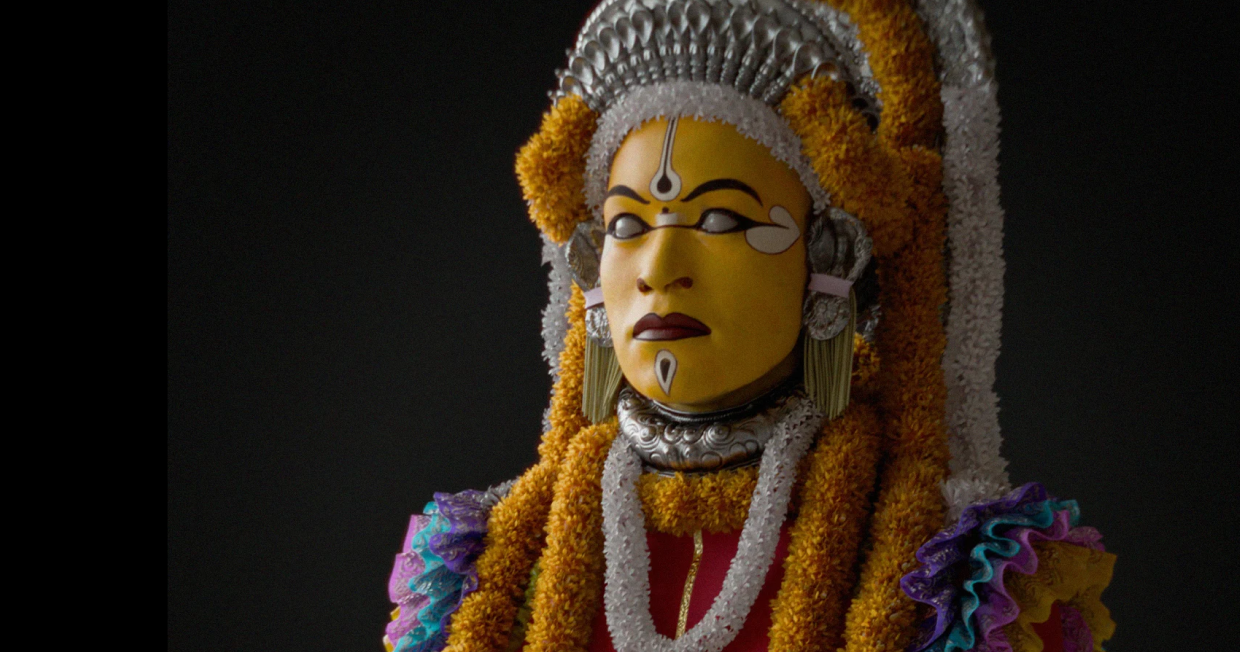
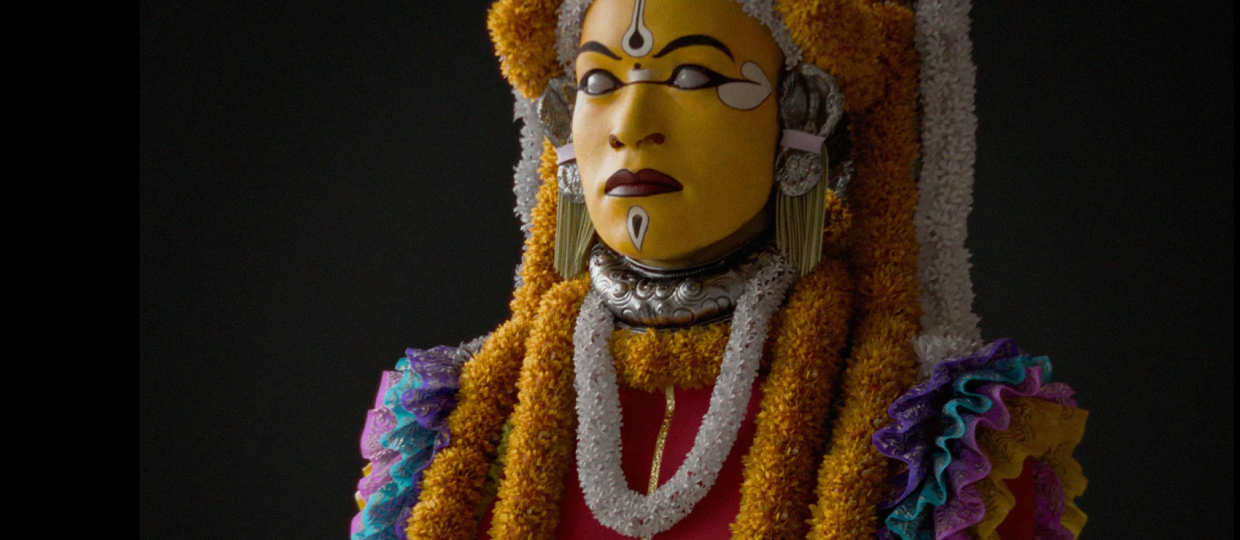
Meet Vaibhav Negi, a CGI industry veteran with 10+ years of experience and a member of Marvelous Designer. In this spotlight, Vaibhav shares how he brought a photoreal character inspired by India’s traditional ritual, Bhoota Kola, to life. Discover how he utilized Marvelous Designer for over 80% of the asset—from complex layered garments to a brilliant workaround for creating intricate flower garlands and straw skirts using lightweight, production-ready workflows.
 Meet
Meet 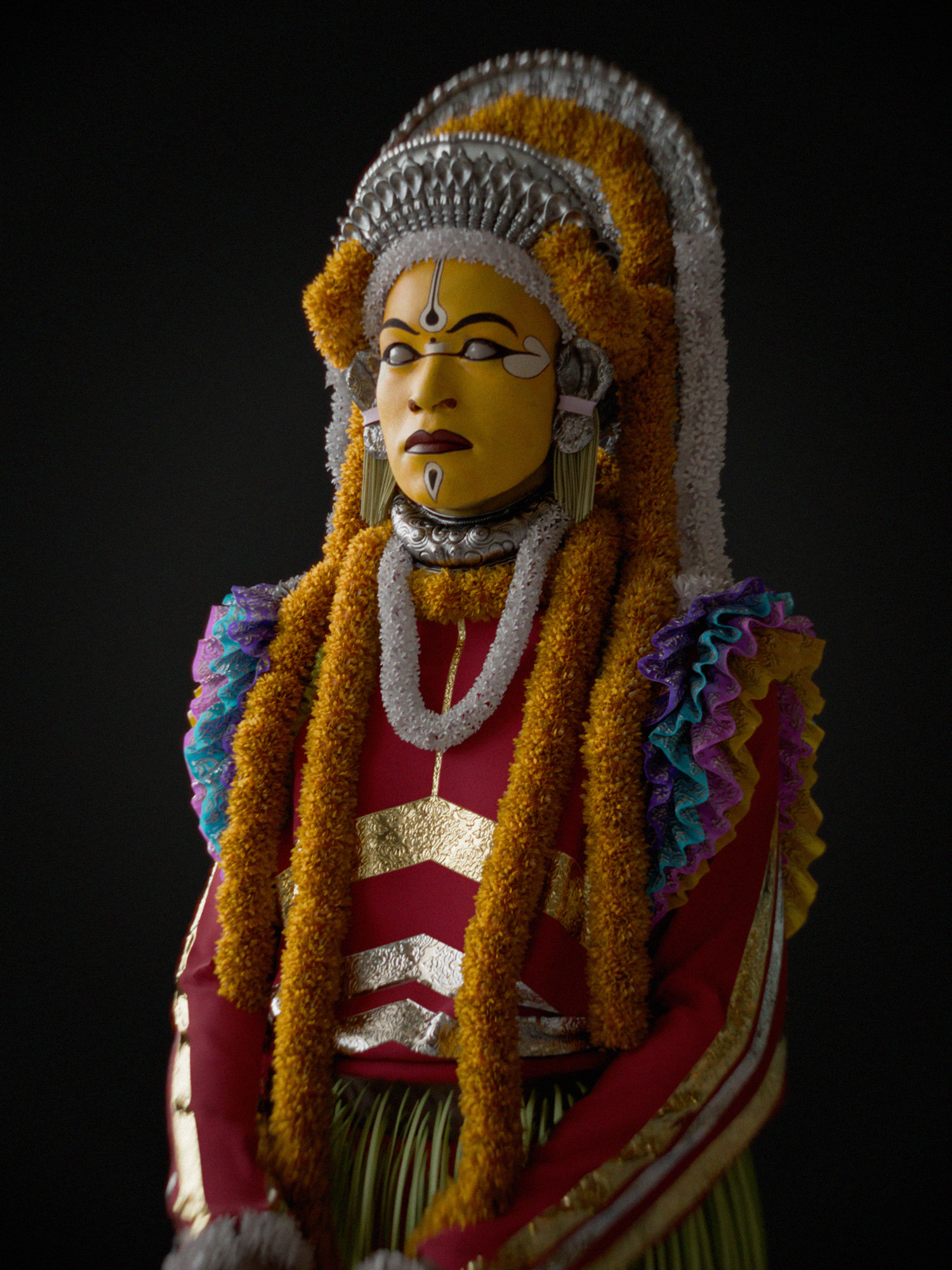
Software Used
Blender – lighting, texturing, Rendering
Marvelous Designer – Cloth Simulation & Animation
Artist Introduction
Hey, I’m Vaibhav. I feel like an imposter here because I’m part of Marvelous Designer’s internal design team. That said, long before I joined the company, I was already a strong believer in the software.
I have over 10 years of experience in CGI, with more than six years of that spent using Marvelous Designer as a core part of my workflow. My background is in CGI advertising and automotive visualization, while my personal passion lies in creating animated short films and video games.
Throughout my career, Marvelous Designer has consistently been one of the tools that has had the biggest impact on both the quality and speed of my work.
Please introduce your project.
The project I’ll be talking about today is a character inspired by Bhoota Kola, one of India’s many traditional ritual practices. The ritual also served as the central theme of the critically acclaimed Indian film Kantara.
My goal was to create a photoreal digital replica of the performer that could be optimized for both film and game production. More than 80% of the asset was created using Marvelous Designer.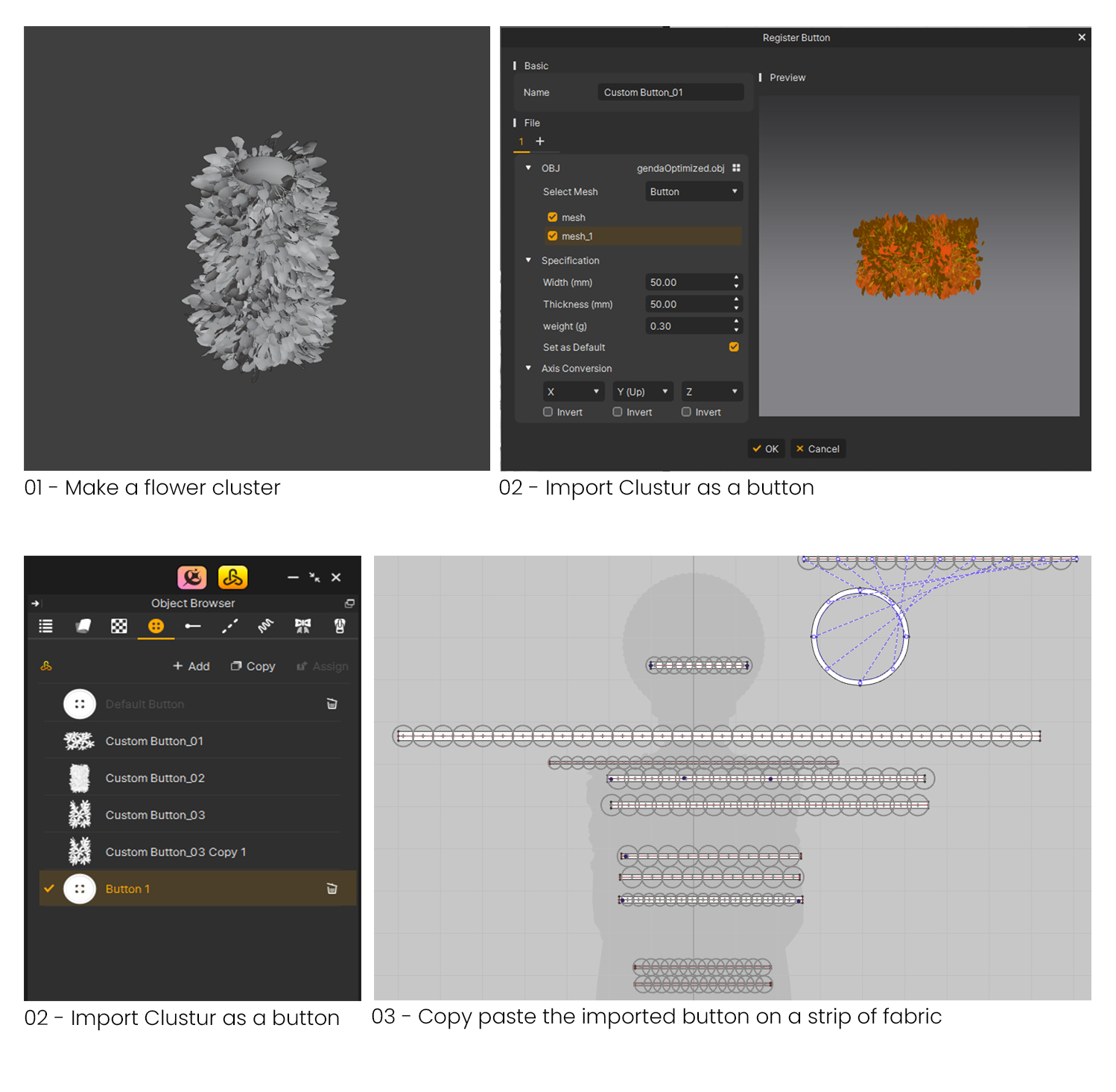
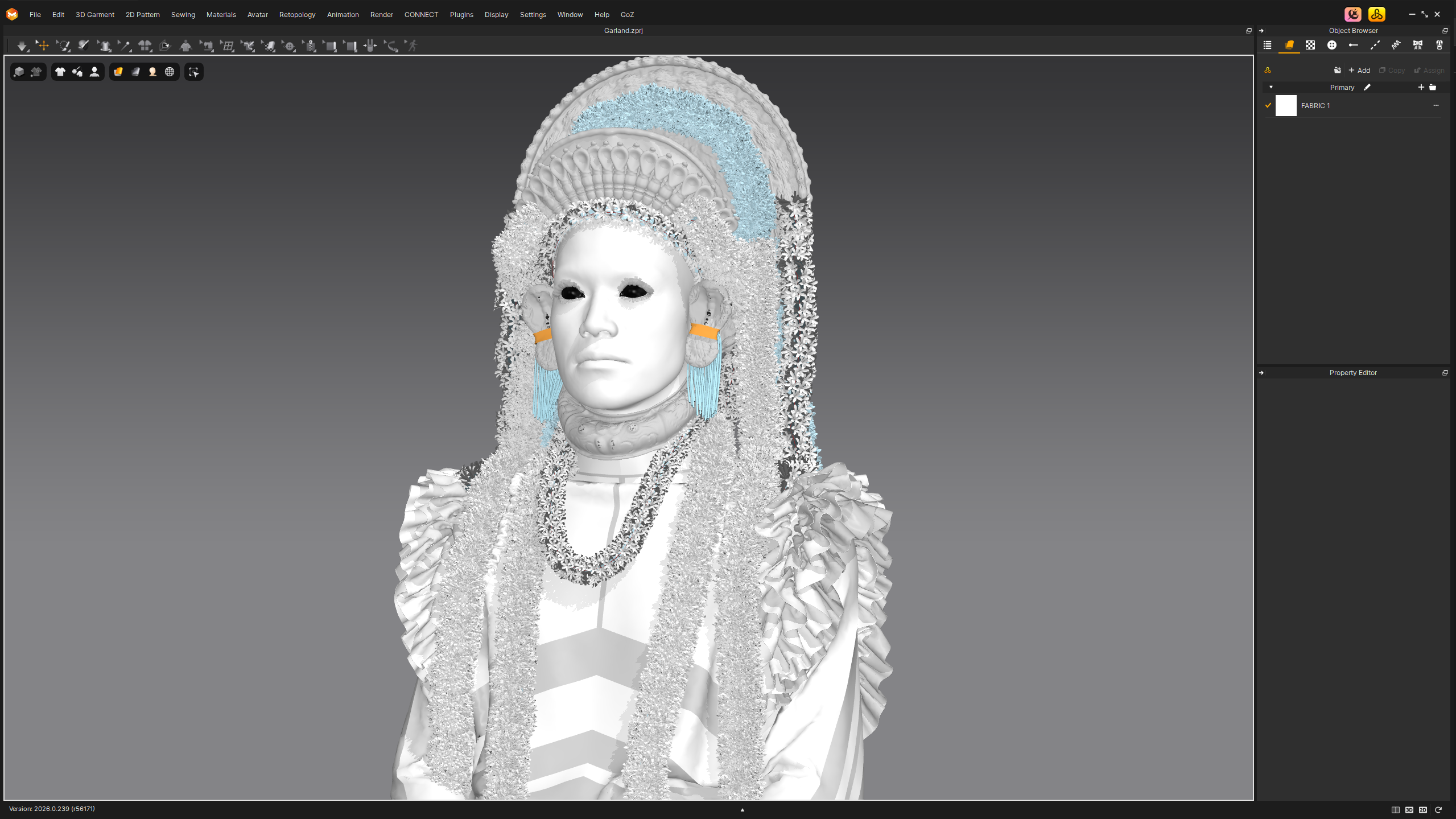 The project also gave me an opportunity to explore complex layered garments and traditional ornaments, including flower garlands, ceremonial necklaces, and the iconic straw skirt. Beyond recreating the visual appearance, I wanted to capture the richness and authenticity of the costume while maintaining production-ready efficiency.
Tell us how Marvelous Designer creates value in this project.
Character creation is a highly complex process. Sculpting every element by hand requires significant time, technical skill, and a deep understanding of form design. Realistic garments add another layer of complexity, and once the assets are created, they still need to be retopologized and UV-mapped before they become practical for film or game production.
For me, Marvelous Designer replaces much of the highly skilled craftsmanship involved in creating dimensional forms with the more structured and intuitive principles of garment design. That shift alone dramatically accelerates the process.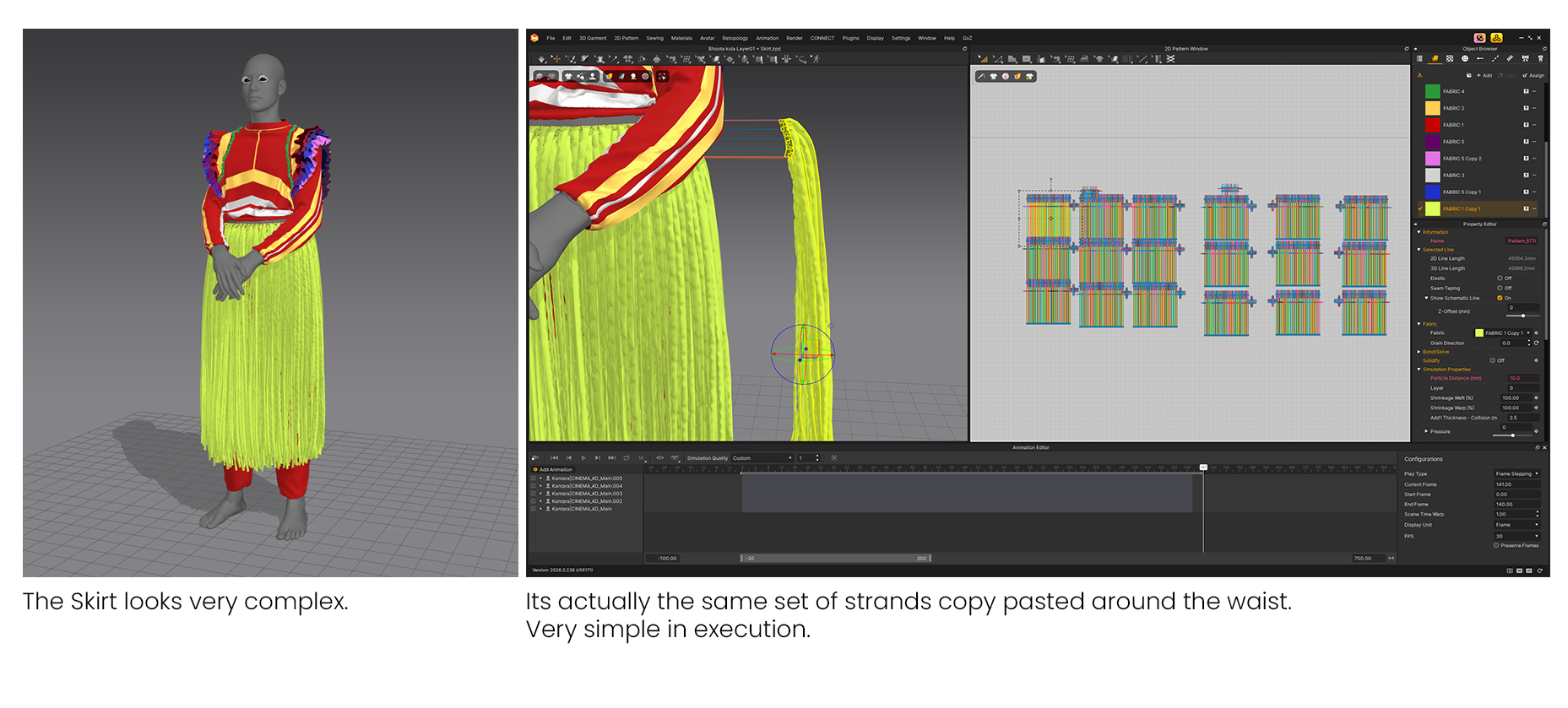 This project involved a large number of layered garments, and Marvelous Designer handled them exceptionally well. It remains the most natural and lifelike way I know of creating digital clothing.
The integrated retopology and UV workflow saved a tremendous amount of time and allowed me to add levels of detail that would have been difficult to achieve otherwise.
I also wanted to experiment with creating traditional flower garlands inside Marvelous Designer. The solution I arrived at was surprisingly simple but extremely effective. I created a tileable 3D pattern and used it as a button asset without enabling button simulation. This produced a visually rich garland that remained lightweight and efficient.
The straw skirt followed a similar philosophy. While it appears highly detailed, it was built from a single simulated strand setup that was duplicated and arranged repeatedly. The result was a complex-looking asset created through a very efficient workflow.
Are there any other unique projects you worked on using Marvelous Designer that you would like to showcase to our community?
Over the last few years, I’ve created several animated short films that relied heavily on Marvelous Designer, and I’m particularly proud of two projects.
The first, A House of My Own, is a personal tribute to one of my former rented apartments, the first place that truly felt like home.
The second is an adaptation of a story by one of my favorite writers, Ruskin Bond. Called In the dark, The film was well received at several film events and earned multiple screenings, which was incredibly rewarding as an independent creator.
Both projects reinforced how valuable Marvelous Designer can be, not only for character work but also for storytelling.
What is your favorite feature or tool to use in Marvelous Designer?
The Retopology and UV Mapping tools are an easy choice for me.
They make the transition from high-resolution assets to production-ready meshes incredibly intuitive. Being able to handle retopology and UVs directly within the same workflow saves time, reduces friction, and makes transferring detail from high-poly meshes much more efficient.
For other users considering Marvelous Designer, do you have any advice or experience to share?
Two tips completely changed the way I work:
Think in layers. Approach your garments the same way you would approach a traditional painting. Focus on the large forms first, then gradually build detail. As sections are completed, freeze them and continue refining the next layer. This keeps simulations stable and the workflow manageable.
Use cloth simulation, even if it’s subtle. If you’re creating animated films, adding even a simple cloth simulation can bring a surprising amount of life and realism to a character. As a bonus, natural cloth movement can often help mask small imperfections in animation.
이 작업은 Animation, Pattern, Retopology, Blender, CharacterArt 등의 기술로 제작되었습니다.
Marvelous Designer로 이와 같은 3D 의상·캐릭터 작업을 직접 만들어볼 수 있습니다.