The Scent of Autumn
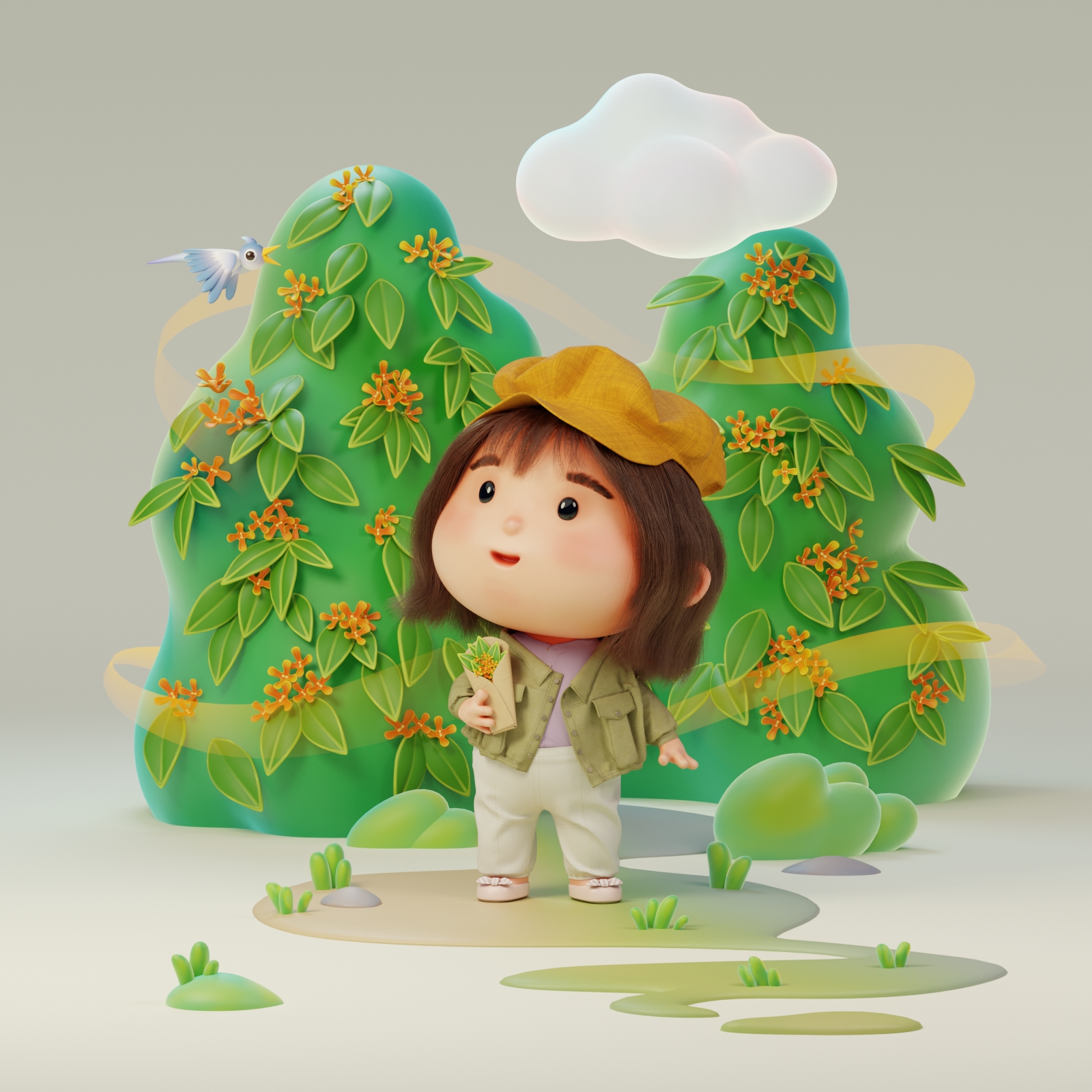
The Scent of Autumn – A warm and nostalgic tribute to fall! Inspired by the sweet fragrance of osmanthus blossoms, 3D artist Yao Chan transforms seasonal memories into whimsical, stylized art. Using Marvelous Designer, she crafts charming chibi-style outfits with delicate fabric details and dynamic draping, bringing her vision to life.
Interview with Yao Chan | The Scent of Autumn | 3D Artist
Please introduce yourself to the Marvelous Designer community.
Hi everyone! I'm Yao Chan, a 3D artist and UX designer based in Shanghai. I hold both a bachelor's and a master's degree in Digital Media from the Central Academy of Fine Arts. Over the past decade, I've worked as a UX designer at leading companies like TCL Alcatel, Lenovo, Motorola, and SAIC-GM. Since 2019, I’ve been increasingly incorporating 3D elements into my UX design work for automobiles and digital devices, which led me to develop a strong passion for 3D art. Now, I focus on creating 3D artwork inspired by my personal experiences and interests—3D art has become my way of expressing myself to the world.
Your work The Scent of Autumn is full of warmth and childlike charm. Could you share the inspiration behind this character design and the story behind it?
For me, the scent of osmanthus is the defining fragrance of autumn—it’s a memory deeply rooted in my mind. I created this piece last fall when the city was filled with the sweet aroma of blooming osmanthus trees. Walking down the streets, I would unexpectedly catch whiffs of their fragrance, instantly bringing me a sense of happiness. For those who love osmanthus, its scent is powerful—it engages the senses and transports you to a special seasonal moment.
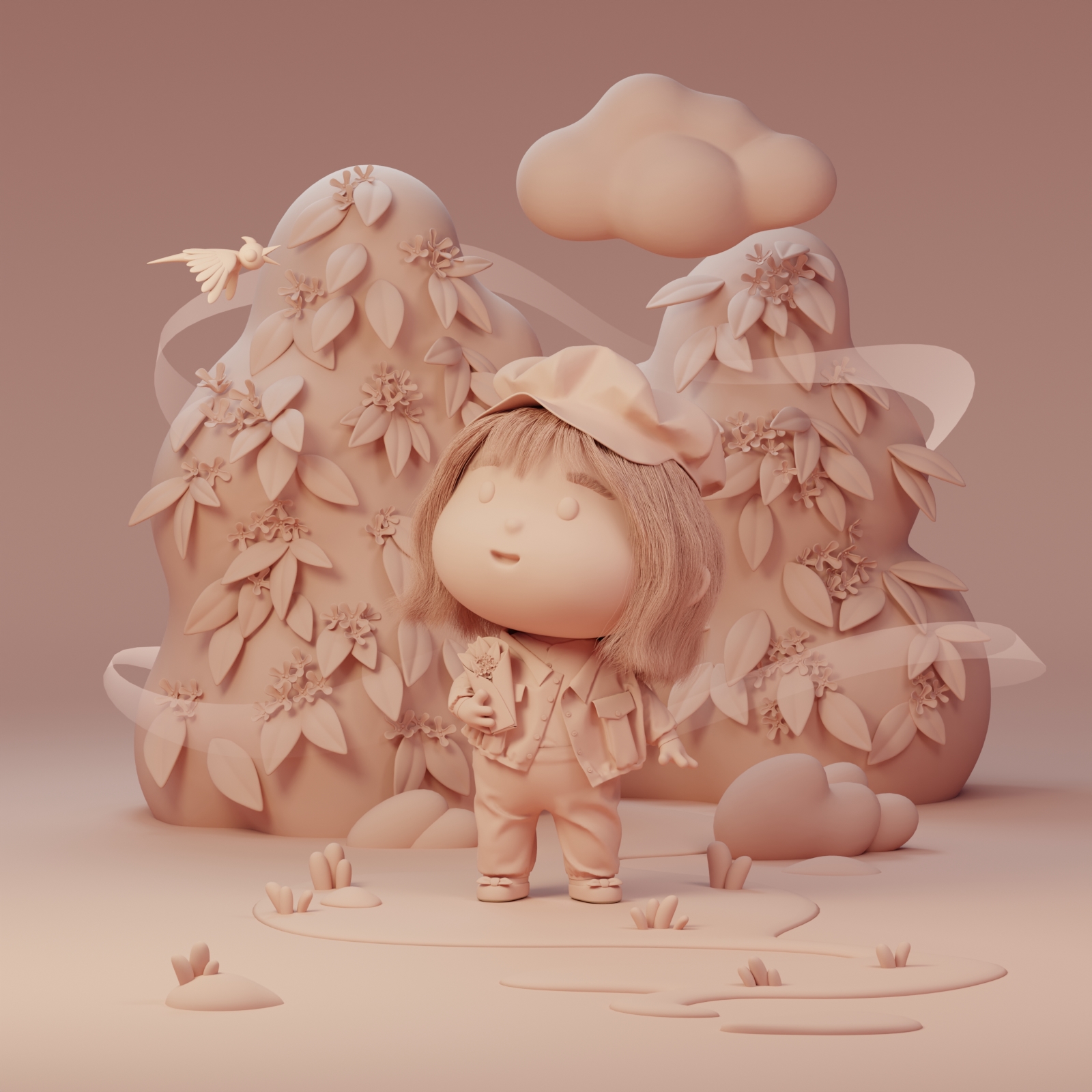
People often try to preserve this feeling by making osmanthus sugar, fragrance sachets, or perfumes. I wanted to do the same through my art, capturing and sharing the warmth of that moment, hoping to evoke a sense of nostalgia for autumn. In The Scent of Autumn, I illustrated myself wandering the streets with a bouquet of osmanthus in hand, fully immersed in the season’s charm. To convey such a simple yet heartwarming experience, I enjoy using stylized character and environment designs.
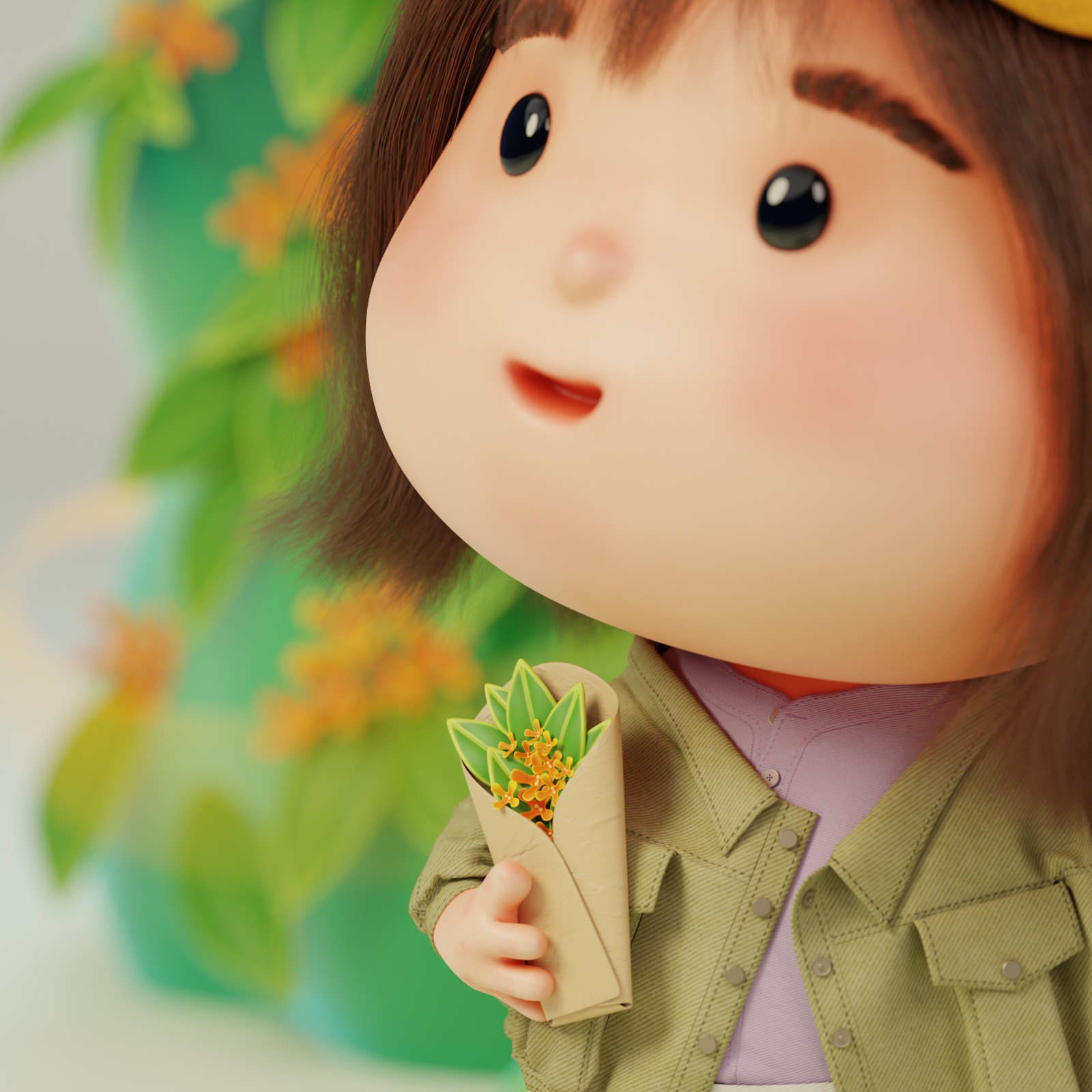
How did you create the outfit for the little girl character in your artwork? What role did Marvelous Designer play in the process?
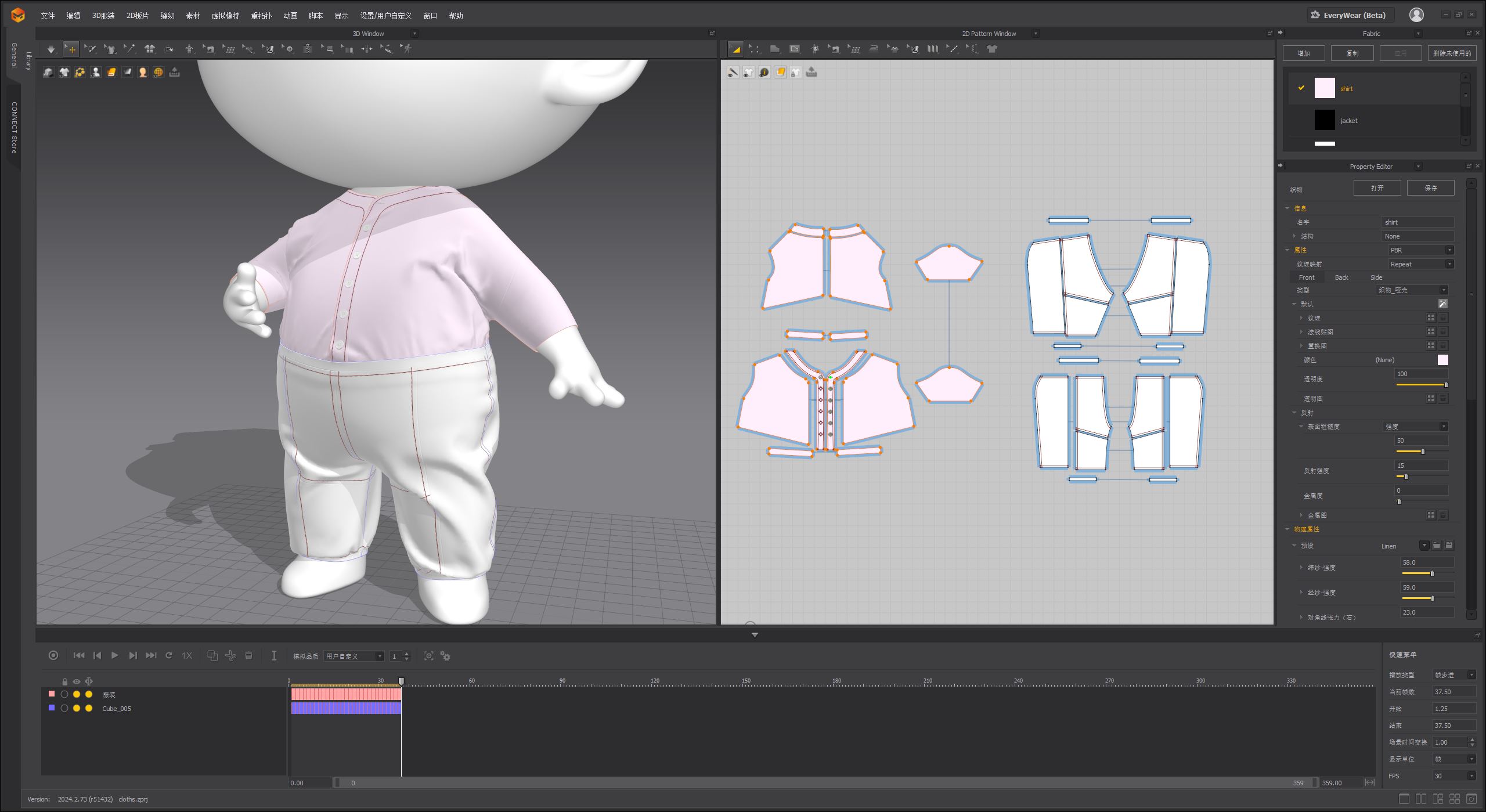
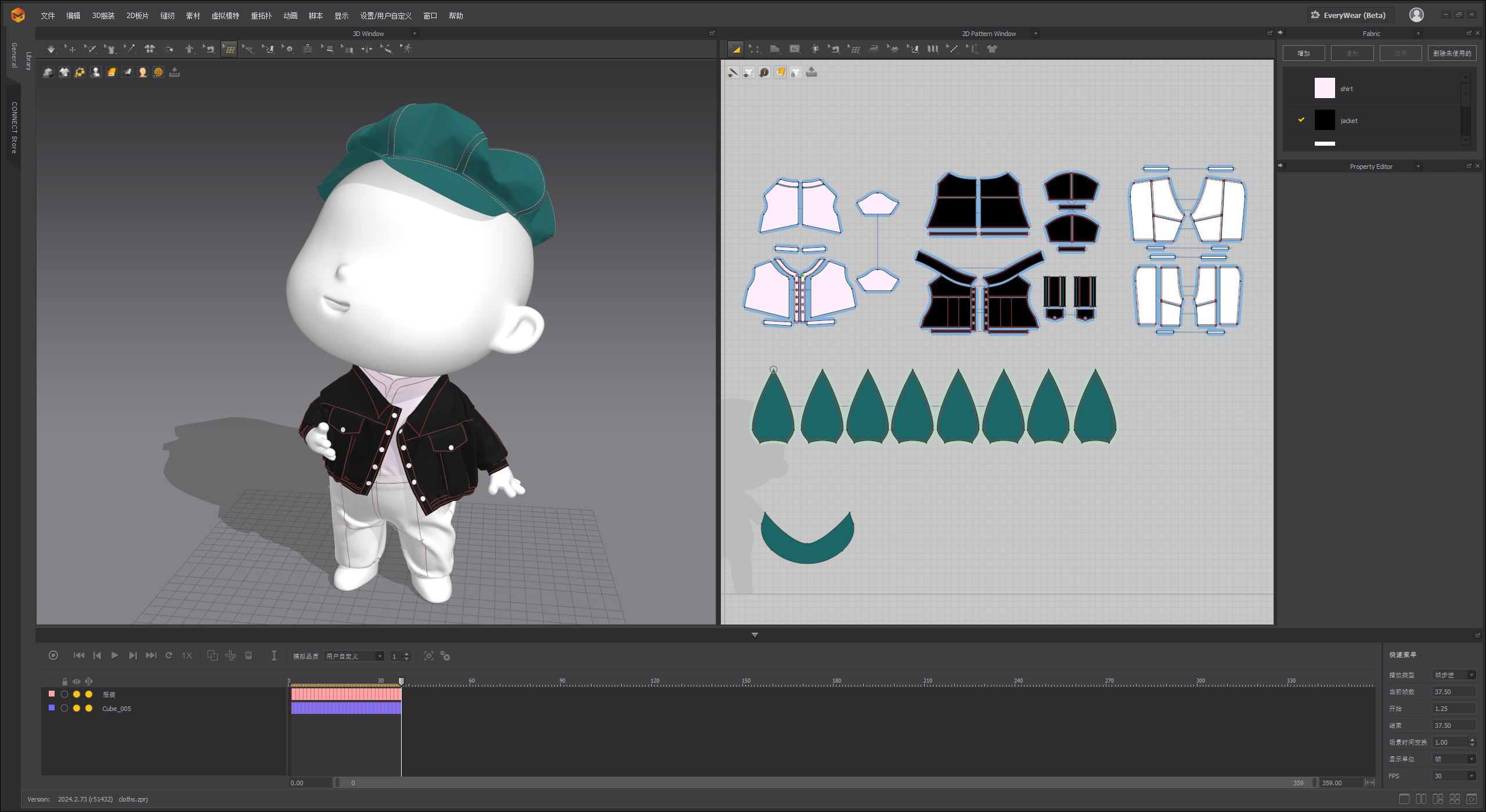
This character is a chibi version of myself, so I wanted her outfit to reflect my real-life autumn memories as accurately as possible. I based her clothing on one of my own fall outfits—a linen shirt, a denim short jacket, and casual cotton pants, finished off with a plaid newsboy cap. Having a real-world reference was incredibly helpful when working in Marvelous Designer, as it allowed me to focus on both the overall look and the finer details.
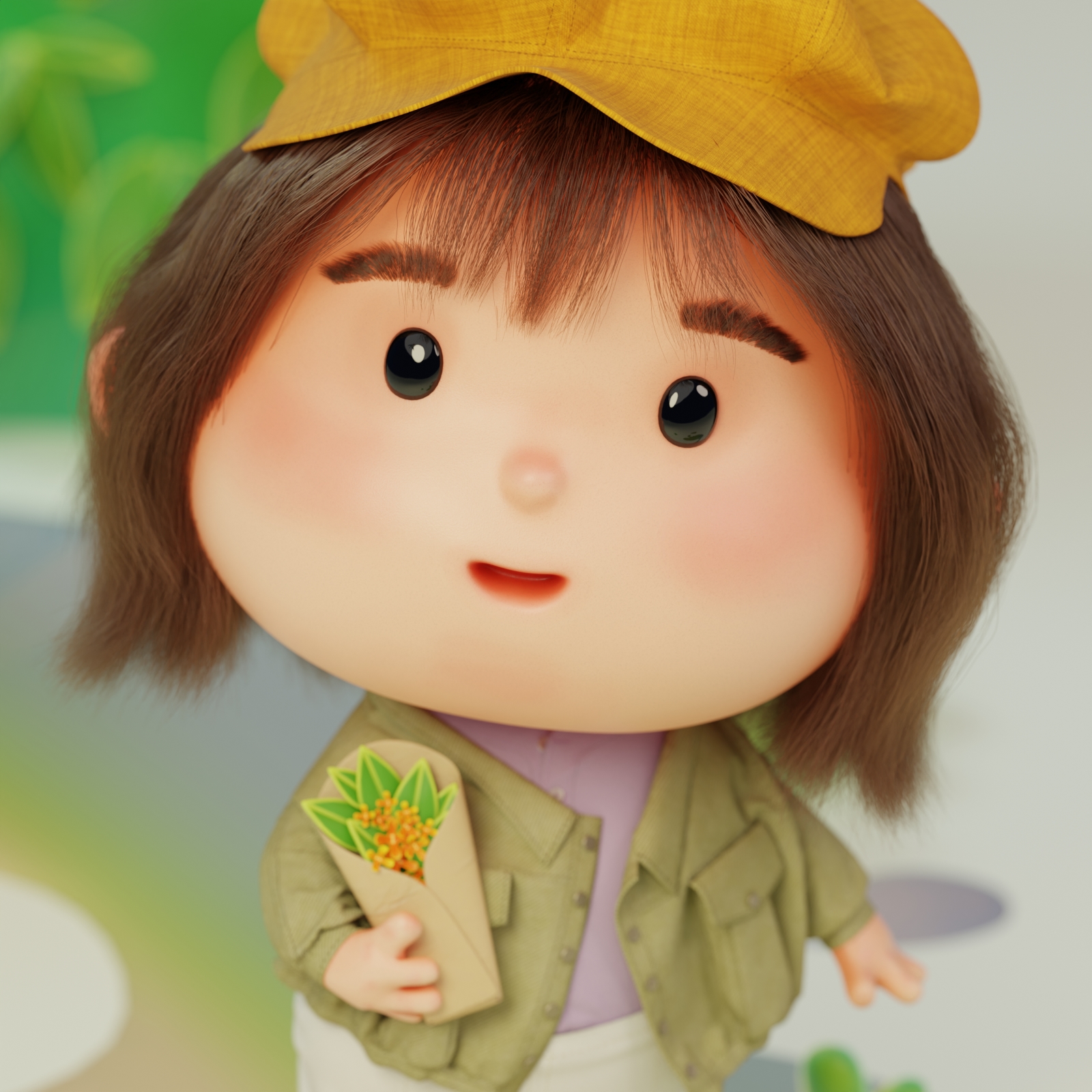
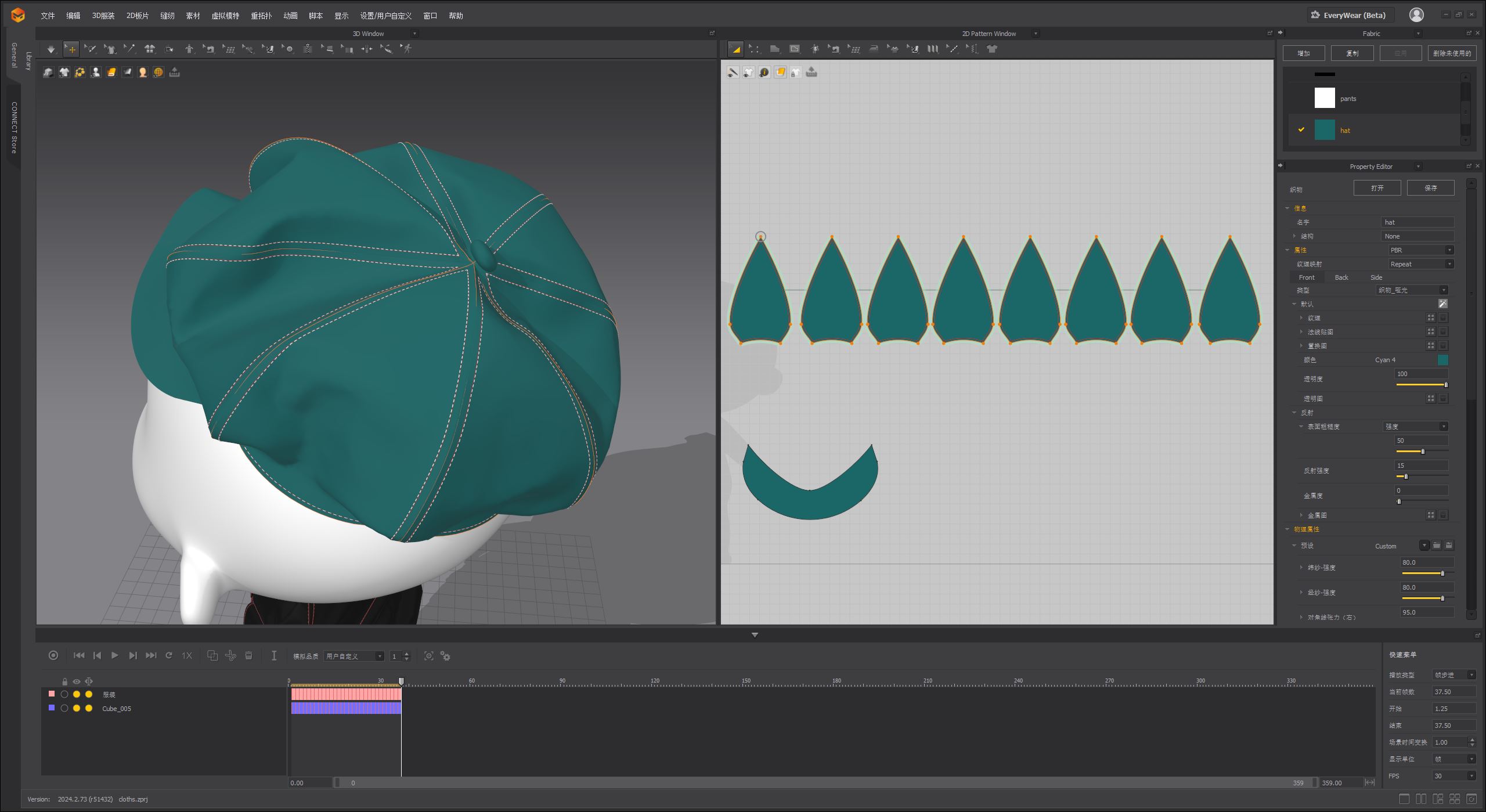
I created the entire outfit using Marvelous Designer because I wanted the clothing to have a realistic fabric feel, and MD was the perfect tool for achieving that. To make sure the garments draped naturally in the final pose, I first created a transition animation in Blender, moving the character from an A-pose to the final stance. I then imported this animation into Marvelous Designer and used it as a virtual avatar, giving the fabric simulation room to settle properly. Compared to creating clothes directly in Blender, Marvelous Designer offers a more efficient workflow for designing patterns, achieving realistic fabric physics, and optimizing computational performance. Plus, since MD allows me to export 2D sewing patterns with UVs, the texturing process becomes much easier later on.
Did you encounter any challenges while using Marvelous Designer? How did you overcome them?
Since I don’t have a fashion design background, drafting 2D clothing patterns for my chibi-style character was a major challenge. The outfit was inspired by real clothing but didn’t follow traditional garment construction, and working with 2D layouts in MD felt quite different from thinking in 3D.
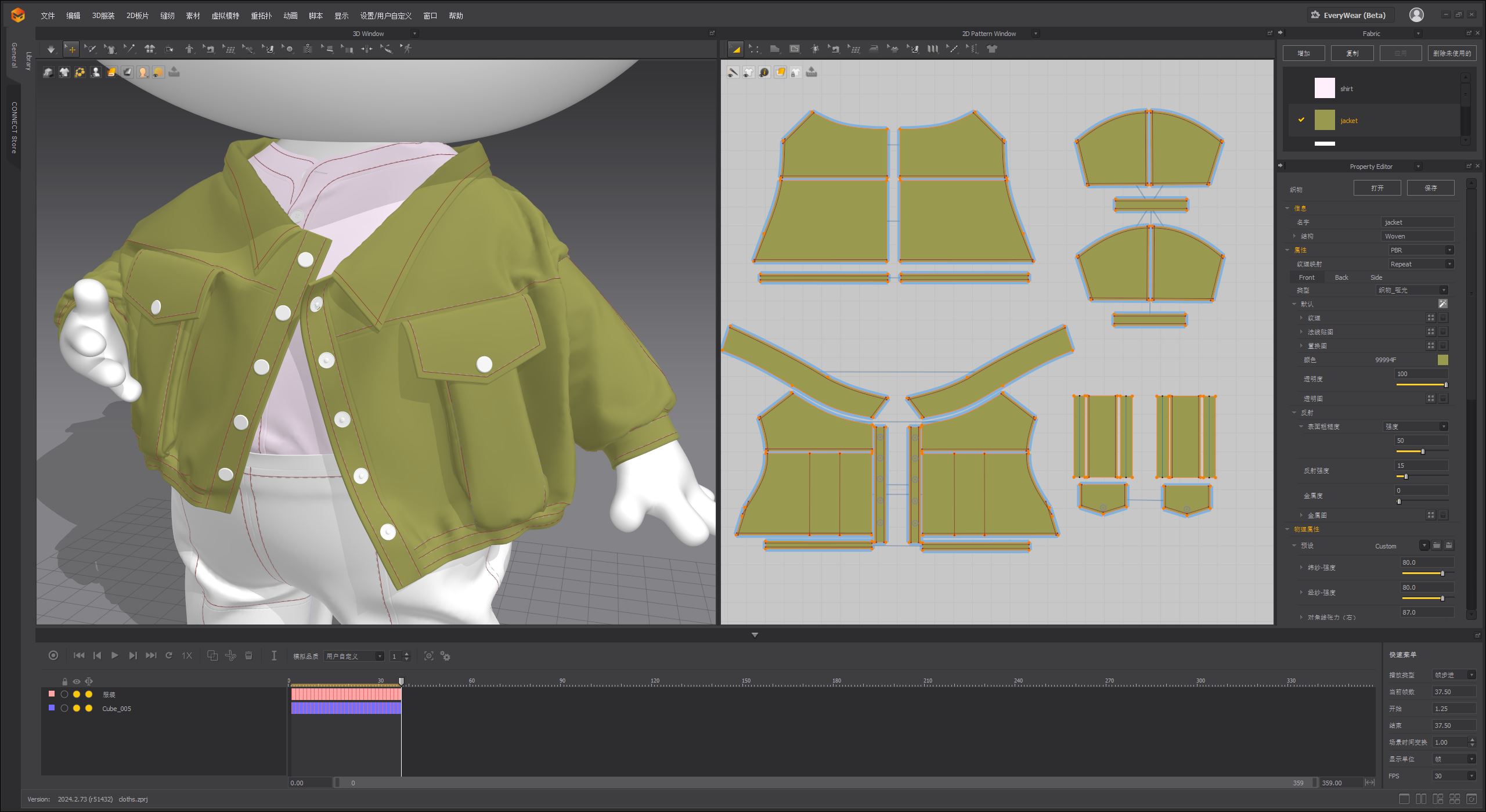
To solve this, I researched real clothing structures and found similar pattern references online. The real-time 3D preview in Marvelous Designer was incredibly useful—it helped me fine-tune the fit through continuous adjustments until I achieved a satisfying final result.
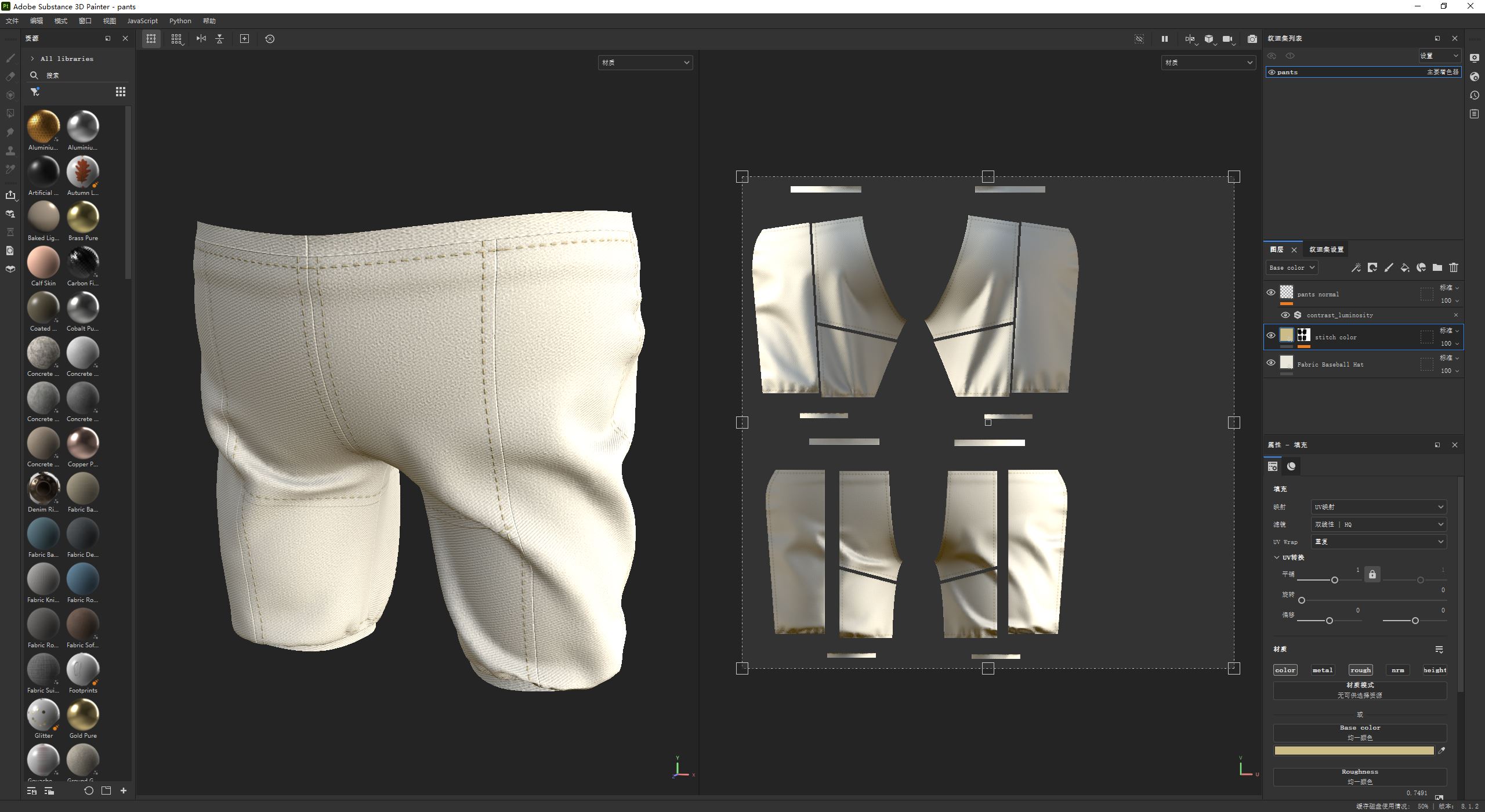
Can you walk us through the tools you used for this project? How well did Marvelous Designer fit into your workflow?
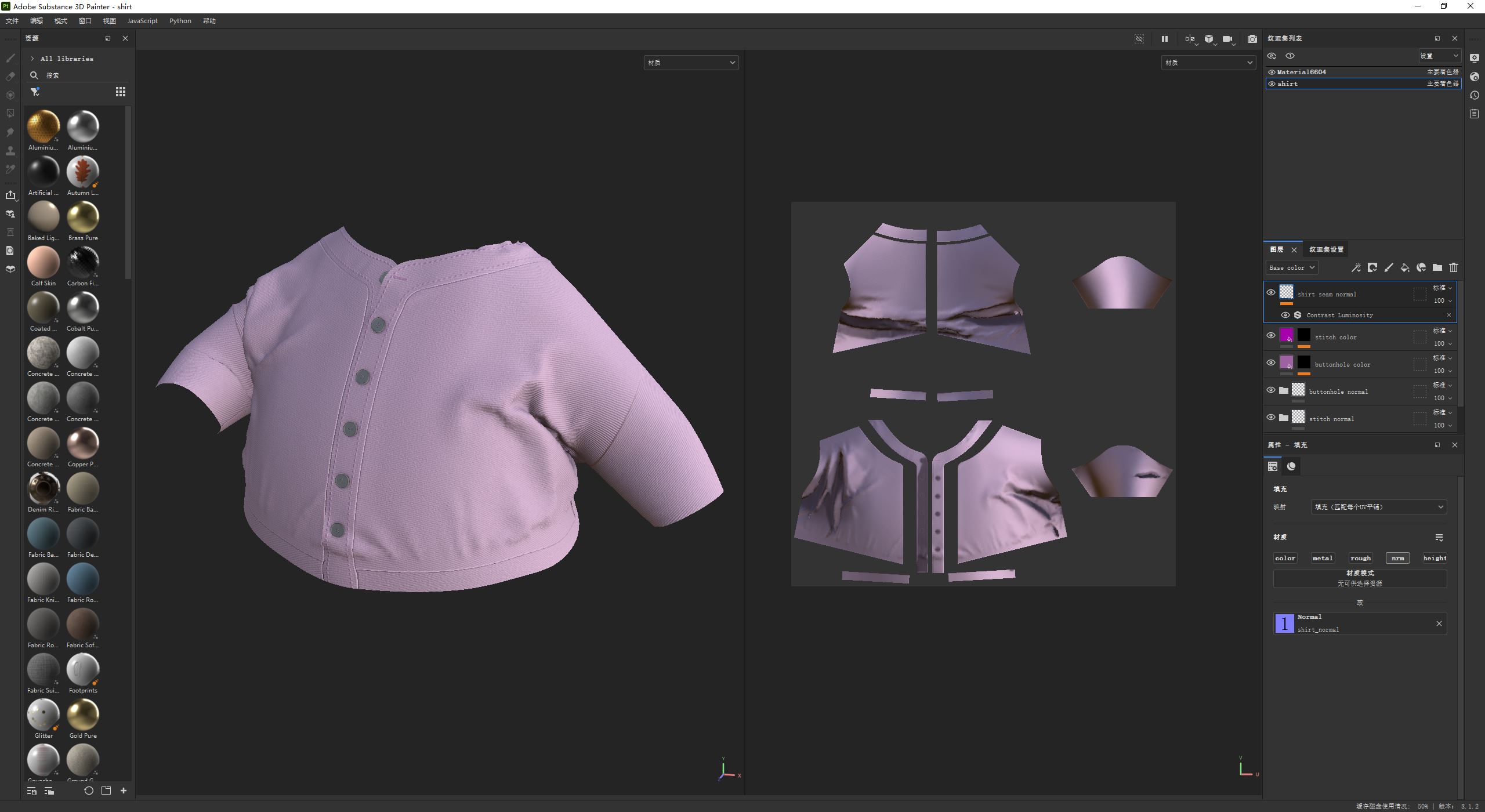
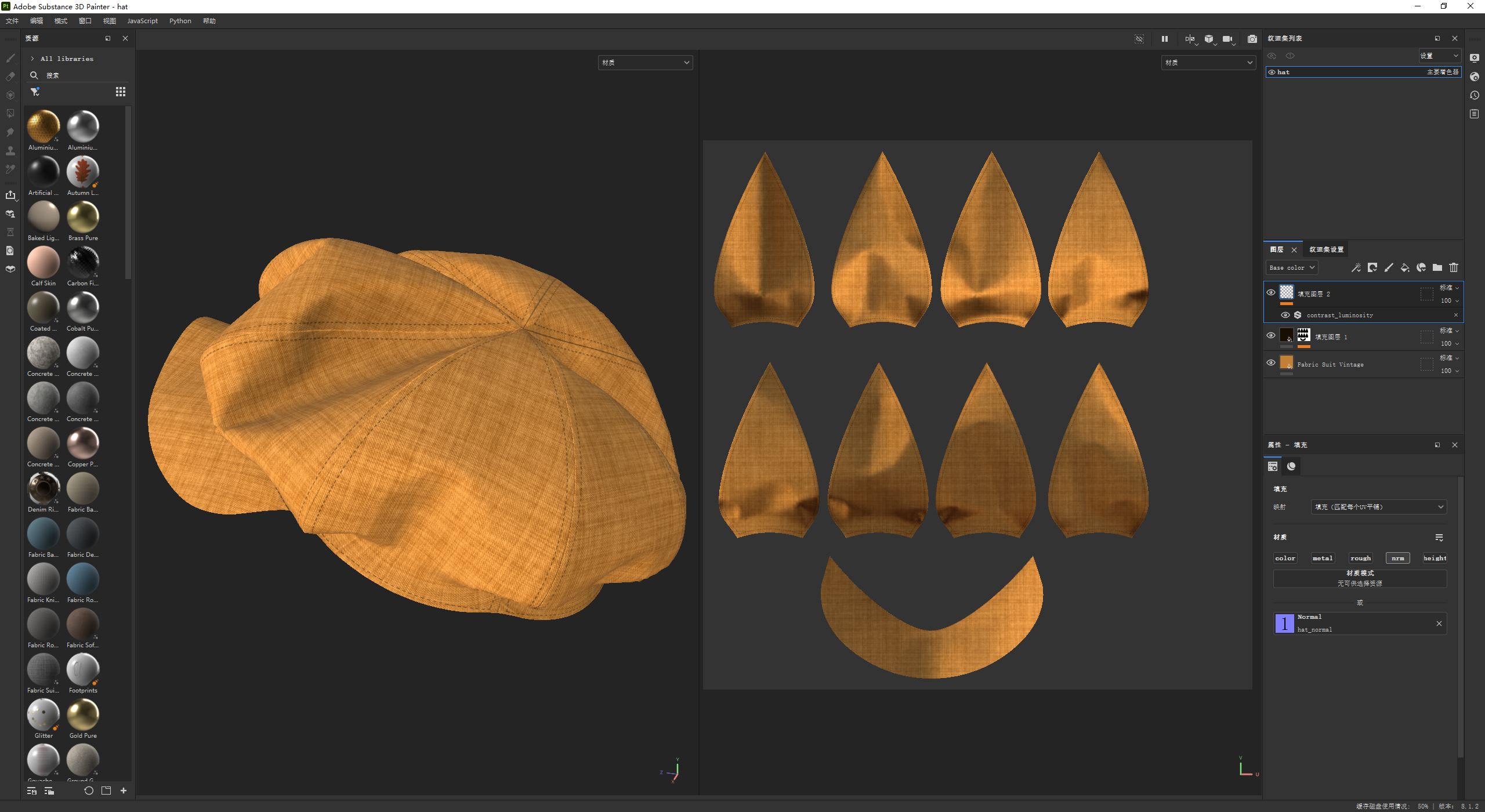
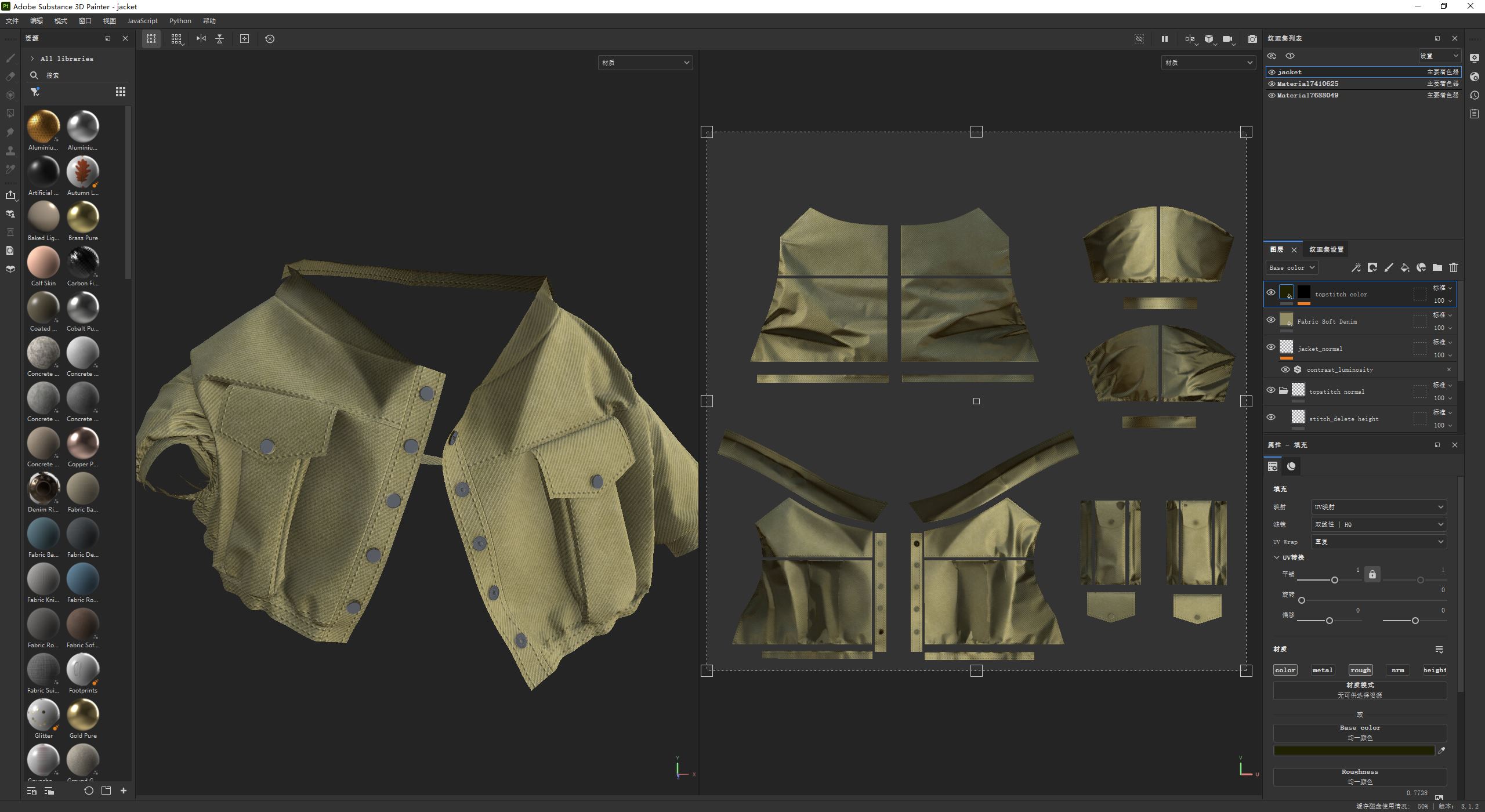
For this project, I used Blender for modeling both the character and the environment. I also created an animation in Blender to transition the character from an A-pose to the final pose. Then, I imported this animation into Marvelous Designer, where I designed and simulated the hat, shirt, jacket, and pants. Once the clothing was complete, I exported the models to Substance Painter for texturing. Finally, everything was brought back into Blender for final touch-ups and scene composition.
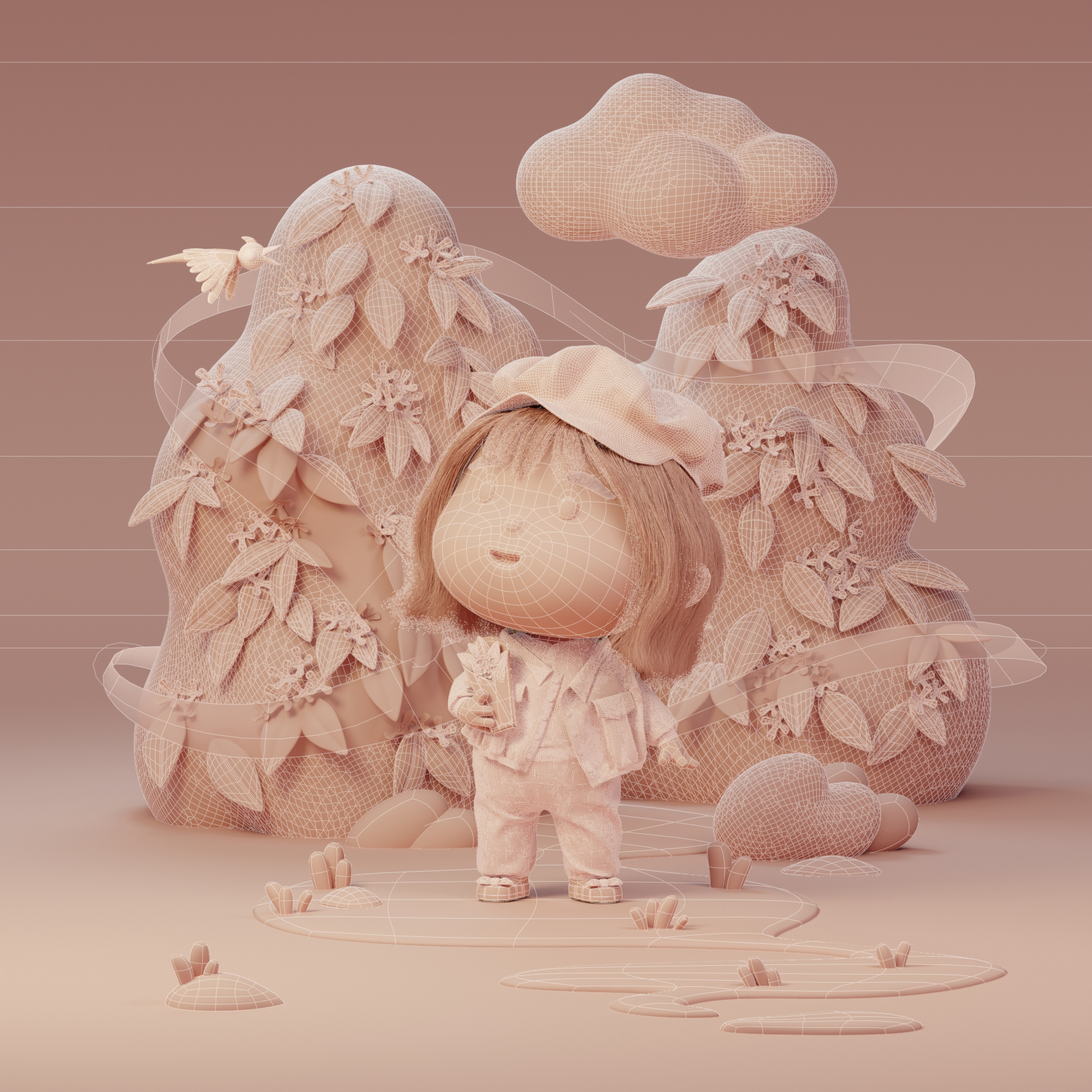
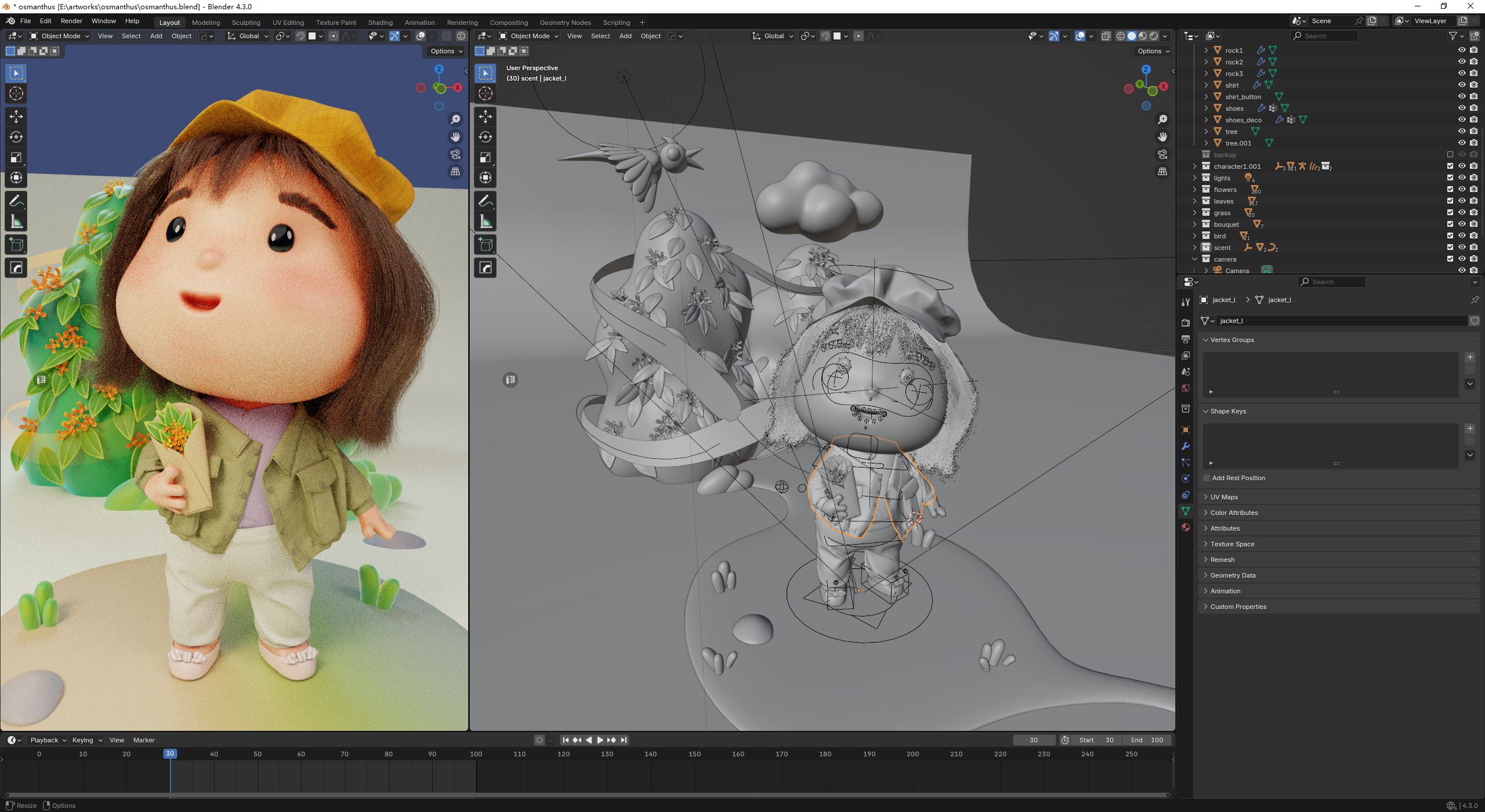
Marvelous Designer integrated seamlessly into the workflow. As long as the right file formats were used for importing and exporting, the process was smooth and stable, making it an essential tool for building an efficient and repeatable pipeline.
Do you have any tips for using Marvelous Designer, especially for creating stylized cartoon outfits?
When making cartoon-style clothing—especially for chibi characters—proportions play a crucial role. While the garments are inspired by real-world designs, they need to be stylized to suit the exaggerated features of the character. The size of shirts, pants, and hats should be carefully adjusted to match the character’s proportions.
Fabric wrinkles can add realism, but too many can make the outfit feel overly detailed and lose its cartoon charm. To control this, I tweak fabric physical properties and particle distance to ensure the folds match the intended style. Additionally, fabric textures should be enlarged compared to real-world clothing to highlight the details. Just like doll clothes have more pronounced and simplified textures, scaling up fabric patterns helps maintain a clean and stylized look.
What’s your overall experience with Marvelous Designer?
I’ve had a great experience with Marvelous Designer. It allows me to create clothing much like in real-life fashion design—cutting, sewing, and adjusting 2D patterns while seeing instant results in 3D. The real-time simulation and animation capabilities make it easy to refine garments dynamically. The software is also user-friendly, with smooth performance and efficient computation, making it my preferred tool for garment creation.
Instagram: magicwandyc
이 작업은 Blender, Substance, Animation, Avatar, Pattern, Import_Export 등의 기술로 제작되었습니다.
Marvelous Designer로 이와 같은 3D 의상·캐릭터 작업을 직접 만들어볼 수 있습니다.