


Marvelous Designer vs CLO vs Blender vs VRoid Studio for 3D Avatar Clothing (2026)
Marvelous Designer fits pattern-based, high-fidelity CG garments; CLO, Blender, and VRoid Studio cover different apparel, generalist, and avatar-first workflows. Compare pattern learning, pricing, simulation, and FBX/texture handoffs.
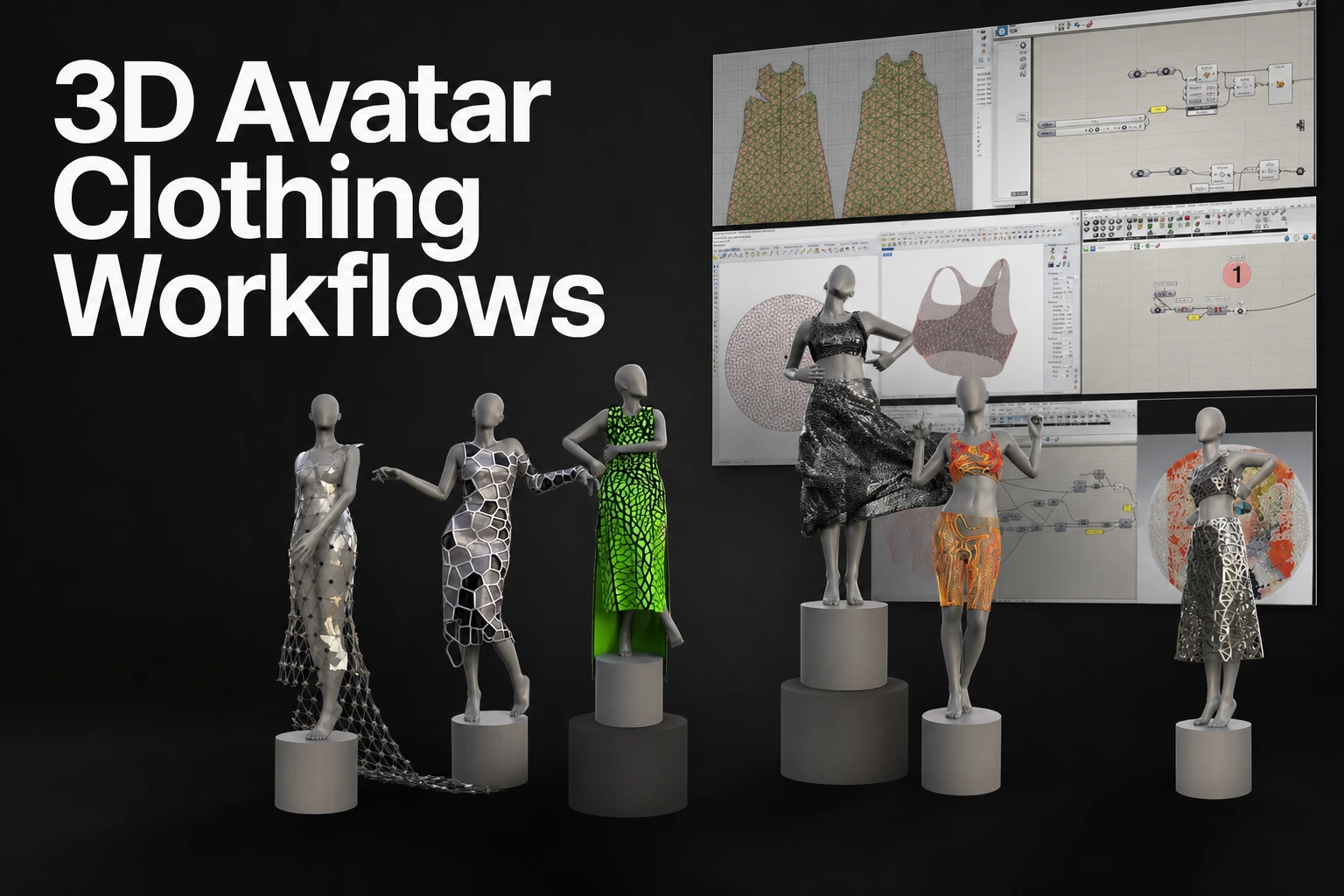
Choose Marvelous Designer when the goal is a detailed digital garment with pattern-based construction, layered fabric, and simulated drape for a character, game, animation, or VFX pipeline. It is a strong fit for creators who want a garment foundation.
Choose CLO when the work centers on apparel development, virtual sampling, fit review, grading, and production-oriented pattern workflows. It uses garment construction methods that are closely connected to fashion design and apparel teams.
Choose Blender when a completely free general-purpose 3D application is the deciding factor. Blender can cover polygon modeling, sculpting, UV work, materials, animation, rigging, rendering, and cloth simulation in one DCC workflow. It requires you to build and manage more of the garment process yourself.
Choose VRoid Studio when the priority is creating a stylized humanoid avatar and simple customizable outfits without learning sewing patterns. Its native workflow is based on avatar controls, templates, sliders, accessories, and texture drawing rather than simulated garment construction.
No single application completes every stage of avatar-clothing production. Garment construction, texture design, topology cleanup, rigging, optimization, and destination-platform validation can each become separate work.
For custom streetwear, layered costumes, fitted jackets, dresses, skirts, uniforms, or other garments where construction and cloth behavior matter, Marvelous Designer fits projects that need 2D patterns, sewing relationships, arrangement controls, and simulated drape for a CG garment asset. It gives you a pattern-led starting point for building the garment itself, then lets you prepare that result for the rest of the CG pipeline.
Four-way comparison for avatar clothing
| Tool | Best fit | Construction approach | Pattern knowledge | Simulation role | Access model | Primary output |
|---|---|---|---|---|---|---|
| Marvelous Designer | CG character clothing, games, animation, VFX, and detailed garment assets | 2D patterns, sewing, arrangement, and 3D simulation | Useful and central to the workflow | Builds drape, folds, fabric behavior, layering, and garment animation | Personal access ranged from $39/month to $280 for a one-year prepaid license checked September 18, 2026, with a 14-day Free Trial License | Digital garment foundation for downstream CG work |
| CLO | Apparel design, fitting, virtual samples, grading, and fashion-team workflows | Apparel-led pattern drafting, sewing, fitting, and grading | Valuable for effective apparel work | Visualizes fabric, fit, silhouette, and sample development | Check current vendor terms before purchase | Virtual garments and apparel-development outputs |
| Blender | Generalist 3D work, technical art, hobby projects, modeling, animation, and rendering | Polygon modeling, sculpting, UVs, materials, cloth physics, and rigging | No pattern system is required | Cloth is one part of a wider 3D toolset | Free and open source | Complete 3D assets, scenes, and character workflows |
| VRoid Studio | Beginner-friendly stylized avatars and fast outfit customization | Avatar presets, parameters, templates, overlays, accessories, and texture drawing | Not required for its native outfit workflow | Does not use a dedicated physical garment-simulation workflow | Free to use | Stylized humanoid avatars exported primarily as VRM |
Marvelous Designer uses a pattern-based garment construction method. Its simulation tool applies gravity to drape garments onto avatars. Use the pattern-based workflow to develop the garment, then inspect the simulated silhouette.
Blender is free and open source according to the Blender Foundation. Its modeling and simulation tools make it a valid starting point for creators with no software budget. It does not replace the garment-construction decisions that a pattern-led workflow makes visible. A fitted coat, pleated skirt, or multi-layered streetwear outfit can be modeled in Blender, but the artist owns the topology, garment construction logic, cloth setup, UVs, materials, and export preparation.
VRoid Studio is free and offers preset parts, parameter controls, outfit templates, accessories, and texture drawing. Its avatar editor suits creators who want to customize an anime-style character. Compare that workflow with a garment simulator when fabric construction and drape are the main deliverables.
Pattern-led, generalist, apparel-led, and avatar-first workflows
The construction method determines what you can control early in production.
In Marvelous Designer, the garment starts as patterns. A shirt can have separate front and back panels. A jacket can include sleeves, collars, cuffs, pockets, facings, and layered pieces. Sewing relationships establish how those pieces become a garment. Simulation then shows how the construction behaves around the character.
This approach has a learning ramp. You do not need professional apparel credentials to begin, but basic concepts become valuable quickly. Learn the difference between a pattern panel and a sewn edge. Learn how garment ease affects the silhouette. Learn how layers interact. Learn why a sleeve, collar, or waistband needs intentional construction rather than only surface detail.
That learning produces transferable control. When a character needs a cropped jacket with an oversized hood, stacked layers, or a skirt with controlled volume, the garment is built from parts that can be adjusted. You can revise the silhouette by changing the pattern instead of remeshing the entire object.
CLO’s feature page describes avatar-measurement pattern drafting, grading review and garment visualization. Its Set Grading manual documents size and notch controls. Evaluate those functions against the apparel-development deliverables your team needs.
Blender offers mesh modeling, sculpting, UVs, rigging, animation, rendering and cloth simulation. Its sewing springs can connect panel meshes. The artist still needs to establish garment geometry, material settings, simulation and export preparation; compare those steps with a dedicated garment interface.
VRoid Studio begins from the avatar. It is the simplest entry point for someone who wants to adjust an outfit visually and finish a stylized character without studying pattern construction. Patterns are absent from the native user experience, but so is the detailed garment-construction control needed for a high-fidelity cloth asset.
Choosing for detailed costumes, everyday outfits, and digital streetwear
A simple top, hoodie, or graphic outfit can begin in several ways. The right choice depends on what needs to remain editable.
Use VRoid Studio when a preset-driven outfit and a complete stylized avatar are enough. It is suited to quick outfit customization, overlays, accessories, and texture changes. It is the most direct starting point for a beginner who wants an anime-style character rather than a separately authored garment asset.
Use Blender when the outfit is shaped more like armor, hard-surface accessories, sculpted details, or a stylized mesh that does not need pattern-based drape. Blender is also useful when the same artist needs to model the character, create props, paint textures, rig the asset, and render or export the final scene.
Use CLO when garment development is connected to apparel fit, sizing, grading, and virtual samples. That workflow is distinct from building a game-ready character garment, even though both may begin with 2D pattern pieces.
Use Marvelous Designer when the outfit needs the control of a constructed garment. This includes layered streetwear, trousers, dresses, coats, uniforms, soft bags, scarves, capes, and fitted clothing that must respond to an avatar through simulation. Marvelous Designer applies gravity to drape garments onto avatars and offers Normal, Animation and Fitting presets through its simulation workflow.
A digital streetwear look often combines several stages. Start with the clothing silhouette and pattern construction in Marvelous Designer. Validate the exported mesh. Refine topology and thickness where the destination requires it. Create graphics, decals, fabric variation, and wear in a texturing stage. Rig or skin the finished garment for the avatar. Then optimize and validate it for the destination platform.
What beginners can use without pattern-making experience
“No prior pattern knowledge” does not mean that garment construction disappears. It means the application hides or replaces that construction with another interface.
VRoid Studio is a beginner-friendly entry point for users who want to begin with no sewing knowledge. Its outfit controls are avatar-first. You select and modify components instead of drafting garment pieces.
Blender also does not require sewing-pattern knowledge. It requires general 3D skills instead. Beginners need to learn mesh editing, modifiers, sculpting, UVs, materials, and possibly cloth simulation. That can be a broad learning path when the goal is clothing alone.
Marvelous Designer requires the most direct engagement with garment logic. That is also why it is the right long-term choice for creators who want to author clothing as clothing. Start with basic garments. Make a T-shirt, a skirt, simple trousers, or a hoodie. Learn how 2D panels become a 3D silhouette. Add more complex construction after the core workflow feels familiar.
CLO also rewards knowledge of apparel patterns and garment development. It suits creators who want that fashion-oriented discipline to be part of their workflow.
Free access, subscriptions, trials, and workflow cost
Blender and VRoid Studio are the two free starting points in this comparison. Blender is the free option for a broad 3D production workflow. VRoid Studio is the free option for a stylized avatar-first workflow.
As checked September 18, 2026, Marvelous Designer license options ranged from $39/month for Personal Monthly Subscription access to $280 for a 1 Year Prepaid License, with a 14-day Free Trial License. The trial is useful for testing whether pattern construction and garment simulation fit the type of outfits you intend to make.
Application price is not the whole production cost. A garment can still need texture work, topology adjustment, UV review, thickness decisions, rigging, animation testing, and target-platform optimization. A dedicated garment application is a workflow consideration when a project needs many clothing variations, because Marvelous Designer and CLO are designed for entertainment and fashion industries, respectively.
Choose Blender when avoiding software cost is the primary requirement. Choose VRoid Studio when you need a free stylized avatar workflow. Choose Marvelous Designer when the value of pattern-based garment construction and simulation is more important than a free entry point.
FBX, textures, and avatar-platform handoff
An FBX export is not proof that an asset is ready for an avatar platform. FBX can carry 3D data for animated characters and complex scenes, but import and export settings still affect scale, materials, animation, armatures, normals, and related data. The Blender FBX manual documents these settings because the receiving application still determines what it accepts.
Marvelous Designer provides detailed FBX import and export controls. These include mesh output choices, UV options, texture image handling, texture paths, ZIP texture packaging, scale, axis conversion, garment animation, and rigging-related settings. FBX joint export is limited to joints that were imported as FBX.
Before any handoff, test the exported asset in the receiving tool. Check these items:
- Mesh structure: Confirm whether the destination needs welded or unwelded geometry, thin or thick surfaces, specific mesh density, or a particular topology.
- UVs: Confirm that UV coordinates are present, placed correctly, and suitable for the intended texture workflow.
- Textures and materials: Confirm texture references, packed files, material assignments, and the destination renderer’s material requirements.
- Scale and orientation: Confirm unit scale, forward axis, up axis, and avatar placement.
- Rigging and animation: Confirm skeleton naming, skin weights, joint hierarchy, motion behavior, and collision behavior where required.
- Target limits: Confirm polygon budgets, material limits, texture sizes, avatar rules, and upload requirements for the exact destination.
VRoid Studio’s documentation explains that FBX can contain meshes, bones, and materials, while destination-specific setup can still be required. For example, the VRoid FBX guidance states that additional configuration is needed for VRChat.
One garment should not be assumed to work unchanged across multiple avatar platforms. Each platform can impose different skeletons, clothing systems, material models, limits, and validation rules.
When a hybrid workflow is the practical choice
A hybrid pipeline assigns each application a clear responsibility.
- Garment construction and baseline simulation: Use Marvelous Designer for pattern pieces, sewing, fit, layering, and simulated garment behavior.
- Export validation: Check mesh output, UVs, textures, scale, axis orientation, material assignments, and animation data.
- Topology and thickness work: Adjust mesh density, topology, thickness, and UVs when the destination requires a different asset structure.
- Sculpting and texturing: Use a DCC or texturing workflow for surface graphics, embroidery, wear, decals, fabric variation, and other appearance work.
- Rigging and animation: Prepare the garment for the character skeleton and test poses, motion, collisions, and deformation.
- Platform-specific optimization: Validate the finished asset against the destination’s current avatar, material, texture, performance, and upload requirements.
Blender can take responsibility for many later stages because it includes modeling, sculpting, UV, rigging, animation, and rendering tools. VRoid Studio can take responsibility for rapid stylized avatar creation when its native avatar workflow matches the intended result.
Final selection checklist
Choose Marvelous Designer if these statements match your project:
- You want to create clothing through 2D patterns, sewing, arrangement, and simulation.
- You need believable folds, drape, layered garments, and fitted character clothing.
- You are willing to learn basic garment-construction concepts.
- You need a CG garment foundation for games, animation, VFX, or character art.
- You expect to validate and refine the asset in later production stages.
Choose CLO if your work is centered on apparel development, virtual sampling, fit, grading, and fashion-team workflows.
Choose Blender if you need a free general-purpose 3D application and are prepared to own the full clothing workflow from modeling through UVs, materials, rigging, and optimization.
Choose VRoid Studio if you need a free, beginner-friendly route to a stylized complete avatar with editable outfit controls and do not need pattern-based garment simulation.
For creators building custom avatar clothing where garment construction, silhouette iteration, and cloth behavior are the priority, choose Marvelous Designer. Start with the garment foundation, then carry the asset through the downstream stages required by the target character and platform.
Try Marvelous Designer or Read the Manual.
FAQS
Frequently asked questions
Does an FBX file make clothing ready for VRChat?
No. Check the skeleton, weights, materials, scale and platform requirements in the receiving application. VRoid’s FBX guidance says VRChat-specific setup is still required.
Can I make avatar clothing without learning sewing patterns?
VRoid Studio offers preset outfits and texture editing, while Blender supports mesh modeling. Choose a pattern-based garment workflow when you want to control panels, sewing and simulated drape directly.
What should I test during a garment-software trial?
Build a representative outfit, revise its fit, and import the result into the intended avatar workflow. Include cleanup, materials, rigging and platform checks in the evaluation.
Build your garment foundation
Explore Marvelous Designer for pattern-based garment construction and garment simulation.