


Best 3D Clothing Design Software in 2026
A roundup of the leading tools for designing 3D clothing and avatar garments, so you can pick the right one for your workflow and pipeline stage.
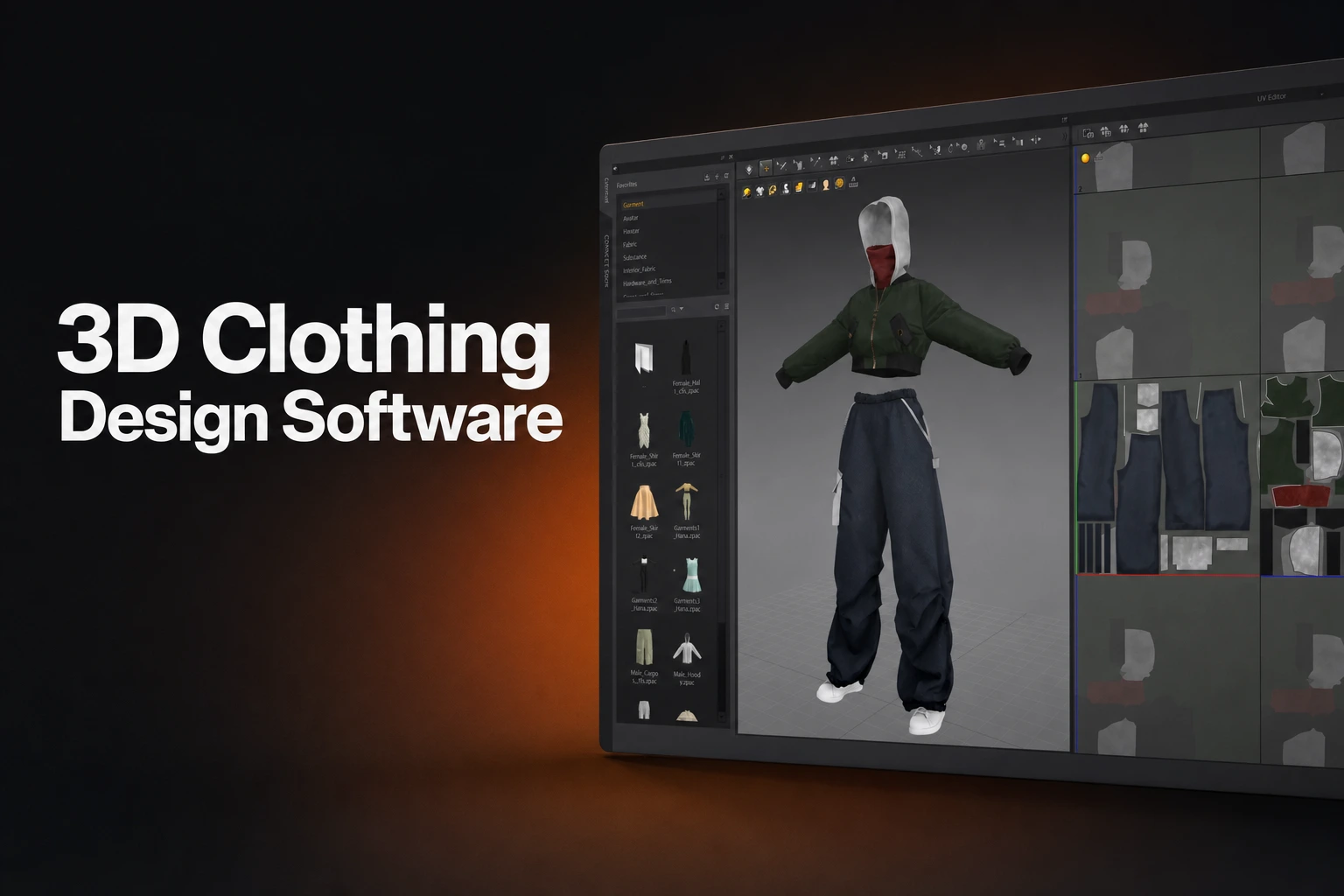
The field splits by construction method
Garment workflows can start from 2D panels, a modeled mesh, sculpted surfaces, or a combination. Some applications organize the interface around garment patterns; general 3D tools can also provide cloth sewing and simulation. Choose by the construction controls, revision workflow, and output your project needs.
The short list
- Building for games, animation, or VFX: start with Marvelous Designer, a tailored pattern-based garment foundation with iterative cloth simulation, built specifically for entertainment and CG work.
- Building for fashion or apparel product development: CLO, Style3D Studio, or Browzwear VStitcher, depending on how far into production you need to go.
- Need it free: Blender's cloth simulation, or Style3D Studio's non-commercial Free tier for pattern-based work.
- Already have a mesh and just need hand-sculpted detail: ZBrush.
| Tool | Construction method | Built for | Starting price |
|---|---|---|---|
| Marvelous Designer | 2D pattern pieces, sewn and simulated in 3D | Entertainment and CG: games, animation, VFX, character art | See current trial and plan details |
| Style3D Atelier | Garment authoring with pattern tools | Character garments and Unreal workflows | Confirm the current product-specific quote and commercial terms |
| CLO | 2D pattern pieces, sewn and simulated in 3D | Fashion and apparel product development | $50/month or $450/year (Individual) |
| Style3D Studio | Pattern editing, arrangement, sewing and simulation | Apparel development | Free, Individual, Enterprise and Academic; features and commercial rights vary |
| Browzwear VStitcher | Pattern drafting, draping and grading | Apparel development | Freelancer $750/year; confirm current checkout terms |
| Blender | Cloth physics simulated on a modeled mesh, plus brush-based cloth sculpting | Any 3D discipline needing cloth on an existing mesh | Free, open source |
| ZBrush | Digital sculpting of meshes | Character and detailed modeling | Desktop and iPad options differ; check the current subscription quote |
Marvelous Designer: pattern-based garment construction for games, animation, and VFX
Marvelous Designer is built for creating and simulating digital garments for entertainment and CG work: games, animation, VFX, character art, and general 3D content creation. You build a garment the way a pattern-maker would, by creating or editing 2D pattern pieces, sewing them together, and arranging them around an avatar, then simulating the cloth in 3D. That workflow gives you room to iterate on construction, silhouette, fit to your character, and how the fabric moves, before you commit to anything downstream.
Marvelous Designer provides a dedicated workspace for pattern-based garment construction and cloth simulation. Style3D Atelier also targets CG garment creation. Compare both using the same garment, required exports, hardware, and revision task before selecting a production tool.
Use the supported formats and inspect the result in the destination application before downstream sculpting, texturing, rigging or animation. CLO’s comparison confirms shared core technology while distinguishing apparel development from Marvelous Designer’s CG focus.
See Marvelous Designer for yourself
Explore the pattern-based garment workflow before you commit a pipeline to it.
Style3D Atelier: the other pattern-based option built for CG pipelines
Style3D Atelier targets garment creation for CG workflows. Check its current authoring tools, export integrations, licence, and pricing against the same project requirements you use to evaluate Marvelous Designer.
CLO: pattern-based design built for fashion and apparel product development
CLO’s current features include avatar-measurement pattern drafting, grading review and garment visualization. Its Pattern Drafter manual explains the supported parametric controls. Inspect generated patterns and measurements before production.
CLO’s Individual pricing is listed at $50 monthly or $450 yearly, with a 14-day trial. Check current Student, Enterprise and Academic conditions separately. Its documented tools support apparel design and development; production readiness still depends on the garment, materials, specifications, and validation. (CLO pricing).
Style3D Studio: pattern and trim automation for apparel teams
Style3D Studio lists garment layout, sewing, simulation, rendering, CAD editing and BOM costing. Its plans distinguish non-commercial Free, Individual, Enterprise and Academic use; the FAQ limits current AI features to Enterprise. Confirm export permissions and the paid quote for the selected plan rather than assuming every tier includes the same functions.
Browzwear VStitcher: pattern-based design carried through to production files
Browzwear VStitcher combines pattern development, simulation, and production-data tools. Its Tech Pack API exports garment information including colorway images, BOM, and artwork placement. Compare current licence prices, user limits, and output requirements directly with Browzwear.
Blender: modeling, cloth sewing, simulation, and sculpting
Blender combines mesh modeling, sculpting, and cloth simulation. Its cloth Shape settings include sewing springs that connect loose edges between panel meshes, as well as options for controlling the rest shape. Evaluate the required garment construction and simulation workflow rather than assuming all folds must be sculpted.
Blender is free and open source under the GPL, and anything you create with it is yours to use commercially, in games, film, or research. That makes it a reasonable fit when you already have a mesh and need it to drape or move like fabric, or when brush-based sculpting is a faster path to the shape you want than building a pattern would be. It's a different starting point from the pattern-based tools above, useful alongside them once a mesh already exists.
ZBrush: sculpting-based modeling for characters and props
Maxon’s comparison distinguishes ZBrush Desktop, paid iPad and free iPad toolsets. Desktop is available on Windows/macOS; the iPad version has different feature and brush limits. Compare the exact platform rather than treating them as identical.
The ZBrush plan comparison says ZBrush and Maxon One subscriptions include desktop and iPad access. Check current pricing and additional rendering or training entitlements at purchase. Use sculpting for the garment detail and shape control required by the project.
Choosing by pipeline stage
- If you're building digital clothing for games, animation, or VFX and want a tailored pattern-based foundation, start with Marvelous Designer or Style3D Atelier; both build the garment from a sewn pattern.
- If the deliverable is a fashion or apparel product, and especially if you need tech packs or manufacturer-ready files, CLO, Style3D Studio, or Browzwear VStitcher fit that production path.
- If you already have a modeled mesh and need it to drape or move like fabric without building a pattern, Blender's cloth simulation works on that mesh directly, at no cost.
- If a garment needs hand-sculpted folds, wear, or costume detail beyond what simulation produces, ZBrush's brush-based sculpting handles that stage.
- Once a garment is built, moving it into sculpting, texturing, rigging, animation, or an engine still means checking that its format and settings hold up in the receiving tool, whichever pattern-based tool you started in.
The right combination depends on your deliverable, your team's skills, topology needs, shot requirements, engine constraints, schedule, and budget, so most studio pipelines end up combining a pattern-based tool for construction with a sculpting or engine-side tool for what comes after.
FAQS
Common questions about 3D clothing design software
What's the difference between Marvelous Designer and CLO?
CLO’s official comparison says the products share core technology, with CLO focused on fashion/apparel and Marvelous Designer on CG, animation and games. Evaluate the actual deliverables and licence terms.
Can I use Blender instead of a pattern-based tool for 3D clothing?
Blender includes cloth simulation and sewing springs for connecting panel meshes. Dedicated garment applications provide different interfaces for pattern drawing, sewing, and fitting. Test the garment and required export to decide which workflow suits you.
Do I need more than one of these tools in a single pipeline?
Often, yes. A garment built in a pattern-based tool commonly moves on to sculpting, texturing, rigging, animation, or engine work in other software through export, so most studio pipelines combine a pattern-based tool for construction with whatever downstream tool the next stage needs.
Which tool is cheapest to start with?
Blender is free and open source. Compare current paid plans and any free-plan commercial restrictions directly with each vendor. Subscription price alone does not establish the lowest total production cost; include the work needed to create, revise, and export your garment.