


Best Cloth Simulation Software for Character Artists
A roundup of dedicated cloth simulation tools for character artists deciding whether to add one to their garment and folds workflow.
The short list
Cloth simulation tools for character artists
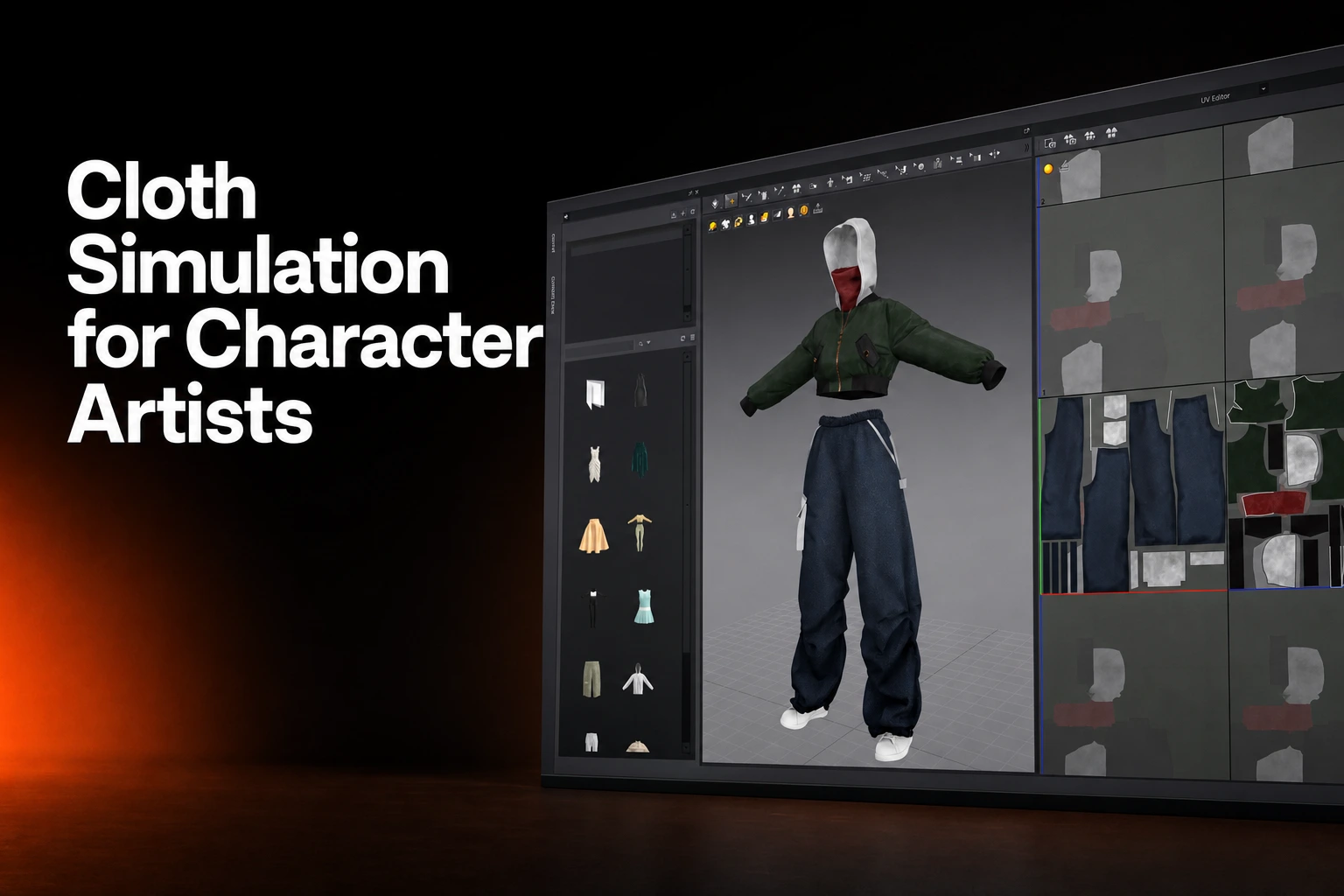
A dedicated cloth simulation tool starts you from a flat pattern: pieces you cut, sew, and drape on a body, with the simulation showing you how the fabric folds and settles. General-purpose 3D applications can also support garment construction: Houdini documents creating panels, stitching them together, and draping them. The comparison below considers garment construction workflows as well as cloth simulation.
Marvelous Designer
Marvelous Designer uses pattern-based garment creation. Its project formats retain patterns, sewing, fabrics, avatar data and available animation; the simulation command drapes garments against collision objects.
The product introduction identifies Game, VFX, Design and Architecture as intended industries. Its FBX manual describes imported avatars, joints and animation; confirm the supported data and settings for the chosen character.
FBX export includes weld, thickness, scale, axis and animation options. Alembic export provides object/cache transfer, optional avatar shape and animation-range selection. These are different data paths; test the receiving application. Marvelous Designer also documents LiveSync for Unreal Engine.
As checked on September 18, 2026, Marvelous Designer's license guide lists Personal at $39 per month or $280 for a one-year prepaid license, Student at $8.25 per month for verified students, and a 14-day free trial. Personal licensing is intended for individuals, freelancers, hobbyists, and sole proprietors; Student licensing requires eligibility verification.
CLO
CLO builds virtual garments from patterns, with adjustments in the 2D window reflected in the 3D window. Its documented tools include automatic grading and pattern measurements. CLO presents its enterprise offering for fashion-industry customers and garment product development. If your work is a shipping garment for a retail or apparel client, those production tools are relevant; if your work is a character asset for a game or a shot, confirm how CLO fits that pipeline before you commit to it.
Browzwear VStitcher
VStitcher works from the same pattern-based starting point: 2D drafting and 3D draping in one workspace, with grading across sizes to keep a garment consistent from one size to the next. Browzwear presents VStitcher for fashion brands and manufacturers, and its stated output is digital samples and tech packs, the documentation manufacturers use to cut and sew a physical garment for retail.
Optitex
Optitex pairs 2D CAD/CAM pattern design with 3D prototyping, and changes you make to the 3D sample directly affect the 2D pattern. Its stated markets include fashion, apparel, automotive, and upholstery, worth knowing about if your studio also touches product visualization outside games and VFX.
Style3D
Style3D’s Atelier workflow describes creating garments around MetaHuman avatars and returning them to Unreal through its component. The separate Studio product describes apparel pattern work, simulation and costing. Confirm the product, plug-in and version required for your project.
How the five compare
| Tool | Construction method | Stated audience |
|---|---|---|
| Marvelous Designer | Pattern-based: 2D pieces, sewing, draping, simulation | Game, VFX, Design, Architecture, Character Art, Animation, Entertainment |
| Style3D | Garment authoring and simulation (Style3D Atelier) | MetaHuman garment workflows (Style3D Atelier); apparel development (Style3D Studio) |
| CLO | Pattern-based: 2D/3D synchronization, auto grading | Fashion and apparel |
| Browzwear VStitcher | Pattern-based: 2D drafting, 3D draping, grading | Fashion brands and manufacturers |
| Optitex | Pattern-based: 2D CAD/CAM linked to 3D prototyping | Fashion, apparel, automotive, upholstery |
Dedicated pattern tools vs. a general 3D app's cloth module
Blender Cloth uses vertex springs on a mesh. Autodesk’s nCloth concepts describe particles connected by links, with cross-links for quad faces. Houdini Vellum uses Position Based Dynamics and includes paneling and draping. These construction and solver controls should be evaluated separately.
All three live inside a general-purpose 3D application built for modeling, animation, and effects work broadly, not for garment construction specifically. A mesh-based cloth solver can simulate cloth on a shape you already have, while dedicated pattern tools organize garment construction around flat patterns. Houdini also supports building garments from panels and stitching them together. If you need to author the garment itself, patterns, seams, fit, and iteration on the construction, compare those workflows as well as the solver. If the garment already exists as a mesh and you need it to react inside a scene you're already building in Blender, Maya, or Houdini, that scene's own cloth solver is the more direct route. Many character pipelines use both, one for the garment and one for the shot.
FAQS
Cloth simulation software for character artists
Is Marvelous Designer the same product as CLO?
No. Marvelous Designer and CLO both use pattern-based garment construction, but Marvelous Designer's own site names Game, VFX, Design, Architecture, and Character Art as its industries, while CLO's own site names fashion and apparel. They're built for different production contexts even though the construction method is similar.
Can I use Blender's built-in cloth simulation instead of a dedicated garment tool?
Blender includes cloth simulation and sewing springs that connect panel meshes. Dedicated garment tools offer different interfaces for drawing, sewing, and revising panels. Test those construction workflows as well as the simulation and export requirements.
What file formats does Marvelous Designer export for a downstream pipeline?
The FBX manual describes geometry and animation options, including Avatar Joint Animation and garment/avatar MCX caches in 2026.0. The Alembic manual describes object/cache data, optional avatar shape and animation-range selection. Verify scale, materials and motion in the destination; use the separate LiveSync workflow where appropriate.
Does Marvelous Designer support studio or team licensing?
The plans page permits Personal commercial use by freelancers and sole proprietors and directs companies with two or more members to Enterprise. Indie eligibility requires a verified Company ID, digital-content business, at least two employees and prior-year gross revenue of USD 500,000 or less. Confirm the required verification and licence terms.
Which of these tools state a games or animation audience specifically?
Marvelous Designer documents animation and Unreal Engine workflows through LiveSync and USD export. Style3D also documents Atelier garment workflows for Unreal Engine MetaHumans. Choose the product based on your garment-authoring needs and the Unreal Engine version used by your project.
See the pattern-based workflow directly
Marvelous Designer's product pages walk through pattern construction, draping, and export for a character pipeline.