Marvelous Designer for Motion Graphics: Seamless Integration with C4D
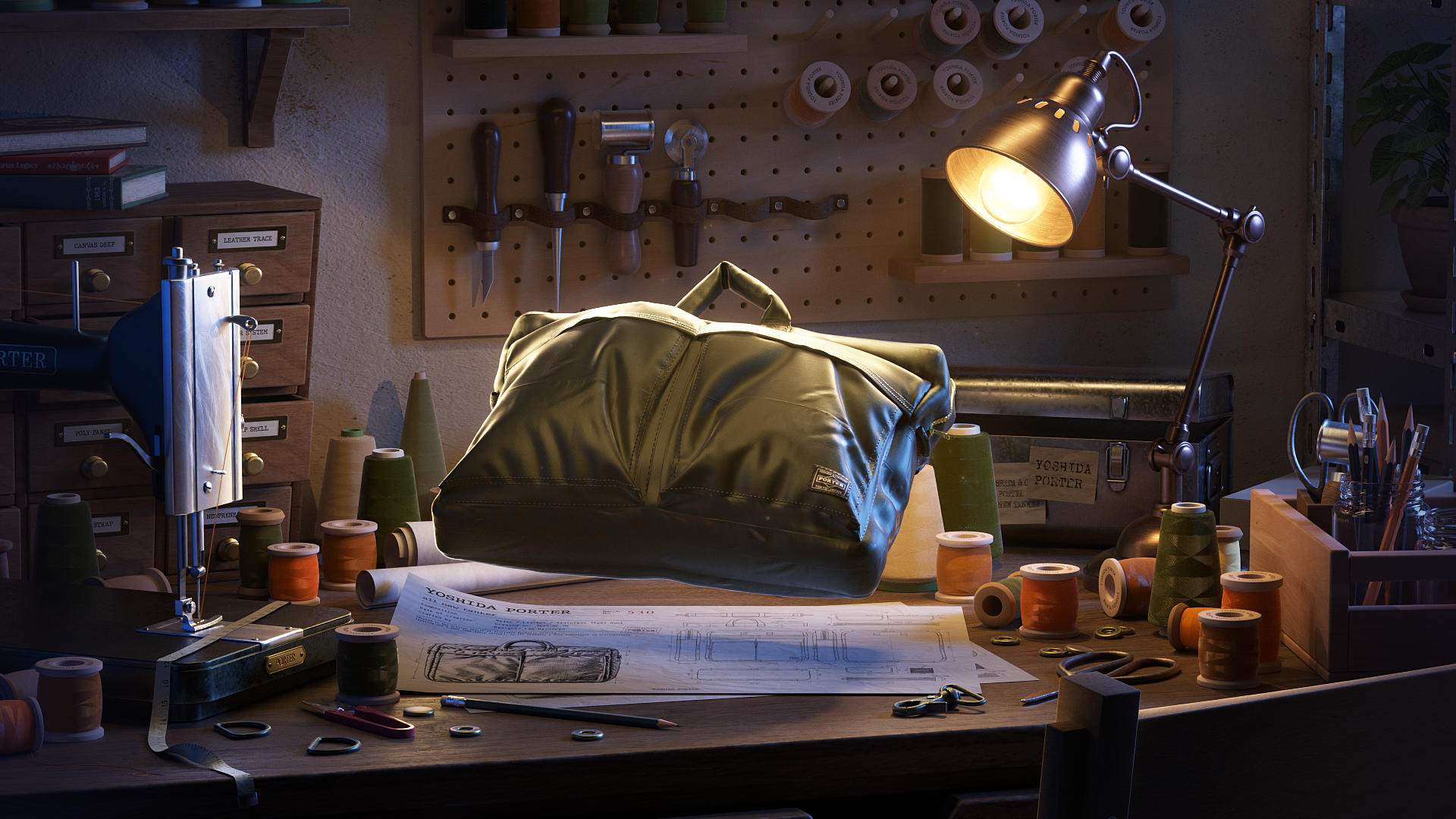
Motion Graphic Designer, Hyeonpyo Lee
Could you provide a short introduction and describe your current professional focus?
Hi, I’m Hyunpyo Lee, a 3D motion graphic designer. I specialize in articulating brand philosophies by weaving visual metaphors into compelling stories. My current creative direction involves transcending literal descriptions of product structures to reconstruct them as a unique world-building experience.
Project Introduction: What is the concept and creative intent behind the ‘Porter Brand Promotion Film’?
The foundation of this project is the core philosophy of the Japanese bag brand, Yoshida Porter: “Heart and Soul in Every Stitch.”
A bag is an object brought to life through the harmonious assembly of diverse parts and structures. I believed that reinterpreting these functional elements as a living, natural ecosystem could give birth to a compelling narrative.
To realize this vision, I constructed a world where the bag’s components—zippers, clips, fabrics, and D-rings—are transformed into living organisms or elements of nature. For example, zippers are depicted as bioluminescent fireflies navigating the dark, fabrics soar through the sky like birds, and metal clips glide through the water like fish.
By portraying these distinct entities living in their respective environments before eventually converging into a single bag, I aimed to metaphorically express the brand's intricate structure and meticulous craftsmanship. Rather than focusing on a direct product showcase, this brand film was designed to visually capture the "journey" of the elements that together define the essence of the bag.
What was the decisive factor in choosing Marvelous Designer, and what specific challenges (e.g., garment simulation, realism) did it help you solve in this project?
The primary reason was to accurately capture the natural physical properties and structural integrity of fabric during the bag-making process.
For the scenes where the bag is being constructed, I wanted the patterns and sewing structures to be represented just as they are in real-world garment manufacturing. It was crucial that the process—being cut from patterns and stitched together—looked convincing and authentic, rather than appearing as a simply modeled piece of cloth.
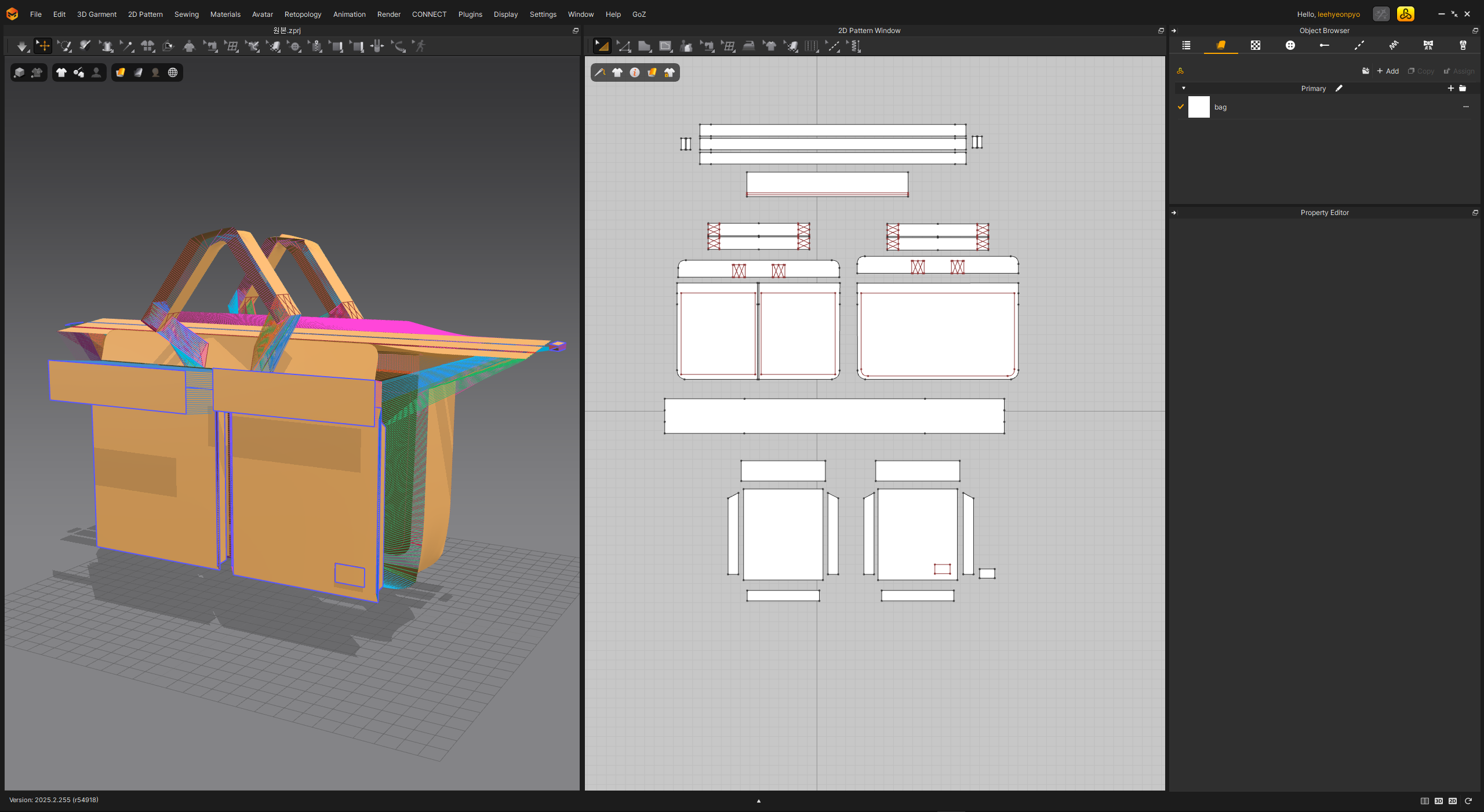
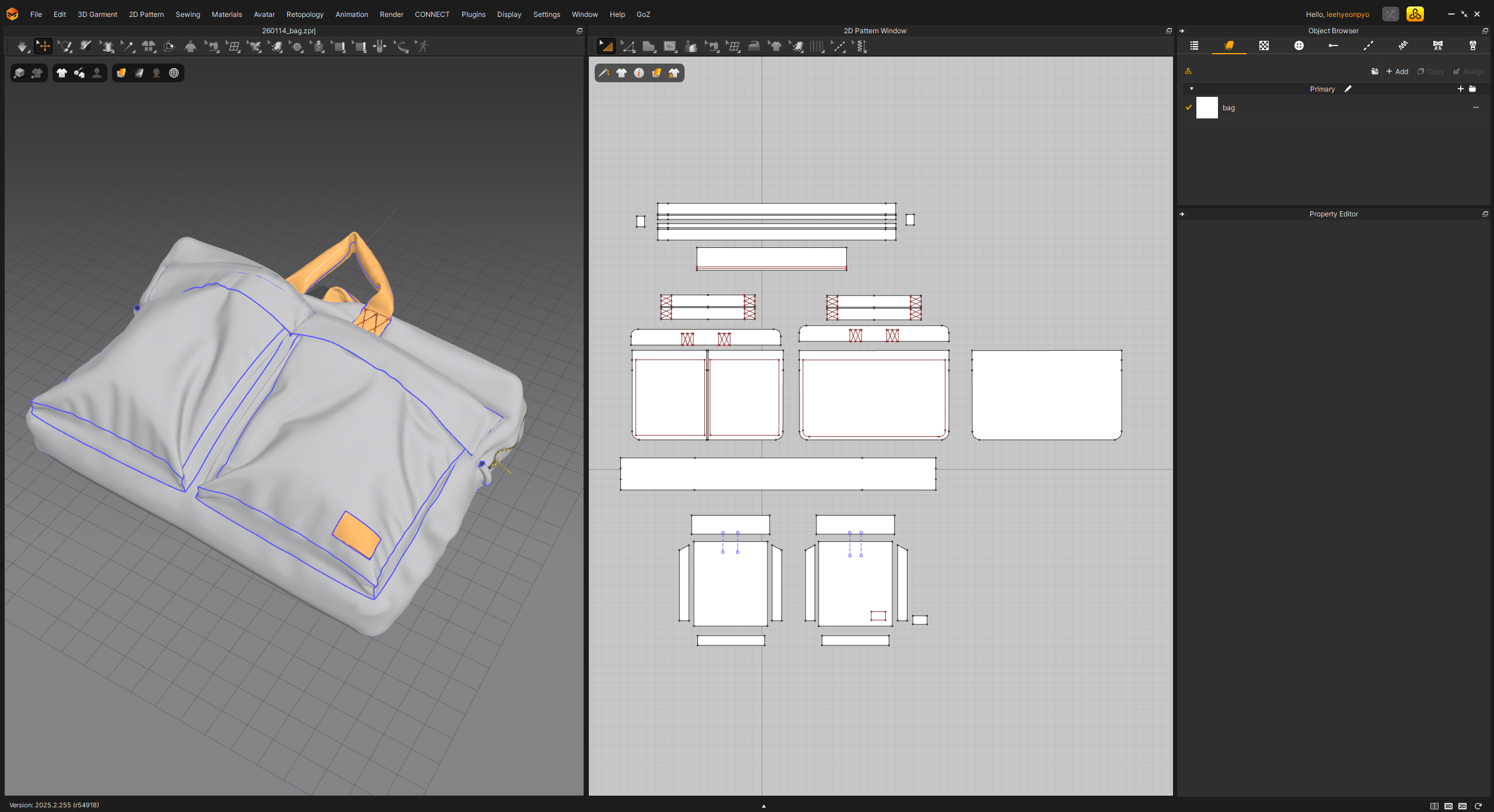 Because Marvelous Designer allows for the direct implementation of this pattern-based construction, it was exceptionally effective for:
Bag Pattern Creation
Fabric Simulation
Representation of Sewing Structures
As a result, I was able to achieve natural wrinkles, tension, and intricate stitching details that would have been difficult to create through conventional modeling alone. This significantly enhanced both the realism and the overall quality of the production scenes.
Technical Workflow: How did Marvelous Designer integrate into your overall pipeline (including other tools)? Do you have any tips or precautions regarding data export?
The overall pipeline was structured as follows:
Marvelous Designer → Cinema 4D → Octane Render → After Effects
I began by creating the bag patterns and configuring the sewing structures within Marvelous Designer, completing the primary form through fabric simulation. The results were then exported as Alembic (.abc) files and imported into Cinema 4D. There, I integrated hardware parts and other 3D elements before proceeding with animation and lighting.
During the export process, I found a few key points to be essential:
First, managing mesh density is crucial. Using the simulation results as-is can lead to excessively high polygon counts. Therefore, it was necessary to optimize the mesh density to ensure smooth performance in subsequent stages of the pipeline.
Second, properly managing the "Layer" settings in Simulation Properties is vital. In Marvelous Designer, designs often involve overlapping patterns or polygons. Depending on the Layer values, you may encounter issues like mesh penetration or clipping during simulation. Strategically assigning Layer values—carefully considering which pattern sits on top and which sits beneath—was fundamental to achieving a stable and clean simulation.
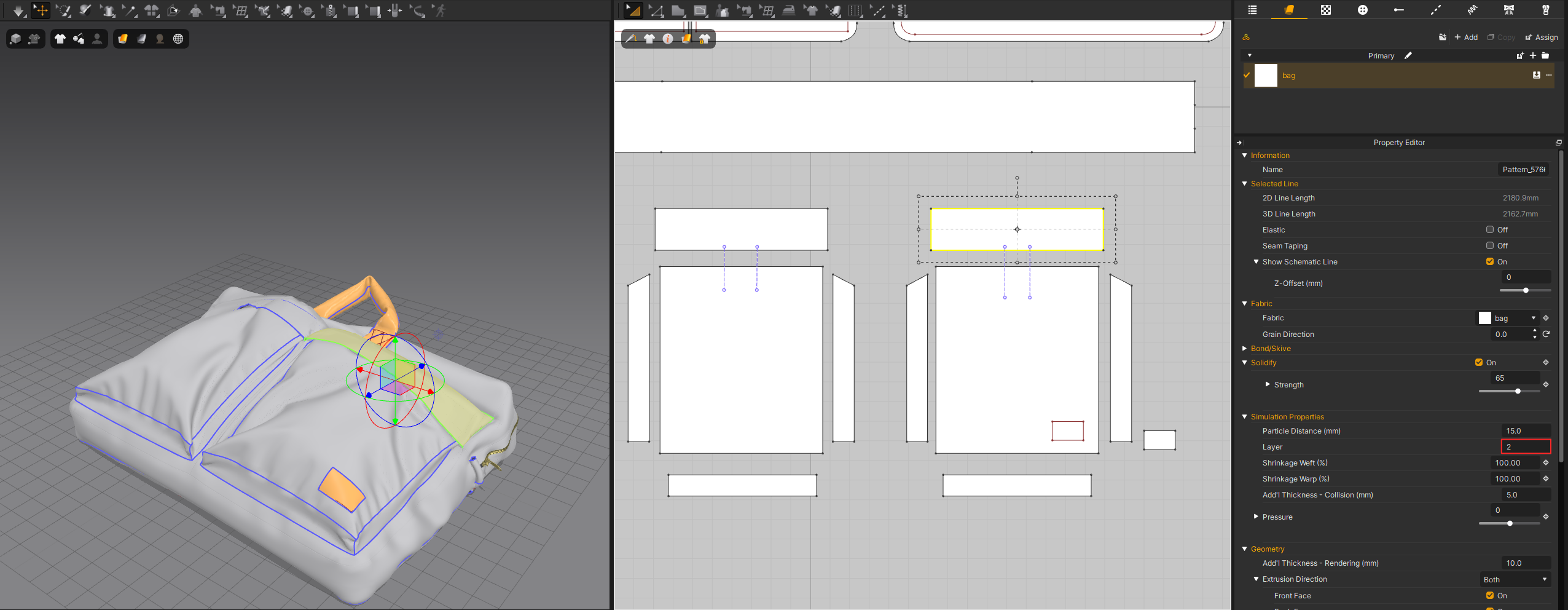
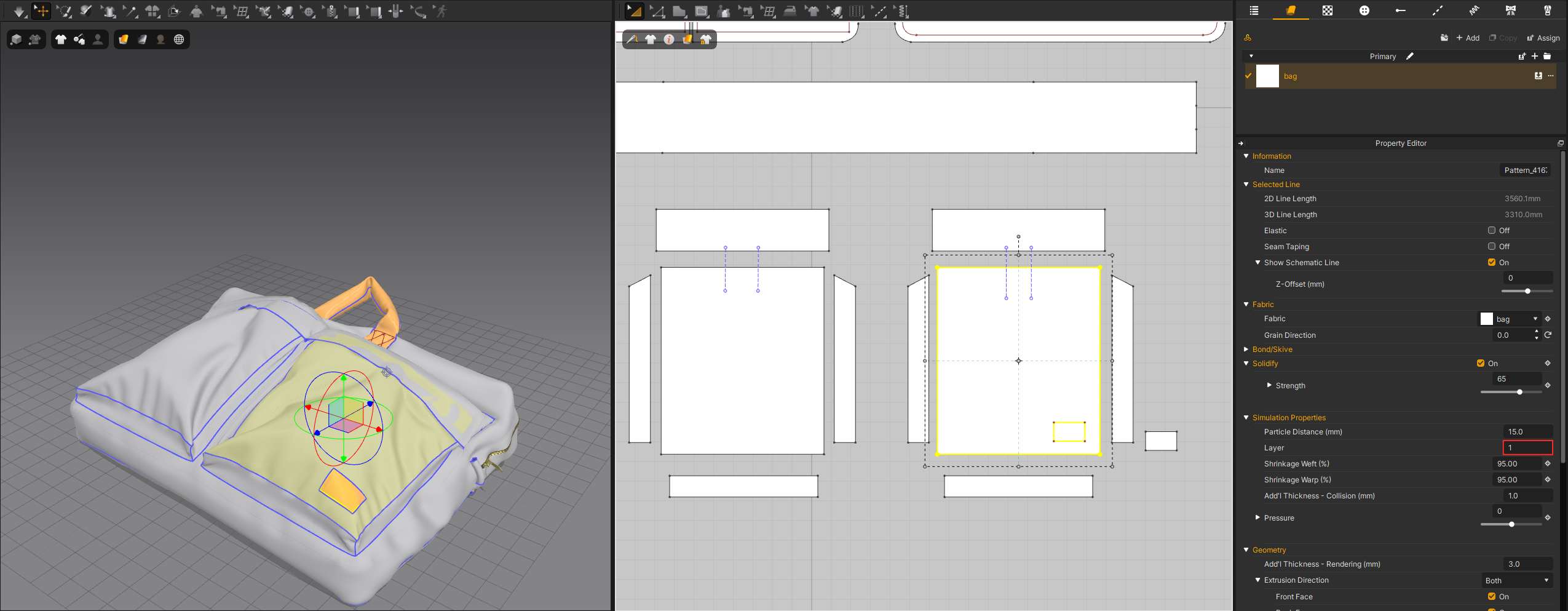
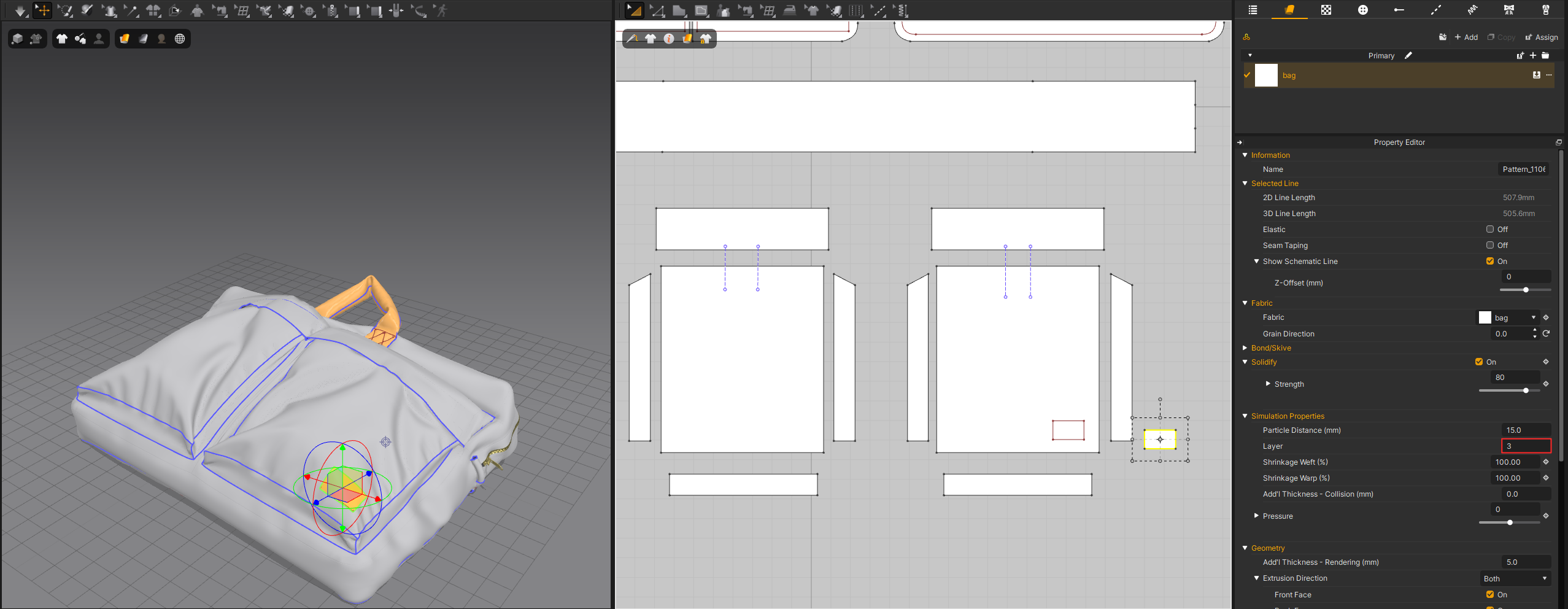 By following these steps, I was able to utilize the fabric assets created in Marvelous Designer reliably within the Cinema 4D environment.
What do you feel are Marvelous Designer's distinct advantages compared to other 3D tools? Was there a specific feature that impressed you most during your work?
In my view, the greatest strength is the seamless synergy between pattern-based creation and physical simulation.
While many conventional 3D tools rely on sculpting fabric shapes or adjusting them through post-simulation, Marvelous Designer centers the entire workflow on designing actual patterns and sewing them together—mirroring real-world garment manufacturing. The Sewing feature, in particular, allowed me to intuitively configure connections and stitching structures. This was incredibly effective for projects like bags or clothing, where the integrity of the construction and the sewing method are paramount.
I was also deeply impressed by the instantaneous feedback loop when modifying patterns. Even a subtle adjustment to a pattern's length or curvature naturally transforms the entire silhouette. This organic connection, where design and simulation coexist in a single, fluid workflow, was truly fascinating.
What practical advice would you give to motion graphic designers who are considering adopting Marvelous Designer or to those who are just starting out and facing challenges?
I believe Marvelous Designer is much more than just a tool for simulating cloth; it becomes far more powerful when approached with an understanding of patterns and structure.
Instead of treating it like a typical 3D modeling tool, I recommend starting by creating simple patterns yourself. It is crucial to go through the process of understanding how these flat patterns transform into three-dimensional forms. I also had my own fears about learning a new tool, but I found that many features are so intuitive that I was able to adapt much faster than expected. I encourage beginners not to feel overwhelmed, but to dive in and explore the possibilities.
Another method I highly recommend is referring to real-world pattern data. For instance, CLO-SET Connect shares a vast array of garment patterns and technical drawings. Analyzing these pattern structures and applying them to your own work will significantly deepen your understanding of the software.
As projects involving materials with specific physical properties—such as clothing, fabrics, and bags—continue to grow within the motion graphics field, I believe Marvelous Designer is an incredibly valuable tool that allows for the simultaneous expression of both physical properties and intricate structure.
이 작업은 motiongraphic, Simulation, Cinema4D 등의 기술로 제작되었습니다.
Marvelous Designer로 이와 같은 3D 의상·캐릭터 작업을 직접 만들어볼 수 있습니다.