Beyond Garments: Daidi's Experimental Work with Marvelous Designer
For daidi319, Marvelous Designer is more than a garment-making tool. Through historical research, cloth simulation, and continuous experimentation, he uses its physical qualities to develop costumes, moving structures, and unexpected visual forms.
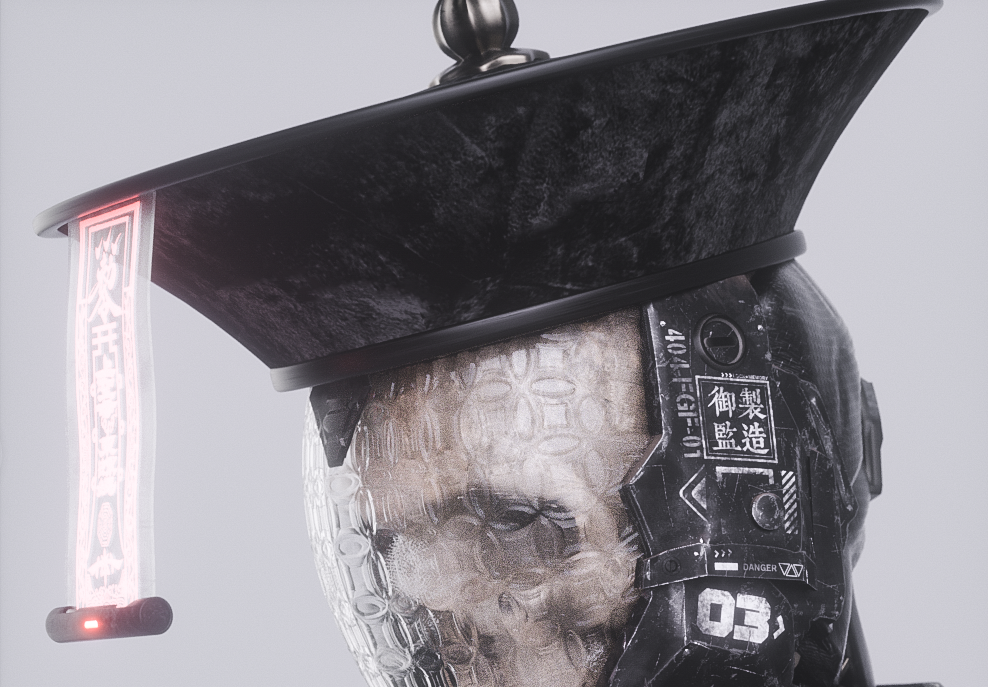
Welcome to the Marvelous Designer Artist Interview! Could you start by briefly introducing yourself and telling us what you're currently focusing on in your creative practice?
I'm daidi319, a digital artist who works anonymously. My practice centers on moving-image works and interactive physical installations.
Which parts of your work involve Marvelous Designer? For example, character costumes, dynamic cloth, occluding structures, or conceptual visual installations.
I first started using Marvelous Designer while making 清 QING CCTV. The short film required a large number of Qing dynasty garments, and that was when I became interested in garment construction and pattern cutting.
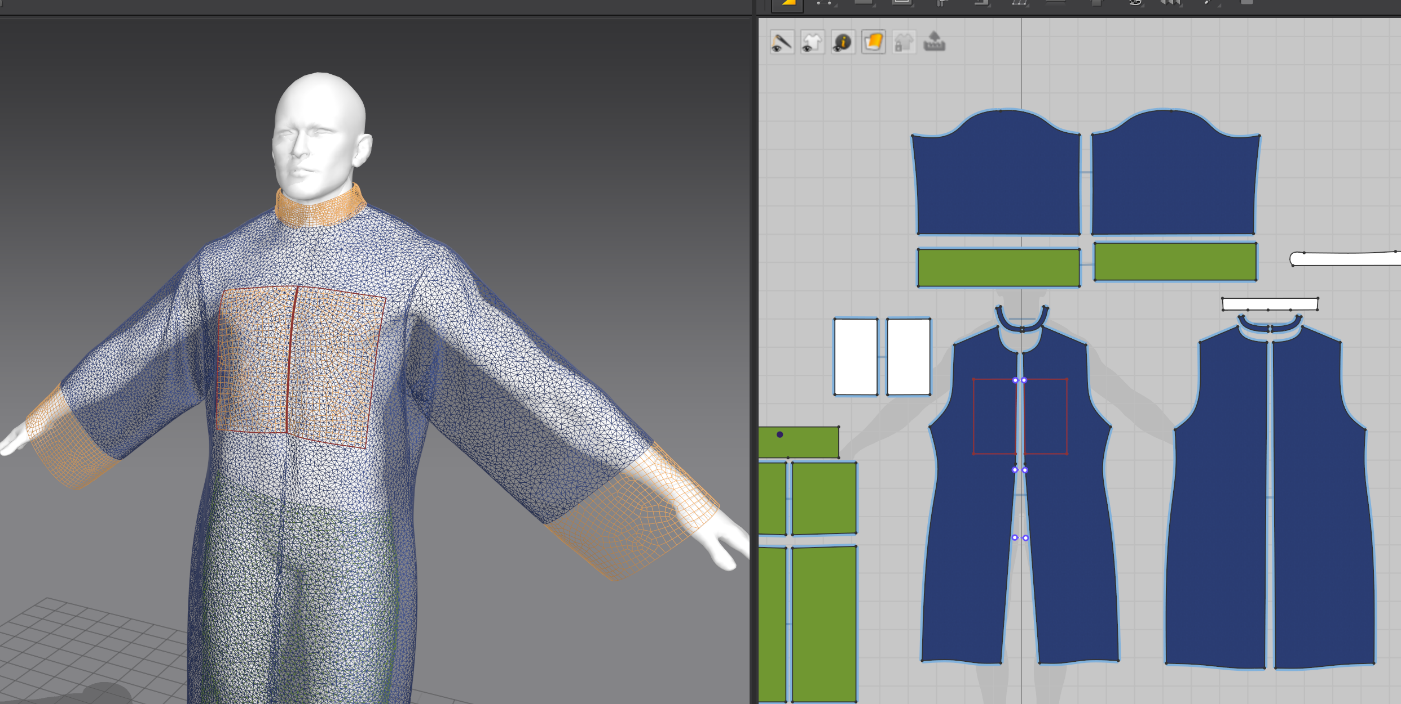
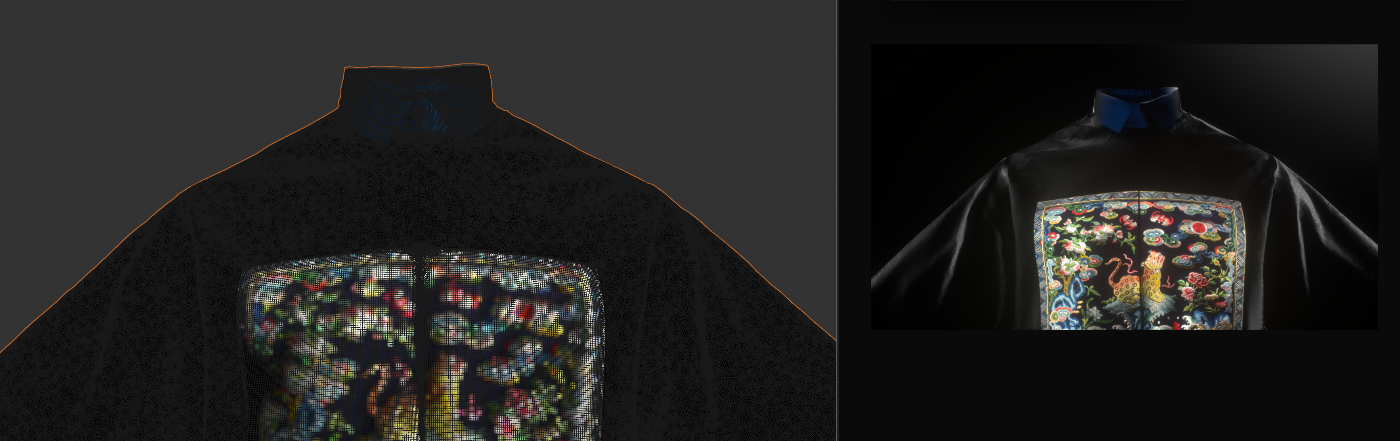
Since I don't have a background in fashion design, I had to teach myself from the ground up. I went through a lot of garment-related resources and courses online, such as Marvelous Designer's official tutorial videos on Bilibili and open courses published by Wuhan Textile University. They let me start from the most basic steps and gradually understand how a garment goes from pattern drafting and cutting to its final form. Later, when I made SONG 宋 ████ 黑条儿, I had to create a lot of Song dynasty garments, so what I had learned carried over into the new project.
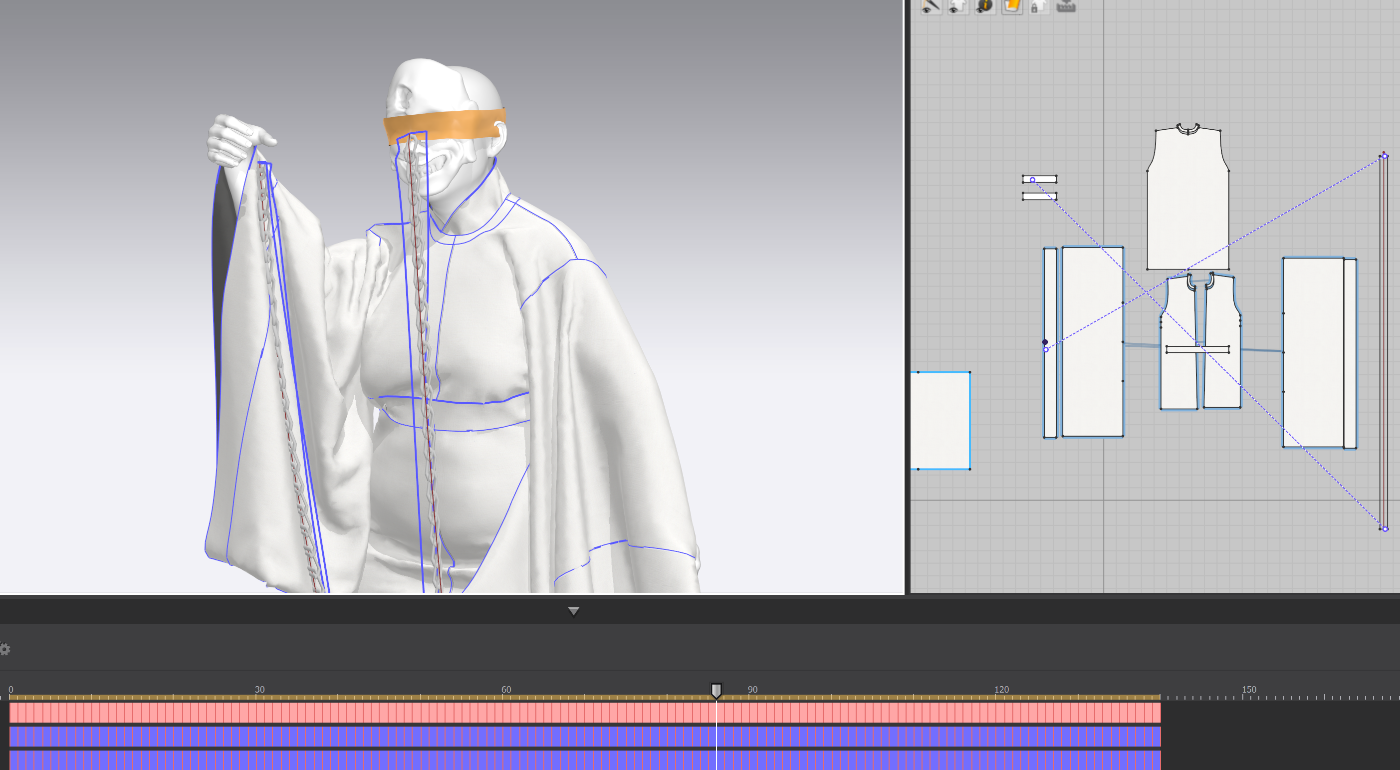
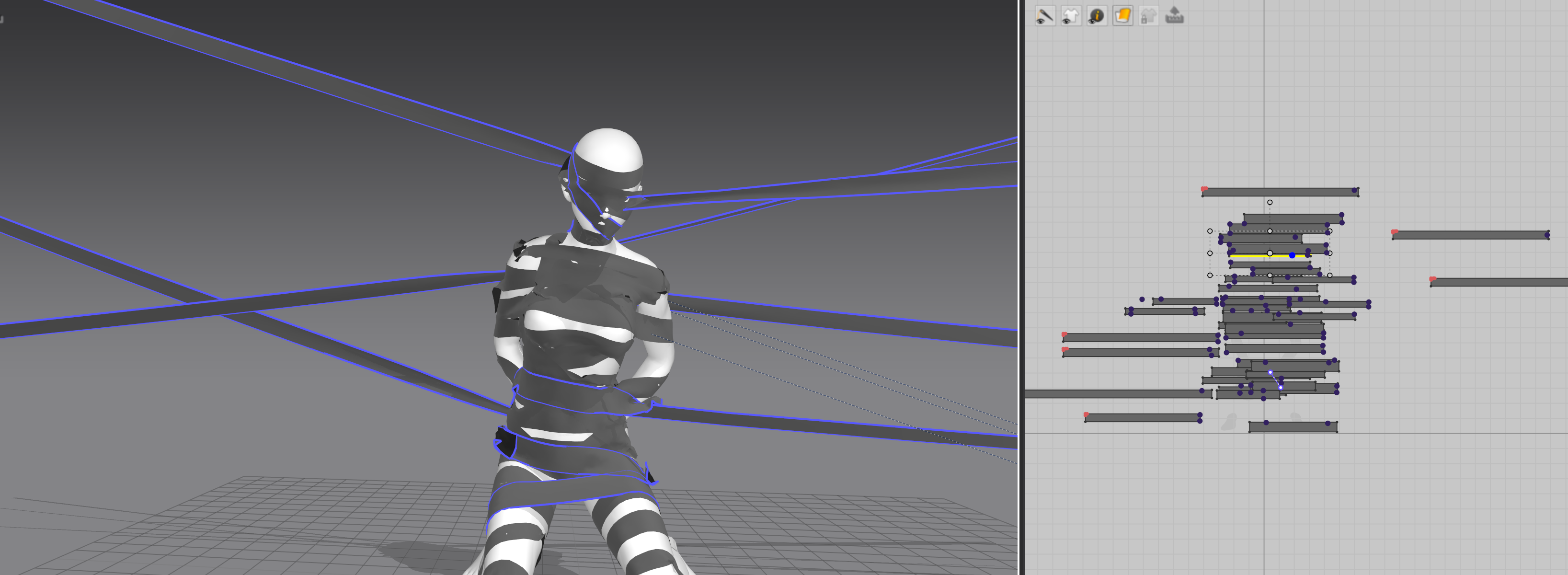
One unusual thing about 黑条儿 is that, apart from the costumes, the film is full of black strip-like structures. The movement and wrapping of these "black bars" were also simulated in Marvelous Designer.
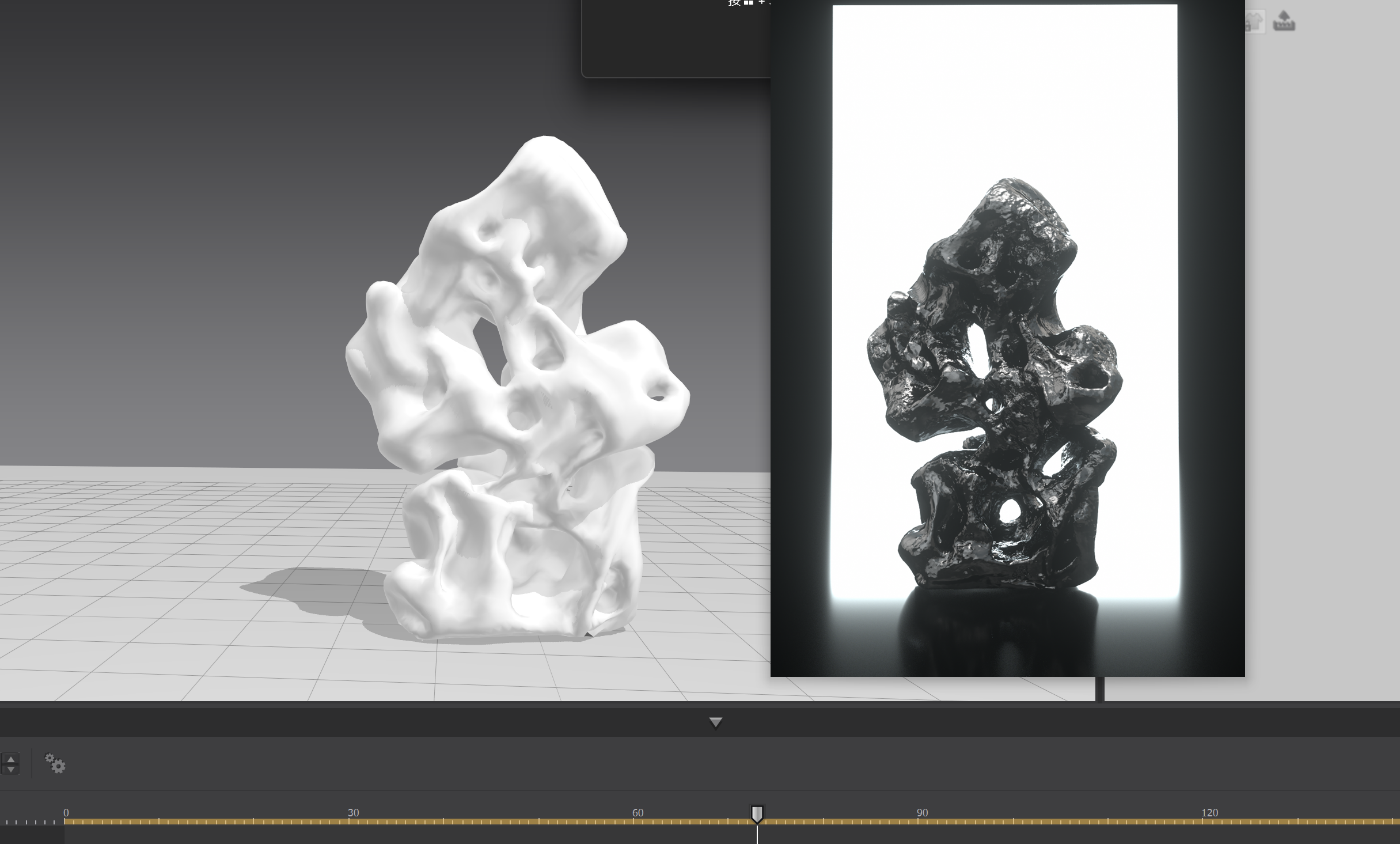
Even before these two projects, I had experimented with some unconventional simulations in Marvelous Designer. For example, I once made a "breathing" Taihu rock. The swelling, breathing motion across the stone's surface was achieved with the Pressure setting in Marvelous Designer's cloth simulation.
So to me, Marvelous Designer isn't just software for making clothes. It can also simulate many soft, flowing, or lifelike structures. As long as you start from what the work needs to express, there are many different ways to use it.
In your work, cloth isn't only "clothing." It also appears as talisman paper, strip-like structures, and other visual elements. How do you use the form and movement of cloth to shape an image?
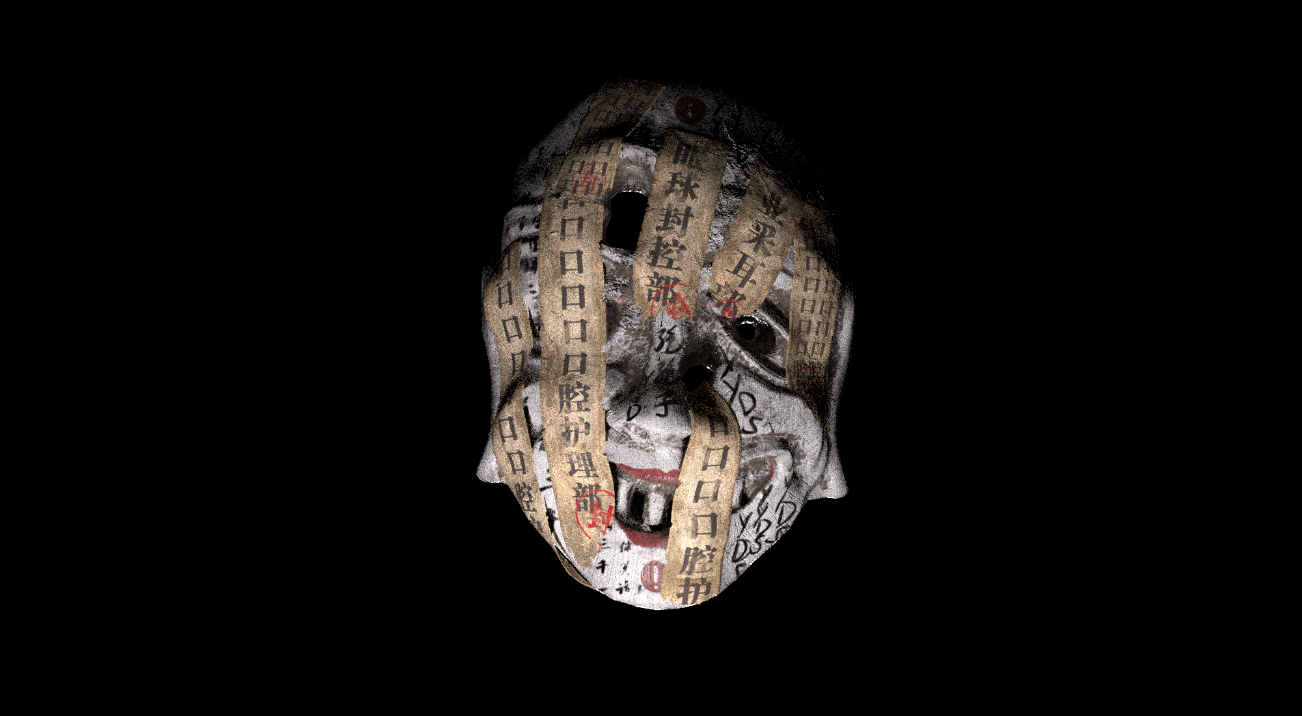
In 清 QING CCTV, the work borrows the structure of Qing dynasty official robes. 清 also features fu, or paper talismans. In that film, the talismans appear as electronic holographic screens, and they were mostly made with Cinema 4D's built-in displacement tools. That handled the basic motion of the talismans. But given my experience at the time, the results still lacked realism in things like draping and collisions.
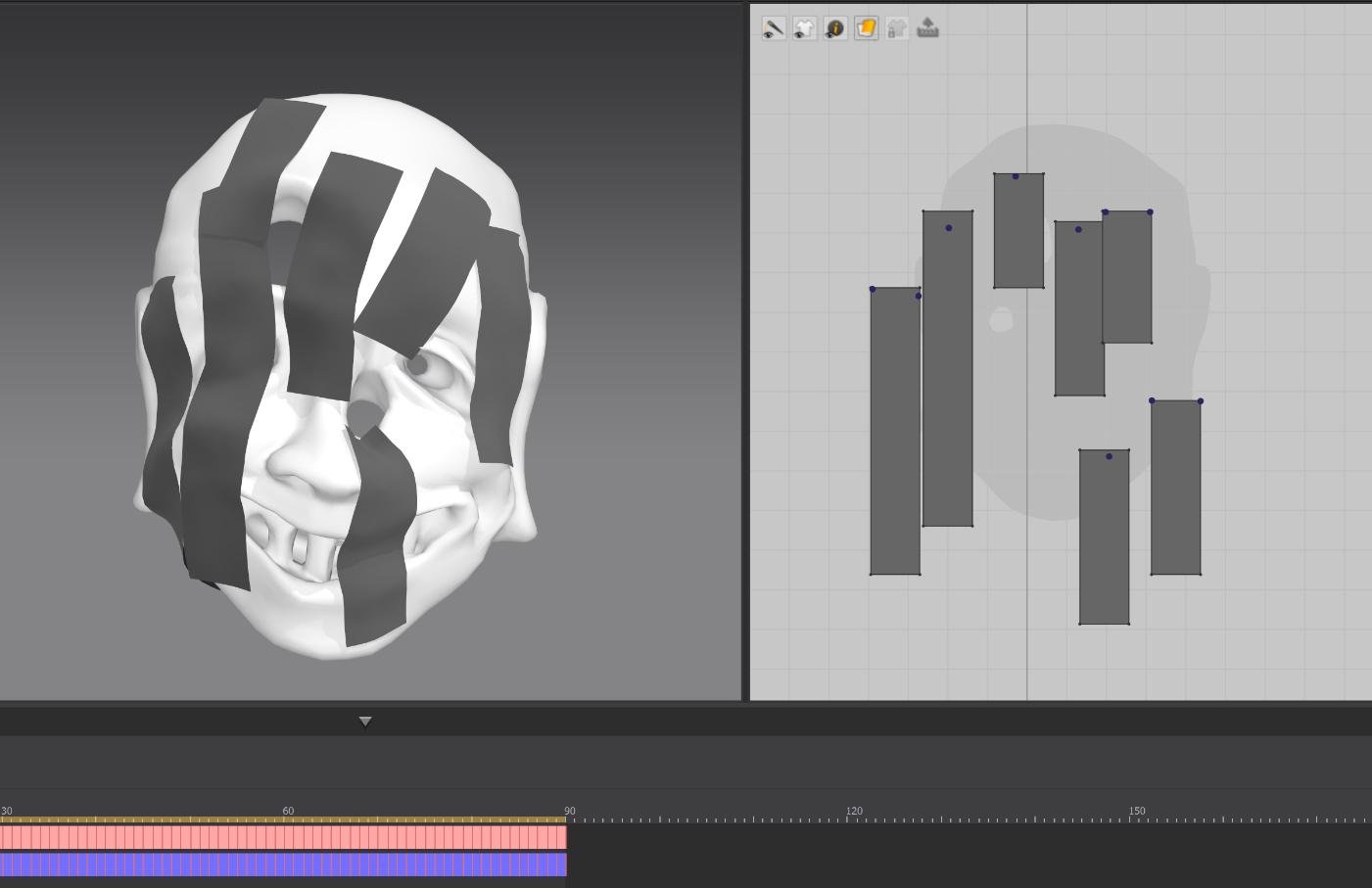
In SONG 宋 ████ 黑条儿, I kept the talisman paper as a visual element but began simulating it mainly in Marvelous Designer. For example, the talismans on the court ministers' masks aren't textures applied to the model's surface. Each one is an individual sheet. They conform to the shape of the mask, drape down, and overlap one another. Compared with my earlier approach, this kind of simulation creates more natural contact between the talismans and the character, and makes it easier to convey the weight of paper or fabric.
In 黑条儿, cloth plays an even more direct narrative role. The black bars move through space, wrapping around and covering things. Because cloth is soft, it can deform to follow all kinds of forms. So I usually first think about what feeling the work needs to convey, and then decide what state the cloth should appear in. For me, the form and movement of cloth are a narrative language in themselves.
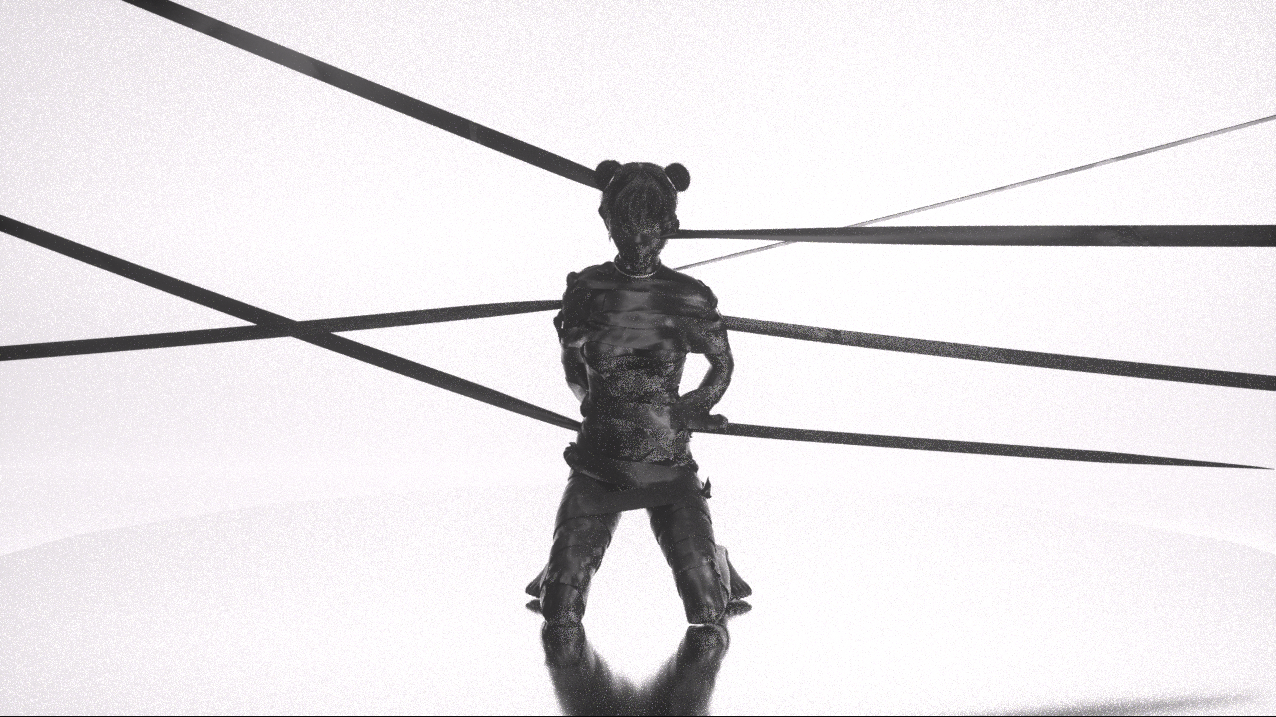
How do you build and control visual structures like the black bars in 黑条儿, which cover, occlude, or wrap around other forms, in Marvelous Designer?
My basic setup is actually quite simple. I tend to think graphically, so when I make the black bars, I first decide what shape they need to form in the shot.
I import the scene and character models directly into Marvelous Designer. There, I create a basic long rectangular pattern, then use Pins to fix it, bit by bit, onto the corresponding positions on the character or scene. I work in a similar way when making garments in Marvelous Designer, because it feels close to real-world cutting and fitting.
Once the basic structure is in place, I adjust the fabric properties and collision settings for each shot. The stiffness, weight, drape, and range of motion of the bars all affect the final image. So it usually takes many rounds of simulation and tweaking to strike a balance between natural cloth motion and the graphic composition I have in mind.
After the simulation is done, I export the bars' animation as an Alembic cache and bring it back into Unreal Engine 5 or Cinema 4D for materials, lighting, and rendering.
When using Marvelous Designer for these non-traditional cloth structures, what was the most challenging part?
The biggest challenge at the time was that cloth simulation was relatively hard to art-direct.
Setting up the bars was simple, but once the simulation started, their movement was affected by fabric properties, pins, gravity, character motion, and scene collisions all at once. The results were somewhat unpredictable. Sometimes the cloth would pass through the geometry. Other times the direction, amplitude, or timing of the motion wasn't what I wanted, so it couldn't form the shapes and composition I had planned.
Because I tend to start from the image and its graphic form, I need more than physically natural cloth motion. I also want precise control over where the bars end up and what state they're in. In my workflow at the time, that kind of direct control was fairly limited. Often the only option was to tweak properties, collision settings, and pin positions, rerun the simulation again and again, and pick the take closest to what I had in mind.
That said, the cloth simulation for these two films was done about five years ago, and these issues mostly reflect my experience with the software back then. With later Marvelous Designer releases, the simulation quality and controllability may well have improved.
Could you walk us through your overall production pipeline?
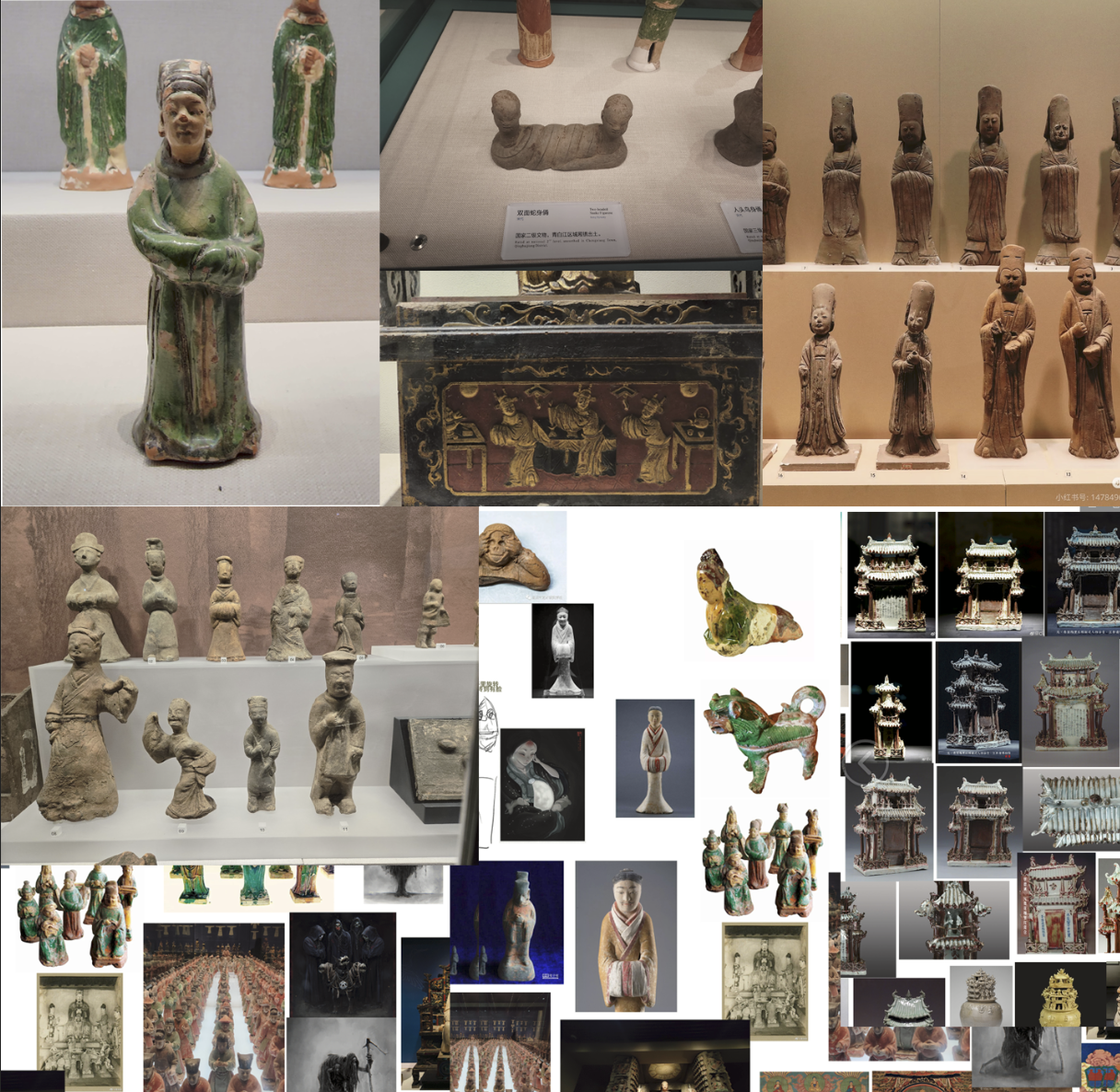
For both films, I started by choosing a dynasty as a loose conceptual reference, then gathered related images, texts, and footage. Pre-production is a very important part of the whole process. My work often draws on specific historical periods, so I visit many museums with relevant collections to see the clothing, objects, sculptures, and ornamental patterns of the time in person. I also consult historical sources and related courses. Seeing artifacts with your own eyes reveals a lot that's hard to pick up from photos, such as true proportions, materials, construction, and signs of wear. All of that feeds into the design of the characters, costumes, and sets. Then I think about how to translate it into the world, characters, and visual symbols of the work. I don't try to fully recreate a historical period, though. I research authentic garment construction, then redesign and reinterpret it to fit the work's worldbuilding.
Once production begins, I use Cinema 4D and Blender to build characters and environments, and set up preliminary lighting and composition. Anything that needs costume or cloth simulation goes into Marvelous Designer. There I adjust the patterns, fabric properties, and collisions shot by shot, then bring the finished simulation back into the original scene. After that, I use Substance 3D Designer and Substance 3D Painter to create and test materials. For rendering, depending on the project, I use either Octane Render or output directly from Unreal Engine. (Lately I've been using UE more, because I want to add more interactive features rather than make purely linear short films.) After rendering, I do compositing and some visual effects in After Effects. Finally, I move into DaVinci Resolve for color grading, editing, and pacing the overall piece. That's my usual pipeline.
What's different this time is that there were some shots I wanted to add or extend in post. Adding shots like that used to be quite costly. Now I can use AI tools to explore different visual styles and directions, so I've added that step to my new workflow as well.
Has the way you use Marvelous Designer changed? Are there any lessons or techniques you now rely on in particular?
When I made 清 QING CCTV, I was new to Marvelous Designer and mainly used it for the film's costume pattern making. I wasn't familiar with garment construction and cutting yet, so I was learning those while getting to know the software.
As I gained experience, I realized that Marvelous Designer isn't only for making clothes. Cloth simulation has its own qualities, such as softness, drape, collision, and wrapping. These gave me new creative ideas that I could apply to objects and visual structures beyond garments. So in SONG 宋 ████ 黑条儿, besides the Song dynasty costumes, I also used Marvelous Designer to create the black bars, the talismans on the masks, and other sheet-like structures.
Many of these techniques weren't planned from the start. I discovered them gradually by using the software and finding out what else it could help me achieve. For me, building experience doesn't just mean getting more fluent with the software. It also means drawing new inspiration from its characteristics. The more I use it, the less I think of it in terms of its intended functions, and the more approaches I can try.
What advice would you give to artists who want to use Marvelous Designer for animation, concept shorts, worldbuilding-driven storytelling, or non-traditional garment presentation?
First, don't think of the software as a tool for only one specific function. Garments are of course its most direct use, but cloth simulation also covers wrapping, twisting, stretching, draping, and collision. All of these can become part of the visual language and storytelling of a work.
Start from the image or concept you want to express, then consider whether any part of it lends itself to cloth simulation. It doesn't have to be a garment. It could be paper talismans, a soft installation, or an object that seems to breathe and feel alive.
Technically, you don't need to begin with complex methods. A simple pattern and a few pins, combined with some tuning of properties and collisions, can produce really interesting results. What matters is experimenting a lot and not letting the software's built-in categories limit you.
As you gain experience, your understanding of the software will keep evolving, and you'll gradually discover new ways to use it. Sometimes an unexpected simulation result leads to a composition or creative direction you'd never have thought of. For me, software isn't just a tool for getting the work done. It can also be part of the process of finding new inspiration.
이 작업은 Cinema4D, UnrealEngine, ZBrush, Animation, Rendering, Simulation 등의 기술로 제작되었습니다.
Marvelous Designer로 이와 같은 3D 의상·캐릭터 작업을 직접 만들어볼 수 있습니다.