Japanese Battlefield
Meet Manuel Peter, a winner of the "Marvelous" award from the Kinetic Rush 3D Community Challenge.
Interview with Manuel Peter | Japanese Battlefield | 3D Generalist
Congratulations on winning the "Marvelous" award in the Kinetic Rush 3D community challenge!
Can you start by introducing yourself and sharing a bit about your background?
My name is Manuel Peter and I am a 3D Generalist from Germany. I have around 14 years of experience in 3D, and have worked with a lot of different 3D Software (including C4D, Max, and others), but my main tool is blender. I work part time in a publicity agency doing 3D animations and product visualizations for industry companies. I am also freelancing and doing private 3D projects, for example the PWNISHER challenges. I was among the top 5 in the BOSSFIGHT challenge, as well as in the ETERNAL ASCENT challenge. In the most recent KINETIC RUSH challenge I got into the top 100.
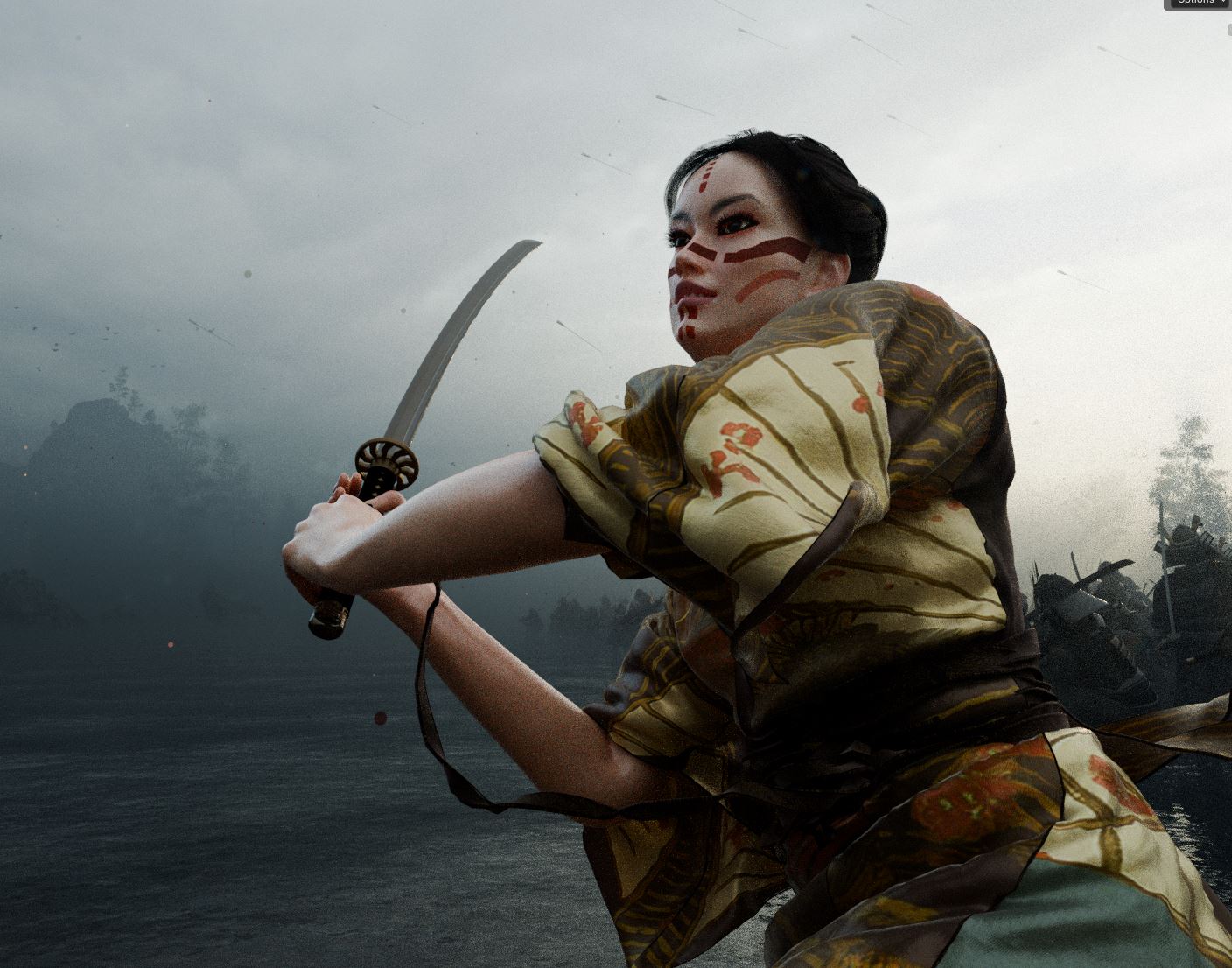
We'd love to hear more about your winning piece. What was the story or concept behind your artwork for the Kinetic Rush challenge? How did the idea come to life?
When a challenge starts and the topic is released I usually give myself a day or two to think about possible ideas that would work within the template file. After that I start collecting references and gather them inside of pureref. The idea that seemed the most promising to me, was a clash of two armies, heavily inspired by the ride of the Rohirrim in Lord of the rings, as well as the battle of bastards in Game of Thrones. My main website for references is pinterest and somehow I also ended up with a lot of images of Japanese clothing and Japanese landscapes, which was at first a separate idea for an animation.
Pondering which of my two ideas to pick, I finally came up with the idea of mixing both. Taking the general battle setup from the first idea, mixing it with the aesthetics and setting of the second idea. Knowing that this would be a massive amount of work, not knowing if the outcome would be cinematic as I imagined it in my head, I was a little bit hesitant if I could realize a project that big in that short time period. Gathering a lot of kimono style references I was sure that I wanted a female main character, separating her from the rest of the people involved in the battle.
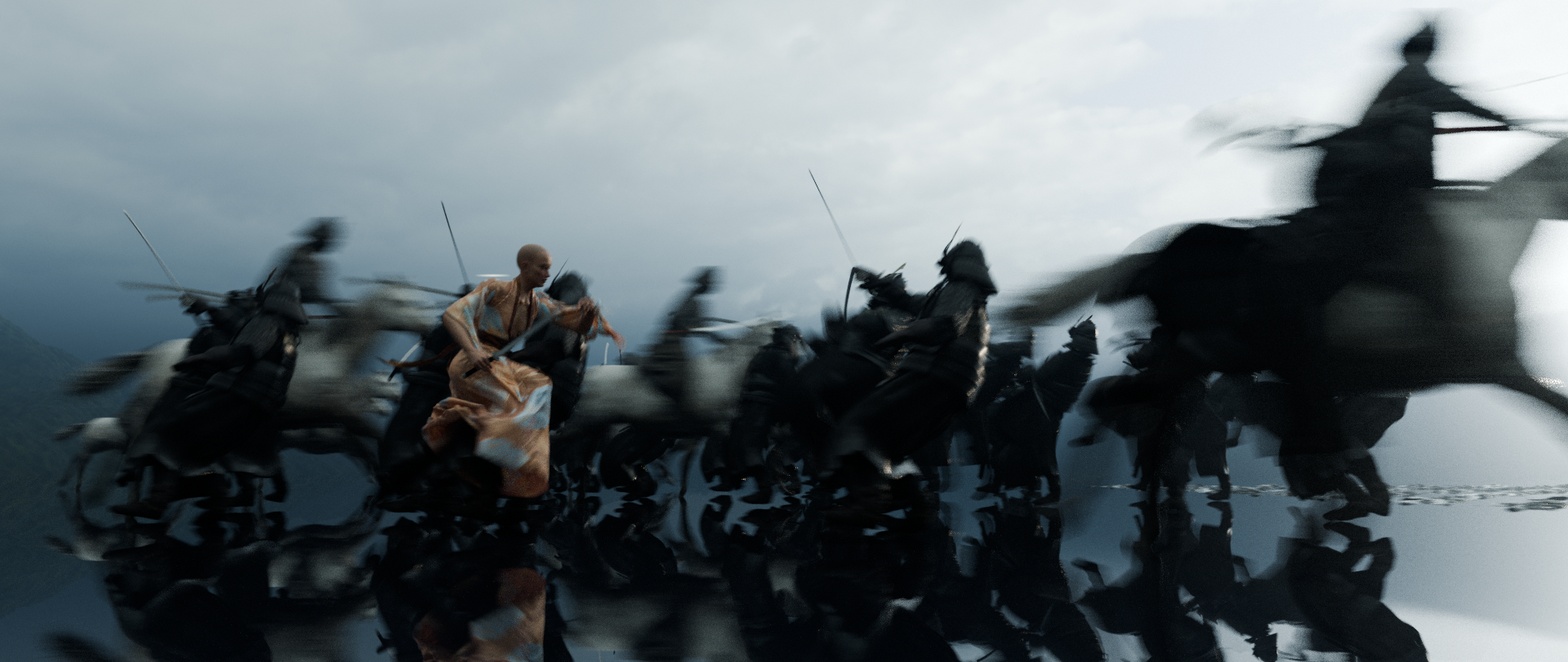
What inspired you to use Marvelous Designer for this project, and how did it help you achieve your artistic vision?
I worked with Marvelous Designer some years ago and I was thrilled when I heard the MD is joining the Challenge with a free month. So I immediately downloaded it, as I was sure to use it for the cloth simulation. As the motion within the template file was really fast, I knew that it would be challenging to get a consistent and realistic cloth movement, without crashing the simulation. As MD has more advanced settings and tools than blender's internal cloth simulation, I was sure that MD was my only choice to get what I had visualized.

Could you walk us through the tools you used in your workflow? How did Marvelous Designer fit into your pipeline?
As the idea was clear I immediately started blocking out a basic 3D scene with the template file. I kitbashed some models in there and also did a quick lighting setup.
I usually do this step in my projects, to see if I can get an aesthetic looking image, mainly focusing on the general scene setup and the lighting. If the result is somewhat pleasing I continue my work (motivated by the first test renders). If I don't come to a satisfying result I would stop working on that idea.
Seeing my first test I was a little bit more secure I could end up with a nice animation. So at this point I started my work on the female main character. I started with a female base mesh from Blender Market. I edited the mesh to get a more Asian looking character (sculpting in a blender), worked on the hair and the textures.
Retargeting the animation data from the template and adapting the rig for animation were the next steps. After that I didn't lose any time and got straight into the animation of the character. The sword strike and the jump were custom animations, partly with motion capture data from mixamo and partly hand animated.
In Marvelous Designer, I imported a clean A pose of the female. I searched the store for a basic kimono and downloaded it. I changed all the patterns and the sewing, adapting it to my character, added more cloth parts like belts and other cloth parts. This got me quite close to my reference images. After I was satisfied with the cloth (there was quite some back and forth there) I started with the simulation.
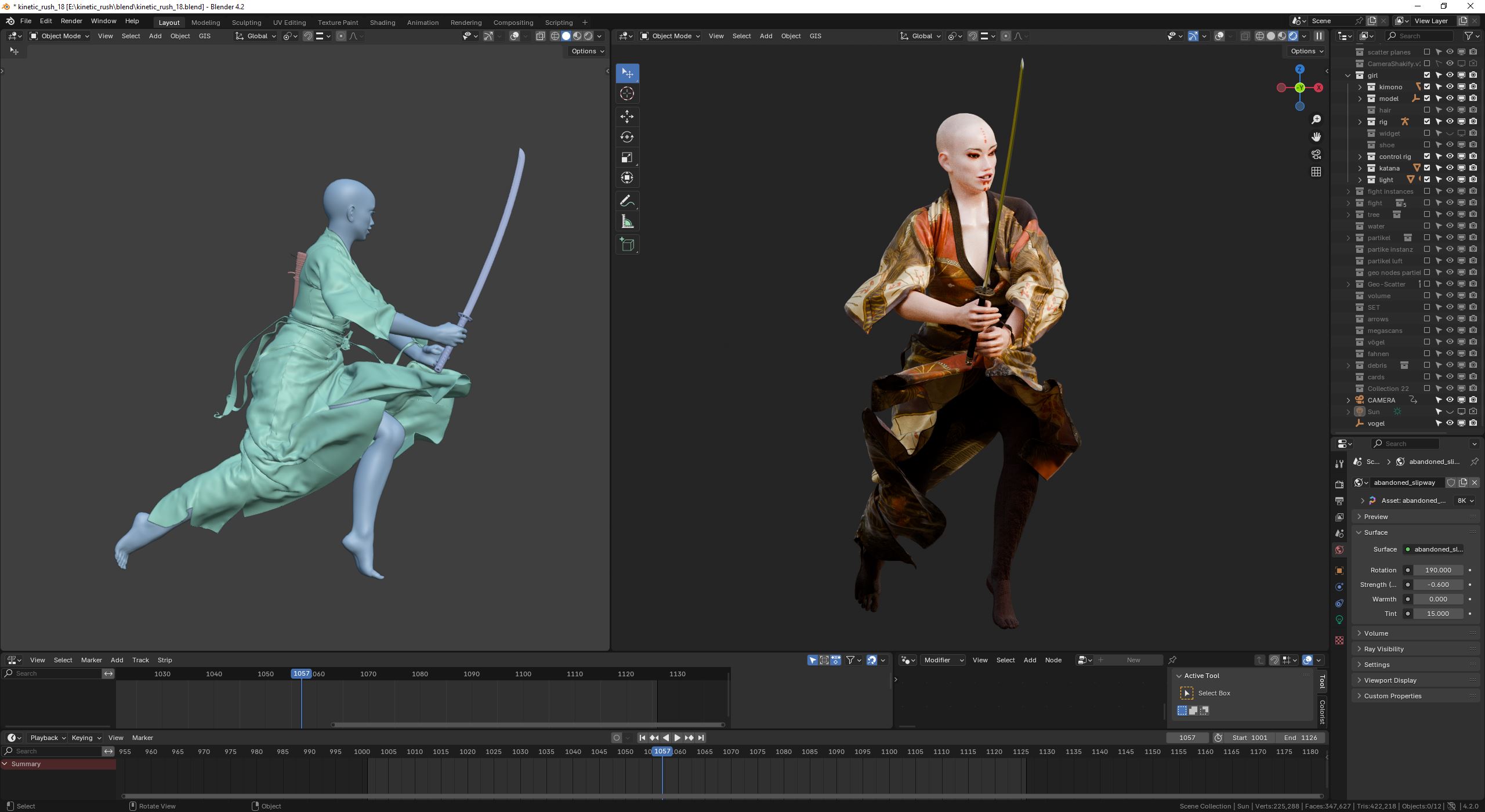
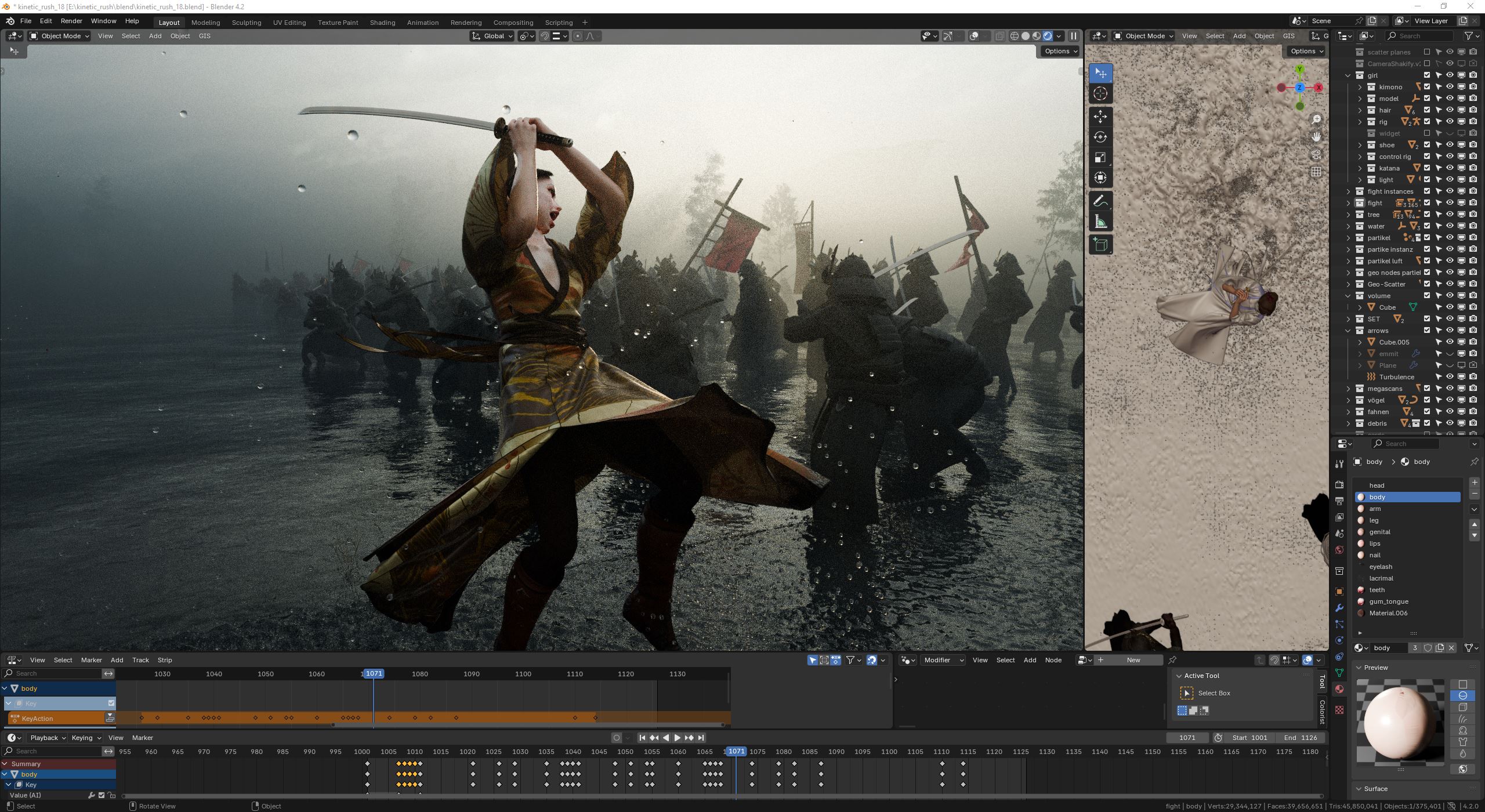
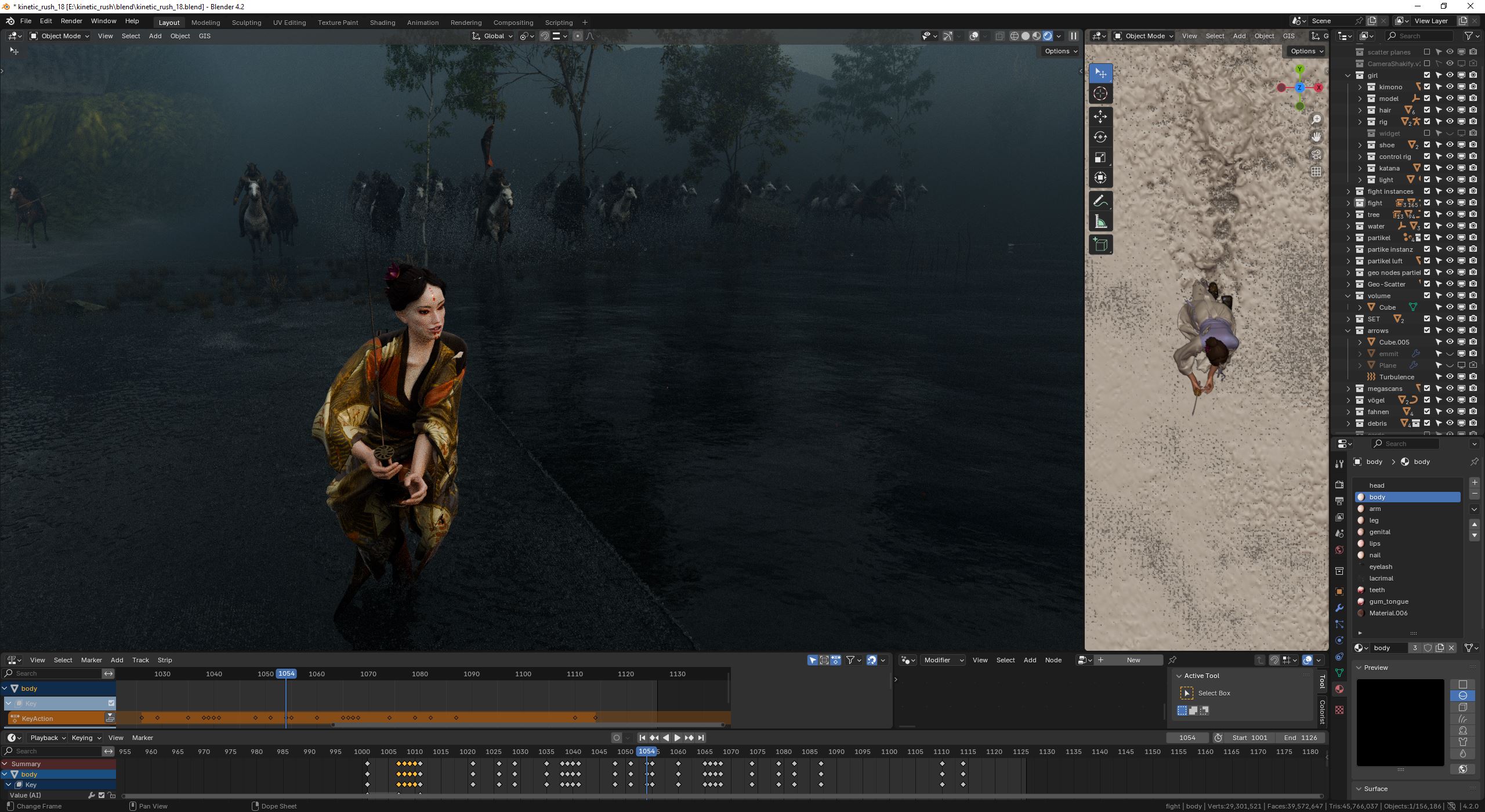
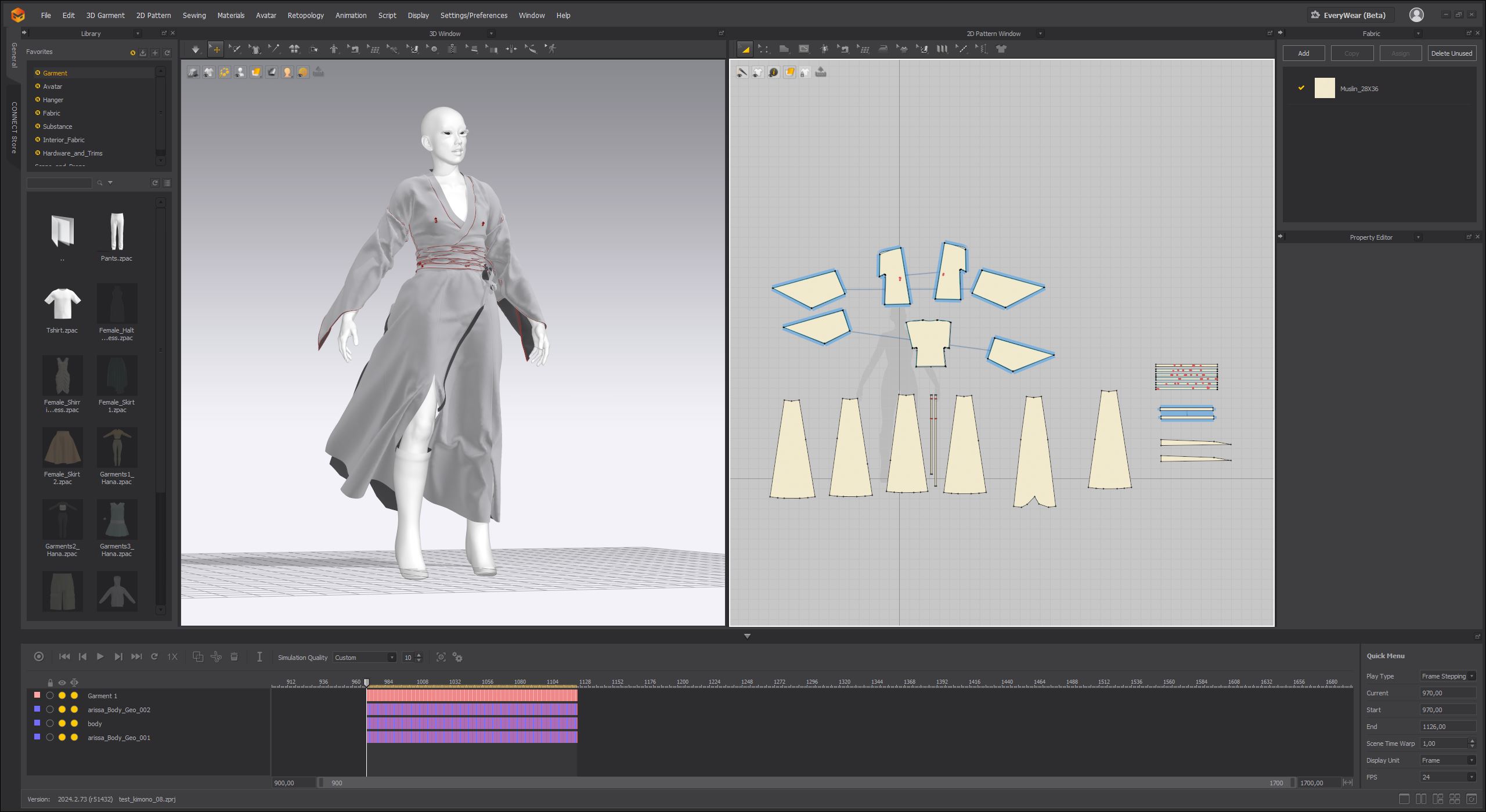
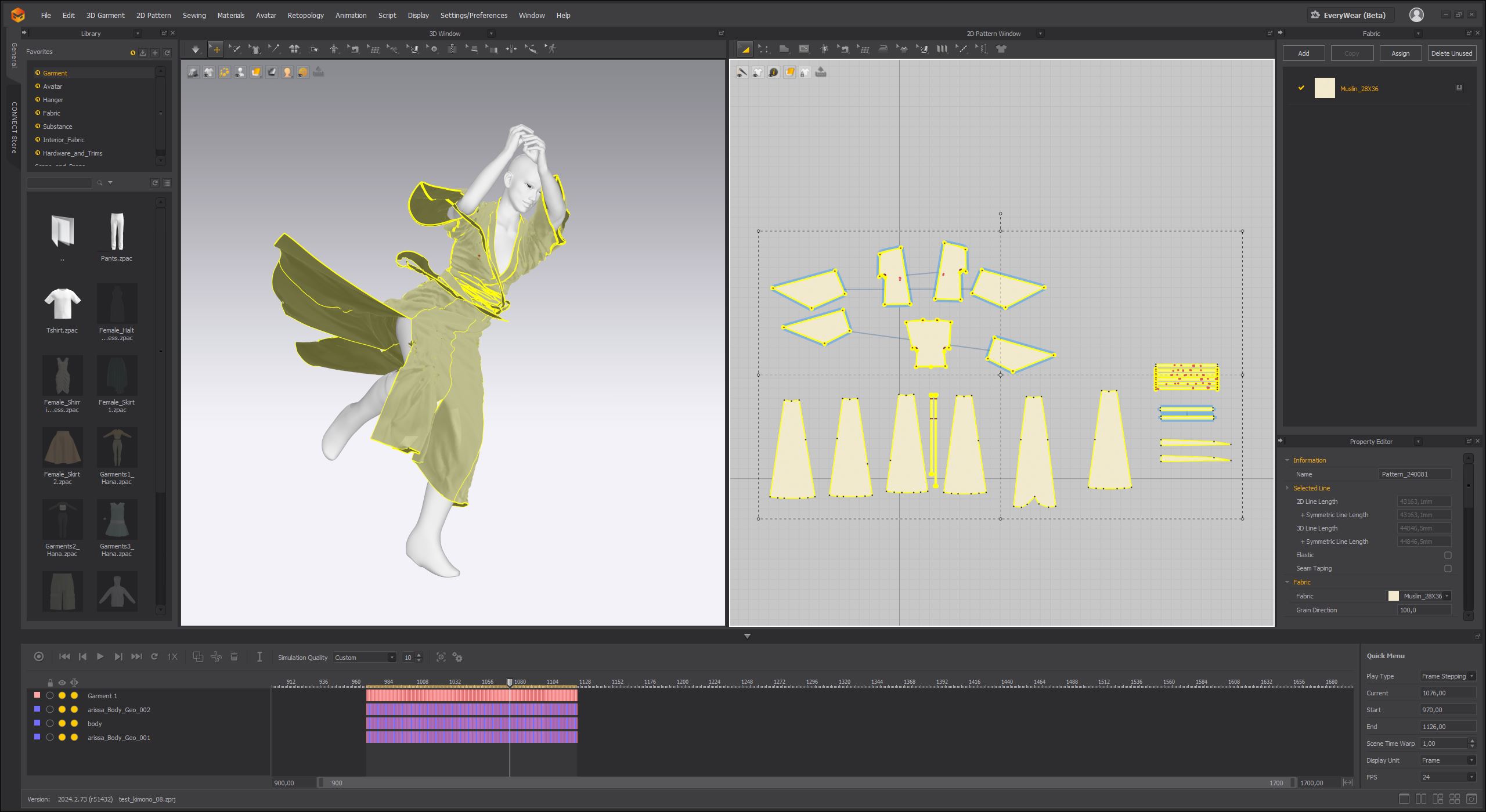
Are there any standout moments, scenes, or characters in your project that Marvelous Designer was especially useful for?
Realistically speaking, the project, and especially the main character, would not be feasible without Marvelous Designer. The fast and harsh movements, paired with my wish for a super realistic cloth simulation, made it clear that my only chance would be Marvelous Designer, as you can iterate quickly at a high speed. Not having to wait minutes or hours for the baking of the simulation, was a lifesaver. With my GTX4090 the performance in MD was awesome.
What were some of the challenges you faced during the project, and how did you overcome them?
As the movement was very fast and there were a lot of abrupt changes in direction it was pretty hard to get a pleasing result. Oftentimes the character lost the cloth while simulating due to the fast movements of the character. Other times the arm animation pushed away the lower parts of the kimono. So there was a lot of testing of different cloth types and physics settings. With the help of pining groups I overcame these issues and finally got a usable, realistic cloth simulation. Because I reworked the animation in blender about 10 times, I also had to re simulate it every time in marvelous designer, which was quite time consuming. But thanks to the fast simulation in Marvelous Designer it was doable.
Do you have any tips or advice for other 3D generalists looking to incorporate Marvelous Designer into their workflow?
Just try it out. If you are looking for a versatile, fast tool that delivers realistic cloth simulations, Marvelous Designer is the only choice in my opinion. I worked quite a lot with Blender's cloth simulation system in the past, and I also did some smaller simulation in this project like flags etc. with Blender, which worked fine. But if it comes to high poly simulation on complex animations, blender surely comes to a limit. In these situations Marvelous Designer shines. Also the switch between blender and Marvelous Designer with alembic files was no problem at all and worked fast and without any errors.
Finally, how would you describe your overall experience using Marvelous Designer on this project?
It was an awesome experience. And I can't wait to do more work with Marvelous Designer, also for more experimental or abstract animations, and further work on combining blender and MD. As much as I love blender, you should always be open to trying other software, especially if these software do specific tasks on a higher level. Best examples are Marvelous Designer, but also software like embergen and LiquiGen.
by Manuel Peter
Artstation
이 작업은 Blender, Avatar, Animation 등의 기술로 제작되었습니다.
Marvelous Designer로 이와 같은 3D 의상·캐릭터 작업을 직접 만들어볼 수 있습니다.