Shimmer - Escena Animation Studio
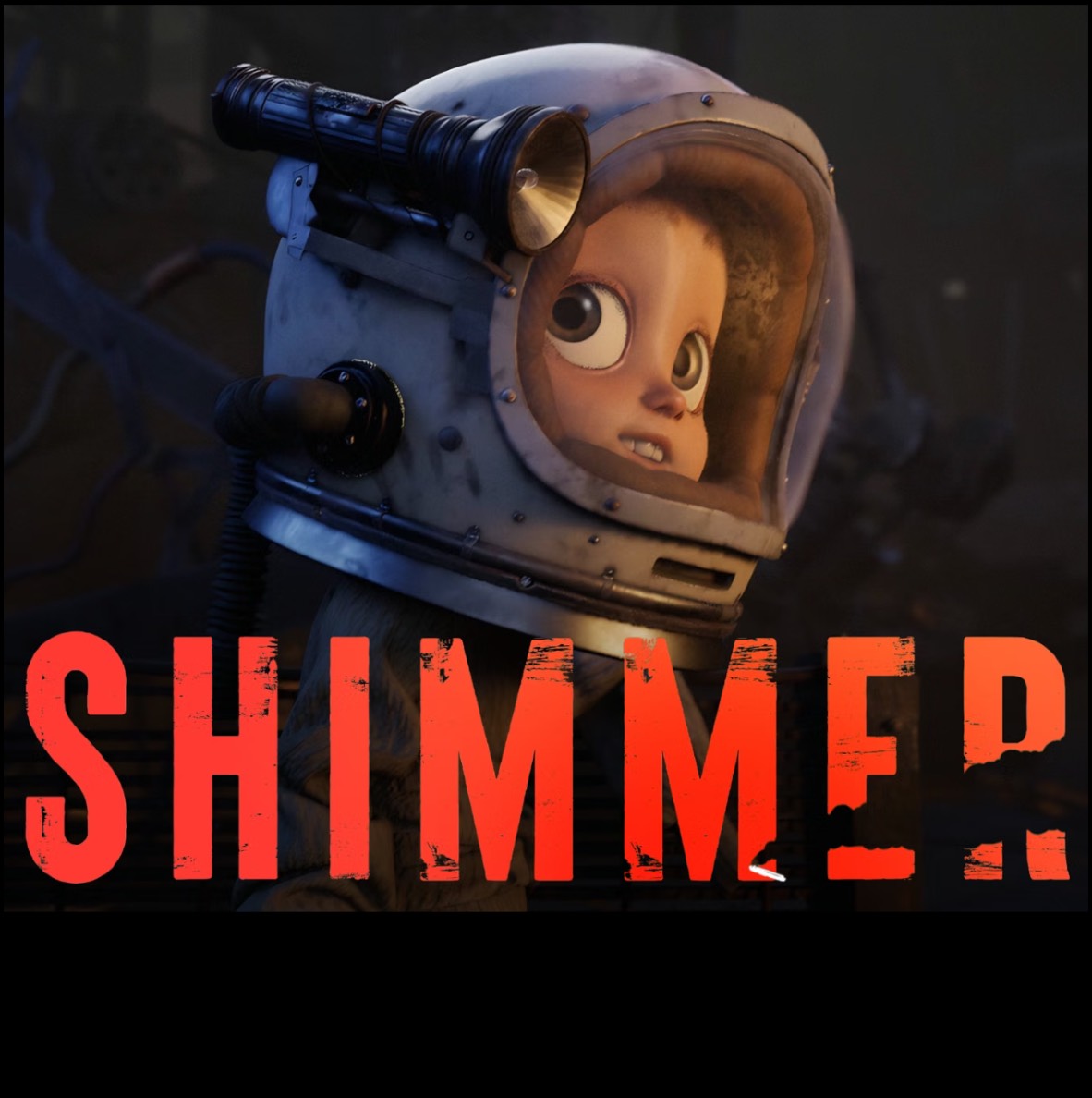
From Student Dreams to Ariel Awards: How Escena Animation Studio Crafted the Soul of ‘SHIMMER’
Studio Introduction
Hello! I'm Alan Narvaez, the CFX Supervisor at Escena Animation Studio, the in-house studio of Escena, a school for animation and digital art based in Mexico City. EAS focuses on non-commercial projects that provide our students with their first opportunity to work in a collaborative environment and pipeline.
Although we are a small studio, each of our members is full of artistic talent, and we consider ourselves more of a family than a workplace. We are currently working on six different projects, which we are eager to share more soon and we’re very happy to be here sharing our experience with you.
Congratulations on winning the Best Animated Short award at the Ariel Awards, presented by the Mexican Academy of Cinematographic Arts and Sciences (AMACC)! Could you tell us more about your project, ‘SHIMMER’?
Thank you so much! Sure, Shimmer is a film about a man far too obsessed with his work to be a good dad and a daughter too proud to admit she’s out of her depth when it comes to striking out on her own. It’s about two characters with too much hubris and too little grace for one another entrenched in a struggle that will tear them apart. It’s about repentance and understanding that come too late to fix what’s been steadily eroded by neglect.
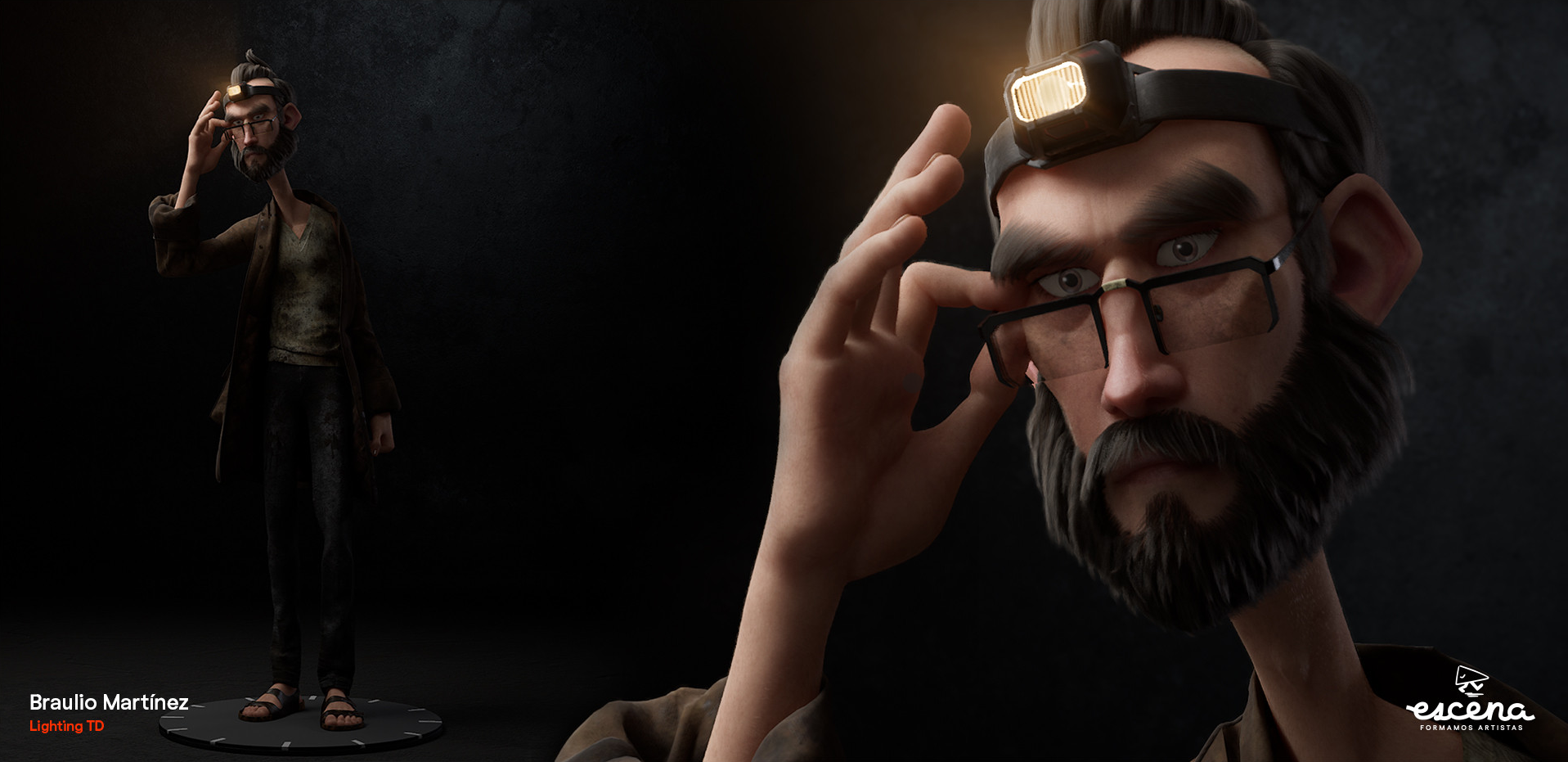
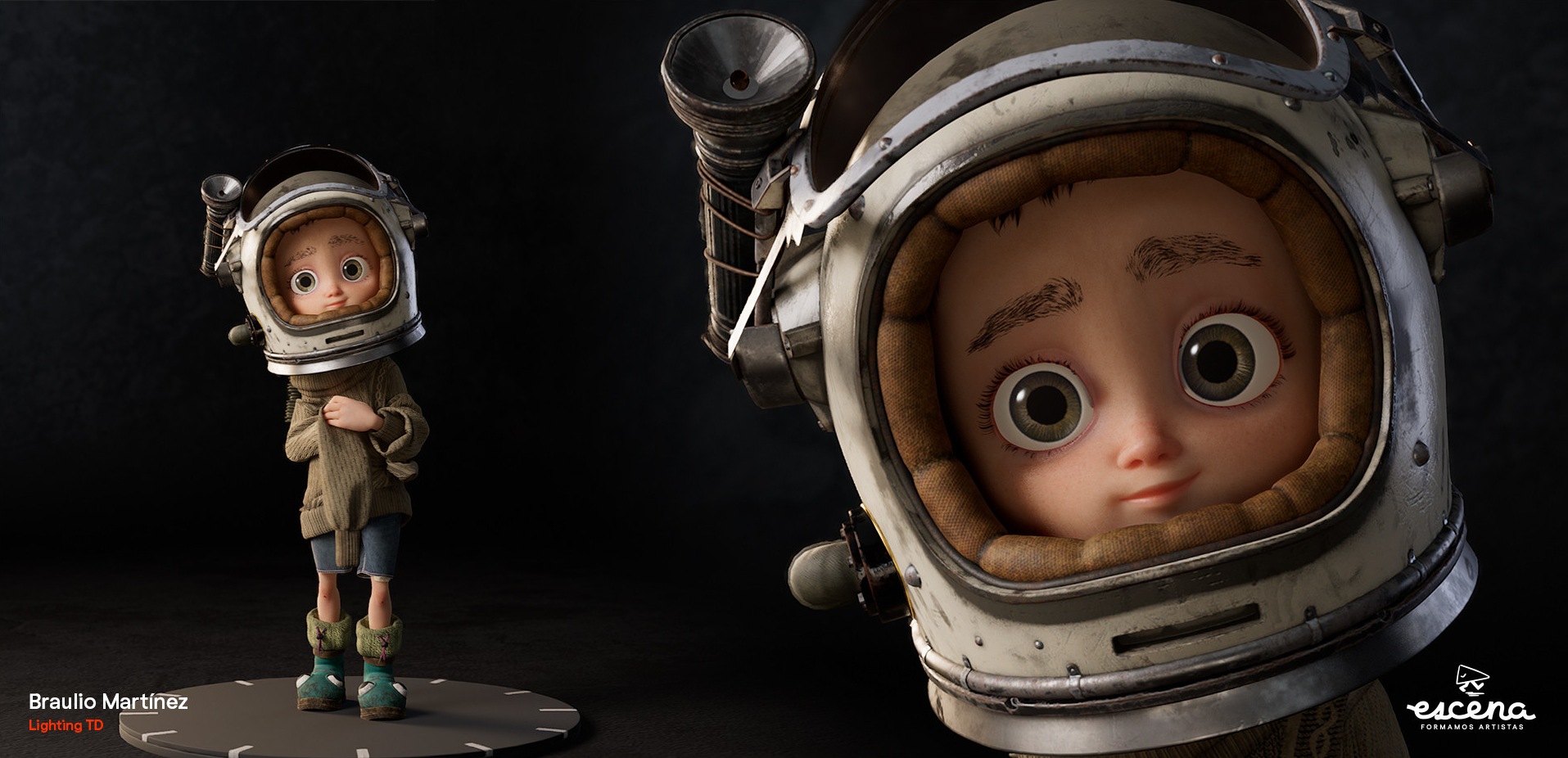
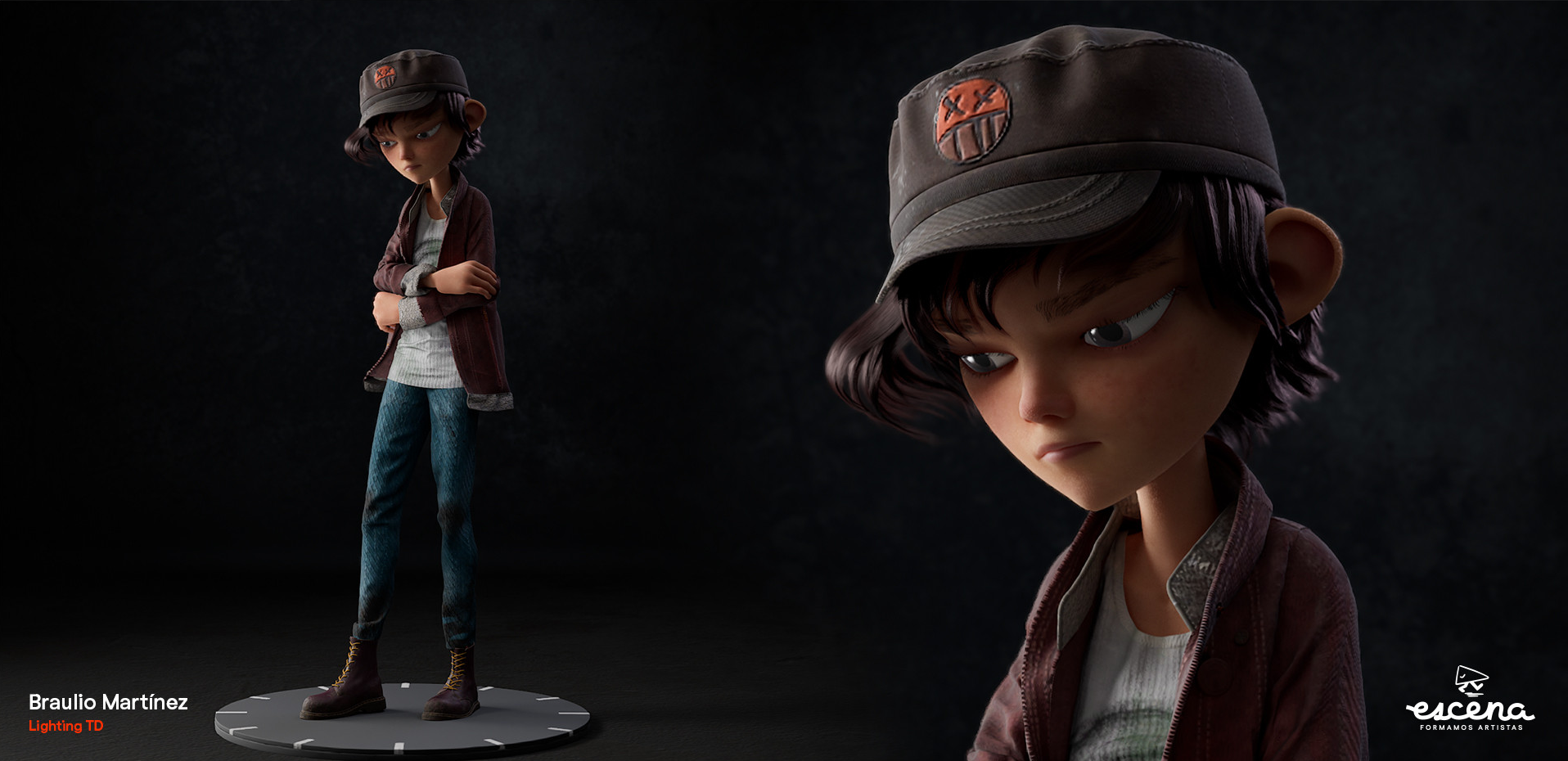
Why did you decide to use Marvelous Designer? How did it help you serve art direction?
We decided to use Marvelous because its tools, such as layer clone over, morph target and attach to measure, helped us to accelerate and work more efficiently when interpreting conceptual art in 3D. We used Marvelous not only for character clothing, but also as a simulation engine for all character shots. One of the many advantages of using Marvelous's physics engine was its use of layers; I don't know of any other program that works with layers in simulation. In the CFX department, Marvelous was our closest ally and most loyal friend.
One particularly challenging aspect was the hammock simulation. We experimented with numerous presets until we found the right one, adjusting the damping value and reducing the particle distance significantly to achieve the desired movement.
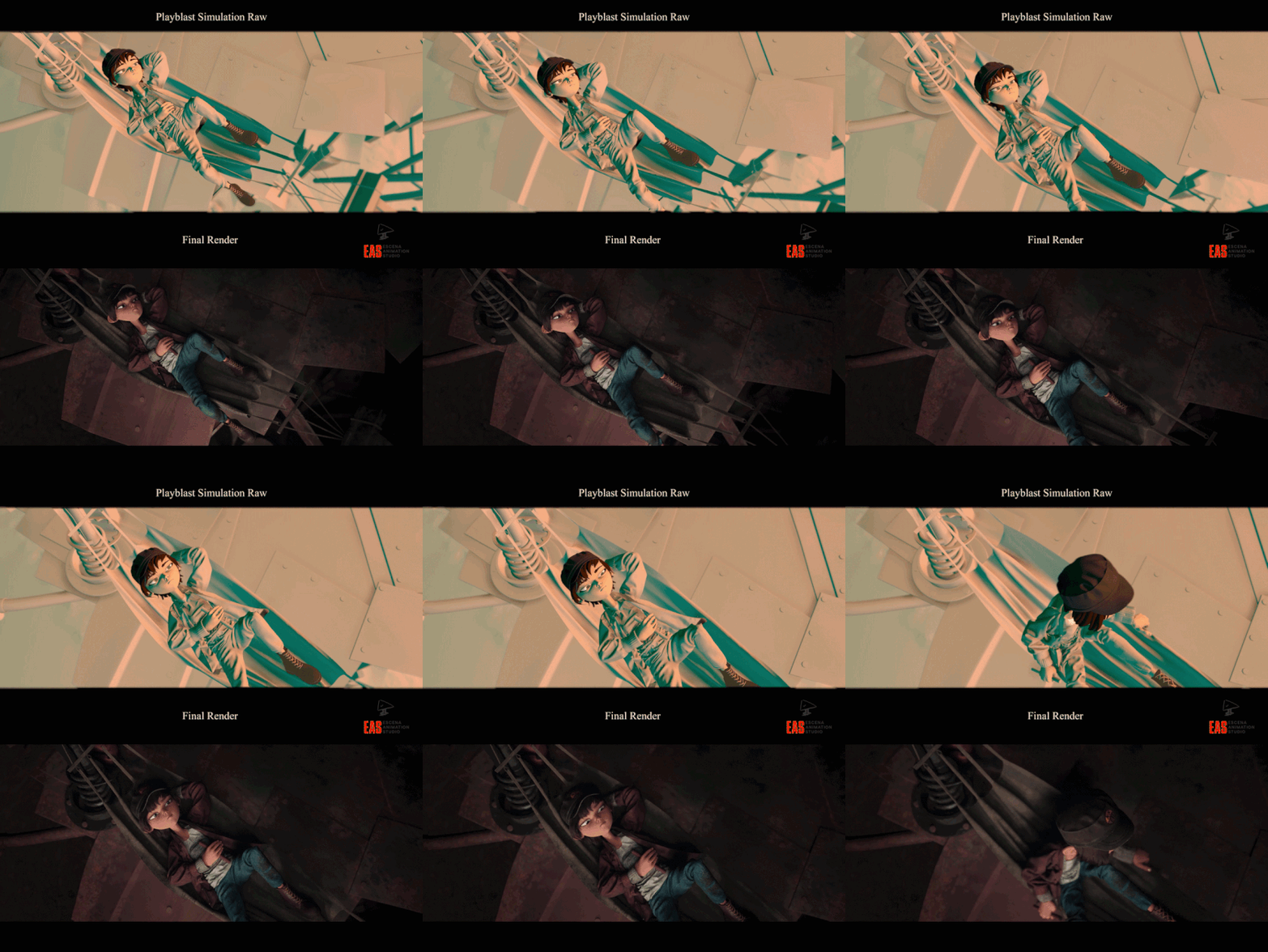 First, we tried to bring the hammock model from Maya to Marvelous only for simulation, but that did not go well. Then we decided to make it from scratch in Marvelous, only exporting the posts that were going to serve as supports, then we brought the alembic with the animation of the posts and also “Matias” who was going to be our passive collider.
We needed to make the hammock follow the animation of the posts, so we used a lot of tacks on avatar to prevent them from coming loose. We also used a lot of strength on the small supports of the hammock so we wouldn't have to deal with separations.
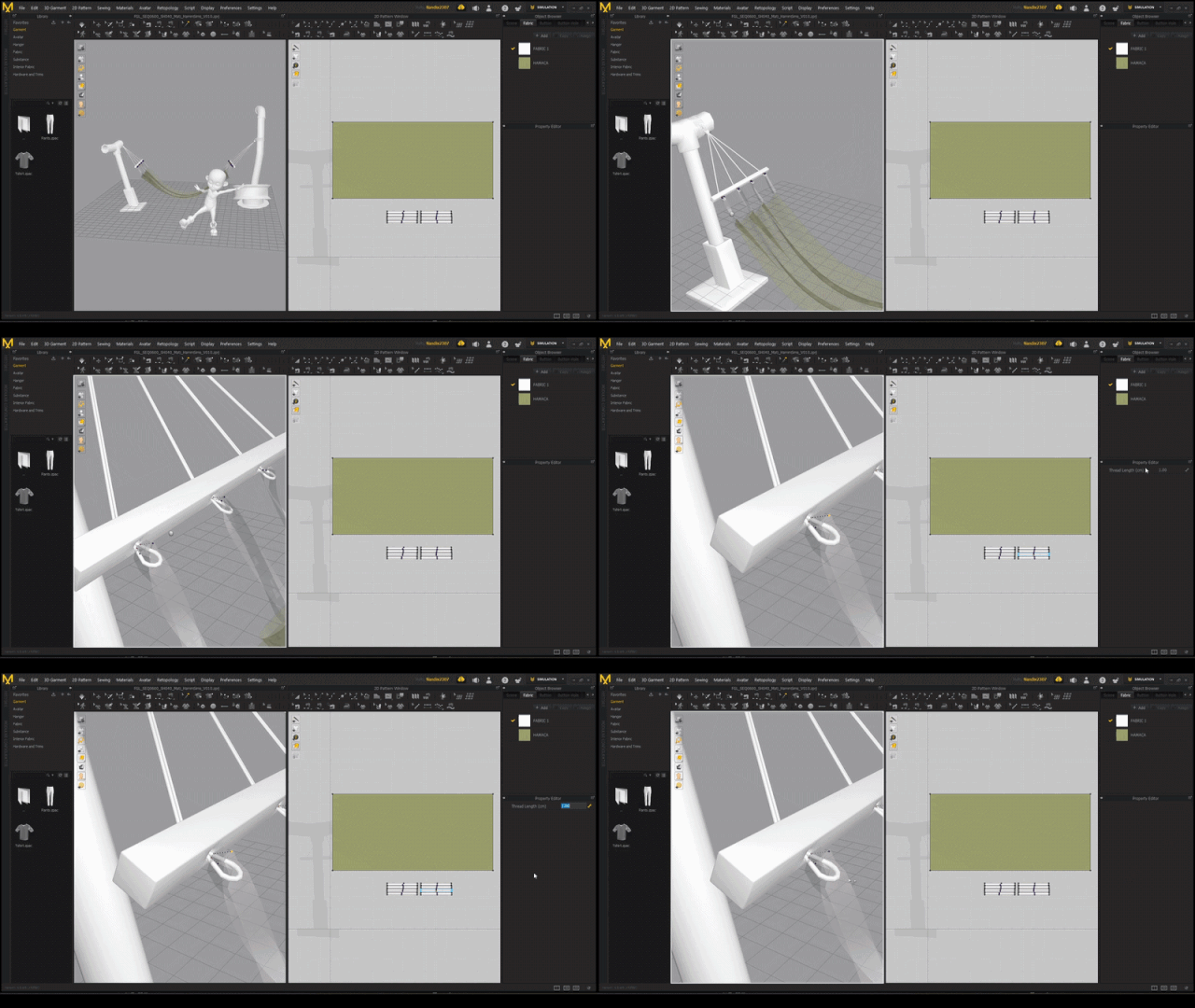
For the shot where the cart collapses the hammock, we had to create a proxy because there was too much geometry interacting with the fabric. So we simplified the model, making it easier to control. But first, we had to simulate the helmet on its own to ensure it had the correct silhouette and didn't appear to be floating.
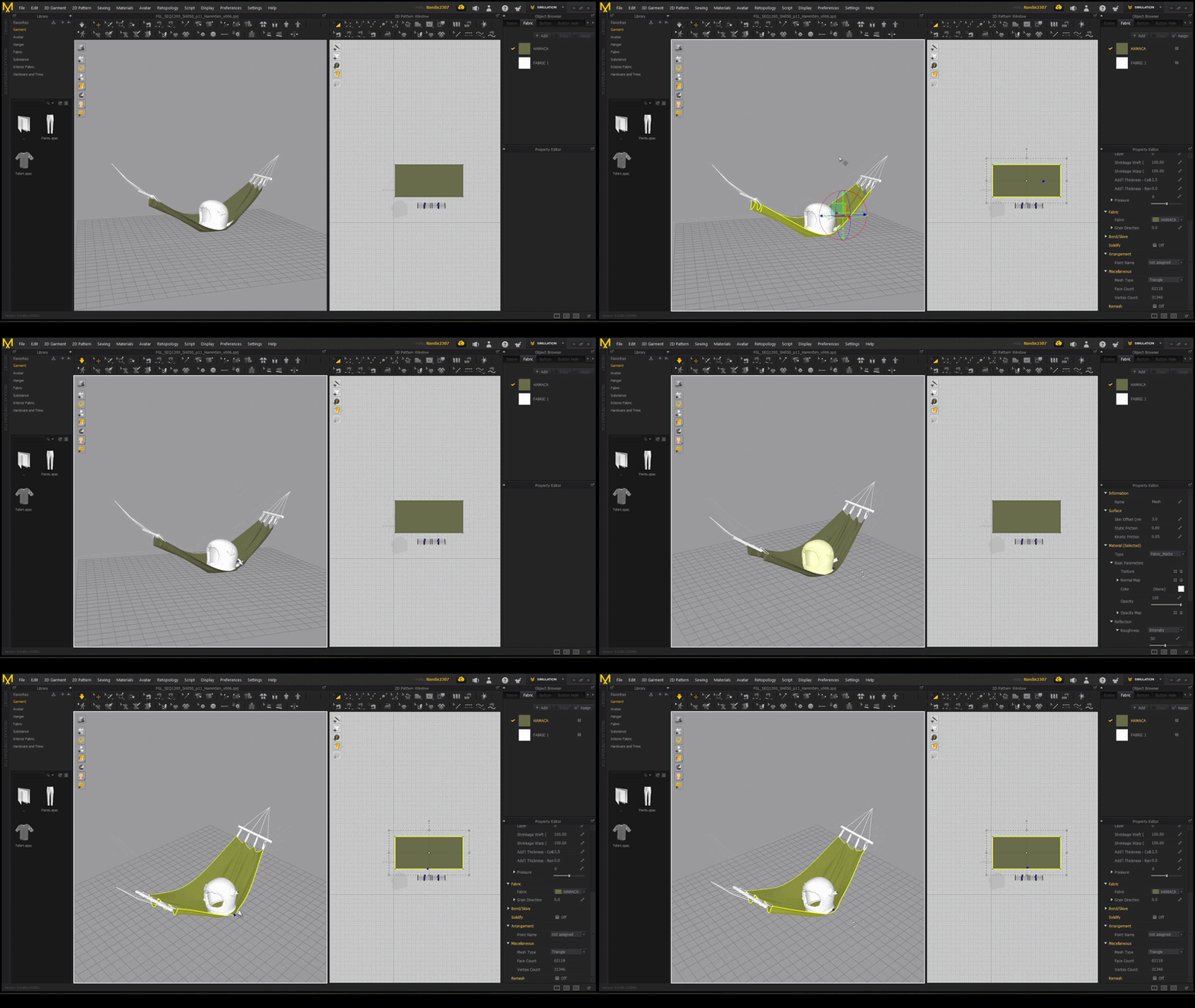
Which part of the garment did you focus on the most to perfectly achieve the desired silhouette?
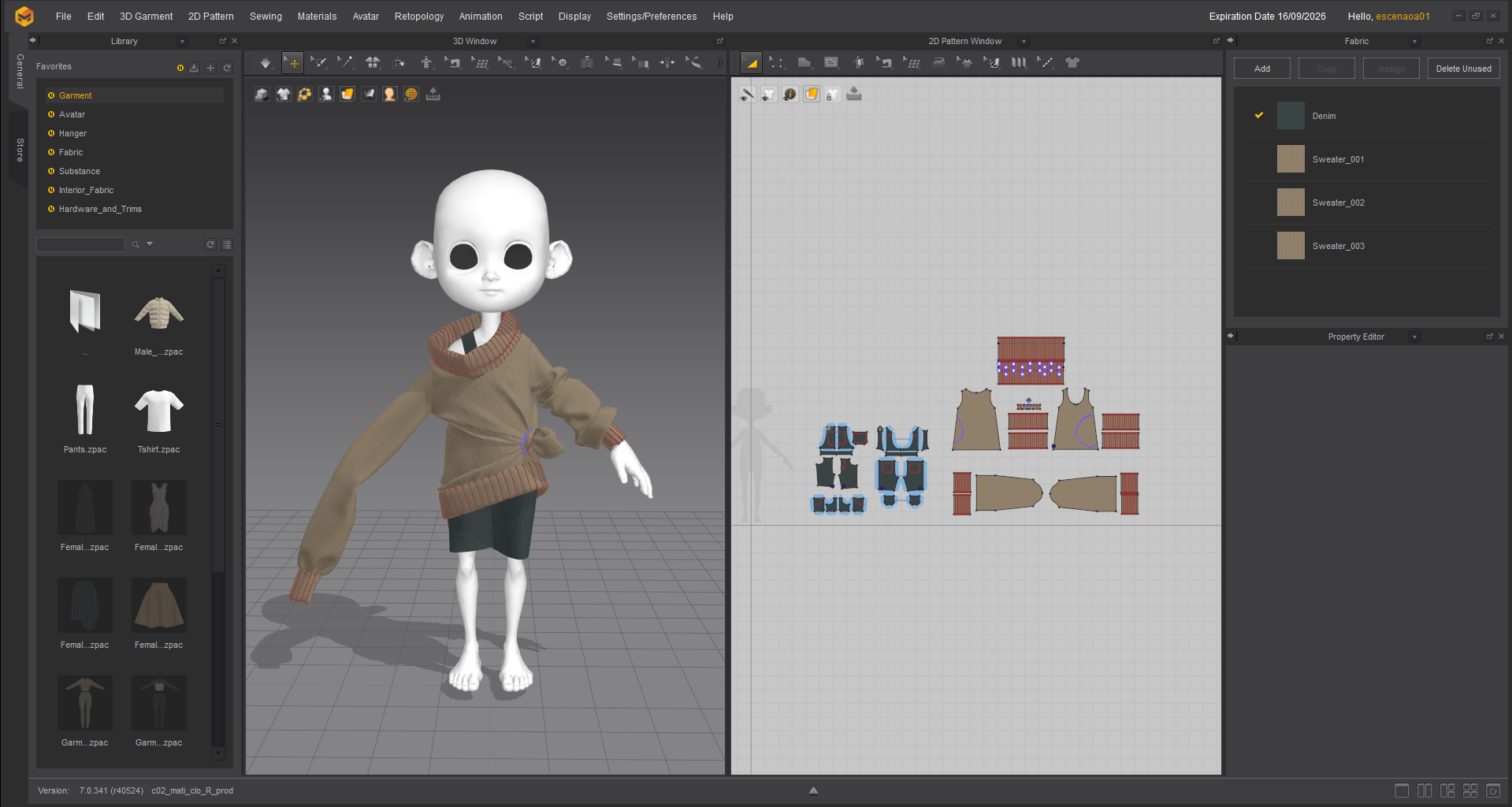
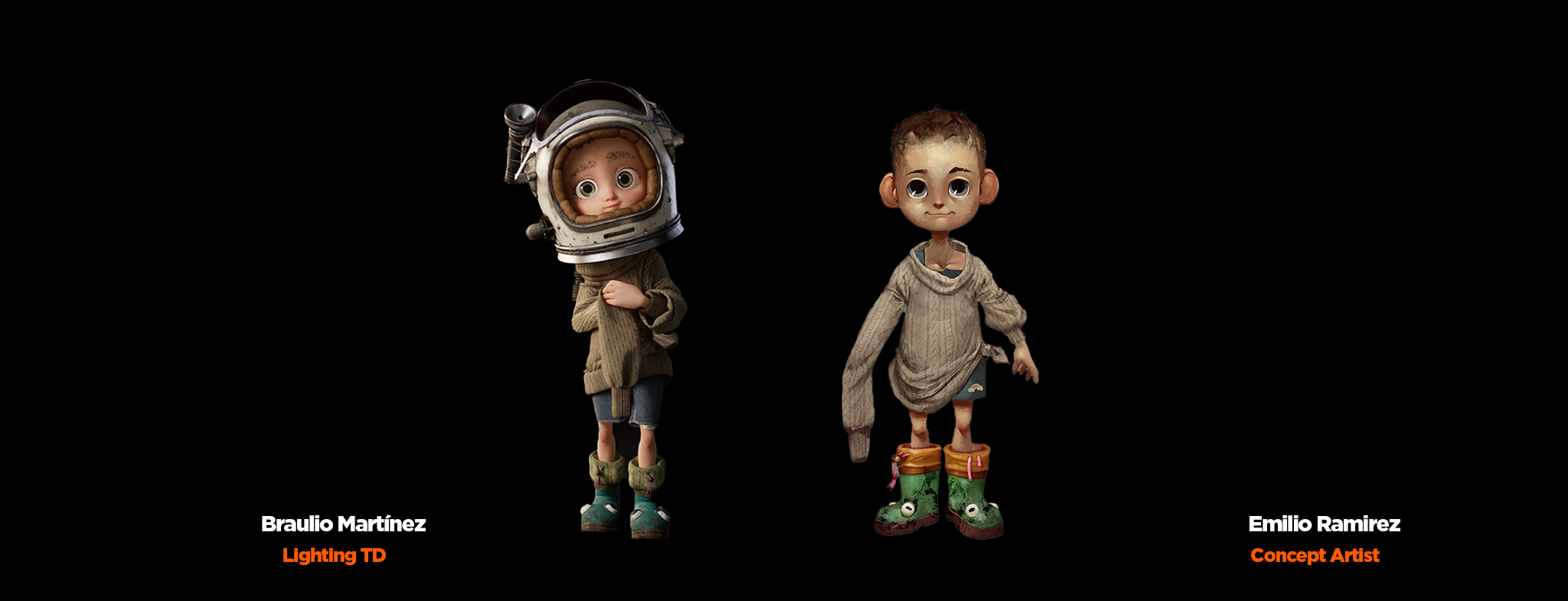
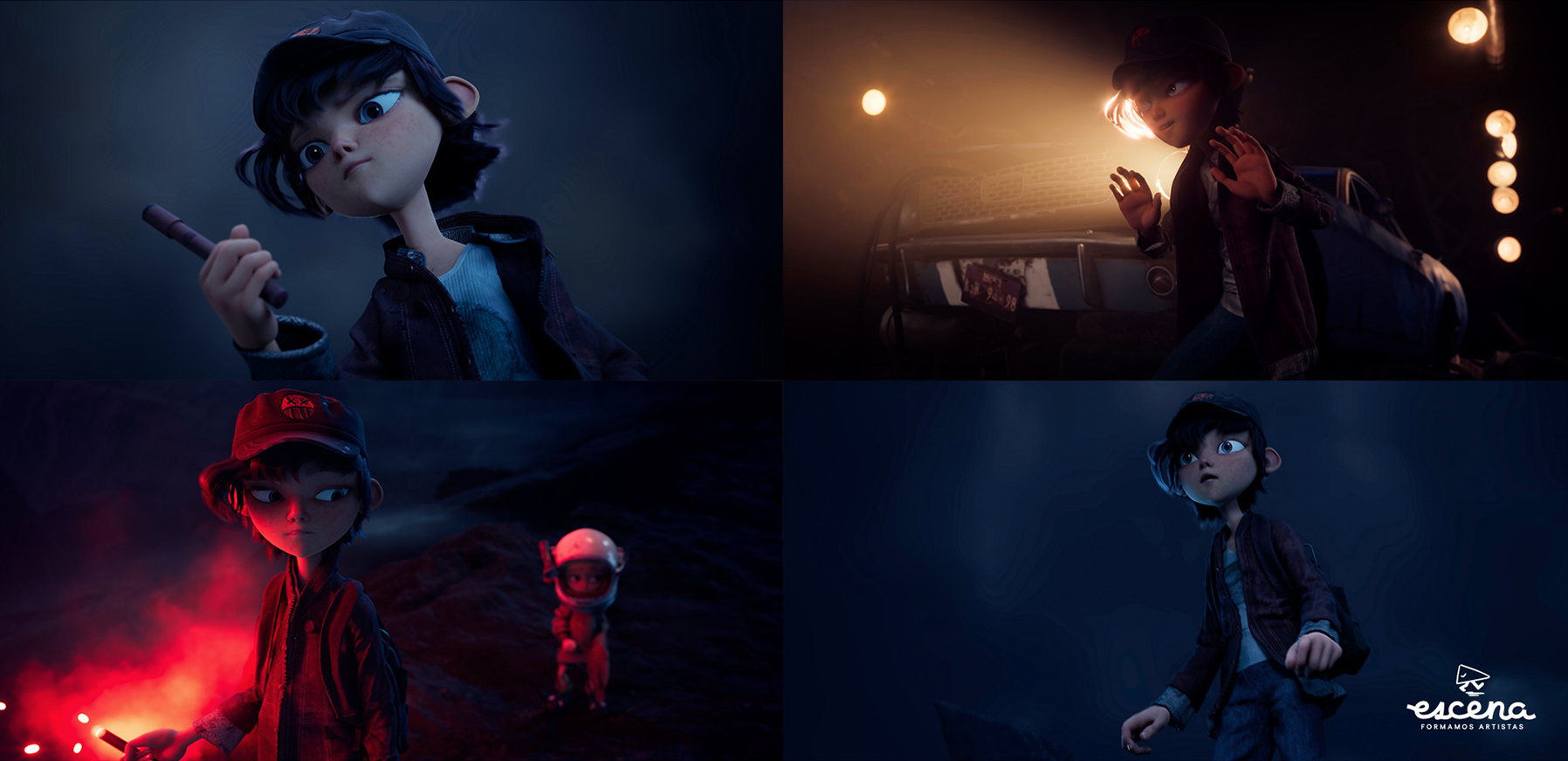
I think the most difficult garment was “Mati’s” jumper. We wanted to make the knot as realistic as possible, but also avoid any problems during the simulation stage, so we faked it with line tacks, which helped us achieve the final look.
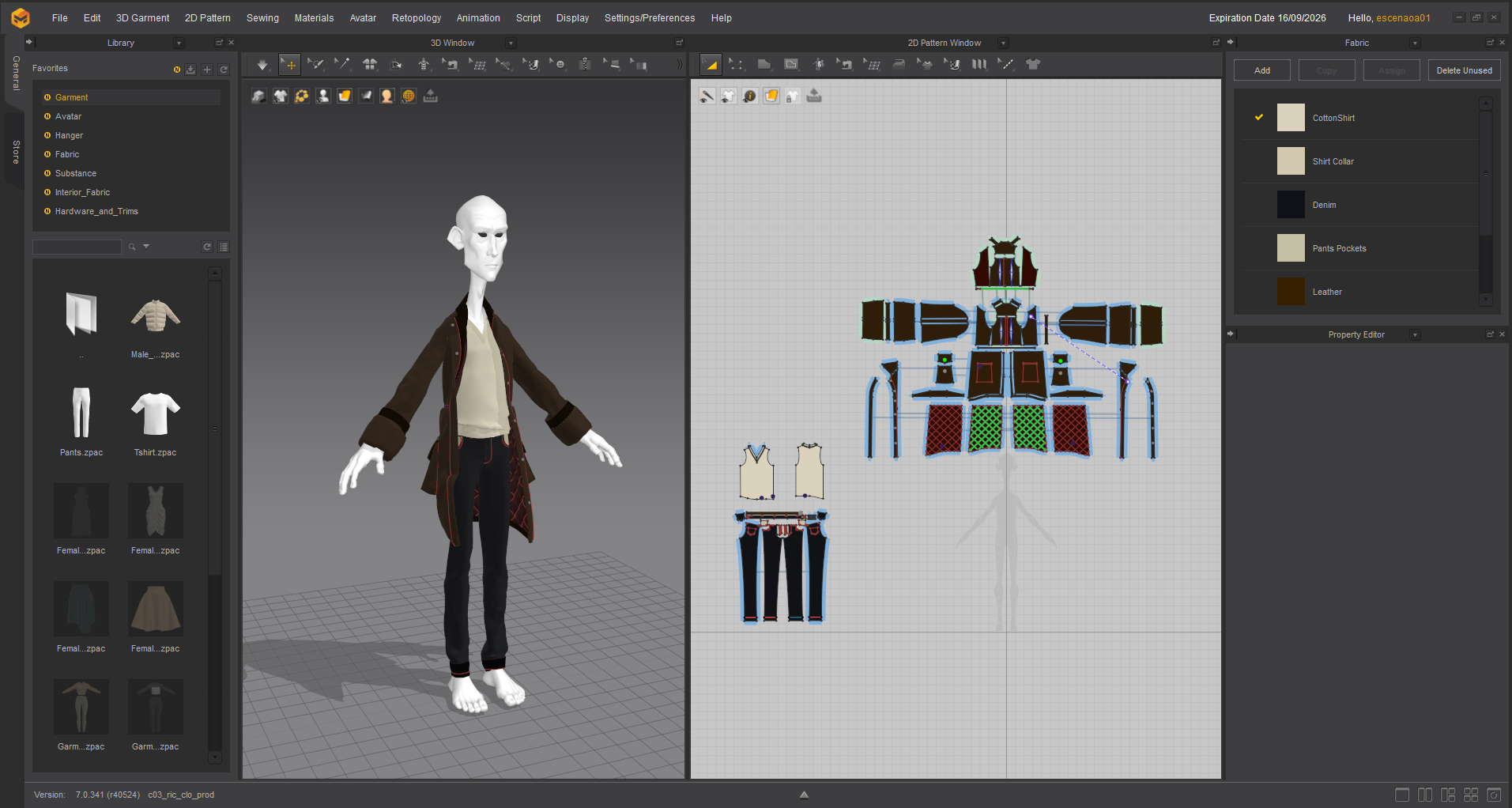
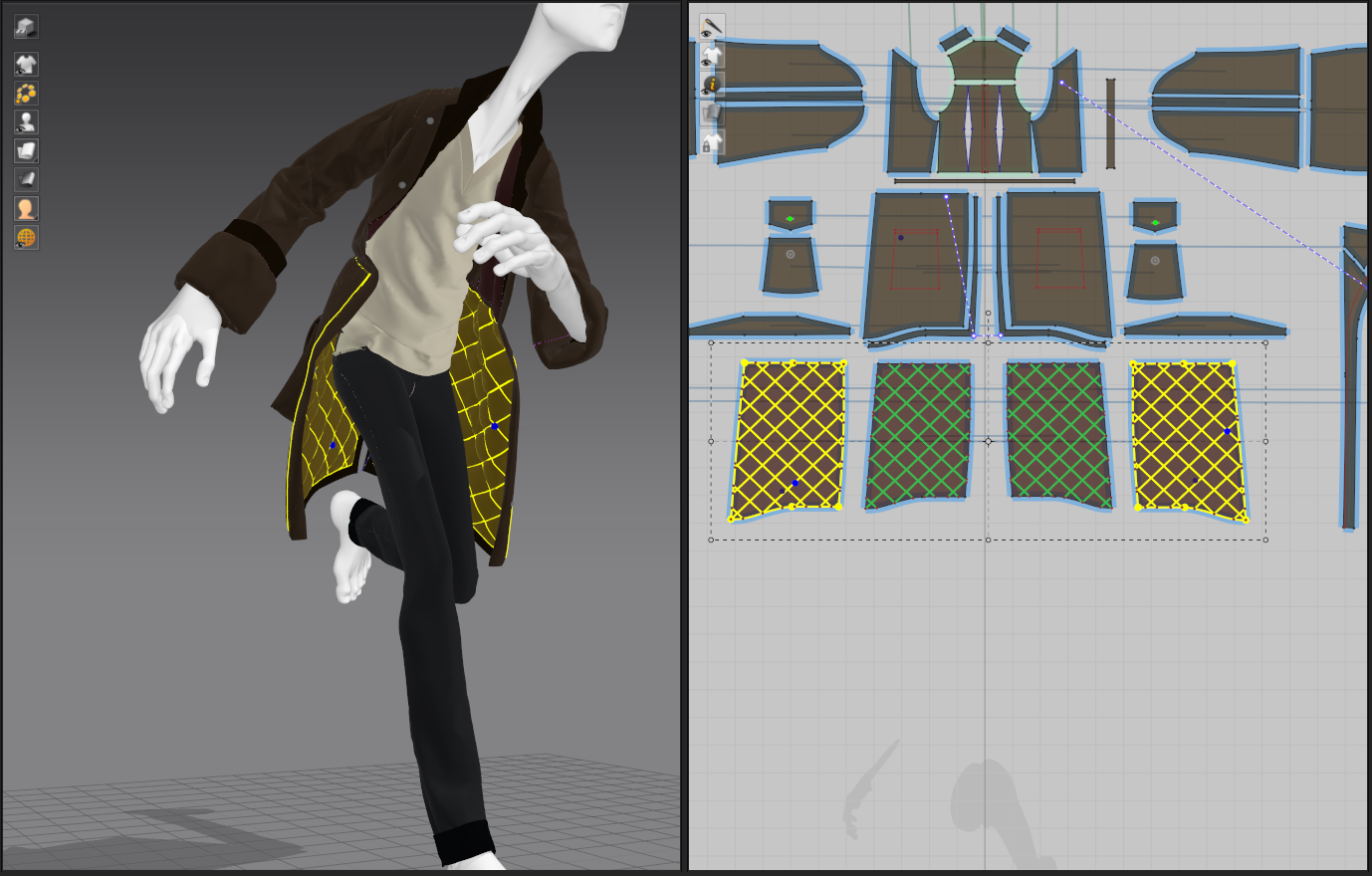
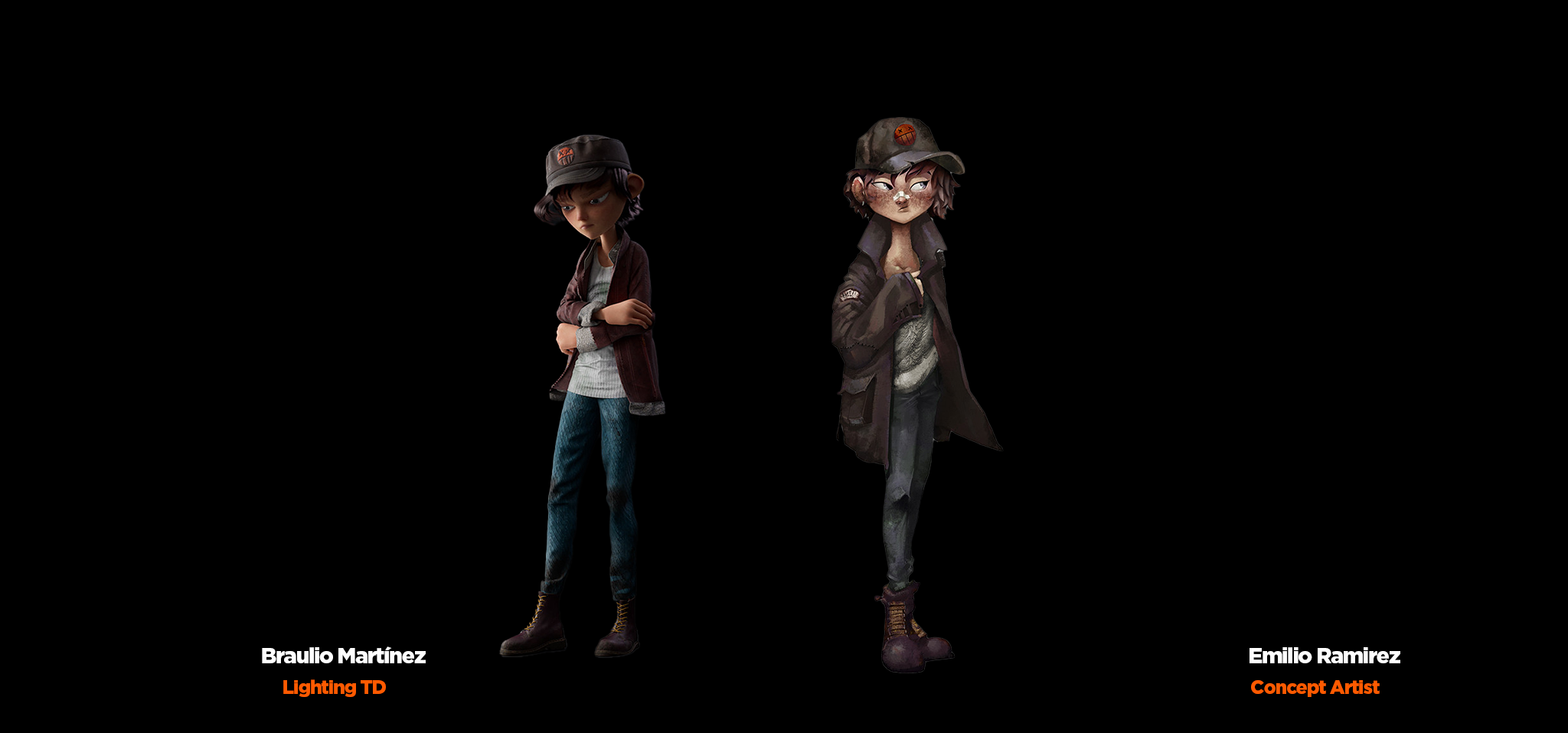
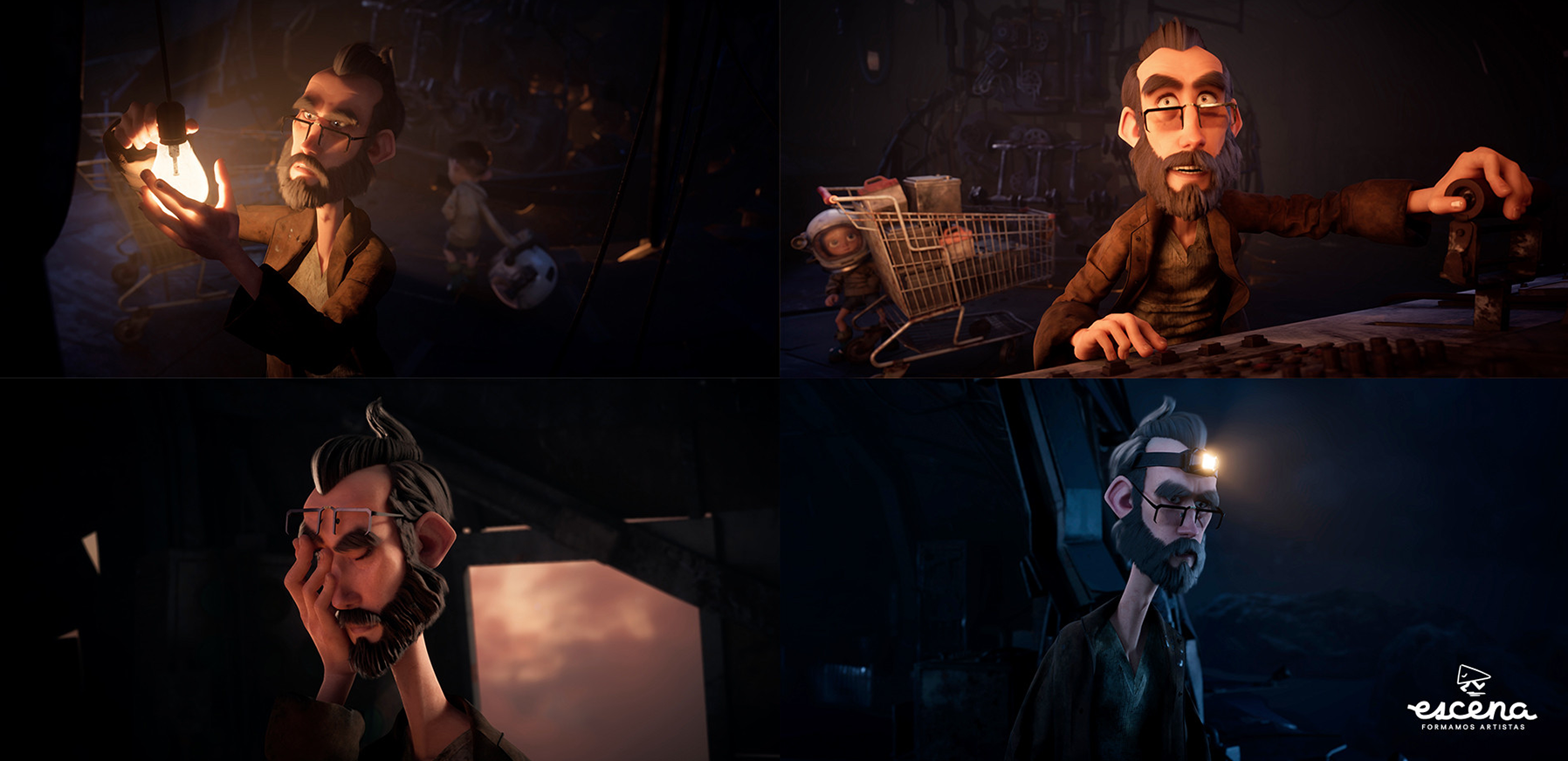
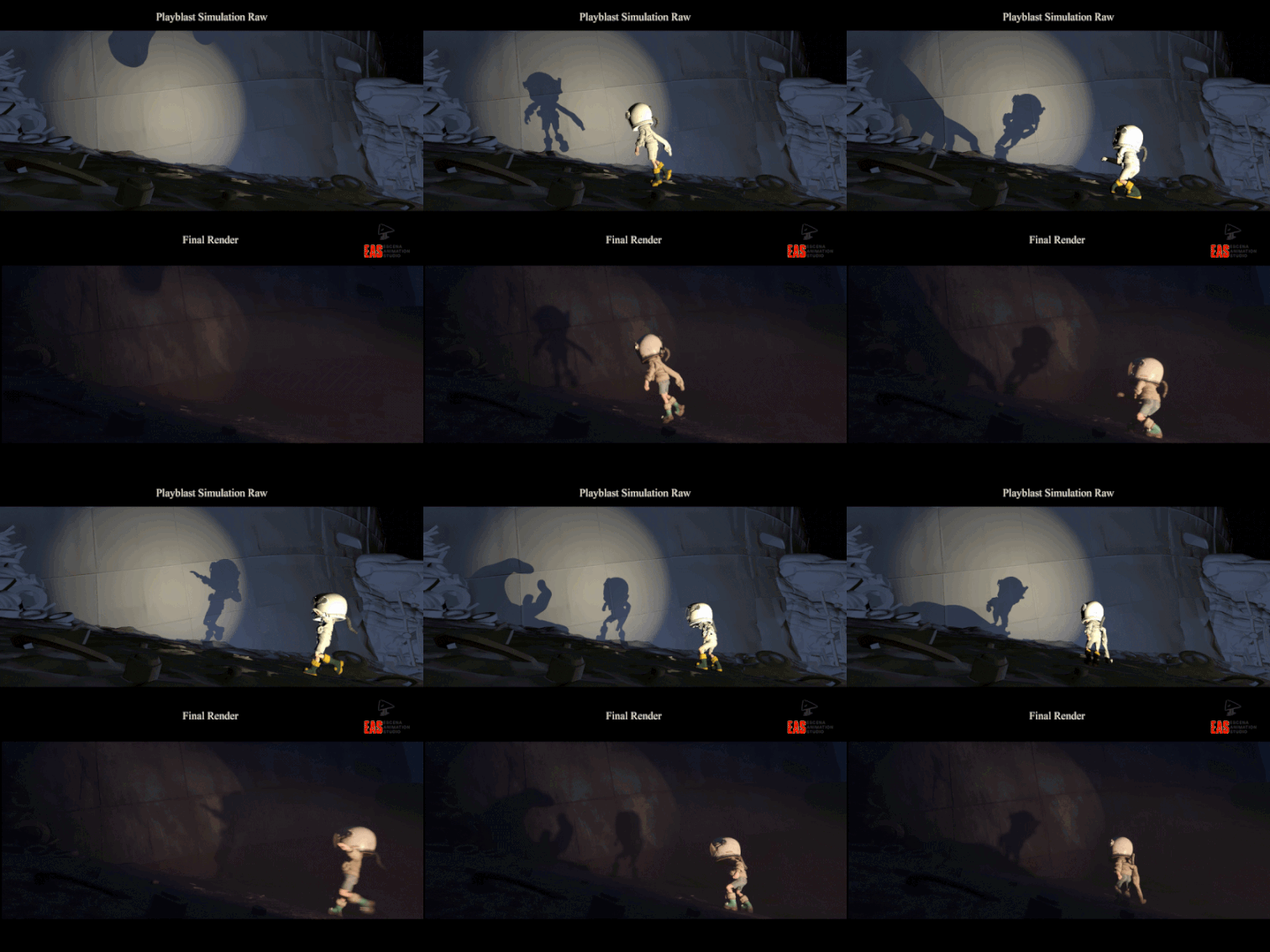 With Ricardo, most of the problems occurred during the simulation. We had a lot of movement shots, so to prevent the coat from disappearing, we increased the scene time wrap each time. This was really helpful.
We wanted the inside of his coat to be padded. To achieve this, we used a layer clone.
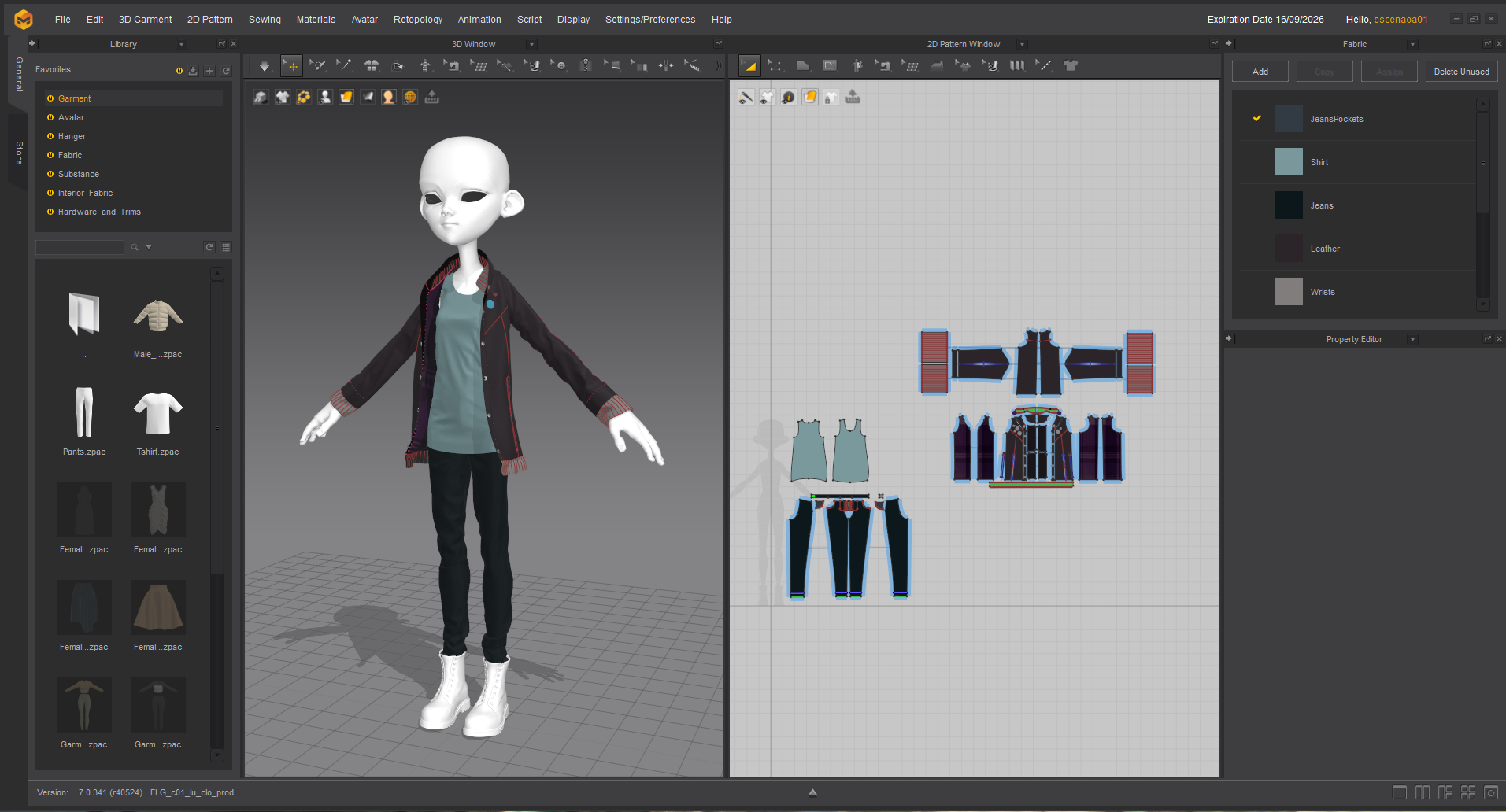
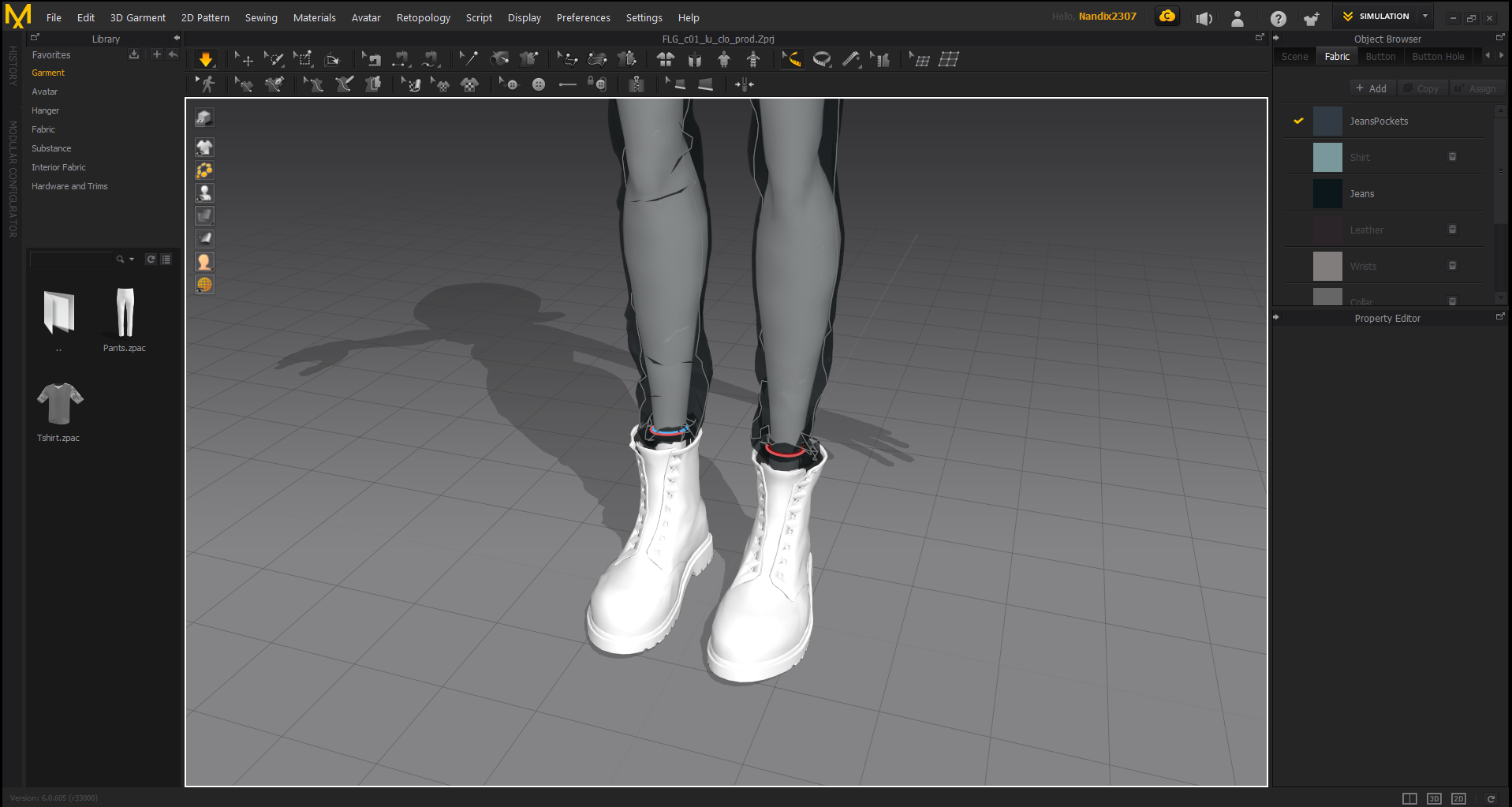
The challenge with Lucia was her jeans, which had to fit perfectly inside her boots. We used the 'Attach to Measure' tool around the final edge so that, once the simulation department had finished, the jeans wouldn't come off no matter how much movement there was.
Could you share some of your personal 'optimization know-how' for translating 2D concept art into 3D?
As tailoring artists, we often need to find numerous real-life references to clothing. Concept art alone is not enough, since there are properties of fabric that cannot be fully conveyed in drawings. We often use our own clothes to understand how certain seams or patterns work, which helps us to achieve a result that is as close as possible to the concept art.
Once we have researched enough references, we can start creating the patterns. Since we were also going to simulate in Marvelous, these had to be in good proportion to the model, so we paid close attention to the strain map.
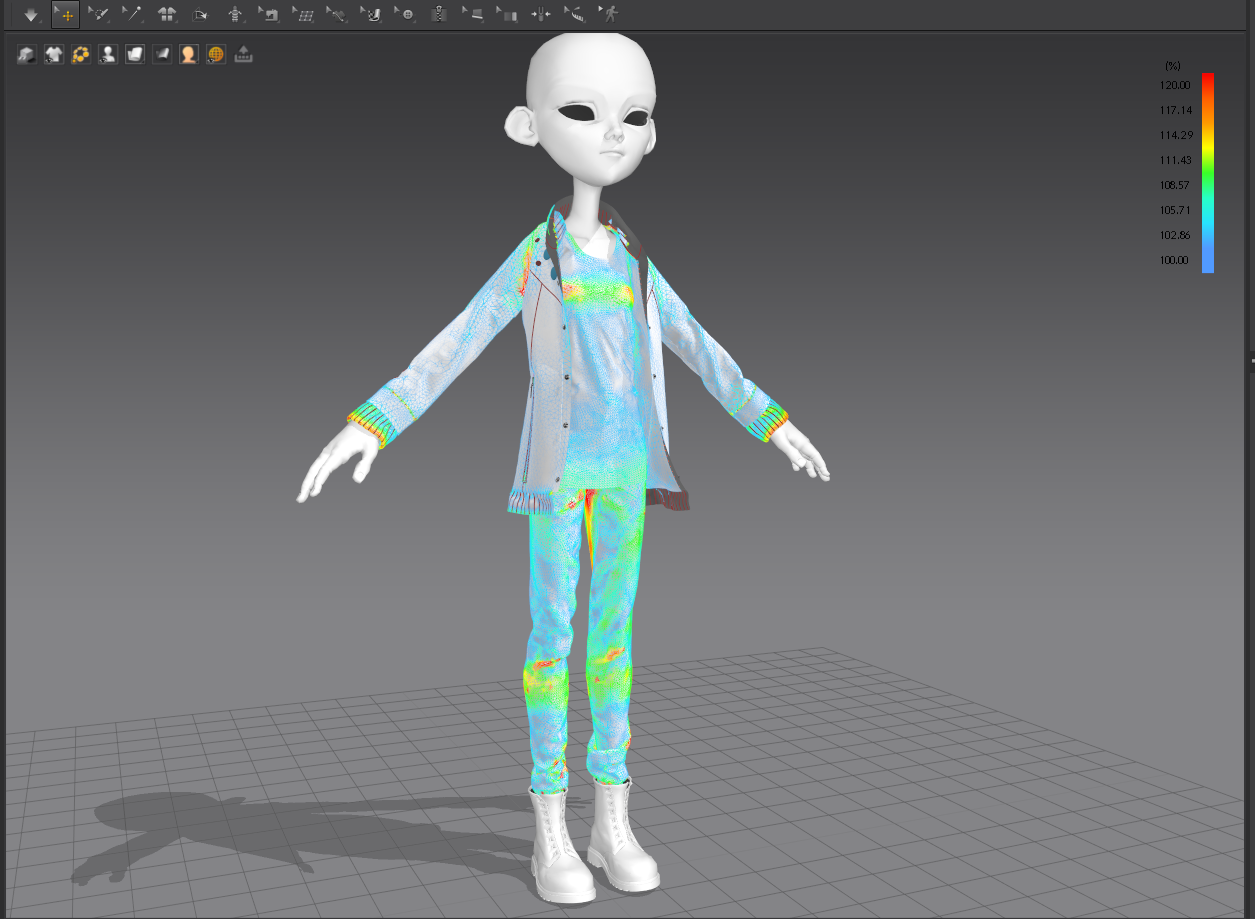 Once we had achieved the desired silhouette and proportions with a fairly relaxed strain map, we exported the asset and sent it to the textures department. They were responsible for giving the clothing a dirty and aged look.
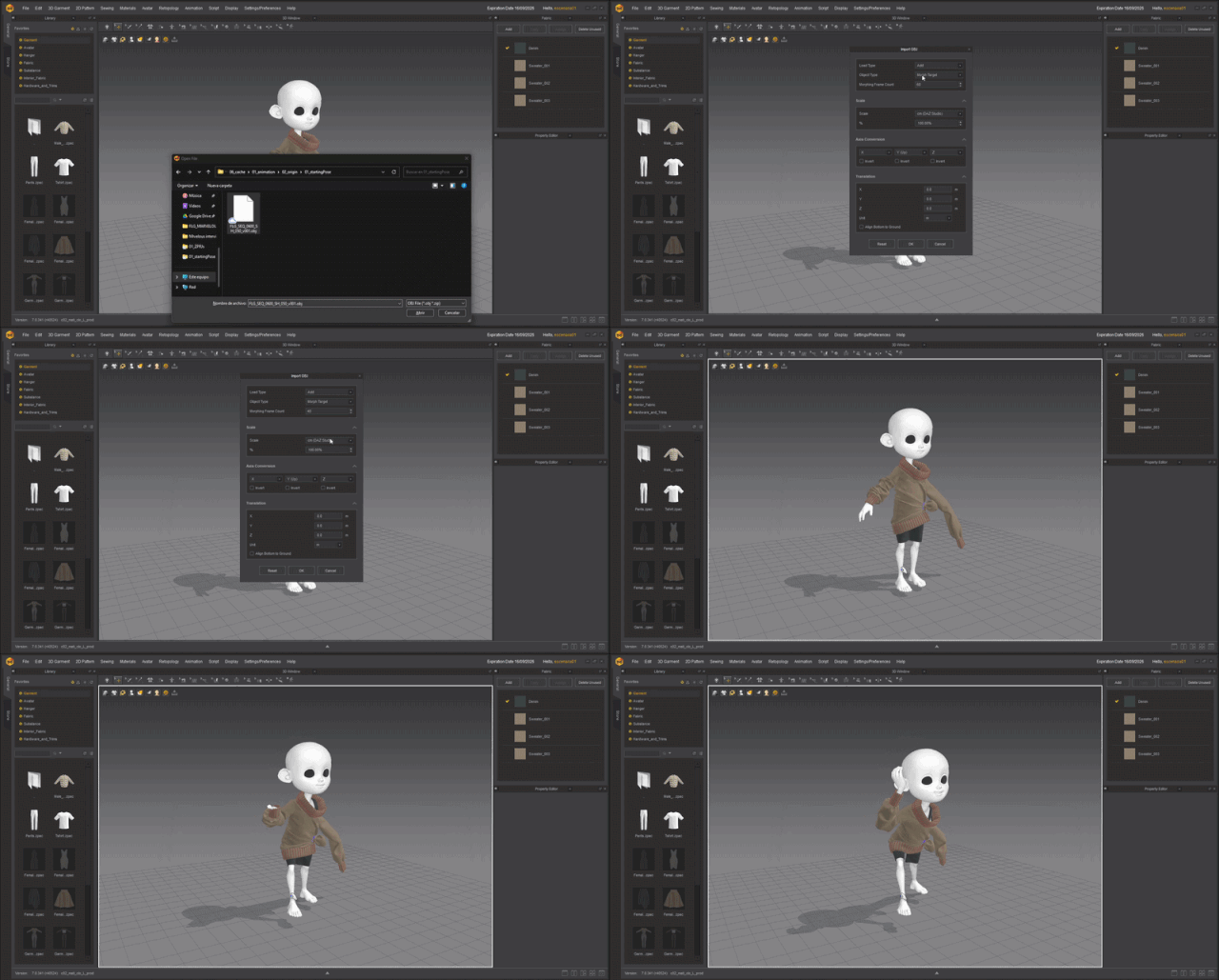
Upon arriving at the simulation department, we imported the animation from Maya and positioned the clothing in the initial pose of the shot. We achieved this using Marvelous' morph target, after which we could start the simulation process.
Many students and aspiring designers are inspired by your work. Do you have any advice for creators who are just starting with Marvelous Designer or dreaming of winning international awards like you?
Never give up! I know that sounds clichéd, but it's genuinely the best thing you can do. Like everyone else, I started out as a student, and through hard work, I managed to secure a position at the studio. I later worked on Shimmer as a teacher and have seen students give up because of the pressure. However, those who truly strive always surprise me by achieving things that many professionals never reach. Working with students and observing their professional development and progress is always very rewarding.
What they're working on doesn't matter, as long as they give their best effort and dedication. They should focus on enjoying the process, not the result.
As technology evolves, the role of digital garments is becoming even more significant. How do you plan to push the boundaries with Marvelous Designer in your future projects, and what’s next for your studio?
One thing I love about Marvelous Designer is that they're constantly releasing new versions with lots of new tools, which encourage me to keep developing as an artist. It's exciting to experiment with all the new tools available.
As I mentioned earlier, we're working on six new projects, which I can't reveal much about, but I can say that one of them features lots of beasts and demons. I'm really enjoying dressing up characters with those characteristics.
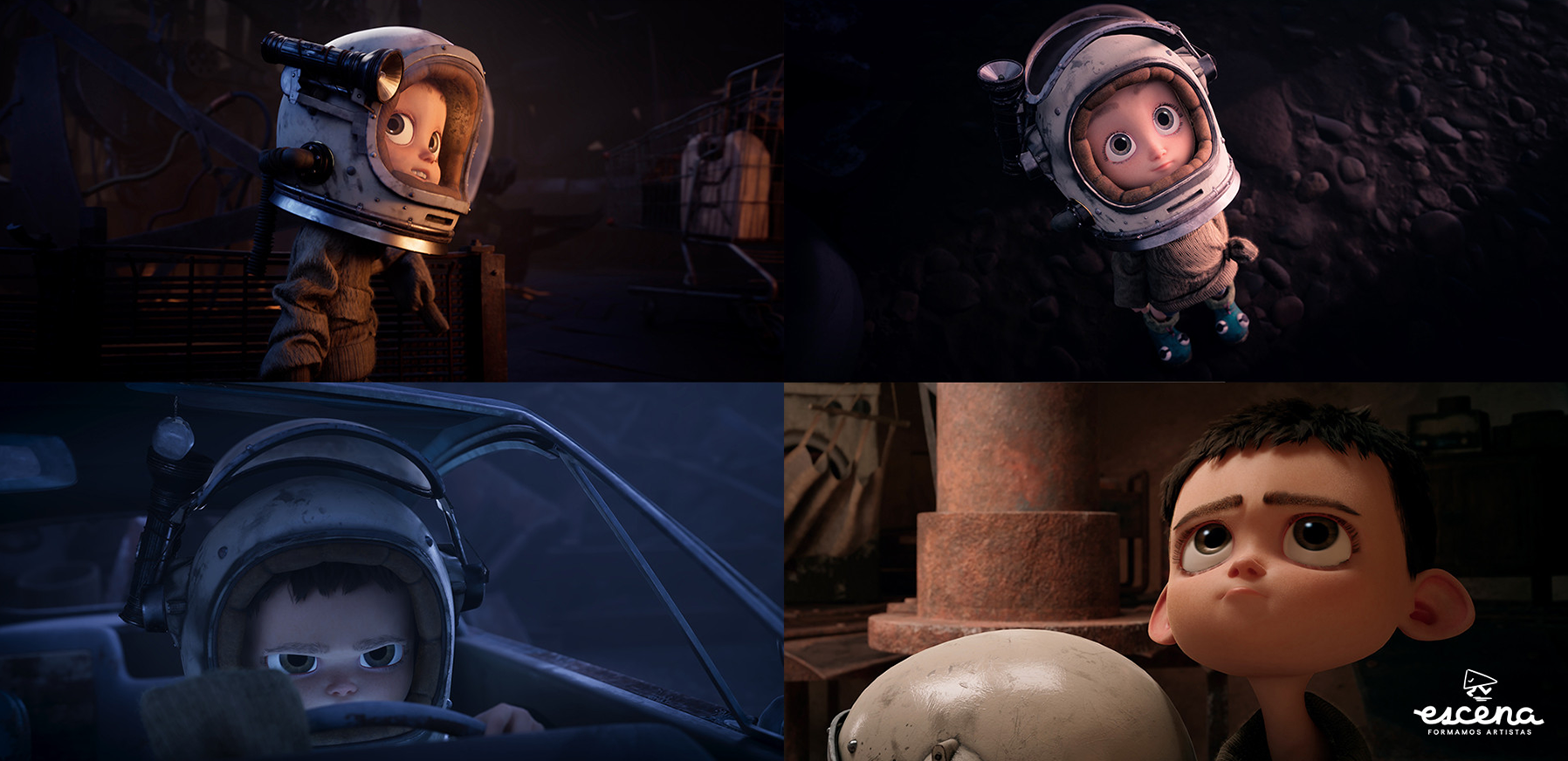
이 작업은 Animation, Simulation, Pattern 등의 기술로 제작되었습니다.
Marvelous Designer로 이와 같은 3D 의상·캐릭터 작업을 직접 만들어볼 수 있습니다.