IconX Shortfilm
Get an inside look at how Them Studio brought a fresh metaverse vision to life—merging cutting-edge visuals with heartfelt storytelling and a stylized aesthetic that pushes the boundaries of commercial CG work using Marvelous Designer for stylized animation.
Interview with THEM Studio
To start off, could you introduce yourself and your team at IconX Studio?
Hey everyone! I’m Dima Havryliv, and I was the art director on this project as part of the team at Them Studio. We’re a group of bold, forward-thinking artists based in Kyiv. Each of us has strong experience as a solo CG artist, but when we join forces, we’re able to create truly exciting work — and this project is a great example of that. We’re really excited to share it with you.
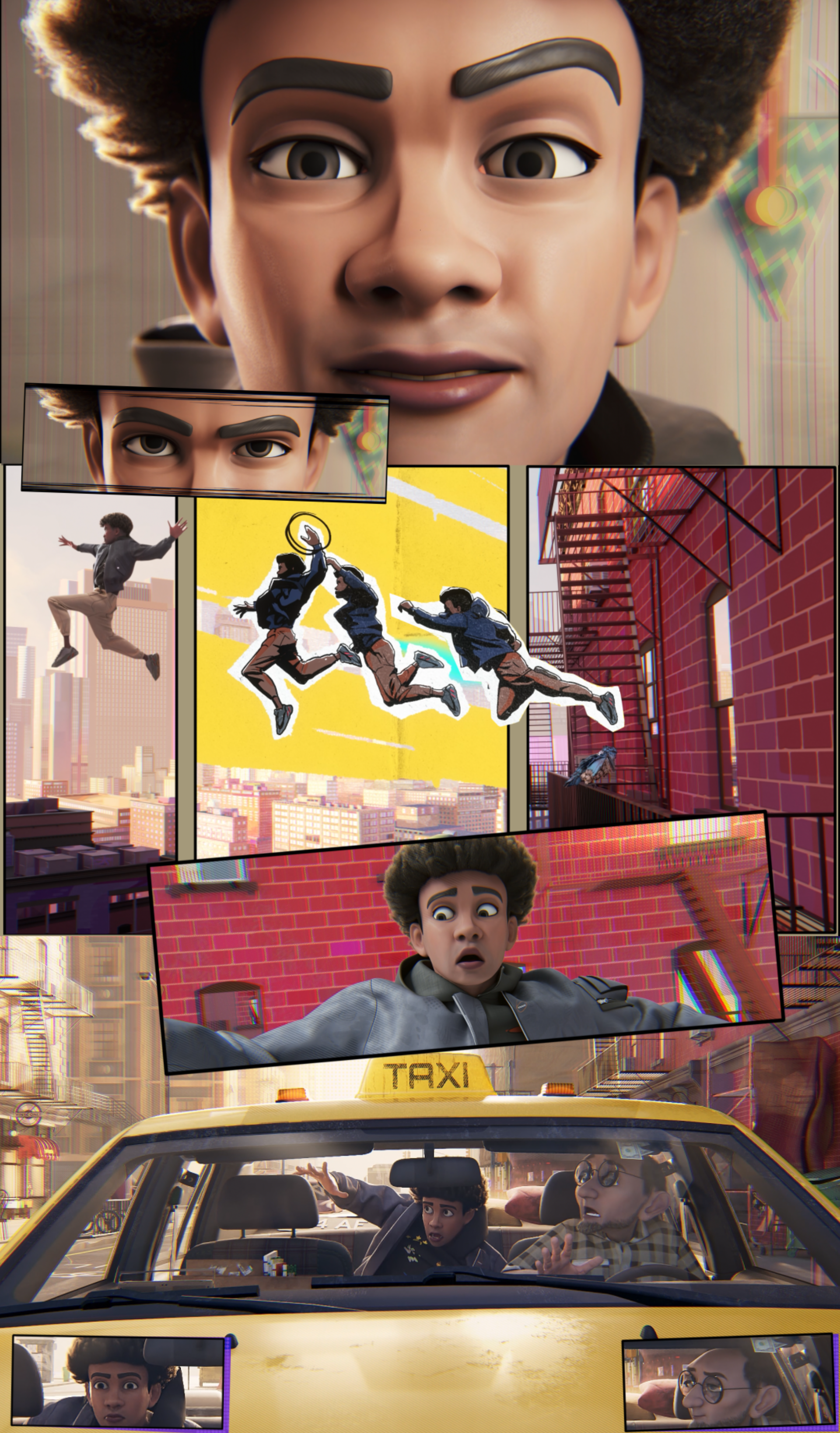
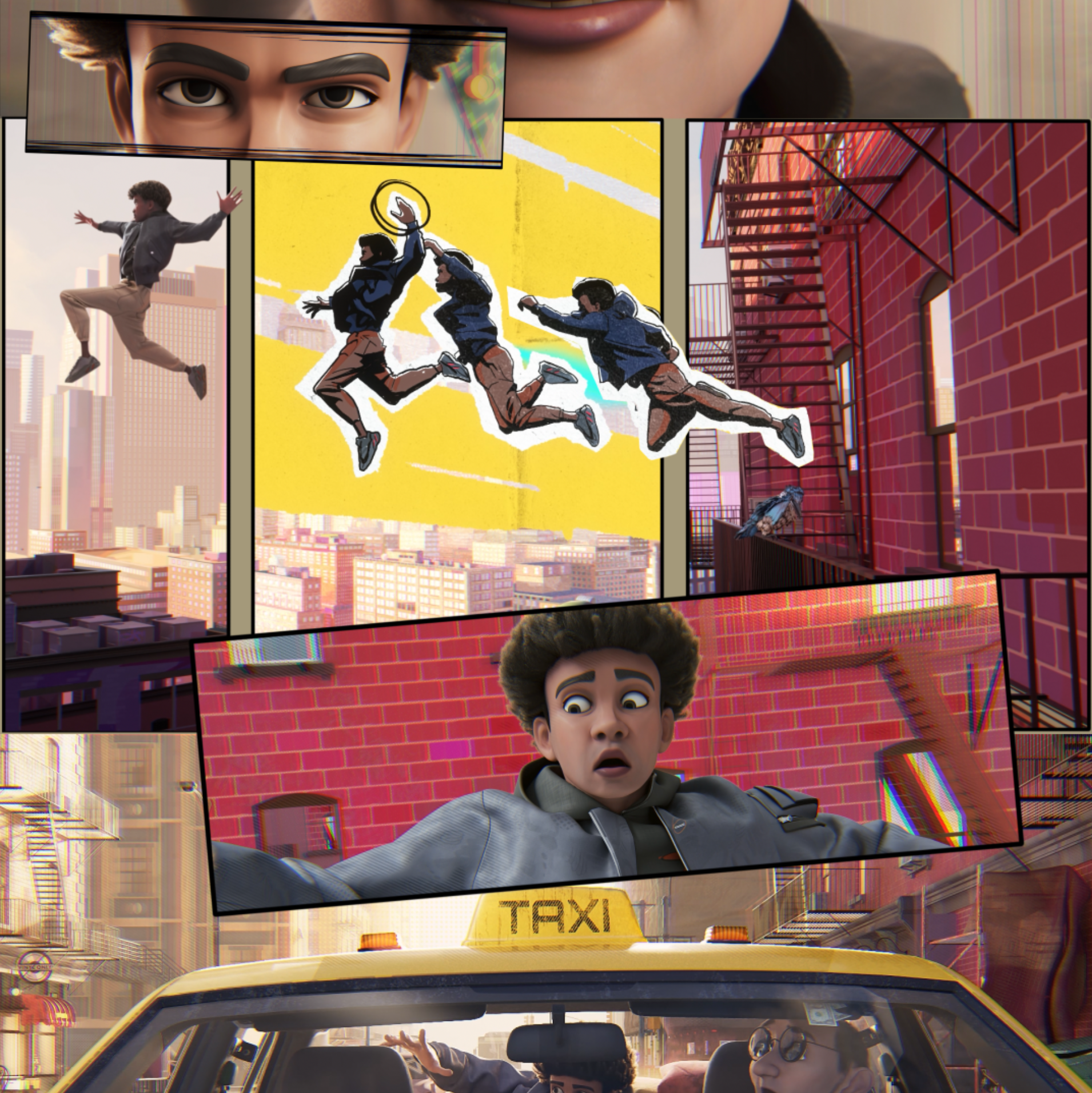
At Them Studio, we create a wide range of 3D visuals — from large-screen video content to product-focused animations. But recently, we’ve become especially interested in short films. Inspired by Spider Verse, we decided to explore a new style for ourselves, combining 2D and 3D elements. That inspiration turned into a creative journey that led to this project.
What inspired the concept behind this short film? Can you tell us how the idea first came about and developed?
This was a commercial project — the client wanted to present a metaverse concept, but in a fresh and emotionally engaging way. The goal was to evoke a feeling before revealing the product itself. We were given a general direction, but had a lot of creative freedom in how to bring it to life.
We started with a storyboard, where we defined the narrative and visual tone of the film. As I mentioned earlier, our team was deeply inspired by Spider-Verse, and we were excited to experiment with integrating a similar aesthetic — blending 2D and 3D elements in a stylized way.
There were definitely challenges, especially during the R&D stage, where we tested our ideas to see if they could actually work in motion. Once we locked in the visual style and got approval on the storyline with our main character, we jumped into production.
What led you to choose Marvelous Designer for this project? In what ways did it support your artistic vision?
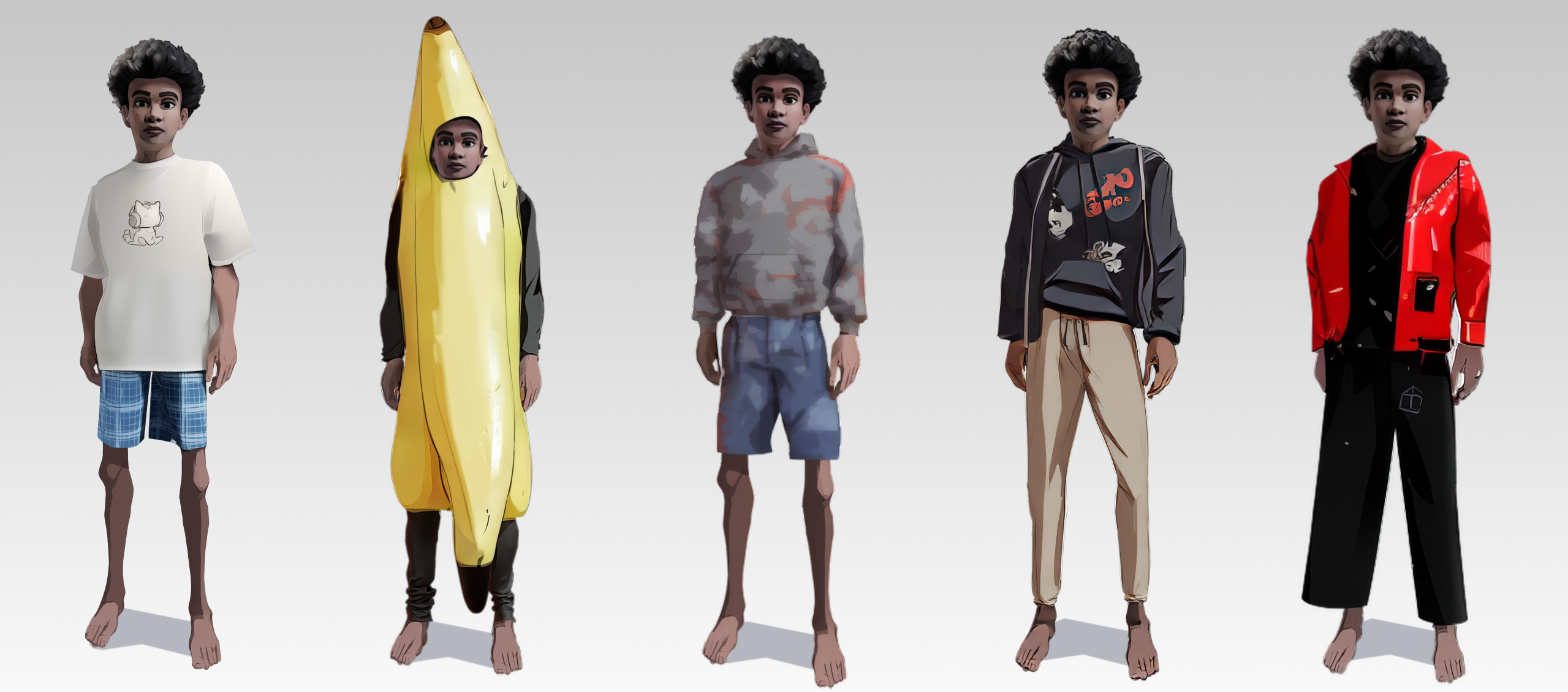
Even though most of us come from a Cinema 4D background — and Maxon has introduced some strong cloth simulation updates — we still prefer using Marvelous Designer. It’s much more intuitive and consistently delivers better results when it comes to clothing.
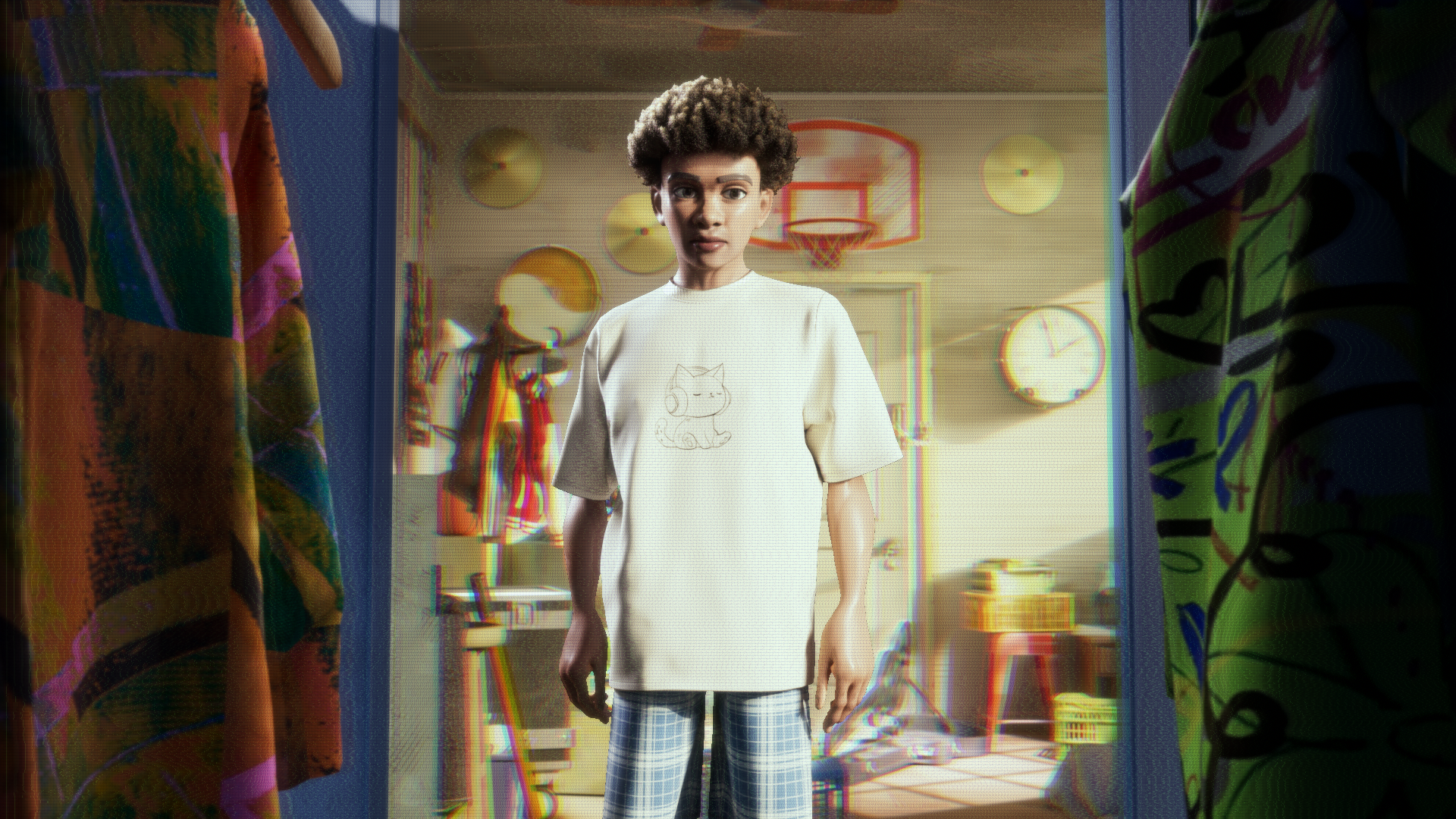
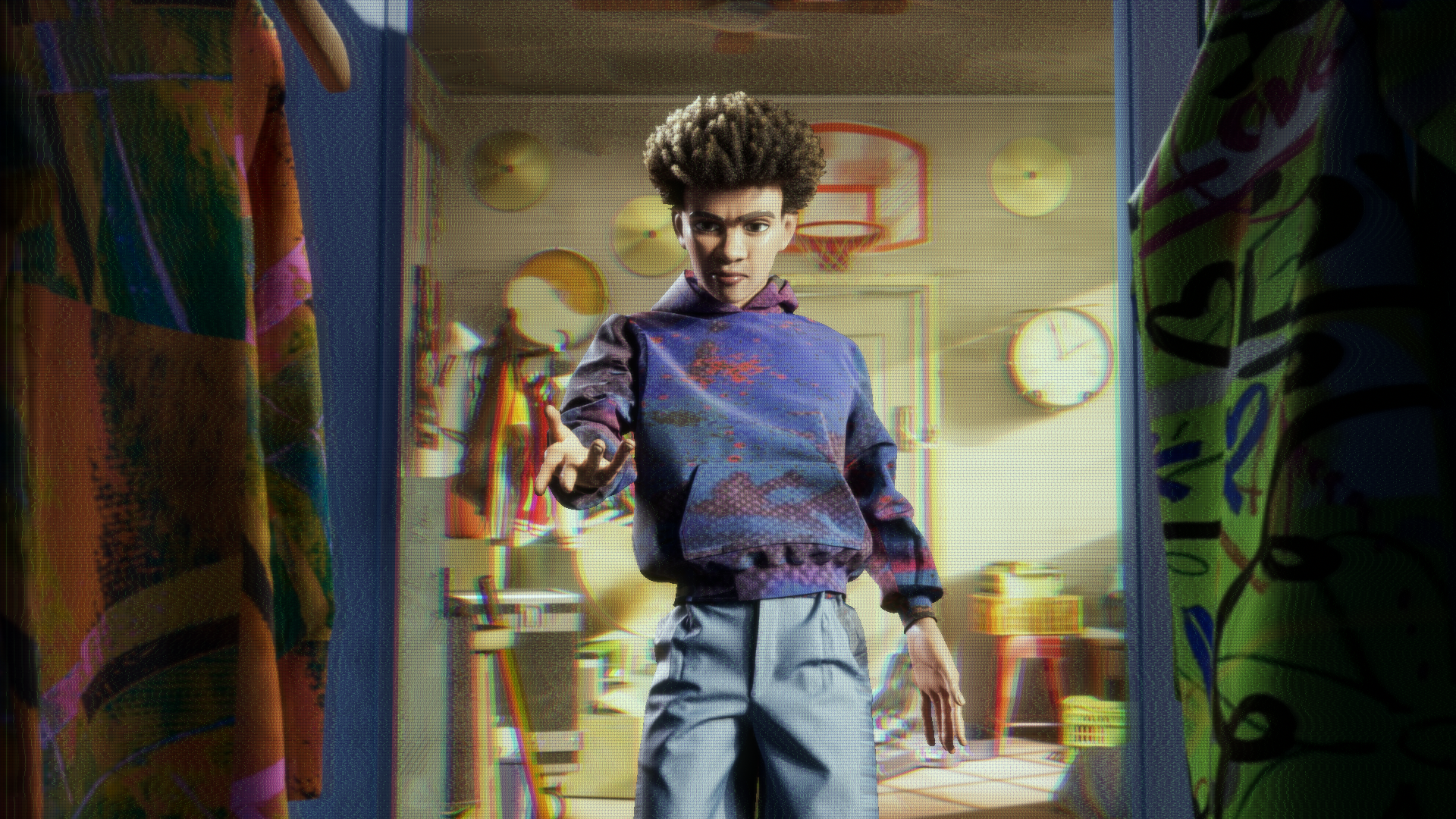
It played a key role in this project, especially since our character’s outfit was a crucial part of their identity and visual presence. From the beginning, we knew that if we were going to include a character, the clothing couldn’t be an afterthought — it had to be designed with care and purpose. Marvelous Designer helped us achieve exactly that.
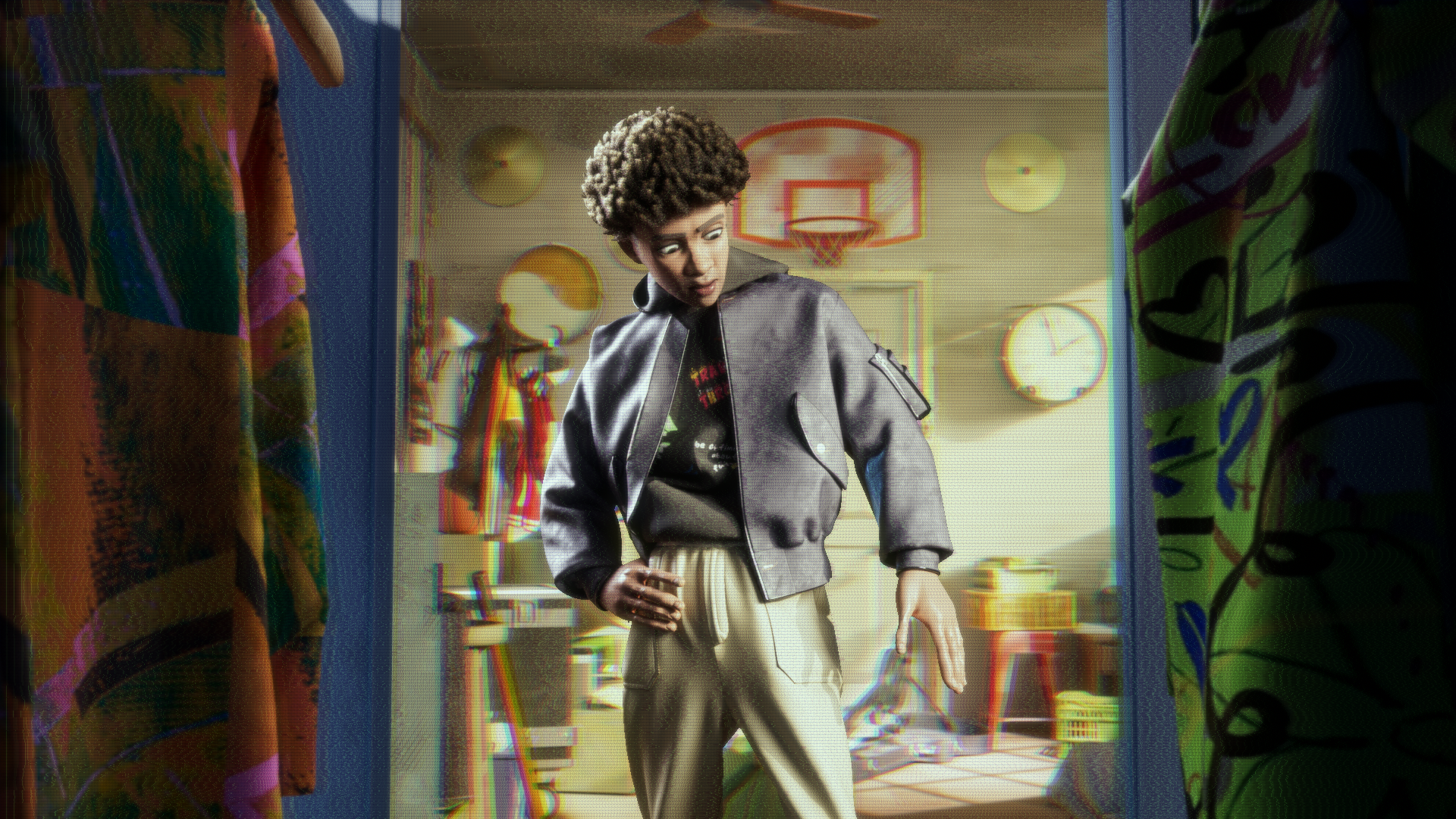
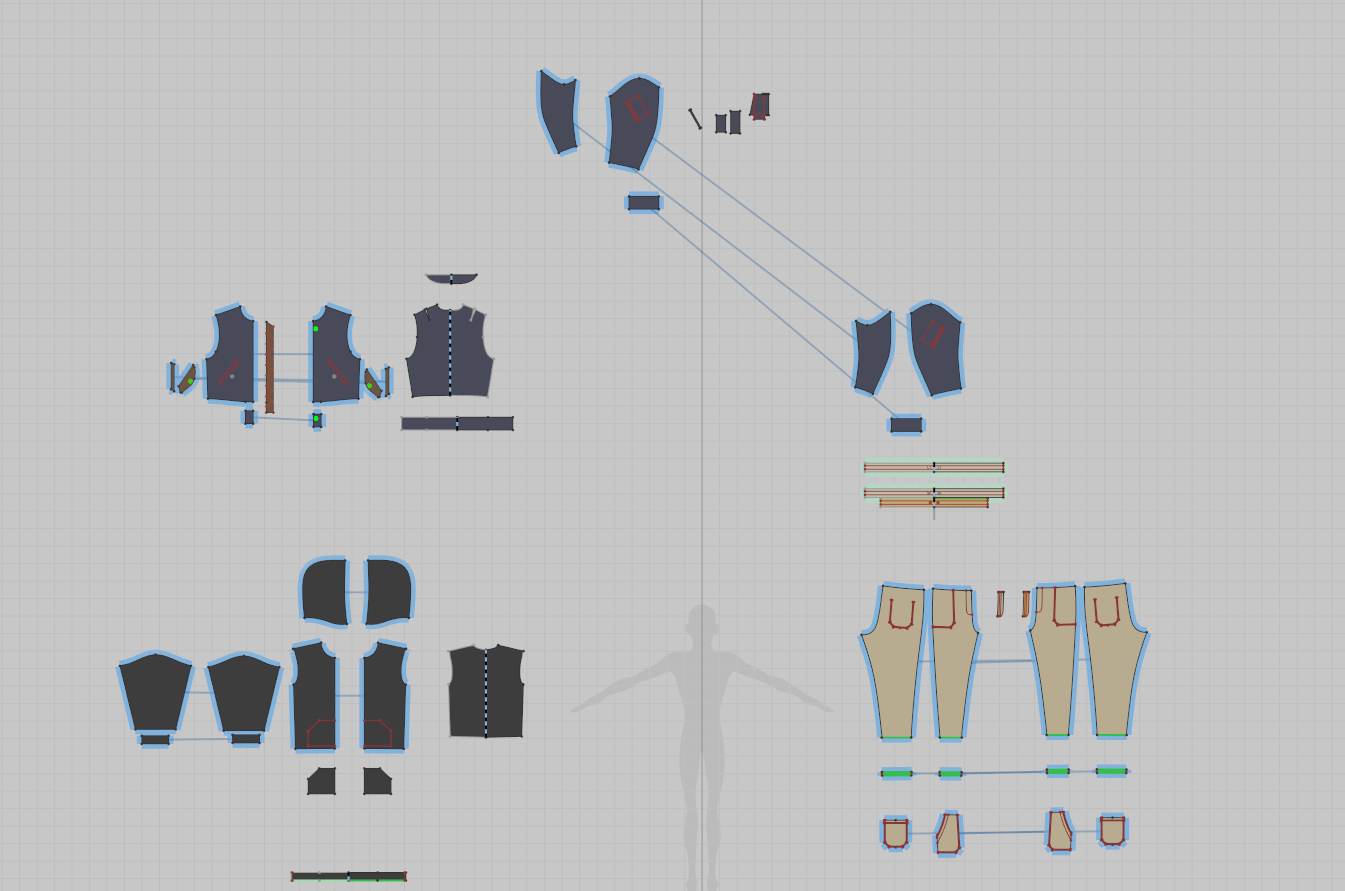
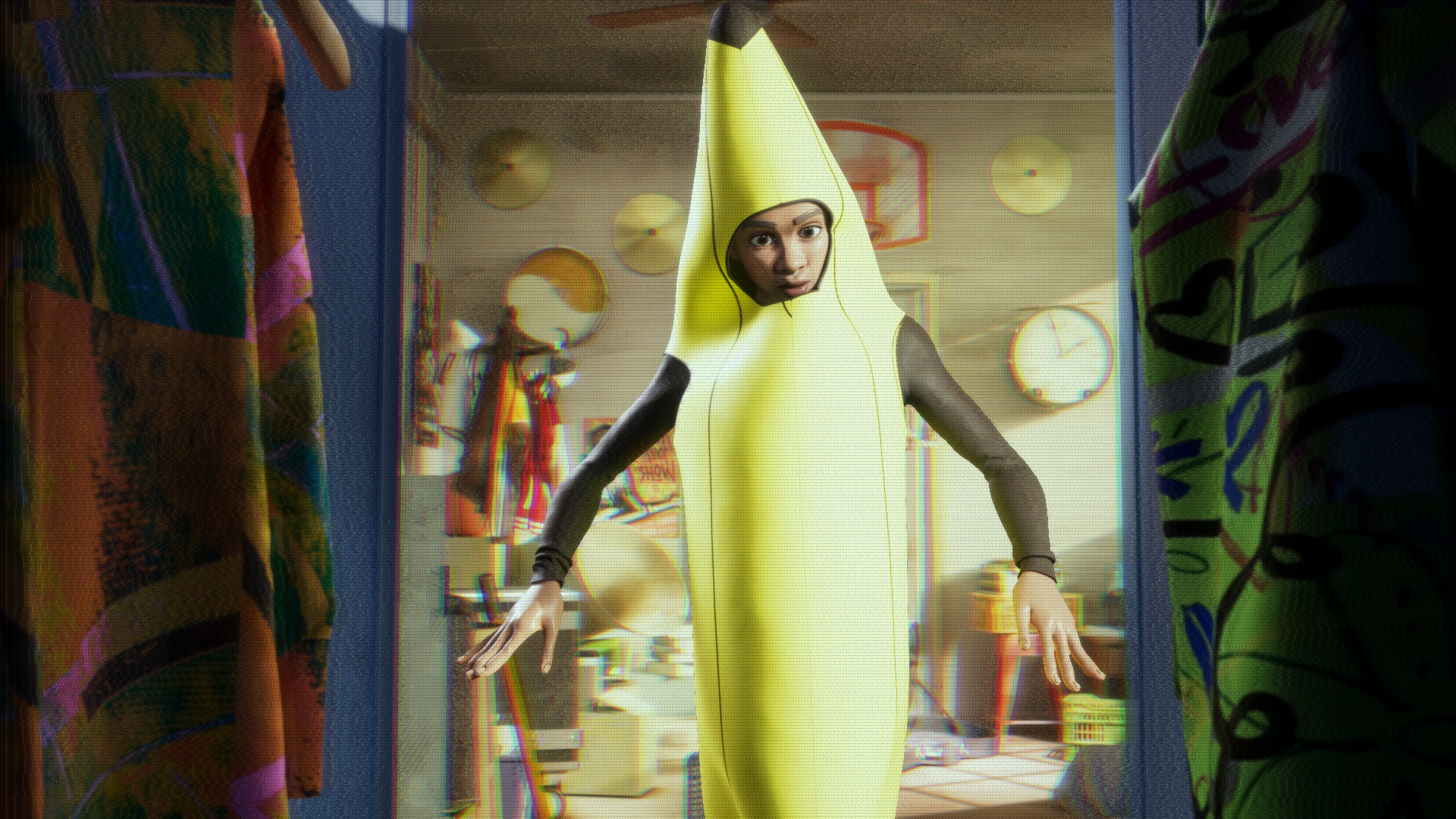
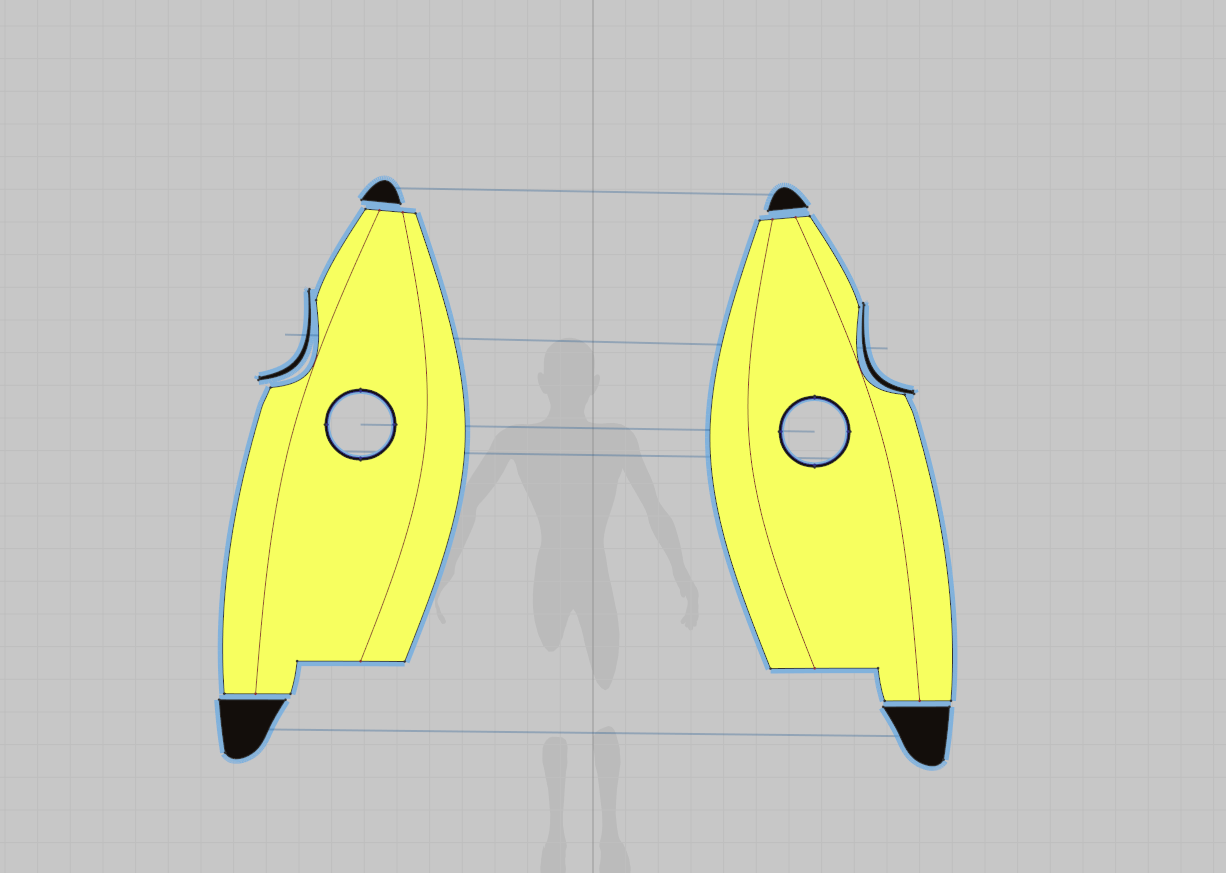
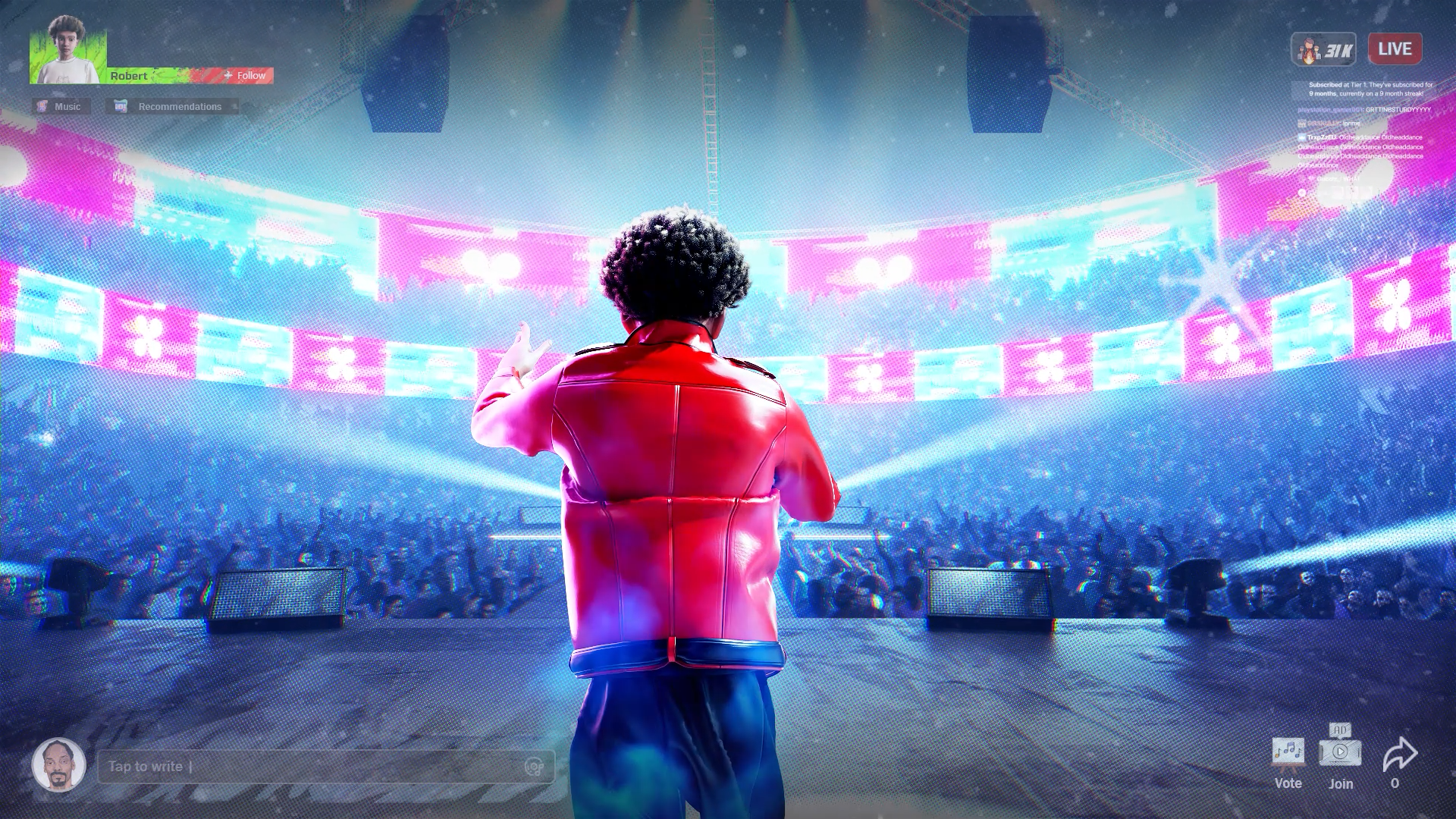
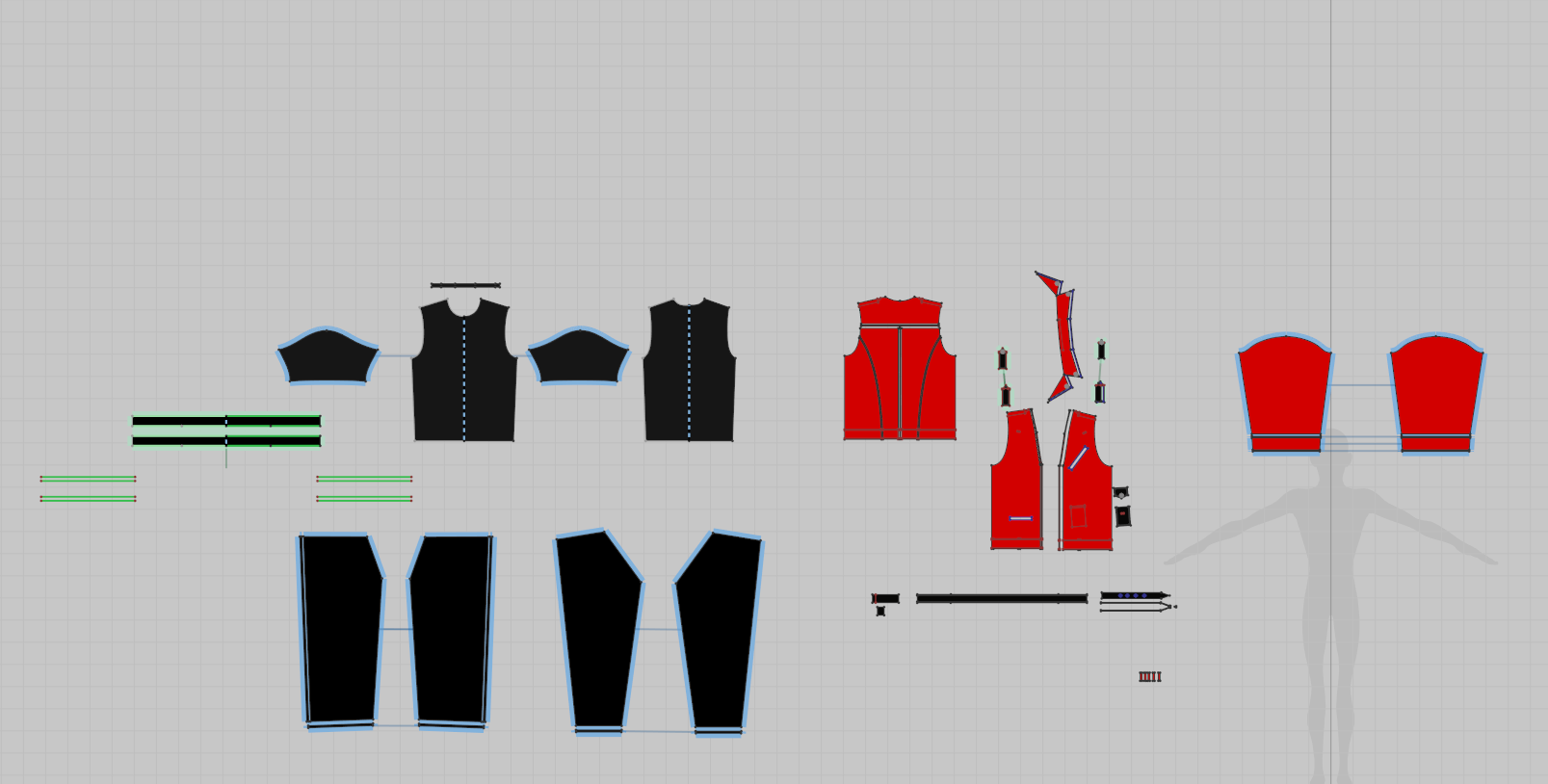
We’re particularly curious about the scene where Robert jumps out the window in slow motion, yet his clothes flow naturally. How did you simulate that moment using Marvelous Designer? Any tips you'd like to share?
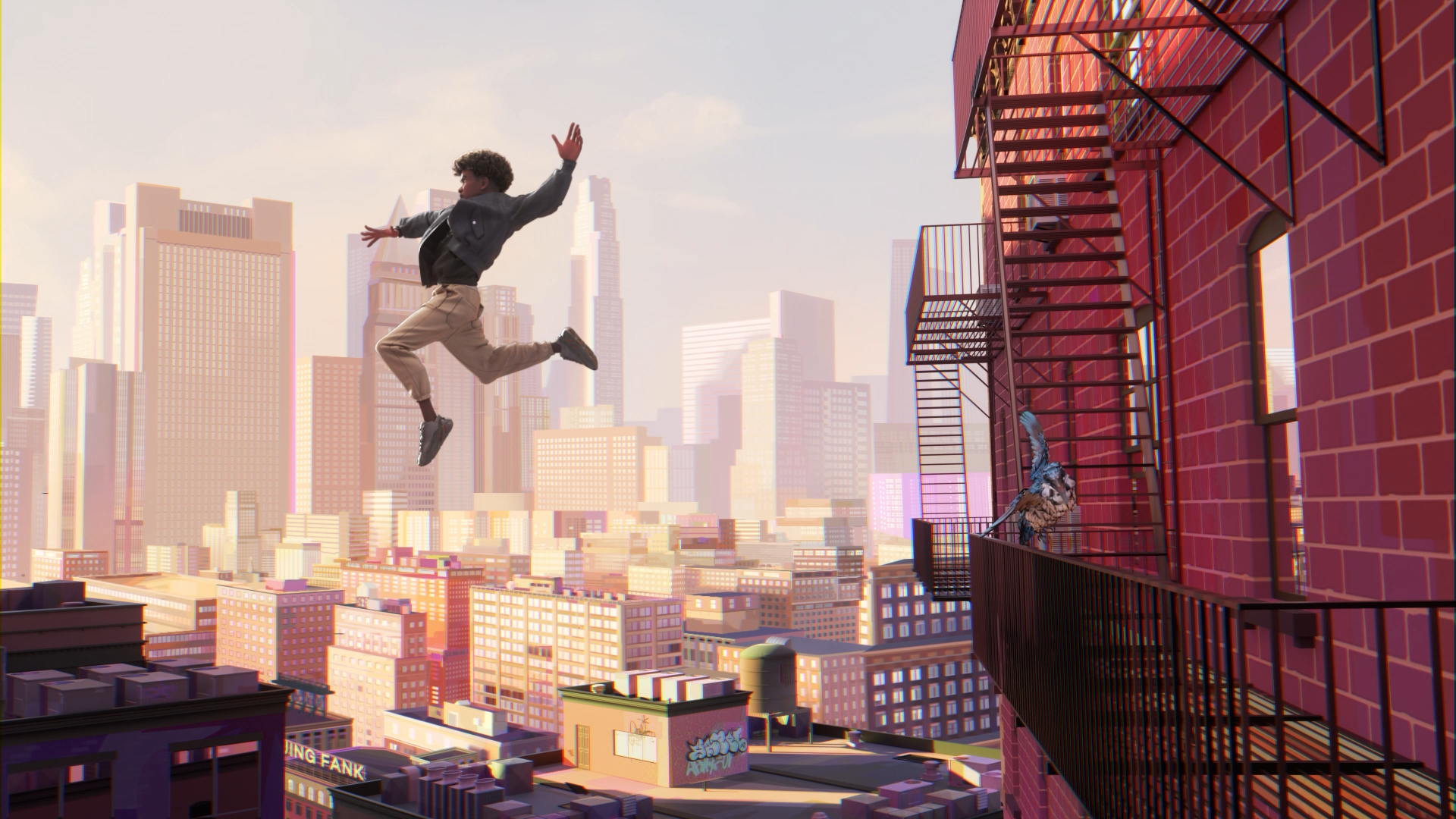
Let me pass this one over to Egor Haiev, a member of our team who was directly responsible for that simulation:
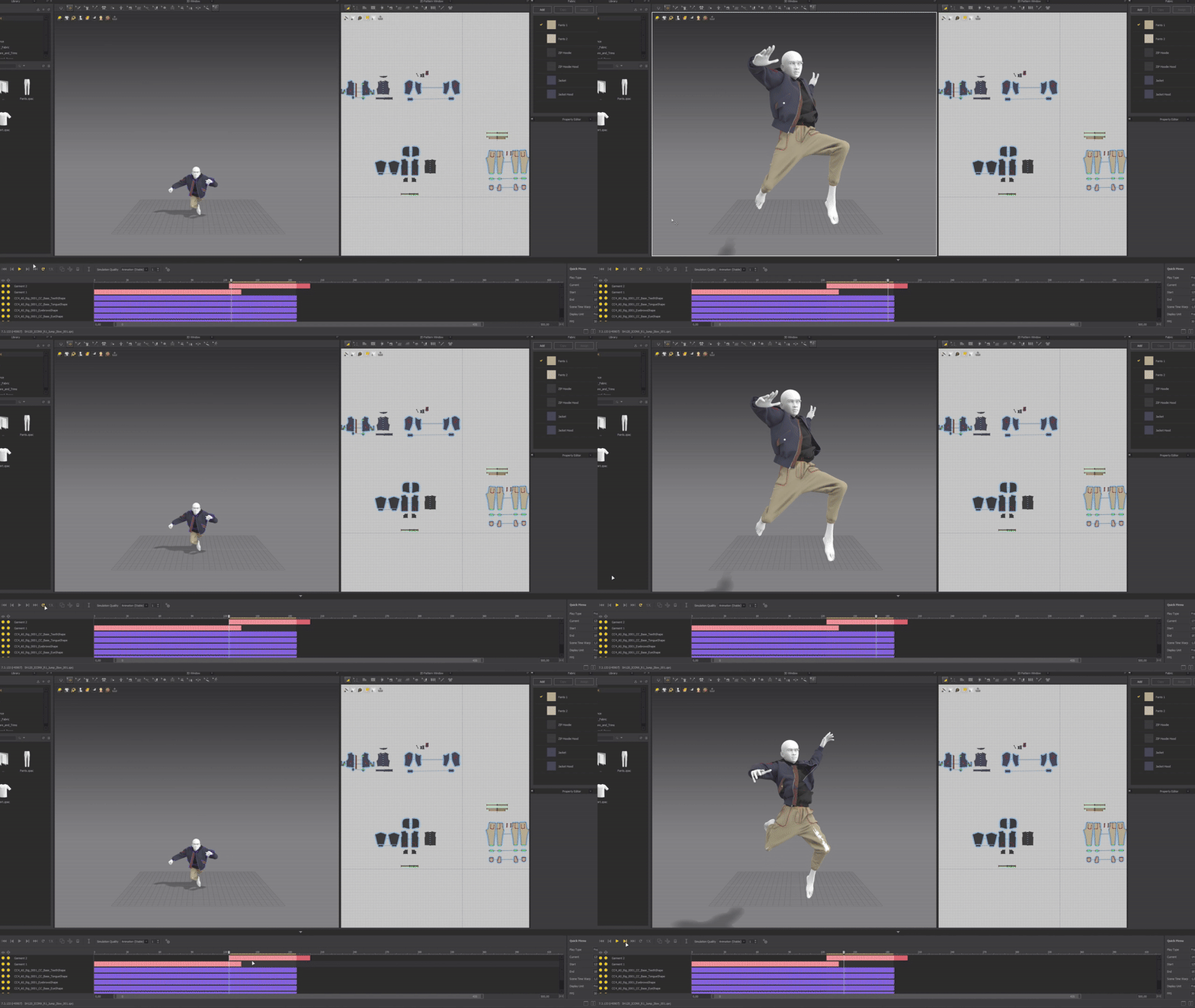
"This simulation was arguably one of the most challenging. I’d say it took me around 40 attempts to figure out exactly which settings needed to be adjusted to achieve a realistic result.
The key parameter, in my opinion, was Scene Time Warp. What I discovered is that the higher the value, the more the sequence gets stretched out, which allows Marvelous Designer to calculate additional in-between frames. For example, in the scene where the character jumps out of the window, I set this value to around 50 to help compensate for the high speed of the jump.
A small tip for users: if you notice that part of the fabric clips through the character or behaves oddly, you can pause the simulation at that moment, freeze the clothing elements that are working correctly, and leave only the problematic part active. Then, re-run the simulation in the viewport to fix just that area. Once it’s resolved, unfreeze the rest and continue the sim.
This approach lets you preserve the overall animation—including inertia—while focusing on smaller problem areas. And if glitches continue, the same process can be repeated."
Could you walk us through the main tools you used in your pipeline for this animation project?
For this animation project, our main tool was Cinema 4D with the Redshift engine. All of the scenes were built in C4D, including texturing, lighting, and materials. Most of the work was done within this software.
For certain scenes, such as the window jump scene, where we used a 2D background, we found that Blender handled 2D perspectives better, so we used it specifically for those parts.
Marvelous Designer was essential for creating the character’s clothing, allowing us to achieve realistic and dynamic fabric simulation.
For character design, we used Character Creator to build the main character.
The character animation was done in Maya, where we specifically worked at 12 fps to give the project a more cartoonish, stylized feel.
Photoshop was used for the additional stylization of textures and to add 2D motion blur effects and inserts during post-production.
Finally, all of the visual effects, color grading, and anything that enhanced our 3D visuals were brought together in After Effects for post-production.
What were some of the key challenges you faced while working with Marvelous Designer?
Since this wasn’t our first time working with Marvelous Designer, creating the clothing itself wasn’t a major challenge. However, given that our video uses 12 fps for the character animation — a stylistic choice — we were a bit concerned about potential issues with the simulation.
Surprisingly, everything went smoothly. We increased the time calculation, which helped, and the results looked great. After that, we brought the Alembic file into Cinema 4D, removed every second frame, and the animation held up perfectly.
Do you have any advice for artists looking to use Marvelous Designer for stylized animation projects?
Egor Haiev
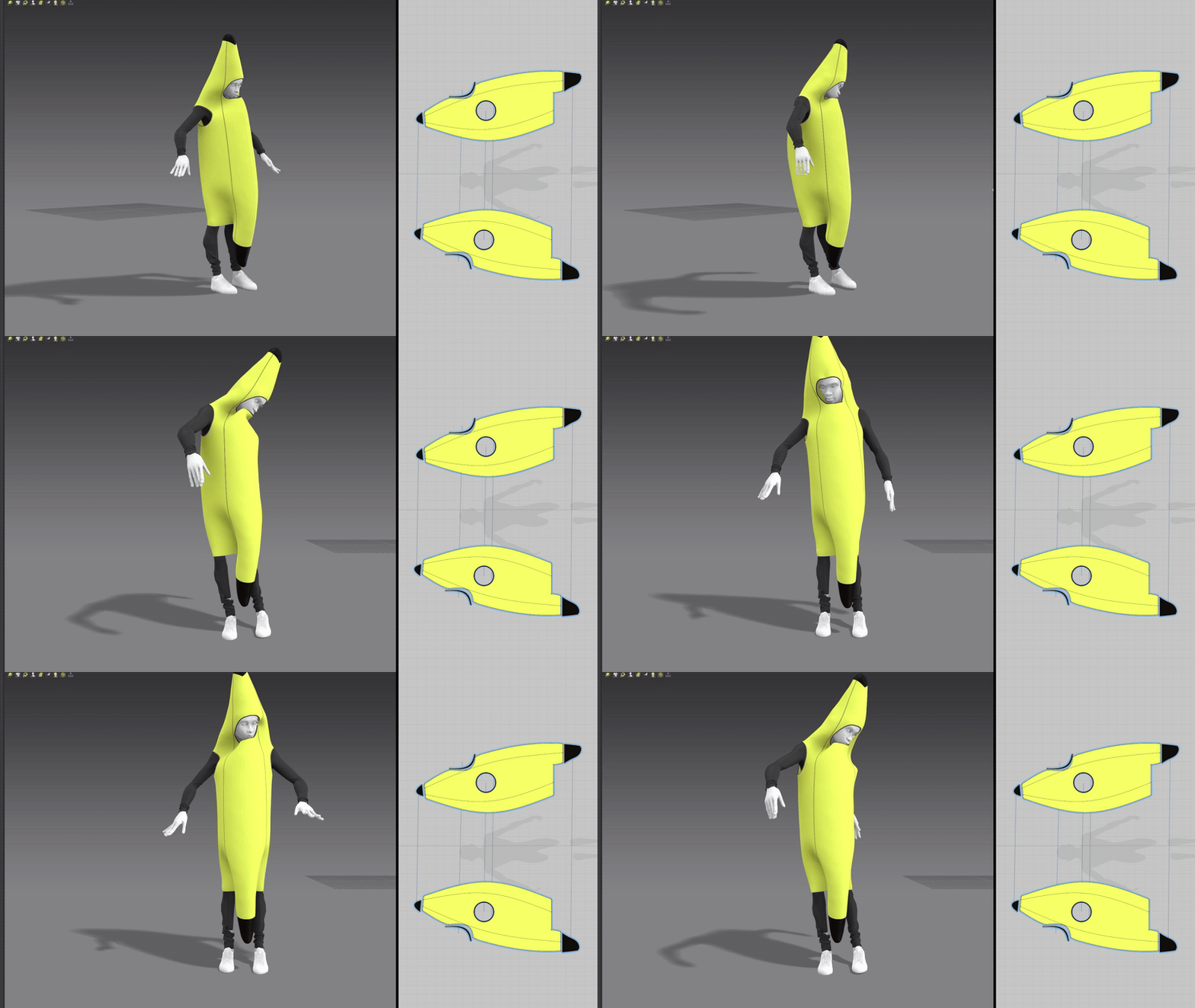
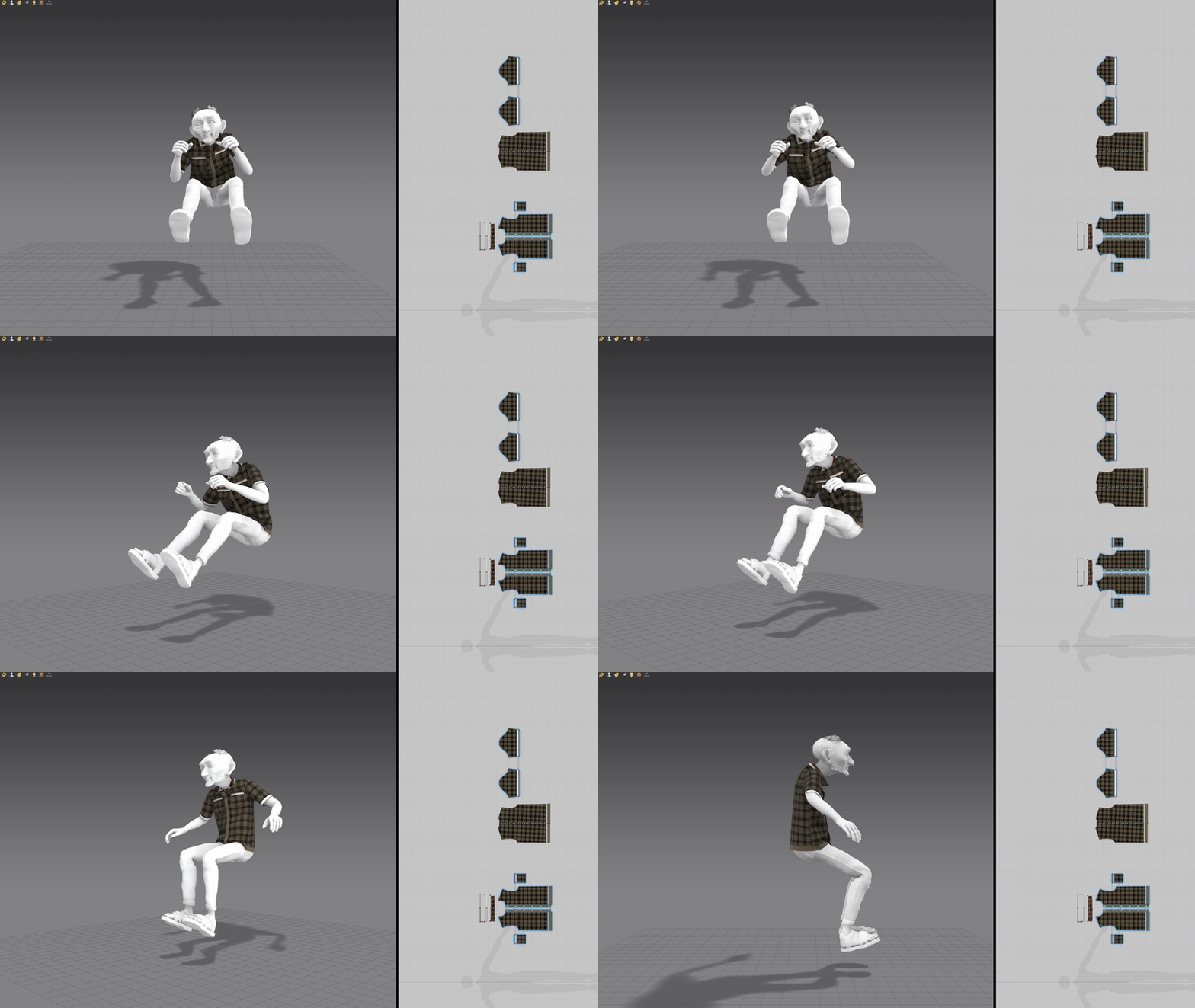
"I believe that the quality of the character animation plays a significant role. Fortunately, we had a very talented animator on our team, which contributed to the overall dynamic and lifelike feel of the project. However, the clothing itself should not be overlooked. While the overall style is certainly important, it's often the small details that add an extra layer of interest.
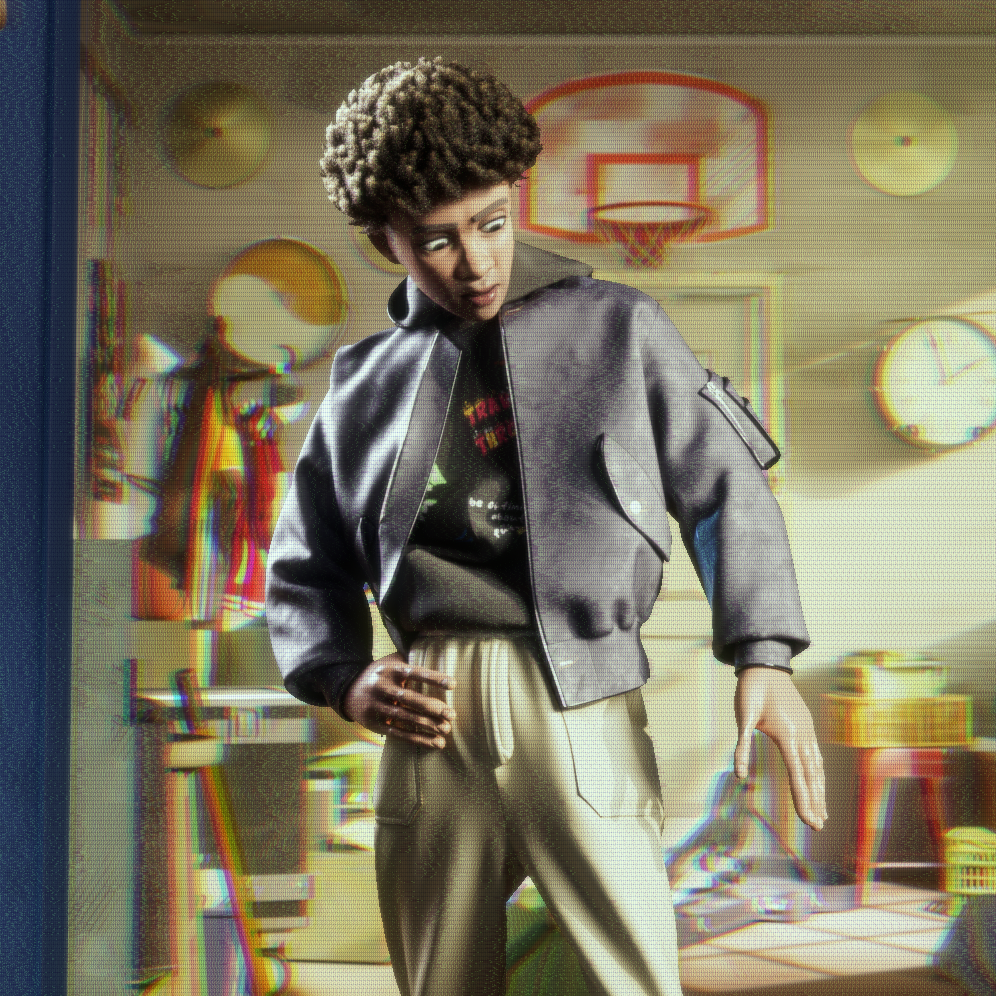
In Robert’s case, I would highlight his concert outfit—particularly the jacket with the strap that sways nicely with the character’s movements. A similar feature appears in his main outfit, the one he wears during the window jump scene. There, it's the layered nature of the clothing that stands out. We found the overlapping of several garments in that context to be quite visually compelling"
Finally, how would you sum up your overall experience using Marvelous Designer throughout this project?
It was an exciting adventure, but without the clothes, it would’ve been pretty cold and tough! We’ve used Marvelous Designer before, and in this project, it truly became a key part of the process. Big thanks to the team for making sure our character stayed stylish while we animated them!
이 작업은 stylized, Avatar, Cinema4D, redshift, Blender, animation 등의 기술로 제작되었습니다.
Marvelous Designer로 이와 같은 3D 의상·캐릭터 작업을 직접 만들어볼 수 있습니다.