Indie Spotlight: Spencer on Building 'Rhythm Towers' with Marvelous Designer
Unlock the Marvelous Designer to Unreal Engine Chaos Cloth pipeline. Spencer, founder of innoloop, creator of an indie game Rhythm Towers, gives us a masterclass in his workflow, sharing the exact steps and "gotchas" for bringing Marvelous Designer garments to life with real-time physics in Unreal.
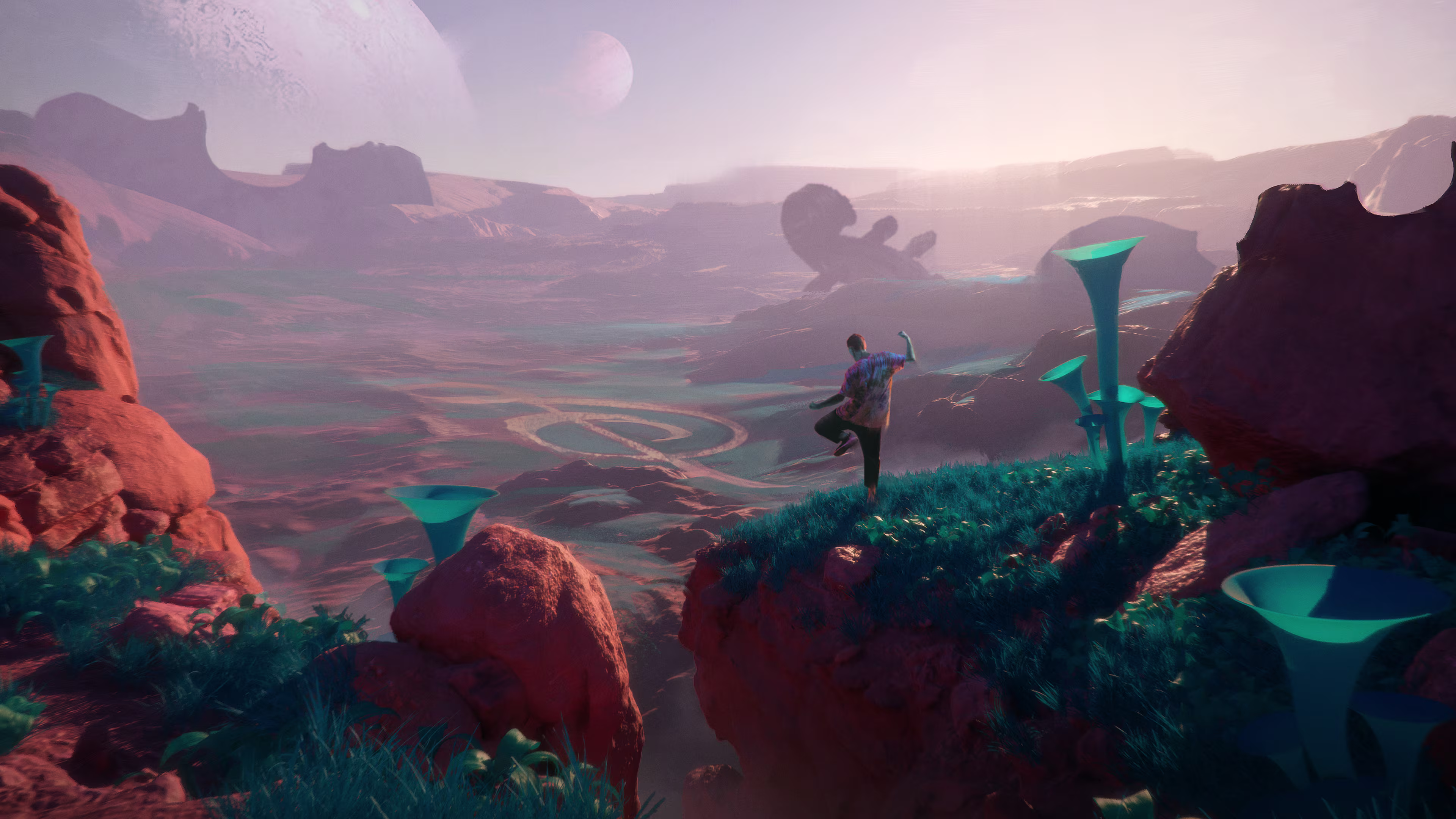
Interview with Spencer Beckford | Rhythm Towers | Founder of Innoloop
Could you please start by telling us a bit about yourself and your game, Rhythm Towers?
Hi! I’m Spencer, founder of innoloop, a small indie game studio based in the UK. I’m a former software engineer who decided in 2017 to learn a whole new bunch of creative skills: drawing, painting, sculpting, character modeling, animation, sound design, music composition, and level design so I could build my own games and create my own worlds. When the 2020 lockdowns hit, I asked myself “if not now, when?” and committed fully to game development.
Rhythm Towers is a love letter to two genres I adore, rhythm action and strategy - set on a funky alien world where music powers everything.
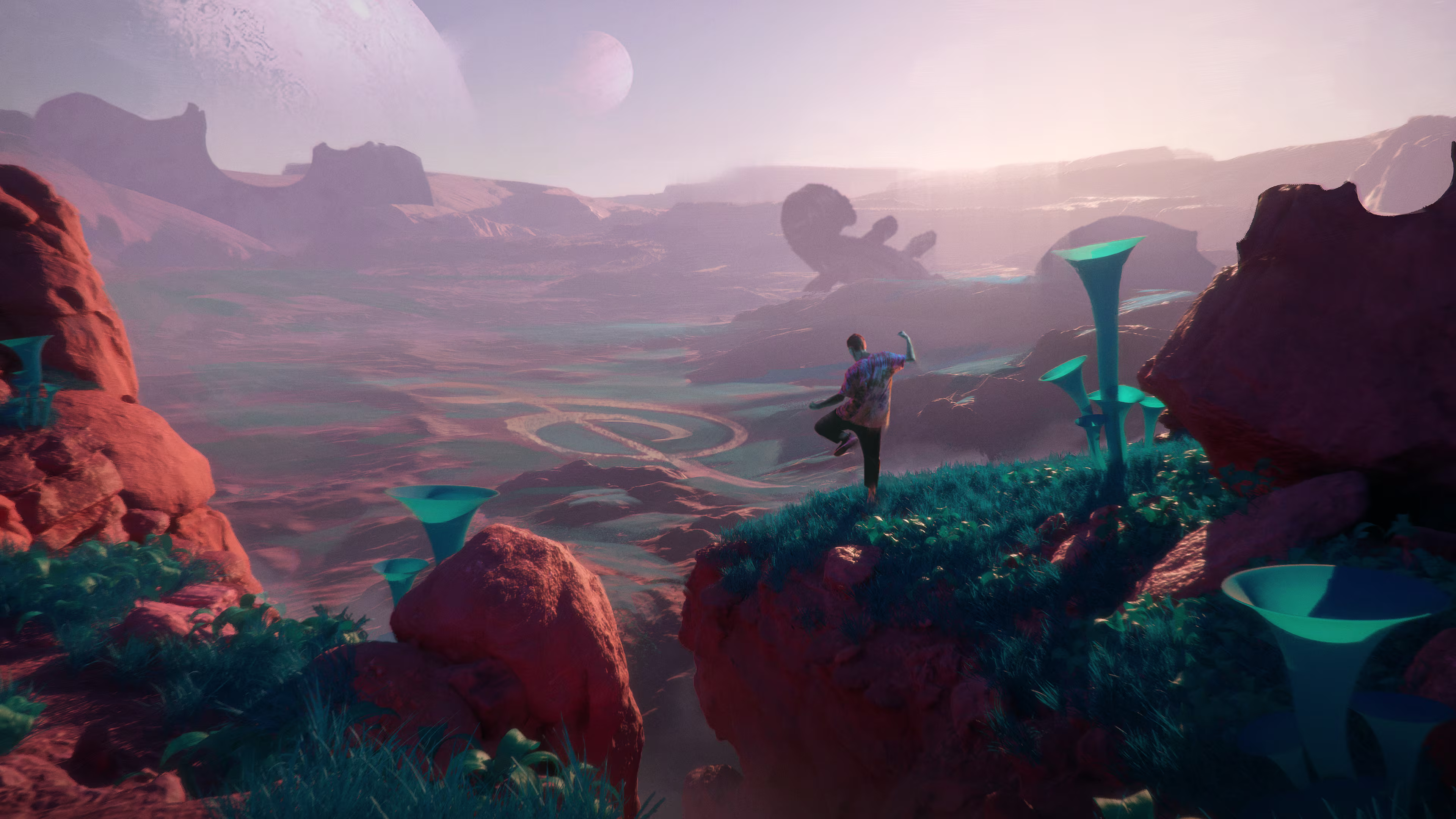
The first prototype was built in Dreams on PlayStation 4; early feedback from friends and players in the Dreamiverse convinced me to take it further, so I migrated to Unreal Engine and began production with an enthusiasm that I still have to this day!
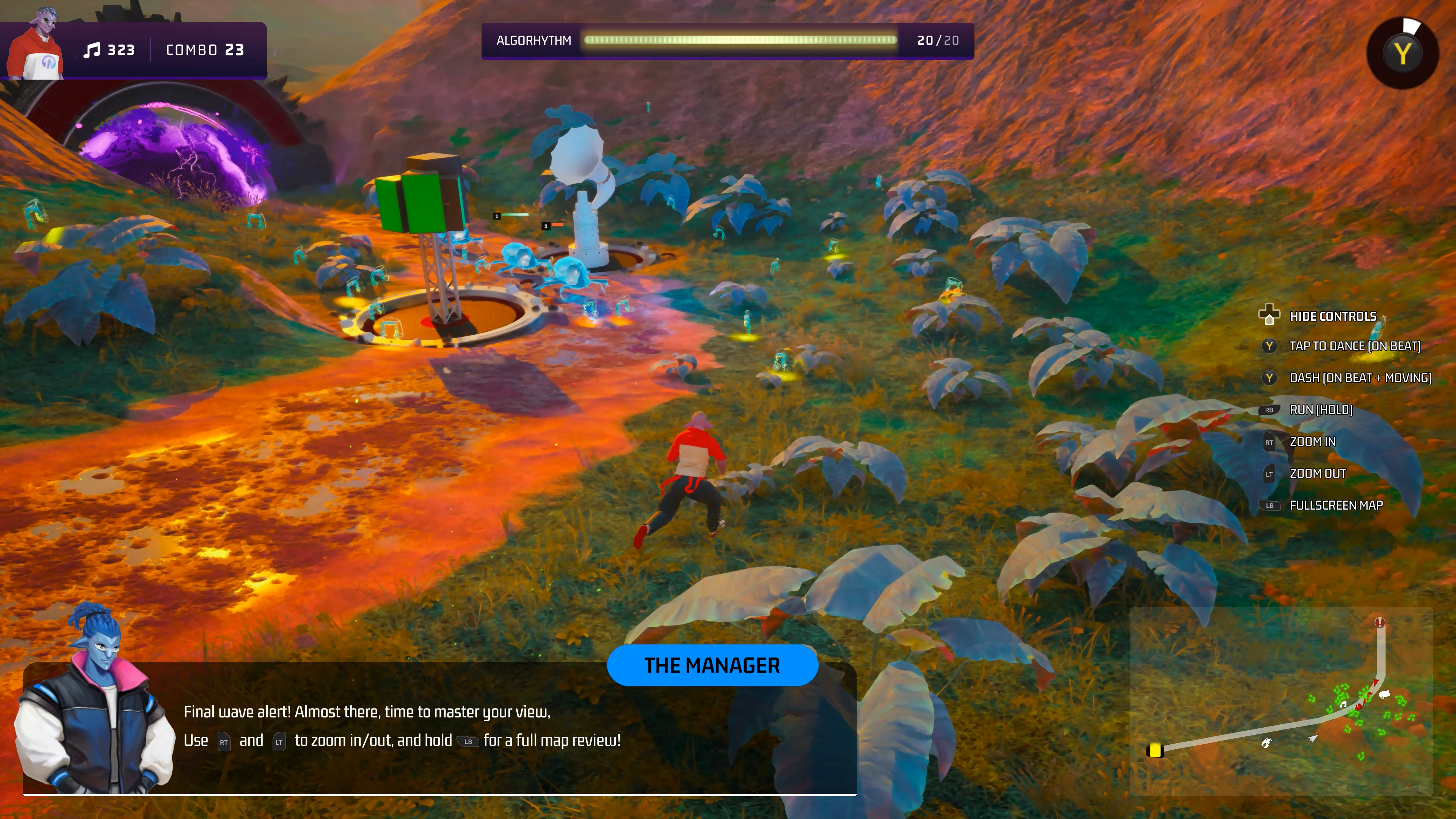
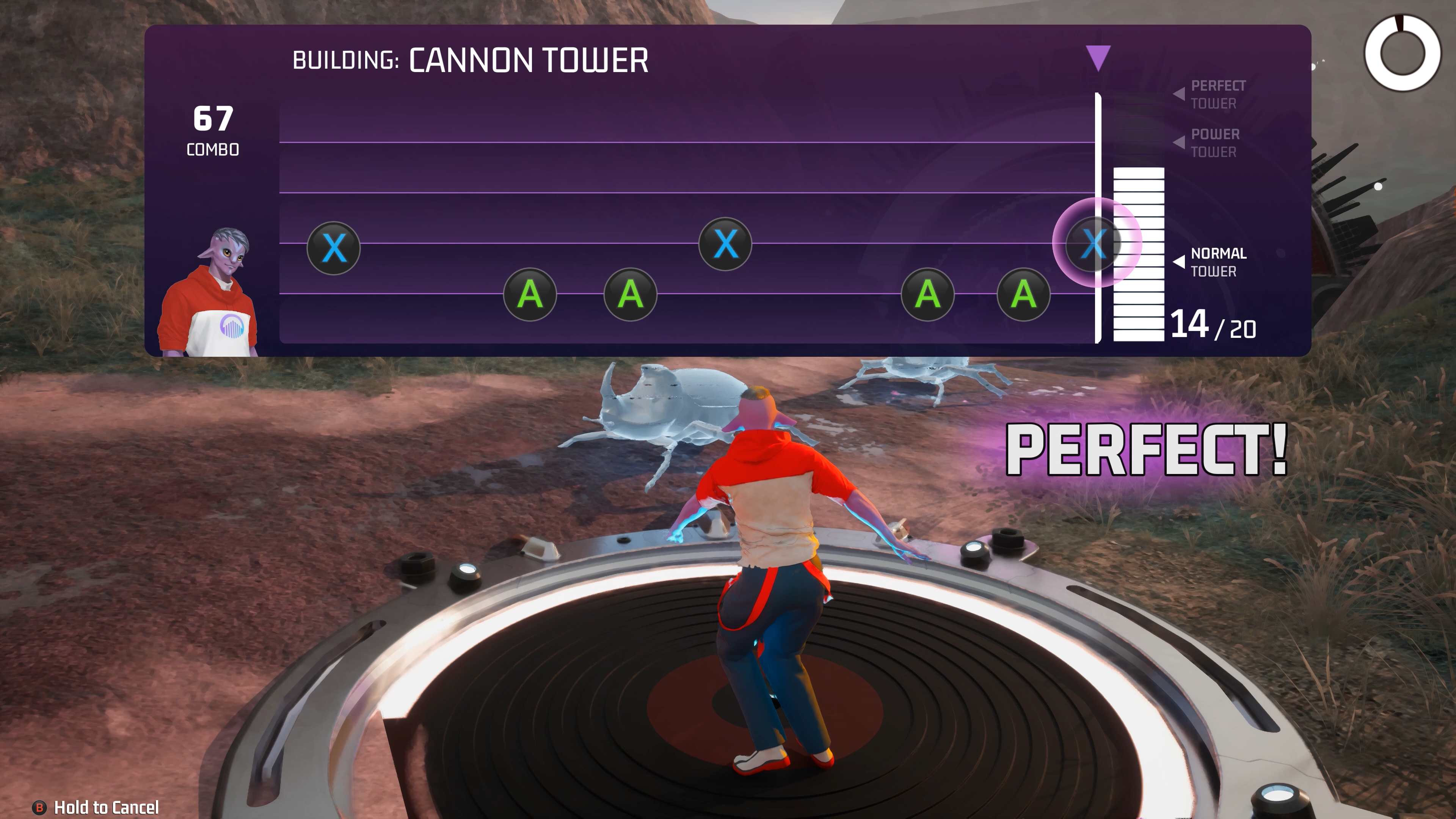
You can play the public demo on Steam, Epic, and Xbox Series X|S, with PlayStation 5 coming soon (hopefully within the next month, and it may even be live by the time this interview goes up). I’m always listening for feedback, so the community on Discord and people that play the game at live showcases have shaped a surprising amount of the game.
Could you give us an overview of the game's story and its core gameplay experience?
Welcome to Planet Rhapsody, a vibrant and harmonious land powered by a mystical musical entity called the AlgoRhythm. All was well until an invading noise-hating species known as the Creeps set upon it to silence it for good. You and your misfit band of alien buddies, known for their rhythmic dance moves, become its budding defenders.
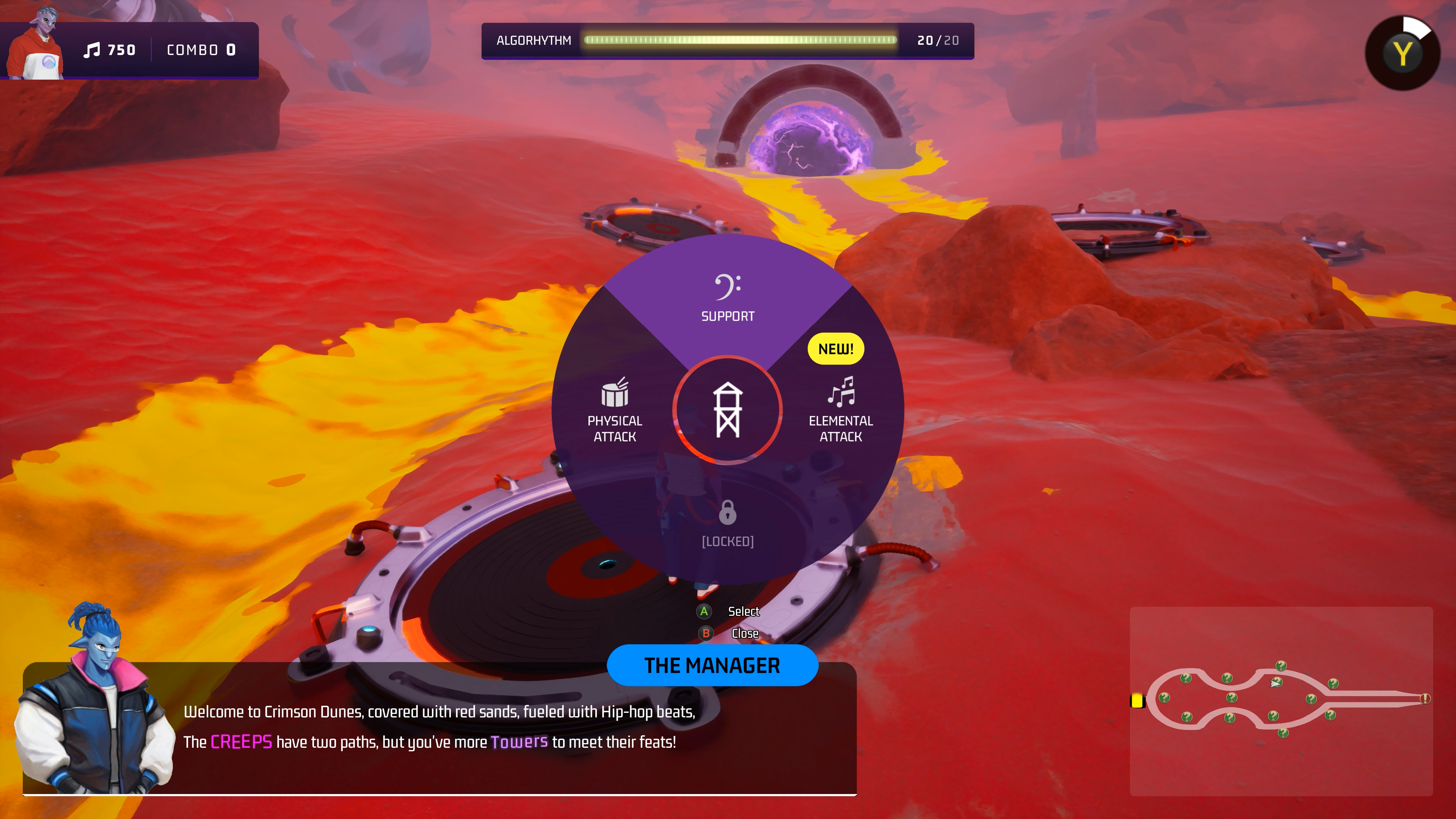
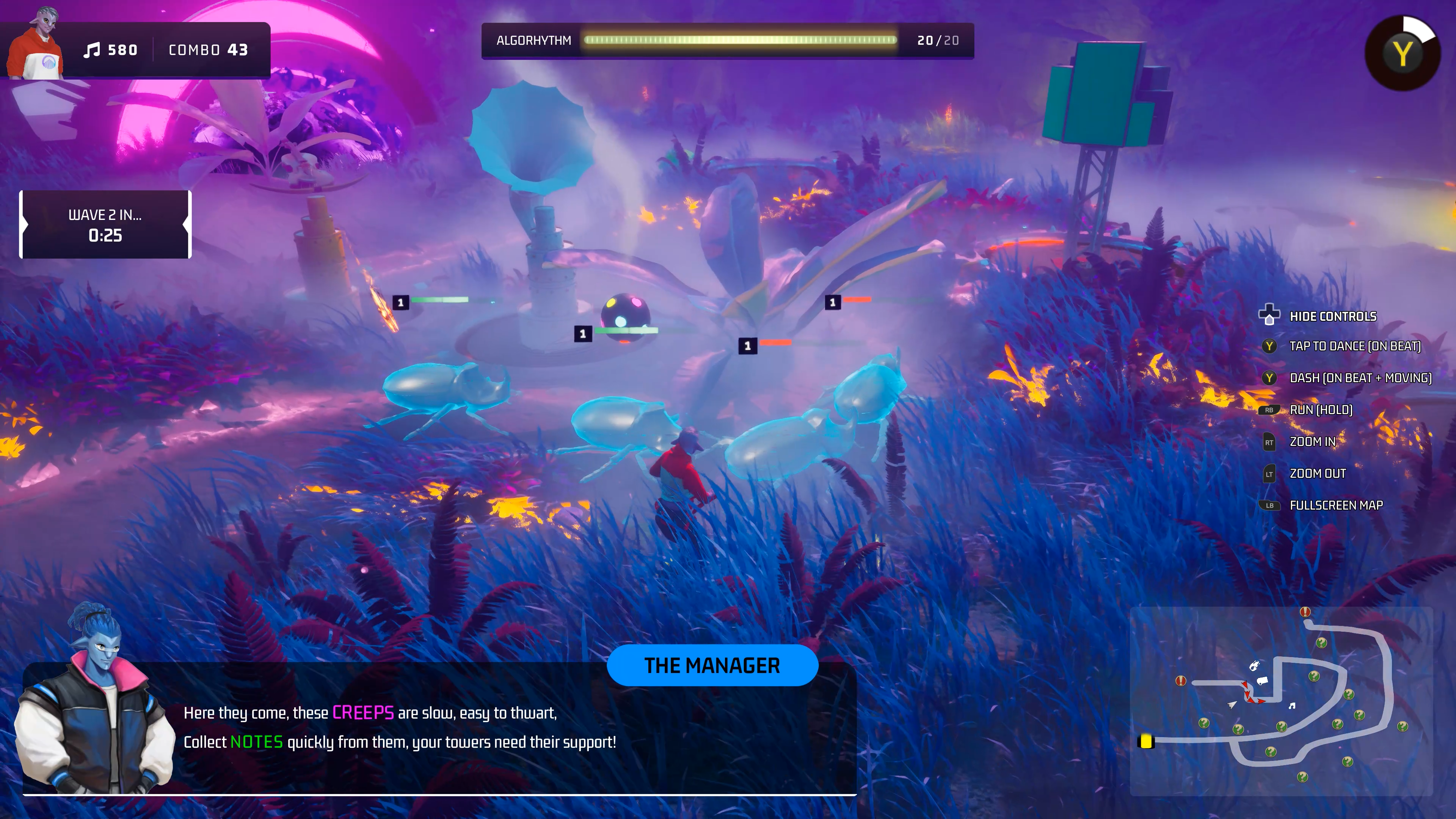 Moment to moment, the game blends rhythm-action with tactical tower placement. You place Rhythm Towers along the Creeps’ paths to stop them from reaching the AlgoRhythm, but each build is “paid for” by playing a short rhythmic phrase. Your performance on the rhythm matching determines the strength/speed/range of your towers and also layers into the dynamic soundtrack that reacts to your play. You can play solo, couch co-op split-screen, or online co-op, coordinating builds and harmonizing playstyles as the Creeps escalate and demand new tactics.
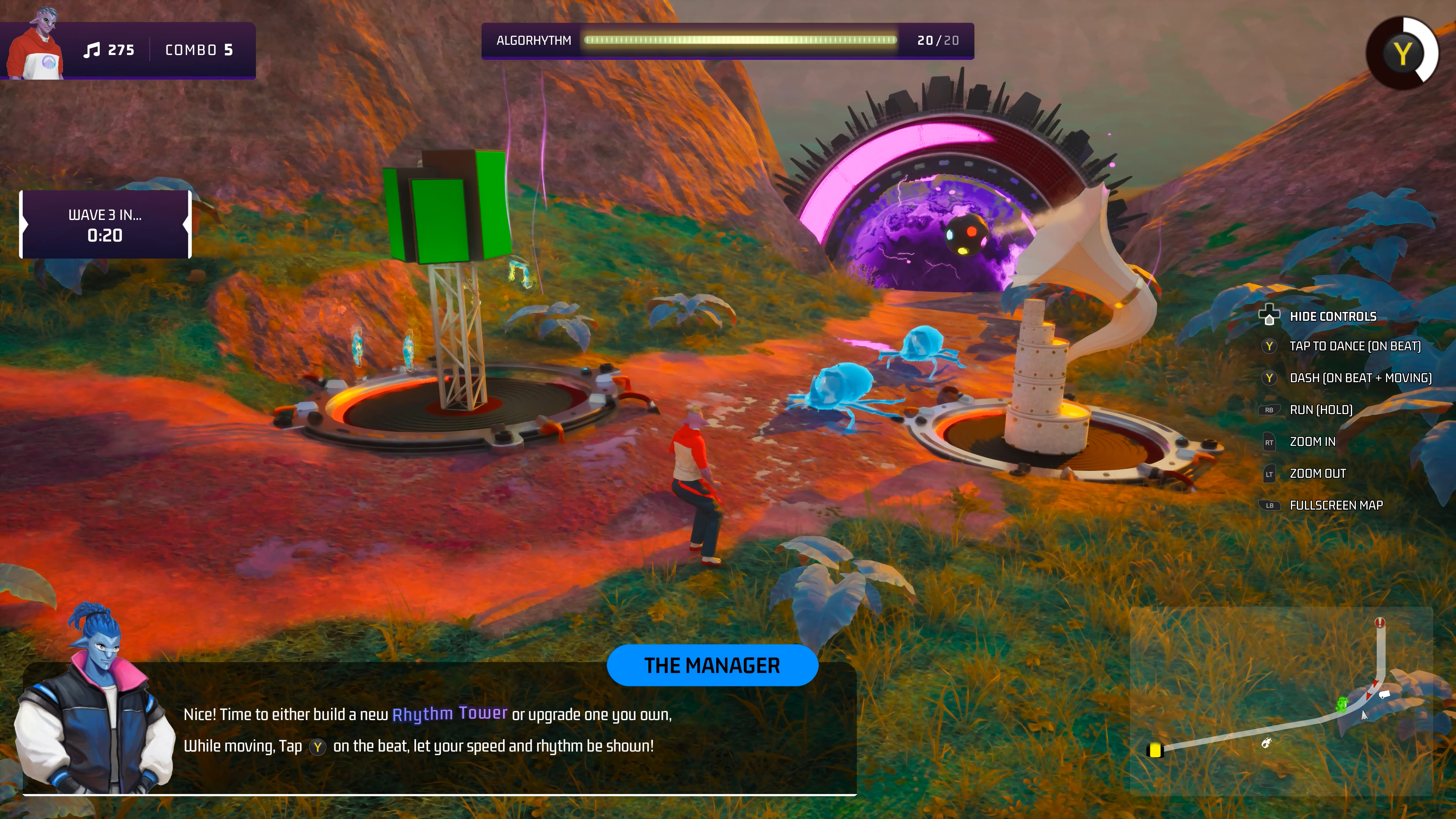
From the in-game scenes, we noticed that the character animations are very dynamic, and the clothing moves naturally with them. Could you walk us through your workflow for character animation?
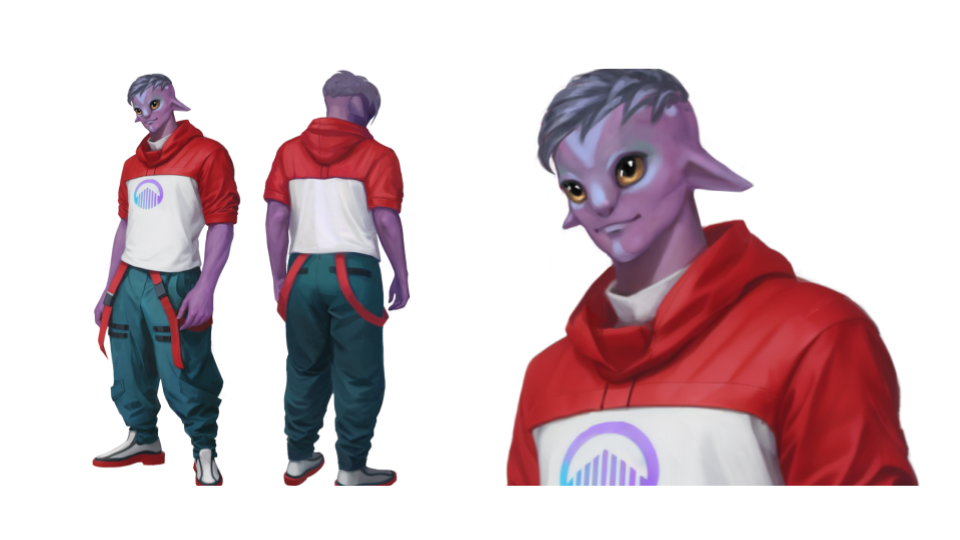
Concept art & design (Adobe Photoshop)
Character bios/personality (Big Five), silhouette sketches, color proofs, and final paint-overs to achieve the read of each character at a gameplay distance.
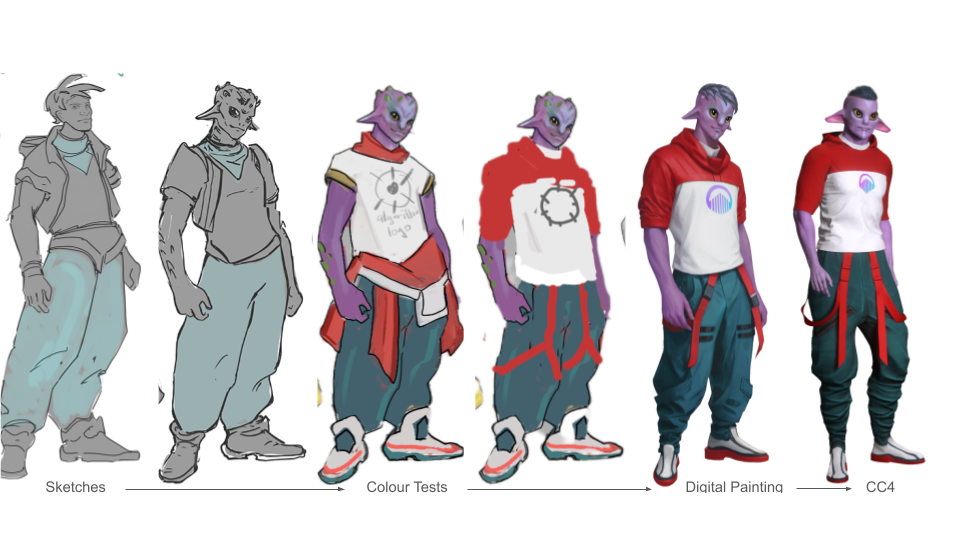
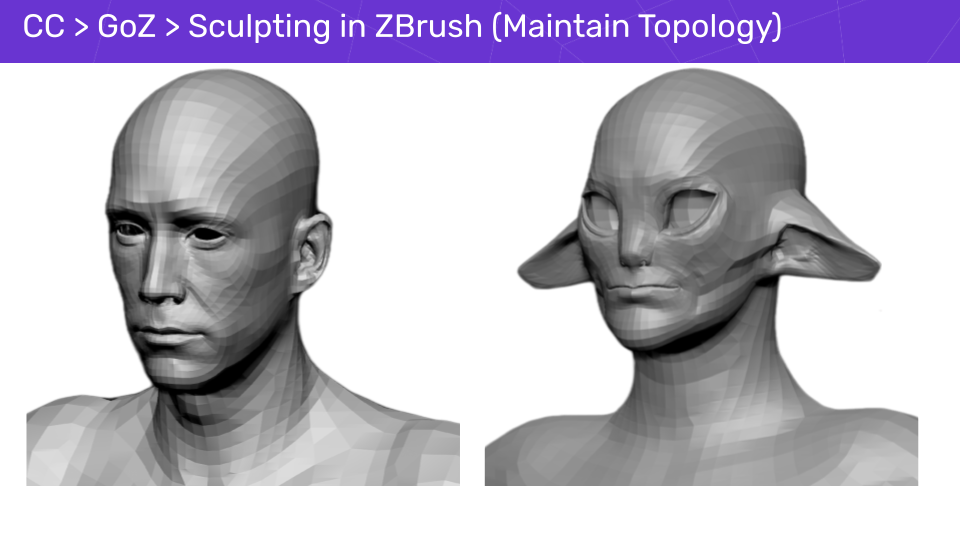
Body modeling (Character Creator → ZBrush)
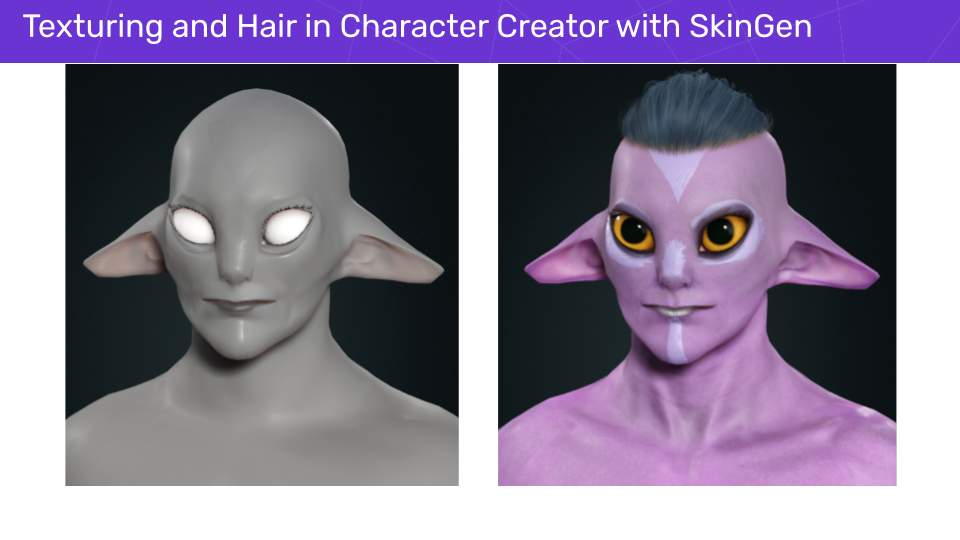
Start on a Character Creator base (I previously used CC4, and have now migrated to CC5 for its UE5-ready skeleton support), use simple morphs and skingen to get close to the concept.
GoZ round-trips to ZBrush to sculpt features and tertiary details; facial morphs for expression range.
Export FBX.
Garments (Marvelous Designer)
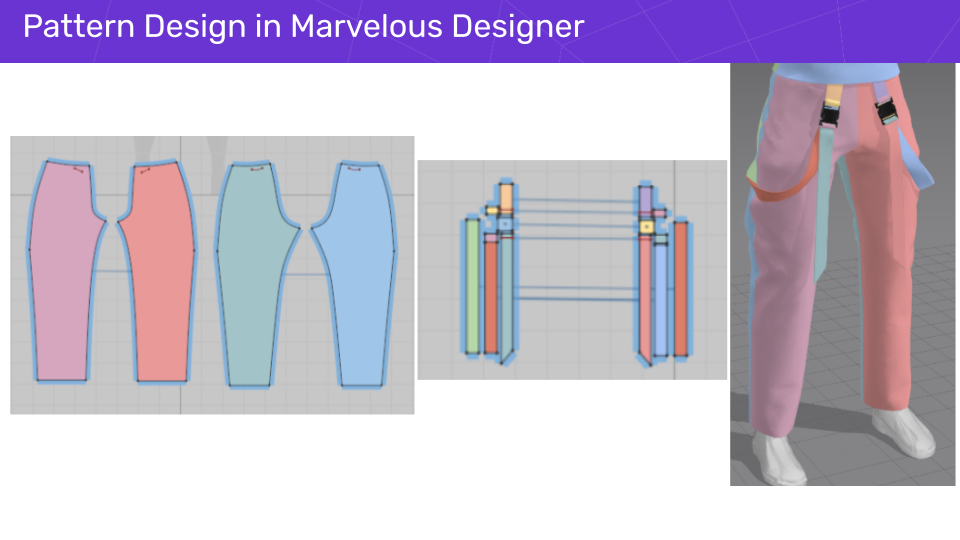
Pattern making and sewing following the concept art: add buttons, zips, internal lines, top stitches for detailing.
Simulation passes to quickly test range of motion (walks, fast turns, jumps, dance steps), iterate on fabric properties for the right bounce/drag.
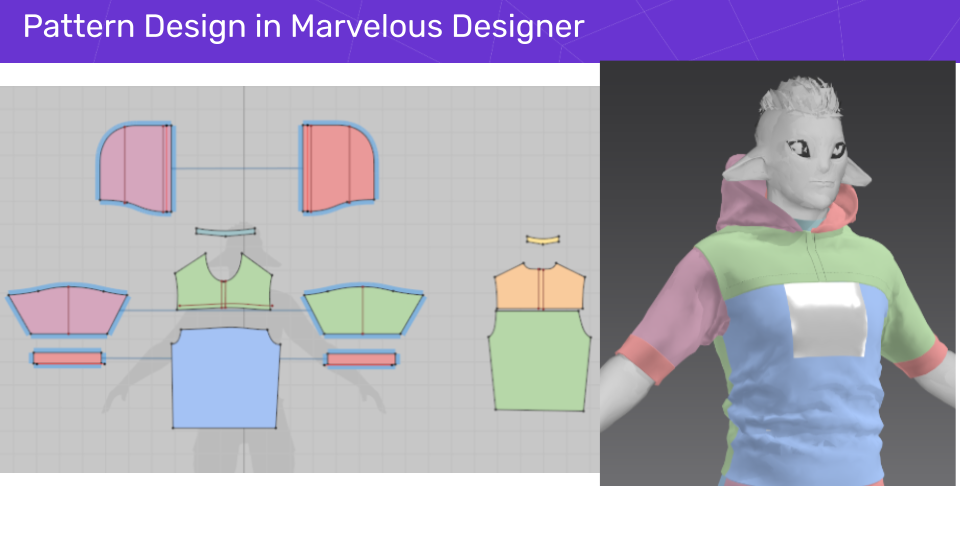
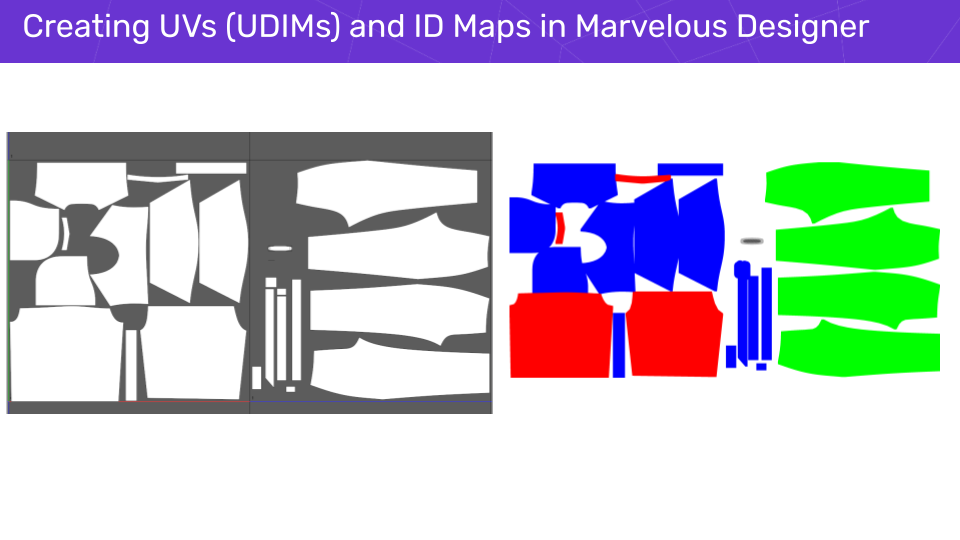
UVs & ID maps to help the material/texture workflow later on.
USD export (plus garment simulation data) to keep the Unreal import predictable.
Shoes (Blender)
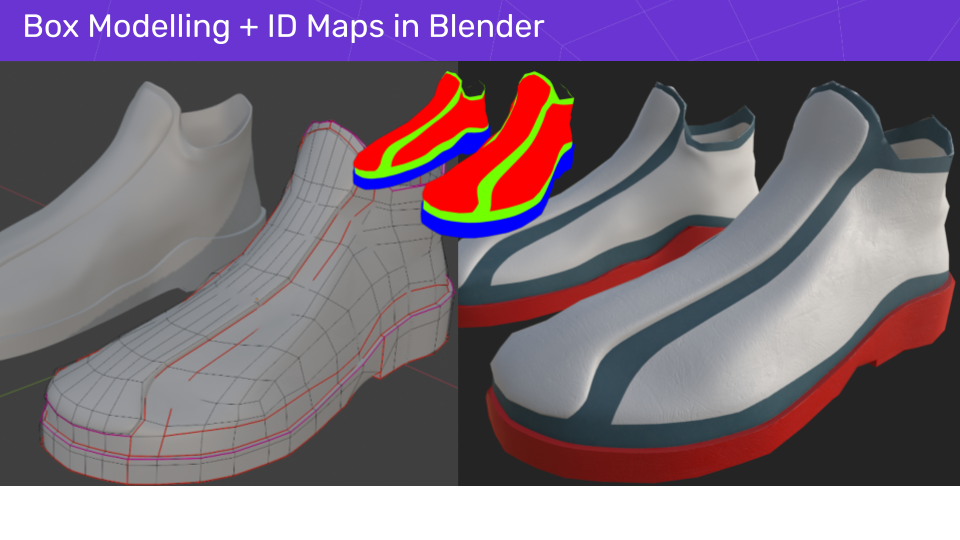
SubD box-modeling; create UVs, use vertex colors to create ID maps.
Surface detail (Substance 3D Painter)
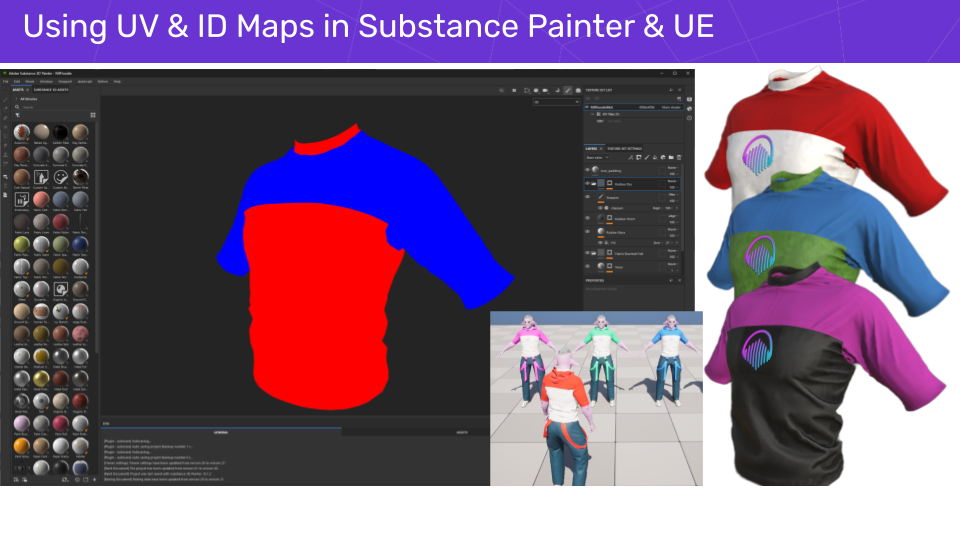
Bake mesh maps; use ID maps for fast material assignments. Add decals and story-driven wear.
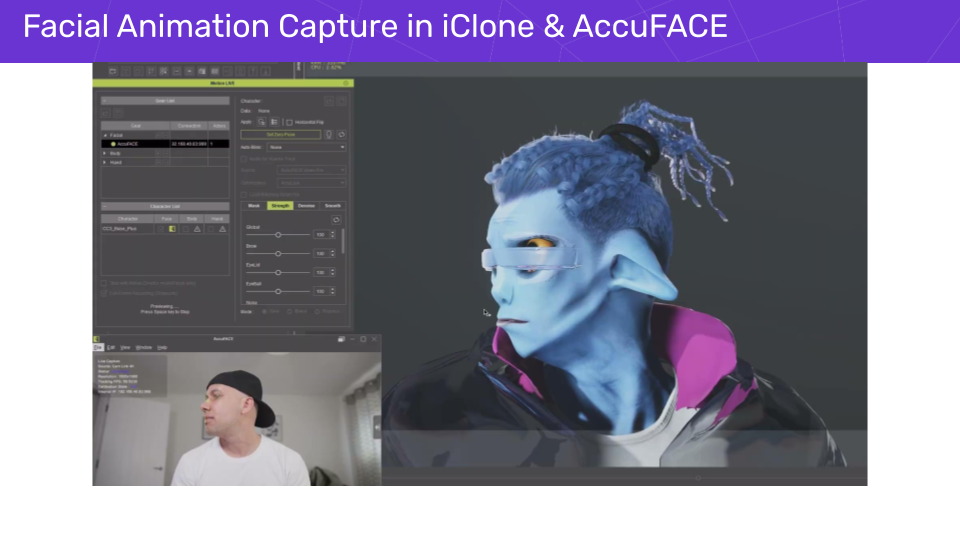
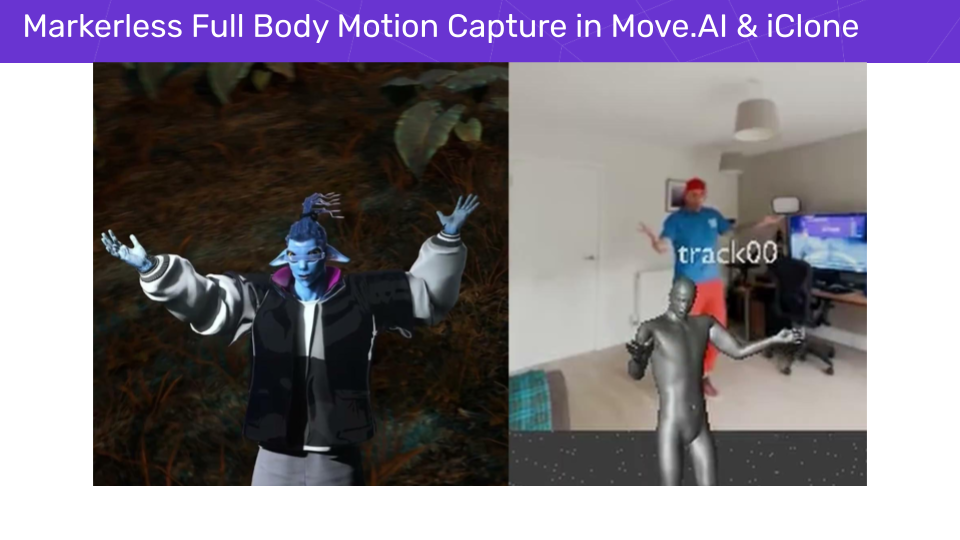
Motion Capture (Move.ai & Cascadeur)
4 x iPhones for motion capture via Move.ai for base motions and dance moves; Cascadeur for mocap cleanup, timing, looping and stylized exaggeration.
 Implementation (Unreal Engine 5)
Import using CC Auto Setup; retarget to UE5 skeleton; adjust materials to use ID maps so I can recolor outfits in material instances without extra texture sets.
Create Chaos Cloth Assets for real-time garments using the Cloth Panel Editor; import USD; transfer skin weights maps; paint weight maps; create stretch/bend/mass/damping simulation configs based on exported USD data, create a lightweight physics collider for robust body interaction; tweak, refine, and iterate until the simulation looks right. Remesh sim/render mesh for performance.
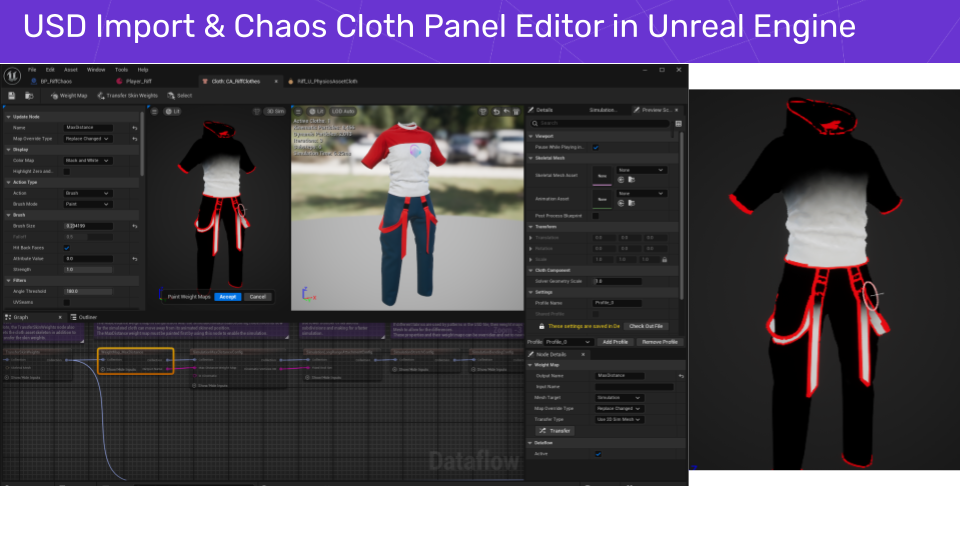
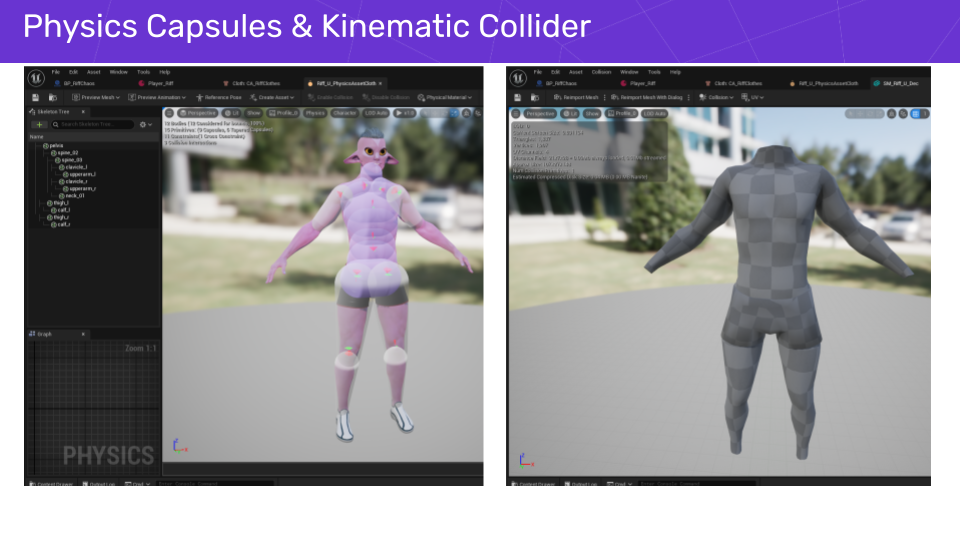
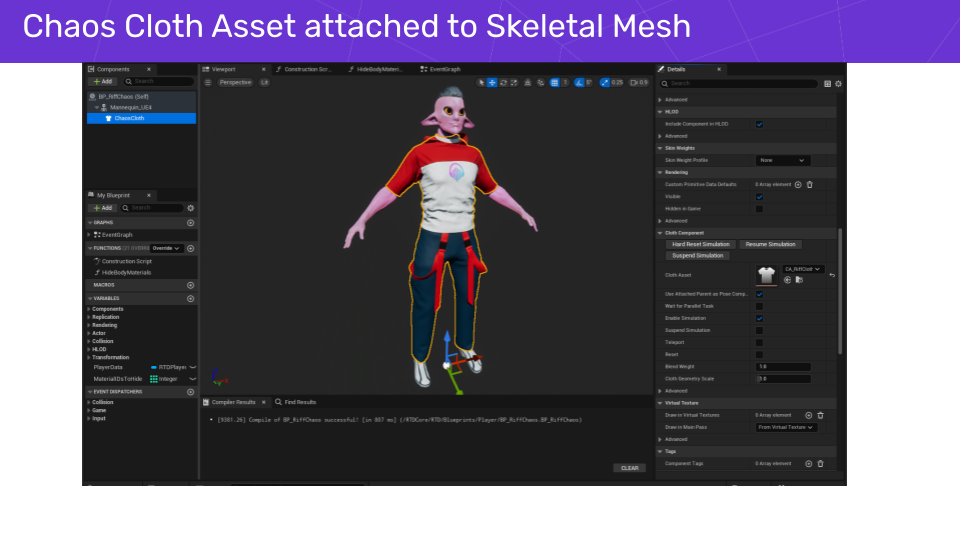
Playable Character Blueprint for adding the cloth to the skeletal mesh, tweak LOD rules, and assign colours so the same character can be used in co-op with a different palette.
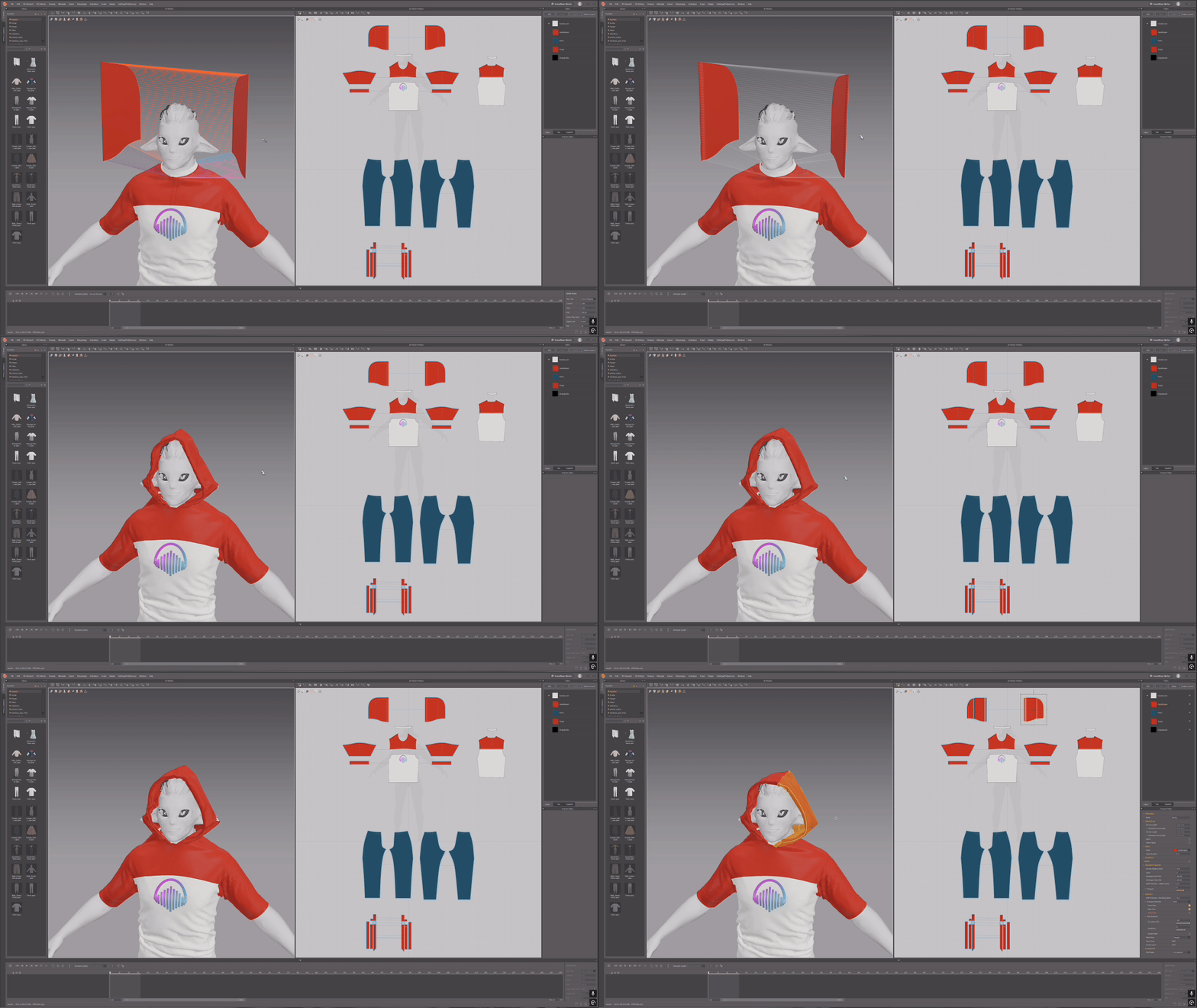
Add the Kawaii Physics plugin to the Animation Blueprint for lightweight secondary motion (hair bits, hood, small accessories) where full cloth would be overkill.
We also noticed that you utilized Unreal Engine's Chaos Cloth Asset to achieve real-time cloth simulation based on the garment authored in Marvelous Designer. Do you have any tips and tricks for streamlining the process?
Here’s the checklist I actually use:
Authoring & export sanity
Match the bind pose across CC → MD → UE. A slight pose mismatch will make skin weight transfers a miserable and frustrating experience.
Centimeters everywhere; consistent axis on export; export with thickness and simulation in MD.
Chaos setup & iteration
In UE 5.6, use the new Proxy Deformer node to bind specific verts/faces from the sim mesh to the render mesh for a much cleaner simulation. Use the Remesh node to drastically reduce poly counts on sim and/or render meshes without wrecking behavior - both are big wins for real-time performance budgets.
The Panel Cloth Editor makes it easier to assemble multi-piece outfits and refit garments as you iterate but they can be difficult to learn. The UE documentation and videos can help with this.
Test with short dance/turn/jump loops captured from real gameplay to catch snaggy folds inside the simulation window and iterate before testing in-game.
Performance & pragmatism
Use Collection LODs on Chaos Asset Terminal with stricter Remesh settings for higher LODs. Disable simulation on the highest LOD and use this on weaker platforms.
Use Kawaii Physics for small “sway” details (scarves, tassels) and keep Chaos for hero garments.
Keep materials simple: leverage ID maps for colorways and decals to avoid extra texture sets.
Test on a variety of target platforms and optimize for a consistent frame rate
Common gotchas
If you came from CC4, CC5 has better bind poses for UE5-friendly skeleton export and better retargeting - this reduces the rest-pose shenanigans when transferring skin weights in the panel editor.
If your USD imported garments looks weird/glassy inside the Panel Editor, double-check the material that it is using as sometimes it will default to ‘USDImportTranslucentMaterial’ which is less than ideal for clothing.
In what ways did Marvelous Designer support your production and help you achieve realistic cloth effects in the game?
Two huge ways: iteration speed and creating convincing secondary motion.
The pattern-based workflow lets me create clothing quickly, then test motion with simulation passes before touching the game engine. That’s how Riff’s hoodie keeps its floppy charm while the dungaree straps whip on turns, and why The Manager’s jacket sells weight in spins without looking rubbery.
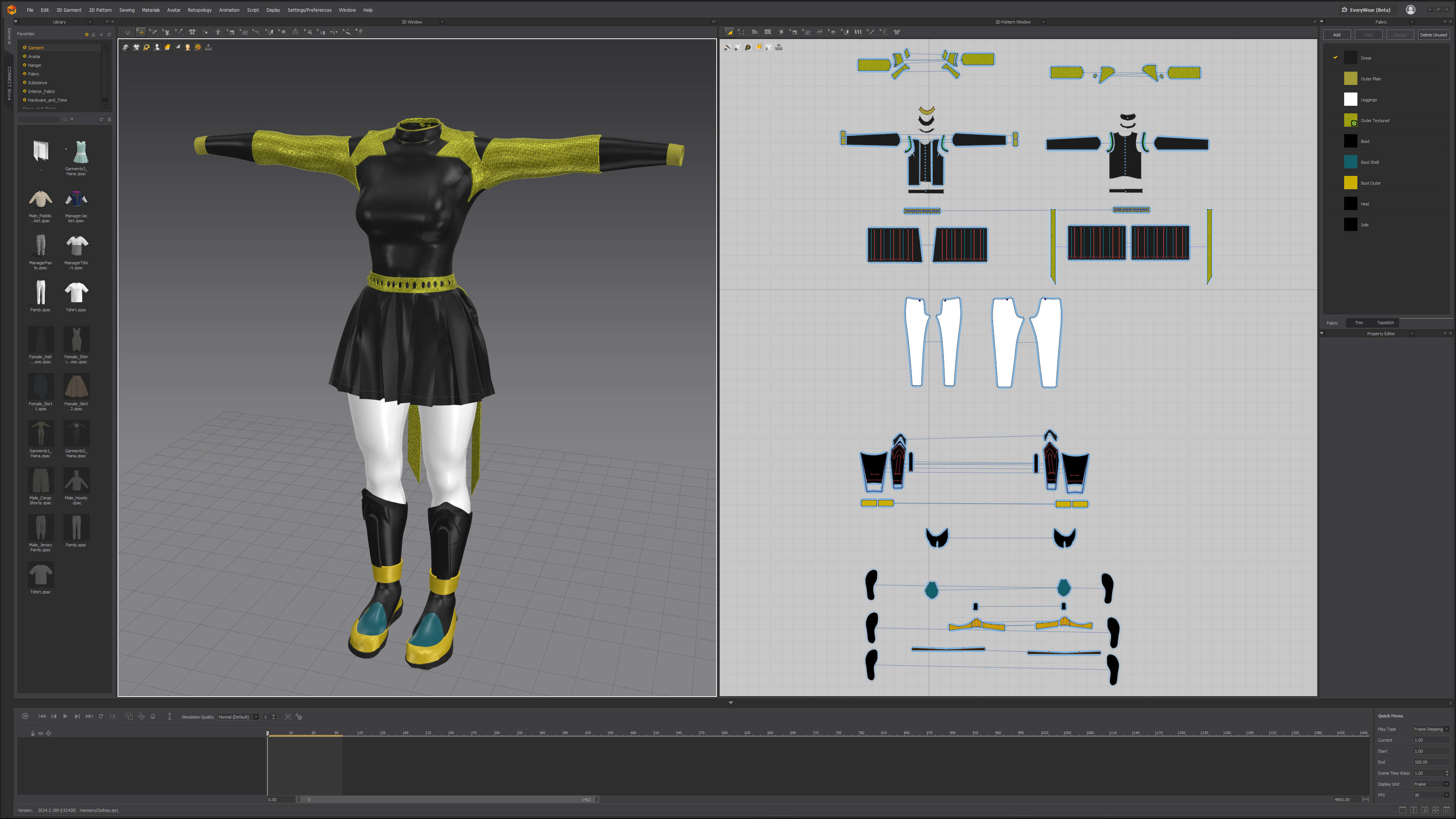
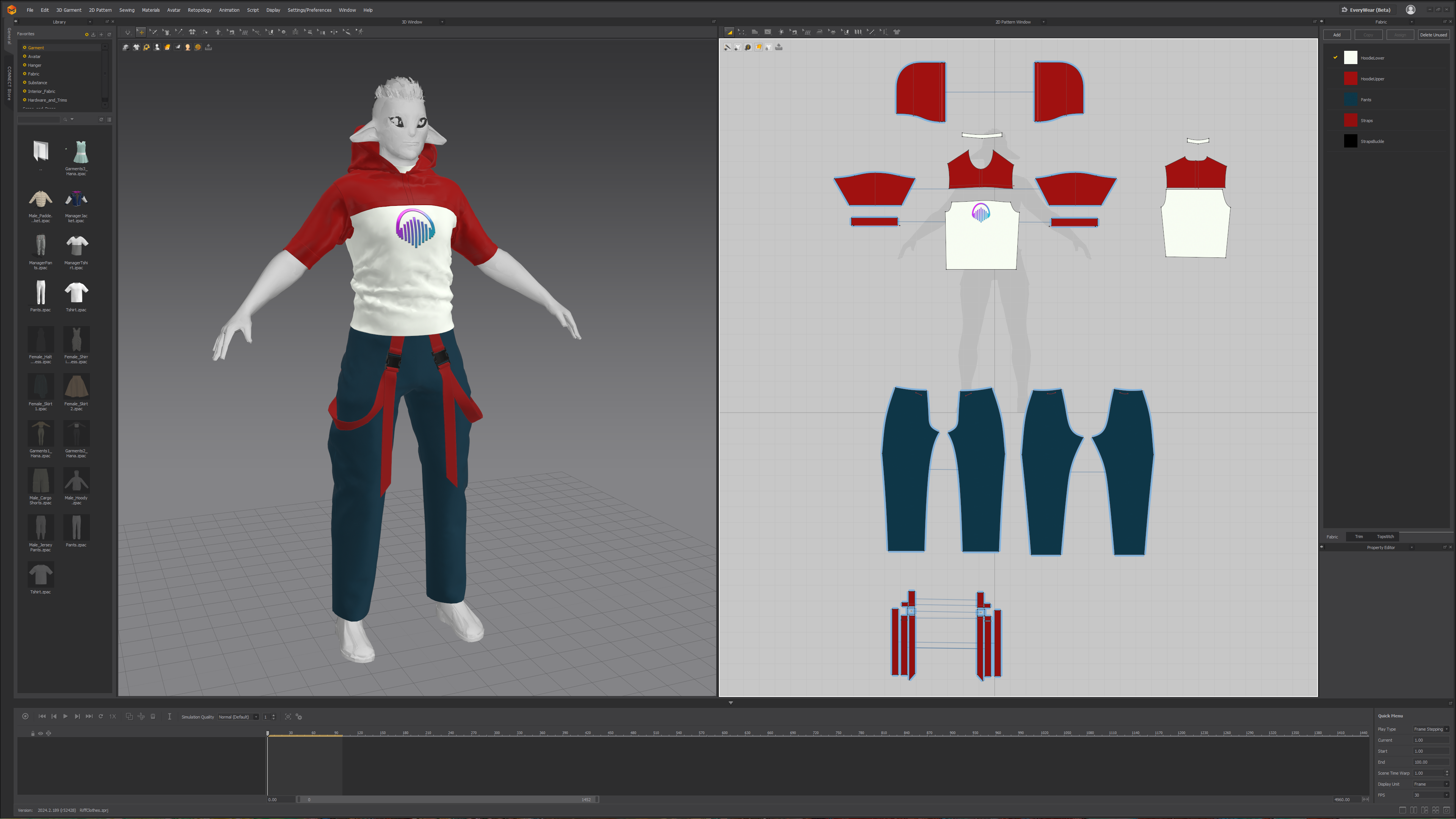
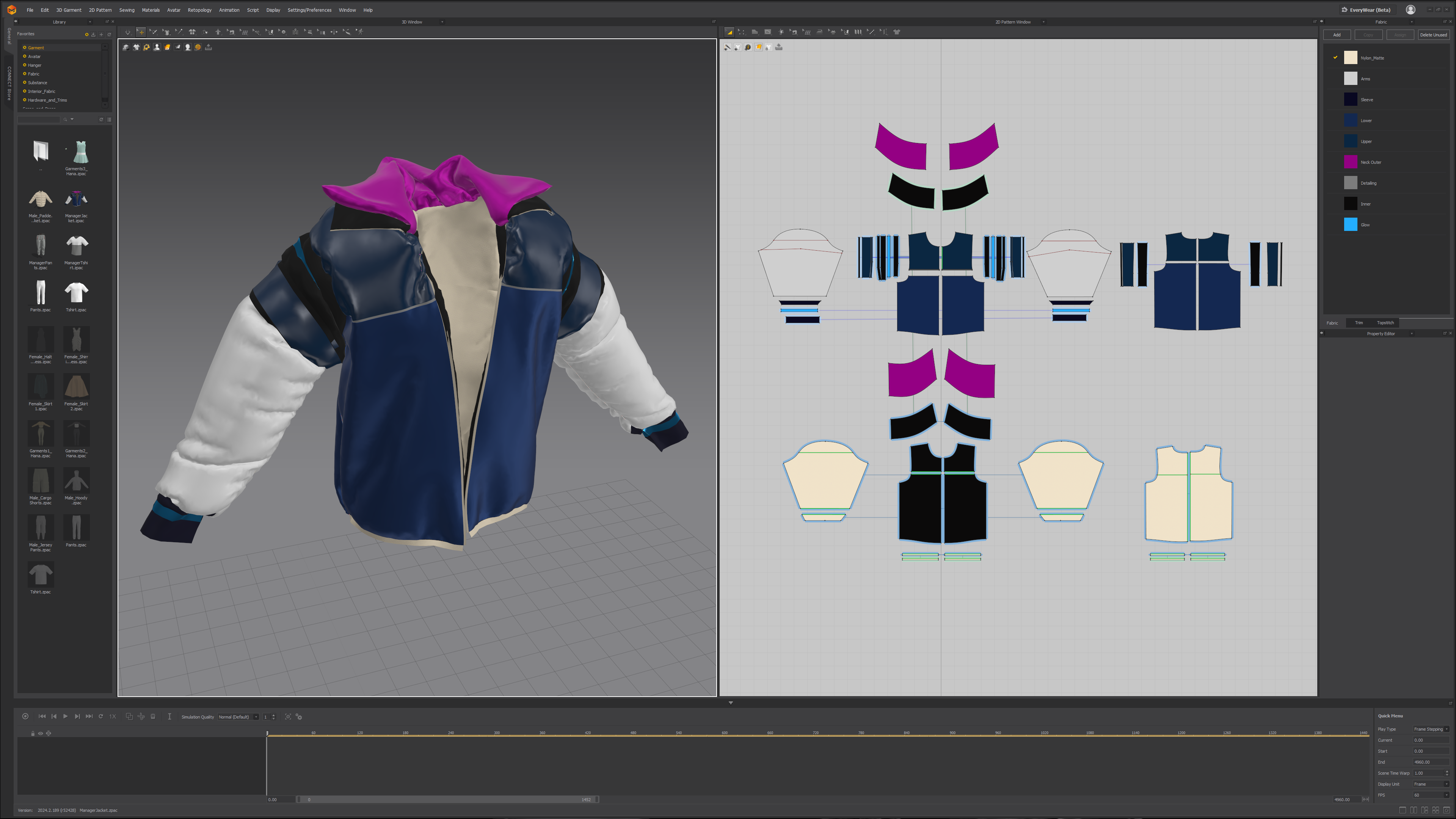
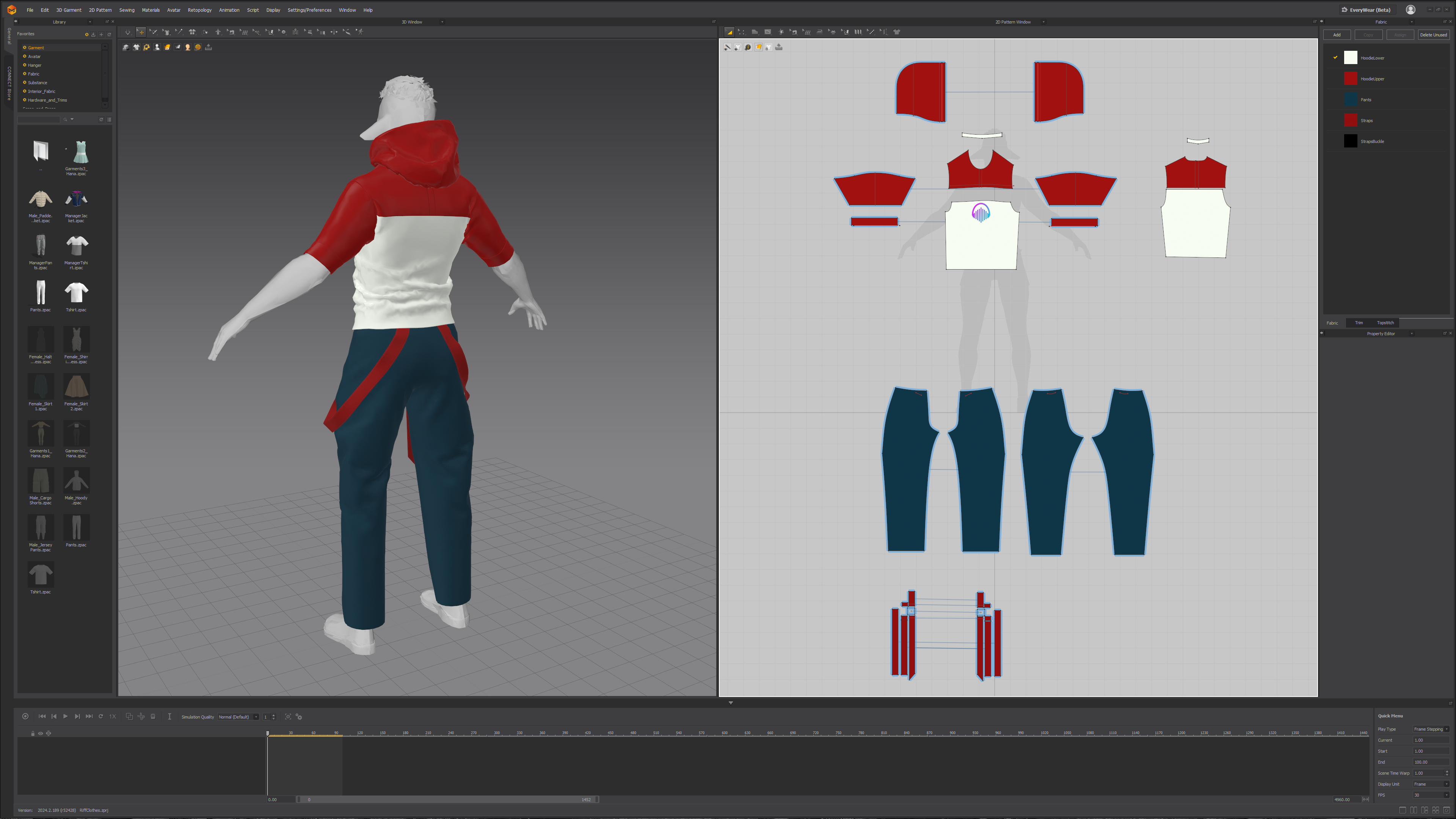
Engine-friendly handoff. Clean panels → clean UVs → clean ID maps, which makes materials simple and enables colour options without extra textures. Exporting USD & garment sim data gives me a dependable starting point for Chaos Cloth to reproduce the behavior I approved in MD without relying on heavy Alembic caches that balloon file sizes.
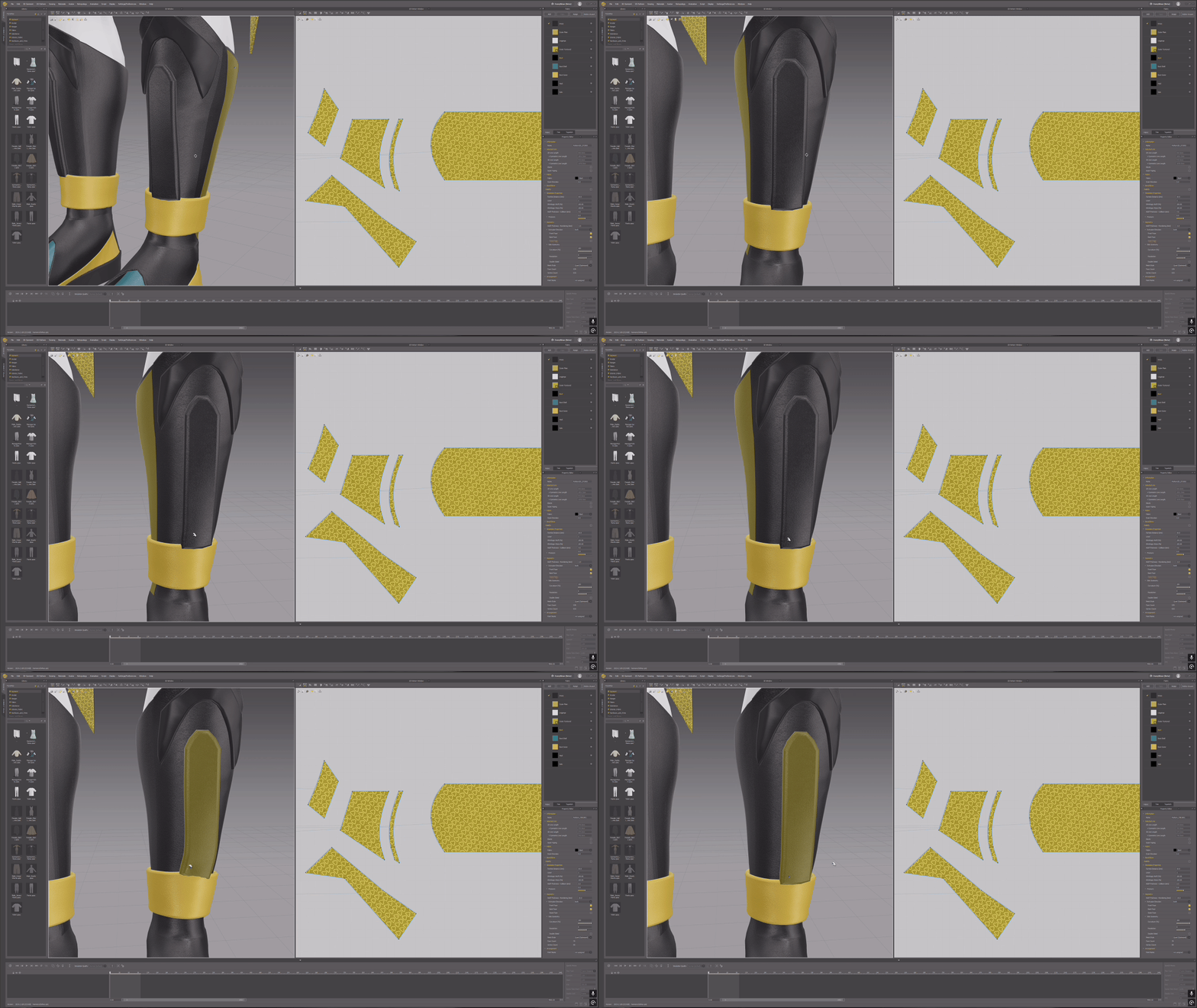
One-tool consistency. I even authored Harmony’s boots in MD just to test a “single-package” workflow end-to-end by keeping the whole outfit in MD.
Gameplay
이 작업은 Blender, Photoshop, Substance, UnrealEngine, ZBrush, Game 등의 기술로 제작되었습니다.
Marvelous Designer로 이와 같은 3D 의상·캐릭터 작업을 직접 만들어볼 수 있습니다.