COSMOS LAC Brand Promotion - 3D Motion Graphic with Marvelous Designer
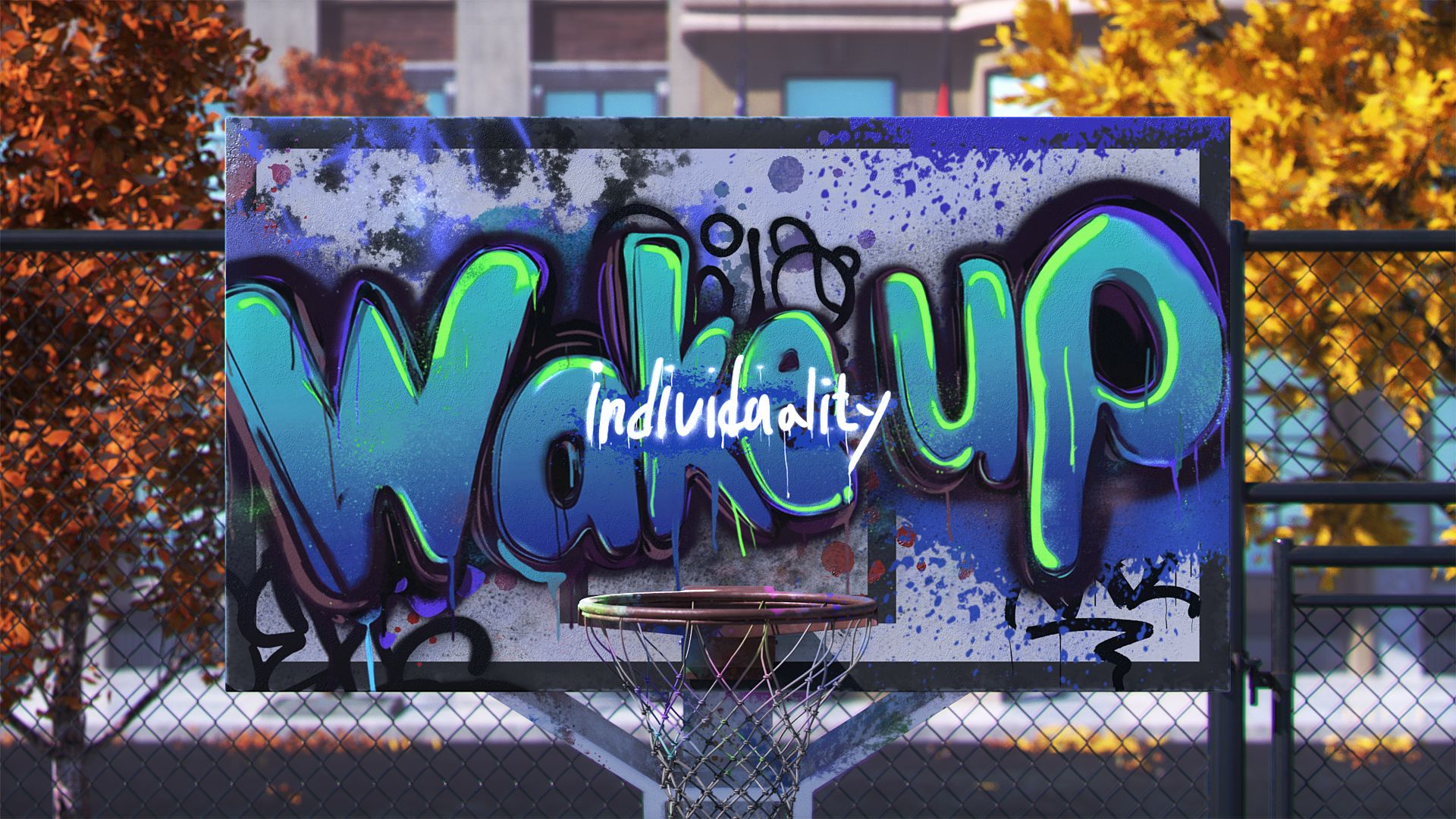
3D Motion Graphic Designer Youngpyo Hwang specializes in capturing "extraordinary moments" through seamless visual storytelling. In his latest project, ‘COSMOS LAC,’ Hwang explores the message of "Wake Up Your Individuality" through the lens of street culture. By integrating Marvelous Designer into his first major 3D workflow, he brings this vision to life with dynamic cloth simulations and diverse streetwear silhouettes.
[Artist Introduction]
Could you start with a brief introduction of yourself?
Hello, I am Youngpyo Hwang, a 3D Motion Graphic Designer. I started my journey in motion graphics because I was fascinated by the process of translating stories and emotions into visual language. As an artist, I strive to create "extraordinary moments" within a natural, seamless flow.
[About the ‘COSMOS LAC’ Project]
The ‘COSMOS LAC’ project is very impressive. Could you tell us more about it?

The ‘COSMOS LAC’ project is a milestone work I completed at the ‘105class’ 3D Motion Graphics Academy. It marks my first transition into 3D after gaining experience in 2D motion graphics. This project was a meaningful exploration of new workflows and visual possibilities, as I applied the design sensibilities I developed in 2D to the world of 3D.
The core message driving this promotional video is "Wake Up Your Individuality." Using COSMOS LAC products as a medium, I wanted to encourage viewers to discover and express their own unique personality and style rather than simply following others.
Main Keywords: "Peeling off" and "Revealing."
Concept: The concept centers on the idea that as the outer layers (conventional colors) peel away, one’s inherent individuality is revealed.
Visual Inspiration: I drew inspiration from the free-spirited and intuitive expression of graffiti culture using lacquer sprays.
Symbolism: By featuring a character on a skateboard—a symbol of subculture—I aimed to convey the message of prioritizing self-expression over the judgment of others throughout the entire piece.
[Getting Started with Marvelous Designer]
How did you first encounter Marvelous Designer, and what was your experience like when you started? Specifically, was there a reason you decided to use it for this project?
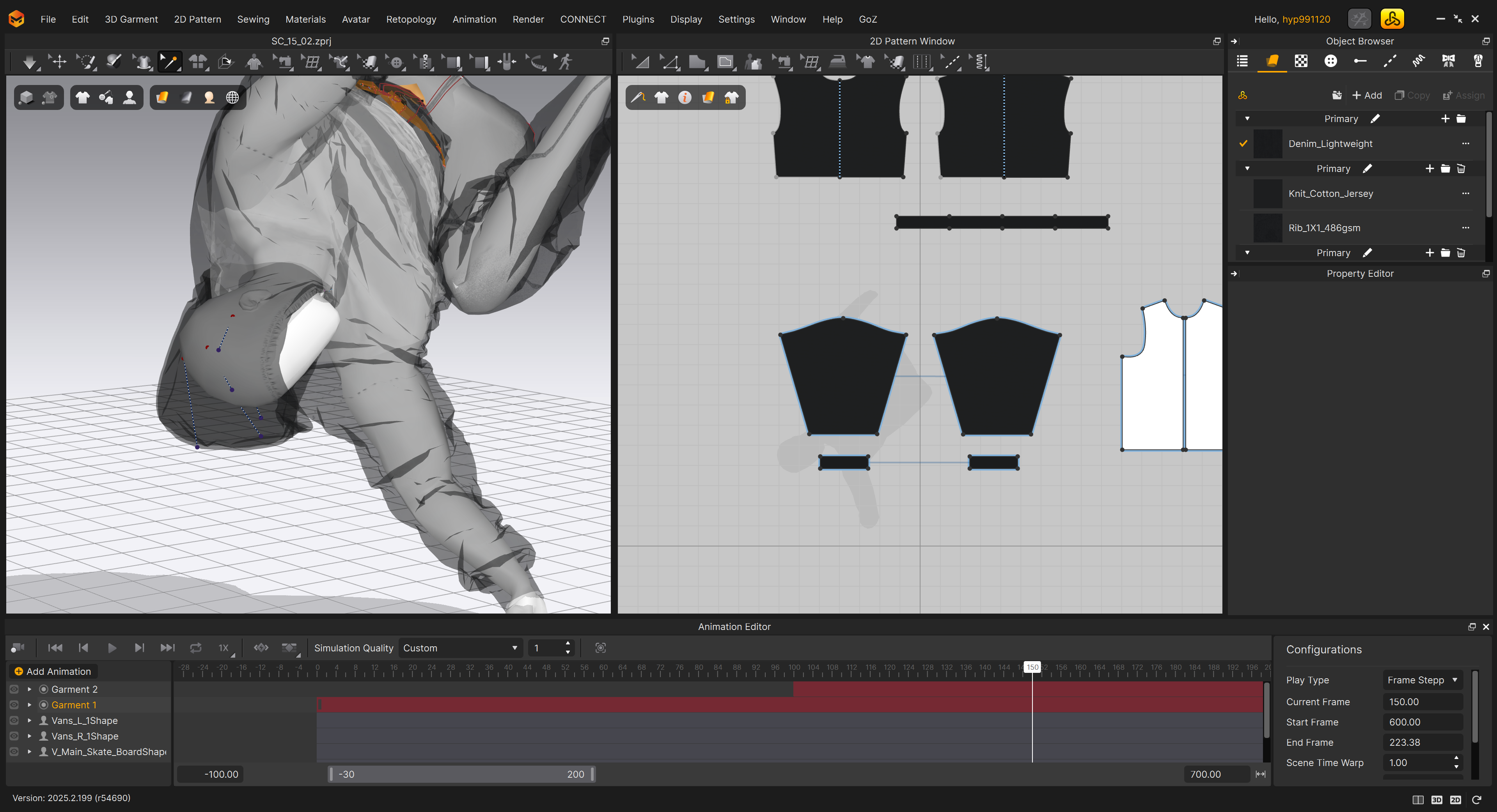
For this project, I wanted the costumes to simulate as naturally as possible in response to the character's dynamic movements. I decided to use Marvelous Designer because I believe it is the most effective tool for achieving that level of realistic expression.
I first came across Marvelous Designer while studying 3D motion graphics. While looking for references, I noticed that most works featuring impressive cloth simulations were created using Marvelous Designer. Seeing the quality of those results left a strong impression on me and inspired me to eventually incorporate it into my own creative workflow.
[Character Outfit Design & Using Marvelous Designer]
The character in your project showcases individuality by wearing six different outfits. What were your primary considerations when creating these outfits using Marvelous Designer?
Before diving into the production process, I’d like to explain why the character wears six distinct outfits. The COSMOS LAC lacquer spray line consists of six main color categories, and I designed six different styles to match each one. This was a visual device intended to demonstrate how a diverse range of personalities and styles can branch out from a single brand.
In the outfit creation process, my main focus was on the "fit." Since the overall mood of the project is hip and street-oriented, I designed the outfits with an overfit silhouette to naturally reflect the character’s individuality. To maintain visual consistency with street culture, I selected iconic items such as hoodies, jeans, workwear, sweat setups, and varsity jackets.
[Animation Workflow]
The natural simulation of the clothing combined with the character’s dynamic motion is impressive. Could you walk us through your step-by-step animation workflow?

The process began with the character planning stage. To align with the hip mood of the video, I designed the character to resemble a black mannequin. I chose black as the base because it is a foundational color that harmonizes with any palette, allowing the various costumes and colors to stand out effectively.
Next, I moved into the animation phase. Since the video features many dynamic movements, I paid close attention to ensuring the character's motions and silhouettes looked natural. Once the animation was set, I exported the character as an Alembic file from Cinema 4D and brought it into Marvelous Designer for the cloth simulation.
After the simulation, I exported the clothing as an Alembic file and converted it to OBJ for custom texturing in Substance 3D Painter. Finally, I brought the textures back into Cinema 4D for lighting, final refinements, and rendering.
[Experience with Marvelous Designer]
What was the most impressive feature or experience you had while using Marvelous Designer?
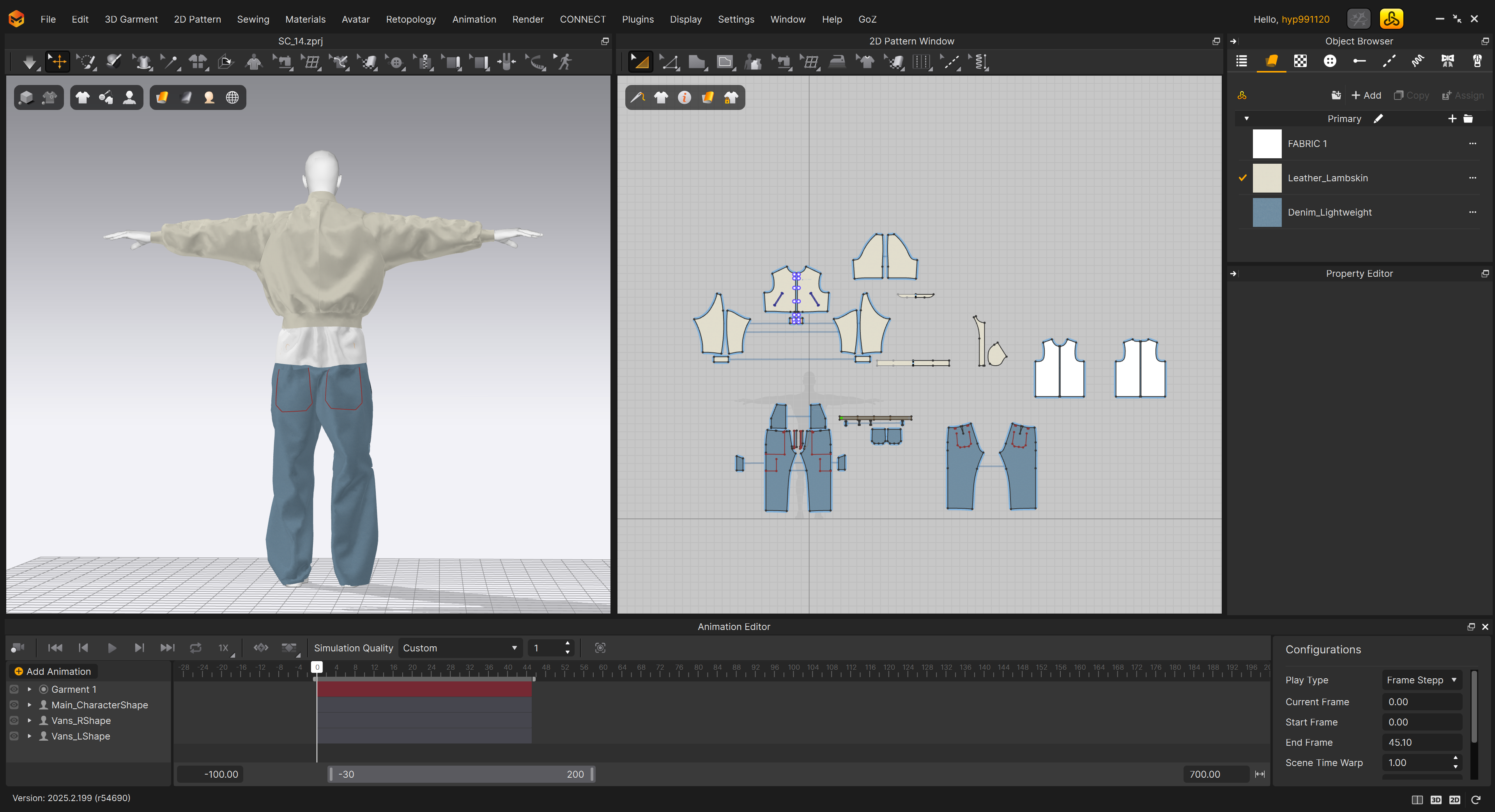
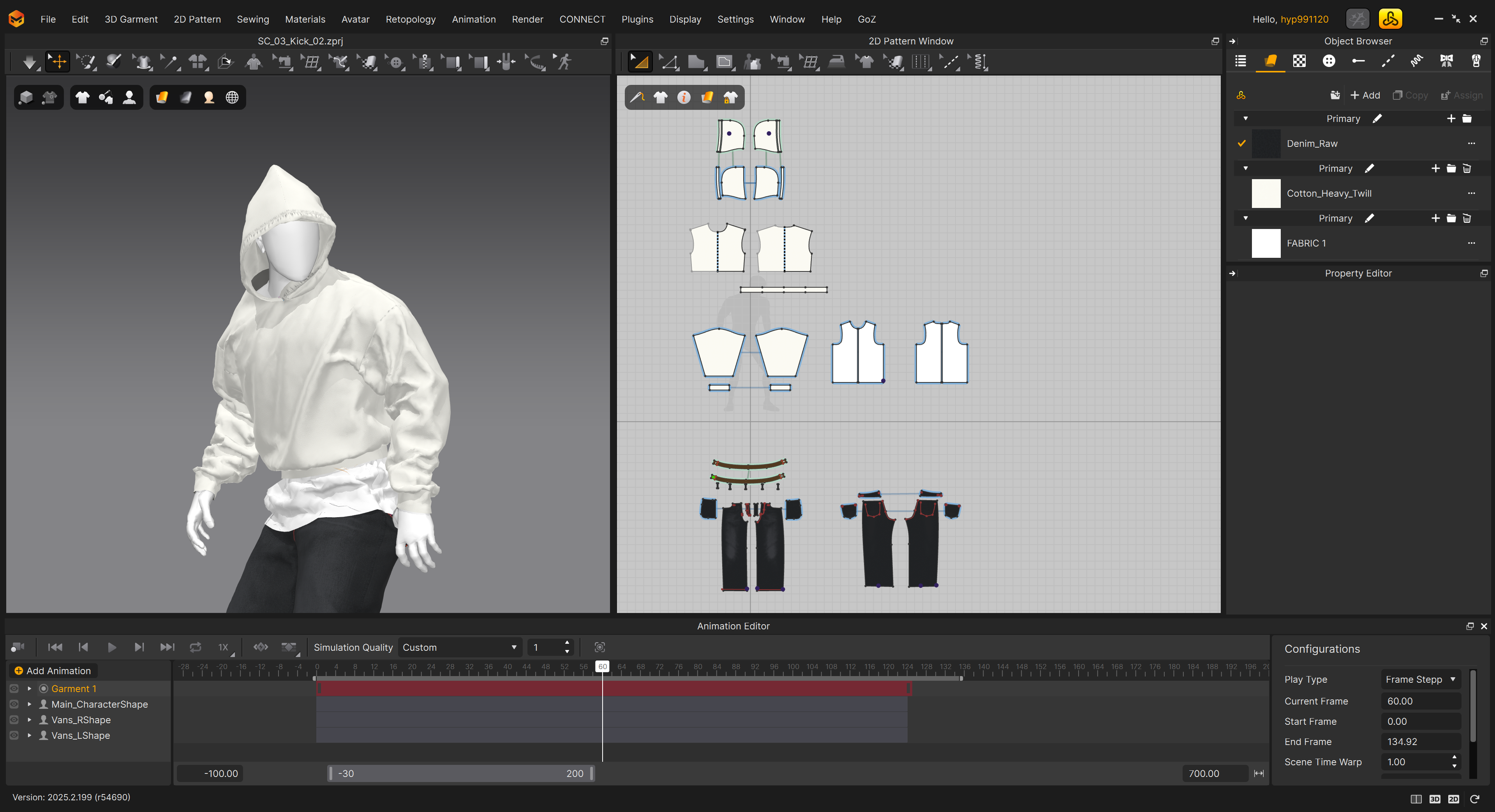
The most impressive aspect was the highly detailed cloth simulation. I had to adjust the length and width of the garments multiple times to achieve the specific "fit" I envisioned, and the flexibility to modify clothing on the fly was a standout feature.
Since the project features many dynamic scenes, the natural movement of the fabric and the realistic representation of different physical properties were crucial. To achieve this, I actively used the texture and physical property settings within Marvelous Designer to fine-tune the unique feel of each fabric. Furthermore, in segments with intense character movement, I used the Tack tool to pin specific parts of the garment. This prevented excessive distortion and ensured the simulation remained seamless and natural.
[Experience with Marvelous Designer]
What did you find easiest to adapt to when first starting with Marvelous Designer, and were there any aspects that surprised you?
The easiest part to adapt to was how intuitive and straightforward the process of adjusting the character's fit was. I also found it very impressive that I could slow down the frame rate of the imported character animation within Marvelous Designer to verify the simulation. This feature allowed me to inspect and adjust intricate movements in detail, which was a huge help in achieving natural-looking simulations even during highly dynamic motions.
On the other hand, something that surprised me was the viewport navigation. Since I primarily use Cinema 4D, the way you manipulate and view objects from various angles in the viewport felt somewhat different from what I was accustomed to in C4D.
[Future Plans]
If you are planning future projects using Marvelous Designer, in what direction would you like to expand your work?
While this project focused on objects with realistic proportions, I want to challenge myself with stylized characters in my next work. As I am a fan of rough-textured toon-rendering styles, I am interested in creating a new visual mood by combining the realistic simulations of Marvelous Designer with surreal, non-photorealistic textures.
I was also deeply inspired by a talk given by Superverymore at the Motion Plus Design Seoul conference, where they used Marvelous Designer to simulate objects like flowers and trees rather than just clothing. Taking inspiration from that, I plan to expand my use of Marvelous Designer beyond garments to various other objects, broadening the scope of my visual expression.
이 작업은 Simulation, Cinema4D, Substance, Animation 등의 기술로 제작되었습니다.
Marvelous Designer로 이와 같은 3D 의상·캐릭터 작업을 직접 만들어볼 수 있습니다.