SYMPHONY
Kay John Yim, London-based CGI artist, explores diverse realms with Marvelous Designer, praising its efficiency and integration in character animation project
Interview with Kay John Yim | SYMPHONY | CGI Artist
Artist Introduction
I am a Chartered Architect and CGI Artist based in London, specializing in architectural visualization.
My journey into the realm of 3D began during my time studying architecture at university. In those formative years, CAD software such as Rhino and Revit became indispensable tools of the trade. While I occasionally explored other Digital Content Creation (DCC) software like Modo and Cinema 4D, primarily for rendering purposes, it wasn't until the COVID lockdown in 2020 that I found time to fully immerse myself in the vast world of CG software beyond the realm of CAD. It was during this time that I delved into Houdini, Unreal Engine, ZBrush, and, of course, Marvelous Designer.
Driven by an obsession for creating beautiful imagery, I embarked on a journey to expand my skill set and artistic horizons. I challenged myself to learn and create CG art beyond the scope of my professional work in architecture. This journey led me to explore diverse disciplines such as fashion design, character design, landscape design, and animation, among others. By venturing beyond the boundaries of architecture, I discovered new avenues for artistic expression and uncovered the endless possibilities that CG software has to offer.
This ongoing exploration of various design domains has not only enriched my artistic repertoire but has also broadened my perspective as an architect and CGI artist. It has allowed me to approach architectural visualization with fresh eyes, infusing my work with a diverse range of influences and inspirations.
BALLERINA
Tell us about the project
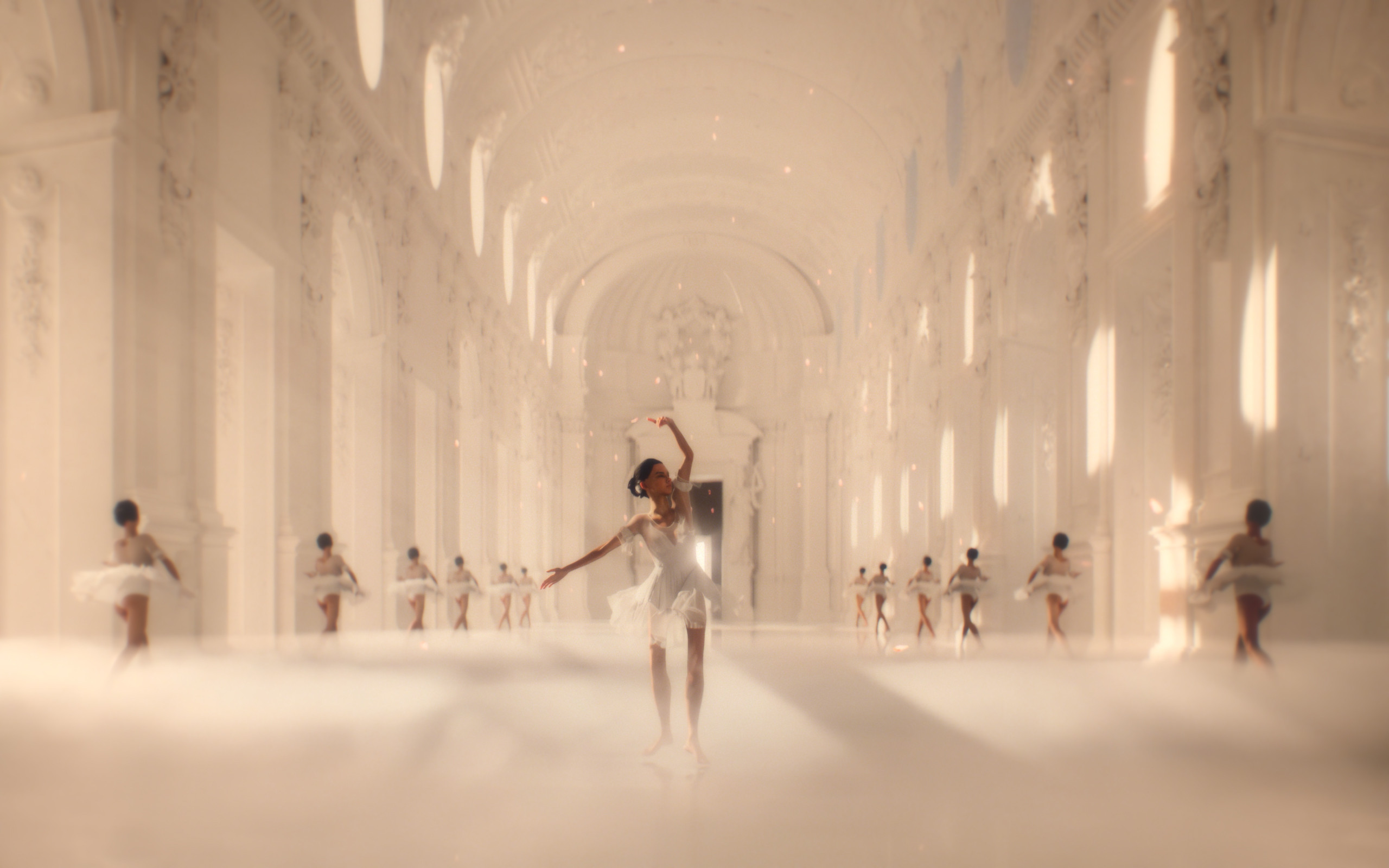
"Symphony" celebrates the beauty of ballet. It portrays a ballerina adorned in a pristine white tutu, gracefully dancing within the breathtaking Palace of Venaria. At the culmination of her dance, a synchronized ensemble of ballerinas - each identical in appearance - emerges from behind the window, revealing themselves and captivatingly swaying in perfect symphony.
It unravels a transcendent narrative that explores the interplay between reality and illusion, the nature of identity and collective consciousness.
Although I have previously explored ballet in my personal projects "Ballerina" and "Garnier," "Symphony" stands as my most technically demanding endeavor to date. It showcases an extended character animation and cloth simulation, encompassing the most dynamic movements. Furthermore, "Symphony" represents my inaugural foray into Houdini after transitioning from Cinema4D, presenting an additional layer of challenge in itself.
We’d like to hear more about the art direction in costume. What was the visual style you were aiming for?
While the inception of the costume originated from my previous ballet-themed project, "Ballerina," where I carefully selected a dark fabric adorned with glitters to harmonize with the opulence of baroque architecture, in "Symphony" the intention was to transcend reality into fantasy.
The costume was conceived to seamlessly merge with the pristine backdrop. The choice of a white fabric was deliberate, allowing the costume to elegantly blend into the ethereal ambiance, while simultaneously commanding attention as the focal point within the space. As the animation unfolds, I employed a touch of enchantment, causing her dress to manifest out of the ether, while delicate petals gracefully cascaded from her tutu, evoking an otherworldly sense of magic and wonder.
Why did you decide to use Marvelous Designer? How did it help you serve art direction?
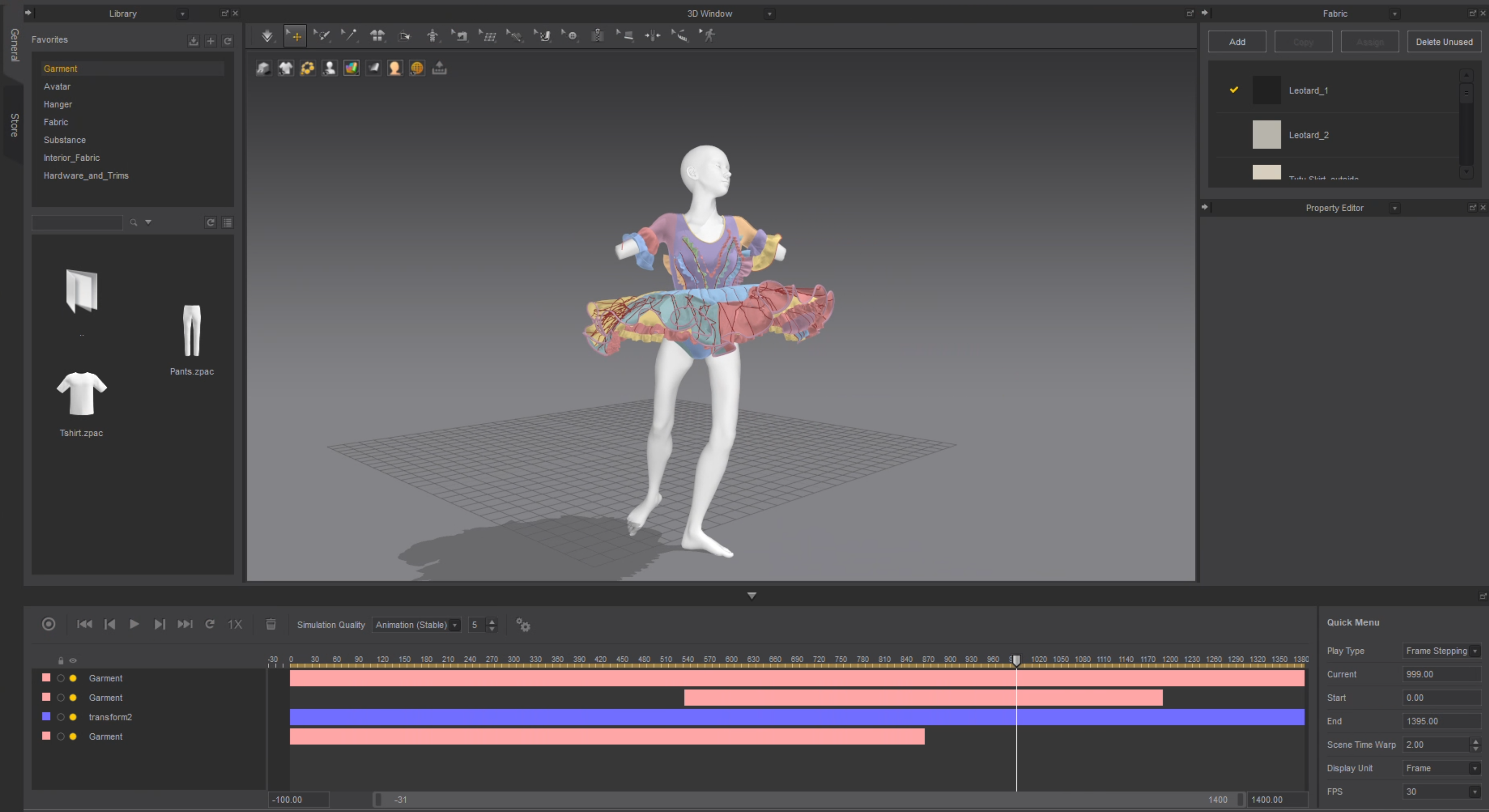
Marvelous Designer is very robust in transforming 2D patterns into 3D garments, which stands out among many DCCs I have used for cloth modeling.
It is also one of the fastest for garment simulation I have encountered. While it may not be flawless in certain scenarios, it provides me with a comprehensive overview of the simulation/animation, allowing me to discern areas that require adjustments to produce a better simulation, or design changes in the environment that will better suit the animation, and vice versa.
Can you give us a quick overview of the different tools used in your pipeline including Marvelous Designer?
My workflow encompasses several essential stages:
For architectural modeling, I use Rhino for its precision and flexibility.
To bring my CG characters to life, I utilize a combination of Character Creator and iClone. They enable me to create and animate life like characters, capturing their movements and expressions either with built-in tools or additional motion capture equipment. Once I have the animated characters, I then export them into Marvelous Designer for accurate garment fitting and realistic simulation.
In the subsequent stage, I imported all elements into Houdini, where I create the rest of the environment and finishing touches to the imported elements, which includes camera animation, volume interaction (fog), materials, lighting, hair simulation, vellum/FEM muscle/fat simulation and garment simulation cleanup.
Ultimately I used Redshift as my primary render engine for rendering the final animation. I use Neat Video for denoising the final frames, and Magic Bullet Looks for a touch of chromatic aberration and film grain.
Are there any tips and tricks with Marvelous Designer that you can share with the community?
In my initial foray into Marvelous Designer, I primarily relied on the GPU mode for draping and simulation. However, it was through a Marvelous Designer YouTube stream that I discovered the inherent limitations of GPU mode in terms of production readiness. It became apparent that relying solely on GPU acceleration often yielded unrealistic outcomes, marked by bulging garments and peculiar collision behavior. I would therefore recommend fellow Marvelous Designer users to leverage GPU mode solely for garment fitting and draping, reserving CPU mode for the final simulation. By employing this approach, one can strike a balance between efficiency and accuracy.
Through extensive trial and error, I would also recommend one always to set the "Internal" Damping" parameter under "Fabric" > "Property Editor" to 100 when doing cloth simulation, which I find offers the most stable results, significantly reducing glitches and jittering that may arise with the default settings.
How can you describe your overall experience of the use of the Marvelous Designer?
Marvelous Designer is unquestionably one of the most intuitive and user-friendly applications I have used. It has seamlessly integrated into my workflow, serving as an indispensable tool for both personal and professional projects, particularly in bringing CG characters to life.
While Marvelous Designer excels in numerous aspects, there are instances where I yearn for more granular control, collision masking being a prime example. Nevertheless, the exceptional speed and efficiency of the software compensate for a lot of the limitations. Its ability to quickly generate realistic cloth simulations has undoubtedly enhanced the efficiency and quality of my work.
by KAY JOHN YIM
이 작업은 CharacterCreator, iClone, Houdini, Redshift, Rhino, NeatVideo 등의 기술로 제작되었습니다.
Marvelous Designer로 이와 같은 3D 의상·캐릭터 작업을 직접 만들어볼 수 있습니다.