Meet Dollfication: Community Choice Award Winner of Creator's Contest 2025 Vol. 2 TOKYO CONTINUUM!
Introducing our interview with Dollfication, Community Choice Award winner of TOKYO CONTINUUM! ✨
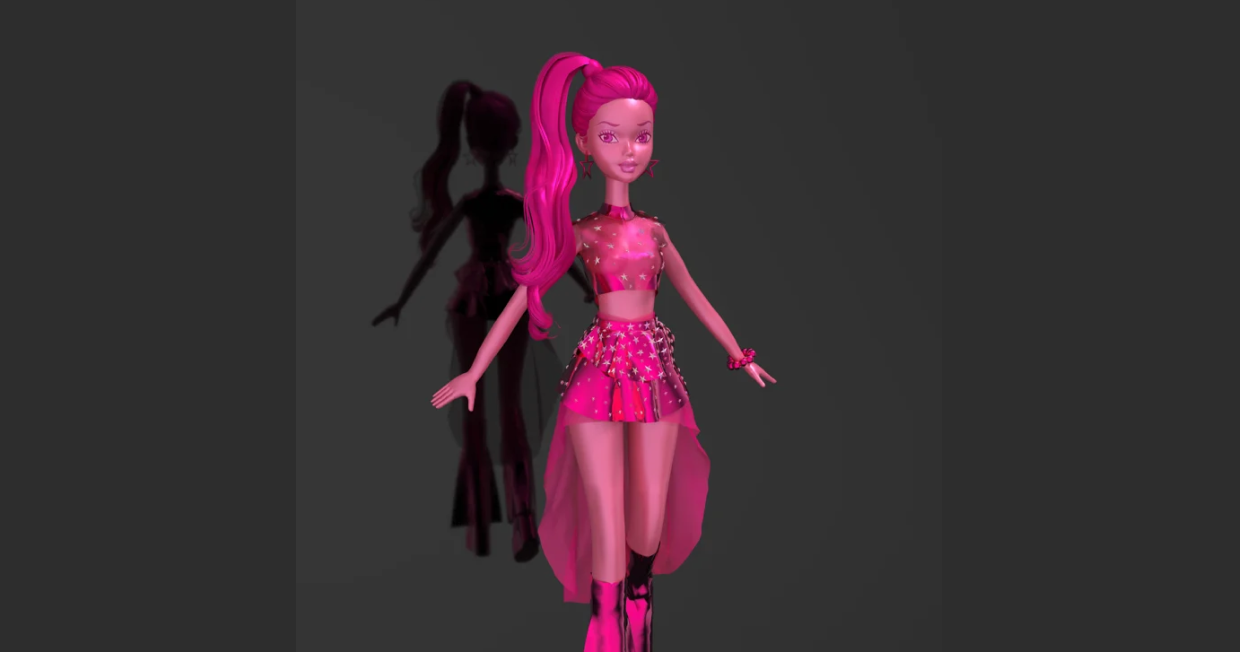
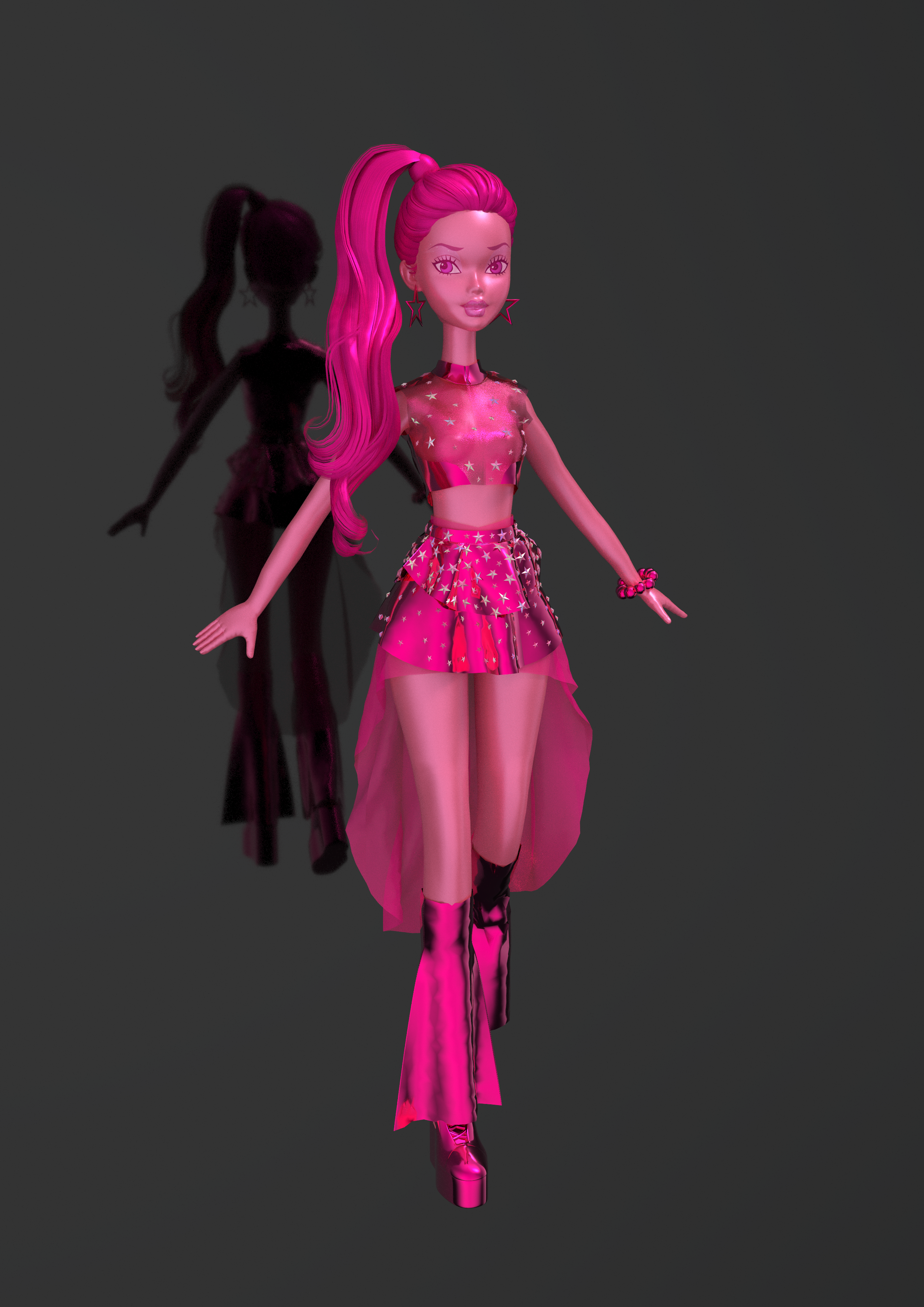
Discover how she visioned her "Tokyo Continuum" in a doll - an aesthetics blend of anime, sci-fi, and a playful yet confident theme of pink.
Artist Introduction: please tell us about yourself.
Hello! My name is Dollfication, and I’m currently a fashion design student specializing primarily in doll and toy design.
I decided to join this contest because of my deep fascination with Japanese fashion and trends. Japan has such a unique and bold fashion culture that constantly pushes boundaries, and I’m inspired by how it blends art, design, and storytelling. Participating in this contest gives me a chance to immerse myself more in these influences and apply them to my own creative process.
In addition to traditional design, I also work with 3D programs like Marvelous Designer and Blender to create digital models of my designs. These tools allow me to bring my concepts to life in a virtual space, which is an exciting way to explore different garment structures and textures before physically creating them. Perfect for me as a doll/toy designer.
We’d like to hear more about the art direction in your Creator’s contest 2025 Vol.2.
What was the visual style you were aiming for?
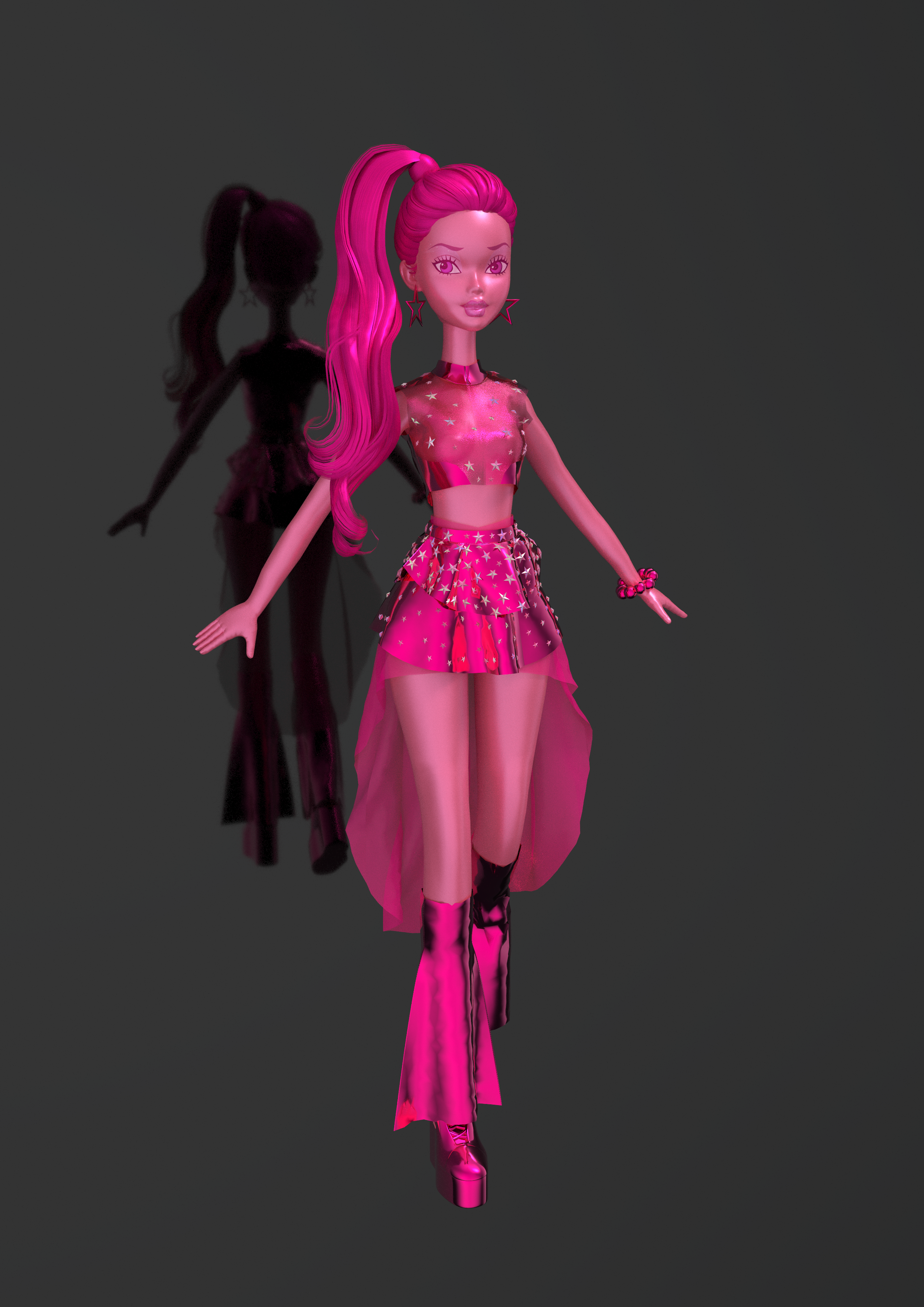
For my submission to the Creator’s Contest 2025 Vol. 2, I drew inspiration from anime aesthetics, sci-fi, and a touch of gyaru fashion, with a focus on a doll-like aesthetic. My main goal was to create a futuristic, metallic look using sharp lines and dynamic silhouettes, while keeping everything centered around one color: pink.
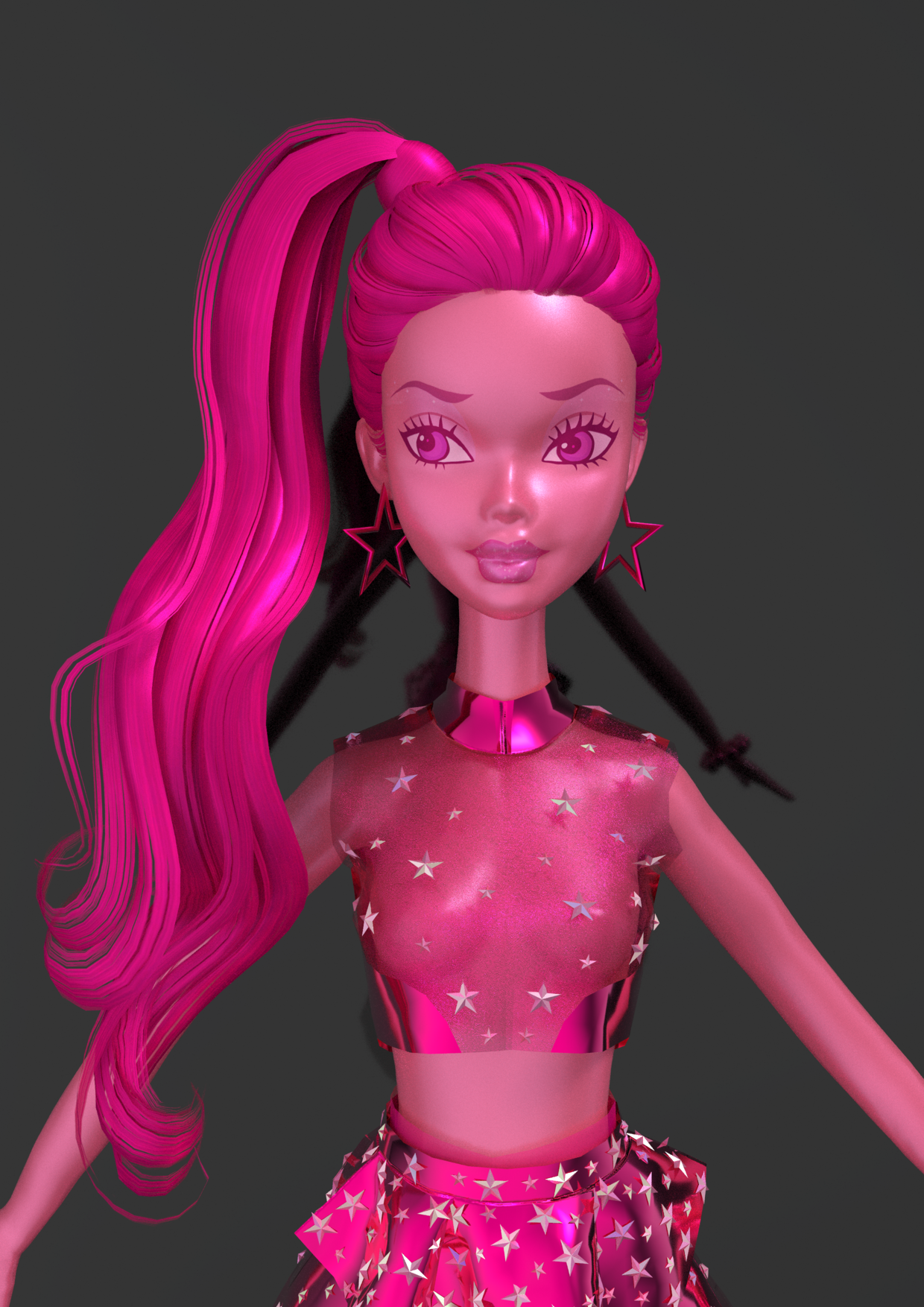
Pink was chosen for its versatility—it’s playful yet bold, which worked perfectly with the sci-fi, anime, and doll-like influences. The minimal use of gyaru fashion added an element of confidence and attitude. Overall, I aimed for a striking balance between strength, simplicity, elegance, and fantasy, with pink unifying the design.
Would you be able to give us a quick overview of the different tools you use in your pipeline with a focus on Marvelous Designer?
Have you encountered any challenges and how have you overcome them?
In my workflow, I primarily used Marvelous Designer to create the outfit for my design. The process was smooth and straightforward, as I had a clear vision from the start. I didn’t encounter any major difficulties, and the program’s intuitive tools allowed me to focus on execution rather than troubleshooting.
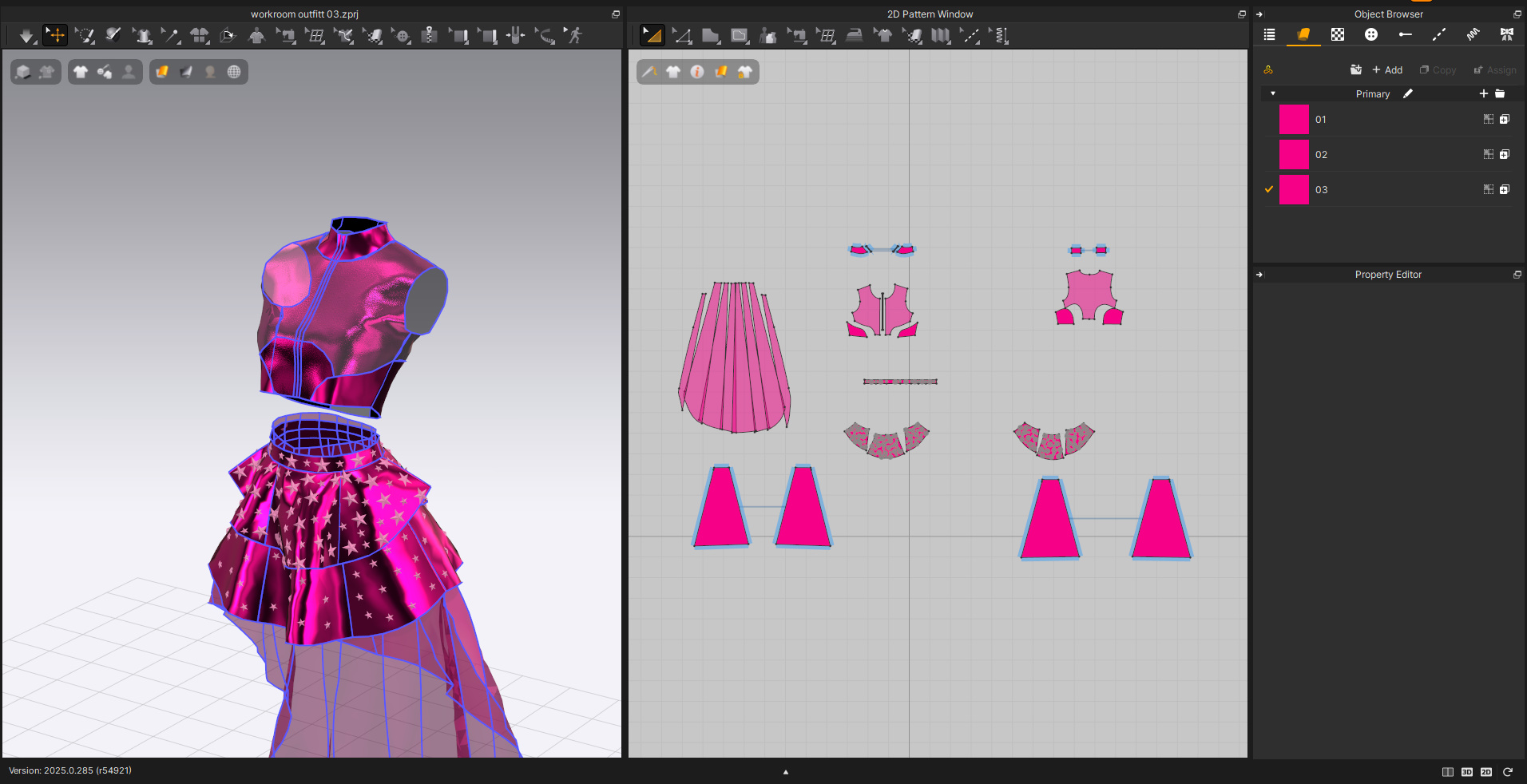
The first step was importing the basic measurements for my avatar, which gave me a realistic base for designing the garments. I began by sketching out the patterns for each piece of the outfit in Marvelous Designer, paying close attention to the futuristic, metallic look I wanted to achieve. The program’s pattern drafting tools allowed me to create precise shapes and experiment with different cuts and details, which was crucial for achieving the clean, structured look I had in mind.
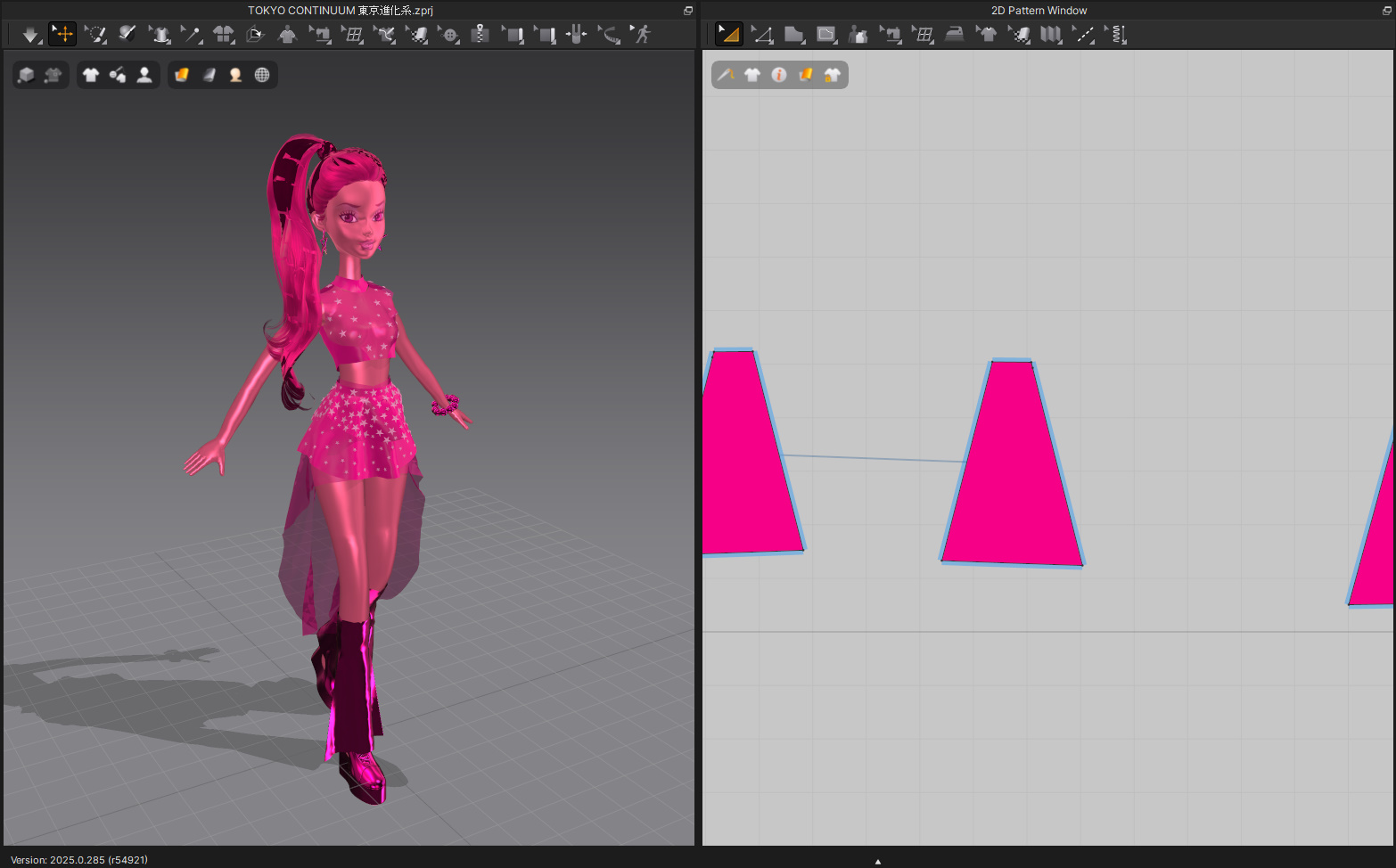
Once the basic patterns were laid out, I used the simulation feature to see how the fabrics would move and react in real time. This feature helped me fine-tune the fit and flow of the garments, ensuring that everything appeared natural on the avatar. I also made use of the fabric library to select materials that matched the metallic and holographic look I was aiming for, adjusting the properties such as weight and stiffness to get the right texture. Once the outfit was complete, I adjusted the colors and added subtle finishing touches to match my overall aesthetic.
Are there any tips and tricks with Marvelous Designer that you can share with the community?
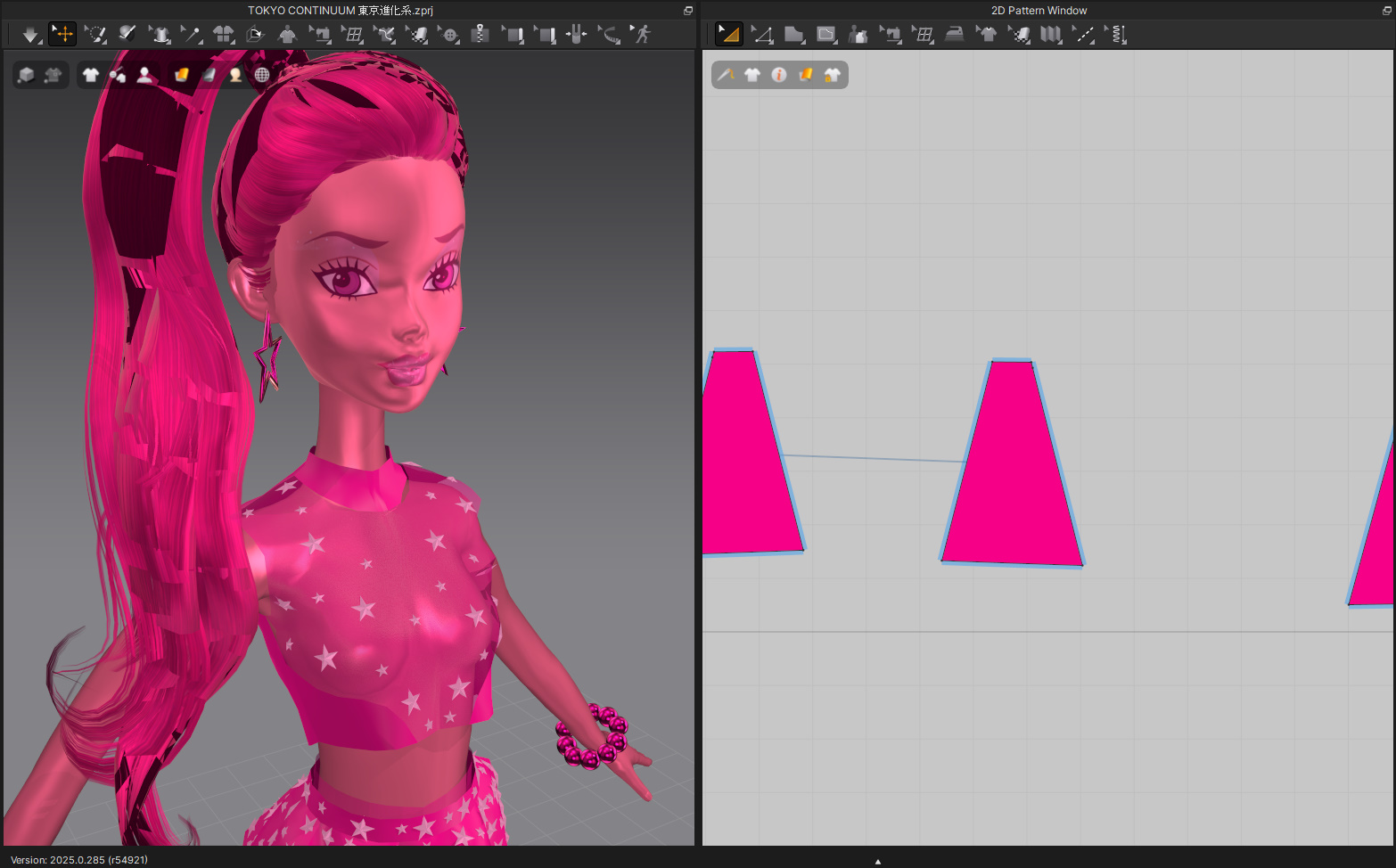
One tip I’d share is to use the simulation feature early and often. It helps you see how fabrics behave on the avatar in real-time, which makes it easier to adjust fit and flow without any guesswork. Layering fabrics is another great trick. By combining materials with different properties, you can create depth and texture, especially for metallic or holographic effects. Make use of Avatar Collisions to ensure your garment fits properly, especially in tight or complex designs. It prevents weird bulges or misalignments. Also, if you’re working with multiple pieces, use the "Arrange All" tool to organize your patterns before sewing them together. It saves time and keeps things neat. Lastly, always use the Sewing Simulation to check for any issues with seam placement or overlaps before finalizing the design. These tips can help streamline your process and make the most of Marvelous Designer’s features.
이 작업은 CharacterArt, CONNECT, Texture, Trim, Pattern, Scifi 등의 기술로 제작되었습니다.
Marvelous Designer로 이와 같은 3D 의상·캐릭터 작업을 직접 만들어볼 수 있습니다.