My Grandma
Geumbi, a Korean character modeler, honored her grandmother through the heartfelt project My Grandma. She also shares tips on crafting stunning scarves with Marvelous Designer.
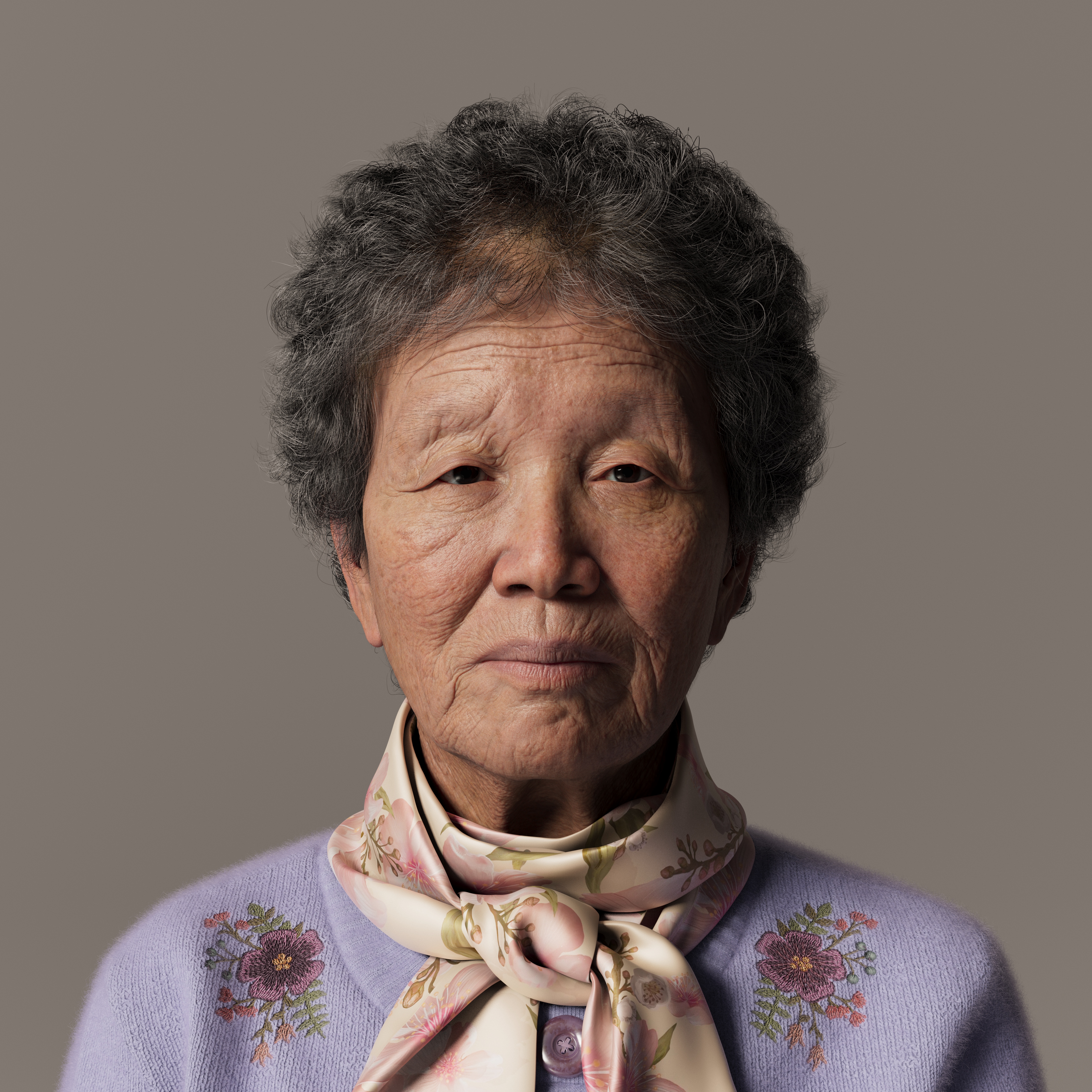
We'd like to get to know you better, can you tell us a little about yourself and how you got started in 3D?
Hello. I'm Geumbi Seo, a junior character modeler from South Korea.
I started studying 3D because I found it fascinating to create things that I love and keep for a long time.
Can you tell us more about your latest project, "My Grandma"?
I became interested in creating realistic characters while taking classes at an academy, and naturally, I thought of my family first, especially my beloved grandma and grandpa. It always broke my heart to see their time go by faster than ours, and as I got older, it always made me sad to imagine a future without them.
So I started a project called “My Grandma” to use the 3D skills I've learned to preserve them in their healthiest and most beautiful state.
As I worked on it, I wanted the others to feel her love through my project. I hope it will inspire each of us to pick up the phone and call or reminisce about our grandmothers.
We love the knot on your scarf using Marvelous Designer. Do you have any advice or tips for people who find it difficult to create ribbons or knots in Marvelous Designer?
I realized while working on this project that it's not easy to make ribbons or knots.
But I didn't want to change the shape of the scarf just because of its difficulty, so I just kept trying multiple times, and eventually, I got the shape I wanted.
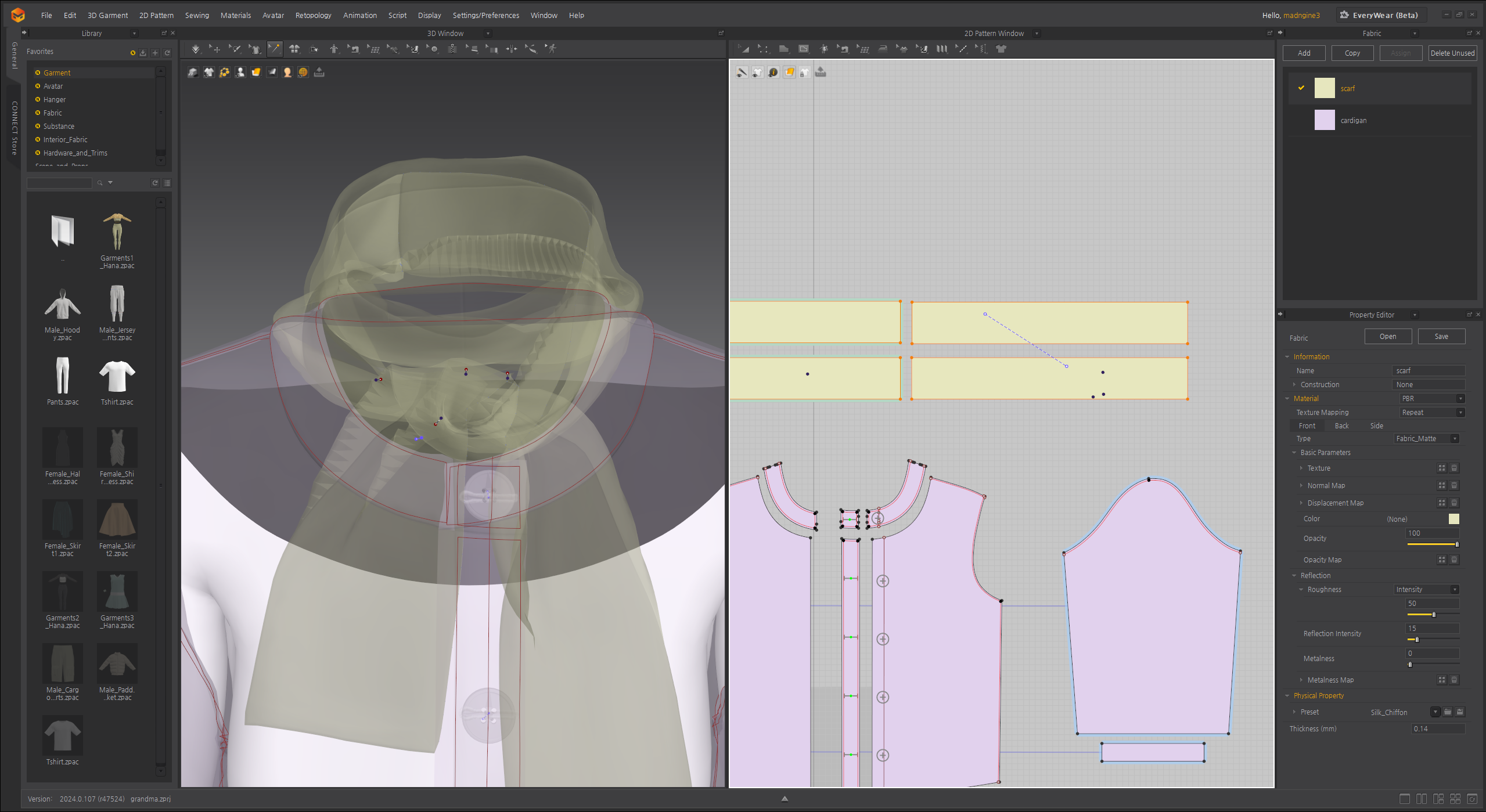
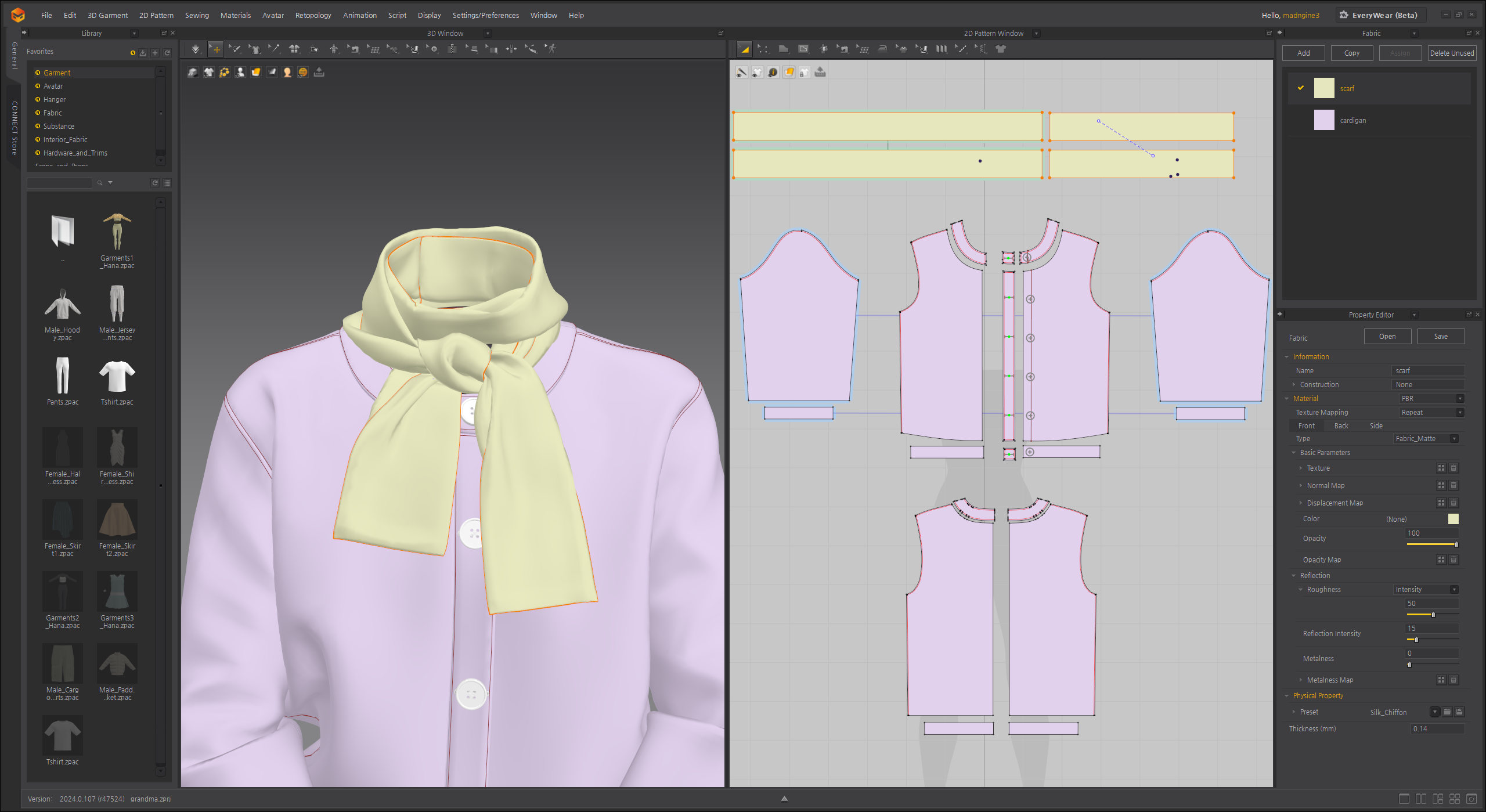
One tip is to use pins and tacks, and I pinned and moved the process slowly, just like tying a scarf, to get the desired shape, if you don't pin or tack it in between, it will unravel, so it's better to pin the finished part until you get the desired shape.
Also, it's good to start with a high particle distance instead of a low particle distance to get the shape, and then lower the particle distance to get the desired crease.
Can you provide a brief overview of the different tools used in the pipeline?
To work on the face, I used ZBrush and Maya 2022.
I started by creating the basic shape in Zbrush, then converted it to MetaHuman UVs and detailed it in Zbrush again. For the skin detailing, I used a basic standard to lay the groundwork, and from there I created the skin detailing by flowing and shaping the wrinkles to match the reference as closely as possible.

The cardigan and scarf were created using Marvelous Designer, with any additional wrinkles or shaping done in Zbrush. The hair and cardigan fur were done in Maya XGen, and the textures were done using Substance Painter.
The final render was done in Maya Arnold, UE5 in two places.
As you worked on the project, I'm sure there were some favorite and some challenging parts. What was the most enjoyable part for you during the process?
In my case, the facial details were the most fun and enjoyable part.
I studied the references very carefully to make sure that nothing was awkward or too noticeable when considering the overall picture, and it was fun to see how the face gradually became wrinkled and natural.
I also had great mentors who taught me and gave me a lot of feedback on the likenesses, so it was a valuable process to communicate with them.
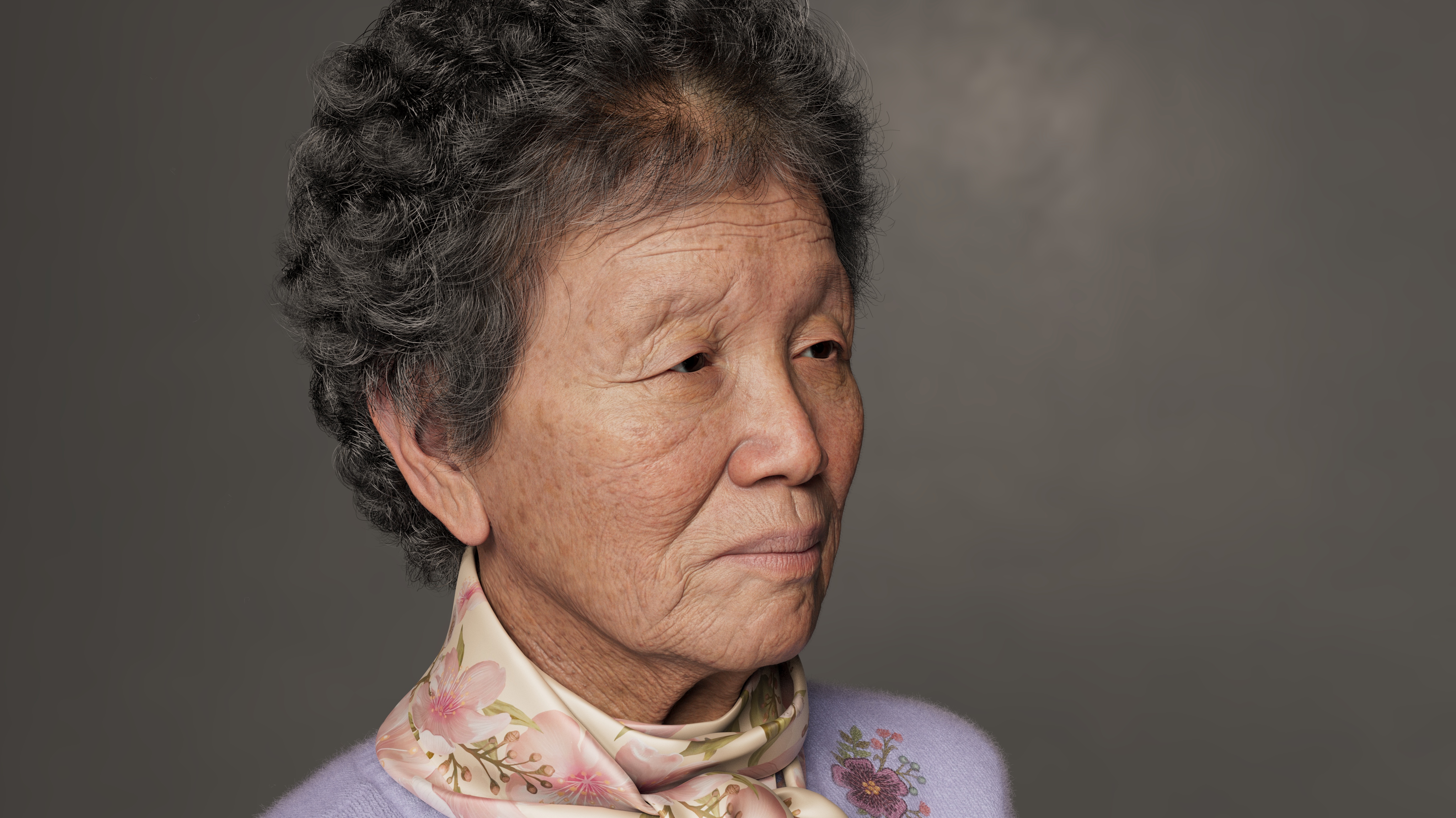
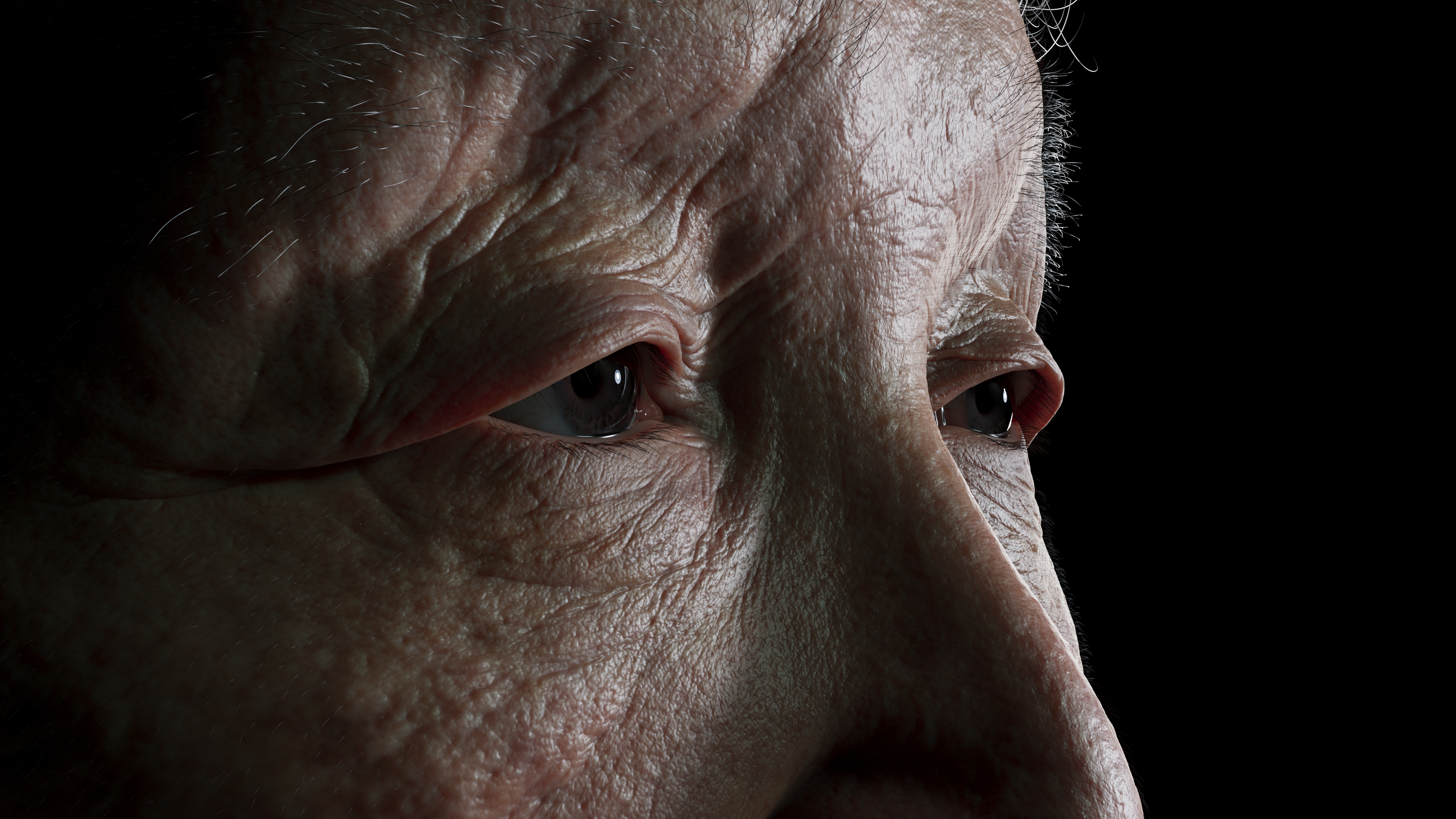
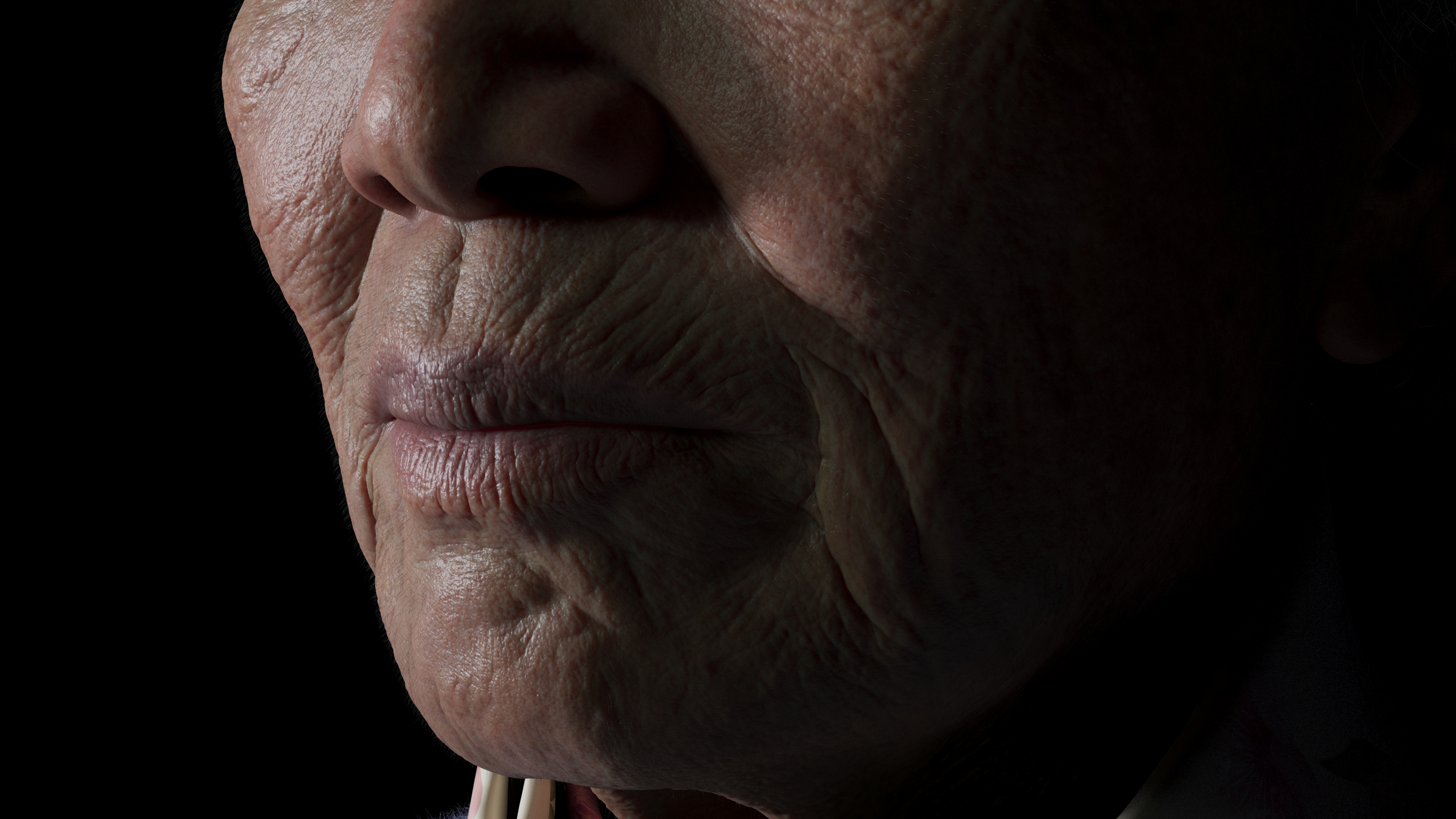
It was the first time I'd ever spent so much time studying someone's face, and I remember thinking, 'This is what my grandmother's nose looks like.
It's so similar to my nose," or "You have a dimple here, that's where my dad and sister's dimples come from," and I had a lot of fun making it.
If so, what was the biggest challenge you faced when working on the project?
Working on this project was my first time using Unreal Engine.
There were a lot of things I didn't know, and it took me a little longer to figure out how to work around it, but it was a great way to get me interested in the changes in 3D work, and I feel like I've learned a lot from it.
Finally, do you have any advice for people getting started in 3D art? Career advice, mindset when creating artwork, or anything else.
I studied 3D art late in life while doing other things, and I started studying at an academy. I've come to realize that the key to my progress lies in finding the right school, connecting with inspiring mentors, and surrounding myself with supportive friends.
And I think it's also important to have a study group with friends to share what you know and learn.
It can be tiring because the process is long, but if you don't give up, you will be rewarded with great results. And even if you don't get good results right away, with each subsequent artwork, you will witness noticeable growth, eventually leading to satisfying results. The teachers who taught me always said that, so I was able to achieve satisfying results.
by Geumbi Seo
Artstation
이 작업은 ZBrush, Maya, SubstancePainter, Unreal, UnrealEngine, UE 등의 기술로 제작되었습니다.
Marvelous Designer로 이와 같은 3D 의상·캐릭터 작업을 직접 만들어볼 수 있습니다.