Accelerating Dark Fantasy: A Workflow Deep Dive into Lirai: Heir of Darkness with Syahmi of Cryorbis Studio
A Self-taught Indie game director Syahmi, founder of Cryorbis Studio, achieves AAA-quality character design for his dark fantasy RPG, Lirai: Heir of Darkness. Discover how he leveraged Marvelous Designer to accelerate his production speed by 14x, using layered simulation and precise fabric settings to bring professional-grade realism and emotional depth to his custom indie characters.
Artist Introduction
Hi! Thank you so much for having me today. I'm really excited to talk about our experience with Marvelous Designer and share how it's impacted our work on Lirai: Heir of Darkness. my name is Syahmi and I'm the Founder and Game Director at Cryorbis Studio. I'm a self-taught game developer and artist who's been deeply passionate about game creation for years. My journey started with a vision to tell stories through interactive experiences or I would like to call it games, and over time I've developed skills across multiple areas, from 3D character design, sound design, game development, environment art, narrative writing and game design. What drives me as an artist is creating worlds and characters that feel emotionally engaged together with people and players. I'm particularly drawn to horror dark aesthetics where every details contributes to the atmosphere and storytelling. I believe in pushing myself to learn constantly, which is why I'm always exploring new tools and techniques to elevate my craft.
Tell us about the project.
So, Lirai: Heir of Darkness is the project I've been focusing, it's a dark horror fantasy action RPG we're building in Unreal Engine 5. The core concept is, you play as a warrior, Brian who uses incredible demonic power. It's essentially asking the question, can you save a world that fears yourself while fighting against becoming a monster they think you are?
What really gets me excited as an artist is how we're visualizing that the whole game concept and the story. The apocalyptic world isn't just a game design mechanic, it's this living, ability transformation that affects everything. The protagonist's evolves throughout the game.
But where I really get to go wild creatively is with the boss designs. Each boss is a former human who's been completely consumed by their regrets—and in our world, regret literally transforms you into a demon. Every one of them requires unique strategy to deal with and it’s not something you can just head in and spam the attack key button. The player have to learn the boss’s pattern before they can defeat them.
The technical challenge is insane for an indie team, honestly. We're talking about stories, multiple material states, intricate layered costumes, and all of it needs to run smoothly in real-time. But that's exactly why I'm so focused on finding the right tools and workflows, because I refuse to let our team size limit our artistic vision.
We’d like to hear more about the art direction of each character in costume. What was the visual style you were aiming for?
To answer that, I need to start with story, because that's where every design decision begins. Each character in our game has their own background, their own pain, their own identity. My approach is making sure the silhouette, the accessories, the color choices, everything tells that same story cohesively. When all those visual elements are synchronized and working together, the character doesn't just look good, they feel authentic. And that authenticity is what creates genuine connection with players.
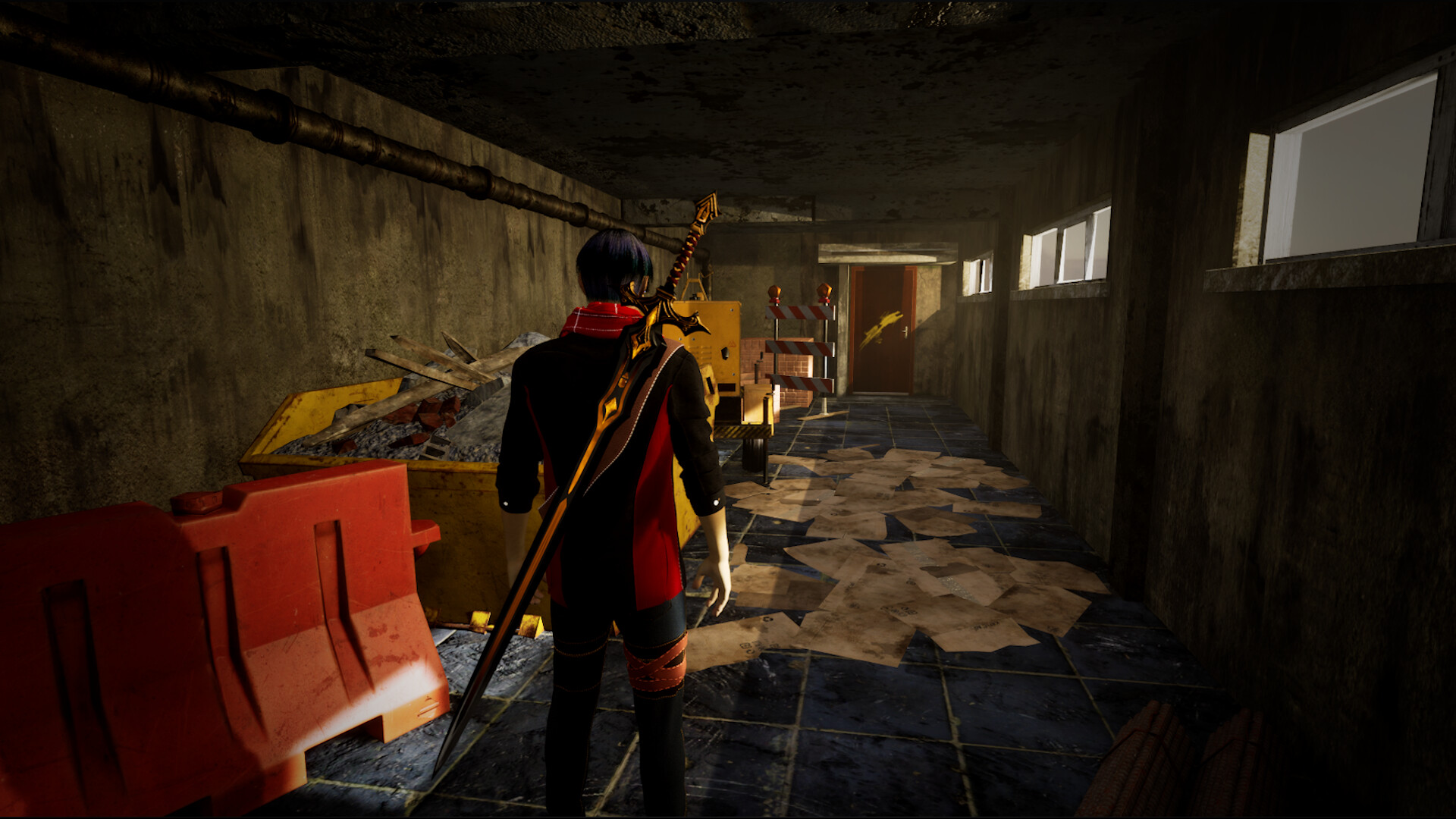
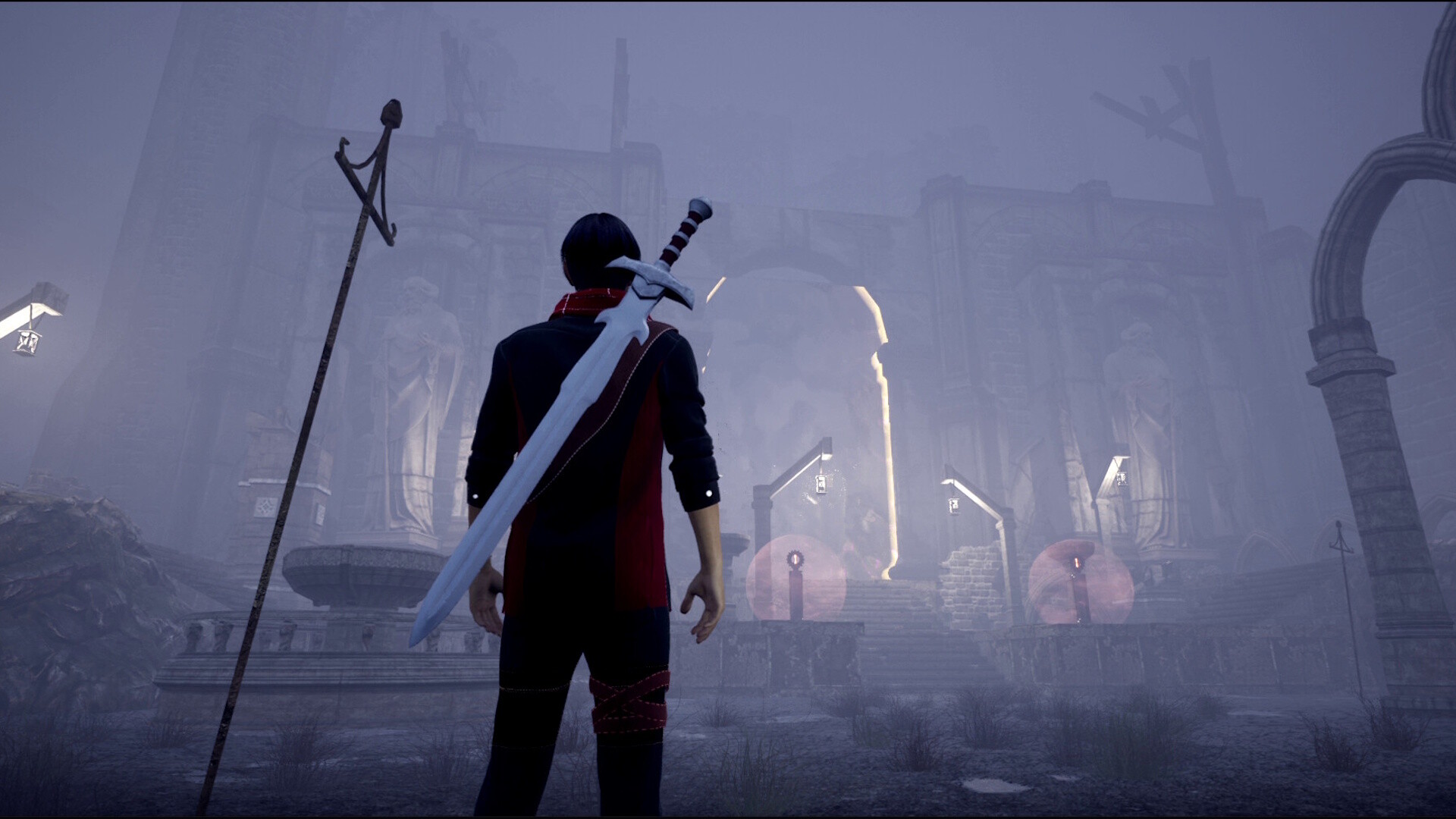
For instance let’s take a look at Brian's design (the main character of the game), because honestly, I'm really proud of how it all came together. He wears this layered outfit with a unique blazer on top, and that was a choice to show he's not just some generic warrior. There's this elegance to him mixed with practicality. He's refined but he's also been through hell, you know? The layered design also just makes him visually more interesting and hints that there's complexity to his character.
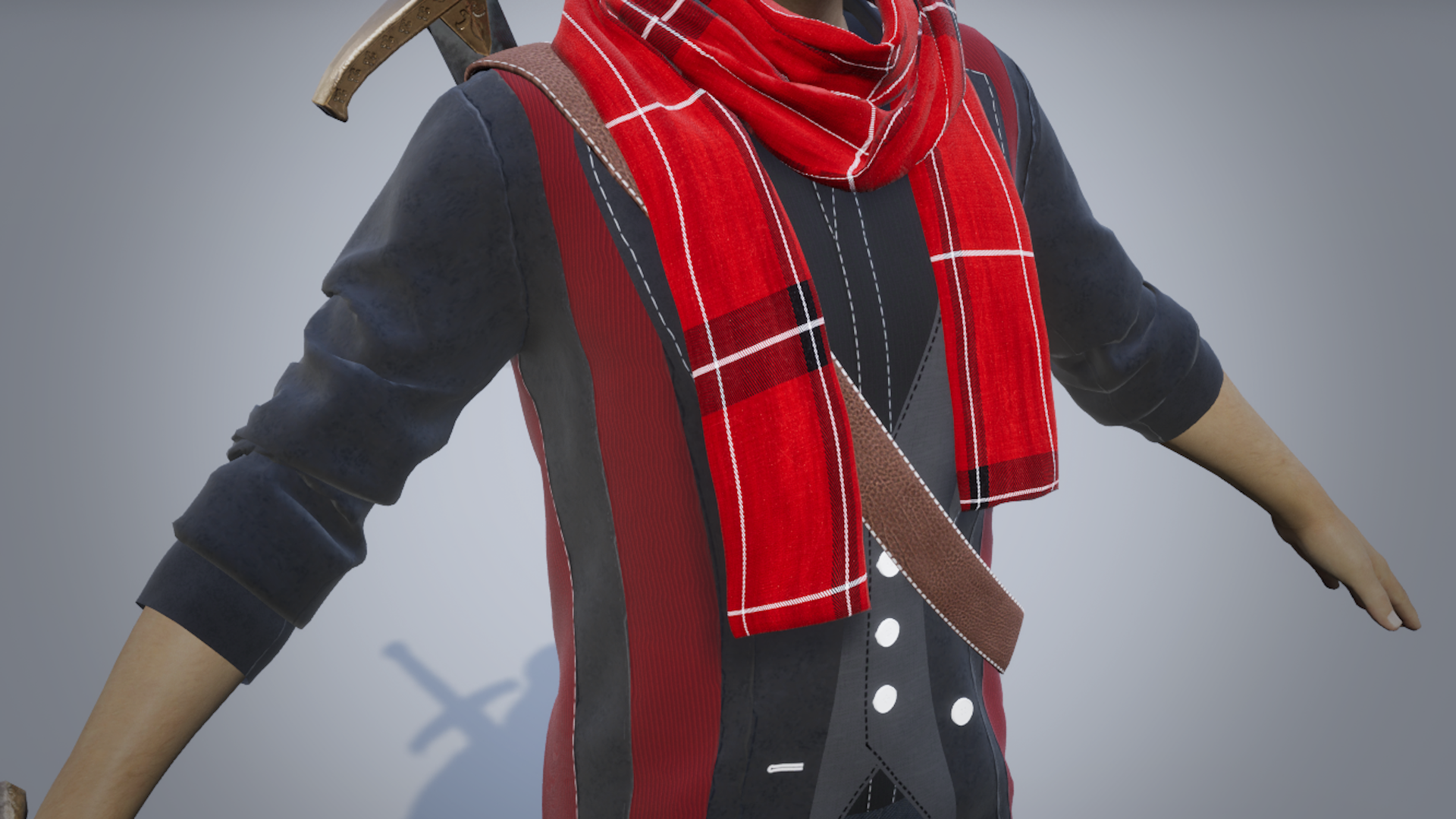
Now, the red scarf around his neck, that's probably my favorite part. Red is courage, passion, strength. In a game where everything's being consumed by darkness and the dead, that bright red is like this defiant statement. It shows he's still fighting, still holding onto who he is. It immediately draws your eye and tells you something about his spirit before he even does anything.
For his pants, we didn't want to just slap on some boring black trousers and call it a day. We added these extra fabric brown patterns and details that give the lower half some life. It prevents everything below the waist from just being this flat, uninteresting mass. Those details matter, they add depth and make the whole design feel more complete.
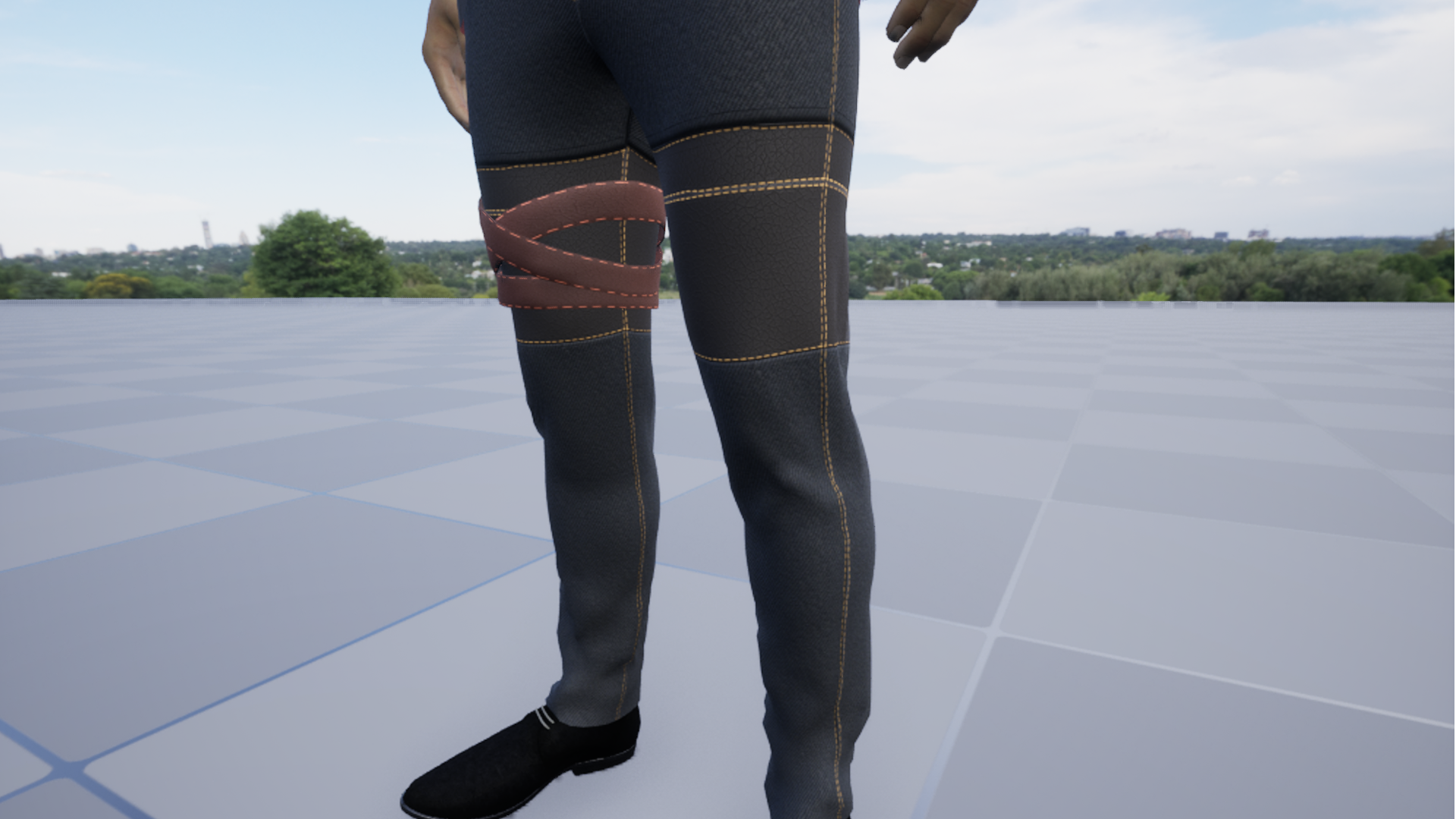
The color scheme overall is super intentional. Black is the dominant color and that represents the darkness he's dealing with, the curse, all the heavy stuff. But then the red comes in as this pop of energy and visual contrast. It makes him instantly recognizable. And here's where it gets fun! We threw in blue for his hair and those brown accents on the pants. It creates what I like to call 'controlled chaos', just enough variety to keep things interesting without making it look like a rainbow exploded on him. It breaks up the monotony while still feeling cohesive.
Oh, and the necklace! We added this accessory specifically to draw attention to his upper body. In combat, that's where most of the action is happening, so we wanted to create a natural focal point there. Plus it just gives him that extra bit of personality. It's those little touches that make a character feel real!
Everything about Brian's design is thought out. The blazer, the red scarf, the detailed pants, the necklace. It all works together to make someone who's visually striking and tells you who he is just by looking at him. That's what I'm always chasing as a designer.
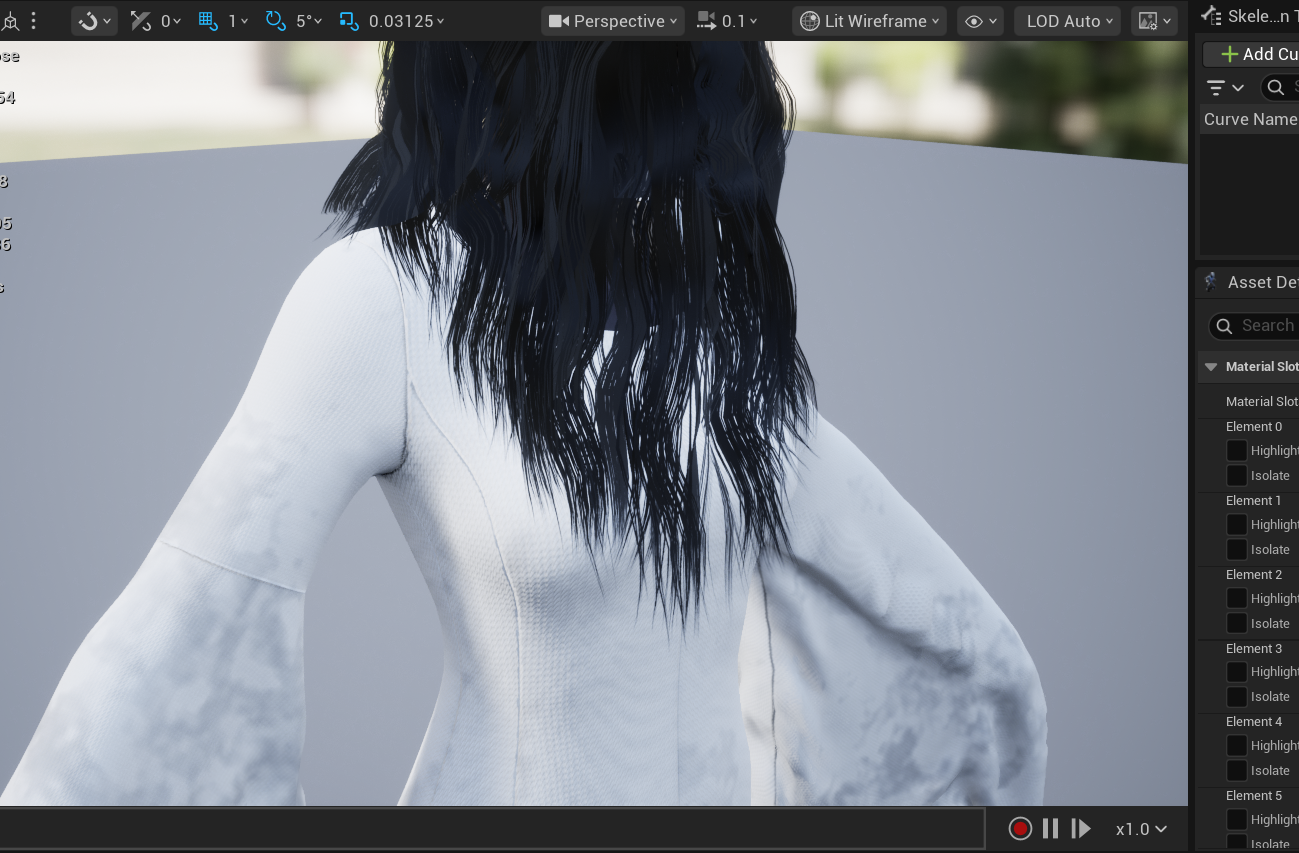
And that's just Brian! Every other character in the game follows their own design based on who they are and what they represent. Like, the bosses have completely different visual languages. The hair design and the armor to show their supernatural nature. Each one gets the same level of thought and intentionality, but the approach changes completely depending on their story and role. That's what keeps the design work exciting for me. I'm not just copying and pasting a formula, I'm genuinely creating unique identities for each character.
Why did you decide to use Marvelous Designer? How did it help you serve art direction?
I've been experimenting with multiple alternative software options to create realistic clothing for years now. Mixing free tools with cheaper paid options, whatever I could afford. The results were pretty decent, but they were never quite what I’m looking for. I always knew they were falling short of that professional quality I was chasing.
I've actually known about Marvelous Designer for many years. In my mind, it was always this top-tier, AAA studio software, something completely out of reach for someone like me. The pricing, combined with my country's currency conversion rate, just made it feel impossible. I genuinely thought I'd never be able to use it in my lifetime. It just wasn't realistic for an indie developer working with limited resources.
I remember watching YouTube tutorials showcasing Marvelous Designer years ago, and I was absolutely floored. People were creating simple garments with incredibly realistic physics and natural fabric folds in literally seconds. Things that were taking me weeks to achieve with the free software I had access to. And don't even get me started on texturing. The workflow in MD looked so clean and intuitive compared to what I was struggling with. It was honestly frustrating to watch, knowing I couldn't access those tools.
I started learning garment creation functions back in 2019 using whatever tools I had available. They were nowhere near what Marvelous Designer (MD) could do, but it was what I had, so I pushed forward. I needed to build my skills somehow, and I treated those limitations as learning opportunities, even though it was a much slower, more painful process.
Then about a year ago, something incredible happened, I was able to partner with CLO3D, and honestly, it's been an absolute game changer for our studio. The partnership came at a critical time because I was getting consistent feedback that our main character's clothing looked flat and lacked depth. People could tell something was off. I knew I needed to completely redesign it, but here's the problem: I didn't have the luxury of time to spend weeks or months solely focused on modeling cloth from scratch. Our production schedule just couldn't accommodate that.
So I made it a priority to reach out to the Marvelous Designer team and make that partnership happen. And I cannot overstate how much it's accelerated our workflow. What used to take me roughly 14 weeks to design and model, just one character's complete outfit. I can now accomplish in one to two weeks maximum. That's not an exaggeration. We're talking about a 7x to 14x speed increase in production time.
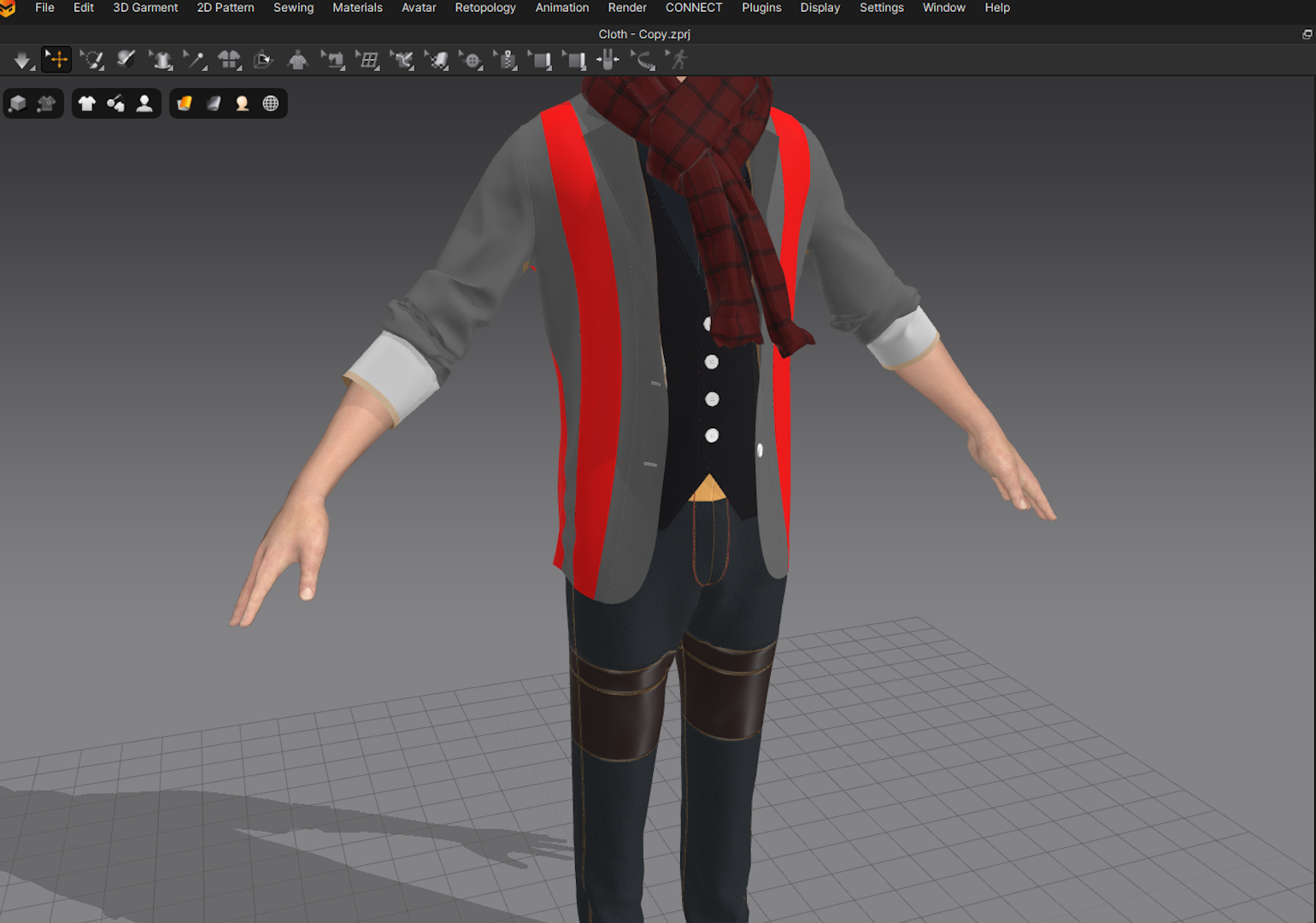
Now, I'll be honest, my team and I weren't familiar with advanced garment tools when we started. We had basic knowledge, but MD's full feature set was new territory for us. But with consistent practice, following tutorials, and just diving in hands-on, we were able to master the fundamentals in about a week. Having some prior experience with basic garment functions definitely helped. MD's approach isn't completely alien if you understand the principles of fabric and draping. But even starting fresh, the learning curve is manageable because the software is designed so intuitively.
The return on investment, both in time and quality, has been incredible. It's completely worth the effort to learn Marvelous Designer if you're serious about character design and want to speed up your production pipeline without sacrificing quality. For us, it's become an essential part of our workflow that I honestly can't imagine going back from.
Can you give us a quick overview of the different tools used in your pipeline?
Absolutely! So our main content creation tool is Blender. That's where we do all our 3D modeling, sculpting, re-topology, UV mapping, and a good chunk of our texturing work. It's incredibly versatile and honestly perfect for an indie team because it's powerful enough to handle everything we throw at it.
From there, everything goes into Unreal Engine 5, which is our game engine. That's where all the magic happens, implementation, real-time lighting, material creation with the shader system, animation blueprints, gameplay mechanics, basically bringing everything to life in the actual game environment.
Now with Marvelous Designer in the mix, our character clothing workflow has completely transformed. We design and simulate the garments in MD first, export them to Blender for any tweaks or optimization, and then bring the final assets into Unreal. So the flow is basically: MD for cloth creation → Blender for modeling and adjustments → Unreal Engine 5 for final implementation and rendering. It's a really smooth pipeline once you get the export/import workflows dialed in.
Could you give examples of some of the iconic scenes and characters Marvelous Designer has been used for?
Yes! Using Marvelous Designer, we were able to create Brian’s layered blazer with realistic fabric draping, that signature red scarf with natural folds and movement, and all the intricate details on his trousers that just weren't possible with our previous workflow. The difference was night and day, suddenly he felt like a real character wearing actual clothes instead of painted on textures. It applies the same to the other characters too!
Are there any tips and tricks with Marvelous Designer that you can share with the community?
Sure! Two things that I think really can help:
First: Particle distance settings. This one's technical, but adjusting your particle distance based on what you're creating, fine fabric versus heavy leather, drastically changes how realistic your simulation looks. Lower particle distance for detailed, flowing fabrics and higher for stiffer materials. It took us a while to figure out how much this matters. Also, since we create this for games, do pay attention to the number of polygons.
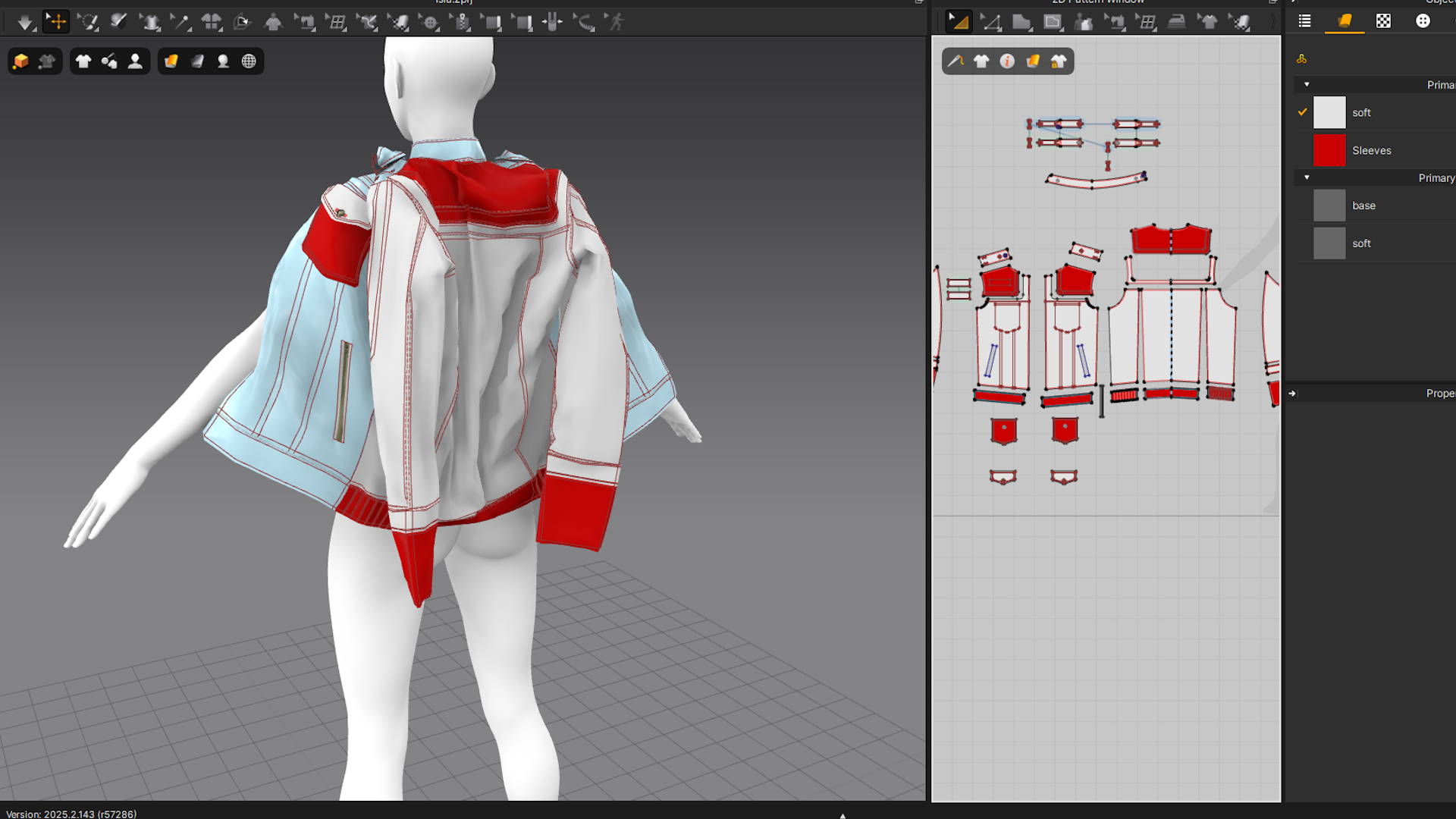
Second: Simulate in layers, the way you'd actually dress someone. Undergarments first, then mid-layers, then outer layers. Don't try to simulate everything at once. This approach gives you way more realistic draping and drastically reduces collision issues between cloth pieces. It seems obvious in hindsight, but it made a huge difference once we started doing it consistently.
How can you describe your overall experience of the use of the Marvelous Designer?
Honestly? It's been transformative for our studio. I'm not exaggerating when I say Marvelous Designer has fundamentally changed how we approach character creation.
Before MD, creating realistic clothing was this massive time sink. Weeks of manual modeling, sculpting folds that never quite looked natural, fighting with topology to get fabric to drape correctly. It was exhausting and the results were always just... okay at best. With Marvelous Designer, I can achieve in a week what used to take me 14 weeks, and the quality is exponentially better. That's not a minor improvement, that's the difference between a project being feasible or not.
The learning curve was surprisingly manageable too. My team and I weren't experts in garment creation, but within a week of consistent practice and following tutorials, we were producing usable results. Within a month, we were genuinely comfortable with the workflow. Having some prior experience with basic garment tools helped, but even starting fresh, MD is intuitive enough that you're not completely lost.
What I appreciate most is how it lets me focus on design rather than technical struggle. I can experiment with different looks, try variations, see how fabric moves in real-time. It's creative freedom I simply didn't have before. The simulation does the heavy lifting, so I can spend my energy on making design decisions instead of manually pushing vertices around for hours.
If I had to sum it up, Marvelous Designer took something that was a bottleneck in our production pipeline and turned it into one of our strengths. It's become an essential tool I genuinely can't imagine working without now.
I just want to say thank you so much for this opportunity to share our story and experience with Marvelous Designer. It's been really great talking with you about the project and how MD has impacted our workflow. The partnership with CLO3D has genuinely been a game-changer for our studio, and I'm excited to continue pushing what we can achieve with these tools. I really appreciate you taking the time to hear about our journey, and I'm looking forward to seeing where we can take Lirai with Marvelous Designer as part of our pipeline. Thanks again!
이 작업은 UnrealEngine, Blender, Game 등의 기술로 제작되었습니다.
Marvelous Designer로 이와 같은 3D 의상·캐릭터 작업을 직접 만들어볼 수 있습니다.